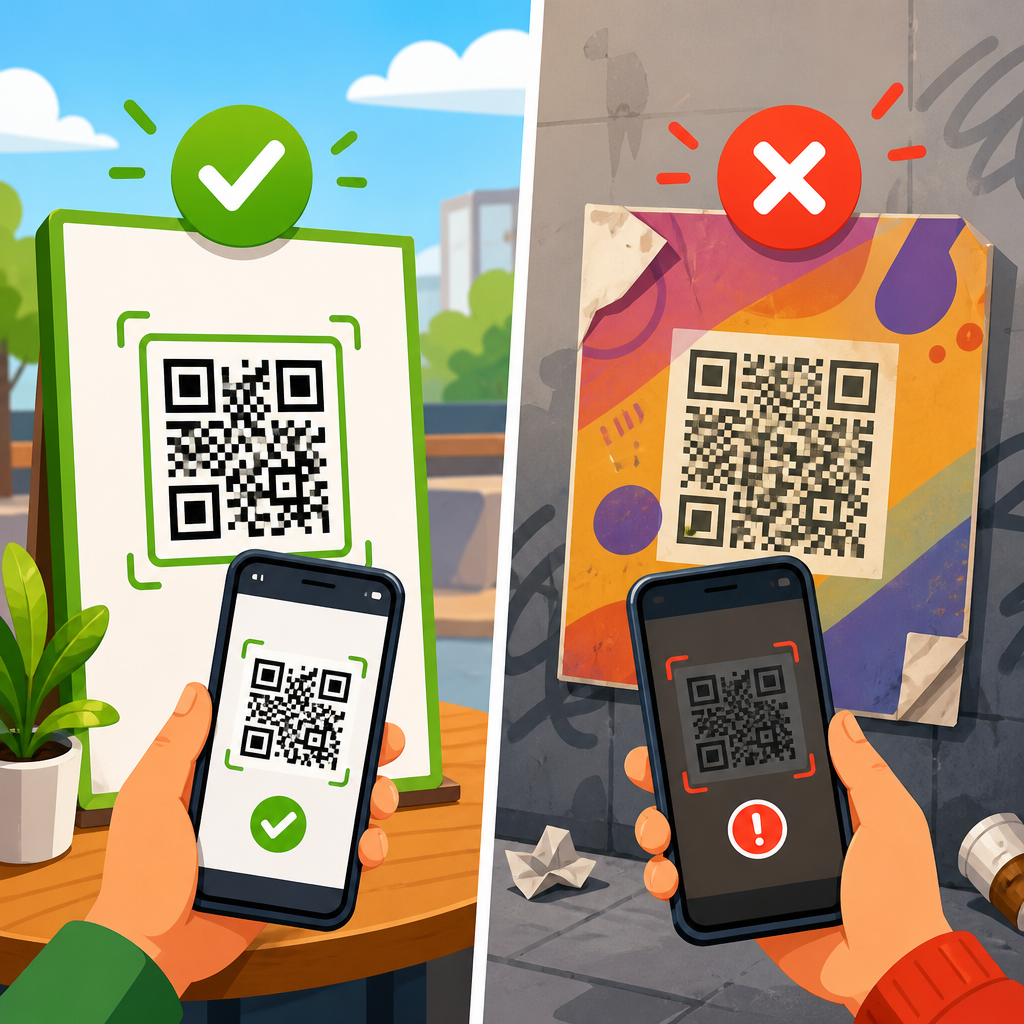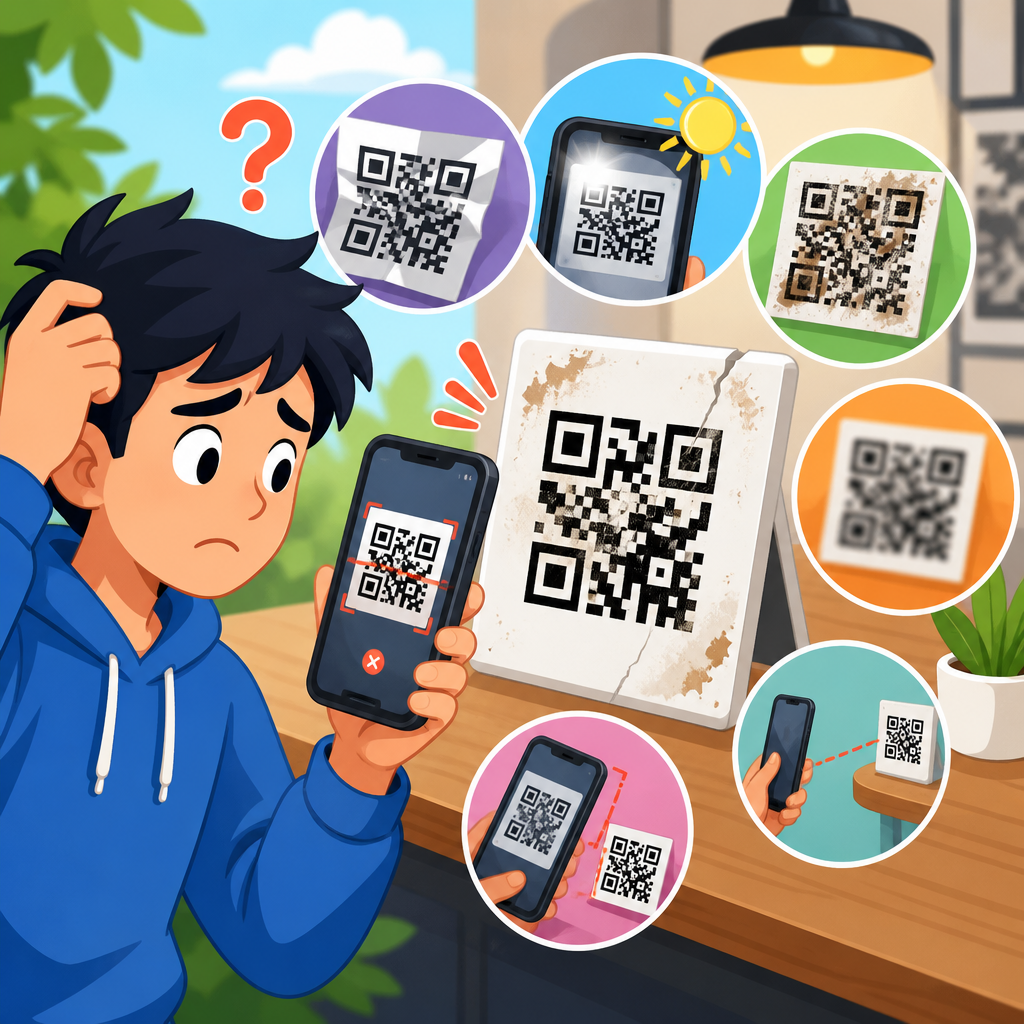
Outdoor QR codes fail for reasons that are predictable, measurable, and usually preventable. A QR code is a two-dimensional matrix barcode that stores data in a grid of dark and light modules, then relies on a camera, decoding software, and sufficient visual contrast to convert that pattern into an action such as opening a URL, downloading a file, or launching a payment flow. When people ask why QR codes don’t work outdoors, they are usually describing a scanning failure caused by glare, weather exposure, weak print quality, poor placement, low contrast, broken links, or a mismatch between code size and scan distance. This matters because outdoor signage, packaging, transit ads, construction boards, event banners, menus, and storefront windows often have only a few seconds to capture attention. If the code fails in that moment, the campaign loses traffic, attribution, and trust. After auditing failed installations on windows, A-frames, vehicle wraps, and billboards, I have seen the same pattern repeatedly: the code itself is often technically valid, but the environment makes it unreadable or the destination makes it useless. Understanding those failure points is the fastest way to improve scan rate, reduce support issues, and build outdoor QR campaigns that work in real conditions rather than ideal ones.
Sunlight, glare, and reflections are the most common outdoor scanning problem
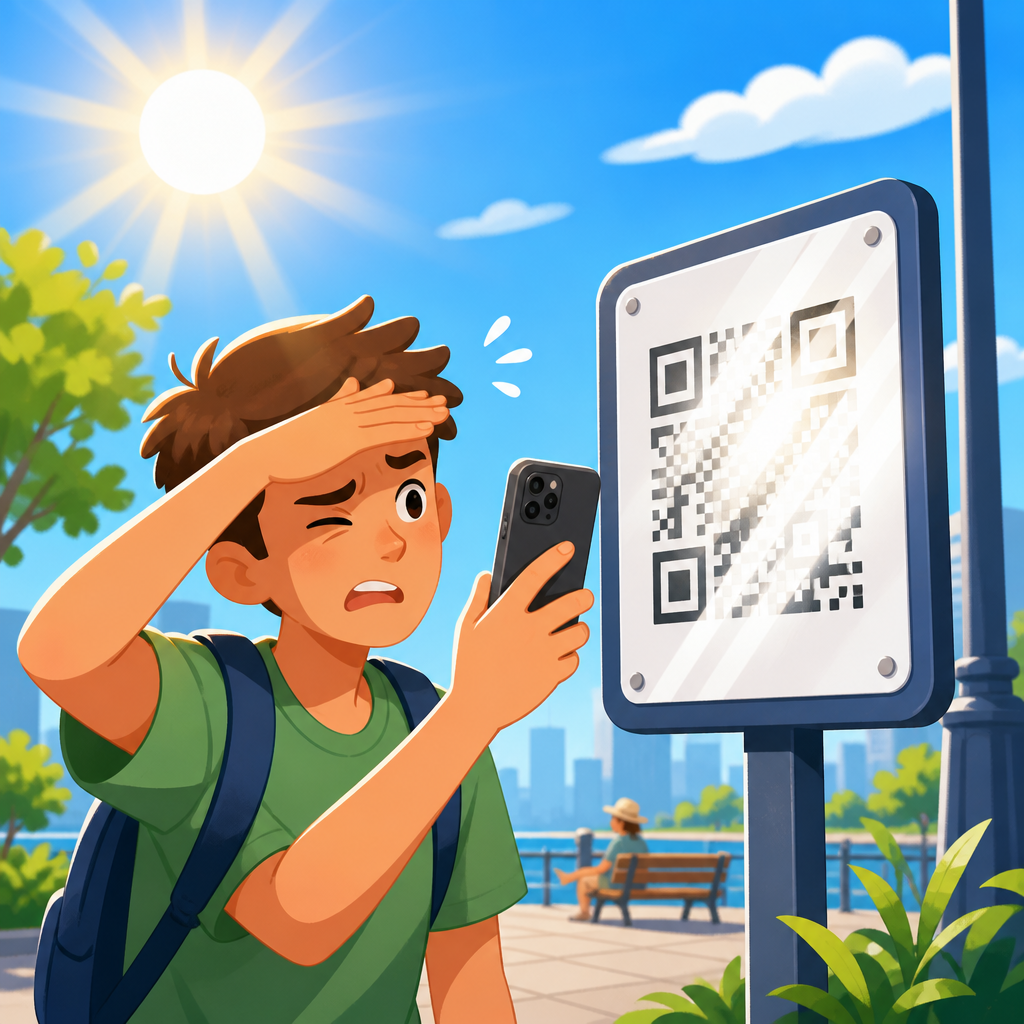
Bright outdoor light changes how a phone camera sees a QR code. Direct sunlight can wash out white space, while reflections from glossy lamination, glass, polished metal, acrylic signs, and window decals obscure the square modules the scanner needs to interpret. Most smartphone cameras automatically adjust exposure for the overall scene, not specifically for the QR area, so a highly reflective sign can cause blown highlights or deep shadows across the code. On storefronts, I regularly see codes printed correctly but mounted behind glass where cars, sky, and pedestrians reflect over the surface. A user points a phone toward the code, the camera hunts for focus, and the app never locks onto the pattern. Matte finishes dramatically improve performance because they reduce specular reflection. If the code must sit on glass, place it on a nonreflective substrate, angle it away from direct sun, and test it at the exact time of day the location gets peak exposure. Outdoor success depends less on whether the QR generator worked and more on whether the code remains visually distinct in changing light.
Weather, dirt, and physical wear slowly destroy scannability
Outdoor environments attack printed codes continuously. Rain, UV radiation, temperature swings, windblown dust, road grime, salt air, and cleaning chemicals all degrade readability over time. UV fading is particularly damaging because it lowers contrast between the dark modules and the background, especially on inexpensive inkjet prints, thermal labels, and solvent inks not rated for exterior use. I have replaced codes on real estate signs and restaurant placards that looked acceptable to the naked eye but had enough fading, abrasion, or edge lifting to break scanning consistency. Moisture can wrinkle paper labels, dust can fill in module gaps, and scratches can remove alignment patterns near the corners. Error correction helps, but it is not magic. QR codes commonly use error correction levels L, M, Q, or H, with H offering the greatest tolerance for damage, yet higher correction also increases pattern density. If a code is already too small, raising correction alone may not save it. For outdoor durability, use weather-rated materials, UV-resistant inks, secure mounting, and a maintenance schedule. A code installed outside should be treated like any other functional sign element, not as a set-and-forget graphic.
Size, distance, and viewing angle determine whether a phone can resolve the pattern
Many outdoor QR code failures come from simple geometry. If the code is too small for the expected scan distance, a phone camera cannot resolve enough detail to decode it reliably. A practical rule used in signage is that scan distance should be roughly ten times the code width, though field testing is essential because phone cameras, lighting, and content density vary. A one-inch code may work at close range on packaging, but it will fail on a poster viewed from several feet away. On bus shelters and building exteriors, people often scan while walking, standing at an angle, or holding a phone one-handed. Perspective distortion increases when the code is mounted too high, too low, or parallel to moving traffic rather than pedestrian sightlines. I have seen large-format ads waste budget by placing a small code near the bottom edge where people cannot approach closely enough without blocking others. Quiet zone is just as important as size. Every QR code needs a clear margin around it, typically four modules wide, so the decoder can separate the symbol from nearby graphics. Crowded layouts, decorative borders, and busy backgrounds frequently erase that margin and make the code fail outdoors.
Design choices often make outdoor QR codes attractive but unreadable
Brand teams often customize QR codes with logos, altered colors, rounded modules, gradients, image backgrounds, or artistic frames. Some customization is safe, but outdoor conditions shrink the margin for error. A code that scans indoors under office lighting may fail on a sunny sidewalk because the contrast ratio is lower than it seemed on screen. Dark-on-light remains the standard because most scanners expect that relationship, and reversing it or using low-contrast brand colors introduces risk. Busy photography behind a transparent code is another common mistake. Even when a generator previews a design as valid, real-world cameras may struggle once glare, compression, shadow, and movement are added. I have had the best results using simple black or very dark navy modules on a plain white matte background, with conservative logo insertion and high error correction only when necessary. Decorative cutouts that remove too much data area are especially risky outdoors where damage may already exist. The goal is not to make the code itself memorable; the goal is to make the action frictionless. If visual styling reduces first-scan success, the design has failed regardless of how polished it looks in a mockup.
Destination failures matter as much as print failures
A QR code can scan perfectly and still feel broken outdoors if the destination is slow, unavailable, blocked, or poorly matched to mobile use. In troubleshooting projects, I often find the printed symbol is fine but the linked page returns a 404 error, times out on weak cellular service, redirects too many times, or loads a desktop experience that users abandon. Outdoor scanning typically happens on mobile data, sometimes in crowded areas where bandwidth is limited. Heavy hero images, autoplay video, intrusive pop-ups, and cookie banners that obscure the first screen all reduce completion rates. Dynamic QR codes help because they allow destination changes without reprinting the sign, but they also add a dependency on the QR platform’s redirect service. If that service has issues, every placed code is affected. Use HTTPS, keep redirect chains short, test in low-signal conditions, and make the landing page task-focused. If the sign promises a menu, show the menu first. If it promises tickets, open the purchase page, not the homepage. A code that resolves to irrelevant content will be reported by users as a code that does not work, and from a business perspective they are correct.
Material, placement, and maintenance choices decide long-term performance
Outdoor QR code reliability comes from disciplined production and field testing, not from generating the code alone. The best-performing installations I have managed follow a checklist that covers substrate, finish, print method, mounting, line of sight, and post-install verification. Vinyl applied to textured walls can distort module edges. Mesh banners can interrupt the pattern. Curved surfaces on bottles, columns, or vehicles can warp perspective. Placement near door handles, seams, rivets, or fold lines creates physical interference. The strongest approach is to prototype at full size, install a sample in the intended environment, then test with multiple phone models and camera apps at different times of day. Track scans by location so poor performers can be identified quickly. Replace damaged signage before failure becomes visible to staff.
| Failure cause | What happens in the field | Best fix |
|---|---|---|
| Glossy surface or glass reflection | Camera sees glare instead of module pattern | Use matte laminate, nonreflective substrate, or change angle |
| Code too small for viewing distance | Phone cannot resolve enough detail to decode | Increase physical size and preserve quiet zone |
| Low contrast or branded colors | Scanner struggles in bright light or shadow | Use dark modules on a plain light background |
| Weathering, fading, dirt, or scratches | Missing or blurred modules create intermittent scans | Use outdoor-rated print materials and inspect regularly |
| Bad landing page or dead link | Users scan successfully but cannot complete the task | Use dynamic codes, short redirects, and mobile-first pages |
How to troubleshoot why QR codes don’t work outdoors
Start by separating scan failure from destination failure. Open the phone camera, test from normal user distance, then test from closer range in even light. If the code works only up close, the issue is usually size, density, or print sharpness. If it works when shaded by hand, glare or contrast is the likely cause. Next, inspect the quiet zone, corner finder patterns, and overall edge crispness. Compression artifacts from low-resolution artwork are common when designers scale up a small raster file instead of exporting vector artwork. Then check the destination URL with and without Wi-Fi, measure load time, and review redirects. On iPhone and Android devices, also test with native camera scanning rather than only a brand app, because most users rely on the default camera. If scans vary sharply by device model, the code may be near the edge of acceptable quality. In my audits, photographing the installed code from user position is one of the fastest diagnostics because it reveals reflections, angle distortion, and surrounding clutter immediately. Finally, document the environment: time of day, weather, foot traffic, and any obstruction. Outdoor QR troubleshooting works best when treated like field service, not desk review.
Best practices for outdoor QR codes that scan reliably
Use a dynamic QR code when the campaign may need updates, but host it on a reputable platform and monitor uptime. Generate the code at the shortest practical URL to reduce density, especially when the physical size is limited. Export vector files such as SVG or EPS for print production so module edges stay sharp at any scale. Choose high contrast, preserve the quiet zone, and avoid transparent backgrounds over photos. For most outdoor use, a matte white panel with dark modules is the safest baseline. Size the code for the actual scan distance and movement pattern, not for how it looks in the layout. Place it where people can approach without stepping into traffic or blocking a line. Add a clear call to action, because scan rates improve when people know what they will get, such as “View menu,” “Download map,” or “Pay parking.” Test before launch in sun, shade, and dusk with several devices and camera apps. Then keep monitoring. The hub question, why QR codes don’t work, usually has a specific operational answer: the environment, the print, or the destination was not engineered for outdoor use. Fix those three variables, and most outdoor QR failures disappear. If you manage signs, packaging, or campaigns, audit every live code this week and replace the weakest performers before they cost more traffic.
Frequently Asked Questions
Why do QR codes often fail to scan outdoors even when they work fine indoors?
Outdoor scanning adds several variables that do not exist, or are much less severe, in controlled indoor environments. A QR code depends on clean visual contrast between dark and light modules, a stable camera view, and decoding software that can clearly identify the pattern. Outdoors, direct sunlight can wash out contrast, reflections can obscure parts of the symbol, and shadows can create uneven lighting across the code. Even if the QR code itself was generated correctly, these environmental conditions can make it much harder for a phone camera to isolate the edges and timing patterns needed for decoding.
Distance and placement also matter more outdoors. A code mounted too high, too low, or at an awkward angle may look large enough to the human eye but still appear distorted or too small to a scanner. Add in movement from the user, wind affecting signage, dirty surfaces, faded printing, or low camera quality on older devices, and failure becomes much more likely. In most cases, an outdoor QR code does not fail randomly. It fails because one or more measurable factors—contrast, glare, size, angle, surface condition, or viewing distance—have dropped below a practical scanning threshold.
How does glare and sunlight interfere with outdoor QR code scanning?
Glare is one of the most common and predictable reasons outdoor QR codes fail. When sunlight reflects off a glossy sign, laminated label, metal plate, glass surface, or protective plastic cover, the camera may capture a bright hotspot instead of the QR pattern. That reflection can hide part of the code, flatten contrast, or make dark modules appear lighter than they really are. Since QR decoding relies on accurately distinguishing dark and light areas, even a small reflective patch can disrupt recognition.
Bright sunlight can also create overexposure. In that situation, the camera sensor receives so much light that white areas bloom and dark areas lose definition. This reduces the crisp edges the scanner needs in order to detect finder patterns, alignment patterns, and module boundaries. In practical terms, the phone may hunt for focus, hesitate, or simply fail to recognize that a QR code is present at all. Matte finishes, anti-glare coatings, shaded placement, and avoiding highly reflective substrates are some of the most effective ways to reduce this problem. If a code must be used outdoors, testing it at different times of day is essential because a code that scans perfectly in the morning may become unreadable in direct afternoon sun.
Can weather and outdoor wear damage a QR code enough to stop it from working?
Yes, and this is another major cause of outdoor QR code failure. Rain, humidity, heat, cold, dust, pollution, and UV exposure all degrade printed materials over time. Ink can fade, adhesives can peel, surfaces can crack, and protective layers can cloud or discolor. Because a QR code is made up of many small modules arranged in a precise grid, even partial deterioration can interfere with decoding. If edges become blurry, light areas darken with grime, or dark modules fade toward gray, the scanner may no longer be able to reconstruct the pattern reliably.
Weather-related damage is especially problematic when the code is already marginal in size or print quality. A large, high-contrast QR code with generous quiet space and proper error correction may tolerate some wear, but a small code printed cheaply on a poor substrate has very little margin for environmental stress. Snow, mud, condensation, and surface scratches can make matters worse by temporarily covering key areas of the symbol. This is why outdoor QR codes should be treated like functional infrastructure, not decorative graphics. Durable materials, UV-resistant printing, periodic inspection, and scheduled replacement can make the difference between a code that remains usable for months or years and one that quietly stops performing soon after installation.
Does the size and placement of a QR code affect whether it will scan outdoors?
Absolutely. Size and placement are two of the most important design decisions for outdoor QR code performance. A code that is technically valid can still fail if it is too small for the expected scanning distance. As a general rule, the farther away people are when they notice or approach the sign, the larger the code needs to be. Outdoors, people may scan from sidewalks, parking areas, event queues, storefront windows, or transit stops, and those situations often involve variable distance, motion, and imperfect viewing angles. If the code appears small within the camera frame, the individual modules may not contain enough pixel detail for the app to decode them accurately.
Placement can create additional obstacles. Codes mounted on curved surfaces, poles, vehicle panels, heavily textured materials, or spots that receive harsh sunlight are more likely to fail. If the code is placed too high, users may need to tilt their phones steeply, increasing perspective distortion. If it is too low, it may collect dirt, splashback, or physical damage. Good outdoor placement usually means eye-level positioning, a flat matte surface, clear surrounding space, and enough room for the user to stand comfortably and frame the code. The quiet zone—the blank margin around the QR code—is also critical. If nearby graphics, text, borders, or busy backgrounds crowd the symbol, recognition can become less reliable, especially in outdoor lighting conditions.
What are the best ways to prevent outdoor QR code failures before installation?
The best approach is to treat outdoor QR code performance as something that can be engineered and tested in advance. Start with a high-quality QR code that uses a short, clean destination URL and an appropriate error correction level. Make the code physically large enough for the real-world scanning distance, preserve ample quiet space around it, and print it in strong dark-on-light contrast. Avoid reversing the color scheme unless extensive testing confirms reliability. Choose matte, weather-resistant materials rather than glossy finishes that encourage glare, and avoid placing codes behind reflective covers unless those covers are specifically designed to reduce reflections.
Field testing is essential. Test the code outdoors in full sun, partial shade, overcast conditions, and at the times of day when users are most likely to scan it. Try multiple phones, camera qualities, and scanning apps. Check whether users can approach the code safely and comfortably, and confirm that the landing page loads quickly over mobile data. Also plan for maintenance. Outdoor QR codes should be inspected for fading, dirt buildup, vandalism, and surface damage on a regular schedule. In other words, preventing failure is rarely about one fix. It is about combining sound code design, proper material selection, smart placement, realistic testing, and ongoing upkeep so the QR code continues to function under actual outdoor conditions, not just in theory.