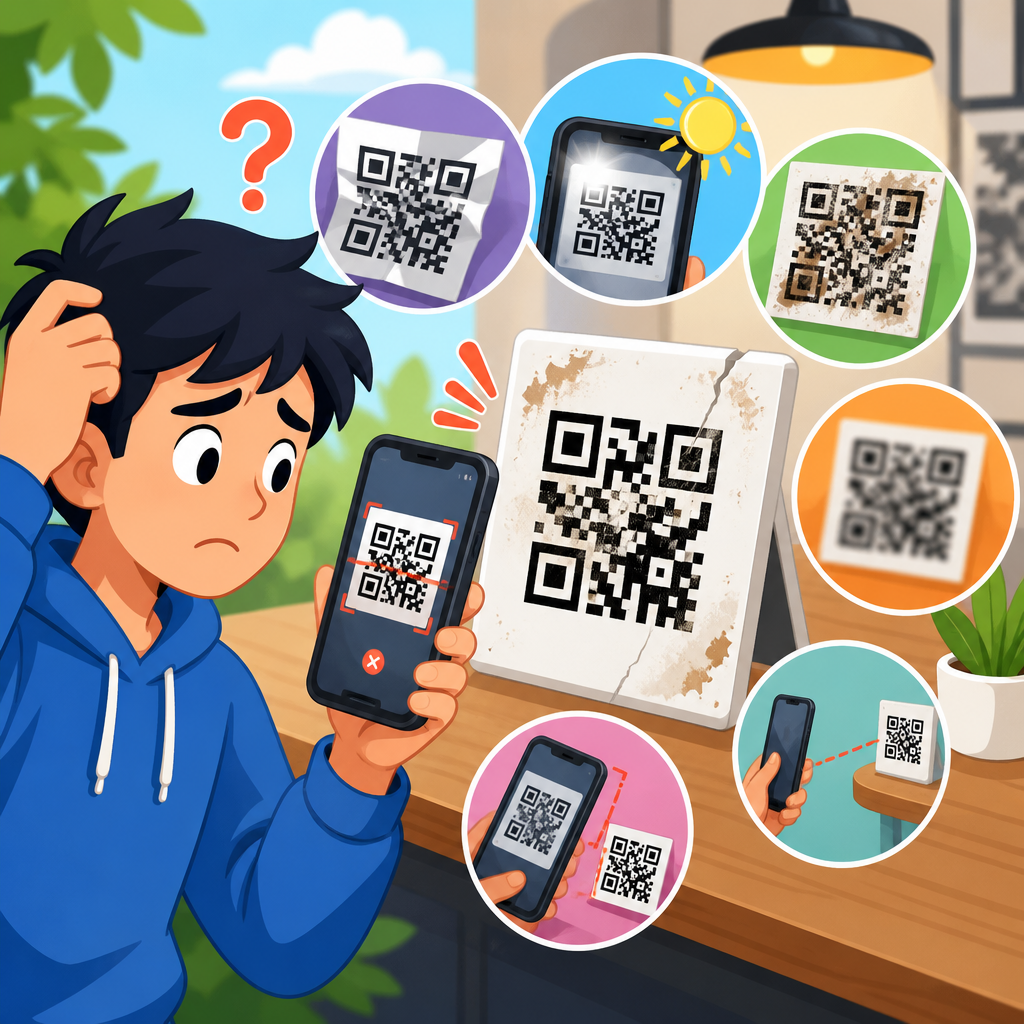
QR code scanning errors usually come down to a short list of technical and physical problems: poor print quality, low contrast, incorrect sizing, damaged modules, bad lighting, weak camera focus, outdated scanner apps, or destination links that no longer work. If you manage packaging, menus, labels, posters, or product documentation, understanding what causes QR code scanning errors is essential because a code that fails at the point of use interrupts conversions, support flows, payments, and customer trust.
A QR code is a two-dimensional matrix barcode made of square modules arranged on a grid. When a smartphone or scanner reads that pattern, software identifies finder patterns, alignment patterns, timing patterns, and encoded data, then performs error correction to reconstruct the intended content. In practice, users often say a code “doesn’t work” when several different failures are possible: the camera cannot detect the symbol, the scanner detects it but cannot decode it, the content decodes but launches the wrong action, or the code resolves to a dead page. Those distinctions matter because each failure points to a different fix.
I have diagnosed QR failures on retail shelf tags, restaurant table tents, warehouse labels, direct-mail postcards, and conference signage, and the pattern is consistent: most issues are preventable during creation, printing, placement, and testing. Standards from ISO/IEC 18004 define QR code structure, while print verification tools and mobile testing reveal whether a symbol is still readable under real conditions. This hub article explains why QR codes do not work, what scanning errors actually mean, and how to identify the root cause quickly so every related troubleshooting article under this topic has a clear starting point.
Print quality, size, and quiet zone problems
The most common cause of QR code scanning errors is a symbol that was produced incorrectly for its intended viewing distance. A QR code is not just an image; it is a machine-readable pattern that depends on edge definition, sufficient module size, and a clear quiet zone around all four sides. The quiet zone is the blank margin that separates the code from surrounding text, borders, photos, or design elements. Without it, many scanners struggle to identify where the symbol begins and ends.
Size is the first checkpoint. A code printed too small compresses modules until they blur together, especially on absorbent paper, corrugated board, thermal labels, or low-resolution office printers. A practical baseline for print is at least 2 x 2 centimeters for short URLs at close range, but required size rises with data density and scan distance. On a poster viewed from several feet away, a tiny code may be mathematically valid and still fail in use because the camera cannot resolve individual modules. I usually apply the ten-to-one rule as a field guide: for every ten units of viewing distance, provide at least one unit of code width.
Resolution and reproduction method matter just as much. Raster images exported at low DPI often soften edges, and codes copied into slide decks or social graphics may be scaled unevenly or compressed by messaging platforms. Vector formats such as SVG, EPS, or PDF preserve sharp module boundaries for print. In production, ink spread can close white gaps, while reverse knockouts on textured stock can chip black modules. These defects raise the symbol’s modulation problems and lower decode reliability.
Design choices also cause failures. Rounded modules, embedded logos, decorative frames, gradients, and heavy styling can work only within limits. The error correction built into QR codes is not permission to remove large areas of data. If a brand treatment covers alignment patterns or shrinks the quiet zone, scan rates drop sharply. Many teams assume a code scanned once on one phone, so it is safe. That is not enough. A code needs margin across devices, camera qualities, and environmental conditions.
Contrast, color, and surface interference
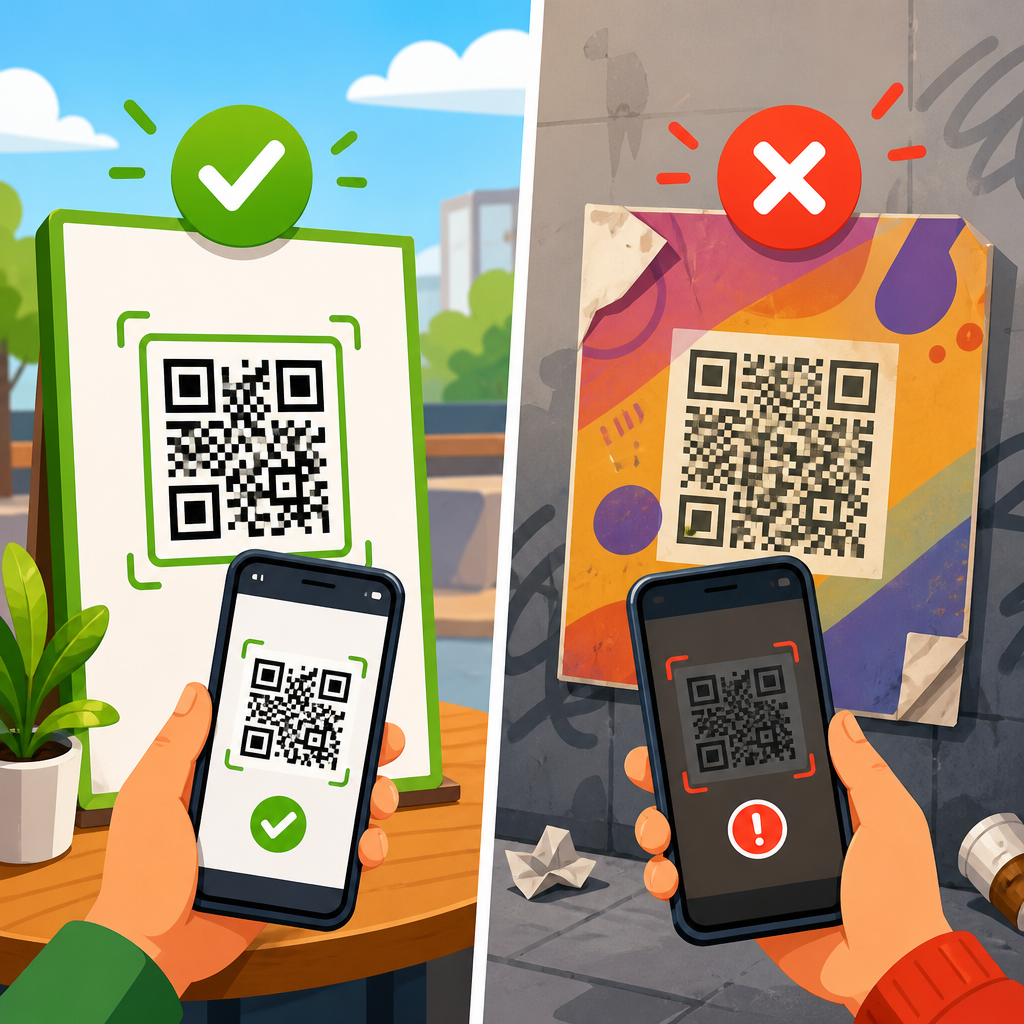
High contrast is fundamental because scanners distinguish dark modules from light background values. The safest configuration is black on white or another very dark foreground on a very light matte background. Failures occur when marketers choose low-contrast combinations like medium gray on pastel, navy on black, metallic silver on white, or yellow on transparent film. Human eyes may still recognize the pattern, but computer vision systems rely on luminance separation, not aesthetic intent.
Color can break scanning in less obvious ways. Some scanners process images in grayscale, meaning two colors that look different to people may collapse into similar brightness values. Red codes on black backgrounds are a classic mistake because red can appear dark and lose separation. Inverted codes, where modules are light and the background is dark, perform inconsistently across apps. Certain native smartphone cameras can read them, but many third-party readers and older industrial scanners cannot. For public-facing materials, conventional dark-on-light remains the most dependable choice.
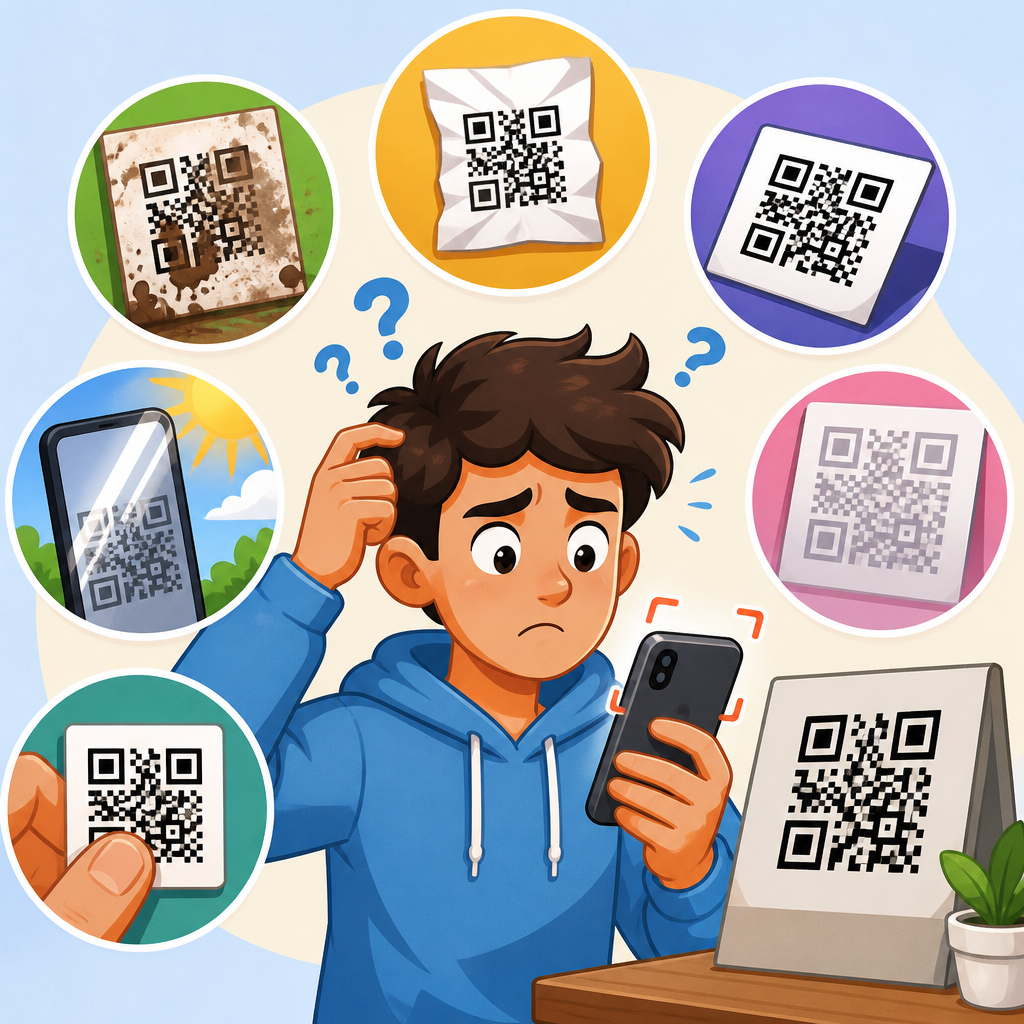
Surface finish introduces another layer of risk. Gloss lamination, curved bottles, shrink sleeves, acrylic signs, and screens behind glass create glare and reflection hotspots that hide portions of the code. I have seen perfectly generated symbols fail on cosmetic packaging solely because overhead retail lighting created a bright streak through the timing pattern. Transparent labels can also pick up whatever sits behind them, reducing contrast unpredictably. Matte substrates, anti-glare coatings, and flat placement usually improve performance more than redesigning the symbol itself.
Environmental wear compounds these issues. Dirt, scratches, smudges, water droplets, and creases interrupt the module grid. QR codes include Reed-Solomon error correction, often at L, M, Q, or H levels, but physical interference beyond that recovery threshold causes decode errors. Higher error correction helps when codes may be scuffed or partially obstructed, yet it also increases density and can require a larger symbol. That tradeoff must be planned instead of added casually at the end.
Camera, lighting, and scanning app limitations
Sometimes the code is fine and the scanning environment is the real problem. Smartphone cameras need enough light, stable framing, and focus to resolve the symbol. In dim restaurants, warehouses, parking garages, or event halls, autofocus hunts back and forth and never locks onto the modules. Motion blur from a shaky hand worsens the issue. On older phones with weaker sensors, a code that scans instantly on a flagship device may fail repeatedly on budget hardware.
Distance and angle are frequent culprits. When users hold the phone too close, the camera cannot focus; too far away, the code occupies too few pixels. Extreme tilt distorts the square grid into a trapezoid, forcing the app to correct perspective. Most current phones can handle moderate skew, but not if glare, blur, or low contrast are already present. Curved surfaces such as cans and jars are especially troublesome because they introduce non-linear distortion that many camera apps do not correct well.
Software variation also matters. Native camera apps on iPhone and modern Android devices generally perform better than unknown free scanner apps, but support still differs by operating system version and device manufacturer. Some apps detect only URLs, while others support Wi-Fi credentials, vCards, app intents, or payment payloads. Enterprise handheld scanners may need firmware updates for certain code versions or encodings. If the encoded content uses unusual character sets or malformed syntax, one app may accept it while another rejects it.
Here is a practical breakdown of common failure points and first checks:
| Failure symptom | Likely cause | First thing to test |
|---|---|---|
| Camera never recognizes code | Low contrast, missing quiet zone, code too small | Scan a larger black-on-white version in bright light |
| Code is recognized but will not open | Broken URL, unsupported payload, app restriction | Decode content with a second app and inspect the raw data |
| Works on one phone but not another | Device camera quality or software compatibility | Test native camera apps on current iPhone and Android models |
| Intermittent scans in store or outdoors | Glare, reflections, angle, or motion blur | Change lighting, reduce reflections, and flatten placement |
| Stopped working after printing | Raster scaling, ink gain, substrate distortion | Compare printed output to the original vector master |
For troubleshooting, isolate variables methodically. Test the same code on multiple devices, in different lighting, and from several distances. If a clean digital file scans on-screen but the printed version fails, production introduced the problem. If the printed version scans but users still report issues, environment or destination content may be the culprit.
Encoding mistakes, destination failures, and lifecycle issues
Many people assume a successful scan means the QR code works, but decoding the symbol is only half the journey. The encoded destination must also function. Static QR codes permanently embed content, often a URL, phone number, SMS message, email draft, or text string. Dynamic QR codes usually point first to a redirect service, which then forwards the user to the final destination. Both approaches can fail for different reasons.
Broken links are common. A landing page may have been deleted, redirected badly, blocked by a firewall, geofenced, or moved without updating campaign assets. If the QR code points to HTTP instead of HTTPS, some mobile environments warn users or fail to open the page cleanly. Long URLs with tracking parameters can also break if they were encoded with typos, unsupported characters, or accidental spaces. I have seen spreadsheet exports convert ampersands and quotation marks in ways that made links invalid only after mass generation.
Data format errors affect non-URL payloads too. Wi-Fi QR codes require exact syntax for SSID, encryption type, and password. vCard or meCard payloads can fail when line breaks, escaped characters, or field labels are malformed. Payment QR codes depend on region-specific schemes and banking app support. Even plain text can produce trouble when character encoding is inconsistent, especially with accented characters or non-Latin scripts.
Dynamic code management introduces operational risks. If a subscription lapses with a QR platform, redirects can stop resolving. If the account owner deletes a campaign, rotates domains, or changes destination rules incorrectly, the printed code in the field may become useless overnight. That is why lifecycle governance matters. Maintain an inventory of deployed codes, destination URLs, owners, expiration policies, analytics settings, and test dates. In support teams, this documentation shortens incident resolution dramatically.
How to prevent QR code scanning errors consistently
The most reliable way to prevent scanning errors is to treat QR deployment as a quality-control workflow rather than a design afterthought. Start with the shortest practical payload, usually a clean HTTPS URL or a dynamic short link managed through a stable platform. Generate the symbol in a reputable tool that supports proper error correction, export a vector master for print, and keep styling conservative unless you have a formal testing protocol.
Then validate the code in the same conditions users will face. Print prototypes at final size on final substrate. Test under bright light, low light, and angled light. Scan with recent iPhone and Android devices, plus any handheld scanners used in operations. Verify not only that the symbol decodes, but that the destination page loads quickly, renders well on mobile, and matches user intent. A code that opens a desktop-only PDF over weak cellular service is technically functional and practically broken.
Placement deserves equal attention. Do not put a QR code on a fold, seam, bottle shoulder, reflective curve, or location where users cannot physically approach with a phone. Provide enough surrounding white space and a brief call to action explaining what the scan delivers, such as setup instructions, payment, warranty registration, or menu access. Clear intent improves scan behavior because users hold the camera longer when they expect a specific outcome.
Finally, retest deployed codes on a schedule. Web destinations change, packaging degrades, stores relight displays, and operating systems update scanner behavior. The teams with the fewest support tickets build QR review into normal maintenance. If you are auditing why QR codes do not work across campaigns, begin with four questions: can the camera detect the symbol, can the app decode the data, can the phone open the content, and does the destination still deliver the promised result? That sequence finds the root cause fast and turns scattered complaints into fixable categories.
QR code scanning errors are rarely mysterious. They usually trace back to symbol construction, print production, environmental conditions, device limitations, or broken destination content. Once you separate those categories, troubleshooting becomes straightforward. A code that cannot be detected points to size, contrast, quiet zone, glare, or damage. A code that is detected but not decoded suggests density, distortion, or format issues. A code that decodes but fails the user often leads to a bad URL, unsupported payload, or expired redirect.
For anyone building a dependable QR program, the main benefit is simple: fewer failed scans mean fewer lost conversions, fewer support contacts, and more confidence in every printed or digital touchpoint. Use vector files, maintain high contrast, leave generous quiet zones, test on multiple devices, and monitor destinations after launch. If you are expanding your QR Code Troubleshooting & Support resources, use this hub as the foundation, then audit each live code against these causes and fix the highest-risk failures first.
Frequently Asked Questions
What are the most common causes of QR code scanning errors?
The most common causes of QR code scanning errors fall into a few predictable categories: print quality, design issues, environmental conditions, device limitations, and destination problems. A QR code may fail if it is printed at too low a resolution, resized improperly, stretched out of proportion, or placed on a surface that introduces glare, wrinkles, or distortion. Low contrast is another frequent issue. For example, a light gray code on a white background or a glossy black code under bright lighting can be much harder for a camera to detect than a standard dark-on-light design.
Physical damage also plays a major role. If part of the code is scratched, folded, cut off by packaging seams, or obscured by dirt or labels, the scanner may not be able to read enough of the pattern to decode it accurately. On the technical side, some failures happen even when the code itself is readable. The scanning app may be outdated, the phone camera may struggle to focus, or the linked destination may be broken, expired, or blocked. In practical terms, most QR code failures are not random. They usually come from avoidable production, placement, or maintenance mistakes that can be identified and corrected with routine testing.
How do print quality and size affect whether a QR code scans properly?
Print quality and size have a direct impact on scannability because QR codes rely on small, precisely defined square modules that must remain sharp and distinct. If the code is printed with blurry edges, ink bleed, pixelation, or insufficient resolution, the scanner may not be able to distinguish one module from another. This is especially important on packaging, labels, and printed menus, where low-cost printing methods or scaled artwork can unintentionally degrade the code. A QR code that looks acceptable to the human eye can still be unreadable to a phone camera if the module edges are soft or broken.
Size matters because the scanner needs enough visual information to capture the pattern clearly at a realistic distance. If the code is too small for the intended use, users may need to move their phone unusually close, making focus more difficult and increasing failure rates. On the other hand, simply enlarging a code is not always enough if it was generated at low quality to begin with. The code should be exported or produced in a format suitable for the final print method, and it should always maintain its original proportions. Stretching a QR code horizontally or vertically can distort the module grid and make it much harder to decode. For businesses using codes on posters, product documentation, shelf tags, or signage, proper sizing and high-resolution output are among the simplest ways to prevent scanning issues before materials go live.
Can lighting, contrast, and surface materials cause QR code scanning problems?
Yes, lighting, contrast, and the material the code is printed on can all significantly affect scanning performance. QR scanners depend on clear visual separation between dark and light areas. If the contrast is too weak, such as a pastel-colored code on a pale background, the camera may not identify the pattern consistently. High-gloss finishes can create reflections that wash out parts of the code, while shadows can make other areas appear too dark. Either condition can interfere with accurate detection, especially on mobile devices in real-world environments where users are not standing under ideal lighting.
Surface material also matters more than many teams expect. Codes printed on curved bottles, crinkled pouches, textured labels, metallic films, or laminated menus may become warped or reflective in ways that reduce readability. Even a technically correct code can become difficult to scan if placed over a crease, near a fold, or on a package that bends during handling. For best results, QR codes should use strong contrast, sit on flat or minimally distorted surfaces, and include enough quiet space around the edges so the scanner can isolate the symbol easily. If the code will be used in restaurants, retail, logistics, or field environments, it is important to test it under the same lighting and material conditions that actual users will encounter.
Why does a QR code sometimes scan but still not work?
A QR code can scan successfully and still fail at the next step because scanning and destination performance are two different things. In this case, the camera correctly reads the encoded data, but the content behind the code is no longer valid or accessible. A very common example is a broken URL. The landing page may have been moved, deleted, mistyped, or changed during a website update. In other situations, the destination may load slowly, require a login, trigger a security warning, or be blocked by network restrictions on the user’s device. To the person scanning, it still feels like a QR code failure, even though the symbol itself worked.
This is especially important for businesses that use QR codes for payments, support flows, product instructions, menus, downloads, or conversion campaigns. A code that points to expired content can interrupt transactions, increase customer frustration, and create unnecessary support volume. Dynamic QR code management, redirect monitoring, and regular link validation help reduce this risk. It is also wise to test the user experience beyond the scan itself: confirm that the page loads quickly, works on mobile devices, and does not depend on outdated browser behavior or permissions the user may not grant. In many cases, improving the reliability of the destination is just as important as improving the quality of the printed code.
What can businesses do to prevent QR code scanning errors before publishing or printing?
The best way to prevent QR code scanning errors is to treat QR implementation as a quality-control process rather than a last-minute design task. Start by generating the code from a reliable source and confirming that it encodes the correct destination. Preserve the original proportions, use strong dark-on-light contrast, and leave adequate quiet space around the code so scanners can recognize its boundaries. Before printing, verify that the file format and resolution match the production method. Vector formats are often preferable for print because they maintain clarity when scaled. If the code will appear on small labels or long-distance signage, size it for the actual scanning distance instead of relying on generic assumptions.
Testing is the step that prevents most costly failures. Scan the code on multiple phone models, with different camera qualities and operating systems, and test it in the lighting conditions where it will actually be used. Check flat proofs and final printed samples, not just on-screen artwork. If the code will appear on packaging, inspect how it behaves after folding, sealing, or handling. If it links to digital content, test the destination repeatedly to confirm that it remains active, mobile-friendly, and fast to load. Finally, build in ongoing maintenance. Review links periodically, especially for campaigns, payment pages, product guides, and support materials that may change over time. For packaging, menus, labels, posters, and documentation, this combination of design discipline, physical testing, and link management is what keeps QR codes reliable at the point of use.