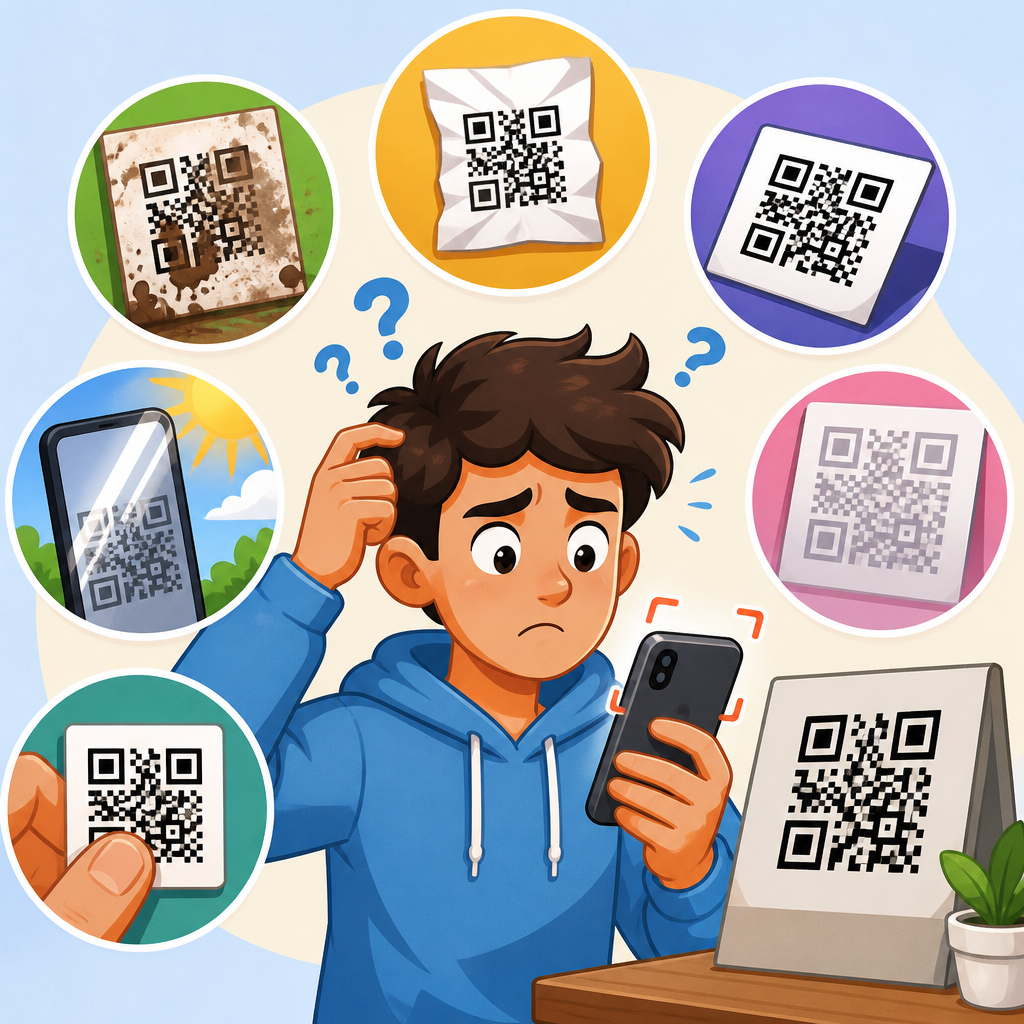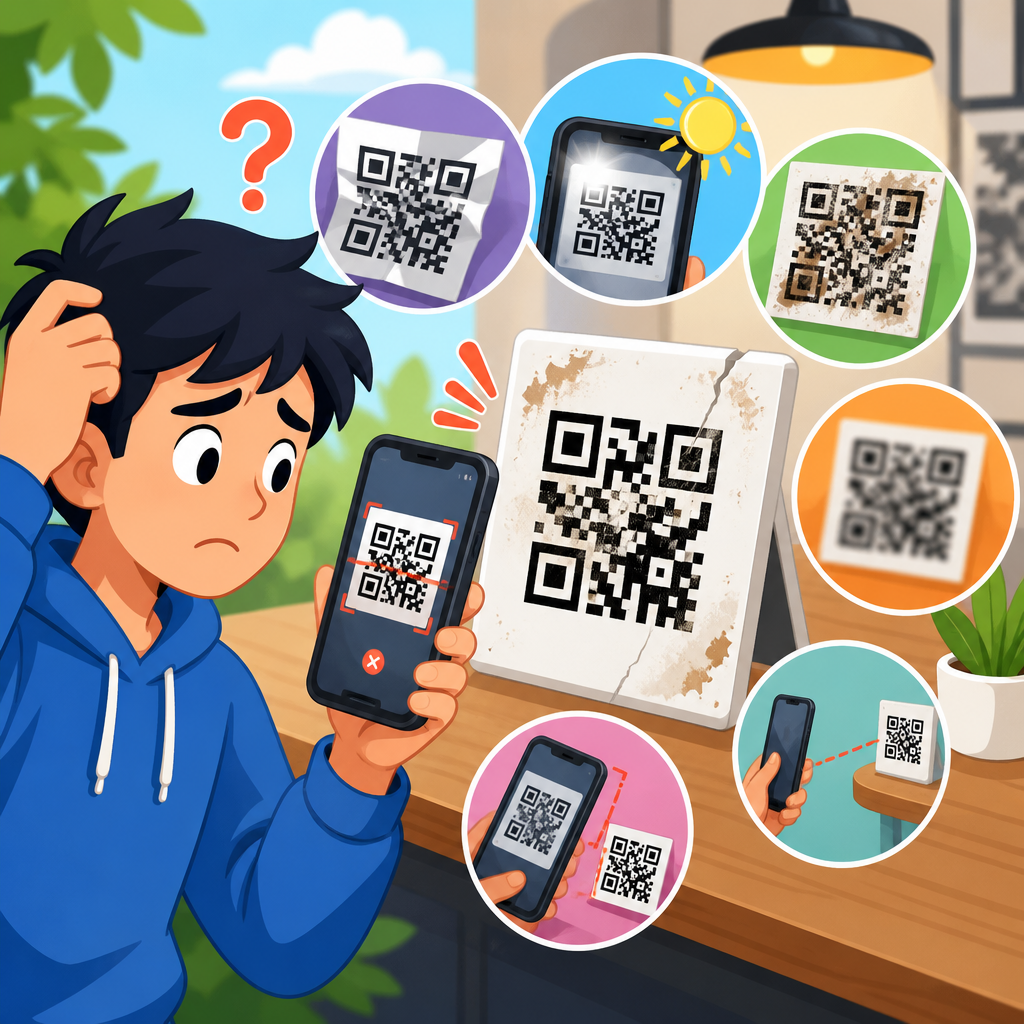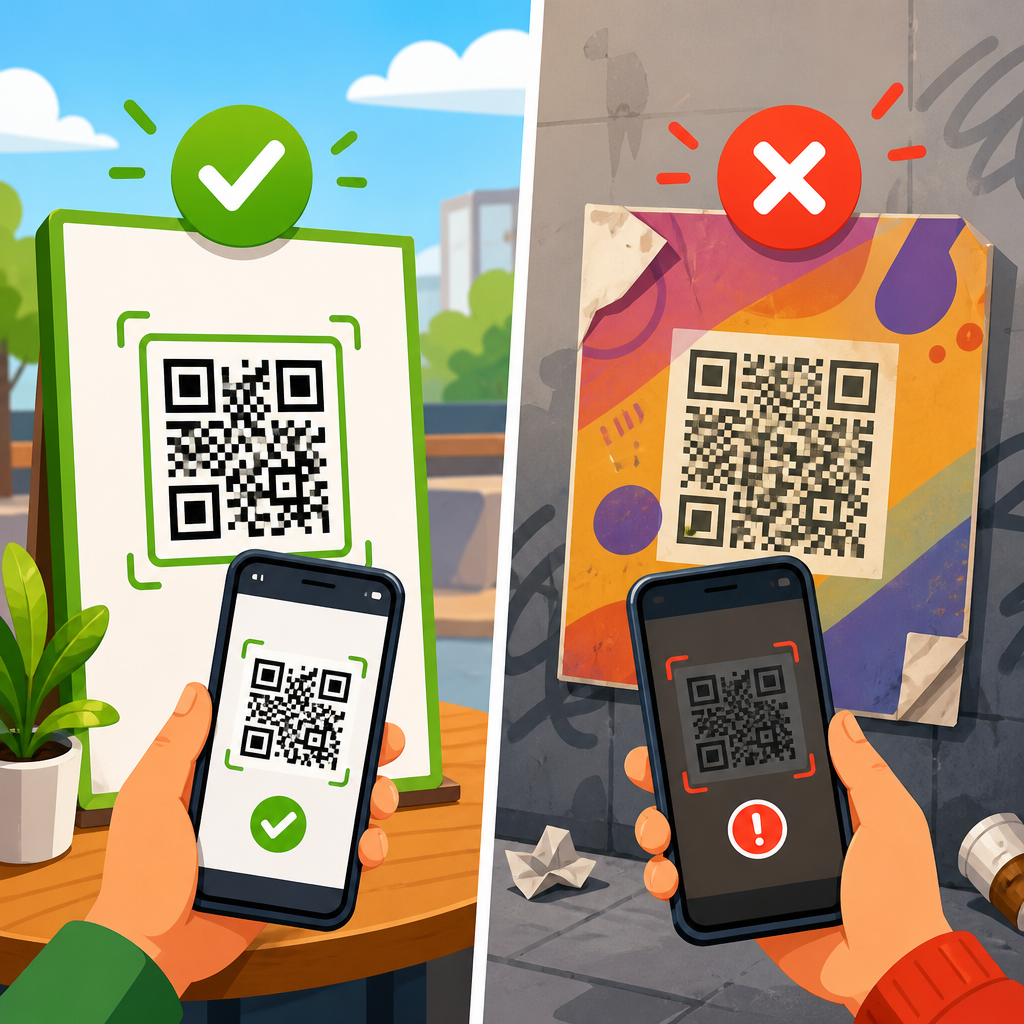
QR codes look simple, but their reliability depends on a chain of technical and physical conditions that can fail at many points. A QR code is a two-dimensional matrix barcode that stores data in a grid of dark and light modules, usually linking to a URL, file, payment request, contact card, or app action. When people ask why some QR codes work and others don’t, they are really asking why scanning fails, why the destination breaks, or why one phone reads the code instantly while another struggles. This matters because QR codes now sit on packaging, menus, invoices, posters, warehouse labels, patient forms, event tickets, and direct mail. In my work troubleshooting print and mobile scan issues, most failures come from predictable causes: poor contrast, wrong sizing, overdesigned artwork, low camera quality, damaged surfaces, weak lighting, redirect errors, and expired destinations.
A working QR code must survive two tests. First, a scanner has to detect the finder patterns, alignment patterns, quiet zone, and module grid well enough to decode the symbol. Second, the decoded content must lead to a valid action, such as loading a secure web page or opening the right app. If either test fails, users experience the same outcome: the QR code “doesn’t work.” That is why effective QR code troubleshooting starts with separating scanability from destination integrity. The difference sounds technical, but it is practical. A blurry restaurant menu code may never decode, while a perfectly printed code may decode into a dead link. Solving the problem means identifying which layer failed and correcting that specific weakness before the code is deployed at scale.
What Makes a QR Code Scannable in the First Place
A scannable QR code follows established encoding rules defined in ISO/IEC 18004 and gives phone cameras a clear, high-contrast symbol to interpret. Three visible squares in the corners help the scanner locate orientation, while timing patterns and smaller alignment features guide the software across the grid. Around the entire symbol, a blank margin called the quiet zone must remain free of text, borders, or graphics. If that margin is crowded out, many scanners fail because they cannot distinguish where the code begins and ends. I routinely see this on flyers where designers place a QR code flush against a headline or decorative frame.
Size also matters more than many teams expect. A tiny code on business cards may scan at close range, yet the same symbol will fail on a billboard because viewing distance changes the required module size. A practical rule is to make the scanning distance roughly ten times the printed code width, then test with multiple phones. Resolution is equally important. Raster images exported at low DPI often soften module edges, especially after a printer or social platform recompresses the file. Vector formats such as SVG, EPS, or PDF preserve crisp edges and are safer for professional output. When scanability is the priority, sharp modules, strong contrast, and enough physical space outperform clever design.
Common Reasons QR Codes Don’t Work
Most broken QR codes fail for a small set of repeatable reasons. Contrast problems lead the list. A dark code on a dark background, a light gray code on white packaging, or a glossy laminate that creates glare can stop cameras from separating modules. In practical testing, black on white remains the safest choice because it delivers the strongest luminance difference and works across older devices with weaker sensors. Inverted codes, gradients, metallic inks, and transparent overlays can work, but they reduce the margin for error and should be validated aggressively before launch.
Design customization is the second major source of failure. Marketers often round corners, add center logos, stylize finder squares, or replace modules with dots and icons. Some customization is safe when error correction levels are chosen correctly, but excessive changes remove the geometric consistency scanners expect. Error correction does not make a code indestructible; it simply allows part of the symbol to be restored if damaged. If a logo covers too much area, or if decorative modules become too small, the scanner may never decode the pattern. I have seen brand teams approve codes that looked excellent on a mockup and failed immediately on the printed carton.
Destination issues form the third category. The code may scan perfectly yet send users to a 404 page, a broken redirect, an HTTP page blocked by browser security, or a mobile experience that times out on weak networks. Dynamic QR codes add flexibility because the destination can be changed later, but they also introduce more dependencies, including DNS health, SSL certificates, redirect logic, analytics scripts, and subscription status with the QR platform provider. A static code has fewer moving parts, but any typo in the encoded URL becomes permanent once printed.
| Failure point | What users see | Typical cause | Best fix |
|---|---|---|---|
| Symbol will not scan | Camera never recognizes code | Low contrast, missing quiet zone, small size | Increase size, restore margins, use dark-on-light design |
| Scans intermittently | Works on some phones only | Overdesigned artwork, glare, poor print quality | Simplify design, reduce reflections, export vector artwork |
| Scans but fails to load | Browser opens error page | Dead link, redirect issue, certificate problem | Check URL, HTTPS, DNS, and redirect chain |
| Loads wrong experience | Users land on desktop or foreign page | Poor mobile routing or location logic | Use responsive landing pages and device testing |
Print, Materials, and Environmental Factors
A QR code that works perfectly on a screen can fail after printing because ink spread, substrate texture, and finishing methods change the symbol. On corrugated boxes, fibers can distort edges. On thermal labels, heat exposure can fade dark modules over time. On curved bottles and cans, the code may wrap enough to break geometric recognition unless the size is increased. Lamination and glossy coatings introduce reflections that wash out modules under retail lighting. Outdoor signage adds new variables: UV fading, scratches, condensation, and dirt. In field audits, I have found that placement matters nearly as much as print quality. A code behind a bus shelter panel may be readable in the studio and unreadable in afternoon glare.
Distance and angle are environmental issues many teams miss. A poster mounted too high forces users to scan at a steep angle, reducing detection accuracy. A code printed near a fold, seam, or perforation risks partial obstruction. Restaurant table tents often collect stains and wrinkles, while warehouse labels may be abraded by handling. These are not edge cases; they are normal real-world conditions. The best prevention is context-specific testing. Print the final size, on the final material, with the final finish, then test under the same lighting and distance users will encounter. Controlled proofs catch failures before thousands of pieces reach the field.
Phone Cameras, Scanner Apps, and User Conditions
Not all scanning devices are equal. Newer iPhones and flagship Android phones use better autofocus, image stabilization, low-light processing, and native QR detection than older budget models. Some Android devices rely on camera apps that recognize codes only in photo mode, while others require Google Lens or a manufacturer utility. If a business serves a broad audience, including older devices, the QR code should be built to the most conservative standard rather than the newest phone’s capabilities. In support work, I always test with at least one older mid-range device because premium cameras can hide weak design choices.
User conditions affect scanning too. Dirty camera lenses soften detail. Cracked screens can make it harder to frame a code. Poor connectivity may make users blame the code when the true problem is that the landing page cannot load on cellular data. Accessibility also matters. If a code appears in a dim hallway, on a moving train ad, or on a checkout screen that times out quickly, users have less opportunity to align their cameras. Good QR implementation includes a visible fallback, such as a short URL or simple instruction line. A code should never be the only path to essential information, especially in healthcare, transport, and payments where failure creates friction and support costs.
Static vs Dynamic QR Codes and Why the Difference Matters
Static QR codes encode the final content directly into the symbol. They are dependable when the destination is stable, such as a permanent Wi-Fi credential or a long-term product page. Their main advantage is simplicity: no third-party redirect service is needed after the scan. Their weakness is permanence. If the destination changes, every printed piece becomes outdated. Dynamic QR codes encode a short redirect URL that points to a managed destination. That makes them better for campaigns, menus, support documents, and packaging that may need updates. They also enable analytics such as scan counts, device type, time, and geography.
However, dynamic systems fail in ways static systems do not. If the provider account lapses, the redirect may stop working. If UTM parameters are malformed, analytics may pass bad data into reporting systems. If too many redirect hops are added, mobile browsers can slow noticeably. Security teams should also review where the redirect domain is hosted and whether the SSL certificate renews automatically. My recommendation is straightforward: use static codes for truly permanent destinations and dynamic codes when change control, campaign measurement, or localization matters. In both cases, document ownership. Many “mystery” QR failures happen because no one knows who controls the target page, redirect settings, or vendor subscription.
How to Troubleshoot a QR Code That Fails
The fastest troubleshooting method is a simple decision tree. First, try scanning the code with multiple devices and apps. If no device recognizes it, the problem is almost certainly the symbol itself: size, contrast, quiet zone, damage, distortion, or overdesign. If it scans on some phones but not others, test under brighter light, from different angles, and with glare reduced; intermittent results usually point to marginal print quality or aggressive styling. If every device scans the code but the content fails to load, inspect the destination URL, redirect chain, DNS response, SSL certificate, mobile page speed, and any geolocation or app-deep-link logic.
I also recommend decoding the QR code with a desktop tool to verify the exact data encoded. Tools from ZXing, QR Code Monkey previews, and commercial label verification software can reveal whether a typo, hidden character, or malformed schema is present. For printed programs, a verifier that grades symbol quality can be useful, especially in manufacturing and logistics environments where standards compliance matters. Keep screenshots, scan recordings, and print specifications in a shared ticket so design, web, and operations teams can isolate the issue quickly. Good troubleshooting is less about guesswork and more about narrowing variables one by one.
Best Practices That Prevent QR Code Failures
The most reliable QR codes are boring in the best possible way. Use dark modules on a light matte background. Preserve a full quiet zone on all sides. Export vector artwork whenever possible. Match code size to expected scanning distance and surface shape. Choose an error correction level appropriate to the design, but do not treat it as permission to cover large areas with logos. Point users to fast, mobile-friendly HTTPS pages, and keep redirects short. Before launch, test on iPhone and Android, on old and new devices, indoors and outdoors, over Wi-Fi and cellular. If the QR code is mission critical, include a short fallback URL and monitor the destination continuously.
For teams managing many codes, governance matters as much as design. Maintain an inventory of each code, its owner, destination, campaign dates, and print locations. Review links regularly to catch expired promotions, removed files, and certificate issues. Use analytics carefully; scan counts are useful, but they should be interpreted alongside page visits, bounce rate, completion events, and physical placement. A high scan count with low conversions often means the code itself works while the landing page disappoints. That distinction is essential. The goal is not merely to make the code scan, but to make the full experience reliable from camera open to final action.
Some QR codes work and others don’t because success depends on both symbol quality and destination quality, and either side can break. A code must be readable by real cameras in real conditions, which means adequate size, contrast, quiet zone, print fidelity, and placement. Then the decoded content must resolve quickly to a secure, mobile-friendly destination that still exists. Most failures are not mysterious. They come from preventable decisions: shrinking the code too far, adding too much branding, printing on reflective surfaces, skipping device testing, or letting redirect infrastructure decay over time.
As a hub for QR code troubleshooting and support, this topic should guide every related decision you make: design, printing, landing-page setup, testing, analytics, and maintenance. The strongest takeaway is simple: treat a QR code as a system, not a graphic. When you validate the symbol, the surface, the scanning context, and the destination together, reliability improves dramatically and support requests drop. Audit your current QR codes, test the weakest examples on multiple devices, and fix the issues before the next print run or campaign launch.
Frequently Asked Questions
Why do some QR codes scan instantly while others fail or take a long time to read?
QR code performance depends on how clearly a phone camera can detect and interpret the code’s structure. A working QR code is not just a random square pattern—it contains alignment markers, timing patterns, data modules, and a required amount of contrast between dark and light areas. If any of those elements are hard to distinguish, scanning slows down or fails entirely. Common causes include low contrast, poor lighting, glare on glossy surfaces, blurry printing, motion from shaky hands, and codes that are too small for the scanning distance. A code printed sharply in black on white with adequate size and a clean margin around it will usually scan much faster than a stylized code placed over a busy background.
Device differences also matter. Newer phones typically have better cameras, faster autofocus, stronger image processing, and more capable built-in QR recognition. Older devices may struggle with tiny modules, low light, or reflections, even when the code itself is technically valid. The scanning app or camera software can also make a difference, because some readers are more tolerant of imperfect images than others. In short, instant scanning usually happens when the code is well-designed, well-printed, well-lit, and viewed by a capable device from an appropriate distance and angle.
Can a QR code be technically valid but still not work for users?
Yes, and this is one of the most common sources of confusion. A QR code can be perfectly scannable at the image level while still failing at the destination level. In other words, the phone may successfully decode the data, but the content behind that data may no longer be available or may not behave as expected. For example, a QR code might point to a broken URL, a deleted file, an expired landing page, a payment endpoint that no longer accepts requests, or an app action unsupported on the user’s device. From the user’s perspective, the QR code “doesn’t work,” even though the scanning part actually succeeded.
This distinction is especially important for dynamic QR codes, which often rely on redirect services or third-party dashboards. If that service is paused, misconfigured, over quota, or shut down, the code may still scan but lead nowhere useful. Even static codes can fail if the linked webpage has been moved, the domain has expired, or the content is blocked by region, firewall rules, or mobile compatibility issues. That is why testing should include both stages: first, whether the QR code can be read reliably; second, whether the destination opens quickly, securely, and correctly across multiple devices and networks.
How do size, contrast, and placement affect whether a QR code works?
These three factors are critical because they determine whether the scanner can separate the code from its surroundings and resolve its tiny modules accurately. Size matters because every QR code is made of small squares, and if those squares become too tiny relative to the scanning distance, the camera cannot capture enough detail to decode them. A code that works perfectly on a phone screen may fail when shrunk onto product packaging, business cards, labels, or posters viewed from far away. A practical rule is that the farther away people are expected to scan from, the larger the code needs to be.
Contrast is equally important. Traditional dark-on-light combinations work best because scanners need a strong visual difference between the modules and the background. Problems arise when designers use light gray on white, dark blue on black, metallic finishes, gradients, shadows, or transparent overlays. Even if the code looks attractive, reduced contrast can make it unreadable under real-world lighting. Placement also matters more than many people realize. QR codes should have a quiet zone, which is a clear margin around the symbol, and they should not be crowded by text, borders, logos, or patterned backgrounds. They should also be positioned where users can comfortably aim a phone without severe tilt, bending, glare, or obstruction. A well-sized, high-contrast code placed in a clean, accessible location is far more likely to work consistently.
Do customized or branded QR codes break more often than standard black-and-white ones?
They can, especially when branding choices interfere with the structural requirements of the code. Custom QR codes often include logos, altered colors, rounded modules, decorative frames, or artistic backgrounds. These can work well if designed carefully, but every modification reduces the safety margin that standard QR codes naturally have. The more a design departs from a simple black-on-white format, the more it depends on error correction and ideal scanning conditions. If the central logo covers too much data, the colors lack contrast, or the module shapes become too stylized, some phones will decode the code while others will not.
This is why branded QR codes should be generated with proper error correction settings and then tested in realistic conditions, not just on a designer’s screen. Testing should include different phone models, camera apps, lighting environments, print sizes, and viewing angles. What scans in a bright office may fail in a dim restaurant, outdoors in sunlight, or on reflective packaging. Branding does not automatically make a QR code unreliable, but aggressive customization increases risk. The safest approach is to preserve strong contrast, maintain a clear quiet zone, avoid excessive visual clutter, and keep any logo or artwork within the limits the code can tolerate without losing readability.
What are the most common reasons a QR code works on one phone but not another?
The biggest reason is variation in hardware and software. Phone cameras differ in sensor quality, focus speed, low-light performance, lens sharpness, and image stabilization. Newer devices usually detect QR codes more quickly because they can capture cleaner images and process them faster. Software differences matter too. Some phones recognize QR codes directly through the native camera app, while others rely on separate scanning apps with different decoding engines and tolerance levels. One app may successfully read a slightly damaged or low-contrast code, while another rejects it.
Operating system behavior, browser compatibility, and network conditions also play a role after the scan occurs. A phone might decode the QR code correctly but then fail to open the destination because of weak internet, blocked pop-ups, outdated security settings, unsupported deep links, or restrictions on certain file types or app actions. Screen brightness can even matter when scanning a code displayed on another device. In practice, if a QR code works on some phones but not others, the issue is often a combination of borderline code quality and inconsistent device capability. The best solution is to improve the code itself—larger size, stronger contrast, cleaner layout, reliable destination—because robust QR codes tend to perform well across a wider range of phones and scanning environments.