
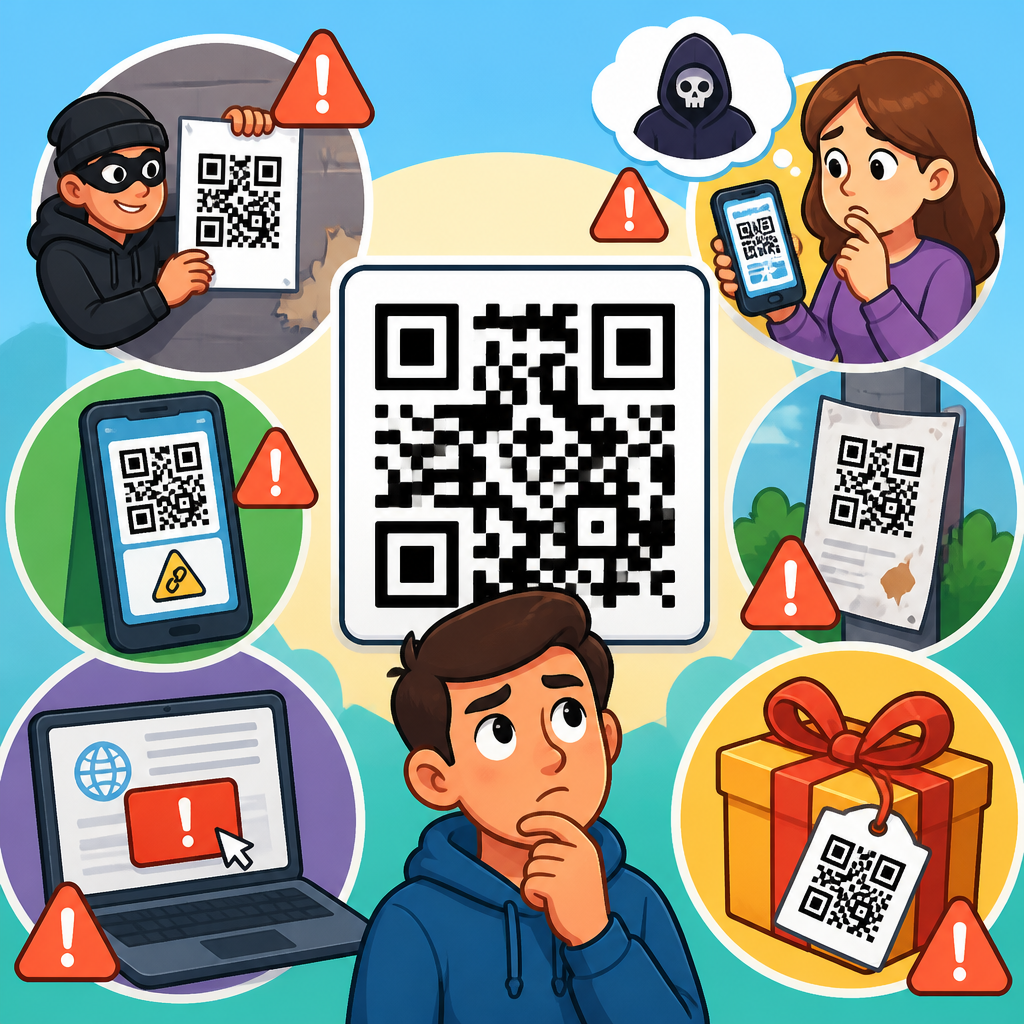
QR codes are now part of daily life, appearing on parking meters, restaurant tables, package labels, utility bills, event posters, and login screens. That convenience has created a new security blind spot. Many people still treat a QR code as a harmless shortcut, when in practice it is only a machine-readable link or instruction set that can send a phone to a malicious website, trigger an unwanted download, open a payment page, or prefill sensitive data. Understanding the top QR code safety mistakes to avoid is essential because attackers rely on speed, trust, and inattention rather than sophisticated malware alone.
A QR code, short for Quick Response code, stores data in a two-dimensional barcode that a phone camera can interpret instantly. Safe scanning tips are the practical habits that reduce risk before, during, and after you scan. In my work reviewing mobile security incidents and phishing patterns, I have seen the same problem repeat: users evaluate the context around a code, but they do not verify the destination behind it. That gap matters because QR code abuse, often called quishing, bypasses the visual cues people normally use to judge a link in email or text. You cannot eyeball a printed square and know whether it points to your bank or to a fake login page.
This hub article explains the most common QR code safety mistakes, why they happen, and what to do instead. It also covers practical safe scanning tips for consumers, employees, travelers, and small businesses that publish codes for legitimate use. If you want one takeaway upfront, it is this: treat every QR code as an untrusted link until your device shows exactly where it leads and you have verified that destination.
Assuming a QR Code Is Safe Because It Is in a Trusted Place
The first and most common mistake is trusting the location more than the link. People assume a code is legitimate because it is posted inside a restaurant, stuck to a parking kiosk, printed on a utility notice, or displayed during a conference presentation. Attackers know this, which is why code replacement is so effective. A fake sticker placed over a real payment code can redirect users to a convincing copycat payment page in minutes. I have seen this tactic used on parking meters and public donation signs because people are already primed to act fast and expect a mobile payment flow.
A trusted environment does not guarantee a trusted QR code. Physical tampering is cheap, fast, and hard to notice unless staff inspect signage regularly. The safer habit is to pause before scanning and inspect the code itself. Look for layered stickers, misaligned branding, poor print quality, or language that feels off-brand. If a code requests payment, account login, or personal details, confirm it through a second channel. Ask the business, visit its official website manually, or use its known app instead of the code. Context helps, but destination verification is what prevents fraud.
Scanning Without Previewing the Destination URL
The safest scanning tip is also the simplest: always preview the link before opening it. Most modern smartphone cameras and QR scanner apps display the destination URL before launch. That preview is your best chance to catch obvious fraud. If the code claims to be for your bank but shows a domain you do not recognize, stop immediately. If it uses a misspelled brand name, extra words, unnecessary hyphens, or an unrelated country-code domain, do not continue. Attackers depend on users tapping through because the page appears at a moment when they are busy, rushed, or standing in public.
When reviewing QR code incidents, I pay attention to domain patterns first. A legitimate company may use subdomains, but its core registered domain should still be recognizable. For example, secure.company.com can be legitimate, while company-login-security-example.com is a separate domain entirely. URL shorteners add another layer of ambiguity because they hide the real destination until clicked. That does not automatically make them malicious, but it does raise the verification burden. If there is no trustworthy preview, or if the preview is shortened and the action involves money or credentials, abandon the scan and navigate manually.
Entering Credentials After Reaching a QR-Linked Page
Another major mistake is treating a QR-linked login page as normal simply because it opened on your phone. Credential phishing remains one of the most damaging outcomes of malicious QR codes. Attackers create mobile pages that mimic Microsoft 365, Google Workspace, package delivery portals, university single sign-on systems, and banking interfaces. Because the page opens from a camera scan rather than an email link, users often lower their guard. The page may look polished, load over HTTPS, and even display a padlock icon. None of that proves the site is genuine.
The rule is straightforward: do not sign in to important accounts from a QR code unless you independently expected that exact login step and have verified the domain. This matters especially for work accounts, financial services, cloud storage, and password manager logins. A fake mobile login page can harvest usernames, passwords, and even one-time codes. Safer alternatives include opening the official app directly, typing the known website address yourself, or using a saved bookmark. If the QR code is part of a legitimate sign-in flow, such as pairing a device in an app you already trust, validate that the request originated from within that app.
Using QR Codes for Payments Without Independent Verification
Payment fraud through QR codes is growing because the action feels routine. Users scan to pay for parking, transit, tableside service, peer-to-peer transfers, or donations, then complete the transaction quickly. The safety mistake is assuming the payment page is valid because it appears in the expected moment. A fake code can direct you to a lookalike wallet screen, a cloned merchant checkout, or a transfer request to an unrelated account. In some cases, the page works well enough to collect card data and billing details even if no real transaction occurs.
Before paying through a QR code, verify the merchant name, payment processor, and amount on the destination page. Compare branding with the business’s official website or app. If a parking meter or menu offers both a QR code and a short web address, manually enter the address instead of scanning. For person-to-person payments, confirm the recipient inside the payment app, not just on the linked page. Businesses should also publish clear anti-fraud signage and inspect printed codes frequently.
| Scenario | Common Risk | Safer Action |
|---|---|---|
| Parking meter payment | Sticker replacement leading to fake checkout | Use the city or operator app, or type the official URL manually |
| Restaurant menu and payment | Redirect to cloned payment page | View menu by QR if needed, but pay through the known app or card terminal |
| Package delivery notice | Credential or card phishing via fake rescheduling page | Open the carrier app or website directly and track using the official portal |
| Wi-Fi access code | Connection to rogue network or malicious landing page | Confirm network name with staff and avoid entering account credentials through captive portals you did not expect |
Ignoring Physical Signs of Tampering
QR code fraud is not only digital. One of the clearest safe scanning tips is to check the physical condition of the code before you scan. A surprising number of incidents start with nothing more than a printed sticker. If a code looks newly added, is placed crookedly, covers another printed element, uses different colors than the rest of the sign, or appears on a cheap label over a professional surface, treat it as suspicious. Public spaces with low supervision, such as transit stops, parking stations, apartment lobbies, and event venues, are especially vulnerable to code swapping.
Organizations should reduce this risk by controlling print quality, placement, and inspection routines. Tamper-evident labels, branded frames, and signage that includes a plain-text URL all help users verify authenticity. For high-risk use cases like payments, rotating dynamic codes managed through a platform can be safer than static printed links, provided the management account itself is secured with multifactor authentication. Users should report suspicious signage rather than simply ignoring it. A replaced code often affects many people before anyone alerts the operator.
Relying on Unknown Scanner Apps and Excessive Permissions
Most users do not need a third-party QR scanner app. Built-in camera scanning on current iPhone and Android devices is usually enough, and it reduces one layer of risk. A frequent mistake is downloading a random scanner app with poor reviews, intrusive ads, or broad permissions unrelated to scanning. Some apps request access to contacts, call logs, storage, location, or accessibility services without a clear reason. That is a privacy problem even if the app is not overtly malicious. In mobile security reviews, over-permissioned utility apps are a recurring source of data leakage.
The safer approach is to use the native camera first. If you truly need a separate scanner for batch workflows or enterprise use, choose a reputable developer, review permissions carefully, and install only from official app stores. Security teams should prefer mobile device management policies that restrict unknown apps on corporate devices. For personal use, read recent reviews, check the developer history, and avoid any scanner that pressures you into subscriptions or redirects you through ad-heavy pages. A QR code should simplify access, not expand your phone’s attack surface.
Connecting to Wi-Fi or Downloading Files Too Quickly
Not every dangerous scan ends in a phishing page. QR codes can also trigger actions such as joining a Wi-Fi network, downloading a file, composing a message, or opening an app store listing. Those actions are not inherently unsafe, but rushing through them is a mistake. A QR code that joins Wi-Fi may connect you to a rogue access point designed to intercept traffic or prompt you into a fake captive portal. A code that downloads a file might deliver a malicious configuration profile, a booby-trapped document, or software from an unofficial source.
When a QR code initiates an action beyond opening a normal webpage, slow down further. Confirm the network name with staff, avoid installing files from QR links unless you independently expected them, and prefer official app stores or vendor sites you type yourself. On managed business devices, limit sideloading and configuration changes. Mobile operating systems have improved guardrails, but they do not replace judgment. The safest scanning tips are often about friction: adding one verification step blocks the fast, trust-based decisions that attackers count on.
Failing to Use Device Security After the Scan
QR code safety does not end at the moment of scanning. Another mistake is assuming that avoiding a suspicious page means there is no remaining risk. Device security still matters because some scans can lead to exploit attempts, unwanted browser prompts, or tracking links that profile behavior. Keep your phone’s operating system updated, use a modern browser with phishing protection, and enable multifactor authentication on important accounts so one stolen password does not become a full account takeover. Password managers also help by refusing to autofill credentials on lookalike domains.
After scanning, pay attention to what happens next. Did the browser ask for notifications? Did a page request camera, location, or microphone access without a clear reason? Did a download start automatically? Close the page and clear any pending download if the behavior feels unrelated to your goal. For work devices, report suspicious scans to IT so they can block domains, review telemetry, and warn other employees. Security is strongest when individual caution feeds organizational response.
Building Safer Habits for Everyday and Business Use
The best defense against QR code abuse is a repeatable routine. For everyday users, that routine is simple: inspect the code, preview the URL, verify the domain, avoid logging in or paying unless you independently trust the destination, and use official apps whenever possible. For businesses, safe scanning tips become operational controls. Publish recognizable domains, include a plain-text URL near the code, secure the account that manages dynamic QR destinations, audit signage, and train staff to spot sticker replacement. If customers will pay through a code, explain exactly what payment page they should expect to see.
As a hub for safe scanning tips within QR code security and privacy, this topic connects to several related practices: spotting phishing domains, evaluating mobile permissions, securing payment flows, and responding quickly after suspected exposure. QR codes are not dangerous by default. They are efficient tools that inherit the same trust issues as links, logins, and payments. The key difference is visibility. Because the destination is hidden until your device reveals it, you need disciplined verification habits every time you scan.
The core lesson is clear: the biggest QR code safety mistakes happen when convenience overrides verification. Trusting the location, skipping the URL preview, entering credentials on a linked page, paying without independent checks, ignoring physical tampering, using risky scanner apps, joining networks too quickly, and neglecting device security all create avoidable exposure. Each mistake is common because QR interactions are designed to be fast. Attackers exploit that speed.
Safe scanning tips work because they insert a brief moment of analysis into that fast workflow. Preview the destination, confirm the domain, prefer official apps and manually entered addresses for sensitive actions, inspect printed codes for tampering, and keep your device updated and protected. For organizations, add signage controls, staff checks, and clear customer guidance so legitimate QR code use remains trustworthy.
If you use QR codes regularly, make verification a habit today. Share these safe scanning tips with your team or household, review the codes you publish, and treat every scan like any other link: useful, but never above scrutiny.
Frequently Asked Questions
1. Why can scanning a QR code be risky if it is just a quick shortcut?
A QR code may look harmless, but it is not inherently safe just because it is convenient. At its core, a QR code is simply a machine-readable way to deliver information to your device, most often a URL, but sometimes a payment request, app action, contact card, Wi-Fi login, or other instruction. The risk comes from the fact that you usually cannot tell where the code will send you until after your phone has read it. That creates an easy opening for scammers, because they can hide malicious destinations behind a clean, familiar-looking square pattern.
When people scan without thinking, they may be taken to a fake login page, a spoofed payment screen, a phishing form, or a website designed to install malware or harvest personal information. In some cases, the page may look identical to a real business, bank, delivery service, or parking system. That is why one of the biggest QR code safety mistakes is assuming the code itself has been vetted. The code is only a delivery mechanism. What matters is the destination and whether you trust it. Treat every scan the same way you would treat clicking an unknown link in a text message or email: pause, preview the destination if possible, and confirm it matches the business or service you intended to reach.
2. What are the most common QR code safety mistakes people make?
The most common mistakes are rooted in speed and habit. People scan codes in public without checking whether the sticker has been tampered with, they approve actions too quickly, and they assume that if a code appears in a normal place, such as a restaurant table, parking meter, utility bill, or event poster, it must be legitimate. Criminals take advantage of that trust by placing fake QR stickers over real ones, printing codes on fraudulent mailers, or embedding them in phishing emails and text messages.
Another frequent mistake is not reviewing the URL or prompt that appears after the scan. Many smartphone cameras and QR scanning apps show a preview before opening the link, but users often tap through immediately. That small moment of verification can reveal obvious warning signs, such as a misspelled domain, an unrelated brand name, or a suspicious web address using random characters. People also make the mistake of entering passwords, payment details, or personal information on a page reached from a QR code without independently confirming the site is authentic.
Other errors include downloading apps from a QR code instead of going through the official app store, connecting to Wi-Fi networks automatically without understanding what is being joined, and using a code to log in to an account without verifying the request is expected. In short, the top mistakes are blind trust, failure to inspect the destination, and acting too quickly on unfamiliar prompts. Good QR code safety is less about avoiding all scans and more about slowing down long enough to verify what your device is being asked to do.
3. How can I tell whether a QR code has been tampered with or is part of a scam?
There are several practical warning signs. Start with the physical environment. If a QR code appears on a public sign, parking machine, menu stand, package label, or poster, inspect it before scanning. Look for signs that a sticker has been placed on top of another code, edges that seem lifted or misaligned, printing that looks lower quality than the rest of the sign, or branding that does not match the business. A fake code does not need to look perfect to work. It only needs someone to scan it once.
Next, pay attention to what your phone shows before you open the link. If the previewed website address does not clearly match the company, location, or service you are dealing with, do not proceed. For example, if you are paying for parking in a city lot but the URL leads to an unfamiliar domain with odd spelling, extra words, or a shortened link, that is a strong red flag. The same applies if the page immediately asks for sensitive information that seems unnecessary, such as a full identity profile for a simple menu, or login credentials for a one-time payment.
Scam QR codes also tend to create urgency. They may claim your account is locked, your package cannot be delivered, your utility service will be disconnected, or a limited-time fee must be paid immediately. That urgency is meant to stop you from verifying details. If anything feels off, stop and access the service another way, such as typing the official website directly into your browser, using the company’s app, or contacting the business through a known phone number. A legitimate service will still be there through its official channels. A scam often falls apart the moment you bypass the QR code.
4. What should I do before and after scanning a QR code to stay safe?
Before scanning, start with context. Ask yourself whether you expected this code and whether it makes sense in that location. A code on a trusted package insert, official bill, or inside a verified app may still deserve caution, but it begins with more credibility than a random code on a street poster or forwarded image. Examine the code physically if it is in public, and be cautious with any code sent through unsolicited emails, text messages, or social media posts. If the message creates urgency or asks you to verify an account, make a payment, or log in immediately, assume it could be phishing until proven otherwise.
Once your phone reads the code, do not tap automatically. Review the preview carefully. Check the domain name, not just the page design. Fraudulent pages can look convincing, but the address often reveals the truth. If the code launches a payment page, confirm you are paying the correct vendor through a secure connection. If it prompts an app download, use the official app store to search for the app yourself instead of installing anything directly. If it attempts to initiate a login, password reset, or account connection you were not expecting, cancel the action and investigate separately.
After scanning, keep an eye on what happened. If you entered information and later suspect the code was fraudulent, act quickly. Change affected passwords, monitor financial accounts, revoke suspicious sessions if your account offers that option, and contact the relevant institution if payment details may have been exposed. Run a security scan on your device if anything was downloaded. Also consider reporting the fraudulent QR code to the business, venue, or service involved so they can remove it and protect others. Safe QR code use is not just about the split second before the scan; it also includes recognizing when something feels wrong and responding quickly.
5. Are QR codes safe for payments, logins, and account access, or should I avoid them completely?
QR codes are not automatically dangerous, and in many cases they are used safely by legitimate businesses and platforms. The real issue is not the QR format itself but whether the source and destination are trustworthy. Payment QR codes can be convenient, login QR codes can streamline authentication, and package or billing codes can simplify access to information. However, these high-value actions also create the greatest opportunity for abuse because they involve money, credentials, or sensitive personal data.
For payments, the safest approach is to verify the merchant and the URL or payment app destination before completing the transaction. If you are at a parking meter, for example, compare the code with official signage or use the city’s published payment app or website directly. For restaurant and event payments, confirm the code belongs to that venue and not to a sticker someone added later. For logins, be especially careful. A QR code that asks you to sign in, approve a device, or link an account should only be used when you initiated the process yourself through a known service. If a random code appears on a screen, poster, or message asking you to authenticate, treat it with suspicion.
The best mindset is not to avoid QR codes completely, but to use them with the same caution you would apply to any digital access point. Verify the source, inspect the destination, avoid entering sensitive information on suspicious pages, and use official apps or manually typed web addresses when something does not feel right. When approached this way, QR codes can be both convenient and reasonably safe. Problems usually arise when people assume a scan is safer than a click, when in reality both can lead to the same kinds of threats if basic verification is skipped.





