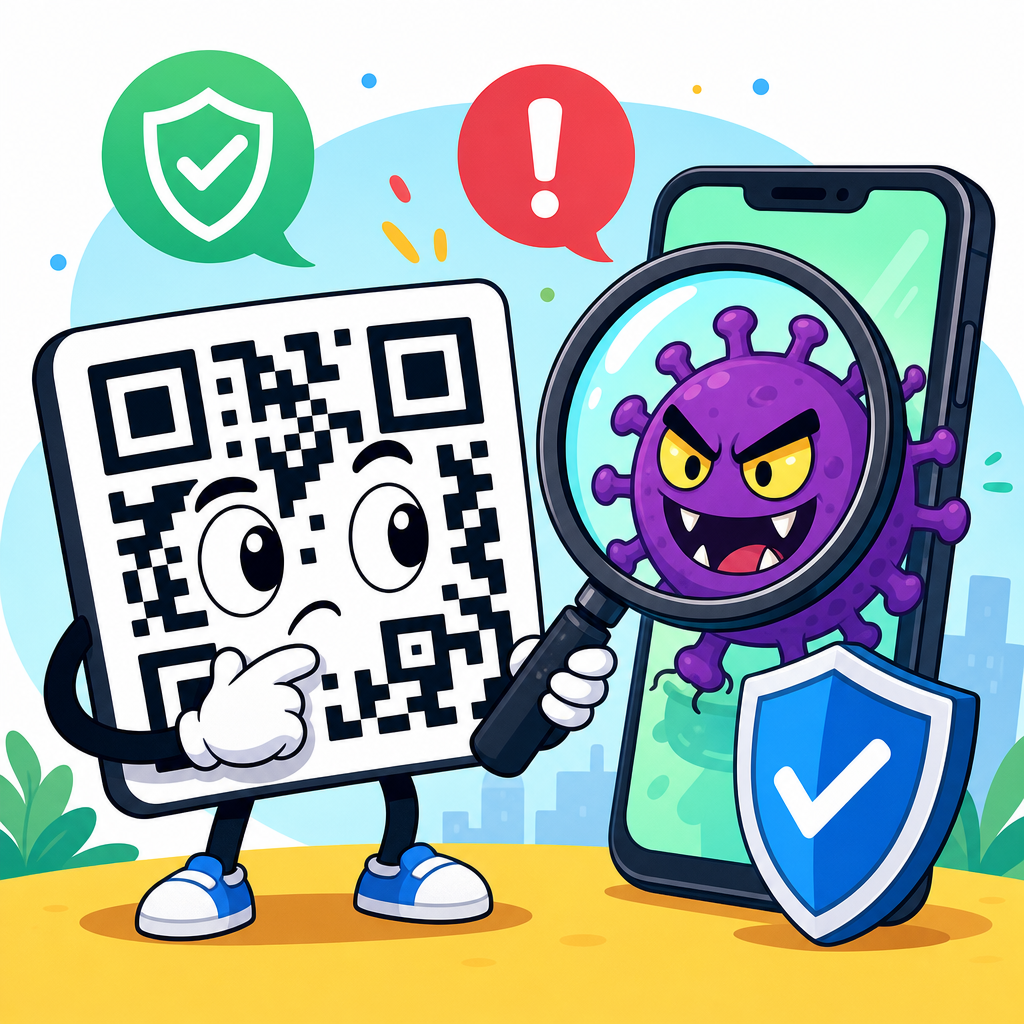
QR codes are convenient, cheap to print, and nearly frictionless to scan, but the question “are QR codes dangerous?” deserves a careful answer: the square pattern itself is not harmful, yet the content behind it can absolutely create security and privacy risks. A QR code, short for Quick Response code, is a two-dimensional barcode that stores data such as a website link, payment request, contact card, Wi-Fi credential, or app download prompt. When someone points a phone camera at it, the device decodes that data and offers an action. That speed is the source of both the benefit and the danger.
I have worked with QR code deployments for restaurant menus, event check-ins, product packaging, and mobile payments, and the same pattern appears every time: teams focus on scan rates and convenience, then address security only after a suspicious redirect, customer complaint, or phishing incident. That is a mistake. QR code safety is not mainly a design question; it is a trust, verification, and endpoint security question. Users cannot visually inspect a QR code the way they can read a printed URL, so they often give it more trust than it deserves.
Understanding QR code safety matters because the codes now sit in places people instinctively trust. They appear on parking meters, utility bills, tables in restaurants, posters in airports, medicine packaging, payment terminals, and account login flows. Attackers know this. A malicious sticker placed over a legitimate code can send a customer to a fake payment page in seconds. A text message that includes a QR code can bypass the suspicion people have learned to apply to clickable links. Security teams increasingly treat these attacks as a form of phishing delivered through images rather than text.
So, are QR codes safe? They are safe when the source is trustworthy, the destination is verified, and the device handling the scan has basic protections in place. They are unsafe when users scan blindly, when businesses use unmanaged redirects, or when criminals exploit urgency and familiarity to hide a malicious destination. The practical goal is not to avoid QR codes entirely. It is to know what risks exist, how attacks work, and what habits make QR code use substantially safer for both consumers and organizations.
How QR code risk actually works
A QR code does not execute an attack by magic. It encodes information, and that information triggers a next step on the user’s device. Most commonly, the next step is opening a URL in a browser. That means the real risk lives at the destination: a phishing page, malware-hosting site, fake login portal, fraudulent payment request, or tracking endpoint. In security operations, this attack pattern is often called quishing, meaning phishing delivered through QR codes. The code is only the delivery vehicle.
Modern smartphones make scanning easy, but that convenience compresses the time users have to think. On iPhone and Android devices, the camera often recognizes the code instantly and offers a one-tap prompt. If the user taps without checking the previewed domain, they may land on a page designed to steal credentials, card details, or multifactor authentication codes. In enterprise environments, I have seen this used against Microsoft 365 users: a fake QR code on a poster or email leads to a spoofed sign-in page that captures username, password, and session data.
QR codes can also contain more than website addresses. They may launch an SMS message, compose an email, add a contact, join a Wi-Fi network, or initiate a payment string. Each of those actions creates different risk. A Wi-Fi QR code can connect a phone to an untrusted network. A payment QR code can route money to a criminal-controlled recipient. A vCard QR code can inject misleading contact information that later supports impersonation. The code format is flexible, which is useful for business and equally useful for attackers.
Common QR code scams and real-world examples
The most common QR code scam is simple sticker replacement. A criminal prints a fraudulent code and places it on top of a legitimate one at a parking meter, restaurant table, vending machine, or transit kiosk. The victim scans, sees a page that looks plausible, and enters card details or pays a small amount that goes to the attacker. Because the location itself feels legitimate, the victim often assumes any problem is a billing error rather than fraud, which delays reporting and helps the scam continue.
Email-based QR phishing has grown because it defeats some user instincts and some technical controls. Many employees know not to click suspicious links in email, but a QR code image can feel less risky. Attackers send a message claiming an account problem, payroll update, encrypted file, or multifactor reset. The code sends the employee to a fake login page optimized for mobile. Microsoft, Cisco Talos, and other security researchers have documented rising use of this tactic because image-based payloads can complicate traditional link inspection and create urgency on personal phones.
Another scam targets payments and donations. A printed QR code at a fundraiser, charity drive, or street market can redirect to a lookalike payment page or to a legitimate payment app with the wrong recipient. This is especially dangerous because instant payment systems are fast and often irreversible. I have also seen fake customer support QR codes on product inserts that lead users to malicious call centers. The victim believes they are contacting the brand, but instead reaches a fraud team that requests remote access, gift cards, or banking details.
| Threat type | How it works | Typical target | Best defense |
|---|---|---|---|
| Sticker replacement | Fake code placed over real code in a trusted location | Public payments, menus, kiosks | Inspect for tampering and verify the destination domain |
| QR phishing by email | Image code leads to spoofed login or credential form | Employees, students, consumers | Use official apps or bookmarked sites instead of scanning email codes |
| Payment diversion | Code routes payment to attacker account | Shoppers, donors, drivers | Confirm payee name and amount before authorizing payment |
| Malware or app fraud | Code pushes a fake app or harmful download page | Android users, sideloading users | Install apps only from official stores and keep app protection enabled |
Are QR codes safe for payments, logins, and everyday use?
Payment QR codes can be safe, but only when the payment flow includes recipient verification and comes from a controlled environment. Well-designed systems display the merchant name, amount, and processor before the user confirms. That creates a checkpoint. Risk rises when the code opens a web page that asks for card details directly, especially on an unfamiliar domain. Card-not-present payment pages already carry fraud risk; a QR code simply removes the visible step where the user might notice a suspicious URL before visiting it.
Login-related QR codes are also a mixed case. Some are highly secure. For example, a code generated inside a trusted app to pair a device or complete sign-in can reduce password exposure, particularly when it is tied to cryptographic authentication and expires quickly. Others are dangerous. A random code on a poster claiming to “verify your account” or “restore access” is almost certainly a phishing lure. Context matters. If you did not initiate the login process from a known service, a QR code should never be treated as an account recovery shortcut.
For everyday uses like restaurant menus, product information, event schedules, and contact sharing, QR codes are generally low risk when they come from reputable businesses and the destination is consistent with the brand. A menu code should resolve to the restaurant’s domain or a known platform, not a strange address with misspellings or extra characters. A product code should reflect the manufacturer or retailer, not a generic link shortener with no branding. Safety in practice means matching the code’s physical context to the digital destination it reveals.
How to scan QR codes safely on any phone
The safest habit is simple: pause before tapping. Most camera apps preview the destination, and that preview is your first line of defense. Read the full domain carefully. Attackers rely on lookalike domains, added words, or subtle spelling swaps such as rn for m. If the domain does not exactly match the business, bank, school, or employer you expect, do not open it. When possible, navigate manually through the official app or type the website yourself instead of using the QR code at all.
Keep your phone updated and use the protections already built into modern operating systems and browsers. Safe Browsing features in Chrome and protective warnings in Safari and Android can block known malicious sites, but they are not perfect and cannot stop every newly created phishing page. Avoid sideloading apps from unknown sources, because QR codes are sometimes used to push unofficial downloads. If a scan starts an app install, configuration profile, or file download you did not expect, cancel it and verify through the vendor’s official support pages.
Be especially cautious with QR codes delivered in email, direct messages, and printed notices that create urgency. If a code claims your payroll changed, your package is delayed, your account is locked, or your invoice must be paid immediately, assume social engineering until proven otherwise. On public signage, check for physical tampering such as layered stickers, crooked placement, mismatched branding, or low-quality print. For payments, verify the payee name inside the payment app before approving. Those small checks prevent the majority of consumer QR fraud.
What businesses should do to make QR codes safer
Organizations that publish QR codes have a responsibility to reduce user risk. Start with destination control. Use branded domains, HTTPS everywhere, and short redirect chains. If you rely on dynamic QR codes, govern them like any other marketing or transactional asset: document ownership, monitor changes, and remove abandoned destinations. I recommend maintaining a simple inventory that records where each code is displayed, who owns it, what it resolves to, and when it was last reviewed. Unmanaged redirects are one of the easiest ways legitimate QR campaigns become risky over time.
Physical security matters too. If QR codes are placed in public locations, design them so tampering is obvious. Use branded frames, custom artwork, serialized labels, or placement behind clear covers where practical. For payment use cases, display the merchant name in human-readable text next to the code and instruct customers to confirm that same name in the payment app. Staff should know how to spot fake overlays and how to respond if one appears. In retail and hospitality, quick incident response can stop losses before they spread across multiple locations.
Finally, educate users without making the experience clumsy. A short prompt such as “Scan only this code, verify our domain, and never enter payment details on any other site” is more effective than generic warnings. Security teams should also include QR scenarios in phishing simulations and awareness training, especially for mobile-first workforces. If your brand uses codes in email, billing, packaging, or customer support, create a published policy describing exactly when and how you will use them. Predictable patterns help customers distinguish legitimate QR codes from scams.
When to avoid a QR code entirely
You should skip a QR code when the destination is unnecessary, unverifiable, or asks for sensitive information too quickly. If a poster claims to solve a banking issue, tax problem, or password reset, go directly to the institution’s official app or website instead. If a payment code opens a generic webpage instead of a trusted payment interface, stop. If a code arrives in an unsolicited message, especially one that pressures you to act immediately, treat it like any other phishing attempt and delete it. Convenience is never a reason to bypass verification.
High-risk users should be stricter. That group includes executives, finance staff, administrators, healthcare workers, students using campus systems, and anyone managing shared accounts or business payments. For them, the safer default is to use approved apps, bookmarked portals, hardware-backed authentication, and official support channels. QR codes are useful tools, but they are not trust signals on their own. The only reliable trust signal is the combination of source, destination, and user verification.
QR codes are not inherently dangerous, but they can be dangerous in exactly the same way any hidden link can be dangerous: they obscure the destination until the moment of action. That makes them powerful for convenience and attractive for fraud. The safest approach is balanced. Use QR codes when they come from trusted sources, preview the destination before tapping, avoid entering sensitive information on unexpected pages, and verify payment recipients every time. If you manage QR codes for a business, control redirects, monitor placements, and train users on what legitimate use looks like. Done well, QR codes remain a practical tool instead of a security blind spot. Review your own scanning habits and your organization’s QR policies now, before the next code you encounter asks for more trust than it has earned.
Frequently Asked Questions
Are QR codes dangerous by themselves?
No, a QR code is not dangerous on its own. It is simply a machine-readable pattern that stores information such as a URL, payment destination, contact details, Wi-Fi credentials, or an app prompt. The square image itself cannot infect your phone just because you looked at it or scanned it. The real risk comes from what the code tells your device to do next. If it opens a malicious website, launches a fake payment page, triggers a deceptive app download, or encourages you to enter sensitive information, then the threat comes from the destination or action behind the code, not the code pattern itself.
This distinction matters because it helps people respond rationally. QR codes are widely used for restaurant menus, event tickets, product packaging, marketing, and contactless payments because they are cheap to print and nearly frictionless to scan. In most cases, they are harmless and useful. However, because scanning feels so fast and convenient, people often trust QR codes more than they would trust a random typed link in an email. That false sense of safety is exactly what attackers exploit. So the short answer is: no, the symbol itself is not harmful, but yes, scanning the wrong one can expose you to security and privacy risks.
What kinds of scams or security threats can happen through a QR code?
The most common threat is being sent to a malicious website. A scam QR code may lead to a phishing page designed to look like your bank, delivery service, streaming provider, or workplace login portal. Once there, you may be asked to enter usernames, passwords, card numbers, or multi-factor authentication codes. Because the interaction starts with a camera scan instead of a suspicious-looking email link, some users lower their guard and do not realize they are being tricked until after their information has been stolen.
QR codes can also be used in payment fraud. For example, a criminal may place a fake payment QR sticker over a legitimate one at a parking meter, charity donation station, café counter, or retail display. If you scan it and authorize payment, your money may go directly to the attacker. In other situations, the code may trigger a prefilled payment request or direct you to a fake checkout page. Another risk involves malicious app downloads or prompts to install software from unofficial sources. While modern phones include security safeguards, users can still be tricked into installing harmful apps, granting unnecessary permissions, or approving risky actions. There are also privacy concerns: some QR codes are used for tracking, collecting location data, measuring ad performance, or linking your scan activity to a broader marketing profile without you realizing how much information is being gathered.
How can I tell whether a QR code is safe before I scan it?
You usually cannot know with absolute certainty just by looking at the pattern, because QR codes are not human-readable in the same way that printed web addresses are. That said, there are several practical warning signs. First, consider the context. Is the code where you would reasonably expect one to be, such as on official packaging, inside a verified email from a trusted company, or on signage from a legitimate business? Or does it appear on a random flyer, a suspicious text message, a public poster covered with stickers, or a payment terminal where someone could easily have tampered with it? Physical placement matters more than many people realize.
Second, use the preview features on your phone. Many camera apps will show the destination URL before you open it. Read that address carefully. Look for misspellings, strange domains, extra words, or brand impersonation such as a site that looks similar to a trusted company but is not actually owned by it. If the destination seems vague or uses a URL shortener, be cautious. Third, think about urgency and pressure. If the code promises a prize, demands immediate account verification, or claims your payment failed and you must act now, those are classic social engineering signals. If anything feels off, do not scan it. Instead, visit the company’s official website manually, use its official app, or contact the organization directly through known channels.
What should I do after scanning a suspicious QR code?
If you scanned a QR code but did not interact further, the risk may be limited, especially if you closed the prompt before opening a site or approving an action. Still, pay attention to what happened on screen. If a website opened, do not enter any personal information, passwords, or payment details. Close the page immediately. If the site asked you to download an app, install a certificate, join a Wi-Fi network, or allow permissions, decline those requests unless you are completely certain they are legitimate. You should also review your browser tabs, downloads, and recent prompts to make sure nothing unexpected was approved.
If you did submit information or authorize a payment, act quickly. Change any passwords that may have been exposed, especially if they are reused elsewhere. Contact your bank or card issuer if payment details were involved. Monitor your accounts for unusual activity and enable multi-factor authentication where possible. If the QR code led to a login page for work, inform your IT or security team right away so they can watch for account misuse. It is also smart to run a device security check, update your phone’s operating system, and remove any unfamiliar apps. Fast action can significantly reduce the damage from a mistaken scan.
What are the best ways to use QR codes safely in everyday life?
The safest approach is to treat QR codes the same way you would treat any unfamiliar link: with a healthy level of skepticism. Scan only when the source is trustworthy and the action makes sense in context. For example, a QR code on a restaurant table for the menu may be normal, but a code pasted over a parking payment sign or attached loosely to a public kiosk deserves closer inspection. If possible, verify the destination before tapping it, and prefer official apps or manually typed web addresses for sensitive tasks like banking, payments, account recovery, and workplace logins.
It also helps to strengthen your broader mobile security habits. Keep your phone updated, use reputable security settings, avoid installing apps from unofficial stores, and turn on account protections such as multi-factor authentication. Be especially careful with QR codes that ask for payment, credentials, Wi-Fi access, or software installation. For businesses, safe use also means placing codes in tamper-resistant locations, clearly labeling what the code does, and using branded, easy-to-verify destinations. QR codes are not inherently unsafe, but convenience should never replace caution. When used thoughtfully, they remain a practical tool; when trusted blindly, they can become an easy doorway for scams.