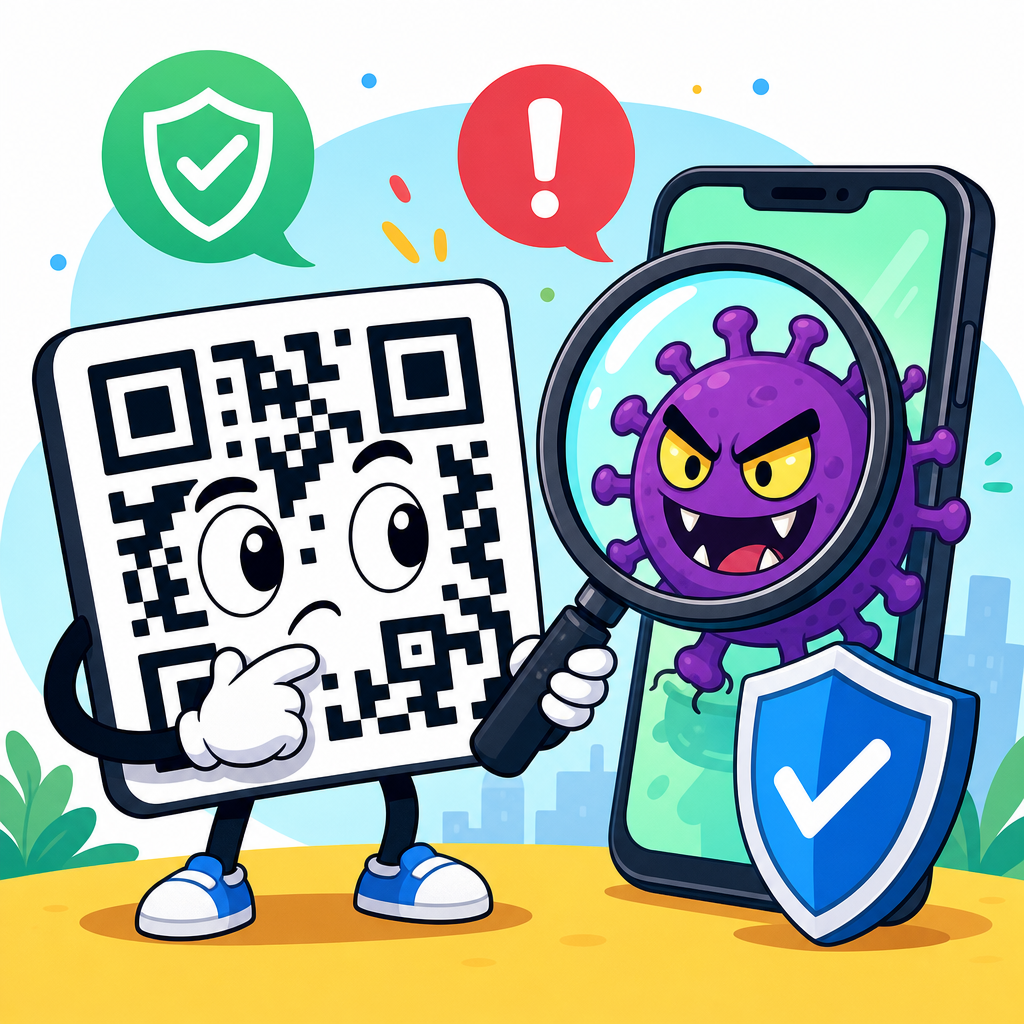
QR codes are convenient, cheap to print, and nearly frictionless to use, but they also create a security blind spot that many people underestimate. A QR code, short for Quick Response code, is a two-dimensional barcode that stores data such as a website address, payment request, Wi-Fi credential, app link, or contact record. When scanned with a phone camera or a dedicated reader, the code triggers an action immediately. That speed is the reason businesses use QR codes for menus, tickets, product information, support pages, and mobile payments, and it is also the reason attackers use them for fraud, credential theft, and malware delivery.
When people ask, “Are QR codes safe?” the correct answer is conditional: the symbol itself is not dangerous, but the destination and the context around it can be. In security work, I treat QR codes the same way I treat shortened links, email attachments, and USB drives: neutral containers that become risky when trust is misplaced. A printed square on a poster feels harmless because it has no obvious text to inspect, yet that is exactly the problem. Users cannot visually verify where the code will send them before they scan, and many scans happen in busy environments where people are distracted and moving quickly.
The risks of QR codes matter because adoption is now mainstream across retail, hospitality, logistics, healthcare, education, and public services. Restaurants replaced printed menus with QR links during the pandemic and never fully went back. Payment providers normalized scan-to-pay experiences. Airlines, event venues, and delivery companies rely on machine-readable codes at every step of the customer journey. As usage expanded, so did “quishing,” a term widely used for phishing attacks delivered through QR codes. Security teams now include QR code abuse in awareness training because it bypasses older habits people developed for suspicious emails and links.
This article serves as a hub for QR code security and privacy by answering the core question comprehensively: what are the risks of QR codes, who is most exposed, and what practical steps reduce harm? The main categories are malicious redirects, fake payment requests, credential harvesting, malware prompts, privacy leakage, code replacement in public spaces, and operational risks for businesses that deploy codes without lifecycle controls. Understanding those categories is important for consumers scanning daily and for organizations that print or distribute codes at scale. If you know what a safe scanning flow looks like, QR codes remain useful. If you do not, they can become an efficient path to compromise.
Are QR Codes Safe? The Short Answer and the Main Risk Categories
QR codes are reasonably safe when they come from a trusted source, point to a well-governed destination, and are scanned with attention. They are unsafe when the source is uncertain, the destination is hidden, or the user is rushed into taking action. The central security issue is opacity. A normal web link may expose a domain name in plain text, but a QR code conceals it inside a machine-readable pattern. That concealment gives attackers an advantage at the exact moment a user needs context.
In practice, the biggest risks fall into a few repeatable patterns. First, a code may open a phishing page that imitates Microsoft 365, Google, Apple, or a bank login. Second, it may trigger a payment to a criminal wallet or merchant account. Third, it can direct users to download an app outside official stores or to enable risky device permissions. Fourth, it can collect personal data through forms that appear routine, such as surveys, parking validation, or package tracking. Fifth, physical codes can be replaced with stickers placed over legitimate signage, which is common because tampering is cheap and difficult to notice.
These risks are not hypothetical. Public-sector alerts, corporate incident reports, and security vendor research have repeatedly documented QR-based phishing campaigns and payment redirection schemes. The FBI warned consumers about criminals using tampered QR codes to steal credentials and divert payments. Microsoft and Cisco Talos have both described how QR codes are used in phishing because they can evade some email filtering workflows and push the victim onto a mobile device, where the browser view is smaller and warnings are easier to miss. In other words, QR threats succeed not because the image is sophisticated, but because the user experience removes visibility.
How QR Code Attacks Work in Real Life
Most QR code attacks succeed through simple social engineering rather than exotic technical exploits. An attacker starts with a believable scenario: parking meter payment, restaurant menu access, account verification, package delivery update, or employee benefits enrollment. They then insert a malicious QR code into a place where the victim expects one. In a physical setting, that may mean placing a sticker over a legitimate code at a kiosk, table, or poster. In a digital setting, it may mean sending a PDF, email, or flyer containing a code that leads to a fake site.
One common attack chain is credential theft. A user scans a code labeled as a document share, payroll update, or secure message. The page opens to what looks like a Microsoft 365 or Google sign-in screen. Because the phone browser may show only part of the address bar, the user misses the deceptive domain and enters credentials. The attacker collects the username, password, and often a one-time code. If the site uses an adversary-in-the-middle kit, the criminal can hijack the session in real time. That can lead to business email compromise, invoice fraud, and lateral movement inside the organization.
Another common chain is payment fraud. I have seen examples where fraudulent stickers were placed on parking meters and restaurant bill presenters, redirecting users to payment pages controlled by criminals. The victim believes they are paying a city authority or merchant, but the funds go elsewhere and card details may also be captured. Similar tactics appear in charity scams after disasters and in fake event ticketing. Because scan-to-pay feels normal, victims do not always pause to verify the merchant name or domain before completing the transaction.
Attackers also use QR codes to bypass user caution developed for email links. Many office workers know to hover over a link on desktop, inspect the sender domain, and question unexpected attachments. Those habits do not transfer well to a camera scan performed on a phone while standing in a lobby or commuting. The device context changes the decision quality. Smaller screens, automatic app switching, and the perceived legitimacy of printed materials all raise the success rate of manipulation.
Privacy Risks People Often Miss
Security threats get most of the attention, but privacy risks from QR codes are equally important. A QR code can encode more than a generic website address. It may contain tracking parameters, campaign identifiers, location-specific tokens, device targeting logic, or a unique user ID. That means the act of scanning can reveal where someone was, when they interacted, what device they used, and which message or sign drove the response. For marketers, that data is useful. For users, it can become invasive when collection is excessive or poorly disclosed.
Dynamic QR codes amplify this issue. Unlike static codes, which directly store a destination, dynamic codes usually point to a short redirect URL managed by a platform. The operator can change the destination after printing and collect analytics on every scan. That flexibility is valuable for updating links without reprinting materials, but it also means the printed code is not a permanent indicator of the final destination. If platform access is compromised, a benign code can be repointed to a harmful page instantly. Even without compromise, the analytics layer may gather more behavioral data than users expect.
There are also data minimization concerns. A menu, warranty page, or Wi-Fi login does not always need to request name, email, precise location, contacts access, or notification permissions. Yet many QR-linked flows ask for exactly those things. In regulated environments such as healthcare or education, that can create compliance exposure if forms collect personal information without a clear legal basis, retention schedule, or adequate security controls. A QR code itself does not violate privacy, but it can become the entry point for overcollection.
| Risk category | How it appears | Primary harm | Best immediate check |
|---|---|---|---|
| Phishing | Fake login page after scan | Account takeover | Inspect full domain before signing in |
| Payment fraud | Scan-to-pay page with wrong merchant | Money loss and card theft | Verify merchant name and URL |
| Malware delivery | Prompt to install app or profile | Device compromise | Use official app stores only |
| Tracking | Dynamic code with analytics and IDs | Behavioral profiling | Review permissions and data request |
| Tampering | Sticker placed over real code | Redirection to attacker site | Look for physical alteration |
Who Faces the Highest Risk
Consumers are vulnerable, but some groups face disproportionate exposure. Mobile-first users who conduct most of their banking, messaging, and work from a phone have less interface visibility and fewer verification cues. Travelers are frequent targets because they rely on QR codes for boarding passes, public transit, parking, hotel services, and restaurant menus while under time pressure. Older adults may be less familiar with deceptive URL patterns, while younger users may be overconfident because scanning feels routine and low risk.
Organizations face a separate but serious risk profile. Companies that print QR codes on packaging, receipts, posters, invoices, product manuals, or service labels are creating a distributed trust surface. If they do not maintain inventory, destination governance, access control, and tamper checks, an attacker can exploit that surface. I have seen businesses forget that a code on a poster remains active long after a campaign ends. The landing page expires, the domain lapses, or the redirect account changes hands, and the once-legitimate scan path becomes unsafe. This is less visible than a broken website banner, but the damage can be greater because the user assumes the printed artifact was vetted.
High-value enterprises are also targeted through QR codes in email attachments and conference materials. An employee may receive a document instructing them to scan a code to view a secure voicemail or renew multifactor authentication. Because the action occurs on a personal phone, corporate web filtering and endpoint telemetry may not capture the initial interaction. That cross-device behavior is one reason security teams now treat QR codes as a phishing vector that deserves the same controls as links and attachments.
How to Scan QR Codes Safely
Safe scanning starts with a short pause. Before scanning, look at the physical context. Is the code printed professionally, integrated into the design, and free from stickers, misalignment, or signs of replacement? Does the request make sense for the location? A parking meter asking for a survey, or a restaurant menu requesting a cloud login, should trigger skepticism. After scanning, preview the destination and read the full domain. Trusted organizations use recognizable domains, secure transport, and consistent branding, but branding alone is not proof. The domain is the key control.
Do not enter credentials or payment details on a page reached from an unverified code if you can navigate there another way. For a bank, utility, airline, or employer, close the page and open the official app or type the known web address manually. For payments, verify the merchant name displayed by the processor and compare it to the business in front of you. If the flow requests app installation, use the Apple App Store or Google Play directly rather than downloading from a link. On managed business devices, mobile threat defense tools such as Microsoft Defender for Endpoint, Lookout, or Zimperium can add inspection and policy controls, but user judgment still matters.
For businesses, safe deployment requires governance, not just design. Use dynamic codes only when there is a clear operational need, protect the platform account with multifactor authentication, and maintain an inventory of where every code appears. Prefer branded domains over generic shorteners. Implement redirects that log changes, require approval, and alert on destination modifications. Inspect public-facing codes for tampering during routine site checks. If a code points to a payment flow, use domain allowlists, clear merchant descriptors, and fraud monitoring. For printed materials that may remain in circulation, plan for domain renewal and page maintenance so an abandoned destination does not become an attack opportunity.
Limitations, Tradeoffs, and the Bottom Line
QR codes are not inherently unsafe, and avoiding them completely is unrealistic for most people and organizations. They solve real usability problems: contactless access, fast mobile navigation, low-cost information distribution, and efficient payments. The tradeoff is that they compress trust into a symbol users cannot read. That makes source validation, destination preview, and lifecycle management essential. The strongest defense is not fear; it is disciplined verification supported by sensible technical controls.
The practical takeaway is simple. Treat every QR code as a link you cannot see until after you scan. Check the context, inspect the domain, avoid entering sensitive data from untrusted scans, and use official apps or manually typed addresses for important accounts and payments. If you manage QR codes for a business, own the full lifecycle from creation and publishing to monitoring and retirement. Done well, QR codes remain efficient and safe enough for everyday use. Done carelessly, they become one of the easiest ways to hide a malicious destination in plain sight. Review your current QR habits and deployment practices now, and tighten the weak spots before attackers find them first.
Frequently Asked Questions
What makes QR codes risky from a security standpoint?
QR codes are risky because they hide their destination from the user at the exact moment a decision is made. With a normal web link, people can often inspect the URL before clicking. With a QR code, the code itself is visually unreadable, so the user has to trust that it leads to a safe website, payment page, app download, or login portal. That creates a security blind spot. Attackers take advantage of this by placing malicious QR codes in public spaces, on printed materials, over legitimate labels, or inside emails and documents to direct people to fraudulent destinations.
The danger is not the QR code format itself, but the action it triggers. A QR code can open a fake banking page, prompt someone to enter account credentials, initiate a payment to the wrong recipient, connect a device to a rogue network, or lead to malware-laced downloads. Because scanning feels fast and routine, users are more likely to act without the level of caution they would use when typing a URL manually. That combination of convenience, speed, and hidden intent is what makes QR-based attacks effective.
Can a QR code be used for phishing or fraud?
Yes, and this is one of the most common real-world risks associated with QR codes. The term often used is “quishing,” meaning phishing delivered through a QR code. Instead of sending a suspicious-looking link in plain text, an attacker places the link inside a QR code to make it seem more legitimate or less obvious to filters and users. Once scanned, the victim may land on a fake login page for email, payroll, banking, cloud storage, or another trusted service. If the person enters their credentials, the attacker can steal account access immediately.
Fraud can also happen through payment scams. For example, a criminal can replace a merchant’s legitimate payment QR code with one that sends money to a different account. In busy environments such as parking meters, restaurants, donation stations, event check-ins, or utility payment notices, users may not stop to verify the payment destination before approving the transaction. That makes QR code fraud particularly effective in situations where people are in a hurry or assume the code is official. The best defense is to pause before completing any action and verify the website, account name, or payment details shown after scanning.
Are public or printed QR codes more dangerous than digital ones?
Public and printed QR codes often carry a higher practical risk because they can be tampered with physically and are commonly trusted without much scrutiny. A malicious sticker can be placed over a legitimate code on a poster, menu, meter, package, storefront window, or bulletin board. To most users, the replacement looks harmless. Since the code itself is not human-readable, there is often no obvious sign that anything has changed. This makes printed QR codes a convenient attack method for redirecting people to fake websites or payment requests.
That said, digital QR codes are not automatically safe. A QR code embedded in an email, text message, PDF, social media post, or online advertisement can still lead to phishing pages, malware downloads, or impersonation scams. In fact, digital QR codes can sometimes bypass a user’s usual caution because they appear inside business communications or branded materials. The safer approach is not to assume that one format is trustworthy, but to validate the source, preview the destination if your device allows it, and avoid scanning codes from unsolicited or suspicious messages.
What should people check before scanning or using a QR code?
Before scanning a QR code, people should first consider where it came from and whether the context makes sense. If the code appears on a public sign, restaurant table, payment terminal, flyer, or package, inspect it for signs of tampering such as stickers placed on top of another label, uneven printing, or anything that looks recently added. If the code arrives in an email or text message, ask whether you were expecting it and whether the sender is genuinely who they claim to be. Attackers often rely on urgency, convenience, or familiarity to lower skepticism.
After scanning, do not rush to complete the next step. Check the web address carefully before entering credentials or payment information. Look for misspellings, extra characters, strange domains, or pages that imitate a trusted brand without using its official website. Be especially cautious if the page asks for passwords, one-time codes, banking details, or app installations. If the QR code is supposed to take you to a known organization, it is often safer to visit the organization directly through its official website or app instead of proceeding through the scanned link.
How can businesses use QR codes more safely without putting customers at risk?
Businesses can reduce QR code risk by treating them as part of their security and customer trust strategy, not just a convenience tool. They should place QR codes only where they can be monitored, use durable materials that make tampering obvious, and inspect physical codes regularly in public-facing locations. It also helps to explain clearly what the code does, such as “View menu,” “Check in,” or “Pay invoice,” so users know what action to expect. When possible, businesses should direct users to branded domains that are easy to recognize and verify.
On the technical side, organizations should avoid linking QR codes to unnecessary redirects, should secure landing pages with HTTPS, and should use authentication and fraud controls for sensitive actions like payments or account logins. They can also educate customers by reminding them to verify URLs and never enter credentials on unexpected pages. For internal use, employee training matters just as much, because QR codes in emails, printouts, and workplace posters can be used in social engineering attacks. Safe QR code use comes down to visibility, verification, and giving users enough context to recognize when something is wrong.