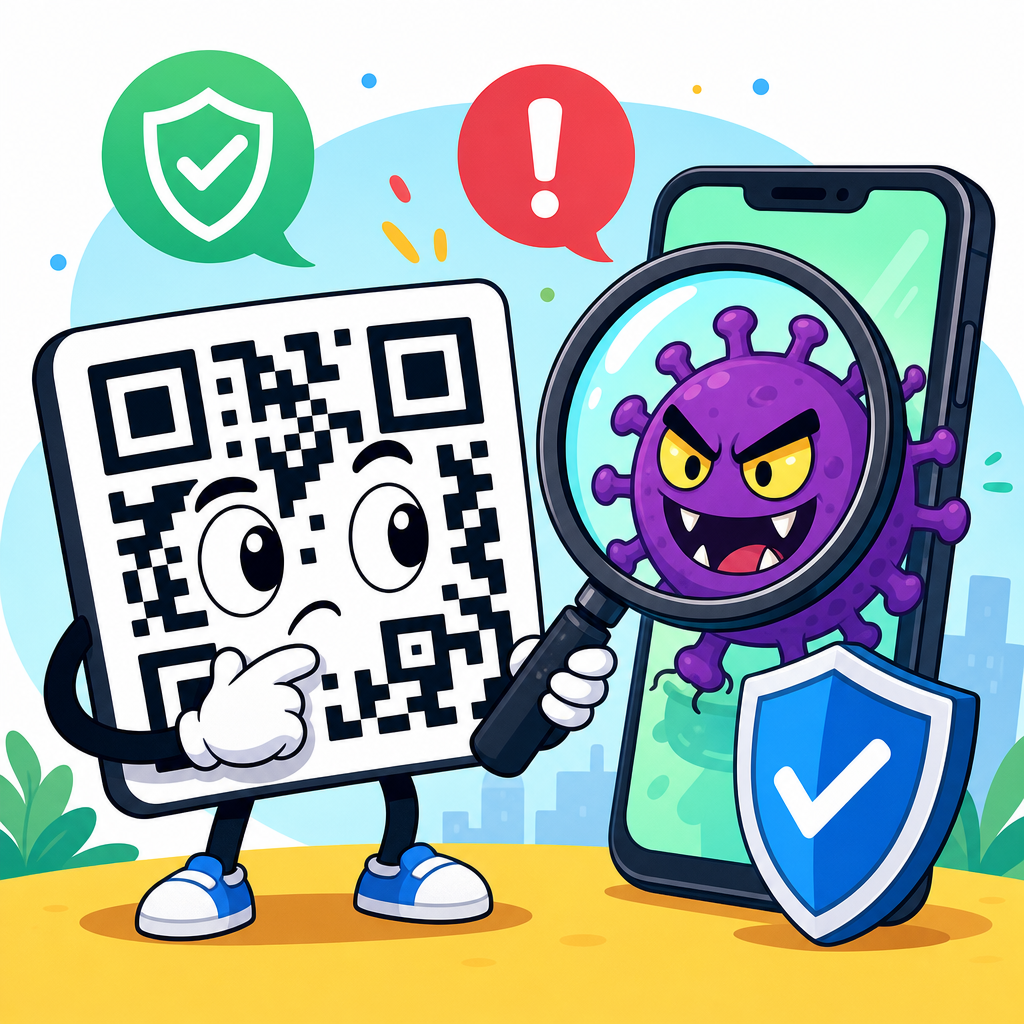
QR codes are convenient, cheap to deploy, and now common on restaurant tables, parking meters, utility bills, package labels, login screens, and product packaging, but the question “Can QR codes be hacked?” deserves a careful, practical answer. A QR code itself is not malware, and the black-and-white pattern does not execute code on its own. The risk comes from what the code points to, what action a phone performs after scanning it, and whether the person scanning can verify the destination before tapping. In plain terms, QR code security is about trust, redirection, device behavior, and human judgment. That is why “Are QR codes safe?” cannot be answered with a simple yes or no. They are safe when they link to legitimate destinations and are used with sensible controls. They become risky when attackers replace, spoof, or weaponize them to lure people into phishing pages, malicious downloads, fake payment flows, or credential theft. I have seen this most often in public locations where a printed code can be covered with a sticker in seconds, and in marketing campaigns where teams use dynamic redirect services without reviewing who can edit the destination. Understanding those scenarios is essential for consumers, businesses, and IT teams because QR codes bridge the physical and digital worlds, and that bridge is exactly where attackers look for openings.
A QR code, short for Quick Response code, is a two-dimensional barcode that stores data such as a website URL, contact card, Wi-Fi credentials, payment request, SMS template, or app deep link. Most people encounter QR codes through smartphone cameras, which decode the pattern and present an action. That action may open a browser, connect to a network, start a payment, or reveal text. The code can be static, meaning its content never changes, or dynamic, meaning it points to a short URL or redirect service whose destination can be updated later. Dynamic codes are useful for campaigns and analytics, but they also add a layer of dependency and create another system that must be secured. Safety therefore depends on more than the image itself. It depends on the operating system’s preview behavior, the browser’s protections, the destination site’s security, the app handling the action, and the controls around code creation and placement. For organizations building a QR code security and privacy program, this hub topic matters because one weak code can undermine brand trust, expose customer data, or trigger fraud. For individuals, a few simple checks dramatically reduce risk without giving up the convenience that made QR codes popular in the first place.
How QR code attacks work in the real world
The most common QR code threat is phishing, often called quishing. Instead of emailing a suspicious link, the attacker embeds the link in a QR code and relies on the fact that users cannot visually inspect the destination from the printed pattern. A fake code placed on a parking meter may lead to a convincing payment page that copies the city logo, requests card details, and sends the money to a criminal account. A code on a package delivery notice might point to a login page that steals Microsoft 365, Google, or banking credentials. In internal business settings, I have also seen fake codes in conference rooms that invite employees to “join Wi-Fi” but actually direct them to a sign-in page crafted to harvest corporate passwords. Because users often scan with their personal phones outside managed browser environments, these attacks can bypass some email and endpoint controls that organizations rely on elsewhere.
QR codes can also be used for malicious redirection and app abuse. A code may open a shortened URL that bounces through several redirects before landing on a harmful page, making the true destination harder to evaluate. Some codes trigger app-specific deep links that open messaging apps, payment apps, or social platforms and prefill actions the user may approve without enough scrutiny. A Wi-Fi QR code can automatically populate network details; that is convenient in a hotel or office, but dangerous if the network is rogue and designed for traffic interception. A contact-card QR code can inject misleading data into an address book, which sounds minor until a scammer labels an entry as “Bank Fraud Team” and later calls from a spoofed number. Modern mobile operating systems have improved prompts and permissions, but they do not remove the need for user verification. The attack succeeds when the destination looks routine and the victim acts quickly.
Are QR codes safe for everyday consumers?
For most people, QR codes are reasonably safe when scanned from trusted sources and treated with the same caution as links in email or text messages. The code printed on a utility bill from a known provider, the code on a product package from a major manufacturer, or the code displayed inside your own banking app generally carries low risk because the surrounding context supports authenticity. The danger rises in uncontrolled environments: stickers on public kiosks, flyers posted on poles, codes embedded in social media images, or unsolicited messages asking you to scan for account verification. The safest mental model is simple: a QR code is just a hidden link or instruction. If you would hesitate to click an unknown shortened URL, you should hesitate to scan an unknown code.
Consumers should also understand what phone cameras and scanner apps actually do. On current iPhone and Android devices, the default camera usually shows a preview notification rather than opening the site instantly. That preview is an important security checkpoint because it reveals the domain name. A legitimate city parking system might use a domain such as parking.cityname.gov or a clearly branded vendor domain listed on municipal signage. A fake version often uses lookalike domains, extra words, hyphens, or unusual top-level domains. Browser protections such as Google Safe Browsing and Microsoft Defender SmartScreen can block known malicious pages, but they are not perfect, especially against fresh phishing domains. That is why the user’s inspection remains critical. If a page asks for a password, card number, one-time passcode, or app installation after a scan, stop and verify through an independent channel.
Business risks: payments, marketing, and customer trust
Businesses often ask whether QR codes are safe for payments and marketing. The answer is yes, if they are governed like any other customer-facing digital touchpoint. Payment QR codes are common in restaurants, parking systems, retail, and peer-to-peer transfers. They streamline checkout, but they also create a prime fraud opportunity because people expect to scan quickly and pay. In several reported cases across cities worldwide, attackers placed stickers over official parking payment codes and redirected drivers to fake checkout pages. The immediate loss may be one transaction, but the larger damage is customer distrust, chargebacks, support burden, and reputational harm. If a customer gets scammed through a code on your premises, they will associate that failure with your brand whether or not your systems were directly breached.
Marketing teams face a different set of tradeoffs. Dynamic QR codes allow campaign managers to change landing pages, measure scans, segment geography, and run A/B tests. Those are legitimate benefits. However, every redirect layer, analytics platform, and shared account becomes part of the attack surface. If an intern, agency partner, or compromised administrator can alter a destination, an otherwise harmless printed code can be weaponized at scale. I recommend treating QR management like content management: use role-based access, multifactor authentication, audit logs, change approval for high-traffic campaigns, and documented ownership. For physical placements, add tamper-evident materials and periodic inspections. For customer support, train teams to ask whether a suspicious interaction began with a QR scan; that single question can shorten incident response significantly.
Static vs dynamic QR codes and where the risk really sits
Static and dynamic QR codes are often compared as if one is inherently secure and the other insecure. The reality is more nuanced. A static QR code usually embeds the final destination directly, so there is no third-party redirect service to compromise later. That reduces dependence and makes long-term behavior more predictable. The downside is inflexibility: if the destination changes, the printed code must be replaced everywhere. A dynamic QR code usually points to a short URL managed through a platform, and that platform forwards the user to the current destination. This adds convenience, analytics, and update capability, but it also centralizes risk in the management console and redirect infrastructure. In practice, the safer option depends on governance, not just format.
| Option | Main benefit | Main risk | Best use case |
|---|---|---|---|
| Static QR code | No editable redirect layer | Hard to update if URL changes | Stable links on packaging or manuals |
| Dynamic QR code | Editable destination and scan analytics | Platform account compromise or redirect misuse | Campaigns, menus, event materials |
| Branded short domain | Easier destination recognition for users | Requires domain management discipline | Public-facing codes with high trust needs |
| Third-party shortener | Fast setup | Lower brand recognition and shared-platform dependency | Temporary low-risk tests only |
When I review QR deployments, the biggest security gains usually come from controlling the destination environment rather than obsessing over the symbol itself. Use HTTPS everywhere, maintain HSTS where appropriate, keep landing pages free of unnecessary prompts, and avoid collecting sensitive information immediately after a scan unless absolutely necessary. If authentication is required, explain why and provide an alternate route such as typing a known web address manually. For dynamic platforms, prefer branded short domains, restricted admin roles, and logs that show who changed a destination and when. Those controls turn an opaque redirect into a manageable asset.
How to scan QR codes safely on iPhone, Android, and at work
Safe scanning habits are straightforward and effective. First, inspect the physical context. If the code is on a public sign, check for stickers placed over the original, misaligned printing, spelling errors, or mismatched branding. Second, use the default camera app rather than a random scanner app, because major mobile operating systems provide better previews and security integration. Third, read the previewed domain before opening it. Look for exact brand names, sensible paths, and familiar domains. Fourth, if the page requests credentials or payment, pause and navigate independently through the organization’s official website or app. Fifth, keep your phone updated so the browser, certificate handling, and threat intelligence feeds are current. Those steps prevent the majority of consumer QR scams.
In workplace environments, QR code policy should be explicit. Employees should know that no legitimate IT team will ask them to scan a code to reauthenticate payroll, email, or VPN access without prior notice through official channels. Security awareness training should include quishing examples, especially fake Microsoft 365 sign-ins and device enrollment pages. For facilities teams, inspect posted codes on kiosks, doors, and meeting rooms during routine rounds. For retail and hospitality, train staff to recognize tampering on table tents, receipts, and payment placards. If your organization uses QR codes for device setup, asset tracking, or visitor management, publish a list of approved domains and explain what a legitimate screen should look like. That reduces ambiguity, and ambiguity is what attackers exploit.
Privacy concerns, standards, and a practical security checklist
Safety is not only about hacking; privacy matters too. Many QR code systems collect scan time, approximate location, device type, referral source, and campaign identifiers. That data can be useful for analytics, but it can also create compliance obligations under laws such as the GDPR and the CCPA when it becomes personal data or is linked to identifiable profiles. Businesses should disclose tracking where required, minimize retention, and avoid collecting more than the purpose justifies. Payment-related QR flows may also intersect with PCI DSS obligations if card data is entered on the landing page. If health information is involved, additional sector rules may apply. In other words, a harmless-looking square can trigger serious governance requirements once it becomes part of a data collection pipeline.
There is no universal global law that makes QR codes safe or unsafe, but established security practices do. Use HTTPS with valid certificates. Prefer domains users can recognize. Protect QR management accounts with multifactor authentication. Limit who can change destinations. Monitor redirects and landing pages. Inspect physical codes for tampering. Publish alternatives for users who do not want to scan. Test flows on both iPhone and Android. Document ownership. Review analytics platforms and privacy notices. When these controls are in place, QR codes remain an efficient, low-friction bridge between offline and online experiences. When they are absent, the same convenience becomes a social-engineering shortcut for attackers. The key takeaway is clear: QR codes can be hacked in the sense that they can be abused, replaced, or used to direct people into scams, but they are not automatically dangerous. Treat them like links, manage them like digital assets, and verify before you tap. If you are building or auditing a QR program, start by inventorying every public-facing code, confirming its destination, and tightening the controls around who can change it.
Frequently Asked Questions
Can a QR code itself contain a virus or hack my phone just by being scanned?
A QR code by itself is not a virus, and simply looking at or scanning the black-and-white pattern does not automatically infect a device. A QR code is really just a machine-readable way to store information, such as a website address, payment request, contact card, Wi-Fi credentials, or other text. It does not execute malware on its own the way a malicious app or infected file might. The real security issue comes from what happens after the scan. If the QR code opens a phishing website, triggers a risky download, starts a payment action, or prompts a user to connect to a suspicious network, then the danger comes from that destination or action rather than from the code image itself.
In practical terms, scanning a QR code is similar to clicking an unknown link. Most modern phones and camera apps will show a preview of the destination before opening it, which gives users an important chance to stop and verify what they are about to visit. That preview step matters. If the link looks unfamiliar, misspelled, shortened, or unrelated to the business or service expected, it is wise not to proceed. So while QR codes can be used as part of a scam or attack chain, they are not inherently malicious objects that “hack” a phone on contact.
How do criminals use QR codes in scams or cyberattacks?
The most common abuse of QR codes is deception. Attackers place a malicious QR code where a legitimate one is expected and rely on the fact that many people scan quickly without inspecting the destination. This tactic is often called “quishing,” or QR phishing. For example, a fake sticker may be placed over a real QR code on a parking meter, restaurant table, utility notice, package label, public poster, or payment terminal. When scanned, the victim may be sent to a lookalike website that steals login credentials, payment card details, or personal information.
QR codes can also be used to trigger actions that feel routine but still carry risk. A code may prompt a user to install an app outside an official app store, connect to an unknown Wi-Fi network, open a messaging app with a prefilled message, initiate a payment transfer, or sign in to a fake portal designed to capture account credentials. In business settings, criminals have even used QR codes in emails, printed invoices, and office notices to bypass suspicion around clickable links. Because the attack hides behind a scan rather than a visible URL in the message body, people may lower their guard. That is why the safety question is less about the QR format itself and more about trust, verification, and the action requested after the scan.
What warning signs should I look for before opening a QR code destination?
The most important warning sign is a destination that does not match the context. If a code on a restaurant table opens a domain unrelated to the restaurant, or a parking meter code leads to a strange payment page with a generic brand, that should raise immediate concern. Look carefully at the web address preview before opening it. Misspellings, extra characters, odd country-code domains, unrelated company names, and shortened URLs can all be signs of trouble. Even if the site loads, poor design, spelling errors, pressure tactics, urgent warnings, or requests for excessive personal information are strong indicators that something is wrong.
Physical signs matter too. A QR code sticker placed on top of another label, a code that looks tampered with, or printed material that seems unofficial should be treated cautiously. In public places, attackers often rely on simple code replacement rather than sophisticated hacking. On digital screens and login pages, be suspicious if a code asks you to sign in again unexpectedly, approve a payment you did not initiate, or download software to continue. A good rule is to pause anytime the scan leads to money, passwords, software installation, or account recovery steps. If the action is sensitive, type the official web address manually, use the organization’s app directly, or confirm with the business before proceeding.
Are QR codes safe to use for payments, logins, and everyday tasks?
QR codes can be safe and very useful for routine tasks, including contactless menus, bill payment, package tracking, device pairing, event check-in, and secure login workflows. Many legitimate systems use QR codes because they are cheap to deploy, easy to scan, and convenient for both businesses and users. The key point is that safety depends on the surrounding process. A QR code from a trusted source, used in a well-designed system, is generally low risk. Problems arise when users assume every code is trustworthy or rush past the verification step without checking where the code leads.
For payments and logins in particular, extra caution is smart. Before paying, make sure the business name, page URL, and payment details match what you expect. Before logging in, confirm that the site or app is official and that the sign-in request was initiated by you. If a QR code appears on a utility bill, package insert, poster, or kiosk, compare the destination with the company’s known website or app. In many cases, using the official app directly is safer than scanning a code found in a public place. QR codes are not automatically unsafe, but they should be treated as gateways to digital actions, and any gateway deserves basic verification.
How can I protect myself and my business from malicious QR codes?
For individuals, the best defense is a simple verification habit. Use a scanner or phone camera that shows the destination before opening it, and take a second to inspect the link. Avoid entering passwords, payment card details, or sensitive personal information unless you are certain the destination is legitimate. Keep your phone’s operating system and browser updated, use official app stores for downloads, and consider a mobile security solution if you regularly scan codes in public or for work. If something feels off, do not continue; instead, navigate to the service manually through its official website or app.
For businesses, prevention starts with controlling where QR codes are placed and how customers can recognize authentic ones. Use branded landing pages, clear printed instructions, and tamper-evident labels where possible. Regularly inspect physical QR codes on tables, meters, signs, kiosks, and packaging to make sure they have not been replaced. If QR codes are used for payments, logins, or customer support, educate users about what they should expect after scanning and what you will never ask them to do, such as downloading unknown software or entering credentials on an unrelated domain. Internally, train employees to treat QR codes in emails, printed invoices, and office notices with the same skepticism they would apply to suspicious links. In short, the most effective protection is not fear of QR codes themselves, but a practical understanding that the real risk lies in the destination, the requested action, and whether trust has been verified.