
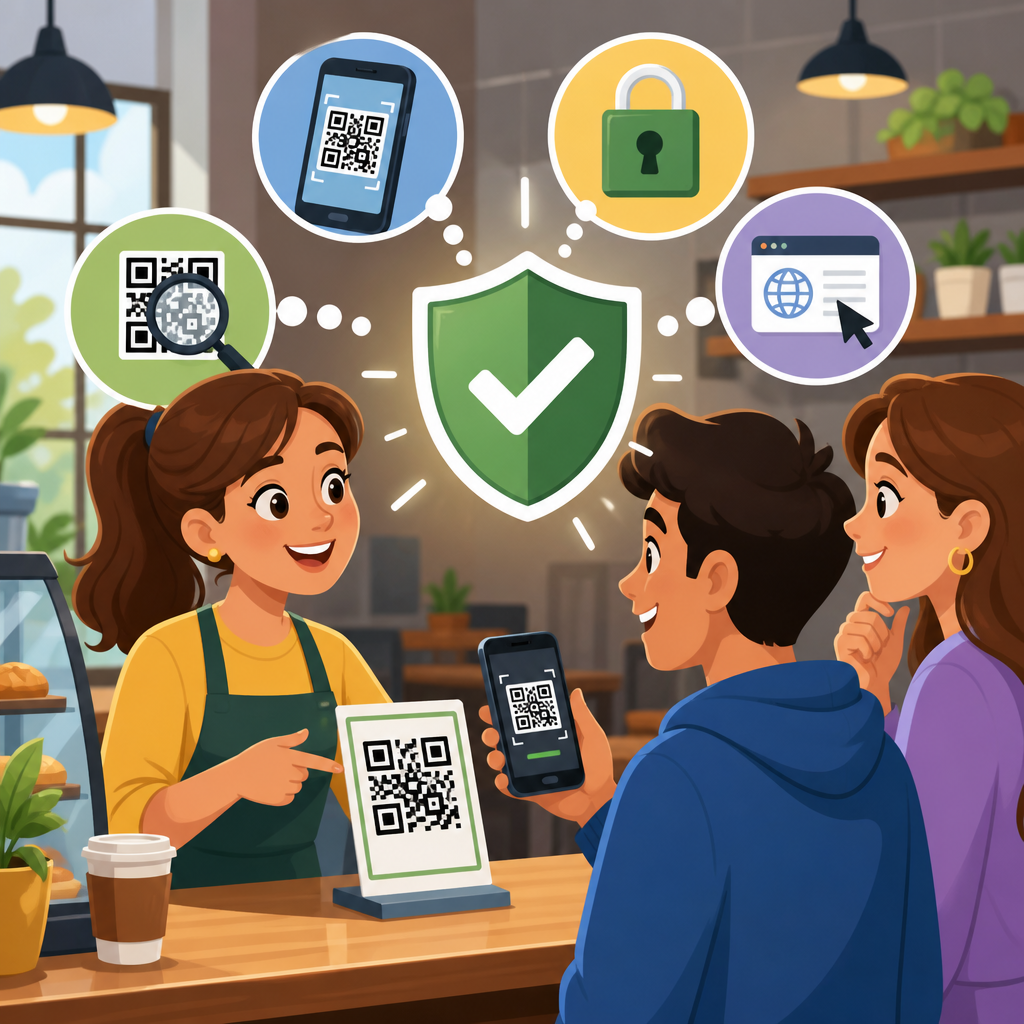
QR codes are now woven into daily customer journeys, from restaurant menus and parking meters to product packaging, support portals, event tickets, and payment flows. That convenience creates a security challenge: most people scan first and evaluate later. If your organization uses QR codes in marketing, retail, hospitality, healthcare, logistics, or customer service, you need a practical program for teaching customers how to scan safely. Customer education about QR code safety means helping people recognize trusted codes, understand common attack methods, and verify links before sharing data, downloading apps, or authorizing payments. Done well, that education reduces fraud, protects brand trust, lowers support costs, and improves conversion because customers feel confident using legitimate codes.
QR code safety matters because attackers increasingly use “quishing,” or QR-code phishing, to bypass habits people have built around email and web links. A printed code can hide a destination URL, redirect to a fake login page, trigger a malicious app download, or route a payment to a criminal wallet. I have seen this play out in real campaigns: a well-designed poster or sticker gets placed over a legitimate code, scans rise, and support teams only discover the problem after refund requests and account lockouts appear. The risk is not limited to large enterprises. Local shops, schools, nonprofits, and apartment buildings are all targets because customers assume physical spaces are trustworthy. Education is the control that meets users at the exact moment of risk.
To educate customers effectively, you need more than a generic warning. You need a repeatable set of safe scanning tips, clear language, and visible trust signals around every code you publish. Customers should know what a legitimate QR code looks like in context, what warning signs require extra caution, and what to do if something feels wrong. They should also understand the limits of QR codes themselves: the symbol is only a transport mechanism, not proof of authenticity. The right approach combines design standards, concise instructions, device-level protections, and follow-up content that answers the next question a customer will ask. This article serves as a hub for safe scanning tips, giving you the foundation to build signage, onboarding copy, help-center articles, and frontline staff scripts.
The core principle is simple: teach customers to verify before they tap. In practice, that means checking the source, previewing the destination, looking for tampering, avoiding rushed environments, and treating any request for payment credentials, passwords, or one-time codes with skepticism. It also means organizations must earn that caution by being consistent. If one campaign uses branded short links, another uses unfamiliar domains, and a third asks users to install an app immediately, customers cannot form reliable habits. Standardization is a security control. The safer your official QR code experience is, the easier it becomes to explain what “normal” looks like and spot what is not.
What customers need to know before scanning any QR code
The first lesson customers need is that a QR code is not inherently safe or dangerous. It simply stores data, most often a URL. The danger comes from where that URL leads and what the destination asks the user to do. A safe scanning tip that belongs on every customer-facing resource is this: pause and inspect the context before scanning. Is the code on official packaging, inside your app, on your verified website, or on signage where your organization normally posts instructions? Or is it on a random flyer, a parking kiosk with several layered stickers, or an email attachment you did not expect? Context is the first filter because attackers rely on urgency and convenience to override judgment.
The second lesson is to use the phone’s link preview before opening the site. On both iPhone and Android, many camera and QR scanning experiences display the destination URL before the browser launches. Customers should be taught to read the domain carefully, not just the page title. A fake banking page might use a domain such as secure-bank-login-example.com instead of the institution’s real domain. Homograph attacks can also use lookalike characters, while shortened URLs can obscure the destination entirely. If your business uses QR codes, publish your official domains prominently so customers know what to expect. “Our QR codes always lead to example.com” is far more actionable than “Be careful online.”
The third lesson is to assume that requests for sensitive actions deserve extra verification. Customers should not enter passwords, payment card numbers, or one-time passcodes after scanning unless they are certain the destination is legitimate. The same caution applies to app downloads, mobile configuration profiles, and requests for camera, microphone, location, or contact permissions. In my experience, the most effective educational messages use direct language: never scan a code to reset a password unless you initiated the request; never pay a parking fine or invoice through a QR code unless you verified the issuer through an independent channel; never trust a code that pressures you with language like “act now,” “account suspended,” or “last warning.”
How attackers misuse QR codes in the real world
Customers learn faster when they understand realistic attack patterns. One common scheme is sticker substitution. A criminal places a fake QR code over a real code on a meter, table tent, lobby sign, or parcel locker. The victim thinks they are paying for parking or checking in for a delivery, but the code routes them to a lookalike payment page. Another pattern is message-based quishing. A text, email, or printed letter includes a QR code and claims there is a missed delivery, payroll update, benefits issue, or account verification requirement. Because the user scans with a phone, the flow may bypass desktop protections and feel less suspicious.
Attackers also exploit event environments where people are moving quickly and staff are busy. I have investigated incidents at trade shows and conferences where fake codes directed attendees to credential harvesting pages disguised as Wi-Fi setup, lead retrieval, or session schedules. Retail promotions are another frequent target. A code promising a gift card, coupon, or loyalty points can steer users to fake surveys that collect personal information. In healthcare settings, fraudulent codes can imitate patient portal enrollment or bill payment. In every case, the attacker borrows the trust of a physical location or recognized brand, then uses the QR code to compress the decision window.
The key educational point is that the attack usually succeeds before malware enters the picture. Most QR incidents are not exotic exploits; they are social engineering and destination fraud. That means customer training can be highly effective. If users know to inspect for tampering, preview the URL, verify the domain, and avoid entering sensitive information from a surprise scan, a large share of these attacks fail. Your materials should say this plainly because it empowers customers. They do not need to become security experts. They need a handful of repeatable habits.
Safe scanning tips every customer should follow
Effective safe scanning tips are short enough to remember and specific enough to apply under pressure. Start with source verification. Tell customers to scan only codes from official company materials, verified digital channels, trusted staff, or product packaging that appears untampered. Next, teach destination verification. Customers should look at the previewed URL and confirm the domain matches your official website exactly. Then add action verification: if the page asks for login credentials, payment, downloads, or sensitive personal data, customers should stop and verify through your website, app, or customer support.
Physical inspection matters too. Customers should look for signs of tampering such as stickers placed over existing labels, torn edges, mismatched branding, low print quality, or codes located where they do not make operational sense. Encourage them to avoid scanning in rushed conditions, low light, or situations where bystanders can shoulder-surf payment details. Device hygiene is another practical tip. Phones should stay updated, use built-in security protections, and install apps only from official app stores. While QR attacks are often credential-focused, outdated devices increase exposure when a malicious site tries to exploit browser weaknesses or deliver harmful files.
| Customer tip | What it means in practice | Why it reduces risk |
|---|---|---|
| Check the source | Scan only from official signage, packaging, or verified messages | Filters out opportunistic and impersonation attacks |
| Preview the URL | Read the full domain before opening the page | Exposes fake, misspelled, or unrelated destinations |
| Inspect for tampering | Look for stickers, overlays, damaged labels, or poor printing | Helps detect physical replacement scams |
| Be cautious with payments and logins | Verify through another channel before entering credentials or card details | Stops credential theft and payment diversion |
| Use official apps and updated devices | Install software only from trusted stores and keep the OS current | Reduces exposure to malicious downloads and browser exploits |
When you turn these tips into customer education, use plain-language commands rather than abstract advice. “Preview the link before you tap” performs better than “exercise caution.” “Our QR codes only use brand.com” performs better than “verify legitimacy.” Put the tips where decisions happen: on posters near the code, in onboarding emails, on payment pages, in packaging inserts, and in support center articles. Repetition across channels creates habit formation, which is the real goal of QR code safety education.
How businesses should design safer QR code experiences
Customer education works best when the experience itself is designed for verification. The first design rule is domain consistency. Use a small set of recognizable domains across all QR campaigns, and avoid unnecessary URL shorteners. If tracking parameters are required, place them after a stable root domain customers already know. The second rule is visual consistency. Branded landing pages, logos, color systems, and concise page titles help customers confirm they reached the right destination. The third rule is placement control. Codes should be located in monitored, well-lit areas and printed in ways that make tampering obvious, such as under laminates, behind acrylic, or integrated into packaging artwork.
There are also operational controls that support education. Maintain an inventory of every public QR code, its destination, owner, and review date. Test each code regularly, especially in high-traffic environments like retail stores, hotel lobbies, parking facilities, and event venues. Frontline staff should know how to spot suspicious overlays and how to respond when a customer reports a questionable code. For payment use cases, prefer flows that open your official app or a secure web page with strong branding and standard checkout indicators, including HTTPS and clear merchant identification. If your process ever changes domains, announce that change in advance.
Some organizations go further with dynamic QR management platforms that allow destination updates, analytics, and deactivation without reprinting materials. That can be valuable, but it introduces governance needs. Access controls, approval workflows, and change logging are essential because the QR management console becomes a high-impact administrative system. If compromised, it can redirect many legitimate codes at once. Education should reflect that reality by telling customers exactly which domains and app names are approved, not just that “we use QR codes safely.” Specificity builds confidence and closes ambiguity attackers can exploit.
Building a customer education program that actually changes behavior
A strong QR code safety program blends content, timing, and reinforcement. Start by identifying where customers encounter your codes: storefronts, invoices, kiosks, direct mail, email, product packaging, support chats, and social media. Then create concise guidance tailored to each touchpoint. A parking sign might say, “Inspect for stickers. We only use pay.example.com.” A shipment insert might say, “Scan only if the seal is intact.” A customer service email might say, “We will never ask you to scan a QR code to confirm your password.” These small messages work because they answer the exact question in the moment of use.
Measure results with practical indicators. Track support tickets about suspicious QR codes, abandonment rates on legitimate scans, reports from store teams, and incident volume tied to fake codes or payment diversion. Consider periodic audits where staff check public placements for tampering. If your audience includes less technical users, test messages with them directly. In usability sessions I have run, many people understood “check the website name” better than “verify the URL,” and they responded well to side-by-side examples of real versus fake domains. Education improves when you observe real confusion instead of assuming what users know.
Your hub content should also connect customers to deeper resources. Link outward to pages about spotting fake QR stickers, checking URL previews on iPhone and Android, recognizing payment red flags, securing mobile devices, and reporting suspicious codes. That structure helps both users and support teams. A customer who starts with safe scanning tips can move naturally into the exact issue they face, while your team can send a single authoritative resource instead of rewriting explanations in every ticket. Good education scales when it is modular, consistent, and maintained like a product, not treated as a one-time awareness campaign.
Conclusion: make safe scanning a normal customer habit
Educating customers about QR code safety is not about creating fear around a useful technology. It is about teaching a few reliable habits that match how people actually scan in stores, on streets, at events, and at home. Customers should know to check the source, preview the destination, inspect for tampering, and verify any request involving logins, payments, downloads, or personal data. Businesses should support those habits with consistent domains, branded landing pages, monitored placements, and clear reporting channels. When the official experience is predictable, customers can recognize what belongs and what does not.
The biggest benefit is trust. A customer who understands safe scanning tips is less likely to fall for a fake code and more likely to complete a legitimate interaction with confidence. That protects revenue, reduces fraud losses, and preserves brand credibility when attackers try to exploit your physical and digital touchpoints. Review every QR code your organization publishes, standardize the domains behind them, and add customer guidance at the point of scan. Then expand from this hub into your supporting articles so every scan becomes easier to verify and safer to complete.
Frequently Asked Questions
Why is customer education about QR code safety so important now?
QR codes have become a routine part of everyday life. Customers use them to open restaurant menus, pay for parking, verify event tickets, reach product support pages, access loyalty offers, and complete purchases. Because scanning feels fast and familiar, many people do it automatically without checking where the code leads. That habit creates an opening for scams such as fake payment pages, malicious login portals, counterfeit promotions, and codes placed over legitimate signs or packaging.
Educating customers about QR code safety helps reduce that risk by replacing automatic behavior with simple verification habits. A strong education program teaches people to pause before scanning, inspect the source of the code, preview the destination URL, and avoid entering sensitive information unless they are confident the page is legitimate. It also builds trust in your brand. When customers see that your organization is actively helping them recognize safe scanning practices, they are more likely to feel confident using your QR-enabled experiences across retail, hospitality, healthcare, logistics, and customer service.
Just as important, customer education protects business operations. A successful QR-related scam can lead to chargebacks, support costs, reputational damage, account compromise, and customer confusion. Clear, repeated guidance lowers the odds that customers will be misdirected by fraudulent codes pretending to represent your company. In short, QR code safety education is no longer optional. It is a practical part of customer protection, brand integrity, and digital trust.
What should customers be taught to check before scanning a QR code?
Customers should be taught a short, memorable checklist they can use every time. First, they should look at the physical context of the code. Is it placed where they would reasonably expect it to be, such as on official packaging, an in-store sign, a verified receipt, or inside your company’s app, email, or website? If a code appears out of place, looks recently pasted over another code, is printed poorly, or is attached to a public surface in a suspicious way, customers should treat it with caution.
Second, customers should understand the importance of the destination preview. Most smartphones display the web address before opening a QR link. People should be trained to pause and read that address carefully. They should look for a domain name they recognize and avoid links with misspellings, extra words, random characters, or unusual subdomains designed to imitate a trusted brand. This step is one of the most effective defenses because many QR scams depend on the user moving too quickly to notice a fraudulent URL.
Third, customers should know what types of requests are red flags. A QR code that unexpectedly asks for payment details, account credentials, one-time passcodes, personal health information, or sensitive identification should trigger extra scrutiny. Legitimate interactions may sometimes require those details, but customers should only proceed after confirming they are on an official site or app. Teaching customers these checks gives them a practical way to identify risk without overwhelming them with technical information.
What are the most common QR code scams customers should understand?
One common scam involves sticker replacement or code overlay. In public places such as parking meters, restaurant tables, transit stations, or event venues, fraudsters place a fake QR code over a legitimate one. The customer scans the counterfeit code and lands on a fake payment page or phishing site. Because the sign or surface appears authentic, many people assume the destination is safe. This makes physical tampering an important part of customer awareness training.
Another frequent scam uses QR codes in emails, text messages, printed flyers, or product inserts to impersonate a known brand. Customers may be told they need to confirm a delivery, claim a prize, reset a password, verify an account, or unlock a discount. The code then leads to a fraudulent site designed to harvest login credentials, payment information, or personal data. In some cases, the page may closely resemble the official brand’s website, which is why destination checking and source verification are so important.
Customers should also know that scammers may use QR codes to push app downloads, support scams, or fake login pages for customer portals. A code may promise technical support, warranty activation, account assistance, or package tracking but actually direct users to a deceptive service. By explaining these common patterns in plain language, organizations help customers recognize that the threat is not the QR code itself, but where it leads and what it asks them to do once they arrive.
How can a business effectively teach customers to use QR codes safely without creating fear or friction?
The most effective approach is to make QR safety guidance simple, visible, and integrated into the customer journey. Instead of using alarmist language, businesses should give customers clear, confident instructions such as “Scan only codes on official materials,” “Check the web address before tapping,” and “If a code asks for unexpected payment or login details, stop and verify.” This kind of messaging empowers customers without discouraging them from using legitimate QR experiences.
Education should appear at the point of use. For example, restaurants can place a short safety reminder next to table codes, retailers can include QR verification tips on shelf signage or receipts, healthcare organizations can add guidance to appointment materials, and customer service teams can reinforce best practices in emails, help centers, and onboarding flows. Visual examples are especially useful. Showing customers what an official code looks like, where it is normally found, and which domains belong to your organization removes guesswork and builds confidence.
Consistency matters as well. Businesses should repeat the same safety messages across channels such as websites, apps, SMS campaigns, printed materials, and in-person signage. They should also give customers an easy way to verify questionable codes, such as a published support number, a help page, or instructions to navigate directly through the official app instead of scanning. The goal is to normalize safe scanning behavior so it feels like a routine part of the experience rather than a complicated security procedure.
What should customers do if they think they scanned a suspicious QR code?
If a customer believes they scanned a suspicious QR code, the first step is to stop interacting with the page immediately. They should not enter passwords, payment information, personal data, or verification codes. If they already opened the page, they should close it and avoid downloading anything or approving any prompts. If the scan led to an app installation request, they should cancel unless they can independently confirm that the app is legitimate through an official app store listing from the verified publisher.
If the customer entered any sensitive information, they should act quickly. That may include changing passwords, monitoring account activity, contacting their bank or card issuer, enabling multifactor authentication, and reporting the incident to the organization the scam attempted to impersonate. If the suspicious code appeared in a physical location, customers should alert staff or management so the code can be inspected and removed. If it arrived through email or text, they should report the message as phishing and avoid sharing it with others.
Businesses should make this response process easy to follow by publishing clear reporting instructions. Customers need to know where to send screenshots, how to verify official QR destinations, and how to contact support for urgent help. A fast, practical response plan turns a confusing moment into a manageable one. It also reinforces customer trust by showing that your organization takes QR code safety seriously before, during, and after an incident.





