
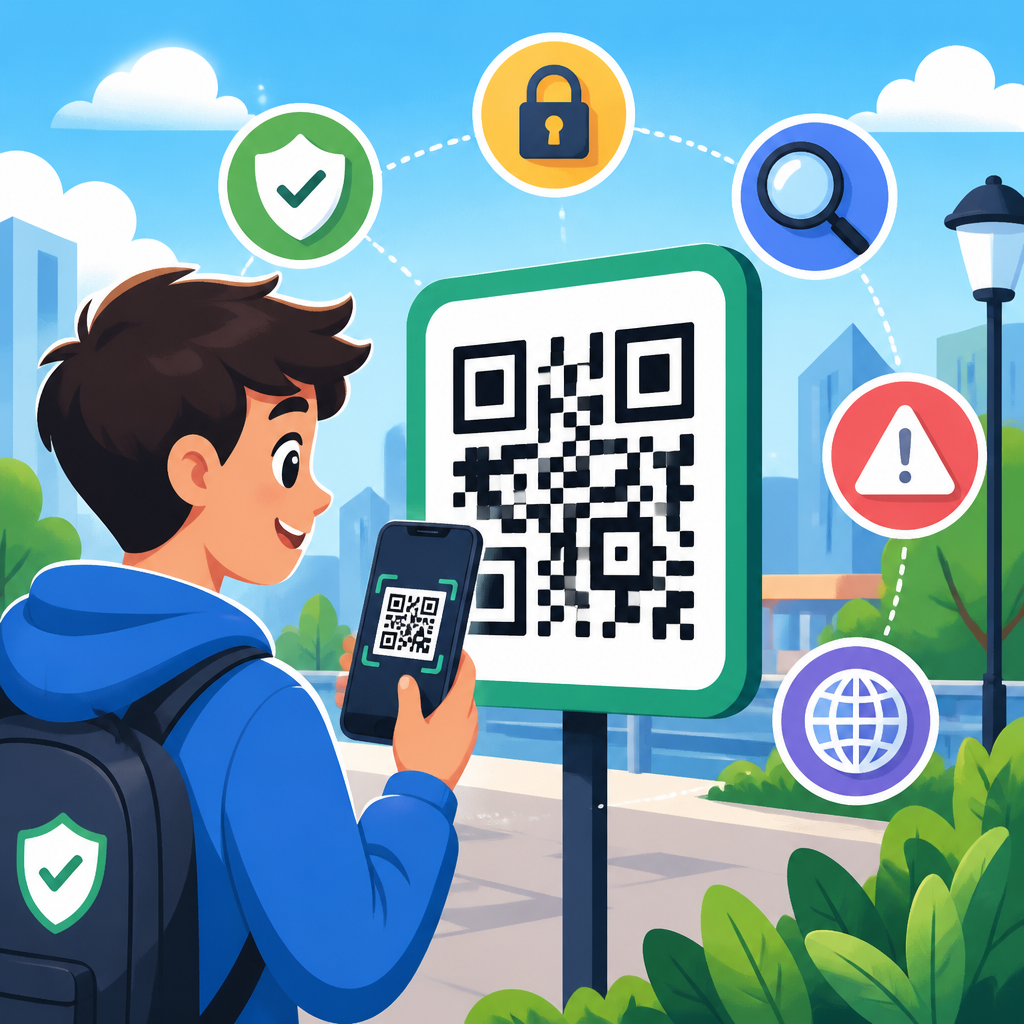
QR codes are everywhere now: restaurant menus, parking meters, utility bills, concert tickets, package labels, and office lobby check-ins. That convenience has also created a practical security problem. A malicious QR code can send a user to a phishing page, trigger a fraudulent payment flow, download a harmful file, or expose personal information before the person scanning realizes anything is wrong. Safe scanning tips are no longer niche advice for security teams; they are basic digital hygiene for anyone with a smartphone.
A QR code, short for Quick Response code, is a two-dimensional barcode that stores data such as a website address, contact card, Wi-Fi credential, payment request, or app action. When scanned with a phone camera or scanning app, the encoded action is interpreted immediately. That speed is the appeal, but it is also the risk. Users often trust QR codes because they look technical and familiar, yet the pattern itself does not show whether the destination is legitimate. In practice, the code is just a transport mechanism. The safety depends on what happens after the scan.
In security work, I have seen people treat QR codes as safer than links in email, when the opposite can be true if no one verifies the destination. Attackers exploit that assumption through “quishing,” or QR phishing. Instead of persuading a target to click a suspicious hyperlink, the attacker places a QR code on a flyer, sticker, text message, or printed letter. The victim scans it from a personal device that may not be protected by corporate email filters, web gateways, or browser isolation tools. That bypass is exactly why safe scanning tips matter.
This guide explains how to scan QR codes safely, how to recognize common red flags, and what habits reduce your risk without making QR use impractical. It also serves as a hub for the broader QR Code Security & Privacy topic by framing the core questions every user asks: Is this code legitimate? What happens after I scan it? What permissions should I avoid granting? And what should I do if I think I scanned a malicious code? Understanding those answers helps people make better decisions in seconds, which is when most QR-related attacks succeed.
Why QR code scams work so well
QR code scams work because they compress a decision into one fast gesture. A person sees a code, scans it, and lands somewhere new before evaluating trust. Attackers use urgency and context to lower skepticism. A fake parking payment QR code on a meter feels plausible. A package-delivery notice with a QR code feels routine. A poster promising event details or free Wi-Fi looks harmless. In each case, the criminal relies on the user focusing on convenience instead of verification.
Another reason these scams work is that many QR codes appear in the physical world, where people are less conditioned to expect cyber threats. Users may inspect an email sender address but rarely inspect a sticker placed over another sticker. I have investigated incidents where a single fraudulent QR label was placed on several public kiosks and captured payment card details for days before anyone noticed. The code did not need technical sophistication; it only needed a believable setting and a convincing destination page.
Mobile experience design also contributes to risk. Phone screens are small, URL bars are easy to ignore, and users are accustomed to app prompts and redirects. If a destination page imitates a login portal or payment form well enough, many users proceed. That is why safe scanning tips should focus less on the abstract code and more on practical verification steps before entering credentials, payment details, or one-time passcodes.
Safe scanning tips everyone should follow
The safest way to use a QR code is to treat it like an untrusted link until proven otherwise. Before you open anything, preview the destination if your camera app offers that option. On both iPhone and Android devices, many built-in scanners display the target domain before launch. Read the full domain carefully. Attackers often use lookalike names, added words, or subtle misspellings such as “payrnents” instead of “payments,” or a strange subdomain that pushes the real brand name to the left.
Next, verify the context. Ask whether the code belongs in that location and whether the action makes sense. A QR code on a parking meter should ideally lead to the city or operator named on the machine, not to a random short domain. A restaurant menu code should not ask for email login credentials. A utility bill code should match the company’s official website or payment processor. If the destination and the physical context do not align, stop immediately.
Avoid scanning codes from unsolicited messages, especially texts, social posts, direct messages, and printed letters that create urgency. In recent fraud campaigns, criminals mailed fake toll notices and invoice reminders containing QR codes that led to payment theft pages. The better practice is to ignore the code and reach the organization through a known channel, such as a bookmarked website, printed customer service number, or official mobile app.
Keep your phone updated and use the default camera or a reputable scanning tool rather than a random third-party scanner loaded with ads or excessive permissions. Modern mobile operating systems include phishing protections, safer browsing checks, and app sandboxing that reduce exposure. Those controls are not perfect, but they raise the bar. Also disable automatic actions where practical. You want a prompt before opening a browser, joining a Wi-Fi network, or initiating an app store download.
| Situation | Safer action | Why it reduces risk |
|---|---|---|
| QR code on a public poster or kiosk | Inspect for tampering and preview the URL before opening | Sticker overlays and fake redirects are common in public spaces |
| QR code in a text, email, or printed notice | Visit the organization through a known website or app instead | Prevents phishing pages from exploiting urgency or fear |
| QR code requesting payment | Confirm the merchant name, domain, and checkout details independently | Payment fraud often depends on users acting before verifying |
| QR code for Wi-Fi access | Ask staff for the network name and verify it on-site | Reduces the chance of joining a rogue network or captive portal |
| QR code opening an app download | Search the official app store manually | Avoids sideloads, copycat apps, and malicious landing pages |
How to evaluate a QR code before and after scanning
Before scanning, examine the code’s physical presentation. Is it printed cleanly as part of the original design, or is it a sticker applied over existing material? Does the branding look consistent? Are there spelling errors, cheap formatting, odd instructions, or unexplained urgency? Tampering is often visible. In retail and transit environments, a mismatched sticker, bubbled adhesive, or crooked placement is enough reason not to scan.
After scanning, pause on the landing page and inspect the destination. The first check is the domain name. The second is transport security: a legitimate site handling logins or payments should use HTTPS and display a certificate without browser warnings. The third is content fit. If a code from a menu stand asks for a Microsoft 365 login, something is wrong. If a parcel notification page asks for card details before showing shipment information, something is wrong. Attackers depend on people accepting inconsistent flows.
Look for pressure tactics. Fraud pages often use countdown timers, bold warnings, blocked-screen claims, or statements that your account will be suspended unless you act now. Real organizations do use deadlines, but legitimate services do not need deception to explain a payment or login process. When in doubt, close the page and navigate independently. One extra minute of verification is cheaper than recovering a stolen card or compromised account.
High-risk QR code scenarios and how to handle them
Payment is the highest-risk category because it combines urgency, trust, and immediate financial loss. QR codes are widely used for person-to-business payments, parking, ticketing, and peer transfers. If you scan a payment code, confirm the payee name before authorizing. Many payment apps display the merchant or recipient identity. If the name is generic, unrelated, or missing, do not continue. For municipal parking or transit, using the official app found through the app store is usually safer than scanning a label in the street.
Wi-Fi access is another overlooked risk. Some QR codes automatically populate a network name and password, which is convenient in cafés, hotels, and events. The danger is not the code itself but joining a network you did not intend to trust. Rogue access points can facilitate traffic interception attempts, fake captive portals, or credential harvesting if users log into spoofed pages. Verify the exact SSID with staff and avoid conducting sensitive activity on unfamiliar public networks without a VPN and multifactor authentication.
App downloads and account logins deserve extra caution. A QR code may send a user to a store listing, but it may also route through a tracking page, a fake support portal, or a direct download outside official stores. On managed devices, I advise teams to block unknown app sources entirely. For personal users, the safe pattern is simple: note the app name, close the page, and search the Apple App Store or Google Play yourself. The same applies to account access. Never sign in from a QR-triggered page unless you independently confirmed the domain first.
Codes used for forms, event registration, loyalty programs, and document access may seem low risk, but they can still collect valuable data. A fake survey can harvest names, phone numbers, addresses, employer details, and date of birth. That information fuels identity theft and account recovery attacks later. Share only the minimum needed, and question any form that asks for more than the situation reasonably requires.
What businesses and teams should do to make scanning safer
Organizations that use QR codes have a responsibility to reduce customer uncertainty. The best implementations clearly label what the code does, where it goes, and what users should expect next. For example, a restaurant table card should say “View menu at brand.com/menu” near the code. A parking sign should name the exact payment provider. This gives users a built-in verification cue and makes sticker replacement easier to spot.
Use static, branded placement where possible and inspect public-facing codes regularly. In physical audits, teams should check for sticker overlays, wear, and placement drift just as they would check point-of-sale tampering. If you use dynamic QR platforms, secure the destination management account with multifactor authentication and role-based access. A compromised account can silently redirect every scan to a malicious page without changing the printed code.
Destination pages should follow sound security standards. Use HTTPS, short and readable paths, minimal redirects, and consistent brand design. For payment flows, rely on established processors and display recognizable trust indicators without clutter. Internally, train support staff to answer customer questions about official QR usage. The easier it is for people to verify a code, the less likely they are to fall for an imitation.
What to do if you scanned a suspicious QR code
If you scanned a suspicious QR code but did not interact further, close the page immediately. Clear the browser tab and do not grant permissions, download files, or enter data. If you did enter credentials, change the password for that account right away from a known-good site or app, then review account activity and active sessions. If the account supports multifactor authentication and it is not enabled, turn it on now.
If you submitted payment information, contact your card issuer or bank promptly, report possible fraud, and monitor transactions. Many institutions can place a temporary block, issue a replacement card, or flag disputed charges. If you downloaded an app or profile, uninstall it, remove any unknown device management profiles or certificates, and run a security scan if your platform supports one. On corporate devices, report the incident to your IT or security team immediately so they can review logs, revoke tokens, and assess broader exposure.
Document the source if possible. Take a photo of the physical code or screenshot the message containing it, but do not rescan. Reporting helps others. Notify the venue, merchant, property manager, or brand being impersonated. Public reports can lead to rapid removal of malicious stickers and faster fraud pattern detection.
Building long-term QR code safety habits
The most effective defense is a repeatable habit: pause, preview, verify, then proceed. That habit works better than trying to memorize every scam type because attacker themes change constantly. In my experience, users who consistently inspect the domain and question the context avoid most QR-related fraud, even when the lure is polished. QR safety is less about technical skill than disciplined skepticism.
For households, teach children, teens, and older adults the same simple rules you would use for links: do not trust urgency, do not log in from unexpected prompts, do not pay before verifying, and ask when unsure. For workplaces, include QR scenarios in phishing awareness training and physical security checks. For businesses, design QR experiences so honest users can confirm legitimacy at a glance.
QR codes are not inherently unsafe. They are efficient tools that become risky when convenience replaces verification. If you adopt the safe scanning tips in this guide, you can keep the speed while cutting the risk sharply. Start with one change today: preview every QR destination before you open it, and use that small pause to decide whether the next tap is truly worth your trust.
Frequently Asked Questions
Are QR codes safe to scan?
QR codes are not inherently dangerous, but they are not automatically safe either. A QR code is simply a shortcut that sends your phone or device somewhere, such as a website, payment page, app download, contact form, file, or login screen. The risk comes from the destination behind the code, not the code pattern itself. Because QR codes hide the full link from plain view, attackers use them to make harmful actions look routine and trustworthy. A code placed on a parking meter, printed on a fake utility bill, stuck over a restaurant menu, or sent in an email can direct someone to a phishing site, a fake payment portal, or a malicious download before the user has time to think through what is happening.
The safest mindset is to treat every QR code like an unknown link. Before opening it, check whether the code appears to come from a legitimate source and whether anything around it looks tampered with, rushed, or unusually urgent. If your phone shows a preview of the destination URL before opening it, pause and inspect it carefully. Look for misspellings, strange domains, extra characters, shortened links, or anything that does not match the organization you expected. QR codes are useful and common, but safe scanning now depends on the same habits people should use with links in texts, emails, and social media messages: slow down, verify the source, and avoid entering sensitive information unless you are confident the destination is genuine.
How can I tell if a QR code might be malicious or fake?
There is no perfect visual test, but there are several strong warning signs that a QR code may be suspicious. Start with the physical context. If a code is printed on a sticker placed over another code, attached loosely to a public sign, or looks recently added in a way that does not match the surrounding materials, that is a red flag. Criminals often replace legitimate QR codes in public places such as parking kiosks, gas stations, bulletin boards, package lockers, and restaurant tables. In digital settings, be wary of QR codes sent through unsolicited emails, text messages, social posts, or chat messages claiming that you must scan immediately to avoid a fee, restore access, confirm billing, or claim a reward.
Next, pay attention to where the scan wants to send you. Many phones now show a destination preview before opening the link. Read it carefully. A malicious code may use a domain that looks close to a real brand name but includes extra letters, hyphens, odd spellings, or an unfamiliar extension. If the scan launches a payment request, app install, login page, or file download that you were not expecting, stop immediately. Also be cautious if the site asks for passwords, payment details, one-time passcodes, or personal information that does not make sense for the task. In general, a trustworthy QR experience should feel consistent with the place, brand, or service you are using. If the scan creates confusion, urgency, or surprise, that is often the signal to avoid it and verify through another channel.
What should I do before scanning a QR code in a public place?
Before scanning a QR code in public, take a few seconds to inspect both the code and the situation around it. Look at the sign, meter, menu, poster, or display where the code appears. Does it seem professionally placed and consistent with the business or agency? Is there any sign that a sticker has been placed over the original code? Does the instruction next to the code make sense, or is it pressuring you to act quickly? Public spaces are common targets because people are distracted and assume the code is official. That is why a brief visual check matters. If anything seems off, ask staff, use the company’s official website, or type the known address manually instead of scanning.
After scanning, do not tap through automatically. Review the URL preview if your device shows one. Confirm that the domain matches the organization you intended to interact with. If the code is supposed to help you pay for parking, for example, the website should clearly belong to the parking authority or payment provider you recognize. Make sure your device software is up to date, since modern operating systems include important security protections and safer link handling. It is also wise to avoid completing sensitive tasks on public Wi-Fi unless necessary. If a QR code asks for a login, payment card, or personal details, stop and verify you are on the right site before entering anything. A few extra seconds of caution can prevent credential theft, fraudulent charges, and unnecessary exposure of your information.
Can a QR code install malware or steal information by itself?
In most cases, a QR code by itself does not magically infect your phone the moment you scan it. Usually, the code triggers an action such as opening a webpage, launching an app, composing a message, starting a payment flow, or downloading a file. The real danger happens when that next step leads you into a malicious process. For example, a phishing page may ask you to log in with your email password, a fake payment portal may collect your card details, or a fraudulent download may trick you into installing harmful software. In that sense, the QR code is the delivery mechanism, while the scam or attack occurs at the destination.
That said, users should not become complacent. Some malicious sites are designed to exploit browser weaknesses, push deceptive pop-ups, or pressure users into granting permissions they should deny. Others can prefill actions that expose data or direct the user into apps that are not legitimate. The best defense is layered caution. Keep your phone’s operating system and apps updated, do not install software from unknown sources, and avoid granting permissions unless you clearly understand why they are needed. If a scan unexpectedly starts a download, asks to install a configuration profile, requests login credentials, or redirects through multiple strange pages, back out immediately. QR code safety is less about fearing the square image itself and more about controlling what happens after the scan.
What should I do if I scanned a suspicious QR code or entered information on a fake page?
If you scanned a suspicious QR code, the first step is to stop interacting with the page or app it opened. Close the browser tab, cancel any download, and do not approve prompts for permissions, payments, or logins. If you entered a username and password, change that password immediately from the legitimate website or app, not from the suspicious page. If you reused that password elsewhere, change it on those accounts too. Enable multi-factor authentication where available, especially for email, banking, shopping, and workplace accounts. Your email account deserves special attention because access to email can often be used to reset passwords on other services.
If you entered payment information, contact your bank or card issuer right away, explain that the information may have been submitted to a fraudulent site, and follow their guidance on monitoring or replacing the card. Review recent transactions and set fraud alerts if needed. If you downloaded something or installed an app after scanning, remove it if possible and run a trusted mobile security scan if your platform supports it. Also check your device for unusual behavior, such as unexpected pop-ups, battery drain, new apps, or browser redirects. Finally, report the suspicious QR code to the business, venue, property manager, or organization where you found it so they can protect others. Quick action limits damage, and reporting the incident helps prevent the same scam from affecting more people.





