
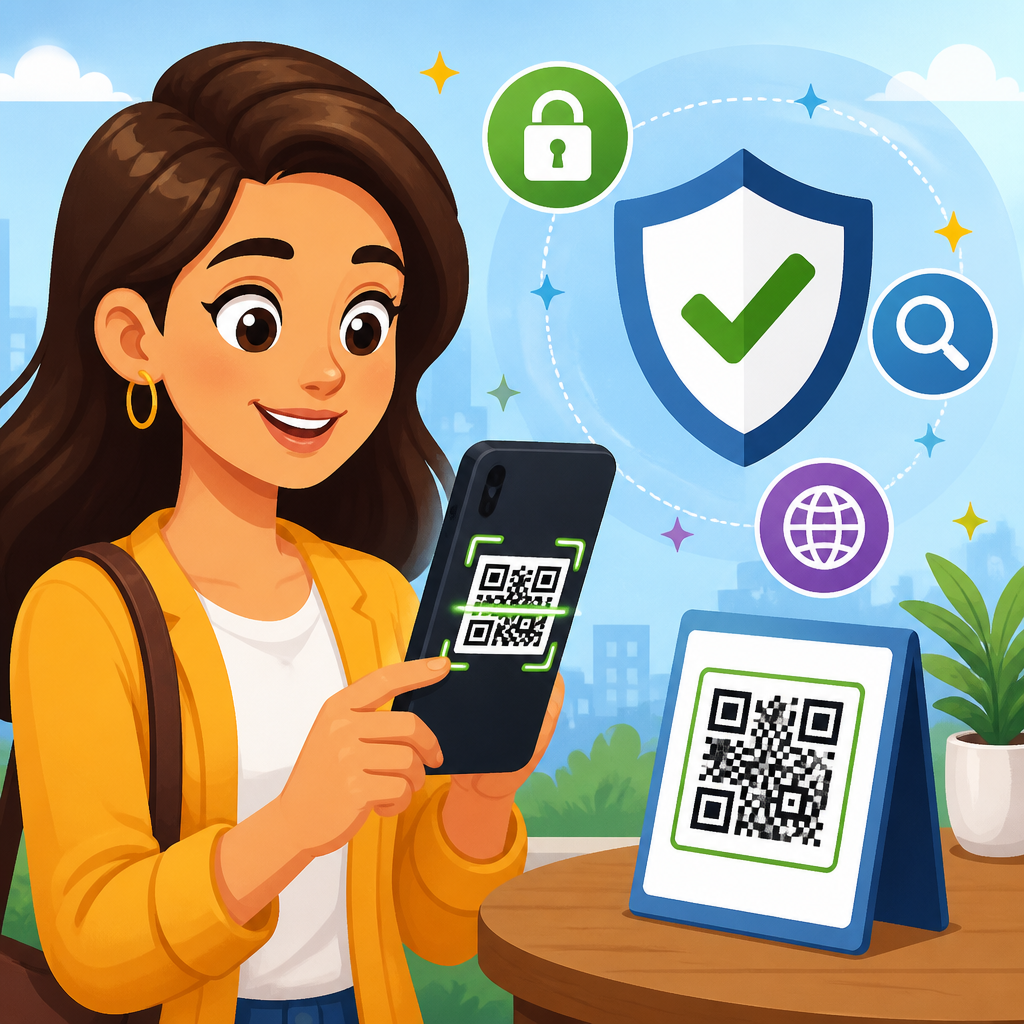
QR codes are everywhere now: on restaurant tables, parking meters, utility bills, package labels, posters, business cards, and login screens. A QR code scanner app turns that square pattern into an action, usually opening a website, joining a Wi-Fi network, saving a contact, or starting a payment. The convenience is real, but so is the risk. I have tested QR workflows for mobile teams and security reviews, and the biggest mistake I see is treating every code as harmless just because it looks simple.
Using a QR code scanner app safely means understanding what a code can trigger, choosing the right scanner, and checking the destination before you tap. A QR code itself is not malicious in the way a file can be, but it can point you to malicious content, fraudulent payment requests, fake login pages, or app downloads that compromise your device. Attackers rely on speed and trust. People scan first and think later, especially when standing in public, under time pressure, or expecting a routine action.
This matters because mobile phishing, sometimes called quishing, has grown as criminals adapt to camera-first behavior. Security teams increasingly warn staff not to scan random codes in emails, flyers, or public spaces without verification. The Federal Trade Commission, CISA, and major mobile platform vendors all advise users to inspect links, verify the source, and keep devices updated. For a broader foundation, this safe scanning guide fits within QR code security and privacy work alongside topics such as malicious QR code examples, safe QR payments, fake QR code detection, and business QR code security policies.
Safe scanning starts with a simple principle: a QR code is only as trustworthy as its source and destination. Your goal is not to avoid QR codes entirely. It is to scan with the same caution you would use before clicking a shortened link. When you build a repeatable routine, you reduce the chance of phishing, malware, credential theft, overbroad app permissions, and payment fraud without giving up the speed that makes QR codes useful.
Choose a QR code scanner app that previews links and limits risk
The safest QR code scanner app is usually the one already built into your phone’s camera or operating system, provided it shows a URL preview before opening the destination. On iPhone, the Camera app and Code Scanner integrate with iOS protections such as app sandboxing and Safe Browsing-style warnings in supported contexts. On Android, Google Lens and many stock camera apps provide previews and route actions through familiar system controls. Built-in tools generally receive regular security updates and are less likely to monetize aggressively through ads or excessive tracking.
If you prefer a third-party QR code scanner app, check four things before installing it. First, review permissions. A scanner should need camera access, but it usually does not need contacts, microphone, call logs, or precise location to decode a code. Second, read the developer history. Established publishers with clear support pages and transparent privacy policies are safer than anonymous apps with generic names and copied screenshots. Third, look for a preview feature that displays the full destination before opening it. Fourth, avoid apps that immediately redirect, force ad clicks, or ask you to install additional packages.
In assessments I have run, low-quality scanner apps created more risk than the QR codes themselves. Some injected ad networks, some captured analytics far beyond what users expected, and some obscured the destination URL behind branded interstitials. A good scanner makes the result clearer, not less clear. If an app hides the real address, that is a warning sign. You want transparency: the full domain, the action requested, and the option to cancel.
Inspect the QR code source before you scan
Before the camera even opens, pause and ask where the code came from. Source verification is the first and most effective control. A code printed on official product packaging from a brand you trust is lower risk than a sticker placed over a parking meter sign. A code displayed inside your bank’s authenticated app is lower risk than one sent in an unsolicited text claiming urgent account action. Context matters because attackers exploit places where people expect fast mobile interactions.
Public locations deserve extra caution. Criminals have repeatedly used overlay stickers to replace legitimate QR codes on parking kiosks, restaurant menus, and event posters. The scam works because people assume the physical environment is trustworthy. Check for tampering: mismatched branding, crooked stickers, signs of layered labels, unusual abbreviations, poor print quality, or instructions that push urgency such as “scan now to avoid a fine.” If something feels off, use the official website or app instead of the code.
Email and messaging apps are another major source of dangerous scans. A common attack sends a QR code that claims to help you reset a password, view a payroll document, or authenticate Microsoft 365 access. The code leads to a fake login page optimized for mobile screens. Because the QR image bypasses some traditional link inspection habits, users may not realize they are entering credentials into a phishing site. If a message asks you to scan a code for account access, confirm through a known channel first.
Preview the destination and verify the domain
The most important safe scanning tip is simple: never let a QR code auto-open without reading the destination first. The preview should show the exact web address or action. Look closely at the domain, not just the brand name in the page title. Attackers register lookalike domains such as paypaI-support.example, micros0ft-login.example, or brand-checkout-secure.example to fool quick readers. On a phone screen, tiny differences are easy to miss.
Focus on the registrable domain, the core name before the top-level suffix. In support.company.com, the registrable domain is company.com. In company.secure-login.example.com, the registrable domain is example.com, not company.com. That distinction catches many phishing attempts. Also watch for URL shorteners and tracking links. Shortened URLs are not always malicious, but they remove useful context. If the code leads to a short link and you did not expect that, do not proceed until you verify it through an independent source.
HTTPS helps, but it is not proof of legitimacy. A padlock only means the connection is encrypted, not that the site is honest. Modern phishing pages almost always use HTTPS. What matters is whether the domain belongs to the organization you intended to reach. When in doubt, close the prompt, open your browser manually, and type the known website address yourself. For payments, tickets, banking, or account login, that extra step is worth the few seconds it takes.
Know which QR code actions are low risk and which require extra care
Not every QR action carries the same level of danger. Reading plain text or adding a contact is usually lower risk than opening a login page, initiating a payment, downloading an app, or joining a Wi-Fi network. Your scanner may decode actions such as URL, SMS, email, phone call, calendar event, location pin, app deep link, or payment request. Treat any action that moves money, requests credentials, installs software, or changes network settings as high risk.
Payment QR codes deserve special scrutiny because scams can look legitimate from a distance. A static payment code on a tip jar, parking terminal, or charity poster may have been swapped. Before approving payment, verify the payee name, merchant details, amount, and currency inside the payment app. If the app cannot clearly confirm the recipient, stop. The safest approach is to use the merchant’s official app or tap-to-pay terminal rather than a code pasted in a public place.
Wi-Fi QR codes are convenient in homes and offices, but they should still be handled carefully. A QR code can automatically fill the network name and password for a device to join. That is useful for guests, yet risky if the code comes from an untrusted source, because it may connect you to a rogue access point designed for traffic interception or captive portal phishing. In managed environments, verify the SSID with staff and prefer networks protected by WPA2 or WPA3.
| QR action | Typical use | Risk level | Safe response |
|---|---|---|---|
| Open URL | Menus, tickets, forms | Medium to high | Preview full domain and verify source before opening |
| Payment request | Parking, tips, invoices | High | Confirm payee name, amount, and official merchant identity |
| Wi-Fi join | Guest access | Medium | Verify SSID with a trusted person and avoid unknown networks |
| App download | Product setup, promotions | High | Use the official App Store or Google Play listing directly |
| Contact card | Business cards | Low to medium | Review details before saving or calling |
Protect your device before and after scanning
Safe scanning is easier when the phone itself is hardened. Keep iOS or Android updated, because browser engines, camera frameworks, and networking components receive security patches regularly. Install app updates promptly, especially for your browser, password manager, payment apps, and authenticator tools. Enable phishing and malicious site protection features offered by your browser or security software. On Android, Google Play Protect adds another layer against harmful apps. On iPhone, staying current with iOS is one of the strongest defenses.
Use a password manager so fake login pages are easier to spot. In real-world testing, password managers often refuse to autofill credentials on lookalike domains, giving users a practical warning that something is wrong. Multi-factor authentication also limits damage if credentials are phished, although it does not stop every session hijacking scenario. For sensitive accounts, passkeys provide stronger phishing resistance than passwords because they bind authentication to the legitimate domain.
After scanning, pay attention to what happens next. If a site immediately asks for credentials, payment details, or an app install, slow down. Review browser permissions requests such as camera, notifications, location, and downloads. Close suspicious tabs instead of interacting further. If you think you scanned a malicious QR code, disconnect from untrusted networks, run a mobile security check if available, change exposed passwords from a known-good device, and monitor financial accounts. Quick response reduces harm.
Build safe scanning habits at home, at work, and in public
The best defense is a routine you can repeat anywhere. At home, scan mainly for expected tasks such as device setup, package tracking from known retailers, or guest Wi-Fi shared by someone you know. At work, follow company policy for QR codes in email, posters, visitor badges, and meeting room systems. Many organizations now include quishing in security awareness training because cloud account phishing increasingly starts with a QR image rather than a typed link.
In public, favor official channels over convenience. If a restaurant menu code seems questionable, ask for the printed menu or use the venue’s confirmed website. If a utility bill includes a code for payment, compare it with the provider’s official customer portal before paying. If an event banner offers a giveaway through a QR code, ask whether the promotion appears on the organizer’s verified social media or website. Legitimate businesses can confirm their own campaigns quickly.
For families, teach children and older adults one clear rule: scan only when you trust both the place and the purpose. That simple phrase works better than a long list of technical warnings. For teams, set a standard process: use the built-in scanner, preview the destination, verify the domain, and report suspicious codes. Consistency matters because most QR scams succeed when people are distracted, rushed, or assuming someone else already checked.
Common warning signs of a malicious QR code
Certain patterns appear again and again in QR code scams. The code is placed where money or urgency is involved, such as parking, deliveries, account verification, payroll, and contest claims. The page asks for information that is unnecessary for the task, such as a full card number to “confirm” a low-value meter session. The design imitates a known brand but the domain does not match. The instructions discourage verification by pushing immediate action.
Other warning signs are technical. The QR code resolves to a long redirect chain, a fresh domain with odd wording, or an app package outside the official store. The landing page may have spelling errors, broken links, poor formatting, or support details that do not align with the brand. None of these indicators alone proves fraud, but together they strongly suggest risk. Trust the pattern, not a single reassuring element like a logo or padlock icon.
If you manage a business, you can also reduce risk for customers by posting QR codes responsibly. Use branded signage, explain exactly where the code should lead, inspect physical placements regularly, and publish the same destination on your website so customers can cross-check. Good QR hygiene is not only a user issue; it is part of customer trust and fraud prevention.
Using a QR code scanner app safely comes down to disciplined verification. Choose a scanner that previews actions clearly, prefer built-in tools, inspect the physical or digital source, and verify the real domain before opening anything. Treat payment, login, app download, and Wi-Fi codes as higher risk than simple informational scans. Keep your device updated, rely on password managers and strong authentication, and stop the moment a code asks for more access than the situation reasonably requires.
The core benefit of safe scanning tips is simple: you keep the convenience of QR codes without handing attackers an easy shortcut to your money, accounts, or personal data. That matters for everyday tasks like menus and parking, and it matters even more for workplace access, customer payments, and account security. A two-second pause to preview and verify prevents the most common QR code scams because it breaks the attacker’s advantage of speed and surprise.
Make safe scanning your default habit today. Use your phone’s built-in scanner, check the source, read the full destination, and switch to the official app or website whenever something feels off. If you manage QR codes for others, review your signage and payment flows now so customers can verify them easily. Small checks create strong protection, and with QR codes, those small checks are usually all it takes.
Frequently Asked Questions
1. What is the safest way to scan a QR code with a scanner app?
The safest approach is to treat every QR code like an unknown link. Before you scan, look at where the code appears and whether it makes sense in context. A QR code on an official utility bill, a store counter, or a verified product label is usually more trustworthy than one on a random sticker placed over another sign. Tampered codes are common in scams, especially on parking meters, public posters, and payment stations, where criminals place their own code over the legitimate one.
Use a scanner app or built-in camera tool that shows a preview of the destination before opening it. That preview matters because it gives you a chance to inspect the URL, payment request, or action being triggered. If the app opens the destination immediately without asking, that is less safe. When reviewing a web address, watch for misspellings, extra characters, odd subdomains, or domains that do not match the brand or service you expected. If you scanned a code for a restaurant menu and it tries to send you to a login page, app download, or payment form unrelated to the menu, stop there.
It is also smart to keep your phone updated and use the official camera app or a reputable QR scanner from a known developer. Many modern phones already include QR scanning, which reduces the need to install a separate app with unnecessary permissions. The core habit is simple: scan, pause, verify, and only then proceed.
2. How can I tell if a QR code is malicious or part of a scam?
You usually cannot judge a QR code by its appearance alone because the pattern itself does not reveal intent to a human viewer. What matters is the destination or action behind it. That is why context is your first clue. If a code appears in a place where scammers often operate, such as public payment kiosks, parking machines, package notices, flyers, or fake customer support posters, be more cautious. A code that promises something urgent, free, or unusually convenient is another red flag.
After scanning, inspect what the app says the code will do. If it opens a website, read the full address carefully. Scam URLs often imitate real brands with subtle spelling changes, extra words, or unfamiliar domain endings. If the code starts a payment, make sure the recipient name, account, or merchant details match the business you intended to pay. If it tries to download a file, install an app, join a Wi-Fi network, or log you into an account, slow down and verify that this action makes sense for the situation.
Physical signs of tampering matter too. Look for stickers covering the original code, poor print quality, misalignment, or labels that appear added later. In field testing and security reviews, these are often the first signs something is wrong. If anything feels off, do not interact with the code. Visit the company’s website manually, use a saved bookmark, ask staff directly, or type the known address yourself. A little friction is much safer than handing control to a bad QR code.
3. Are free QR code scanner apps safe to use?
Some are safe, but many are unnecessary, and a few are more risky than helpful. Since most current smartphones can scan QR codes with the built-in camera or native tools, a separate free scanner app should only be installed if it offers a clear benefit. The main concern is not just whether the app can read codes, but what else it does with your data, permissions, and browsing activity. Some free apps ask for excessive access, show aggressive ads, collect analytics far beyond what is needed, or route users through ad-filled pages before opening the intended destination.
If you do choose a third-party app, evaluate it the way you would any security-sensitive tool. Check the developer name, update history, app reviews, privacy policy, and permission requests. A QR scanner generally should not need access to your contacts, microphone, call logs, or location unless a specific feature clearly requires it. Be wary of apps with vague developer information, poor grammar in the listing, a flood of suspicious five-star reviews, or a long history of complaints about pop-ups and redirects.
From a practical security standpoint, less is more. The safest option for many people is to use the phone’s default camera app, which is maintained by the device maker and integrated with system protections. If you need advanced features, choose a reputable app from an established developer and review the permissions carefully. Free does not automatically mean unsafe, but unnecessary apps increase your attack surface, and that is reason enough to be selective.
4. What should I do if a QR code takes me to a suspicious website or starts an action I did not expect?
Stop immediately and do not continue clicking. If a suspicious page opens, close the browser tab or app window without entering any information. Do not log in, do not download anything, and do not approve payments or connection requests. If the code tried to open an app store listing, install a file, initiate a text, place a call, or join a Wi-Fi network you did not expect, cancel the action right away.
If you already interacted with the page, your next steps depend on what happened. If you entered a password, change it immediately on the real website by navigating there manually, not by using the QR link again. If you entered payment details, contact your bank or card provider and monitor transactions. If you downloaded an app or profile, uninstall it and review device settings for anything unfamiliar. If you joined a strange Wi-Fi network, disconnect and forget that network on your phone. It is also wise to clear browser data if the site appeared particularly malicious.
For workplaces or managed devices, report the incident to IT or security teams, especially if the scan involved a login screen, corporate account, business payment, or shared device. In many real-world incidents, quick reporting prevents a small mistake from becoming a larger compromise. Finally, use the experience to refine your process: verify the source, review the preview, and avoid acting on urgency. QR-based attacks work best when people move too fast.
5. Can a QR code infect my phone by itself, or do I have to do something after scanning?
In most cases, a QR code by itself does not infect a phone. A QR code is simply a machine-readable way to encode data, such as a URL, contact card, Wi-Fi credential, or payment instruction. The danger comes from what happens after the scan. For example, the code may send you to a phishing page, trick you into downloading malware, push you toward installing a malicious app, or prompt you to join an unsafe network. The scan is the starting point, not usually the compromise itself.
That said, you should not assume scanning is always harmless. Some codes trigger actions that feel routine, such as opening a login screen or payment page, and that familiarity is exactly what attackers rely on. If you proceed without checking the destination, you may hand over passwords, approve a fraudulent payment, or expose device data through a malicious site. On older devices or poorly secured software, there can also be edge-case risks involving browser exploits or vulnerable apps, which is one more reason to keep your operating system and apps updated.
The practical takeaway is this: scanning is not the same as trusting. You usually have to take an additional step for real damage to occur, but those follow-up steps can happen quickly if you are not paying attention. Use scanner tools that preview actions, read prompts carefully, avoid unexpected downloads, and verify important destinations manually when money, credentials, or business systems are involved. That mindset keeps QR convenience intact without giving up basic mobile security.





