
QR code scams targeting businesses have moved from a niche security concern to a mainstream fraud risk, because attackers now use quick-response codes to redirect payments, steal credentials, install malware, and bypass the visual skepticism people usually apply to suspicious links. A QR code is simply a machine-readable matrix barcode that stores data, most often a URL, payment request, contact card, Wi-Fi credential, or app download destination. That convenience is exactly what makes it dangerous in the wrong hands. When a user scans a code, the phone often opens a browser, payment app, or deep link with very little friction, collapsing the normal pause point where someone might inspect a web address.
In my work reviewing phishing reports and payment redirection incidents, I have seen QR abuse succeed not because the underlying techniques were novel, but because the delivery method felt trustworthy. Staff members are trained to hover over email links, but they cannot hover over a printed sticker on a parking meter, a laminated tabletop sign, a warehouse poster, or a PDF invoice. Attackers exploit that gap. They replace legitimate codes on menus and utility bills, insert fake codes into business correspondence, and send urgent messages asking employees to scan for payroll updates, multi-factor authentication resets, or package tracking.
For businesses, the stakes are broader than a single fraudulent charge. QR-related fraud can trigger account takeover, business email compromise, card-not-present losses, ransomware entry, reputational damage, and compliance exposure under frameworks such as PCI DSS, SOC 2 controls, and general incident reporting obligations. The problem spans every industry: restaurants use QR menus and table payments, manufacturers use codes in inventory and maintenance, healthcare providers use them in patient check-in, and property managers use them for visitor access and rent collection. Understanding QR code scams and fraud is now part of basic operational security.
This hub article explains the main scam types, how they work, why businesses are vulnerable, what warning signs matter, and which controls reduce risk most effectively. It also points toward the broader QR code security and privacy discipline by connecting fraud prevention with secure design, vendor governance, user training, and incident response. If your company prints, emails, posts, or accepts QR codes anywhere in the customer or employee journey, this is a category you need to manage deliberately rather than treat as harmless convenience.
How QR code scams and fraud work in business settings
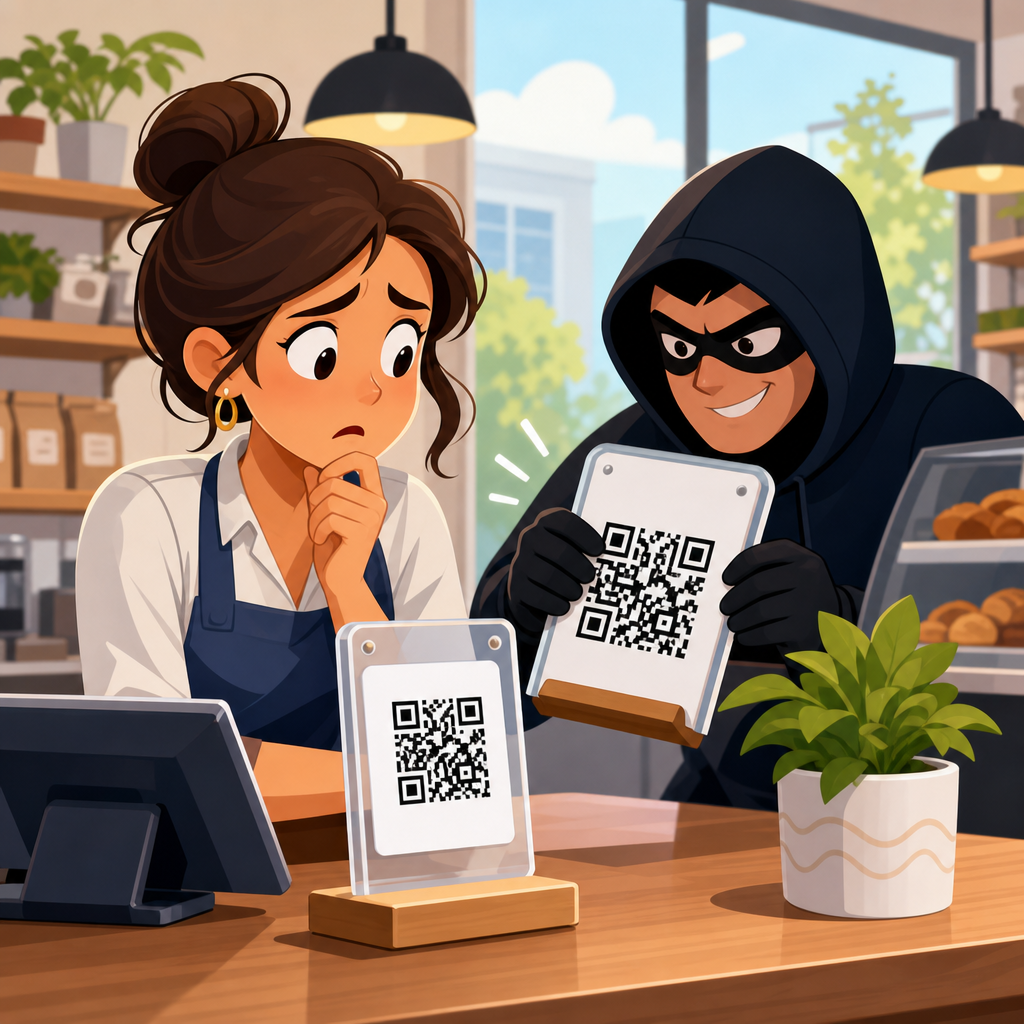
QR fraud works by hiding a risky action behind a neutral-looking square image. The code itself does not reveal intent to the human eye, so trust shifts from the destination to the context. Attackers therefore focus on believable contexts: invoices, lobby signage, parking, delivery notices, HR updates, customer support, and payment collection. In a common scenario, a criminal overlays a fake code on a legitimate restaurant payment placard. The diner scans, sees a realistic checkout page, enters card details, and the payment either goes to the attacker or the card data is captured for later fraud. The business then faces customer disputes even though its own payment terminal was never touched.
Another frequent pattern is credential phishing. An employee receives an email saying their Microsoft 365 session expired and they must scan a QR code to reauthenticate. The page that opens mimics the company sign-in portal, captures the password, and may proxy the real login flow to steal a session token. Security teams often call this quishing, a blend of QR and phishing. It has become popular because email filters are generally better at inspecting clickable URLs than image-embedded destinations, especially when the message contains little text and the malicious link is only reachable after a scan from a mobile device.
Payment redirection is especially damaging for small and midsize businesses. Fraudsters intercept or imitate invoices, then replace bank details with a QR code encoding a payment URI or a link to a fake remittance page. A customer believes they are paying the supplier, but the funds go elsewhere. Similar tactics appear in charity fraud, utility bill fraud, and landlord impersonation scams. Because many payment apps display the payee information only after a scan and because users tend to move quickly on mobile, verification is often skipped.
Malware delivery through QR codes is less common than phishing, but it is real. A scan can open a page that pushes a malicious APK on Android, prompts installation of a configuration profile, or exploits browser trust to request excessive permissions. Even without a technical exploit, a code can direct users to download a trojanized remote support app. I have seen this method paired with fake help-desk notices in shared office spaces, where employees scanning a posted support code unknowingly gave attackers remote access to corporate devices.
Most common QR code scam categories businesses should know
Businesses need a taxonomy of QR-related fraud because controls vary by scam type. The major categories are payment diversion, credential harvesting, malware delivery, account verification abuse, fake support workflows, physical code tampering, promotional fraud, and data harvesting. Payment diversion targets cash flow. Credential harvesting targets identity systems such as Microsoft 365, Google Workspace, Okta, or banking portals. Malware delivery seeks device control. Fake support workflows persuade users to call or install software after scanning. Physical tampering involves replacing a real code with a fraudulent one in a public or semi-public place.
Promotional fraud is often underestimated. Attackers create counterfeit QR campaigns tied to coupons, loyalty programs, or sweepstakes. Customers scan expecting a discount and instead provide personal information or payment card details. The harm is twofold: direct fraud losses and brand damage to the legitimate company whose campaign was imitated. Data harvesting schemes may appear less dramatic, but they can feed later business email compromise, SIM swap attempts, or synthetic identity fraud by collecting names, numbers, addresses, and employer details through fake forms.
Some scams blend categories. For example, a fake parking payment code can first collect card data, then ask the victim to create an account using a work email and password, and finally trigger a follow-up text impersonating fraud prevention. This multi-step design increases monetization. The best defense is not a single awareness poster but a layered understanding of what attackers want at each stage and where business process controls can interrupt them.
| Scam type | Typical business context | Main attacker goal | Primary control |
|---|---|---|---|
| Payment diversion | Invoices, table payments, parking, rent | Redirect funds or steal card data | Verify payee and destination outside the scan flow |
| Credential phishing | Email login, MFA reset, HR notices | Account takeover | Phishing-resistant authentication and mobile-safe sign-in review |
| Physical tampering | Posters, kiosks, storefronts, menus | Replace trusted code with malicious destination | Tamper checks and controlled placement |
| Malware delivery | Support pages, app downloads, device setup | Install spyware or remote access tools | Mobile device management and app allowlisting |
| Promotional fraud | Coupons, contests, loyalty enrollment | Harvest personal or payment data | Official campaign directories and domain consistency |
Why businesses are especially vulnerable to QR code fraud
Businesses face QR risk from both sides: they are targets, and they are trust anchors that criminals impersonate. A consumer might lose one payment, but a business can expose hundreds of customers if a code posted in a high-traffic location is altered. Physical environments amplify this risk. Retail counters, restaurant tables, event booths, apartment lobbies, and construction sites all contain printed materials that employees rarely inspect once installed. A ten-cent sticker can undermine a carefully designed digital payment system.
Operational complexity also creates openings. Different teams often own different QR use cases: marketing runs campaigns, facilities manages visitor signage, finance sends invoices, IT supports device onboarding, and product teams embed codes in packaging. Without a central inventory, no one knows how many live QR codes exist, where they point, who approved them, or when they were last reviewed. In several assessments I have conducted, organizations had dozens of active codes pointing to retired landing pages, third-party form builders, or URL shorteners whose ownership records were outdated. That kind of drift makes both compromise and impersonation easier.
Mobile behavior contributes to the problem. Employees and customers scan on personal phones outside managed security controls. A desktop browser may show safe-browsing warnings, enterprise DNS filtering, or a password manager that refuses to autofill on the wrong domain. A mobile scan may bypass all of that, especially if the user opens the link directly in a social app browser or a payment app webview. The interaction is fast, private, and difficult for security teams to monitor.
Finally, QR codes borrow trust from design. A printed sign with a logo, a polished invoice PDF, or a professionally framed tabletop display looks official, so users infer legitimacy from branding rather than validating the destination. That is why fraud prevention must address both the technical destination and the human context around the code.
Warning signs and verification steps that prevent losses
The most effective anti-fraud habit is simple: treat every QR code as an unverified link until proven otherwise. On modern phones, users can often preview the destination before opening it. Train staff to read the full domain, not just the first words. Attackers rely on lookalikes such as micros0ft-login.com, pay-company.net, or support-brand.help. Legitimate business QR flows should use stable, branded domains with HTTPS and predictable paths. If a code opens a URL shortener, asks for a password unexpectedly, requests a card payment for an internal process, or pushes an app install, stop immediately and verify through another channel.
Physical inspection matters too. Look for stickers placed over existing signage, differences in print quality, crooked alignment, unmatched branding, or signs that appear more recently added than surrounding materials. In hospitality and retail, frontline employees should know which signs contain valid codes and what each one is supposed to do. If the code on a table suddenly leads to a generic checkout page instead of the known payment provider, that is a reportable anomaly, not a customer support issue.
For invoice and accounts payable workflows, verification should be procedural, not optional. A QR code should never be the sole basis for changing payment details. If a supplier introduces a new bank account, payment wallet, or remittance destination, confirm it using a trusted contact method already on file. This mirrors long-standing controls against business email compromise and remains the best defense against QR-assisted invoice fraud.
Customer-facing businesses should also publish official scanning guidance. For example, a parking operator can state that all valid payment codes resolve only to one domain and that staff will never ask users to download a separate app from a browser pop-up. Clear expectations help customers self-detect scams before they become chargebacks.
Security controls, governance, and incident response
Effective QR code security starts with governance. Create a centralized inventory of every business-owned QR code, including purpose, location, owner, target URL, creation date, vendor, and retirement date. Use dynamic code platforms carefully; they are useful for analytics and redirects, but they also create a high-value administrative account that must be protected with phishing-resistant multi-factor authentication and role-based access. If an attacker compromises the platform, one dashboard change can redirect thousands of scans.
Technical controls should match the use case. For employee authentication flows, deploy passkeys or FIDO2 security keys where possible, because they sharply reduce the value of stolen passwords and resist adversary-in-the-middle phishing pages. For managed mobile devices, use mobile device management to restrict unknown app installs, enforce safe browsing, and require current OS versions. For customer payments, prefer payment providers that display strong payee confirmation and support dispute-friendly audit trails.
Physical controls are equally important. Place codes in tamper-evident holders, inspect them on a routine schedule, and document each inspection in locations with high public traffic. Some organizations add a small human-readable URL beneath the code so users can compare the domain before scanning. That does not eliminate risk, but it raises the cost of impersonation and gives observant users a validation cue.
When a QR incident occurs, speed matters. Remove or disable the affected code, preserve evidence with photographs and destination captures, review web logs and payment records, notify impacted customers or employees, and initiate fraud response with banks, payment processors, or identity providers. If credentials may have been captured, force session revocation and password resets, then review mailbox rules, OAuth grants, and MFA enrollments for persistence. A QR scam is rarely just a one-time event; it is often the visible edge of a broader compromise.
Building a safer QR code program across the business
The strongest organizations treat QR codes as a managed channel, not a design asset. They standardize how codes are generated, named, approved, deployed, monitored, and retired. They avoid unnecessary third-party redirects, keep branded domains consistent, and test scan flows on both iPhone and Android before rollout. They train finance teams on invoice manipulation, train frontline staff on physical tampering, and train all employees that a QR code asking for login credentials deserves the same suspicion as any phishing link.
This matters because QR code scams targeting businesses are not a passing trick. They fit neatly into existing fraud operations, from card theft to account takeover, while exploiting a user experience most people still consider convenient and low risk. The practical takeaway is clear: inventory your codes, lock down the platforms that manage them, verify every payment change out of band, inspect physical placements, and make mobile-safe verification part of routine training. If your organization uses QR codes anywhere, review those flows now and close the trust gaps before attackers monetize them.
Frequently Asked Questions
What is a QR code scam, and why are businesses being targeted so often?
A QR code scam is a fraud tactic in which criminals use a malicious or altered QR code to send employees, customers, or vendors to a dangerous destination without the usual warning signs people associate with suspicious links. Instead of asking someone to click a strange URL, the attacker places a QR code on an invoice, poster, payment terminal, email, package insert, or login prompt. When scanned, that code may open a fake payment page, a spoofed sign-in portal, a malware download, or a fraudulent app installation page. For businesses, this is especially risky because QR codes are now widely used for payments, vendor onboarding, product information, guest Wi-Fi, event registration, contact sharing, and internal workflows.
Businesses are attractive targets because they process money, hold sensitive credentials, manage supplier relationships, and often rely on fast-moving operational decisions. Attackers know that employees may scan a code quickly to approve a payment, log into a service, download a required app, or verify an account. That urgency reduces scrutiny. A QR code also hides the underlying destination until after it is scanned, which helps criminals bypass the visual skepticism people often apply to suspicious email links. In short, QR code scams work because they blend into legitimate business activity while creating a shortcut around normal judgment and verification habits.
How do QR code scams usually work in real business environments?
In real-world business settings, QR code scams typically succeed by impersonating something routine and trustworthy. One common example is payment redirection. A scammer places a fake QR code over a legitimate one on a printed invoice, point-of-sale display, parking meter, donation sign, or countertop payment stand. The employee or customer believes they are paying the intended business, but the funds are routed to a criminal-controlled account. Another common scenario involves credential theft. An attacker sends an email that appears to come from Microsoft 365, a bank, a shipping carrier, or an HR platform, asking the recipient to scan a QR code to verify their account, review a document, or reset multi-factor authentication. The QR code opens a convincing phishing page designed to capture usernames, passwords, and sometimes authentication tokens.
Some scams go a step further by pushing malware or malicious mobile apps. A QR code might claim to provide access to a software update, security tool, delivery confirmation app, or conference schedule, but it actually leads to a compromised download. Criminals also use “quishing,” or QR phishing, to avoid email filters that are better at detecting suspicious text links than embedded images. Physical tampering is another concern. Fraudsters may place stickers over legitimate QR codes in restaurants, retail stores, lobbies, trade shows, or warehouse environments. Because the code itself looks normal, people often scan first and think later. The scam works not through technical sophistication alone, but through trust, speed, and context.
What warning signs should employees and business owners look for before scanning a QR code?
The first warning sign is context that feels even slightly off. If a QR code appears in an unexpected place, arrives through an unusual channel, or asks for an urgent action involving money, credentials, or software installation, it deserves extra scrutiny. Businesses should be cautious with QR codes on emailed invoices, account-verification notices, password-reset requests, login pages, package labels, and public signage. A sticker placed on top of another code, poor print quality, mismatched branding, spelling errors, or instructions that pressure the user to act immediately are all red flags. If a code claims to represent a known vendor, bank, or internal system, employees should confirm it through a trusted contact method before scanning.
Another important warning sign appears after the scan. Most phones display a preview of the destination URL before opening it. Employees should check whether the domain name is the real company domain and not a lookalike variation. For example, slight misspellings, extra words, unusual country-code domains, or random strings in the URL can indicate fraud. Businesses should also treat requests for login credentials, payment details, app sideloading, device permissions, or file downloads with caution. A legitimate QR code may direct someone to a website, but it should not bypass common-sense verification. If the action requested would normally require approval, formal authentication, or a known internal process, the QR code should not be treated as an exception.
How can a business protect itself from QR code scams?
The most effective defense is to combine user awareness, process controls, and technical safeguards. Start with employee training that explains what QR codes are, how they can be abused, and why scanning them is not inherently safer than clicking a link. Staff should be taught to inspect physical codes for tampering, verify digital codes through trusted channels, and avoid scanning any QR code tied to payments, credential entry, or software installation unless the request has been independently confirmed. This matters across departments, including finance, HR, operations, sales, facilities, and customer-facing teams, because QR code attacks can target anyone, not just IT personnel.
Businesses should also strengthen policy and workflow controls. Payment changes should never be accepted solely through a QR code on an invoice or email. Vendor account updates should require out-of-band verification, such as a phone call to a known contact. Internal login and authentication processes should direct employees to approved bookmarks, official apps, or company portals rather than ad hoc QR prompts. On the technical side, mobile device management, DNS filtering, endpoint protection, email security, and web filtering can reduce exposure to malicious destinations and downloads. Public-facing QR codes used in stores, offices, events, and printed materials should be checked regularly for sticker replacement or tampering. The broader goal is simple: treat QR codes as untrusted inputs unless they are part of a controlled, verified business process.
What should a business do if someone scans a malicious QR code or falls for a QR code scam?
Response should be immediate, practical, and coordinated. If the QR code led to a suspicious website but no information was entered, the user should still report the incident to IT or security right away so the destination can be reviewed and blocked if necessary. If credentials were entered, passwords should be changed immediately, active sessions should be revoked, and multi-factor authentication should be reviewed or re-enrolled if there is any chance the attacker captured tokens or redirected the user through a fake authentication flow. If a payment was made, the finance team should contact the bank or payment provider at once to attempt a reversal or fraud hold, while preserving all related records such as screenshots, invoices, email messages, and transaction references.
If malware may have been installed, the affected phone, tablet, or computer should be isolated from business systems until it can be examined. Security teams should assess whether the device accessed company email, cloud storage, CRM platforms, banking portals, or internal applications after the scan. It is also important to determine whether the incident reflects a one-off mistake or a broader campaign involving tampered printed codes, phishing emails, or fraudulent vendor communications. Depending on the impact, the business may need to notify leadership, legal counsel, customers, vendors, insurers, or regulators. A well-handled response does more than contain damage; it helps the organization close process gaps, update training, and prevent the same scam from succeeding again.





