
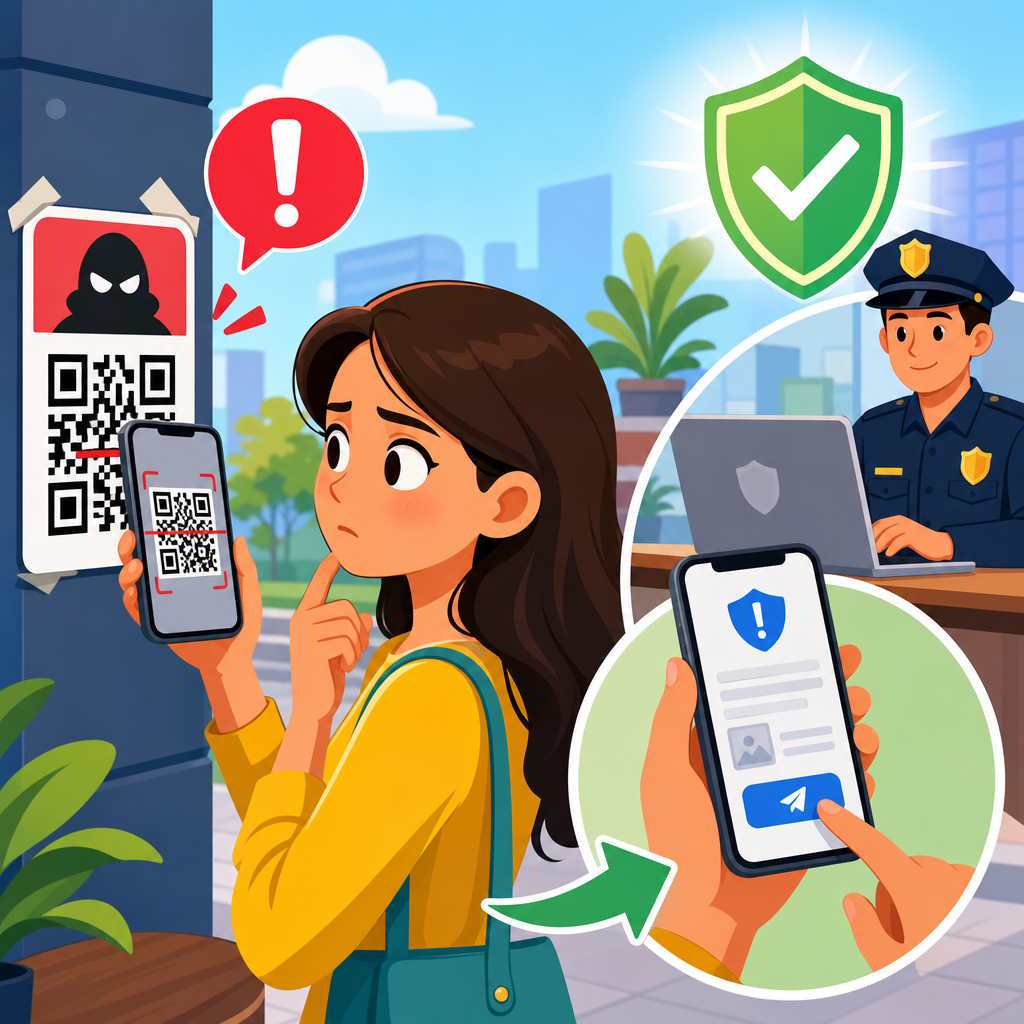
QR code scams have become a fast-moving fraud problem because they blend a familiar tool with the urgency tactics criminals use in phishing, payment fraud, and identity theft. A QR code, short for Quick Response code, is a machine-readable square barcode that sends a phone to a website, payment page, app store listing, Wi-Fi login, contact card, or file download. In legitimate settings, QR codes reduce friction. In fraudulent settings, they redirect trust. I have worked on incident response for phishing and payment diversion cases where a single sticker placed over a parking meter code triggered dozens of unauthorized payments before anyone noticed. Knowing how to report a QR code scam matters because fast reporting can limit losses, help platforms remove malicious content, and create the evidence trail that banks, law enforcement, regulators, and cybercrime units need to act.
Reporting a QR code scam is not only about telling one organization that something bad happened. It means documenting the code, preserving the destination link, notifying the service that hosted the scam, alerting your bank or payment provider if money moved, filing a complaint with consumer protection and cybercrime agencies, and warning the property owner or business where the code appeared. The scam may involve fake parking payments, counterfeit restaurant menus, package redelivery fees, crypto wallet theft, fake charitable donations, account credential harvesting, or malware delivery. Each version uses the same basic mechanism: the code shortens the distance between a victim and a malicious action. Because phones often hide the full destination until after the scan, users have less time to evaluate risk than they do with an email link on a desktop browser.
This article serves as a hub for QR code scams and fraud within the wider QR Code Security and Privacy topic. It explains what evidence to collect, who to contact first, where to report in the United States and internationally, and how businesses should handle a suspected malicious code on their premises. It also covers the limits of reporting. A complaint does not guarantee recovery, and not every agency investigates every case. Still, prompt, structured reporting improves the odds of stopping further harm. If you remember one principle, let it be this: treat a malicious QR code the same way you would treat a phishing email plus a fraudulent payment request, because in practice it is often both at once.
What counts as a QR code scam and how it usually works
A QR code scam is any fraud in which the code is used to deceive a person into visiting a malicious destination or authorizing a harmful action. The scammer may print a fake code and place it over a real one, message a code by email or text, post it in social media comments, embed it in flyers, or display it on a fraudulent website. Common outcomes include credential theft on spoofed login pages, card payments to fake merchants, peer-to-peer transfers to mule accounts, crypto transfers to attacker wallets, and app installs that expose data. In several incidents I have reviewed, victims assumed a code was safer than a typed URL because it looked more official. That assumption is exactly what attackers exploit.
The most common scenarios are easy to recognize once you know the pattern. Parking scams replace municipal payment codes with stickers leading to cloned payment pages. Restaurant scams swap menu codes for fake ordering pages that collect card details. Utility, toll, and delivery scams send texts demanding a small fee and include a QR code to “resolve” the issue immediately. Job, charity, and marketplace scams use codes to push victims to wallet payments or fake verification steps. The Federal Trade Commission and FBI have both warned that QR code fraud is an extension of classic phishing and payment diversion, not a separate niche problem. That framing is useful because the reporting path should follow both cyber and financial channels.
What to do immediately after scanning a suspicious QR code
If you scanned a code but did not enter any information, close the page, do not download anything, and clear the tab. If you entered a password, change that password immediately on the legitimate site, not through the page you reached from the code. If you reused that password anywhere else, change those accounts too, starting with email, banking, and cloud storage. If you submitted payment card details, call the card issuer, ask for the fraud department, and request monitoring, dispute guidance, or a card replacement based on what was exposed. If you approved a bank transfer, peer-to-peer payment, wire, or crypto transaction, contact the provider at once because timing strongly affects recovery options.
Preserve evidence before the scammer removes it. Take clear photos of the physical QR code in context, including nearby signage, meter numbers, business names, or street location. Capture screenshots of the website, payment page, order confirmation, error messages, email receipts, chat messages, and your browser address bar. On a phone, use the share or copy function to save the full URL if visible. Note the exact time, date, and amount paid, plus any phone numbers, email addresses, wallet addresses, merchant descriptors, or usernames involved. If an app was installed, document its name, developer, requested permissions, and store listing. This evidence becomes critical when reporting to your bank, web host, domain registrar, app store, or police.
| Situation | Immediate action | Who to contact first |
|---|---|---|
| Entered login credentials | Change password on the real site and enable MFA | Account provider security team |
| Paid by card | Freeze card if needed and dispute the charge | Card issuer fraud department |
| Sent bank or P2P payment | Request reversal or fraud review immediately | Bank or payment app support |
| Sent cryptocurrency | Record wallet address and transaction hash | Exchange compliance or wallet provider |
| Installed an app or profile | Remove it, review permissions, scan device | Device vendor or mobile security support |
| Code was posted in public | Photograph location and notify property owner | Business, landlord, or municipality |
How to report a QR code scam to financial institutions and platforms
The first reporting path is usually financial, because money movement has strict timelines. For credit cards in the United States, the Fair Credit Billing Act gives consumers dispute rights for unauthorized or erroneous charges, but speed still matters. Call the number on the back of the card, explain that the payment was initiated through a fraudulent QR code, and ask the bank to document the case as scam-induced card fraud. For debit cards and bank transfers, protections can be narrower, so immediate notice is even more important. With Zelle, Cash App, Venmo, PayPal, Apple Cash, or other payment services, use the in-app fraud reporting tools and then escalate through formal support channels so there is a written record.
Report the scam destination to the service providers that enabled it. If the QR code led to a website, submit abuse complaints to the hosting provider, domain registrar, and any content delivery network or form platform involved. Security tools such as WHOIS history, DNS lookups, VirusTotal, urlscan.io, and Google Safe Browsing can help identify the relevant provider. If the scam was delivered through a QR code in an email, report the message as phishing in your mail client and forward it to your security team if you are in a workplace. If it appeared in a messaging app or social platform, use the platform’s fraud reporting workflow and include screenshots, the profile URL, and the destination link. Platform trust and safety teams often act faster when the report is specific and complete.
Where to file official reports with government and law enforcement
In the United States, the most useful federal reporting options are the FTC at ReportFraud.ftc.gov and the FBI Internet Crime Complaint Center at IC3.gov. The FTC tracks consumer fraud patterns and shares data with law enforcement. IC3 is designed for internet-enabled crime and is especially relevant if money was lost, credentials were stolen, or business email compromise elements are involved. If the scam involved a postal angle, such as mailed flyers or package redelivery notices, the U.S. Postal Inspection Service may also be relevant. For identity theft risks, use IdentityTheft.gov to create a recovery plan. State attorneys general and local consumer protection offices can also receive complaints, especially when a scam impersonates a local service such as parking enforcement or utilities.
Local police reports are worthwhile when the code appeared in a physical location, such as a parking kiosk, restaurant table, apartment lobby, or event venue. Bring printed screenshots, photos of the code, transaction records, and any correspondence. A police report can help with bank disputes and insurance claims even when the police do not directly investigate. If the code targeted a business, notify the municipality, property manager, or venue operator immediately so they can remove the code and preserve any CCTV footage. Outside the United States, reporting routes vary, but most countries have a national cybercrime reporting portal, consumer protection body, and financial ombudsman or banking regulator. Search for your country’s official cybercrime reporting site rather than relying on search ads, which scammers sometimes abuse.
How businesses and property owners should respond to a malicious QR code
When a scam code appears on your premises, treat it as both a fraud incident and a physical tampering issue. Remove or cover the malicious code only after photographing it in place and documenting the surrounding context, including device serial numbers, table numbers, parking meter IDs, or event booth details. Check whether the fake code was placed over a legitimate one and preserve the original asset. Then inspect every similar location, because scammers often place multiple stickers during one visit. In retail and hospitality environments, I recommend an immediate sweep, staff briefing, and temporary signage warning customers not to scan QR codes until inspection is complete. This reduces repeat victimization while your team verifies each code.
Next, trace the affected customer journey. Identify whether the code pointed to a menu platform, payment processor, booking tool, or a cloned website. Notify your processor, web team, cyber insurer if applicable, and legal or compliance team if customer data may have been exposed. If your legitimate QR code assets are static, consider replacing them with short links you control and monitor, or dynamic QR codes managed through a platform with analytics and access control. Add tamper-evident labels where feasible, especially on parking infrastructure, kiosks, and unattended displays. Document the incident in your risk register and update inspection procedures. A basic control such as daily visual checks of high-risk QR placements can prevent a small sticker attack from turning into a broad reputational problem.
How to strengthen your report so it leads to action
The quality of a fraud report often determines whether it is actionable. Strong reports answer five questions clearly: what happened, where the QR code appeared, what destination it opened, what information or money was exposed, and which entities have already been notified. Include full URLs, timestamps with time zone, transaction IDs, merchant descriptors, wallet addresses, usernames, phone numbers, and screenshots that show the address bar. If the QR code is physical, include wide-angle and close-up photos plus the exact location. If the scam impersonated a known brand or government body, say so directly. Many abuse desks process thousands of complaints, so reports that provide indicators of compromise in a structured way are more likely to be escalated.
It also helps to separate facts from assumptions. For example, state “the code redirected to example-payments-checkout.com, which requested card details and charged $48.75,” rather than “hackers stole my data.” That precision supports card disputes, hosting abuse reviews, and potential criminal referrals. When reporting to a domain registrar or host, cite the specific policy violation, such as phishing, brand impersonation, or payment fraud. When reporting to a bank, emphasize unauthorized or scam-induced payment circumstances and provide the exact merchant name shown on the statement. Keep copies of every complaint number, confirmation email, and support transcript. If recovery is denied, those records support escalation to an ombudsman, regulator, or small claims process where available.
Prevention lessons from QR code fraud cases
Most QR code scams succeed because the user is rushed, the destination is not verified, or the physical environment implies trust. Prevention starts with a simple habit: preview the link before opening it, and abandon the scan if the domain looks unrelated, misspelled, or overly complex. On printed codes, look for tampering, mismatched branding, cheap stickers placed over original labels, or instructions that pressure immediate payment. For payments, prefer official apps you already trust rather than new pages opened from a scan. On phones used for work, mobile device management and DNS filtering can block known malicious destinations. For consumers, password managers help because they will not autofill credentials on lookalike domains, which is one of the clearest warnings that a QR destination is fraudulent.
The broader lesson is that QR codes should be governed like links, not treated like neutral graphics. Businesses should inventory where their codes appear, use managed redirects when appropriate, monitor destination changes, and train frontline staff to spot sticker overlays and customer complaints quickly. Consumers should report suspicious codes even if they did not lose money, because early reports can trigger takedowns before the scam scales. QR code security and privacy depend on both technical controls and routine skepticism. If you encountered a suspicious code, document it, report it through the financial, platform, and official channels outlined here, and help remove one more fraud path before it catches the next person.
Frequently Asked Questions
What should I do immediately after scanning a suspicious QR code?
If you scanned a suspicious QR code, act quickly but stay methodical. First, stop interacting with the site, app prompt, payment screen, or download request that opened after the scan. Do not enter passwords, banking details, one-time passcodes, or personal information. If you already submitted information, assume it may be compromised and begin containment right away. Change the password for the affected account from a trusted device, and if you reused that password anywhere else, change those as well. If you entered a payment card number, contact your bank or card issuer immediately to report potential fraud, request monitoring, and ask whether the card should be frozen or replaced. If you entered login credentials for email, banking, payroll, or work systems, enable multi-factor authentication if it is not already active and review recent account activity for unauthorized access.
You should also check your phone for any signs that the QR code led to an app install, profile download, file download, or permission change. On both iPhone and Android, review recently installed apps and remove anything unfamiliar. If you downloaded a file, do not open it again. If the QR code directed you to a fake Wi-Fi login, disconnect from that network and forget it from your device settings. Take screenshots of the QR code, website, payment request, text message, email, poster, or receipt connected to the incident before anything disappears. Save dates, times, URLs, merchant names, phone numbers, and transaction details. Those records will help when you report the scam to banks, law enforcement, consumer protection agencies, your employer, or the platform involved. The faster you preserve evidence and secure your accounts, the better your chances of limiting financial loss and preventing identity theft.
Where should I report a QR code scam?
The right reporting path depends on what the QR code scam attempted to do. If money was stolen or a payment was initiated, start with your bank, credit card issuer, payment app, or cryptocurrency platform, because they may be able to block, reverse, dispute, or investigate the transaction. If the QR code appeared in a text message, report it as spam or phishing through your mobile carrier and messaging app. If it came by email, report it to your email provider and mark it as phishing. If the code was posted in a public place, such as a parking meter, restaurant table, utility notice, flyer, or package label, notify the business or property owner immediately so they can remove the code and protect others. If this happened at work, report it to your IT or security team without delay, especially if you scanned it with a company phone or entered work credentials.
You should also report the incident to the appropriate fraud and cybercrime authorities in your country. In the United States, that often includes the Federal Trade Commission for fraud reporting and the FBI’s Internet Crime Complaint Center for online scam activity. If identity theft is involved, place alerts with the credit bureaus and consider filing an identity theft report. If the scam involved impersonation of a government agency, utility company, toll service, delivery company, or retailer, report it directly to that organization as well. The goal of reporting is not only to seek recovery, but also to create a record that can help investigators identify patterns, remove malicious infrastructure, and warn other people before the same QR code is used again.
What information should I include when reporting a QR code scam?
A strong report is specific, organized, and supported by evidence. Include where you encountered the QR code, such as on a parking meter, poster, invoice, text message, email, social media post, restaurant menu, package insert, or in-app message. Note the exact date and time you scanned it, what happened immediately afterward, and whether you were redirected to a website, payment page, app store listing, login screen, file download, or Wi-Fi prompt. If possible, include the full website address the QR code opened, not just the brand name shown on the page. Scammers often use lookalike domains that mimic trusted companies, and that technical detail can be crucial in an investigation. Attach screenshots of the QR code itself, the landing page, receipts, confirmation messages, pop-ups, and any follow-up texts or emails you received.
If you lost money or entered sensitive information, list exactly what was exposed. That may include your name, email address, phone number, passwords, payment card details, bank account information, login credentials, address, or government ID details. Include the amount of any unauthorized charge, the payment method used, transaction IDs, and the names of any businesses or apps involved. If you called a number or spoke with someone, record the phone number, caller ID, company name they claimed to represent, and a summary of what was said. For workplace incidents, mention whether the device was personal or company-owned and whether corporate credentials were entered. Clear, factual reporting helps investigators separate a minor phishing attempt from a broader fraud campaign, and it improves the chance that the malicious site, payment destination, or fake listing can be taken down quickly.
Can I get my money back after a QR code scam?
Possibly, but the outcome depends heavily on how you paid, how quickly you report the fraud, and whether the transaction was authorized under the payment provider’s rules. If you paid by credit card, you may have stronger dispute and chargeback protections than with debit cards, bank transfers, wire transfers, gift cards, or cryptocurrency. If the QR code tricked you into sending money through a peer-to-peer payment app, recovery can be more difficult, especially if the payment was treated as authorized. Even so, you should still report it immediately, because some providers can freeze suspicious transfers, investigate recipient accounts, or document the fraud for later action. If the scam involved a fake parking meter, fake utility payment page, or fake invoice, the merchant or processor may be able to confirm whether the payment went to a legitimate destination or a fraudster-controlled account.
Speed matters. Contact the bank, card issuer, or payment platform as soon as you realize what happened, and be explicit that the payment was induced by fraud through a malicious QR code. Ask what consumer protections apply, whether a dispute can be opened, whether the card should be replaced, and whether additional monitoring is recommended. Keep a written record of every report number, representative name, and time of contact. If identity information was also exposed, financial recovery is only part of the issue; you may also need to monitor accounts for account takeover, new account fraud, and synthetic identity misuse. While not every scam loss can be recovered, fast reporting significantly improves your chances and helps prevent the same fraudulent payment destination from harming more victims.
How can I tell whether a QR code is legitimate before scanning it?
The safest approach is to treat QR codes the same way you treat links: convenient, but never automatically trustworthy. Before scanning, look at the context. Is the code placed in a location where it makes sense, or does it appear to be a sticker placed over an original label? Tampered parking meters, restaurant table tents, utility notices, and public posters are common scam setups because people expect to scan quickly without verifying. Be cautious if the code is paired with pressure tactics such as “pay immediately,” “account suspended,” “limited-time verification,” or “final warning.” Those urgency cues are classic fraud signals. If the code arrives by text, email, or social media and asks for payment, password resets, package verification, or secure document access, assume it could be phishing unless you independently confirm the request.
Whenever possible, avoid using the QR code at all and navigate manually through the company’s official website, app, or customer service channel. Many phones show a preview of the destination URL before you fully open it; inspect that address carefully for misspellings, odd subdomains, extra words, or domains unrelated to the brand. A legitimate company may use a shortened or branded link, but if anything looks off, do not proceed. Never enter credentials, payment information, or one-time codes on a page reached from an unexpected QR scan without verifying the destination independently. On a work device, follow your organization’s mobile security policy and report suspicious codes to IT. In practice, the best defense is slowing down for a few seconds to verify where the code leads before you give it your trust.





