
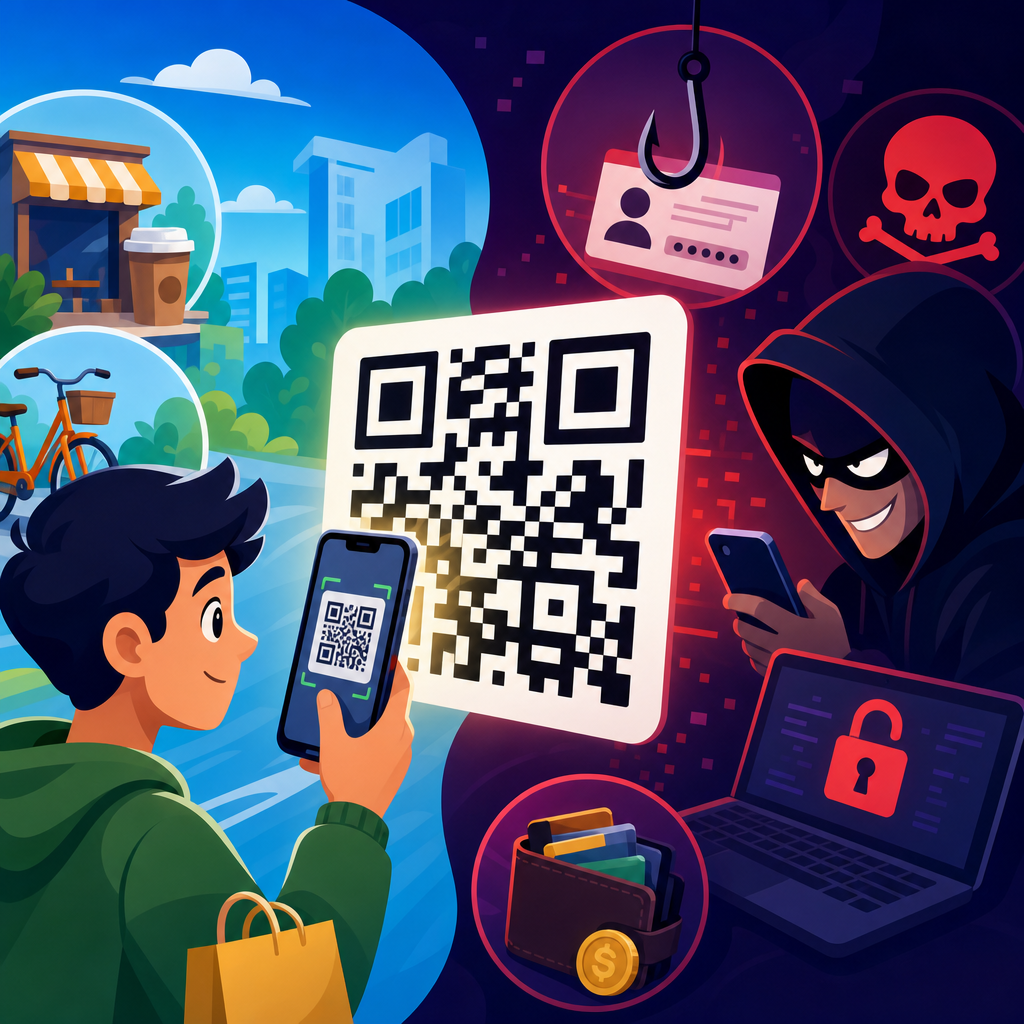
QR codes are used in cybercrime, and the risk is growing because these square, scannable symbols hide destination links, payment requests, and data payloads behind an action most people complete in seconds. A QR code, short for Quick Response code, is a two-dimensional barcode that stores information a phone camera can read instantly. Businesses use QR codes for menus, payments, app downloads, Wi-Fi access, authentication, and logistics. Criminals use the same convenience to redirect victims to phishing pages, trigger fraudulent payments, steal credentials, and distribute malware. In security work, this abuse is often called quishing, meaning phishing delivered through QR codes.
The reason QR code cybercrime matters is simple: people are trained to distrust suspicious emails, but many still trust a code printed on a poster, package, parking meter, or restaurant table. The code itself is not malicious in the way a virus file is malicious. The danger usually comes from what happens after the scan. A victim might open a fake Microsoft 365 login page, approve a payment to a scammer, install a rogue app, or submit personal details into a cloned form. Because the destination is concealed until after scanning, QR codes remove the visual cues people normally use to judge a link.
I have seen this pattern repeatedly in security awareness reviews: users who would hesitate before clicking a shortened URL will scan a sticker on a public sign without a second thought. That behavioral gap is exactly what attackers exploit. The FBI has warned about fraudulent QR codes used to divert payments and steal financial information. Security teams at Microsoft, Cisco Talos, and mobile threat vendors have also documented QR-based phishing campaigns targeting corporate credentials and multifactor authentication workflows. As QR adoption expands across payments, marketing, and identity verification, understanding QR code scams and fraud is now a basic part of digital safety.
This hub article explains how QR code scams work, the main fraud types, who criminals target, how organizations can reduce risk, and what practical steps individuals should take before and after a scan. It also clarifies an important distinction: QR codes are not inherently unsafe. They are neutral containers for data. The security outcome depends on the context, the encoded action, the device controls in place, and the user’s ability to verify what the scan is asking them to do.
How QR code scams work in practice
Most QR code attacks follow a short chain. First, the attacker places or sends a code where a victim is likely to trust it. Second, the code directs the victim to an action that appears routine, such as logging in, paying a bill, confirming an account, tracking a package, or downloading an update. Third, the attacker captures value, usually credentials, payment data, personal information, or device access. The strength of the method is frictionless delivery. A camera scan feels fast and ordinary, which lowers skepticism.
Attack distribution falls into two broad categories: physical and digital. Physical placement includes sticker overlays on parking kiosks, utility payment stations, event posters, restaurant menus, and shared office spaces. Digital placement includes emails with embedded QR images, PDFs containing a code instead of a clickable link, text messages asking the recipient to scan for verification, and social media posts promoting fake offers or support pages. Attackers increasingly prefer QR images in emails because many users scan with their phones, moving the attack from a protected corporate laptop to a less monitored personal device.
What can a QR code actually do? By itself, it can encode a URL, a payment instruction, contact data, calendar event, Wi-Fi configuration, SMS template, geolocation, or app deep link. The highest-risk use cases are URL redirection and payment initiation. A URL can lead to a credential harvesting page, a fake single sign-on portal, or a malware download site. A payment QR code can send funds directly to a criminal wallet or merchant account. In some mobile environments, deep links can open an installed app and prefill actions that look legitimate enough to fool the user.
Attackers also abuse urgency and brand trust. A common campaign impersonates Microsoft 365, DocuSign, Adobe, or a bank and tells the user to scan a QR code to review a secure message or reset multifactor authentication. Another uses a fake delivery notice with a code to reschedule shipment. In field investigations, the most successful lures are the ones tied to a real-world task the victim already expects, like paying for parking in a city center or signing into a shared meeting room screen.
Common types of QR code fraud and cybercrime
QR code scams are not one single threat; they are a family of attack techniques. Credential phishing is the most common. The code opens a counterfeit login page designed to capture usernames, passwords, and sometimes one-time codes. Financial fraud is another major category, especially where QR payments are popular. Victims think they are paying a utility company, parking authority, or merchant, but the payment goes elsewhere. There are also malware delivery attacks, fake app installation prompts, account takeover schemes, and identity theft workflows that collect names, addresses, phone numbers, and card details.
Corporate attacks are increasingly sophisticated. Instead of sending a suspicious hyperlink that secure email gateways can rewrite or detonate, criminals send a QR image in a PDF or email body. The employee scans with a mobile phone, lands on a cloned Okta or Microsoft login page, and enters credentials. If the attacker captures session tokens or triggers a real-time adversary-in-the-middle flow, they may bypass multifactor authentication. This matters because many organizations still focus training on desktop email hygiene while employees use phones for work access every day.
Consumer scams often rely on location. Parking meter fraud is a good example. A criminal places a sticker with a replacement QR code over the official one. The victim scans, enters license plate details and card information on a convincing page, and the attacker steals both payment and personal data. Similar tactics have appeared on gas pumps, vending machines, and public notices. In restaurants, fake menu codes can redirect users to phishing pages or collect payment details through bogus ordering systems.
Romance and investment fraud networks have also adopted QR codes. A victim may receive a code to join a messaging group, verify a crypto transfer, or fund a fake investment account. Because QR codes are commonly used for cryptocurrency addresses and peer-to-peer payments, they blend easily into fraud narratives. Once funds are sent on-chain or through instant payment rails, recovery is difficult or impossible.
| Scam type | How the QR code is used | Primary target | Main harm |
|---|---|---|---|
| Credential phishing | Links to fake login or SSO page | Employees and consumers | Account takeover, data breach |
| Payment diversion | Replaces official payment code | Drivers, diners, shoppers | Stolen money, card data exposure |
| Malware delivery | Prompts app install or profile download | Mobile users | Spyware, trojans, device compromise |
| Identity theft | Opens fake form requesting personal details | Job seekers, customers, patients | Fraudulent accounts, impersonation |
| Crypto fraud | Encodes wallet address or investment portal | Investors and victims of pig butchering scams | Irreversible fund transfer |
Why QR codes are effective for attackers
QR code fraud works because it compresses trust decisions into a moment. On a desktop, a user can hover over a link, inspect a domain, or rely on browser protections before clicking. With a QR code, the user often scans first and evaluates later. Many camera apps show a preview URL, but users rarely stop to examine it carefully, especially in public settings. Attackers know this and design the next step to look polished and brand-consistent.
Another advantage for criminals is security tooling asymmetry. Email filters, web gateways, and browser isolation platforms are better at analyzing plain hyperlinks than images meant to be scanned externally. When the victim switches from a managed laptop to a personal smartphone, enterprise visibility drops. This cross-device movement is one reason security researchers have called QR phishing a control-evasion technique rather than just a novel lure. It bypasses habits, tooling, and workflows at the same time.
Physical trust plays a role too. People assume an object in the real world has been vetted simply because it is attached to a parking machine, displayed on a counter, or printed on a wall. In practice, replacing or covering a legitimate QR code can take seconds. Unless staff inspect assets routinely, fraudulent stickers can remain in place for hours or days. The scam does not need technical sophistication if the social engineering is strong.
Finally, QR codes benefit from legitimate popularity. They are now normal in hospitality, transportation, retail, health care, and authentication flows. Familiarity reduces caution. The same usability features that made QR codes useful during contactless service rollouts also made them attractive to attackers: low friction, mobile-first interaction, and immediate redirection.
Red flags before you scan and after you scan
The best defense starts before the scan. If a QR code appears on a public surface, check for tampering. Look for stickers placed over another label, mismatched branding, poor print quality, unusual placement, or instructions that conflict with the organization’s normal process. At a parking kiosk, for example, the presence of a random QR sticker and no machine branding is a strong warning sign. In email, be suspicious of messages that push you to scan a code instead of using your normal login route, especially for password resets, payroll updates, invoice reviews, or secure document access.
After scanning, inspect the destination before taking action. A safe preview should show a recognizable domain, not a misspelled brand name, random subdomain, or URL shortener. Fraudulent pages often copy logos accurately but fail on domain integrity. microsoft-login-secure.example is not Microsoft. payment-cityparking.co may look plausible but still be fake. If the page asks for credentials, card details, or an app install unexpectedly, stop and verify through an official channel.
Mobile permission prompts are another checkpoint. If a scanned code tries to initiate a download, open an app store page from an unknown publisher, join a Wi-Fi network, create a contact, or draft an SMS message, ask whether that behavior matches the setting. A restaurant menu does not need access to your banking details. A package tracking page does not need your Microsoft password. Context is one of the strongest detection tools available to ordinary users.
How organizations should reduce QR code risk
Organizations need layered controls because awareness alone is not enough. First, inventory where official QR codes are used: payments, visitor check-in, conference signage, packaging, customer support, product manuals, and internal authentication. Once that map exists, assign ownership so teams inspect physical placements and update destinations safely. In my experience, unmanaged marketing QR codes and ad hoc office signage are common blind spots.
Second, harden the destinations. Use branded domains, HTTPS, short and memorable URLs, and landing pages that explain why the code exists. If a QR code is used for payment, display the merchant name clearly before the user authorizes anything. If it is used for employee access, prefer phishing-resistant authentication methods such as FIDO2 security keys or passkeys, which reduce the damage from stolen passwords. Conditional access, mobile threat defense, and DNS filtering on managed devices also help.
Third, update detection and training. Simulated phishing should include QR scenarios in email, PDF, poster, and text message formats. Secure email gateways should flag unexpected QR images where possible, and SOC analysts should monitor for lookalike domains tied to mobile lures. Frontline staff should know how to inspect public codes for tampering and how to report fraudulent stickers quickly. For customer-facing environments, publish official payment and support paths so users have a simple verification method.
What to do if you scanned a suspicious QR code
If you scanned a suspicious QR code but did not enter data, close the page and clear the browser tab. If you submitted credentials, change the password immediately from a trusted route and revoke active sessions if the service allows it. If the account uses multifactor authentication, review registered devices and recovery methods. If you entered payment details, contact the card issuer or bank, freeze or monitor the account, and dispute unauthorized transactions quickly. If you installed an app or profile, remove it, run a mobile security scan, and have the device reviewed if it is used for work.
Report the incident to the organization being impersonated, the property owner where the code was found, and your employer if any work account or device was involved. Preserve screenshots, URLs, transaction records, and the physical location of the code. Fast reporting matters because QR scams are often opportunistic and location-based; taking down one fake sticker can prevent many victims in a single day.
QR codes are used in cybercrime because they combine convenience, concealment, and social engineering in a format people trust. The code is rarely the true problem; the hidden destination and requested action are. That distinction matters because it leads to practical prevention. Users should verify context, inspect destination domains, avoid entering sensitive data after an unexpected scan, and treat public payment codes with caution. Organizations should inventory official QR use, protect destination pages, adopt phishing-resistant authentication, and train staff on both physical and digital QR threats.
As a hub for QR code scams and fraud, the essential takeaway is that this risk spans phishing, payment diversion, identity theft, malware delivery, and crypto scams. The most effective defense is not fear of QR codes, but disciplined verification at the moment of use. Review where you scan, what opens, and what the page asks you to do. Then strengthen the official processes around you so a quick scan does not become a costly compromise.
Frequently Asked Questions
Are QR codes actually used in cybercrime?
Yes. QR codes are absolutely used in cybercrime, and the threat is increasing because they make risky actions feel routine. A QR code is simply a machine-readable shortcut that sends a phone to a website, starts a payment, opens an app store page, joins a Wi-Fi network, or triggers another action. That convenience is exactly what attackers exploit. Instead of asking someone to click a suspicious-looking link in an email, a criminal can place a QR code in a message, on a flyer, on a parking meter, in a fake invoice, or even as a sticker placed over a legitimate code. When the victim scans it, the phone may open a malicious website, prompt a login to a fake portal, initiate a payment request, or encourage the download of malware. Because the destination is hidden until after the scan, people often trust the code more than they should. This tactic is sometimes called “quishing,” or QR-code phishing, and it has become popular in both consumer scams and business-targeted attacks.
Why are QR codes effective for scammers and cybercriminals?
QR codes work well for attackers because they compress a lot of hidden information into an image that most people treat as harmless. Unlike a printed URL, a QR code does not show its destination at a glance. That means a victim often cannot tell whether the code leads to a real company website, a fake login page, a malicious download, or a payment address controlled by a criminal. Attackers also benefit from speed and habit: people scan QR codes quickly in restaurants, stores, offices, parking lots, and public spaces without slowing down to verify what will happen next. On mobile devices, where QR scans usually happen, it can also be harder to inspect full URLs, evaluate page authenticity, or notice subtle signs of fraud. Cybercriminals know this and design scams around urgency and trust. They may claim an account problem needs immediate action, a package delivery must be confirmed, or a bill has to be paid by scanning a code. In short, QR codes are effective in cybercrime because they hide intent, reduce scrutiny, and blend naturally into everyday digital behavior.
What kinds of cybercrime scams involve QR codes?
QR-code scams appear in several forms. One common example is phishing: a victim receives an email or text message containing a QR code that supposedly links to an invoice, password reset page, secure document, or company portal. After scanning, the victim lands on a counterfeit site that steals usernames, passwords, payment card details, or multi-factor authentication information. Another common attack involves fraudulent payments. Criminals can replace a legitimate payment QR code with their own so the money goes to the wrong account or wallet. This can happen on printed signs, parking kiosks, event posters, donation campaigns, restaurant tables, and point-of-sale materials. QR codes can also be used to push malicious app downloads or to redirect users to websites that exploit browser vulnerabilities, collect personal data, or trick them into installing remote access tools. In corporate settings, attackers may use QR codes in fake internal communications to bypass email security filters that are better at analyzing text links than image-based codes. Some criminals also use QR codes in social engineering campaigns to lure users into connecting to rogue Wi-Fi networks or entering sensitive data into fake onboarding, payroll, or authentication forms. The exact method varies, but the pattern is the same: the QR code acts as a trusted-looking doorway into fraud.
How can you tell whether a QR code is safe before scanning it?
You often cannot tell just by looking at the code itself, which is why caution matters so much. The first step is to evaluate the context. Ask where the code came from, who is asking you to scan it, and what action it is supposed to trigger. Be especially wary of QR codes in unsolicited emails, text messages, direct messages, printed notices that create urgency, or public places where a sticker could have been placed over a legitimate code. If the QR code is on a payment terminal, sign, meter, or poster, inspect it physically for tampering. After scanning, do not rush. Most phones display a preview of the destination URL before opening it; read that carefully. Look for misspellings, strange domains, extra subdomains, random characters, or a URL that does not match the organization you expected. Avoid entering passwords, payment details, or personal information unless you are certain the site is genuine and secured. If the code claims to relate to your bank, employer, delivery service, or software provider, it is safer to open the official app or type the known website address manually instead of continuing from the scan. In general, the safest approach is to treat QR codes the same way you should treat unexpected links: verify first, then act.
What are the best ways for individuals and businesses to reduce QR-code cybercrime risk?
For individuals, the best defenses are awareness, verification, and restraint. Only scan QR codes from trusted sources, and do not assume that a printed code is legitimate just because it appears in a public or professional setting. Preview the destination URL whenever possible, avoid logging in through a scanned link if you can reach the service directly another way, and never approve unexpected payments simply because a QR workflow looks official. Keep your phone and apps updated, use mobile security protections where appropriate, and enable multi-factor authentication on important accounts so stolen passwords alone are less useful to attackers. For businesses, reducing risk requires both technical and operational controls. Staff should be trained to recognize QR-code phishing in emails, documents, and physical environments. Security teams should include image-based phishing scenarios in awareness programs because QR attacks are designed to bypass habits people have built around checking standard links. Companies that deploy QR codes publicly should secure printed materials, inspect locations for tampering, and make it easy for customers and employees to verify official destinations. Payment and login processes should be designed to minimize blind trust in scanned actions, and suspicious scans or redirected payments should be investigated quickly. The broader lesson is simple: QR codes are not dangerous by themselves, but they can become highly effective tools for cybercrime when people treat them as automatically safe.





