
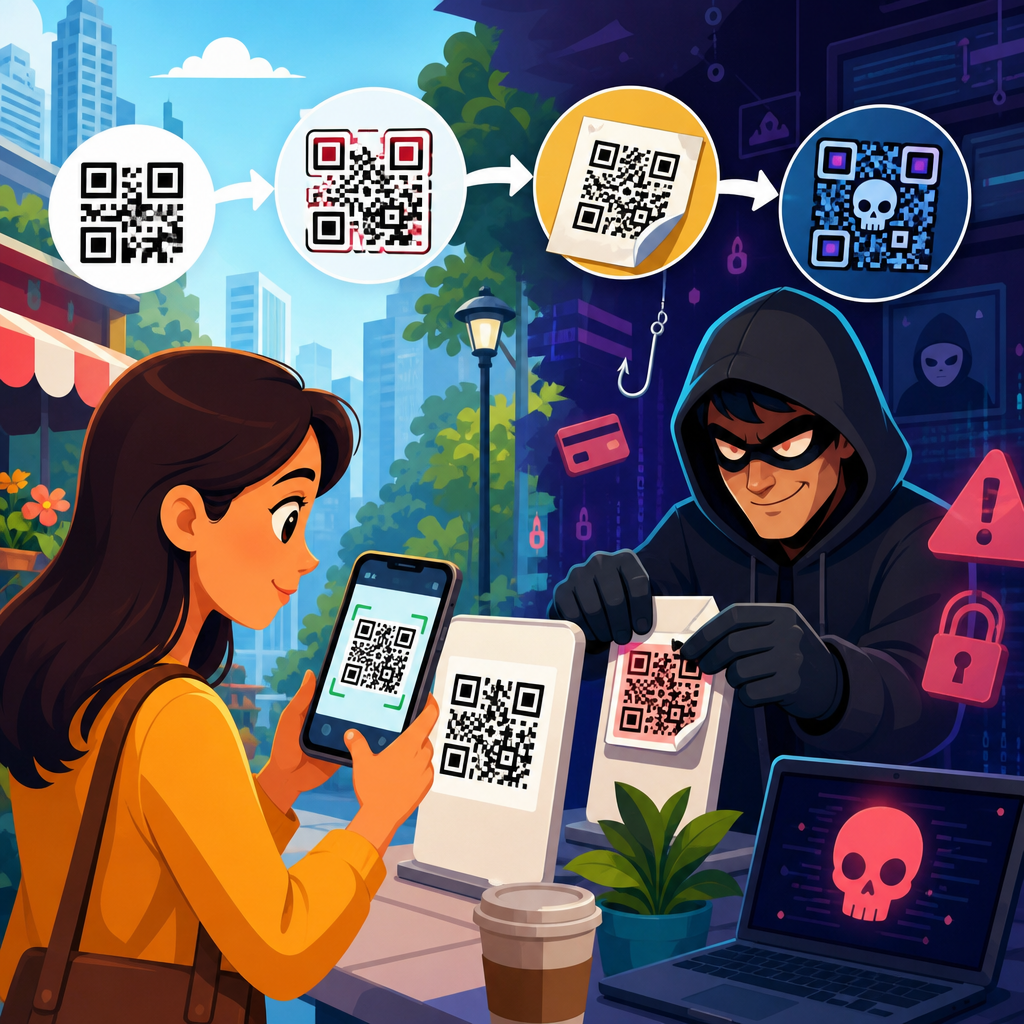
QR code scams are evolving from clumsy bait into highly adaptive fraud campaigns that exploit trust, speed, and mobile habits. A QR code, short for Quick Response code, is a machine-readable square barcode that sends a phone to a website, opens a payment flow, downloads contact details, or triggers another action. That convenience is exactly why criminals now use QR codes in phishing, payment diversion, credential theft, malware delivery, and impersonation schemes. In security work, I have seen people scan codes on parking meters, restaurant tables, package inserts, emails, and office posters without pausing to verify the destination. Attackers count on that reflex. They know most users cannot visually inspect a QR code the way they might judge a suspicious web address.
The rise of QR code fraud matters because scanning often happens on personal phones outside managed corporate defenses. Email gateways, secure web proxies, and endpoint detection tools may never inspect the moment when a camera app resolves a code into a malicious link. This attack path is sometimes called quishing, meaning QR-enabled phishing. It blends social engineering with mobile-first delivery, and it works because it feels routine. During the pandemic, QR menus normalized scanning in public. Mobile payment systems, digital tickets, and contactless forms expanded the habit. Criminals followed user behavior. They did not invent new psychology; they simply attached old fraud methods to a newer interface.
For a hub page on QR code scams and fraud, the key is understanding the full landscape. Some scams aim to steal money immediately through fake payment requests. Others aim to harvest passwords, one-time passcodes, or card details for later abuse. Some rely on physical tampering, such as placing a fraudulent sticker over a legitimate code. Others rely on digital channels, including emails that claim a document must be viewed by scanning a code. The common thread is redirection: the QR code acts as a bridge between the real world and a digital trap. If users, businesses, and security teams understand how these campaigns are changing, they can build layered defenses that reduce both likelihood and impact.
This article maps the main scam types, explains the tactics attackers now favor, and shows where fraud is likely to spread next. It also serves as the central guide for the broader QR Code Scams & Fraud cluster, connecting the practical risks people face in payments, public spaces, workplaces, and customer communications. Whether you manage a business, support enterprise security, or simply want to scan more safely, the goal is the same: recognize how QR code scams are evolving before criminals exploit that moment of trust.
The Main Types of QR Code Scams Today
QR code scams generally fall into five categories: payment fraud, credential phishing, malware or malicious app delivery, account takeover support, and impersonation-driven redirection. Payment fraud is the most visible. A fake code posted on a parking terminal can send users to a lookalike payment page that captures card details or collects a bogus fee. In one common pattern, the page works well enough to avoid suspicion, then quietly stores payment data for later abuse. Credential phishing is equally serious. Attackers send an email about payroll, multifactor reset, voicemail, or package delivery and instruct the target to scan a code. The code leads to a fake Microsoft 365, Google, or banking login page optimized for mobile screens.
Malware delivery through QR codes is less common than plain phishing but still relevant, especially on Android devices where users may be pushed toward sideloaded applications or rogue configuration profiles. Account takeover support scams use QR codes to capture session credentials, one-time passcodes, or recovery details after the user has already been primed by another message or call. Impersonation scams broaden the field even further. A QR code can pretend to connect a user to Wi-Fi, customer support, donation pages, government forms, or event registrations while redirecting them to an attacker-controlled destination. Because the code itself looks neutral, people focus on the surrounding message or branding rather than the underlying risk.
The channel matters. Physical QR fraud appears on parking machines, EV chargers, retail counters, utility notices, apartment lobbies, and transit posters. Digital QR fraud appears in emails, PDFs, social posts, text messages, and chat platforms. In enterprise environments, I have also seen internal-looking notices that direct employees to scan for benefits enrollment or security updates. That method bypasses some traditional anti-phishing instincts because employees often trust printed material more than links in email. Fraudsters understand that trust is contextual. They choose the medium that best matches the story they are trying to sell.
How Attackers Are Making QR Code Scams More Convincing
Older QR scams were easy to spot because the branding was poor, the pages were broken, or the message lacked context. That is changing. Attackers now mirror legitimate user journeys with surprising precision. A fake parking payment page may display the city logo, expected pricing tiers, a location-aware map, and a confirmation screen. A credential phishing page may use responsive design, real favicon assets, and language pulled directly from a company sign-in portal. Some campaigns use open redirects, compromised websites, or legitimate form builders to gain trust from both users and security tools. Others place the QR code inside a PDF attachment so the message bypasses defenses that flag clickable links more aggressively than embedded images.
Attackers also chain events together. A victim may first receive a text about an unpaid toll, then encounter a QR code on a follow-up notice, then arrive at a site that requests both card information and account credentials. That layering raises conversion because each step appears to confirm the previous one. Another evolution is personalization. Using leaked names, job titles, delivery habits, or location clues, scammers tailor the pretext so the QR code feels relevant. Artificial intelligence tools now help criminals generate polished copy, localized language, and convincing customer support scripts at scale. The result is not a completely new scam ecosystem, but a more efficient and better designed one.
| Scam type | How it works | Typical target | Key warning sign |
|---|---|---|---|
| Parking payment fraud | Sticker or sign replaces legitimate code and sends user to fake payment page | Drivers in a hurry | URL does not match city or parking operator domain |
| Email QR phishing | Message asks user to scan to view invoice, voicemail, or secure document | Office staff and executives | Unexpected request to authenticate on mobile |
| Account recovery theft | Code leads to fake login that steals password and one-time passcode | Users with cloud accounts | Urgent warning about suspension or reset |
| Fake support or donation page | Code redirects to impersonated service, nonprofit, or event checkout | Consumers and attendees | Pressure to act quickly before verifying organization |
Physical tampering has improved too. Fraudulent stickers are now laminated, color matched, and cut to fit the original sign. On more than one field assessment, I found fake overlays placed so carefully that only a tactile check revealed the extra layer. Criminals choose locations where users are rushed, such as parking zones, train stations, and self-service kiosks. They know that environmental pressure reduces scrutiny. In digital campaigns, they often avoid suspicious shorteners and instead use domains that include familiar words like auth, docs, billing, or support. That simple adjustment significantly increases scan-through and completion rates.
Why QR Code Fraud Works So Well on Mobile Devices
Mobile design gives scammers structural advantages. Phone screens show less of a web address, making domain verification harder. Many camera apps open links quickly, and users are trained to move fast through payment and sign-in flows. On desktop, a cautious user may hover over a link or notice a browser certificate warning. On mobile, those checks are less obvious and less common. Attackers exploit what human factors specialists call cognitive ease: a familiar action completed with minimal friction feels safe, even when it is not. QR codes fit that pattern perfectly.
There is also a tooling gap. Enterprises may monitor corporate laptops closely while allowing bring-your-own-device access to email, collaboration tools, and cloud apps. If an employee scans a QR code with a personal phone, the interaction may never pass through managed controls. Even where mobile device management exists, coverage can be uneven across contractors, frontline workers, or temporary staff. Consumer users face an even bigger exposure because they rely mostly on browser warnings, payment provider safeguards, and their own judgment. Security awareness has long focused on suspicious links and attachments, but many people still treat QR codes as passive objects rather than active links.
Another factor is trust transfer. If the QR code appears on a printed sign, official-looking PDF, conference badge, or product insert, users often assume someone vetted it. Attackers understand that people judge the wrapper more than the payload. This is why QR scams appear so often in places where branding seems legitimate. A scam does not need a perfect fake website if the surrounding context already lowered the user’s guard. That is one reason QR code security and privacy programs must address both digital verification and physical environment checks.
Where QR Code Scams Are Expanding Next
The next wave of QR code scams will likely concentrate where contactless workflows are growing fastest: transportation, hospitality, retail returns, healthcare intake, event access, utilities, and multifactor authentication support. Electric vehicle charging is a clear example. Public chargers often rely on app downloads or web payments initiated from a code on the unit. If that code is replaced, the victim may pay a criminal and still fail to start the session. Healthcare presents another risk. Patients routinely scan codes for forms, portals, and check-in instructions, which gives attackers a realistic impersonation path if they can insert fraudulent signage or spoof communications.
Workplace fraud will also keep rising. Microsoft and other security vendors have reported sustained use of QR codes in phishing campaigns targeting credentials, especially where organizations enforce multifactor authentication and attackers need a mobile-native lure. As users become more skeptical of email links, criminals will keep shifting to attachments and images that contain scannable codes. Expect more abuse in onboarding packets, shared documents, and visitor materials. Fraud tied to crypto, peer-to-peer payments, and fake refunds will continue as well, because QR flows reduce the moment when a user might stop and question a destination.
We are also likely to see more hybrid scams that combine AI voice calls, text messages, and QR redirects. A caller posing as bank fraud support may tell a customer not to click any links for security reasons, then direct them to scan a “verified” code sent by text or shown on a webpage. That script turns a security precaution into a manipulation tool. The broader pattern is clear: attackers are not just using QR codes more often; they are fitting them into multi-step narratives that feel safer than direct links.
How Businesses and Individuals Can Reduce Risk
The most effective defense is to treat every QR code as a link that requires verification. For individuals, that means previewing the destination when possible, checking the domain carefully, and refusing to enter credentials or payment details after scanning an unexpected code. If a code appears on a parking meter, utility bill, or public sign, compare it with the official website or app instead of relying on the code alone. Use mobile wallets and card alerts to limit payment exposure, and keep phone operating systems updated. On Android, avoid installing apps from prompts that originate from a scanned code unless the source is clearly the official app store and the developer name matches.
For businesses, controls should span both physical and digital environments. Inspect public-facing signage regularly for overlays or tampering. Use branded short domains you control for legitimate QR destinations, and avoid changing those patterns frequently. Where possible, route QR scans to landing pages that explain the expected action before asking for login or payment. Monitor domain registrations that imitate your brand, and include QR-specific examples in phishing simulations and awareness training. Secure email gateways should analyze embedded images and PDFs, not just clickable links. Mobile threat defense, conditional access, and phishing-resistant authentication methods such as FIDO2 security keys can reduce downstream account takeover even if a user scans a malicious code.
In incident response, speed matters. If a fraudulent code is found in a physical location, remove it, photograph it, preserve the URL, and notify the property owner or service operator. If users entered credentials, force password resets, revoke sessions, review multifactor changes, and check for suspicious OAuth grants or mailbox rules. If payment data was exposed, contact the card issuer immediately. QR code scams are evolving, but the core defense remains straightforward: verify before you scan, authenticate only through trusted paths, and build security processes around the reality that mobile scanning now sits at the center of everyday transactions. Review your QR touchpoints and close the gaps before attackers find them.
Frequently Asked Questions
What makes modern QR code scams more dangerous than earlier versions?
Modern QR code scams are far more dangerous because they no longer rely on obviously suspicious tricks. Early scams often used generic messages, poorly designed fake pages, or random QR stickers placed where they did not belong. Today, criminals build campaigns that look polished, timely, and highly believable. They place QR codes in emails that mimic legitimate billing notices, on fake parking meters, inside printed letters, on restaurant tables, in package delivery updates, and even over real codes in public places. The scam works because the code itself looks neutral. People cannot visually inspect a QR code and instantly tell whether it leads to a trusted destination or a malicious one.
Another reason these scams are more dangerous is that they exploit mobile behavior. People tend to scan quickly, often while distracted, and then trust what appears on their phone because the action feels simple and routine. Attackers know this. They design scam pages for mobile screens, reduce visible warning signs, and push users into acting fast, such as making a payment, entering login credentials, or approving a multifactor authentication request. In many cases, the QR code is only the entry point. The real fraud happens on the mobile web page that follows, where criminals harvest usernames, passwords, card details, or session tokens.
What has really changed is adaptability. Attackers can now rotate destination links, personalize landing pages, geotarget victims, and imitate known brands with impressive accuracy. That means the same printed or shared QR code can behave differently over time or for different users. Instead of being a clumsy gimmick, QR code abuse has become a flexible delivery mechanism for phishing, payment diversion, malware prompts, and impersonation scams. The convenience of QR codes is still real, but that convenience now gives criminals a low-friction way to move victims from trust to compromise in a matter of seconds.
How do scammers use QR codes for phishing and credential theft?
QR-based phishing, often called quishing, is built around one simple idea: move the victim from a desktop or paper message to a mobile device where security checks are often weaker and urgency is higher. A victim might receive an email saying they need to reset a password, review a secure document, verify payroll information, or resolve an account issue. Instead of including a clickable link that email filters might flag, the message includes a QR code. Once scanned, the phone opens a fake login page that closely resembles a real Microsoft 365, Google, bank, payroll, or enterprise portal.
The attacker’s goal is to capture credentials, but many campaigns go beyond that. The fake page may also ask for a one-time passcode, prompt the user to approve a multifactor request, or collect recovery details such as phone numbers and backup email addresses. In more advanced attacks, the page acts as a reverse proxy, meaning it passes traffic to the legitimate site in real time while stealing login tokens and session cookies. That can let attackers bypass some traditional authentication protections and gain direct access to email, cloud storage, internal systems, or financial platforms.
Scammers also take advantage of the fact that users are trained to trust QR workflows. In offices, schools, and everyday commerce, people routinely scan codes to sign in, join Wi-Fi, check menus, validate tickets, or confirm appointments. Attackers hide inside that familiarity. They may claim the scan is required for security, document access, account reactivation, or payment confirmation. Because the scam starts with a camera scan rather than a typed web address, victims are less likely to pause and inspect the destination. That is why QR phishing is so effective: it removes the visual clues many users rely on and replaces them with a fast, seemingly normal mobile action.
Can QR codes be used to steal money directly through payment scams?
Yes, and this is one of the fastest-growing forms of QR abuse. Payment scams work by redirecting a victim’s money to a criminal-controlled account or payment destination. In a basic version, a scammer places a fake QR code over a real one on a parking meter, donation sign, vending machine, event poster, or retail display. The victim scans the code expecting to pay a legitimate business, but the code sends them to a fraudulent payment page or a real payment app request controlled by the attacker. Because the action feels routine and immediate, the victim may complete the transaction without noticing the destination is wrong.
More sophisticated payment diversion happens in invoices, bills, and business communications. A scammer might compromise a vendor email account or impersonate a service provider, then send an updated invoice with a QR code for “easy payment.” The recipient scans it, approves the transfer, and the funds go straight to the attacker. This method is especially dangerous because QR codes reduce friction. Instead of manually entering bank details and possibly noticing discrepancies, the victim is guided into a quick mobile payment flow that feels convenient and modern.
Criminals also exploit peer-to-peer payment platforms, cryptocurrency wallets, and instant transfer tools. A QR code can encode payment addresses, wallet strings, account identifiers, or prefilled transaction details. If the victim assumes the code came from a trusted source, they may authorize a transfer with little scrutiny. In business settings, this can turn into a form of business email compromise or vendor fraud. In consumer settings, it can appear as fake toll notices, utility payments, missed delivery fees, charity requests, or account reactivation charges. The common thread is trust plus speed. Once the payment is sent, recovery is often difficult, especially with instant transfers or crypto transactions.
What warning signs should people look for before scanning or using a QR code?
The first warning sign is context that feels rushed, unusual, or emotionally charged. If a QR code appears in a message claiming your account will be suspended, a package cannot be delivered, a payment is overdue, or a login must be verified immediately, slow down. Urgency is one of the oldest social engineering tools, and it works especially well with QR codes because scanning feels like a small action rather than a risky one. Be skeptical of any code that demands immediate payment, credential entry, or security verification.
Physical signs matter too. In public places, look for tampering. A sticker placed over another code, a label that seems crooked or poorly attached, mismatched branding, spelling errors, or a code posted in an odd location can all indicate fraud. If a business normally uses a printed code embedded in signage but you suddenly see a separate sticker or laminated insert, verify with staff before scanning. For emailed or mailed QR codes, ask whether the sender normally communicates that way and whether the request matches normal business practice.
On the technical side, preview the destination if your phone allows it. Many camera apps and QR scanners show the web address before opening it. Check for misspellings, odd subdomains, unnecessary URL shorteners, or domains that imitate known brands without being exact. A code claiming to belong to your bank should not open a random or unfamiliar web address. Be cautious if the page asks for login credentials, card details, personal data, or app downloads that were not clearly expected. Also pay attention to website quality. Although many scam pages are polished, poor formatting, broken logos, unusual pop-ups, or strange redirects are still useful clues. The safest habit is simple: treat a QR code like any other untrusted link. If you would not click it blindly, do not scan it blindly.
How can individuals and businesses protect themselves from evolving QR code scams?
For individuals, protection starts with changing one habit: stop treating QR codes as harmless shortcuts. They should be approached with the same caution as links in emails or text messages. Use your phone’s preview feature when available, avoid scanning codes from unsolicited messages, and never enter credentials or payment details unless you independently verify the destination. If a QR code claims to come from a bank, employer, delivery company, or government agency, do not rely on the code alone. Open the official app, type the known website yourself, or contact the organization through a trusted channel. Keep your phone updated, use mobile security protections where appropriate, and enable multifactor authentication on important accounts.
For businesses, the defense is broader. Organizations should train employees to recognize quishing and to understand that QR codes can bypass traditional assumptions about phishing. Email security tools should be tuned to detect image-based lures, branded impersonation, and messages that push users toward mobile-only actions. If a company uses QR codes legitimately for payments, onboarding, authentication, or customer engagement, it should control where those codes appear, inspect physical locations for tampering, and clearly communicate official usage patterns to employees and customers. Payment workflows should include verification steps for changed invoice details, new vendor instructions, or QR-based payment requests.
There is also an incident response angle. If someone scans a suspicious code, the next steps matter. They should close the page, avoid entering data, and report the event to IT or security if it involved a work account or device. If credentials were entered, passwords should be changed immediately, active sessions reviewed, and multifactor settings checked for unauthorized changes. If a payment was made, the financial institution or payment platform should be contacted right away. The bigger lesson is that QR threats are not just a consumer nuisance. They are now part of the phishing, fraud, and access-theft landscape. The best defense is a mix of user skepticism, technical safeguards, verification discipline, and fast reporting when





