
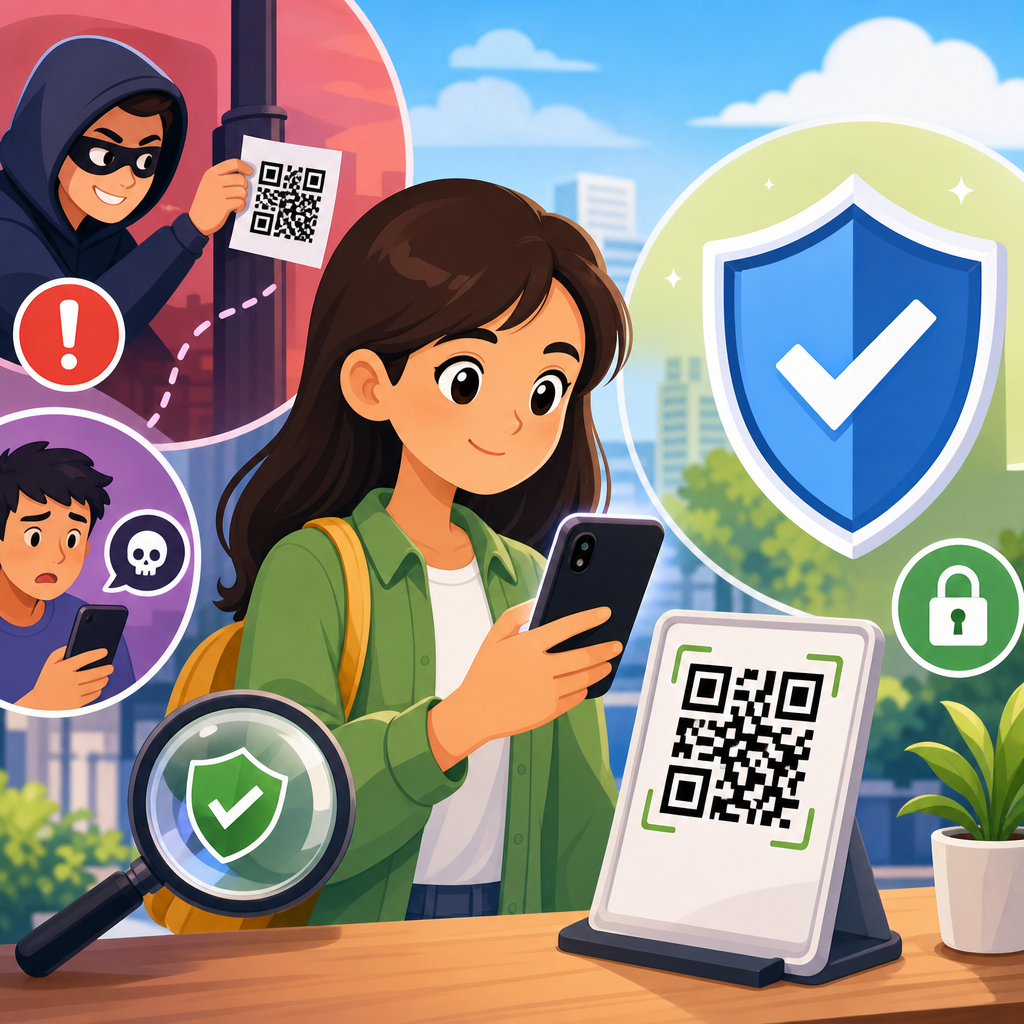
QR code fraud prevention tips matter because QR codes now connect payments, menus, tickets, logins, and support flows, making them a fast bridge between the physical and digital worlds and, increasingly, a favored path for criminals. A QR code, or quick response code, is a two-dimensional barcode that stores data such as a URL, payment instruction, contact card, or authentication token. When a phone camera scans it, the device often opens a webpage or app action immediately. That convenience is exactly why fraud succeeds: people trust the code because it looks simple, neutral, and familiar. In practice, I have seen fraud investigations begin with nothing more than a sticker placed over a parking meter code or a fake “invoice payment” square added to a printed bill. The victim never typed a suspicious address, so normal caution dropped. QR code scams and fraud now span phishing, payment diversion, credential theft, malicious app downloads, and account takeover. Preventing them requires more than telling users to “be careful.” It requires knowing how attacks work, where risks appear, and which controls reliably reduce harm for individuals, businesses, and public venues.
The growth of contactless behavior has increased exposure. Restaurants use scan-to-order menus, utilities print payment codes on statements, retailers place codes on shelves, and employers use them in onboarding and multifactor authentication. Attackers exploit that ubiquity. Security teams often call malicious QR campaigns “quishing,” shorthand for QR-enabled phishing, because the code hides the destination from the human eye. Unlike an email link, a printed QR code cannot be hovered over to inspect the URL first. Some camera apps show the destination preview, but many users tap too quickly to notice misspellings, odd domains, or URL shorteners. Fraud also benefits from low cost: replacing a public code with a counterfeit sticker takes seconds and little technical skill. For organizations, the stakes include direct financial loss, chargebacks, customer support costs, regulatory exposure, and reputational damage. For consumers, the risk is stolen banking credentials, card misuse, malware, and identity theft. Understanding common QR code scam patterns is the foundation of effective prevention.
How QR code scams and fraud work in the real world
Most QR code fraud follows a simple chain: place or send a code, create urgency or trust, redirect the scan to a malicious destination, then capture money or credentials. The delivery method changes by setting. In public spaces, fraudsters use sticker swaps on parking kiosks, transit machines, event posters, and restaurant tables. In messages, they embed codes in emails or text alerts claiming package issues, unpaid tolls, payroll updates, or account verification. In printed documents, they alter invoices so payment is routed to their account instead of the legitimate supplier. The victim sees a clean square and assumes legitimacy. That assumption is the attacker’s advantage.
I have found that scams cluster into five categories. First is credential harvesting: the code opens a fake Microsoft 365, bank, or wallet login page designed to steal usernames, passwords, and one-time codes. Second is payment diversion: the code sends money to a criminal wallet, instant payment handle, or card-processing page. Third is malware delivery: the page prompts the user to install a “security update,” “tracking app,” or fake browser extension. Fourth is data collection: forms gather names, card numbers, or ID details for later fraud. Fifth is session hijacking and device pairing, where the code authorizes a login on another service, similar to malicious device linking. Each method depends on fast user action before skepticism appears.
Fraudsters also exploit design choices. Shortened links hide the real domain. Lookalike domains replace letters, such as using rn for m or adding harmless-looking words around a brand name. HTTPS alone does not prove safety because criminals also use certificates. Some pages mimic payment interfaces or digital wallet confirmations so well that victims believe the transaction was routine. Social engineering completes the attack. A fake notice saying “scan within ten minutes to avoid late fees” lowers reflection time. A sign reading “new city payment system” borrows authority. Effective fraud prevention starts by expecting the code itself to be untrusted until the destination and context are verified.
Most common QR code scam scenarios and warning signs
Consumers encounter the same scam patterns repeatedly, and recognizing them is one of the strongest defenses. Parking payment scams are among the most common. A criminal places a sticker with a counterfeit code over the city’s original code. The victim scans, lands on a realistic payment page, enters card details, and may even pay a fake fee. Another frequent scenario is package delivery fraud. An email or text claims a shipment is delayed and instructs the recipient to scan a code to reschedule. The code leads to a phishing page that harvests login or payment data. Event ticket scams use QR codes in resale listings or fake confirmation emails, while restaurant scams replace menu codes with pages that request unnecessary personal information or card details before showing anything useful.
Business fraud has its own patterns. Accounts payable teams may receive invoices with QR payment instructions that do not match prior vendor records. Sales teams may encounter codes on trade-show materials leading to credential theft pages disguised as file downloads. Human resources departments have seen job applicants sent fake onboarding codes that steal tax and identity information. These attacks work because the QR code compresses the trust decision into one motion: scan and tap.
Warning signs are concrete. Be skeptical when a code appears as a sticker layered over another code, when the linked page asks for information unrelated to the task, when branding looks slightly off, or when payment must be made through an unfamiliar processor. Treat urgency as a risk indicator. If a camera preview shows a shortened link, a random subdomain, or a domain unrelated to the brand or city service, stop. Public codes without surrounding context, contact information, or official signage deserve extra caution. The safest users are not those who avoid QR codes entirely; they are the ones who verify destination, purpose, and authority before interacting.
Practical QR code fraud prevention tips for consumers
The best QR code fraud prevention tips for consumers are simple, repeatable habits that reduce the chance of a bad scan becoming a financial loss. First, use your phone camera’s link preview instead of tapping instantly. On both iPhone and Android devices, many camera apps reveal the destination before opening it. Read the full domain carefully. Second, prefer codes from trusted channels you can independently confirm. If you are paying for parking, compare the posted website with the city’s official site. If you receive a billing QR code by email, verify it against a known statement or by calling the published support number, not a number on the suspicious message. Third, avoid entering passwords after scanning a code from a poster, flyer, or text message. Open the official app or type the web address yourself.
Fourth, use payment methods with strong dispute protections when possible, such as major credit cards rather than irreversible transfers. Fifth, keep your phone updated and install apps only from official app stores. Sixth, enable multifactor authentication on email, banking, and workplace accounts; it will not stop all attacks, but it can limit the blast radius if credentials are stolen. Seventh, watch for overlaid stickers, damaged signs, or poor print quality on public codes. Eighth, if a code starts a download automatically or requests accessibility permissions, stop immediately. Ninth, review card statements and wallet activity soon after using unfamiliar QR payment flows. Fast detection improves the odds of reversing fraud.
One practical rule I give users is this: if the code asks you to log in, pay, or install something, slow down and verify through another path. That single habit prevents most serious outcomes.
| Scenario | Safer action | Main risk reduced |
|---|---|---|
| Parking meter payment | Confirm the city URL or use the official parking app | Card theft and fake fees |
| Email invoice with QR code | Verify banking details with a known contact before paying | Payment diversion |
| Text about missed delivery | Open the courier app directly instead of scanning | Credential phishing |
| Restaurant table code | Ask staff if the code is current and inspect for stickers | Malicious redirects |
| Login prompt after scanning poster | Type the website manually or use a saved bookmark | Account takeover |
QR code fraud prevention controls for businesses and public venues
Organizations need process controls, not just awareness posters. Start with QR code inventory and ownership. Every code used in stores, offices, invoices, packaging, kiosks, or campaigns should have a documented owner, intended destination, creation date, and review schedule. Dynamic QR codes can be managed centrally, but that convenience also means the redirect platform becomes critical infrastructure. Protect it with role-based access control, multifactor authentication, change logs, and periodic audits. For printed static codes, maintain source files and location maps so staff can inspect for tampering. High-risk placements such as parking machines, lobby stands, and table tents need routine physical checks, especially after hours or during events.
Payment and invoice workflows deserve special attention. If your business accepts QR payments, use a clearly branded domain, publish payment instructions on the official website, and avoid unnecessary redirects. For accounts payable, require vendor bank detail changes to be confirmed through an out-of-band process such as a phone call to a known number. Train staff to compare QR-linked payee details with existing master records. In customer-facing settings, add human-readable URLs near the code so users can cross-check destination. Tamper-evident labels, serialized signage, and secure mounting reduce sticker replacement risk. Some venues now print a short verification phrase on the landing page that matches the physical sign, giving users another trust signal.
Monitoring closes the loop. Track unusual scan geography, spikes in redirects, conversion anomalies, and support complaints about failed or odd payment experiences. Web application firewalls, domain monitoring, and brand monitoring tools can help identify lookalike sites. Include QR threats in security awareness training, incident response playbooks, and vendor management reviews. The standard is straightforward: if a QR code can trigger payment, login, download, or data collection, it should be governed like any other externally facing digital entry point.
What to do after scanning a suspicious QR code
If you scan a suspicious QR code, the right response depends on what happened next. If you only opened the page and did not enter information, close it, clear the browser tab, and avoid granting any permissions. If you entered credentials, change the password immediately from the official website or app, sign out of other sessions, and update multifactor settings. If you reused that password elsewhere, change those accounts too. If you submitted card data or made a payment, contact the card issuer or bank quickly, report suspected fraud, request a card replacement if needed, and monitor for unauthorized transactions. Time matters because banks can sometimes stop or dispute charges more effectively when alerted early.
If an app was downloaded, uninstall it, run a mobile security scan from a reputable product, review device permissions, and check for unknown accessibility or device admin settings. For work accounts, notify the security team at once so they can inspect logs for suspicious sign-ins, session token abuse, inbox rules, or impossible travel alerts. Save evidence before deleting everything: screenshots of the sign, the QR destination, the payment receipt, and the message or poster location can help investigators and chargeback teams. In public spaces, report tampered codes to the property owner or local authority so others are protected.
Recovery also includes learning. Ask which control failed: was it trust in a public sign, a lack of URL review, weak invoice verification, or missing account alerts? Better fraud prevention comes from turning one near miss into a durable habit or policy improvement.
How this hub fits the wider QR code security and privacy strategy
QR code scams and fraud are only one branch of the broader QR code security and privacy landscape, but they are the branch most likely to cause immediate financial damage. A strong strategy links fraud prevention with related topics: secure QR code generation, safe redirect management, privacy-conscious data collection, mobile malware defense, and authentication design. For example, businesses choosing between static and dynamic QR codes need to weigh editability against redirect risk. Teams collecting customer data through QR forms must apply data minimization and clear consent practices. Companies using QR codes for login or device pairing need stronger session controls than those using codes only for menus.
This hub article should anchor that wider program. From here, readers can go deeper into invoice QR fraud, quishing detection, QR payment security, tamper-resistant signage, employee training, and incident response. The core principle remains constant: treat every QR code as a pointer to a destination that must earn trust. Verify the context, inspect the link, control the workflow, and monitor the outcome. Those four actions stop most attacks before damage occurs.
QR code fraud prevention tips are most effective when they become routine rather than reactive. For consumers, that means pausing before tapping, using official apps, avoiding login and payment through unverified codes, and checking statements promptly. For businesses, it means governing every code like a digital asset, verifying invoice changes out of band, inspecting physical placements, hardening redirect platforms, and training staff on realistic scam patterns. These are practical controls, not theoretical ideals, and they work because they target the exact points where fraud depends on speed, trust, and invisibility.
The main benefit of a strong QR code security posture is simple: convenience without blind trust. QR codes are not inherently dangerous, but they compress decisions that normally give users time to think. Good prevention expands that decision window through better verification, better design, and better monitoring. If you manage QR codes in any channel, audit every current use case this week, remove unnecessary codes, document owners, and fix any flow that asks users to pay or log in without clear verification signals. If you use QR codes as a consumer, adopt one nonnegotiable rule today: never scan and submit sensitive information without confirming where the code leads first.
Frequently Asked Questions
1. What is QR code fraud, and why has it become such a common threat?
QR code fraud happens when criminals use a malicious or tampered QR code to send someone to a fake website, trigger a fraudulent payment, steal login credentials, install malware, or capture personal information. It has become more common because QR codes are now used almost everywhere: restaurant menus, parking meters, package tracking, event tickets, banking sign-ins, peer-to-peer payments, customer support, and business marketing. People are trained to trust the speed and convenience of scanning, and that trust often reduces the caution they would normally use when typing a web address or reviewing a payment page.
The danger comes from how seamless the experience feels. A QR code is just a visual pattern, so users cannot tell by looking at it whether it leads to a legitimate website or a fake one. In many cases, a phone opens the link immediately or presents a shortened preview that people click without much review. Scammers take advantage of that habit by placing fake QR code stickers over real ones, sending QR codes by email or text, posting them in public spaces, or embedding them in social media promotions. Because the scan bridges the physical and digital worlds instantly, it gives fraudsters a very efficient way to move victims from trust to action in seconds.
2. How can I tell whether a QR code is safe before I scan it?
The safest approach is to treat every QR code like an unknown link. Before scanning, look closely at where the code appears and whether it makes sense in context. A code posted on an official company website, printed directly on secure packaging, or displayed inside a trusted app is generally more reliable than one found on a random flyer, sticker, email attachment, or public sign. In physical locations, examine the code for signs of tampering, such as a sticker placed on top of another label, poor print quality, unusual placement, or messaging that creates urgency like “scan now to avoid a fine” or “account suspended.”
After scanning, do not rush to tap through. Many phones show a preview of the destination URL before opening it. Read that address carefully. Watch for misspellings, extra words, unusual domain endings, strings of random characters, or shortened links that hide the final destination. A legitimate brand might use a domain such as its exact company name, while a scammer might use a lookalike variation designed to fool a quick glance. If the QR code leads to a login page, payment form, or request for sensitive information, pause and verify independently by navigating to the company’s website yourself or using its official app instead of proceeding from the code.
3. What are the biggest warning signs that a QR code may be part of a scam?
Several red flags should make you stop immediately. One of the biggest is unexpected urgency. If a QR code claims you must scan right away to avoid penalties, restore access, confirm a delivery, fix a security issue, or claim a prize, that pressure is often intentional. Scammers rely on urgency to prevent careful review. Another warning sign is a mismatch between the situation and the request. For example, a parking meter QR code asking for unrelated personal details, a restaurant menu code that redirects to a login page, or a support code that leads to a payment screen should all raise concern.
Other warning signs include poor branding, inconsistent design, spelling errors, suspicious domains, requests for credentials or one-time passcodes, and payment instructions that seem unusual. Be especially careful if the page asks you to enter banking information, credit card details, wallet recovery phrases, government ID numbers, or multifactor authentication codes. In business settings, watch for QR codes included in invoices, procurement requests, or vendor messages that ask you to change payment destinations. Even if the page looks polished, a professional appearance does not guarantee legitimacy. Fraud pages are often designed to closely mimic trusted brands, so the underlying link, the requested action, and the context matter more than visual design alone.
4. What are the best QR code fraud prevention tips for everyday users?
The most effective prevention tip is simple: scan carefully, then verify before you act. Use your phone’s camera or a trusted built-in scanner rather than downloading random QR scanning apps, which may add privacy or security risks of their own. Whenever possible, inspect the destination URL before opening it. If the code is supposed to take you to a known company, compare the link to that company’s official domain. If a QR code is asking for payment, consider going directly to the merchant’s app or website instead of relying on the scanned link. This extra step removes much of the attacker’s advantage.
You should also keep your phone and apps updated, because security patches reduce the risk of browser exploits or malicious redirects. Enable multifactor authentication on important accounts so stolen passwords alone are less useful to attackers. Use mobile security features such as safe browsing warnings, spam filtering, and app permission controls. Be cautious in public places where codes can be swapped easily, especially on parking kiosks, tables, posters, utility notices, and package labels. If you receive a QR code in an email, text, or social message, verify the sender through a separate channel before scanning. Good habits matter more than technical expertise here: slow down, check the link, question the request, and use official channels whenever something feels off.
5. What should I do if I scanned a suspicious QR code or entered information on a fake page?
If you scanned a suspicious QR code but did not enter any information, close the page immediately and avoid downloading anything or granting permissions. Clear the browser tab, do not interact further, and run a security scan if your device supports it. If you downloaded a file or installed an app, remove it right away if possible and check your device for unusual behavior, such as new apps, pop-ups, battery drain, or account prompts. Updating the operating system and running reputable mobile security tools can help identify or contain any threat.
If you entered credentials, payment details, or personal information, act quickly. Change the affected password immediately, and if you reused it elsewhere, update those accounts too. Revoke active sessions if the service allows it, enable or reset multifactor authentication, and monitor for unauthorized activity. If financial information was involved, contact your bank, card issuer, or payment provider to report possible fraud, freeze or replace cards if needed, and review transactions closely. If you provided a one-time code, support access, or identity details, contact the legitimate company through official channels and explain what happened. In workplace situations, report the incident to your IT or security team immediately. Fast reporting often limits damage, helps prevent account takeover, and may protect other people from the same QR code scam.





