
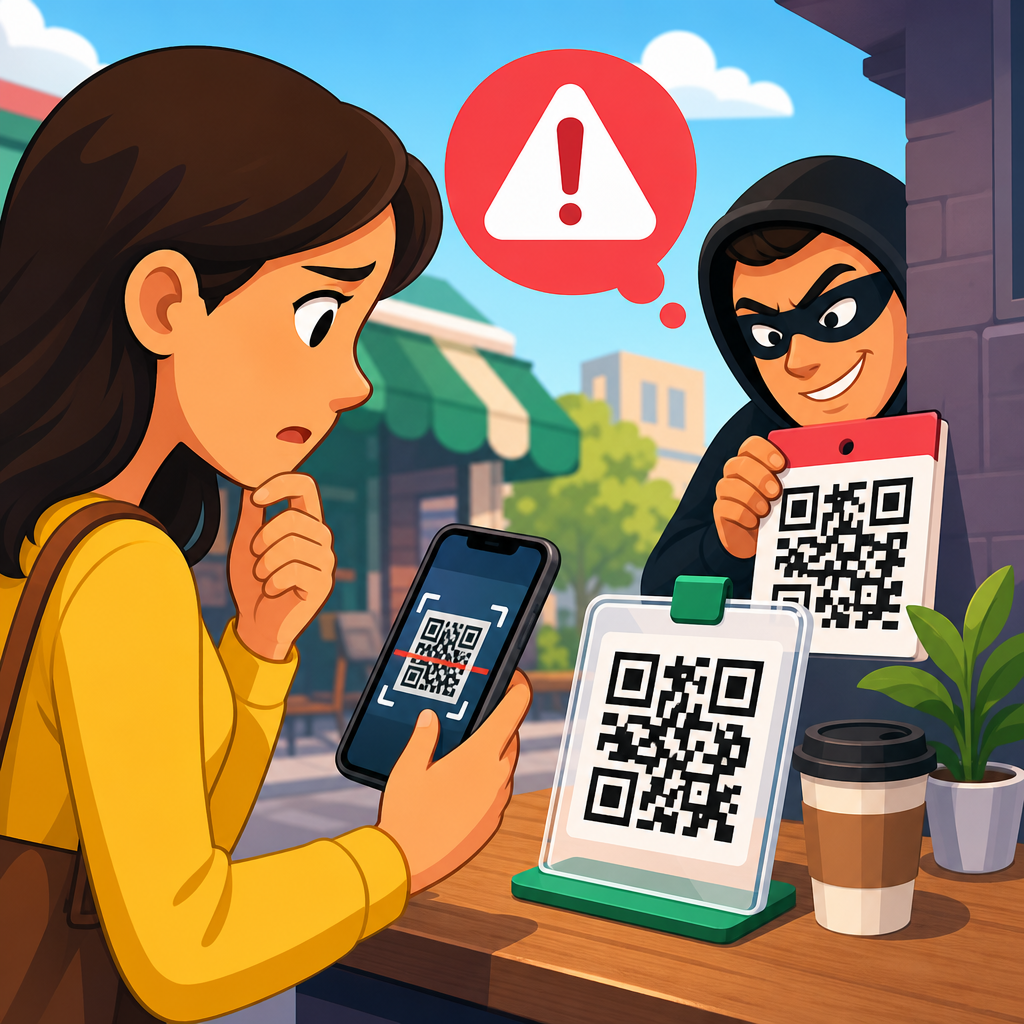
QR code payment scams have moved from niche fraud tactics to a mainstream risk because quick response codes now sit on parking meters, restaurant tables, utility bills, delivery notices, and peer to peer payment requests. A QR code is simply a machine readable matrix barcode that opens a link, starts a payment, downloads a file, or fills account details into an app. That convenience is exactly why criminals like it. People trust the square pattern, assume it is neutral technology, and scan before they pause to verify where the code leads.
In practice, QR code payment scams work by hijacking that moment of trust. The attacker replaces a legitimate code with a fake sticker, sends a fraudulent code by text or email, or generates a code that routes payment to a criminal wallet instead of the intended merchant. I have seen this pattern repeat across retail, hospitality, parking, and small business invoicing. The fraud rarely depends on sophisticated malware. More often, it succeeds because the victim cannot visually inspect the destination the way they might inspect a typed web address.
This matters because QR payments combine speed, low friction, and broad device support. Payment apps, digital wallets, banking apps, and camera software all make scanning easy. At the same time, consumer protection can vary. A credit card payment may offer chargeback rights under familiar card network rules, while a bank transfer or wallet transfer triggered by a QR code may be harder to reverse. The result is a security gap: people are using a fast payment method without always understanding the risk profile behind it.
For anyone researching QR code security and privacy, this article serves as a hub for QR code scams and fraud. It explains the core scam types, how criminals execute them, warning signs to watch for, and the practical checks that reduce exposure. It also clarifies a key point that many users miss: a QR code itself is not malicious by nature, but it can encode a malicious destination, payment request, or action. Security depends on verifying what happens after the scan, not trusting the visual symbol alone.
How QR code payment scams work
Most QR code payment scams follow the same sequence. First, a fraudster places or sends a code where a user expects a legitimate payment option. Second, the victim scans it with a phone camera or app. Third, the phone opens a payment page, launches a wallet, or prepopulates account details. Finally, the victim authorizes a transfer to the attacker, often believing they are paying a business, biller, or service provider. Because the user initiated the payment, banks may classify the event as authorized push payment fraud, which can complicate recovery.
Static QR codes are especially attractive to scammers because the encoded destination never changes and can be copied easily. A printed code taped over a merchant placard can redirect funds for days before someone notices. Dynamic QR codes, by contrast, resolve through a managed link and can support monitoring, edits, expiration, and merchant side controls. Dynamic systems are not immune to fraud, but they are usually easier to audit and revoke. In several parking meter fraud cases reported by local governments, criminals used sticker overlays carrying their own payment URLs, exploiting the fact that drivers were in a hurry.
The main technical trick is not breaking encryption. It is redirecting trust. When I audit these incidents, I usually find simple social engineering layered on top of normal payment flow. The fake page often copies the branding of a city parking service, utility company, or food vendor. Sometimes it asks for extra data such as a card number, billing address, one time passcode, or mobile wallet login. That turns a payment scam into credential theft, opening the door to account takeover and repeat fraud later.
Common types of QR code payment fraud
Users often ask what kinds of QR payment scams are most common. The answer is that fraud appears wherever scanning is normalized and time pressure is high. Parking, ticketing, pop up retail, event concessions, charitable donations, package redelivery fees, and small business invoices are frequent targets. Scammers choose settings where people expect to pay quickly and are less likely to compare details carefully.
One common scheme is merchant code replacement. A criminal covers a legitimate tabletop or point of sale code with a counterfeit one. The customer scans, sees a plausible checkout page, and pays the scammer. Another is fake invoice fraud, where a service provider receives an email attachment or PDF containing a QR code for payment, but the destination account belongs to the attacker. I have also seen peer to peer fraud in which a seller on a marketplace sends a QR code claiming it is required to “confirm” payment receipt; in reality, the code initiates a transfer from the buyer or captures card details.
Donation fraud increases after disasters because people want to help fast. Fraudsters circulate QR codes on posters and social posts that mimic real charities. There are also utility and government impersonation scams that use QR codes to route victims to urgent payment pages. The message usually warns of fines, service cutoff, or account suspension. Fear shortens scrutiny. Finally, some scams combine a QR code with app download prompts. The victim thinks they are installing a payment helper, but the app is malicious, invasive, or simply a front for harvesting identity data.
Red flags that indicate a scam
The clearest warning sign is a mismatch between the physical setting and the digital destination. If a parking meter code opens a random domain, a shortened link, or a site whose brand name does not match the city or payment processor, stop. Legitimate merchants usually use recognizable domains, trusted payment providers, or app deep links that reflect their actual business identity. I advise clients to treat any unexpected redirect chain as suspicious, especially when the final page requests card details after promising a wallet based payment.
Another red flag is poor physical presentation. A sticker placed over another sticker, a code that looks recently pasted on top of scratched signage, or a laminated printout taped to a payment terminal should prompt verification. So should unusual urgency. Scam pages push users to act immediately, warning that spaces will expire, deliveries will fail, or penalties will increase within minutes. Genuine payment systems may have time limits, but they rarely use chaotic wording, spelling errors, or inconsistent branding.
Requests for unnecessary information are equally important. A QR payment for parking should not need your online banking password. A donation page should not ask for a one time login code unrelated to the transaction. If a page launches outside the expected app, asks you to disable security features, or prompts you to install software before paying, close it. Fraudsters rely on users assuming every extra step is part of modern checkout. It is not.
High risk scenarios and real world examples
Parking payments are a leading hotspot because drivers are distracted and often unfamiliar with local systems. Several cities in the United States, the United Kingdom, and Australia have warned residents about scam QR stickers placed on meters and pay stations. In these cases, the code did not hack the machine. It redirected the driver to a lookalike payment site that collected card details or took parking fees without creating a valid session. The victim then lost money twice: once to the scammer and again through fines for unpaid parking.
Restaurants and bars face a different version. Table codes became common for menus and bill payment, but they also created an easy insertion point. A fake code can route a diner to a phishing page that imitates the venue’s ordering system. Because hospitality transactions are low friction and repetitive, people often tap through quickly. Street vendors and market stalls add another risk: customers cannot always distinguish between a seller’s genuine wallet code and a substitute displayed by someone nearby. In crowded settings, visual verification matters.
Small businesses are especially vulnerable in invoice workflows. An attacker who compromises email can replace banking details with a QR code in a PDF invoice and rely on routine accounts payable habits. The finance team scans and pays what appears to be a regular request. Construction, consulting, and wholesale trade see this often because invoice values are high and payment terms vary. Once funds move through instant transfer rails, recovery odds drop sharply unless the bank can freeze the receiving account immediately.
How to verify a QR payment before you approve it
The safest habit is to verify the payee, the destination, and the payment method before authorizing any transaction triggered by a scan. On most phones, you can preview the URL before opening it. Read the full domain, not just the page title. Look for the exact business or agency name, a secure connection, and a sensible path. If the code is supposed to open a known app, confirm that it launches the official application from your device, not a browser page pretending to be that app.
Use independent confirmation whenever the amount matters or the environment feels off. If you are paying a bill, compare the QR code details with the provider’s official website or a previous statement. If you are at a meter, check the city website for approved parking apps. If you are donating, navigate directly to the charity site rather than relying on a public poster. I tell teams to assume that any code visible in an uncontrolled public space can be tampered with and should be cross checked.
| Scenario | What to verify | Safer action |
|---|---|---|
| Parking meter code | City domain, approved app name, posted support number | Open the city parking app manually or type the official URL |
| Restaurant table payment | Venue name, order total, payment processor branding | Ask staff to confirm the code or pay at the counter |
| Invoice QR code | Payee account, invoice number, supplier contact | Call the supplier using a known number before paying |
| Donation poster | Registered charity name, official website, campaign page | Donate through the charity site directly |
Also review the payment rail itself. A credit card through a trusted processor generally offers better dispute options than a direct bank transfer to an unknown recipient. Wallets with buyer protection, transaction notifications, and merchant labeling are preferable to ad hoc transfers. The final review screen matters most. If the recipient name, account identifier, or amount does not match your expectation exactly, do not proceed.
What businesses should do to prevent QR payment abuse
Businesses cannot treat QR code security as a design afterthought. If you publish codes for payment, menu ordering, or donations, control the lifecycle. Use dynamic QR codes tied to your managed domain, not random generators with no audit trail. Place codes in tamper evident holders, inspect them during opening and closing routines, and train frontline staff to recognize sticker overlays. In stores and restaurants I have worked with, a simple daily visual check catches most physical tampering before customers are affected.
Brand consistency is equally important. The destination page should clearly identify the merchant, location, and transaction purpose. Ambiguous pages increase abandonment and make scams easier to imitate. For invoices, embed supplier verification steps into accounts payable policy. That means callback procedures for first time payment requests, dual approval for changed remittance details, and secure delivery methods such as authenticated portals instead of editable email attachments. Payment reconciliation should flag recipient mismatches quickly, especially for recurring vendors.
Technical controls help too. Monitor web analytics for unusual referral spikes from QR destinations. Use HTTPS everywhere, enforce domain monitoring, and register common typo variants if the brand is frequently targeted. If you process in person QR payments, display a short plain language warning telling customers what the official payment flow looks like and what it will never ask for. Clear guidance reduces fraud because it narrows the attacker’s room to improvise.
What to do if you scanned or paid through a suspicious code
If you scanned a suspicious QR code but did not complete payment, close the page and clear it from your browser. If you entered credentials, change the affected password immediately, enable multifactor authentication if it is not already active, and review recent account activity. If you installed an app from the interaction, remove it, run a reputable mobile security scan if available, and review app permissions for anything unusual such as accessibility access, SMS reading, or device admin rights.
If you completed payment, act fast. Contact your bank, card issuer, wallet provider, or payment app through official channels and report the transaction as fraud. Ask whether the transfer can be reversed, recalled, or frozen. Card payments and some wallet transactions may offer dispute pathways; real time bank transfers can be harder, but immediate reporting still improves the chance of fund recovery. Save screenshots of the code, the page, the receipt, and the physical location. That evidence helps payment providers, merchants, and law enforcement investigate.
You should also notify the legitimate business or property owner so the code can be removed before others are harmed. For public infrastructure like parking machines, report the issue to the city agency listed on official signage, not the phone number shown on the suspicious page. In workplace incidents, escalate to finance, security, and legal teams quickly because invoice fraud can indicate email compromise or broader vendor impersonation activity.
Key takeaways for safer QR code payments
QR code payment scams succeed because they exploit convenience, hurry, and misplaced trust in a symbol people cannot read with their eyes. The strongest defense is simple but disciplined: verify the destination, verify the payee, and verify the payment method before authorizing anything. Public codes can be replaced. Invoice codes can be altered. Donation codes can be faked. A scan should start verification, not bypass it.
For consumers, the practical rules are consistent. Preview links, favor official apps and known websites, scrutinize the final payment screen, and avoid entering extra data that the transaction does not genuinely require. For businesses, secure the full QR workflow, from code generation and physical placement to staff checks and payment reconciliation. Dynamic codes, managed domains, tamper inspections, and clear customer instructions reduce fraud materially when applied together.
As the hub for QR code scams and fraud within QR code security and privacy, this guide gives you the foundation to assess risk in everyday payment situations. Use it to review your own habits, train teams, and tighten business processes around scanning and mobile payments. The next time you see a code asking for money, pause for ten seconds and verify it before you pay.
Frequently Asked Questions
What is a QR code payment scam, and why are these scams becoming so common?
A QR code payment scam happens when a criminal uses a QR code to redirect someone into sending money, sharing personal information, or downloading something harmful without realizing it. The scam works because a QR code itself looks harmless. It is just a square pattern, so most people do not treat it with the same caution they would give to a suspicious email link or text message. In reality, scanning a QR code can open a website, launch a payment screen, prefill banking details, trigger a download, or connect a user to a fraudulent customer support page.
These scams are becoming more common because QR codes are now used everywhere. They appear on parking meters, restaurant tables, package delivery slips, event tickets, utility bills, storefront windows, and peer to peer payment requests. As people have become comfortable using them for legitimate payments, criminals have found more opportunities to insert fake codes into trusted environments. A scammer may place a sticker over a real parking payment code, print a fake code on a flyer, send one through email or messaging apps, or create a counterfeit invoice that looks official.
The biggest reason these scams succeed is speed. QR codes are designed to remove friction. Instead of typing a web address or checking account details carefully, people scan and act quickly. That convenience can bypass normal skepticism. If someone is in a hurry to pay for parking, settle a restaurant bill, or avoid a supposed service interruption, they may not stop to verify where the code leads. That combination of trust, urgency, and convenience is what makes QR code payment fraud such a growing mainstream risk.
How can I tell whether a QR code is legitimate before I scan or pay?
The safest approach is to treat every QR code like an unknown link. Before scanning, look at where the code appears and whether the situation makes sense. A code on a professionally printed menu inside a well-run restaurant may be legitimate, but a sticker pasted over another sticker on a parking meter deserves extra scrutiny. Physical tampering is a major warning sign. If the code looks newly attached, poorly aligned, damaged, or placed over existing instructions, assume it may have been swapped by a scammer.
After you scan, do not rush. Most phones display a preview of the destination link before opening it. Read that address carefully. Watch for misspellings, extra words, strange subdomains, random strings of letters, or domains that do not match the business or agency you expected. For example, if you are paying city parking, the destination should look like an official city or recognized payment provider site, not a random shortened link or a domain that imitates the city name. A fake site may also have poor design, unusual grammar, pressure tactics, or requests for information that seem excessive for the transaction.
It is also wise to verify payment requests through a separate channel. If a QR code appears on a bill, compare it with the company’s official website, prior invoices, or customer service number that you already know is genuine. If someone sends a peer to peer payment QR code claiming to be a friend, vendor, landlord, or charity, confirm the request independently before paying. When possible, use an official app you opened yourself rather than following an unknown code to a payment screen. In short, check the source, inspect the destination, and verify the request before money or data changes hands.
Where are QR code payment scams most likely to appear?
QR code payment scams can appear almost anywhere people expect convenience, speed, or self-service. One of the most common locations is public parking. Criminals place fake QR code stickers on parking machines or signs so drivers scan, enter card details, and pay the scammer instead of the actual parking provider. Because drivers are often in a hurry and focused on avoiding a ticket, they may not notice that the website or payment flow is fraudulent.
Restaurants and cafes are another target, especially venues that use tabletop QR codes for menus, ordering, or bill payment. A fake code can direct customers to a cloned payment page designed to collect card details or login credentials. Delivery scams also use QR codes by placing them on package notices or in fake “missed delivery” messages that claim a small fee is required for redelivery. Utility bill fraud works in a similar way, with counterfeit invoices or text messages urging fast payment to avoid service shutoff.
Peer to peer payment requests are especially risky because they rely on trust. A scammer may pose as a seller, landlord, contractor, charity, or even a friend whose account was compromised, then send a QR code that routes money to the wrong person. Fraud can also appear in public posters, social media promotions, event ads, cryptocurrency offers, customer support pages, and fake refund claims. The pattern is consistent: scammers place QR codes anywhere people are likely to pay quickly, trust the context, and skip verification. If a code is tied to urgency, money, or account access, it deserves careful review.
What should I do if I scanned a suspicious QR code or already made a payment?
If you scanned a suspicious QR code, stop interacting with the page immediately. Do not enter payment details, login credentials, one-time passcodes, or personal information. Close the page, and if anything was downloaded, do not open the file. Run a security scan on your device using reputable antivirus or mobile security software, especially if the code may have triggered a download or prompted you to install an app. If you typed passwords into a suspicious site, change those passwords right away from a trusted device, and update any other accounts where you reused the same credentials.
If you already made a payment, act fast. Contact your bank, credit card issuer, or payment app provider immediately and explain that you may have paid through a fraudulent QR code. Ask whether the transaction can be reversed, disputed, or flagged for fraud monitoring. If the scam involved a debit card or bank transfer, time matters even more because some transfers are difficult to recover once completed. Review your account for unauthorized transactions, and consider freezing or replacing the affected card if payment information may have been exposed.
You should also document everything. Take screenshots of the QR code, the website, the payment confirmation, messages you received, and any business signage involved. Report the incident to the legitimate company or venue if a fake code was placed on its property, such as a restaurant, transit machine, or parking meter. Depending on your location, report the scam to consumer protection agencies, local law enforcement, or cybercrime reporting centers. Quick reporting can help protect others and may improve your chance of stopping further damage. The key is to treat a suspicious QR scan like any other potentially compromised financial or online security event: isolate, verify, report, and secure your accounts.
What are the best ways to protect myself from QR code payment scams in everyday life?
The most effective protection is a simple mindset shift: do not assume a QR code is safe just because it looks official or convenient. Think of it as a shortcut to an unknown destination. Before scanning, inspect the context. Is the code posted in a place where tampering is easy? Does it appear on a sticker rather than being built into the original sign or device? Is someone pressuring you to scan quickly to avoid a penalty, claim a refund, or secure a limited offer? Scammers often rely on urgency to prevent careful review.
Build a habit of verifying payment paths independently. For parking, utilities, deliveries, and bills, consider opening the official app or typing the company’s known website yourself instead of relying on a code. For peer to peer payments, confirm the recipient identity and payment purpose before sending funds. Use payment methods with fraud protections when possible, and enable transaction alerts so you know immediately if something unusual happens. Keeping your phone’s operating system and security software updated also reduces the risk if a malicious site tries to exploit your device.
It also helps to slow down at the final step. Before approving any payment, check the payee name, web address, amount, and purpose. If something feels slightly off, stop and verify through a trusted source. Teach family members, especially older adults and teenagers, that QR codes can be abused just like links in emails and texts. In day to day life, the strongest defense is not technical expertise but consistent caution. A few extra seconds to verify a code can prevent stolen money, exposed card details, compromised accounts, and a long cleanup process afterward.





