
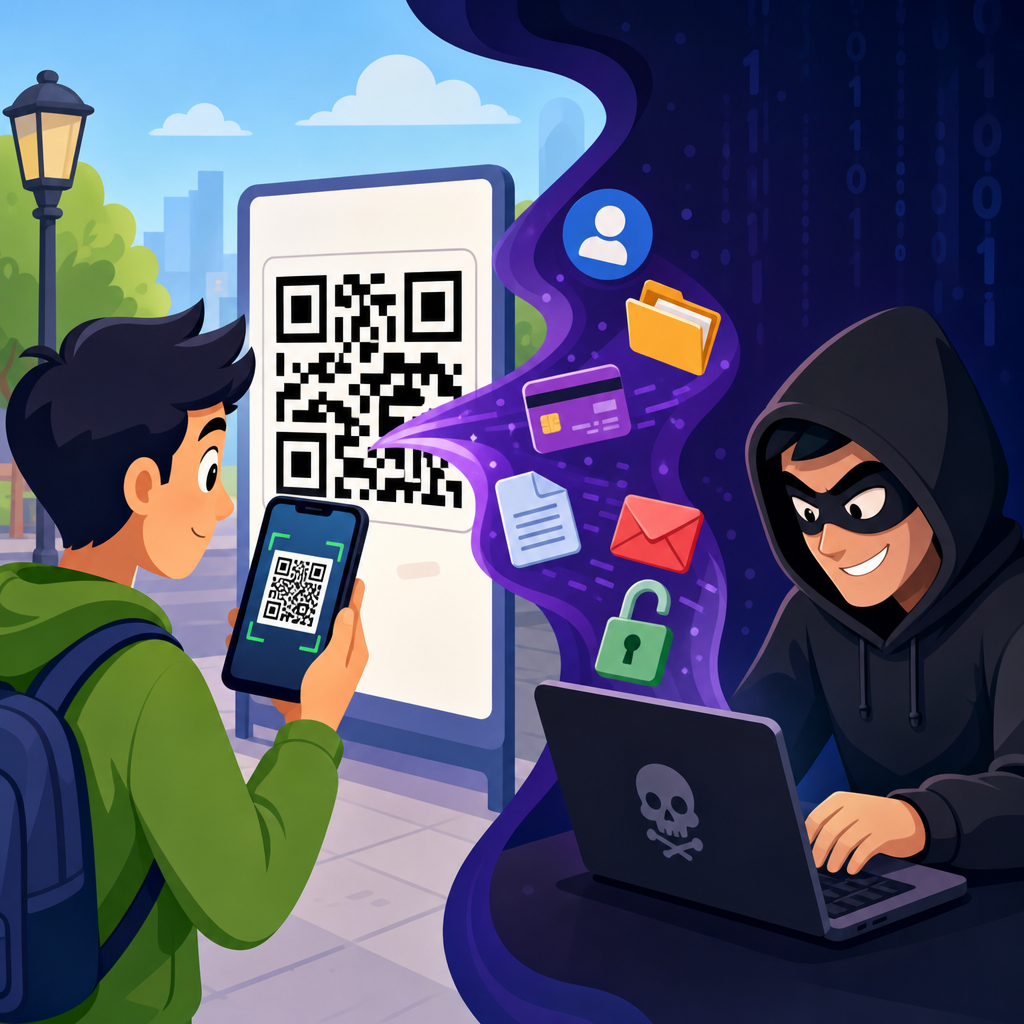
QR codes have become a routine part of daily life, appearing on restaurant tables, parking meters, delivery slips, posters, login pages, and payment screens. That convenience has created a fast-growing attack surface. When people ask how hackers use QR codes to steal data, the short answer is simple: criminals hide malicious destinations behind a familiar square pattern and rely on trust, speed, and limited visibility to get victims to scan before they think. In security work, I have repeatedly seen users treat QR codes as inherently safe because they look machine-generated and are often placed in physical spaces that feel legitimate.
A QR code, or Quick Response code, is a two-dimensional barcode that stores data such as a website address, contact card, Wi-Fi credential, payment request, or app action. A phone camera or scanning app decodes that information and launches the next step, often opening a browser automatically. That design removes friction, which is exactly why attackers like it. Unlike a typed link, a QR code hides the destination until after the scan. Unlike an email attachment, it can be printed, stickered over, embedded in a PDF, inserted into a text message, or displayed on a public screen.
QR code scams and fraud now span both digital and physical channels. Security teams often use the term quishing, meaning phishing delivered through QR codes. The objective may be credential theft, malware installation, payment diversion, session hijacking, or harvesting personal information for later fraud. The victim experience usually feels ordinary: scan to pay, scan to log in, scan to track a package, scan to claim a coupon. By the time the page loads, the attacker has already won the hardest part of the attack, which is getting the victim to engage.
This matters because QR codes bypass many habits people have learned for spotting danger. Users may hover over links on desktop, inspect sender addresses, or question attachments. With QR codes, those defenses weaken. The camera opens the link on a mobile device, where browser bars are smaller, URLs are truncated, and time pressure is common. Organizations also underestimate the threat because a printed code can sit in public for days before anyone notices it has been replaced. Understanding how these attacks work is the first step to preventing account takeovers, fraudulent payments, and exposure of sensitive data.
How QR code attacks work in practice
Most QR code attacks follow the same chain. First, the attacker chooses a believable context. Second, they place a malicious QR code where a target expects a legitimate one. Third, the victim scans and lands on a page designed to capture data or trigger an unsafe action. Fourth, the attacker monetizes the stolen information through account access, card fraud, identity theft, or resale. The method is low-cost, scalable, and effective because the code itself is not suspicious; the risk lies in where it sends the user and what the user is asked to do next.
In practice, criminals exploit both replacement and impersonation. Replacement means covering a real code with a counterfeit sticker on a parking kiosk, café menu, or utility notice. Impersonation means creating a fake code from scratch and distributing it through email, text, social media, or printed flyers. I have seen fake QR codes placed on event posters promising schedules, on apartment lobby notices claiming package updates, and on invoices that redirected payments to attacker-controlled wallets. Each example works because the code appears to simplify a task the victim already intended to complete.
Attackers also take advantage of mobile-specific weaknesses. People scan while walking, driving into a parking lot, waiting in line, or standing at a checkout counter. They are less likely to review a long URL, inspect certificate details, or notice a misspelled domain. Some phishing kits even adapt to mobile browsers with convincing login pages for Microsoft 365, Google, banking portals, or corporate single sign-on systems. Once credentials are entered, the operator can replay them immediately, sometimes in real time, to defeat passwords before the victim realizes anything is wrong.
Common QR code scams and fraud schemes
The most common QR code scam is credential phishing. A message tells the user that a password has expired, a document awaits signature, or a secure voicemail needs review. Instead of a clickable link, the email contains a QR code. This helps the message dodge some desktop email protections and pushes the victim onto a phone, where fraud signals are easier to miss. The fake landing page asks for an email address, password, or multifactor code. Once entered, the attacker can access cloud mailboxes, internal files, and contacts for broader compromise.
Payment diversion is another high-impact scheme. Criminals replace legitimate payment QR codes on parking machines, vending kiosks, charity posters, or small-business invoices. The victim believes they are paying the correct merchant, but the money goes to the attacker. Sometimes the page is a realistic clone that collects card data as well as payment. In cryptocurrency fraud, the tactic is even simpler: the fake code points to the attacker’s wallet address. Because many users do not compare wallet strings carefully, a single scan can redirect an irreversible transfer.
App download fraud uses QR codes to push malware or fake applications. A poster may offer a coupon, transit app, security update, or mobile configuration profile. On Android, side-loaded APKs remain a risk in poorly managed environments. On iPhone and Android alike, profile installation pages can trick users into enrolling devices in unwanted management systems or trusting rogue certificates. Even when direct malware delivery is blocked, a fake app store page can harvest credentials, payment details, or one-time passcodes. The QR code is merely the lure that initiates the chain.
Support scams, prize scams, and data-harvesting forms also rely on QR codes. A user scans to “verify” an account, claim a refund, complete HR enrollment, or register a loyalty reward. The resulting form asks for full name, address, birth date, card number, or government ID. That data may not be exploited immediately, which makes the attack harder to trace. Fraudsters can combine stolen fields with information from breaches and social media to bypass knowledge-based verification, impersonate victims with service providers, or build convincing spear-phishing campaigns later.
Why QR codes are effective for hackers
QR code fraud works because it exploits human trust, mobile behavior, and operational blind spots at the same time. People assume a code in a physical place has been vetted. They also assume scanning is safer than clicking because it feels passive. In reality, the scan is just another method of opening a link or triggering an action. Attackers benefit from hidden destinations, compressed user attention, and the fact that many mobile users move quickly past browser warnings. The result is a phishing channel that looks modern, efficient, and routine rather than suspicious.
Physical environments add credibility that email alone often lacks. A fraudulent code on a meter, table tent, flyer, or badge pickup sign inherits the legitimacy of its surroundings. I have seen organizations lock down email gateways yet overlook printed signage, temporary event materials, and contractor notices. Attackers know that facilities teams, marketing teams, and local vendors may deploy QR codes without formal security review. That gap creates opportunities for tampering. A sticker applied in seconds can redirect hundreds of scans before staff detect the substitution or users report strange payment behavior.
Another reason these attacks succeed is that defenders cannot rely on a single control. URL filtering helps, but attackers rotate domains rapidly. Email scanning helps, but images with embedded codes can still slip through. User training helps, but people under time pressure still scan first and inspect later. Because the threat spans print, web, mobile, and payments, organizations need layered defenses. The attack is not about the QR standard itself; it is about how easily a code can conceal intent inside everyday workflows where verification is minimal.
What hackers steal after the scan
The data stolen through QR code scams depends on the scenario, but four categories appear most often: credentials, payment information, personal identity data, and device or session access. Credentials include email usernames, passwords, and multifactor codes. Payment information includes card numbers, billing addresses, bank details, or direct transfers. Identity data includes date of birth, phone number, government ID, and account recovery answers. Session access includes browser tokens or approved sign-ins that let attackers enter accounts without needing the original password again.
Business impact can be severe when corporate credentials are involved. A single Microsoft 365 or Google Workspace compromise can expose invoices, password reset emails, stored contracts, and internal chat history. From there, attackers may launch business email compromise, alter bank instructions, or impersonate executives. In consumer cases, stolen payment details lead to unauthorized charges, while identity data supports new-account fraud and account recovery abuse. If the victim scans a code that authorizes a messaging login or links a device, private conversations and contact lists can be exposed as well.
| QR code scam type | What the victim sees | What the attacker steals | Typical consequence |
|---|---|---|---|
| Login phishing | Office 365, Google, bank, or payroll sign-in page | Usernames, passwords, MFA codes, session tokens | Account takeover, mailbox fraud, internal compromise |
| Payment redirection | Parking, invoice, donation, or retail checkout page | Card data or direct payment | Financial loss, charge disputes, irreversible crypto transfers |
| Data-harvesting form | Refund, package, HR, coupon, or survey page | Name, address, phone, birth date, ID details | Identity theft, social engineering, new-account fraud |
| Malicious app or profile | App install, update, device setup, coupon download | Device trust, credentials, or persistent access | Spyware risk, monitoring, long-term compromise |
How to spot malicious QR codes and reduce risk
The best defense is to treat a QR code as you would any untrusted link. Pause before scanning, and inspect the context. Is the code expected, branded clearly, and physically intact? Does a sticker appear layered over another sticker? Is the request urgent, unusual, or tied to payment or login? After scanning, review the preview URL before opening it. Modern phones often show the destination first. Check the domain carefully, not just the page design. Attackers commonly use lookalike domains, added words, or country-code variants that mimic legitimate brands.
For organizations, prevention requires both policy and operations. Use tamper-evident labels where codes are deployed physically. Maintain an inventory of official QR codes and owners. Review printed materials during site inspections, especially in lobbies, kiosks, events, and payment points. Route QR destinations through managed domains so users learn the expected pattern. On the technical side, enable phishing-resistant authentication such as FIDO2 security keys or passkeys where possible, because stolen passwords and one-time codes become less useful. Mobile threat defense, DNS filtering, and conditional access also reduce successful exploitation.
User education should be practical, not generic. Teach employees and customers never to scan a code in an email to reset a password or sign into a corporate service unless that workflow is formally approved. Encourage direct navigation through bookmarks or known apps for payments and account access. If a public sign asks for payment, compare the merchant name and ask staff when in doubt. If a code triggers a download or profile installation, stop immediately. Report suspicious codes so facilities, fraud, and security teams can investigate quickly.
Building a safer QR code strategy
QR codes are not going away, and banning them outright is rarely realistic. The safer approach is controlled use. Publish official codes on trusted domains, document where each one appears, and retire codes that are no longer needed. Favor dynamic QR services only when governance is strong, because a single dashboard compromise can change many destinations at once. Test codes from the user perspective on both iPhone and Android. If a workflow involves payment, login, or personal data, add clear human-readable instructions so users can verify where they are going before they submit anything.
The central lesson is straightforward: hackers use QR codes to steal data by hiding malicious actions inside convenient experiences. The code itself is neutral, but the destination, placement, and surrounding message determine the risk. Credential phishing, payment diversion, malicious downloads, and identity harvesting all thrive when users scan without verifying. If you manage QR codes, treat them as part of your attack surface. If you scan them, treat them as links you have not yet earned the right to trust. Review your current QR code practices today and close the gaps before attackers find them first.
Frequently Asked Questions
How do hackers actually use QR codes to steal data?
Hackers use QR codes by hiding a malicious destination inside something that looks ordinary and trustworthy. A QR code can send a phone to a fake banking page, a counterfeit Microsoft or Google login screen, a malicious app download, a phishing form, or a payment portal controlled by criminals. Because the code itself is not human-readable, most people cannot tell where it leads until after they scan it. That lack of visibility is exactly what attackers exploit.
In practice, the attack often starts with placement and impersonation. Criminals put fraudulent QR code stickers over real ones on parking meters, restaurant tables, utility bills, event posters, package slips, or public kiosks. They also distribute QR codes digitally through email, text messages, social media posts, PDFs, and fake account security alerts. Once the victim scans, the attacker tries to trigger a fast action: sign in, approve a payment, install a file, enter card data, or provide personal information. Some campaigns are designed to steal credentials directly, while others collect enough details to support identity theft, account takeover, or follow-up fraud.
A growing variation involves QR-based login phishing. Instead of asking for a password in the message itself, the attacker claims the user needs to scan a code to re-authenticate, restore account access, confirm payroll information, or review a secure document. The victim scans, lands on a spoofed login page, enters credentials, and may even complete multi-factor prompts. To the user, it feels quick and routine. To the attacker, it is an efficient way to bypass the skepticism people often apply to suspicious links in email.
Why are QR code scams so effective compared to regular phishing links?
QR code scams are effective because they take advantage of speed, trust, and reduced scrutiny. People have been trained to treat QR codes as normal tools for menus, payments, Wi-Fi access, ticketing, and account logins. That familiarity lowers suspicion. At the same time, scanning a code usually happens on a mobile device, where users tend to move quickly, see less URL detail, and are more likely to tap through prompts without deeply inspecting the destination.
Another reason these attacks work is that many traditional warning instincts are weakened. With a plain text link in an email, users can sometimes hover over it or visually inspect the domain. With a QR code, the destination is hidden behind the image. Even when a phone shows a preview, many people do not stop long enough to verify the full address. Attackers know that a familiar-looking square can create a false sense of legitimacy, especially when it appears in a context people already expect, such as a payment screen, printed invoice, or workplace login request.
QR code scams also blend well into both physical and digital environments. A fake sticker on a real parking meter may go unnoticed for hours or days. A QR code embedded in a document or presentation can look like a standard workflow step. In corporate environments, “quishing” campaigns succeed because employees may be more cautious with clickable links on laptops than with a quick mobile scan tied to a supposed HR, IT, or benefits request. The format feels different, but the manipulation principles are the same: urgency, authority, convenience, and limited visibility.
What kinds of information can criminals steal through malicious QR codes?
Malicious QR codes can lead to the theft of a wide range of sensitive data. The most obvious targets are usernames and passwords entered into fake login pages for email, banking, cloud storage, payroll systems, and business applications. Once attackers capture those credentials, they may access financial information, internal documents, customer records, saved contacts, and password reset channels tied to other accounts.
Payment information is another common target. A QR code that appears to be for parking, retail checkout, bill payment, or donations may direct the victim to a counterfeit payment page designed to capture card numbers, expiration dates, security codes, billing addresses, and sometimes even one-time verification codes. In some cases, the attacker does not just steal the payment details; they simply collect the money by routing the victim to a fraudulent payment destination.
Criminals also use these attacks to gather personal and identity-related information, including full names, phone numbers, email addresses, physical addresses, employee IDs, date of birth, and government identification details. That data can be used for identity theft, social engineering, SIM swapping, account recovery abuse, and more convincing future phishing attempts. If the QR code leads to malware installation or device compromise, the risk expands further to stored passwords, session tokens, browser data, clipboard contents, and corporate access credentials. In short, a malicious QR code is not limited to one type of theft; it is simply a delivery mechanism for whatever information the attacker wants most.
How can you tell whether a QR code is safe before scanning it?
No method is perfect, but there are several strong habits that dramatically reduce risk. First, look at the context. If a QR code appears unexpectedly in an email, text, direct message, invoice, or account warning, treat it as suspicious by default. If it is on a physical object, inspect whether it looks tampered with. A sticker placed over another code, poor print quality, mismatched branding, odd instructions, or signs of alteration are all warning signs. Attackers count on people assuming that anything printed in a public place must be legitimate.
Second, check the destination preview before opening it. Many phones display the URL associated with the QR code before launching the site. Read the domain carefully, not just the brand name in the page design. Attackers often use lookalike domains, extra words, subtle misspellings, or unrelated web addresses that mimic trusted companies. If the code claims to be from your bank, employer, delivery company, or software provider, but the domain does not clearly match the real organization, do not proceed.
Third, slow the process down and use an alternate path whenever possible. If a QR code asks you to log in, make a payment, verify a document, or update account details, stop and go directly to the company’s official website or app instead of using the scan. For public payment situations like parking or transit, use the official app you already know. For workplace logins, open the service manually through your company portal. QR codes are safest when they add convenience to something you already trust, not when they create a brand-new urgent request that pressures you to act immediately.
What should you do if you scanned a suspicious QR code or entered information after scanning?
If you scanned a suspicious QR code, the right response depends on what happened next. If you only scanned it and did not interact further, close the page and do not tap anything else. If a file downloaded, an app installed, or a prompt asked for permissions, treat the situation more seriously. Review recent downloads, remove anything unfamiliar, run a mobile security scan if available, and update your device. If the code led to a website where you entered login credentials, assume those credentials may be compromised.
Immediately change the affected password from a known-safe device, and if you reused that password anywhere else, change it there too. Enable or review multi-factor authentication, but remember that MFA is not a cleanup step by itself if the attacker already captured an active session or approval. Check the account for unauthorized logins, password reset emails, new forwarding rules, connected devices, and profile changes. For financial accounts, contact the bank or card issuer right away, report the incident, monitor transactions closely, and ask whether a card freeze or replacement is appropriate.
If the incident involves a work account, notify your IT or security team immediately. Fast reporting can prevent broader damage, especially if the credentials provide access to email, cloud tools, payroll systems, or internal applications. If you submitted personal identifying information, consider fraud monitoring steps appropriate to your region, such as account alerts, credit monitoring, or a fraud alert. The key point is not to feel embarrassed and stay quiet. QR code scams are designed to feel normal. Quick action after a mistaken scan often makes the difference between a minor scare and a serious compromise.





