
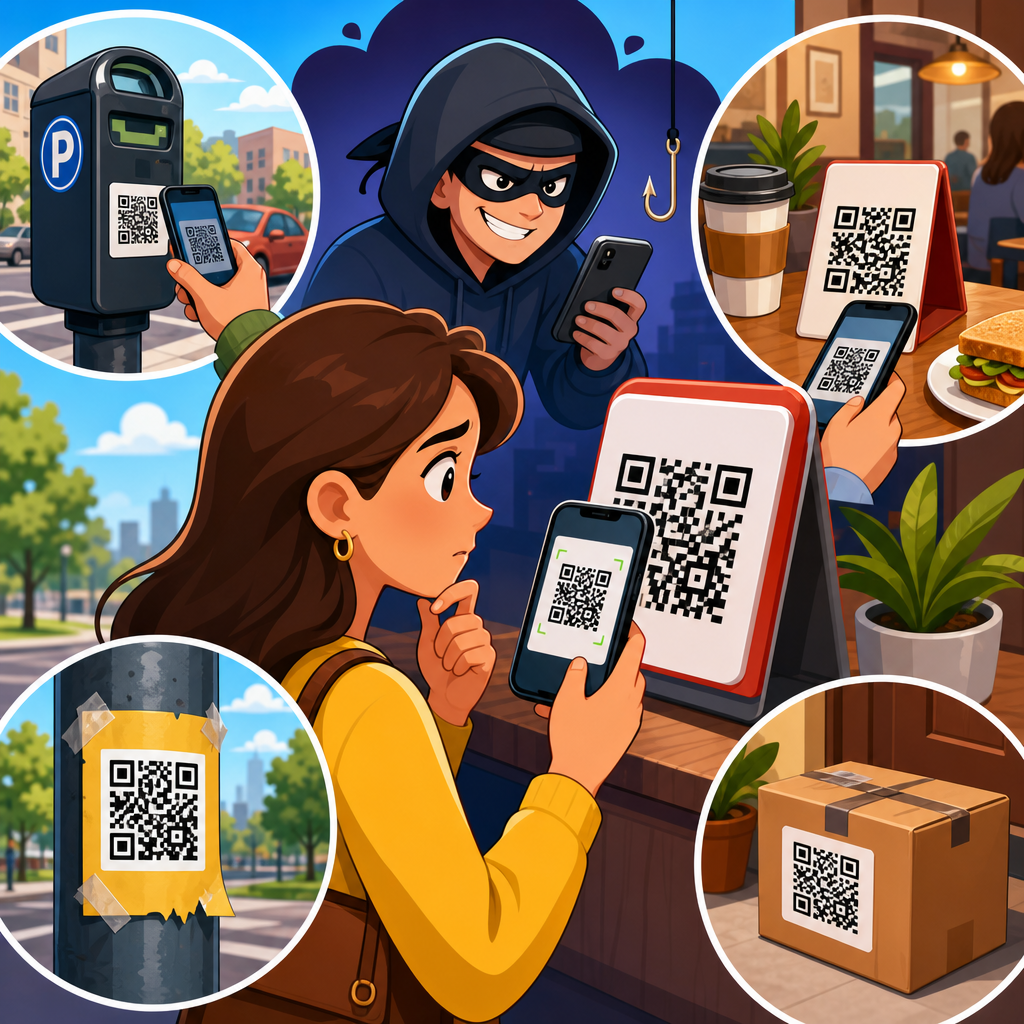
QR code scams have moved from a niche cybercrime tactic to a mainstream fraud problem because people now use quick response codes to pay bills, open menus, join Wi-Fi, authenticate logins, and track deliveries with almost no hesitation. A QR code is simply a machine-readable image that stores data, usually a web address, payment string, contact record, or app action. The danger is not the square pattern itself. The danger is what happens after a phone camera resolves that pattern into a destination the user cannot verify at a glance. In security work, I have seen the same pattern repeat across retail, hospitality, parking, and corporate environments: attackers exploit speed, trust, and mobile convenience. The victim thinks, “I am just scanning a code,” when in reality they are opening a link, initiating a payment, or exposing credentials.
That is why QR code scams deserve their own hub within QR code security and privacy. The attack surface is wide, the barrier to entry for criminals is low, and the social engineering component is powerful. Criminals print fake codes and place them over real ones. They send phishing emails that ask users to scan a code instead of clicking a link, hoping to bypass email filters and user suspicion. They create malicious payment destinations, cryptocurrency wallets, fake login pages, and app download prompts. The FBI warned in 2022 that cybercriminals were tampering with QR codes to redirect victims to fraudulent sites and steal financial information. Industry guidance from the FTC, CISA, and major banks now treats QR fraud as a practical consumer risk, not a theoretical edge case.
This article explains QR code scams and fraud in plain terms, using real-world examples and the warning signs that matter. It also serves as the central guide for the broader QR Code Scams & Fraud topic, covering the most common attack methods, who gets targeted, how losses happen, and what defenses work in practice. If you want to understand quishing, fake QR stickers, payment diversion, malicious redirects, and mobile credential theft, start here. The key point is direct: scanning a QR code can be as risky as clicking an unknown link, and in some situations it is riskier because users often grant trust before they see the destination.
How QR code scams work in the real world
QR code fraud works because the code hides the destination until after the scan. That creates a clean social engineering shortcut. In a phishing email, a suspicious URL may look wrong before a click. With a QR code, the image itself reveals almost nothing, and many users act first and inspect later. Attackers rely on that gap. A fake code can send a victim to a spoofed Microsoft 365 sign-in page, a cloned bank portal, or a payment page that looks legitimate enough to capture card data. On mobile devices, the smaller screen makes domain inspection harder, increasing success rates.
A common real-world example is sticker replacement. A restaurant, parking meter, or public poster displays a legitimate QR code. A fraudster prints another code and places it on top. The victim scans it, lands on a fake payment page, enters card details, and the data goes straight to the attacker. In several U.S. cities, local authorities have issued warnings about fake parking payment QR codes posted on meters and pay stations. The scam is effective because drivers are in a hurry, often standing outdoors, and expect a mobile payment flow. They are primed to complete the transaction quickly, not audit the domain.
Another frequent pattern is email-based quishing, where the email contains a QR code instead of a clickable link. Attackers use it to evade secure email gateways and traditional phishing detection, which often inspect text links more aggressively than embedded images. The message typically claims there is a missed voicemail, payroll update, multi-factor authentication reset, package issue, or secure document waiting. The user scans the code with a personal phone, not the protected work device, and enters corporate credentials into a phishing page. I have seen this work especially well against hybrid organizations where staff regularly move between managed laptops and unmanaged phones.
Most common types of QR code fraud
QR code scams are not one attack. They are a delivery mechanism for several forms of fraud. Payment fraud is the most visible category. The attacker redirects the victim to a fake merchant page, captures card details, or substitutes a payment destination such as a wallet address, bank transfer route, or peer-to-peer payment handle. Credential theft is the second major category. Here the QR code leads to a spoofed login page for email, cloud storage, payroll, or customer portals. Malware delivery is another variant, especially on Android, where a QR code may push the user toward a sideloaded app or a fake update. There are also data harvesting scams that ask for personal information under the pretext of registration, support, or rewards.
Business environments face a specific version of this risk. Attackers place QR codes on office posters, meeting room signs, visitor badges, conference handouts, or printed invoices. The code may claim to connect users to guest Wi-Fi, benefits enrollment, internal file sharing, or a secure help desk form. Once scanned, the victim is directed to a fake login page or consent screen. Because employees assume the code belongs to their workplace, skepticism drops sharply. Security teams now include QR codes in phishing simulations for that reason. The method is not exotic. It is a practical extension of well-understood phishing and physical social engineering.
| Scam type | Typical setup | What the victim loses | Common warning sign |
|---|---|---|---|
| Fake payment QR | Sticker over parking, restaurant, or donation code | Card details or direct payment | Unexpected payment processor or odd domain |
| Credential phishing | Email or poster prompts a scan for login | Email, payroll, or cloud account access | Sign-in page on a noncompany domain |
| Malicious app install | Code claims to deliver an update or tracking tool | Device access, banking data, messages | Prompt to sideload outside official app store |
| Crypto address swap | Code replaces a legitimate wallet destination | Irreversible cryptocurrency transfer | No independent verification of wallet address |
| Data harvesting | Code promises prize, survey, or support help | Personal data for identity fraud | Requests excessive information immediately |
Real-world examples of QR code scams and fraud
Parking payment scams are the clearest public example. Municipalities in Texas, California, and other states have warned residents about fake QR code stickers on parking machines that redirect drivers to fraudulent payment sites. The victim believes they are paying a city fee, but the money and card details go elsewhere. In many cases, the fake site copies branding, pricing, and wording from the legitimate parking operator. The scam succeeds because the context is believable and the payment amount is small enough that users do not expect deep fraud checks. Some victims only realize the problem after unauthorized charges appear later.
Restaurants and hospitality businesses have faced similar abuse. During the rise of contactless menus, diners became accustomed to scanning QR codes at tables. That convenience created an opening for code replacement. A fake code can lead to a cloned menu page that asks for a card preauthorization, a loyalty login, or a download for a malicious app disguised as a menu viewer. Hotels are also vulnerable because guests scan codes for room service, spa bookings, Wi-Fi onboarding, and local offers. In one assessment I ran, we found that staff checked whether table tents were clean but not whether the printed QR destinations matched approved domains, which is exactly the operational gap attackers exploit.
Corporate phishing campaigns now routinely use QR codes. Microsoft, Cisco Talos, Proofpoint, and other security firms have documented spikes in QR-based phishing aimed at Microsoft 365 accounts. The lure often says the user must scan a code to review a secure fax, encrypted message, or document. The destination is a credential harvesting page optimized for mobile browsers. Attackers then use stolen credentials for business email compromise, payroll fraud, or lateral movement into cloud apps. This matters because QR phishing bridges physical and digital channels. A scam can start in email, continue on a personal phone, and end in a compromised business system.
Why people fall for QR scams
People do not fall for QR code scams because they are careless. They fall for them because the interaction is designed to feel normal. Scanning is now part of everyday behavior. Menus, payments, boarding passes, event check-ins, and product setup all use codes. That repeated exposure builds automatic trust. Attackers borrow the familiar format and place it in a believable setting. The psychological drivers are urgency, convenience, and context. A driver wants to pay before getting a ticket. An employee wants to open a document before a meeting. A customer wants to redeem a discount before it expires. In each case, speed displaces verification.
Mobile device design also contributes to the problem. Phone browsers show less of the URL than desktop browsers, and many users focus on page appearance instead of domain identity. Some QR flows open inside camera apps, payment apps, or in-app browsers, which can further reduce visual cues. If the fake site uses a padlock icon and polished branding, the victim may assume it is safe. That assumption is false. HTTPS only means the connection is encrypted; it does not prove the site is legitimate. Attackers know this and build convincing pages. Small screens, interrupted attention, and confidence in mobile interfaces make QR-based fraud unusually effective.
How to spot a malicious QR code before and after scanning
The best defense starts before the scan. If the code is physically posted, inspect the surface. Look for stickers placed over another sticker, mismatched branding, spelling errors, unusual placement, or signs of tampering around parking meters, tables, kiosks, and posters. If the code arrived by email or text, ask why a scan is required at all. Legitimate organizations rarely need to force mobile scanning for routine account actions. They can usually provide a known website or direct navigation path. If the message creates urgency around payroll, security, or package delivery, treat it as suspicious.
After scanning, stop at the preview stage. Modern phones often show the destination before opening it. Read the domain carefully. Attackers use lookalike domains, extra words, misspellings, and misleading subdomains. For example, company-login-secure.example.co can appear plausible while having no relation to the real organization. If the page asks for credentials, payment details, or an app install, verify through an independent channel. Go to the official website manually, use the official app, or call the organization using a trusted number. Never approve sideloaded apps from QR prompts, and never send cryptocurrency to a wallet address that was only delivered by a code.
Prevention strategies for consumers and organizations
Consumers should use a simple rule: treat every QR code like an unknown link. Scan only when the source is trusted, review the destination, and prefer official apps or manually typed addresses for payments and account access. Keep your phone updated, use mobile security features where available, and enable multifactor authentication on important accounts so stolen passwords alone are less useful. Monitor bank and card statements promptly after any unusual mobile payment flow. Fast reporting improves the chances of chargebacks and fraud response, although it will not help with irreversible transfers like cryptocurrency.
Organizations need both awareness and process controls. Staff training should include QR-specific phishing examples, not just generic email safety. Physical inspections matter in public-facing environments such as parking systems, hotels, restaurants, campuses, and event venues. Approved QR codes should map to short, controlled domains and be inventoried so tampering is easier to spot. Email security teams should inspect image-based lures and run mobile-friendly phishing simulations. Where possible, avoid putting sensitive logins behind QR entry points. If a QR code must be used, direct users to a simple landing page on a clearly branded domain and publish that destination elsewhere so they can verify it independently.
What to do if you scanned a fraudulent QR code
If you scanned a malicious QR code, act immediately. If you entered credentials, change the password on the affected account and anywhere else the same password was reused. Revoke active sessions, review account recovery settings, and enable multifactor authentication if it is not already on. If you submitted card details, contact the card issuer, freeze or replace the card, and dispute unauthorized transactions. If you downloaded an app, disconnect the device from sensitive accounts, remove the app if possible, run a mobile security check, and seek professional help if the device shows signs of compromise. Report the incident to the business, venue, employer, or municipal authority involved so others are protected quickly.
QR code scams are successful because they compress trust into a single tap, but the solution is practical: slow down, inspect the destination, and verify through official channels whenever money, credentials, or downloads are involved. The real-world cases are consistent across parking, restaurants, hotels, corporate email, and public signage. Attackers hide malicious destinations behind familiar square patterns and count on people to confuse convenience with safety. That is the central lesson for anyone researching QR Code Scams & Fraud. Use this hub as your starting point, review your current scanning habits, and tighten the controls that protect both personal and business devices today.
Frequently Asked Questions
What is a QR code scam, and why has it become so common?
A QR code scam happens when a criminal uses a QR code to send someone to a malicious destination or trigger a risky action without the person realizing it. The code itself is not dangerous in the abstract. It is simply a machine-readable image that stores information such as a website address, payment request, contact data, login prompt, or app action. The real risk begins the moment a phone camera interprets that image and opens whatever destination is encoded inside it. That destination might be a fake bank login page, a spoofed parking payment site, a malware download, or a fraudulent cryptocurrency transfer request.
These scams have become much more common because QR codes are now part of everyday life. People use them to pay utility bills, pull up restaurant menus, connect to Wi-Fi, confirm identity, access event tickets, track packages, and log into online services. That familiarity creates trust and speed, which is exactly what scammers want. Instead of typing a web address and pausing to think, many users scan first and review later, if they review at all. Criminals take advantage of that habit by placing fake QR stickers over real ones, embedding malicious codes in emails and text messages, or printing them on flyers, parking meters, and public notices. The result is a fraud method that feels normal, convenient, and low-friction, which makes it highly effective.
What are some real-world examples of QR code scams people should know about?
One of the most common real-world examples involves parking meter fraud. In several cities, scammers have placed fake QR code stickers on public parking kiosks or signs. Drivers scan the code expecting to pay for parking, but the code sends them to a lookalike payment page controlled by the scammer. The victim enters card details, billing information, and sometimes even phone numbers, thinking the transaction is legitimate. The criminal then uses that data for unauthorized charges or sells it for later fraud.
Another frequent example is the fake package delivery notice. A person receives an email, text, or printed slip claiming there is a delivery problem and instructing them to scan a QR code to reschedule or confirm identity. The code leads to a phishing site designed to steal account credentials, payment information, or one-time verification codes. Similar tactics have been used with utility bills, toll road notices, and tax-related messages, all of which rely on urgency and routine behavior.
Restaurant and hospitality scams have also emerged. A fake QR code may be placed over a legitimate menu code on a table, hotel sign, or lobby display. Instead of opening a menu, the user lands on a counterfeit login or payment page. In office settings, attackers have used QR codes in emails as a way to bypass traditional security filters that are better at spotting suspicious text links than embedded images. Employees are told to scan a code to review a secure document, reset a password, or reauthenticate a corporate account, and the scan leads straight to a credential theft page. These examples show that QR code scams work not because the technology is advanced, but because the context feels familiar and trustworthy.
How do scammers use QR codes to steal money, passwords, or personal information?
Scammers typically use QR codes as a delivery mechanism for phishing, payment fraud, or device compromise. In a phishing scenario, the code sends the victim to a fake website that imitates a trusted brand, such as a bank, delivery company, employer, streaming service, or government office. Because the page may look polished and mobile-friendly, the victim enters usernames, passwords, card numbers, account numbers, or identity details without realizing the site is fraudulent. Once the information is submitted, the scammer can access real accounts, initiate transactions, or launch further attacks using the stolen data.
In payment scams, the QR code may contain a payment address or transfer instruction that routes money directly to the criminal. This is especially common in peer-to-peer payment systems, cryptocurrency transfers, fake invoices, and donation fraud. A victim thinks they are paying a landlord, merchant, charity, or parking authority, but the funds are redirected elsewhere. Unlike some card disputes, certain instant payment methods are difficult or impossible to reverse once completed.
Some QR code scams also attempt to trigger app downloads, profile installations, or malicious actions on a device. A code might prompt a user to install a fake app, approve a dangerous configuration, join a hostile network, or enter multi-factor authentication details into a cloned login page. In corporate environments, attackers sometimes use QR codes to capture employee login credentials, then combine those credentials with session hijacking or social engineering to gain deeper access. The reason QR codes are so useful to scammers is simple: they hide the destination until after the scan, and many users trust the action because it feels fast, modern, and routine.
How can someone tell whether a QR code is legitimate before scanning it?
The first step is to evaluate the context. Ask whether the QR code is expected, necessary, and coming from a trustworthy source. If a code appears on a parking meter, restaurant table, utility bill, package notice, or email, do not assume it is authentic just because it looks professional. Physical tampering is common, especially when scammers place a printed sticker over a real code. Look closely for signs of alteration, such as crooked labels, mismatched branding, cheap printing, or duplicate stickers layered on top of existing signs.
It is also important to check the destination preview that many smartphones display before opening the link. If the preview shows a strange domain, a shortened link, misspellings of a known brand, or an unrelated web address, do not proceed. Even when the domain looks plausible, be cautious if the page asks for sensitive information unexpectedly, such as a bank login to view a menu, a card payment to track a package, or an employee password reset through a random external site. When possible, use official apps, manually typed addresses, or saved bookmarks instead of scanning a code in a high-risk setting.
For businesses and public venues, legitimacy should be verified through independent channels. If a parking sign says to scan for payment, compare it with the official city website or parking app. If a QR code in an email claims to be from your employer or bank, contact the organization directly using known contact details, not the information provided in the message. In short, the best defense is to treat QR codes the same way you would treat unfamiliar links: convenient, useful, and potentially dangerous if you do not verify where they lead.
What should you do if you scanned a suspicious QR code or entered information after scanning one?
If you scanned a suspicious QR code but did not enter any information or approve any action, close the page immediately and avoid downloading anything. Clear the browser tab, and if the site prompted a file download, delete the file without opening it. Then monitor your device for anything unusual, such as unexpected pop-ups, new apps, configuration prompts, or login alerts. Running a mobile security scan and making sure your operating system and apps are fully updated is also a smart precaution.
If you entered a password, payment information, or personal details, act quickly. Change the affected password right away, and if you reused that password anywhere else, change it there too. If the account supports multi-factor authentication, enable it or review whether it has been altered. For financial information, contact your bank or card issuer immediately, explain that the information may have been exposed through a QR code scam, and ask them to monitor or freeze the account if appropriate. Review recent transactions for unauthorized activity, and continue checking statements over the following days and weeks.
If the scam involved a work account, notify your IT or security team as soon as possible. Fast reporting can prevent a single compromised login from becoming a broader breach. In cases involving identity details, delivery scams, or government impersonation, it may also be wise to document the incident, save screenshots, and file reports with relevant consumer protection or cybercrime agencies. The most important point is not to feel embarrassed and delay action. QR code scams are designed to look routine and harmless. Quick response after exposure can significantly reduce the damage.





