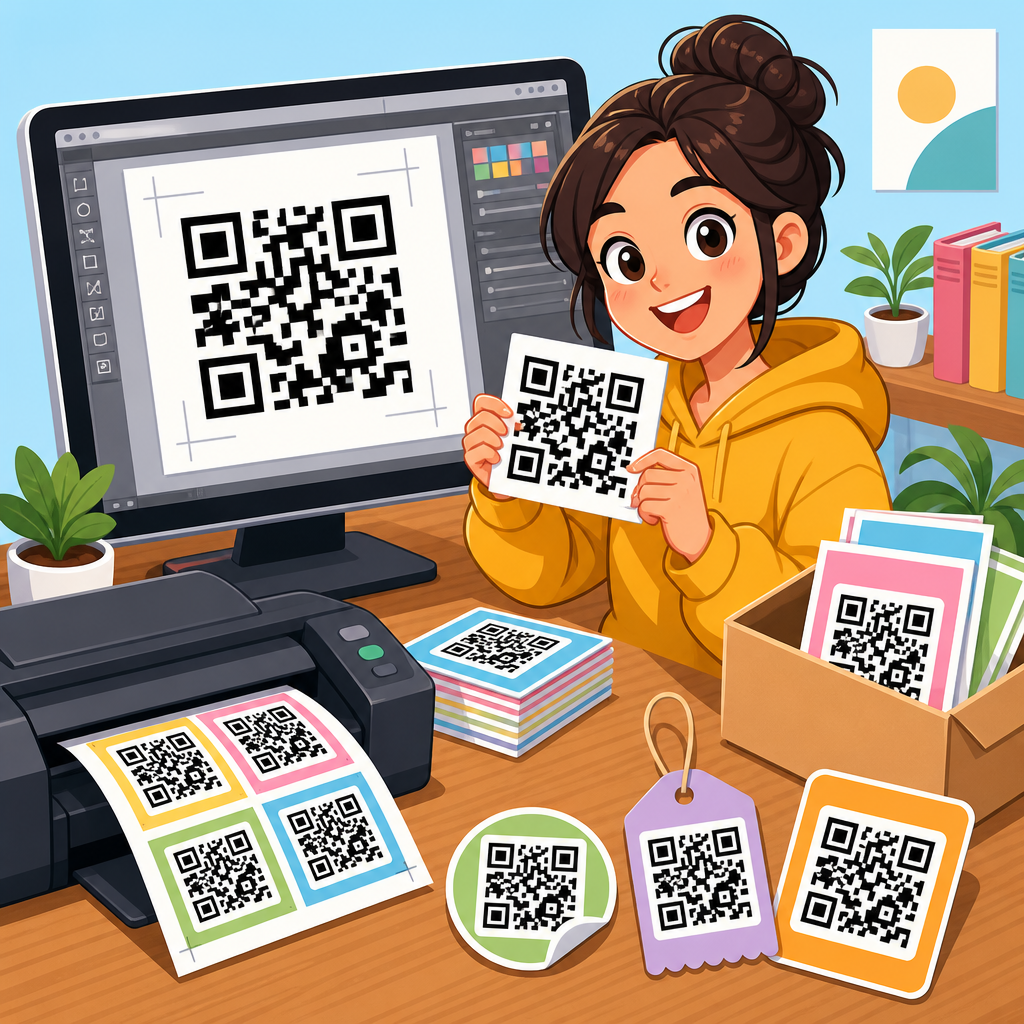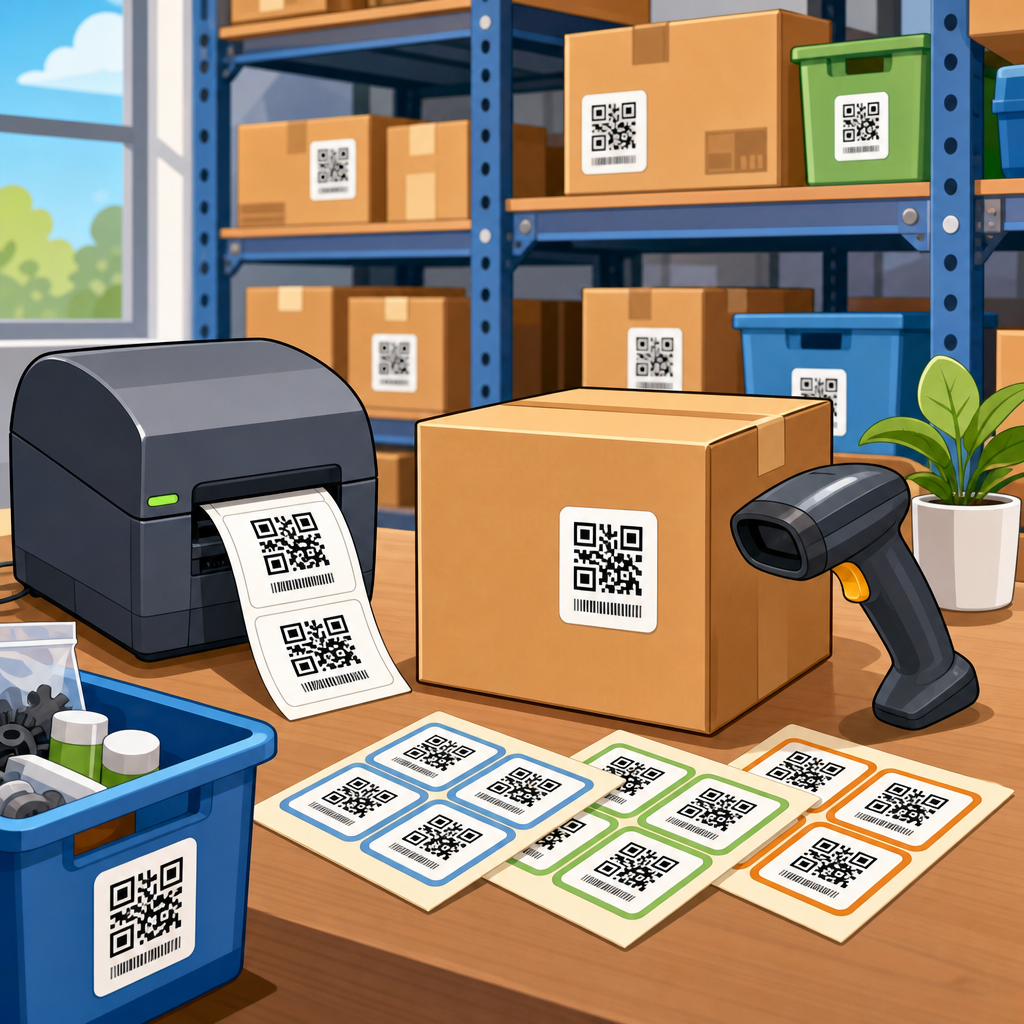
QR code label templates for inventory give businesses a repeatable way to mark products, bins, shelves, assets, and shipments with scannable identifiers that speed counting, reduce manual entry, and improve stock accuracy. A QR code is a two-dimensional barcode that can store more data than a linear barcode, including URLs, serial numbers, lot codes, SKU references, and structured text. In inventory operations, a template is the standardized layout that defines where the QR code sits on a label, what human-readable text appears beside it, what size the code prints at, and how supporting fields such as item name, location, reorder point, or expiration date are arranged. I have implemented these labels in warehouses, stockrooms, field service vans, and small retail backrooms, and the pattern is consistent: operations improve when the label system is designed before the first code is printed. This topic matters because inventory errors are expensive. Mis-picks delay orders, missing parts stop production, and weak labeling makes every cycle count slower. A good template creates consistency across teams, scanners, and software. It also supports future growth, because the same design principles can scale from a spreadsheet-based stock list to a warehouse management system, enterprise resource planning platform, or mobile asset tracking app without forcing a complete relabeling project.
As the hub for QR code templates, this guide explains how to choose the right label format, what information a template should include, how to match templates to inventory workflows, and where common mistakes happen. It also connects the practical decisions behind template design to the broader toolkit that teams use when building QR code systems: generators, printers, materials, data standards, mobile scanning apps, and audit procedures. If you are searching for QR code label templates for inventory, the core answer is simple. The best template is the one that balances scan reliability, print durability, and data clarity for the environment where the label will be used. A tiny label for electronics bins differs from a freezer-safe carton label. A receiving label differs from a fixed shelf label. A consumables storeroom label differs from an asset tag that must last five years outdoors. Understanding those differences is the foundation of every effective QR code inventory system.
What a QR code inventory label template must include
A strong inventory label template combines machine-readable and human-readable elements. At minimum, most templates need the QR code itself, a primary identifier such as SKU or asset ID, and a plain-language item description. In practice, I recommend separating the encoded value from the displayed text. For example, the QR code may encode a unique internal item key like INV-LOC-A3-BIN-017-ITEM-44281, while the visible label shows “M6 Stainless Bolt, 20 mm” and “Bin A3-17.” This reduces ambiguity when multiple products have similar names and supports direct database lookup from a scan. Depending on the use case, templates may also include batch number, serial number, quantity per pack, supplier code, unit of measure, expiration date, and storage location.
Size and error correction are equally important. QR codes require sufficient module size, quiet zone, and contrast to scan consistently. For warehouse labels viewed at arm’s length, I generally avoid pushing codes below practical print limits, especially on thermal printers that may produce edge spread on synthetic stock. Error correction levels help the code remain readable if the label is scratched or partially obscured, but higher correction increases code density, so the template must account for both resilience and available space. Human-readable fallback is not optional. When a scanner fails, staff still need to identify the item manually. That is why the best QR code templates always place critical text where it remains legible even after abrasion or low-ink printing.
Choosing the right template by inventory use case
Not all inventory labels do the same job, so one template rarely fits every workflow. A location label template identifies where stock should live: aisle, rack, shelf, and bin. These labels are usually larger, fixed in place, and optimized for fast scans during putaway and picking. An item label template identifies the product itself and often appears on bins, inner packs, or eaches. A receiving label template may include purchase order reference, date received, quantity, and inspection status, because its role is to support intake and reconciliation. Asset inventory templates differ again. They focus on a unique asset ID, department, service date, and ownership fields rather than reorder data.
For example, a manufacturing storeroom may use one QR code template for static shelf locations and another for replenishable parts bins. The location label encodes only the location ID, enabling workers to confirm pick path and shelf assignment. The bin label encodes the item-bin relationship, making replenishment and cycle counts faster. In a hospital supply room, templates often need larger fonts, color bands, and clearer lot or expiration fields because staff work quickly and errors have direct patient impact. In retail backrooms, compact labels matter more because shelf-edge space is limited, yet the QR code still must scan from common smartphones if handheld scanners are unavailable. The right template follows the workflow, not the other way around.
Data structure, naming conventions, and template governance
The biggest inventory labeling failures usually come from weak data design rather than poor printing. Before selecting a QR code template, define exactly what the code will represent. Will it point to an item master record, a unique serialized unit, a storage location, or a transaction page in a cloud app? Each choice changes the template. If you encode a full URL, labels may become denser and harder to scan at small sizes. If you encode only a short internal ID, you need reliable software to resolve that ID after scanning. In most operations, short unique identifiers are the better long-term choice because they reduce code complexity and make migration between systems easier.
Governance matters just as much. Set a naming convention for SKUs, location IDs, and asset numbers, and document it before deployment. Reserve prefixes for departments or facilities. Avoid characters that people confuse visually, such as O and 0 or I and 1, especially when workers must sometimes key data manually. Create a template approval process so that ad hoc labels do not proliferate. I have seen teams print five versions of what should have been one standard shelf label, each with slightly different field names and code sizes. The result is inconsistent scanning performance and confusion during audits. A hub approach works better: maintain core QR code templates, define approved variants, and link them to clear use cases so every new label follows an existing standard.
Template formats, materials, and print methods
Label performance depends on substrate and print technology as much as layout. Paper labels printed on office laser printers may work for short-term internal counts, but they fail quickly in damp, oily, or high-friction environments. For warehouse inventory, thermal transfer printing on synthetic labels is often the most durable standard, particularly when labels are exposed to handling, cleaners, or temperature swings. Direct thermal is acceptable for temporary receiving labels, though heat and sunlight can darken the image over time. Polyester and polypropylene labels offer better longevity for bins and shelves. For freezer, laboratory, and outdoor asset applications, specialized adhesives and facestocks are essential.
Template dimensions should be chosen alongside printer capability. A 4×6 shipping-style format is flexible for carton and pallet labels, while smaller 2×1 or 3×1 labels suit bins and parts drawers. If your inventory process requires mobile phone scanning, test the template with common device cameras, not just industrial scanners from Zebra or Honeywell. Camera-based scanning is less forgiving of glare, curved surfaces, and low contrast. This is also where lamination choices matter. A glossy overlaminate can protect the print but increase reflection under warehouse lighting. Matte finishes often scan more consistently. Teams planning a template library should test at least three combinations of size, material, and print method before standardizing across a site.
Recommended QR code inventory template types
Most organizations benefit from a small library of standard templates rather than one universal label. The table below shows the core set I usually recommend when building an inventory labeling program.
| Template type | Primary use | Typical fields | Best format |
|---|---|---|---|
| Location label | Rack, shelf, bin identification | Location ID, aisle, shelf, zone | Large fixed label with oversized QR code |
| Item label | Bin or each-level product tracking | SKU, item name, unit, pack quantity | Compact durable label |
| Receiving label | Inbound stock control | PO, date, quantity, status, lot | Temporary thermal label |
| Lot or serial label | Traceability and recall readiness | Lot number, serial, expiry, item ID | High-contrast medium label |
| Asset tag | Tool and equipment inventory | Asset ID, department, service date | Tamper-evident synthetic label |
| Pallet or carton label | Bulk movement and shipping | Container ID, contents, quantity, destination | 4×6 logistics label |
These templates cover most needs while keeping training manageable. They also create a clean internal linking structure for a resource center, because each label type can support its own deeper guide, printable template page, and implementation checklist.
Software, generators, and integration with inventory systems
QR code templates become truly useful when connected to software. Small businesses often start with spreadsheets and a QR code generator, then move to Airtable, Sortly, Zoho Inventory, Fishbowl, Odoo, or a full ERP such as NetSuite, SAP Business One, or Microsoft Dynamics 365. The template should not depend on one generator alone. Instead, define the encoded data format first, then generate labels from whatever system holds the source of truth. For browser-based workflows, a simple CSV merge into label software like BarTender, NiceLabel, ZebraDesigner, or Avery Design & Print can produce reliable output at scale. These tools allow fixed fields, conditional text, and database-driven printing.
Integration decisions affect template design in concrete ways. If the scan should open a web record, use stable short links or routed URLs that can survive platform changes. If the scan should trigger a mobile workflow offline, encode a compact ID and let the app resolve it locally. If lot traceability is regulated, ensure that the printed fields match the data retained in the system, not just what the QR code contains. In food, medical, and aerospace settings, labels are evidence as well as workflow tools. Any article hub about QR code templates should make this point clearly: the visual design is only the surface layer. Behind every good template is a disciplined data model and a governed print process.
Common mistakes and how to avoid them
The most common mistake is overloading the QR code with too much information. A dense code printed too small on a cheap label is the fastest way to create scan failures. Another frequent problem is skipping real-world testing. Teams print a sample sheet, scan it once at a desk, and assume it will work on dusty bins, curved bottles, or shrink-wrapped cartons. It often will not. I recommend testing every new template in the actual lighting, distance, and handling conditions where staff will use it. Measure first-scan success, not just eventual readability. If workers need two or three attempts, the template is underperforming.
Other mistakes include weak contrast, missing quiet zones, tiny human-readable text, and unclear ownership of label changes. Avoid decorative design choices that reduce function. Black on white remains the scanning benchmark. If color is used, apply it to headers or bands rather than the code itself. Train staff to retire damaged labels promptly and reprint from approved templates only. Finally, document a relabeling policy for item changes, supplier substitutions, and location moves. Inventory labels are operational controls, not static artwork. Review them during cycle count analysis, receiving audits, and software updates. If your current process still relies on handwritten stickers or inconsistent barcodes, start with a standard QR code label template library and test it on one workflow this month.
QR code label templates for inventory work best when they are treated as part of a controlled system, not a one-time design task. The essential elements are straightforward: choose a template based on the workflow, encode stable identifiers, print on materials that match the environment, and keep visible text clear enough for manual backup. From there, build a small set of standard templates for locations, items, receiving, lots, assets, and bulk containers. That structure supports faster scanning, cleaner audits, and easier training because every label follows a known pattern. It also prepares the business for future growth, whether that means adding mobile apps, integrating with ERP software, or expanding traceability requirements.
The main benefit is consistency. When every shelf, bin, and asset label uses a predictable QR code template, inventory data becomes easier to trust and warehouse work becomes easier to execute. Fewer keying errors, faster counts, and better location accuracy are realistic outcomes when the template design is sound. Use this page as your hub for the full QR code templates topic, then go deeper into specific label types, printing methods, and software tools based on your operation. Start by auditing one inventory process, selecting the most appropriate template, and running a live scan test with the people who will actually use it.
Frequently Asked Questions
What are QR code label templates for inventory, and why are they useful?
QR code label templates for inventory are standardized label layouts used to identify products, storage locations, bins, shelves, tools, assets, pallets, and shipments with scannable QR codes. Instead of designing every label from scratch, a template defines a repeatable structure for what appears on the label and where each element goes, including the QR code placement, product name, SKU, serial number, lot or batch information, location code, and any supporting text or branding. This consistency matters because inventory systems work best when labels are easy to scan, easy to read, and applied the same way across the operation.
They are useful because they help businesses reduce manual data entry, improve count accuracy, and speed up routine workflows such as receiving, putaway, picking, cycle counting, replenishment, and shipping. When employees can scan a label instead of typing codes by hand, the chances of transcription mistakes drop significantly. A well-built template also supports training and process discipline. Staff quickly learn where to find key information on every label, and scanners or mobile devices can capture data more reliably when code size, spacing, and print layout are standardized. In practice, QR code label templates create a more organized inventory environment and make it easier to scale processes as product volume, warehouse locations, or asset counts grow.
What information should be included on a QR code inventory label template?
The exact content depends on the use case, but most effective QR code inventory label templates include both machine-readable and human-readable information. The QR code itself may store a SKU, internal item ID, serial number, lot code, location identifier, URL, or structured text that connects to a database record. Around that code, the label often includes visible details such as item name, SKU, storage location, barcode backup, quantity field, reorder reference, date received, expiration date, or asset status. For warehouse and stockroom operations, human-readable text is especially important because employees often need to confirm an item visually before or after scanning.
A strong template should also be designed around the specific object being labeled. A product label may prioritize SKU, description, and batch details, while a bin label may focus on aisle, rack, shelf, and bin position. An asset label may need serial number, department, ownership, and maintenance reference. Shipment labels may include order number, destination, carrier information, and handling notes. The key is not to overload the label with unnecessary data. The best inventory label templates present the most important information clearly, keep the QR code large enough to scan reliably, and align the encoded data with the fields used in the company’s inventory software or ERP system.
How do QR codes compare with traditional barcodes for inventory labeling?
QR codes offer several advantages over traditional one-dimensional barcodes in inventory environments. The biggest difference is data capacity. A linear barcode typically holds a relatively short identifier, while a QR code can store much more information, including URLs, serial numbers, lot codes, product references, and structured records. That added capacity can be helpful when businesses want a single label to carry more context without requiring multiple separate codes. QR codes are also compact relative to the amount of data they can hold, which can make them practical for smaller labels or for applications where space is limited.
Another advantage is scan flexibility. QR codes are designed to be read from multiple angles, and many smartphones, tablets, handheld scanners, and industrial scanning systems can capture them quickly. They also include error correction, which means they may still scan even if part of the symbol is damaged or obscured. That said, traditional barcodes still have value. They are widely supported, familiar to many workflows, and sometimes preferable for very high-speed scanning in certain retail or conveyor-based environments. For inventory labeling, the best choice depends on how much data needs to be encoded, what devices are used for scanning, the available label size, and how the inventory system is structured. In many operations, QR codes are chosen because they balance data density, reliability, and operational flexibility.
How can businesses create effective QR code label templates for products, bins, shelves, and assets?
Creating an effective QR code label template starts with defining the workflow the label must support. A product label used during receiving and picking will have different needs than a shelf label used for location confirmation or an asset label used for maintenance tracking. Businesses should first determine what the scan action should accomplish. For example, scanning might open a product record, confirm a storage location, log a stock movement, or retrieve service history. Once that purpose is clear, the template can be built around the minimum set of data needed to support fast, accurate work.
Design is equally important. The QR code should be large enough for the intended scanner and scan distance, with sufficient quiet space around it so devices can read it consistently. Text should remain legible under warehouse lighting and on the actual label size being used. Durable materials matter as well, especially for labels exposed to abrasion, moisture, chemicals, heat, sunlight, or freezer conditions. Businesses should also think about placement: labels must be positioned where they can be scanned easily without forcing awkward movement or blocking key package information. Before full rollout, it is best to test the template in real-world conditions across different printers, scanners, surfaces, and employee workflows. This helps confirm that the template works not just in theory, but in the operational environment where it will actually be used.
What are the best practices for printing and using QR code inventory labels successfully?
Successful use of QR code inventory labels depends on print quality, data consistency, and process control. On the printing side, labels should be produced at a resolution that preserves clean edges and strong contrast between the code and background. Dark print on a light, non-reflective surface is usually the most reliable option. The label material and adhesive should match the environment and the surface where the label will be applied, whether that is corrugated packaging, plastic totes, metal shelving, warehouse bins, or equipment housings. If labels will face outdoor conditions, cleaning chemicals, or repeated handling, durability becomes just as important as the code itself.
From a process standpoint, every template should follow consistent naming, numbering, and data formatting rules. If one label encodes a SKU, another uses an internal ID, and a third links to a URL without a clear standard, scanning can become confusing and error-prone. It is also wise to include human-readable text so workers can verify what they scanned. Training matters too. Teams should understand when to scan, what each label type represents, and how to handle damaged or unreadable labels. Finally, businesses should periodically audit labels in the field to make sure they remain legible, accurate, and properly linked to inventory records. When printing standards, template design, and operational procedures are aligned, QR code labels become a dependable foundation for faster and more accurate inventory management.