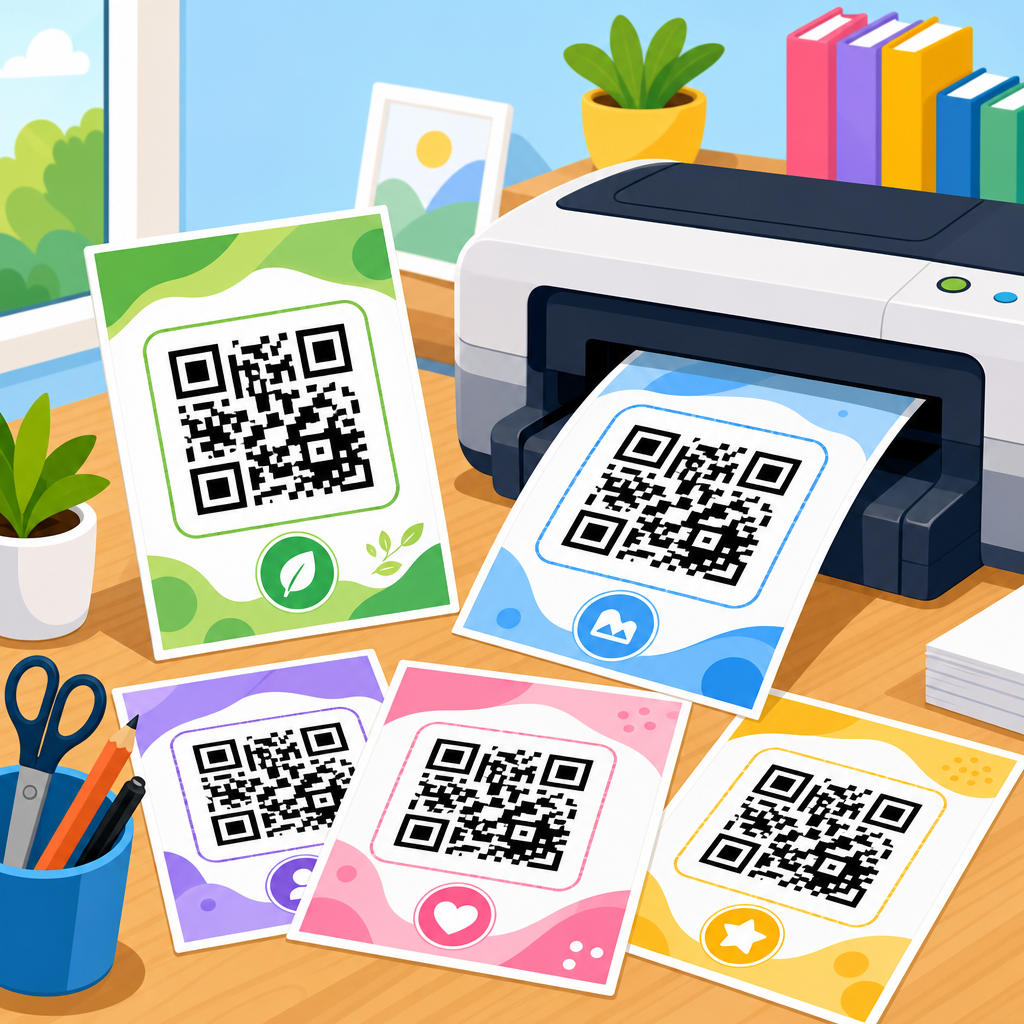
Free QR code print-ready files save time, reduce design errors, and make it easier to produce scannable marketing materials at any size. In practical terms, print-ready files are downloadable assets prepared for physical output, usually in vector PDF, SVG, EPS, or high-resolution PNG formats with correct dimensions, contrast, and quiet zone spacing already considered. For businesses, schools, nonprofits, and event teams, that matters because a QR code that looks acceptable on a screen can still fail when printed on packaging, signage, flyers, labels, menus, or badges. I have seen this repeatedly in campaign reviews: the code was technically correct, but the exported file was too low resolution, the background was too dark, or the safe margin was cropped by the printer. The result is wasted print spend and missed scans.
This hub article covers downloadable assets for QR code production from a print-first perspective. That includes file formats, template types, sizing guidance, prepress checks, and the common use cases that deserve their own deeper articles. If you are looking for free QR code print-ready files, the goal is not just to download something quickly. The goal is to choose the right asset for the job: a poster file that stays sharp at A1 size, a business card template with bleed, a label sheet aligned to standard stock, or a restaurant table tent that scans under low indoor light. Along the way, it helps to define a few key terms. A quiet zone is the blank margin around the code that scanners need to separate the symbol from surrounding artwork. Vector means the artwork scales without losing sharpness. Bleed is extra image area extending beyond the trim line so printed pieces cut cleanly. CMYK is the standard four-color print process, while RGB is the color model used for screens.
As a sub-pillar within QR Code Resources, Templates & Tools, this page is designed to guide readers to the right category of asset and the right production method. Some people need a simple printable QR code sheet. Others need branded packaging dielines, editable poster templates, or sticker layouts that work with Avery sizes. A complete resource hub should answer each of those needs directly, because downloadable assets only create value when they are easy to use, technically sound, and matched to the final print environment.
What free QR code print-ready files include
Free QR code print-ready files usually fall into four groups: standalone code exports, editable design templates, multi-item sheet layouts, and production support files. Standalone exports are the simplest assets. They include SVG, PDF, EPS, or PNG versions of a QR code, sometimes in multiple sizes, ready to place into InDesign, Illustrator, Canva, Figma, Word, or Google Slides. Editable templates add surrounding layout elements such as headline space, logo placement, CTA text, trim marks, and bleed. Multi-item sheets are useful for labels, tags, coupons, classroom handouts, or inventory stickers because they repeat the same code or merge multiple codes into a page designed for standard media sizes. Production support files can include printer specifications, dimension guides, scan testing checklists, and mockups showing safe placement on products.
The best downloadable assets are built around actual print workflows rather than generic design convenience. In my experience, teams run into trouble when a file is labeled printable but only exists as a small PNG intended for web use. For example, a 300 by 300 pixel image can look fine in an email footer, yet become soft and unreadable on a trade show sign. By contrast, a vector PDF generated with the quiet zone intact can scale from a small product tag to a storefront window decal without introducing blur. This is why mature QR code resources provide format options instead of one default export.
Another useful distinction is between static and dynamic QR code files. A static QR code permanently encodes the destination, such as a URL, phone number, Wi-Fi login, or vCard. A dynamic QR code points to a short redirect URL that can be updated later and usually supports scan analytics. For print-ready assets, this choice affects long-term flexibility. If the printed item will stay in circulation for months, such as packaging, campus signage, manuals, or retail displays, dynamic codes are usually safer because the destination can change without reprinting the asset. Static codes remain useful for permanent information that is unlikely to change, especially when simplicity or privacy is a priority.
Best file formats for printable QR codes
The most reliable file formats for printable QR codes are SVG, PDF, and EPS, with PNG reserved for specific cases. SVG is ideal for modern design workflows because it remains crisp at any size and is supported by many editors and website builders. PDF is the safest exchange format for printers and internal teams because it preserves vector data, fonts, and page dimensions consistently. EPS still appears in legacy print environments and some packaging workflows, especially where older Adobe or RIP systems are involved. PNG can work well for office printing, Word documents, or lightweight templates when exported at sufficiently high resolution, but it is not the first choice for large-format print or frequent resizing.
Resolution matters whenever you use raster files. For small printed QR codes on cards or labels, 300 DPI at final size is a baseline target. For example, if your code will print at 1 inch square, the image should be at least 300 by 300 pixels, and more is often better when styling adds complexity. But high DPI does not fix every issue. A raster image with anti-aliased edges, shadows, gradients, or transparent overlays can still scan poorly. Vector files avoid most of those risks by keeping the module edges mathematically clean.
Color management also affects format choice. For black-on-white QR codes, conversion from RGB to CMYK is usually straightforward. Problems emerge when brands insist on low-contrast colors, metallic inks, or dark backgrounds. In those cases, a print-ready file should either lock in a tested color pair or provide explicit specifications, such as minimum contrast ratio, approved spot colors, and a white underlay recommendation for transparent packaging. Files intended for professional print should not leave those decisions ambiguous.
How to choose the right downloadable asset
The right asset depends on output size, viewing distance, scan context, and how often the destination may change. A restaurant menu insert needs a different setup than a warehouse shelf label. For menus, the code must scan quickly in uneven indoor lighting from arm’s length, and the linked page must load fast on mobile data. For a construction sign viewed from a sidewalk, the code may need to be several inches wide to support scans from farther away. For direct mail, the code should fit within a clear hierarchy beside a concise call to action, not buried in decorative elements.
A practical selection process starts with four questions. What is the final physical size? Where will it be printed? Who will scan it, and under what lighting conditions? Do you need to update the destination later? Once you answer those, the file choice becomes clearer. Small-format items such as labels, tickets, or badges benefit from clean vector exports and exact dimension templates. Medium-format assets such as postcards, brochures, and menus benefit from editable layouts with trim and bleed already set. Large-format pieces such as window signs, easel posters, and trade show boards require vector artwork and stronger testing because scan distance changes the effective module size.
As a hub page, this topic should connect users to specific resource categories instead of forcing one template to fit every job. Below is a practical breakdown of downloadable asset types and where each works best.
| Asset type | Best use case | Recommended format | Key requirement |
|---|---|---|---|
| Standalone QR code | Design placement in existing artwork | SVG or PDF | Preserve quiet zone |
| Business card template | Contact sharing and appointment booking | PDF with bleed | Readable at small size |
| Poster or sign template | Events, retail, and wayfinding | PDF or EPS | Scan from intended distance |
| Label sheet | Inventory, packaging, classrooms | PDF aligned to stock | Exact sheet dimensions |
| Table tent or menu insert | Restaurants and hospitality | Editable PDF | High contrast under indoor light |
| Packaging panel asset | Product instructions and authentication | Vector PDF or EPS | Works on curved surfaces |
Design standards that make QR files truly print-ready
A printable QR code is not automatically a print-ready QR code. True print readiness requires standards that survive trimming, scaling, color conversion, and real-world scanning. The first standard is the quiet zone. Industry guidance commonly recommends a margin of at least four modules on all sides. If the file allows background graphics to push into that area, scan reliability drops immediately. The second standard is contrast. Dark modules on a light background remain the safest option, and black on white still outperforms most branded combinations. The third standard is size. Many marketers use 0.8 inch to 1 inch as a minimum for short-distance scans, but the correct size increases with distance, motion, reflective surfaces, and lower-quality cameras.
Error correction is another overlooked setting. QR codes support levels L, M, Q, and H, allowing recovery of partially obscured data. Higher error correction can help when logos are embedded or surfaces may be scratched, but it also increases symbol density. On very small prints, that can make modules too tight to reproduce cleanly. I usually recommend moderation: use enough error correction to handle the environment, but not so much that the code becomes visually dense without reason.
Print-ready asset libraries should also include instructions on what not to do. Do not stretch a square code into a rectangle. Do not place it over busy photography. Do not reverse it to light-on-dark unless testing confirms consistent scans. Do not laminate with heavy glare if the code will sit under ceiling lights. Do not let variable-data merges accidentally resize codes inconsistently across a batch. These are routine production failures, not edge cases.
Common downloadable asset categories within a QR code hub
The strongest resource hubs organize free QR code print-ready files by application. Core categories usually include flyer templates, poster templates, business card layouts, product label sheets, table tents, menu inserts, event badges, classroom handouts, packaging panels, and window signage. Each category deserves its own detailed article because the constraints differ. A flyer template should account for headline hierarchy and CTA placement. A label sheet must match exact stock dimensions and printer tolerances. An event badge may need attendee-specific variable codes merged from a spreadsheet. Packaging assets may need to follow dielines, seal areas, and regulatory copy zones.
There is also value in offering orientation around software compatibility. Many small organizations need files that open in Canva or Microsoft Word, while agencies and print shops want InDesign, Illustrator, or press-ready PDFs. A hub page should make those pathways obvious. When I build internal resource libraries, adoption rises when each asset clearly states software support, final trimmed size, bleed setting, color mode, and whether the QR destination is static or dynamic. Without that metadata, people download the wrong file, make silent changes, and discover the problem only after printing.
Industry-specific examples help users self-select. Real estate teams often need sign riders and brochure box inserts linked to listings. Restaurants need tabletop assets linked to menus, reviews, and ordering flows. Healthcare organizations may use appointment cards, room signage, and patient education sheets, with stronger privacy review. Schools use worksheet links, library shelf labels, and campus maps. Ecommerce brands use insert cards, return instructions, and authentication tags. A complete downloadable asset hub should support all of these patterns and point to the right template family quickly.
Testing, printing, and maintaining QR assets over time
Before releasing any free QR code print-ready files, test them the way end users will encounter them. That means printing samples on the actual stock, at final size, using the intended printer when possible. Scan with both iPhone and Android devices, under bright and dim light, with average camera quality rather than the newest flagship only. Test at realistic angles, especially for countertop displays, store windows, product bottles, and curved packaging. Confirm that the link destination is mobile optimized, secure over HTTPS, and loads quickly. A perfectly printed code still fails if it sends people to a broken or slow page.
Version control matters too. Downloadable assets often live longer than campaigns. If a dynamic destination changes, note the update date. If a static code becomes outdated, archive the file or mark it deprecated so old templates do not keep circulating. For organizations with distributed teams, maintain one approved master file per use case and include a readme with dimensions, color rules, and scan test status. This sounds basic, but it prevents expensive drift. I have seen regional teams recreate codes from screenshots, removing quiet zones and introducing distortion simply because the original asset library lacked a clearly named master file.
The main benefit of a well-built hub for free QR code print-ready files is consistency. People can download the right asset, understand how to use it, and print with confidence instead of guessing. The essentials are straightforward: choose vector when possible, preserve the quiet zone, size for distance, maintain strong contrast, and test on the final material before full production. From there, organize assets by real-world application so users can move directly to business cards, posters, labels, packaging, menus, or event materials without friction.
If you manage QR Code Resources, Templates & Tools, treat downloadable assets as operational infrastructure, not decoration. Every template should help someone go from link to reliable printed code with fewer errors and faster approvals. Build or choose files that match the actual print job, document the settings, and keep tested masters available for reuse. Start with the asset category you use most often, audit its current files, and replace weak exports with print-ready versions that scan the first time.
Frequently Asked Questions
What are free QR code print-ready files, and how are they different from a regular QR code image?
Free QR code print-ready files are downloadable QR code assets specifically prepared for physical printing rather than just on-screen display. The key difference is that a print-ready file is created with production quality in mind, so it is usually available in formats such as PDF, SVG, EPS, or high-resolution PNG and includes the technical characteristics needed for reliable scanning after printing. That means the file is sized appropriately, maintains strong contrast, preserves edge sharpness, and includes the required quiet zone, which is the blank margin around the code that scanners need in order to detect it properly.
A regular QR code image copied from a website or saved as a small screenshot may look fine on a phone or laptop, but it can cause problems once it is enlarged, reduced, placed on signage, or printed on different materials. Low-resolution raster images often become blurry or pixelated, and even slight design mistakes can reduce scan performance. Print-ready files help avoid those issues by giving users an asset intended for flyers, posters, brochures, product packaging, classroom materials, donation signage, event handouts, and other real-world applications. In short, a regular image is often just visually acceptable, while a print-ready file is prepared to function well in production and remain scannable in the finished piece.
Why do print-ready QR code files matter for marketing materials and physical signage?
Print-ready QR code files matter because printed marketing materials have no room for technical mistakes once they are produced. If a code fails to scan on a poster, menu, postcard, window sign, trade show banner, or fundraising display, the missed opportunity is immediate. Businesses may lose sales, nonprofits may lose donations, schools may frustrate parents and students, and event teams may create confusion around registration, schedules, or wayfinding. A print-ready file reduces those risks by giving teams a QR code asset that is better suited to the realities of print production.
Physical output introduces variables that do not show up on a screen. A code may be printed very small on a business card, very large on a banner, or reproduced on textured stock, glossy paper, labels, acrylic signs, and other surfaces. The file must hold up at different sizes and maintain crisp edges and adequate spacing. It also needs enough contrast against the background so that camera-based scanners can identify the pattern quickly. Print-ready files are useful because they support consistent reproduction and make design placement easier, especially when the code needs to be handed off between marketers, designers, printers, and production vendors.
From a workflow perspective, using a print-ready QR code also saves time. Teams do not need to rebuild the asset, guess at dimensions, or correct avoidable formatting errors late in the process. That makes it easier to move quickly from campaign planning to final print approval while keeping scan reliability at the center of the design. For organizations producing materials at multiple sizes or across several channels, that consistency is especially valuable.
Which file format is best for printing a QR code: PDF, SVG, EPS, or PNG?
The best format depends on how the QR code will be used, but in most professional print situations, vector formats such as PDF, SVG, and EPS are preferred. Vector files are ideal because they can be scaled up or down without losing sharpness. That makes them especially useful for designers creating everything from small labels to large-format signage. If a QR code may appear in several layouts or needs to be resized during the design process, a vector file is usually the safest and most flexible option.
PDF is widely used because it is easy to share, printer-friendly, and compatible with many design and production workflows. SVG is excellent for digital and design flexibility, especially when a team may use the code in both web and print projects. EPS remains useful in some traditional print environments and legacy workflows where production teams still rely on it. High-resolution PNG files can also work well, particularly for quick placement into office documents, presentation materials, or less complex layouts, but they are raster-based, so they are not as flexible as vectors if significant resizing is needed.
As a practical rule, choose a vector format whenever possible for professional printing, especially for large displays or situations where the final size may change. Use PNG when a simple image format is needed and the file is already large enough for the intended output size. Regardless of format, the most important factors are clarity, proper dimensions, strong contrast, and adequate quiet zone spacing. A good print-ready QR file is not just about extension type; it is about whether the asset will remain clean, readable, and scannable in the finished printed piece.
What makes a QR code truly print-ready and scannable at different sizes?
A QR code is truly print-ready when it has been prepared so that scanners can recognize it reliably after it has been physically produced. Several technical elements matter. First is resolution or scalability. If the file is vector-based, it can be resized without becoming soft or distorted. If it is a raster file such as PNG, it needs to be exported at high enough resolution for the final print dimensions. Second is contrast. The code should usually be dark on a light background so smartphone cameras can distinguish the modules clearly. Third is the quiet zone, the empty space surrounding the QR code. Without enough blank margin, nearby text, borders, or graphics can interfere with scanning.
Size also matters, but there is no single universal measurement because viewing distance and placement affect performance. A QR code printed on a handout can be much smaller than one intended to be scanned from a wall display or street-facing sign. The farther away the audience will be, the larger the code usually needs to be. It is also important to avoid stretching the code disproportionately, adding clutter too close to it, or placing it on busy backgrounds. Even a well-generated QR code can fail if it is visually crowded or reproduced under poor printing conditions.
Another factor is testing. A code may look perfect in a design file and still perform poorly once printed on the actual material. The best practice is to test scan the proof at intended size using multiple phones under normal lighting conditions. This is especially important for campaigns where the code is mission-critical, such as payments, ticketing, event check-in, forms, donations, or product information. In other words, print-ready means more than downloadable. It means the file has been prepared with real-world scanning success in mind and verified before full production.
How can I use free QR code print-ready files effectively without causing design or scanning problems?
The best way to use free QR code print-ready files effectively is to treat them as functional tools first and design elements second. Start by selecting the correct destination link or action, since the usefulness of the code depends on where it sends people. Then choose the file format that matches your workflow, ideally a vector file for professional design work or a high-resolution PNG for simple document placement. When placing the code into a layout, keep the surrounding area clean and preserve the quiet zone instead of crowding it with logos, text, decorative borders, or background patterns.
It is also smart to think about user context. If the QR code appears on a brochure someone holds in their hand, a modest size may be enough. If it appears on a lobby sign, vehicle graphic, classroom wall, retail display, or event banner, it should be sized for easy scanning from the expected distance. Keep contrast high, avoid reflective or low-visibility placements, and make sure the code is not positioned where folds, trim lines, glare, lamination, or mounting hardware could interfere with scanning. If branding is important, subtle customization can work, but readability should always take priority over decoration.
Finally, test before distribution. Print a sample, scan it with different devices, and confirm that the landing page loads quickly and works well on mobile. This step is where many problems are caught early, including links that are too long, pages that are not mobile-friendly, or code placements that seemed fine in a mockup but fail in real use. Free print-ready QR code files are valuable because they save time and reduce production errors, but the strongest results come from pairing the right file with thoughtful placement, clear design, and real-world testing.