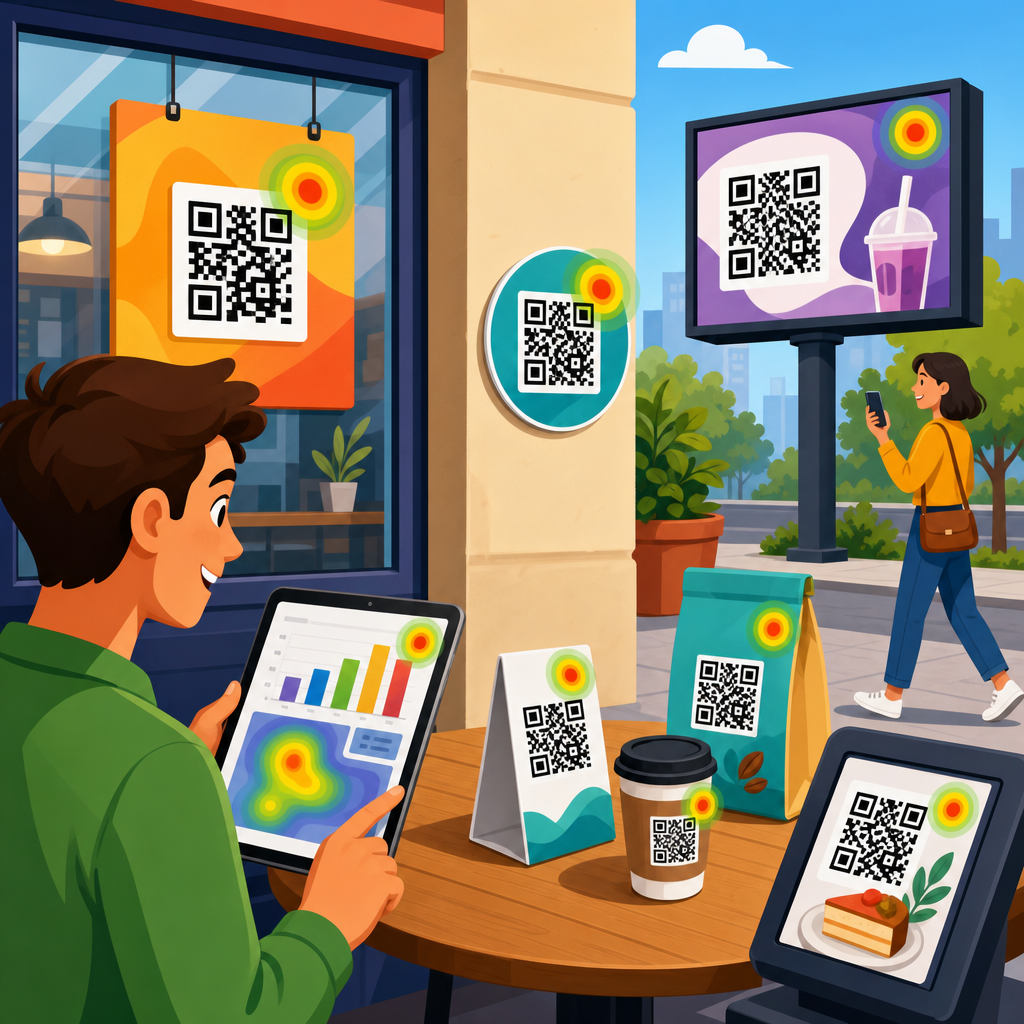
Tracking QR codes across multiple locations turns a simple scan into a measurable source of marketing intelligence. For brands running posters in retail stores, table tents in restaurants, direct mail in regional campaigns, packaging inserts, event signage, or out-of-home ads, the real question is not whether people scan a code. It is where they scan, when they scan, what they do next, and which location actually drives revenue. Multi-location QR code tracking answers those questions with data you can use.
A QR code is a machine-readable matrix barcode that sends a user to a destination such as a landing page, app store listing, PDF, menu, video, coupon, or payment flow. Tracking means attaching measurement to the scan and to the behavior that follows. In practice, that usually involves dynamic QR codes, unique campaign parameters, analytics platforms, and a reporting structure that distinguishes one store, branch, market, sales territory, or venue from another. Without that structure, scans pile into one undifferentiated total and the most valuable insight disappears.
This matters because location-level performance changes budget decisions. I have seen identical creative produce very different results based on foot traffic, staff behavior, placement height, local demographics, and the offer attached to the code. A pharmacy counter card near checkout can outperform the same card near the entrance. A hotel lobby sign may generate more evening scans, while a conference booth code peaks during session breaks. If you cannot separate those locations, you cannot improve placement, staffing, creative, or spend with confidence.
Location tracking also protects against false conclusions. A campaign can look weak overall even when several locations are highly efficient, simply because poor implementation drags down the average. The opposite happens too: one flagship store can mask underperformance elsewhere. The goal of a hub page on QR code tracking and analytics is to give you the framework for measuring scans accurately, attributing outcomes fairly, and comparing locations on equal terms, so every future article in your QR code marketing strategy has a reliable analytics foundation.
What multi-location QR code tracking actually measures
At minimum, multi-location QR code tracking measures scan volume by location. Stronger setups also measure unique visitors, time of scan, device type, operating system, geography, repeat scans, landing-page engagement, form completions, purchases, coupon redemptions, calls, app installs, and offline actions tied back through CRM or point-of-sale data. The QR code itself rarely contains all of this intelligence. It acts as the entry point, while the analytics stack captures and classifies the rest.
The most important distinction is between static and dynamic QR codes. Static codes point directly to a fixed URL and are difficult to update once printed. Dynamic codes point to a short redirect URL controlled by a QR platform. That redirect records the scan, then sends the user to the final destination. For multi-location reporting, dynamic codes are the standard because they let you create unique identifiers for each placement, change destinations without reprinting, pause campaigns, and maintain clean reporting over time.
Another distinction is between scan metrics and business metrics. Scan counts tell you top-of-funnel interest. Conversion metrics tell you whether the location produced value. If Store A gets 600 scans and 12 purchases while Store B gets 180 scans and 20 purchases, Store B may be the better operator, better placement, or better audience match. Tracking needs to connect both levels. That is why a solid implementation maps each code to a campaign, each campaign to a location, and each downstream event to a conversion taxonomy you can actually analyze.
Build a location naming and tagging framework before you print
The most common failure in QR analytics is not technical. It is organizational. Teams print codes before agreeing on naming conventions, campaign hierarchy, and tracking parameters. Then reports become messy: “NY store,” “NYC-01,” and “Manhattan Flagship” may refer to the same place. Fixing that after materials are distributed is expensive and sometimes impossible.
Start with a taxonomy that identifies brand, campaign, channel, location, placement, audience, and date range. A practical naming format might be Brand_Campaign_Channel_Location_Placement_Version, such as Acme_SummerPromo_InStore_ChicagoLoop_Window_V1. Pair that with standardized UTM parameters for web analytics: utm_source=qr, utm_medium=offline, utm_campaign=summer_promo, utm_content=chicago_loop_window. If you manage hundreds of codes, add a location ID from your CRM, POS, or store directory so reporting can join accurately across systems.
Use a master spreadsheet or database that records every code, redirect URL, final URL, owner, print asset, launch date, retirement date, and physical address. In teams I have worked with, this document becomes the single source of truth. It prevents duplicate codes, catches broken destinations, and lets analysts reconcile scan logs with campaign calendars. It also makes internal linking between related analytics resources easier because each code belongs to a clearly defined reporting structure.
Choose the right technical setup for attribution
The technical setup depends on what you need to attribute. If the goal is simple location comparison, a dynamic QR platform plus Google Analytics 4 is often enough. The platform records scans and the analytics tool records sessions and conversions. If you need sales attribution across stores, layers such as CRM integrations, coupon systems, call tracking, and POS imports become necessary.
In most programs, I recommend one dynamic QR code per physical location and placement when performance differences matter. For example, if a restaurant chain puts a code on front-door signage, table tents, takeout bags, and bathroom posters, each placement should have its own code at each branch. That granularity reveals what actually drives scans. If print volume is high and management needs only branch-level reporting, you can consolidate placements under one branch code, but that reduces diagnostic power.
Platforms commonly used for QR management include Bitly, QR Code Generator PRO, Beaconstac, Flowcode, and Uniqode. For analytics, Google Analytics 4 remains the default web layer, while Adobe Analytics is common in large enterprises. For attribution to revenue, HubSpot, Salesforce, Shopify, and POS systems such as Square or Toast can receive campaign identifiers. The right stack is the one that preserves the location ID from scan to outcome without manual guesswork.
| Tracking layer | What it captures | Best use across locations |
|---|---|---|
| Dynamic QR platform | Scan count, timestamp, device, approximate geography | Compare raw scan activity by store, venue, or placement |
| Web analytics | Sessions, engagement, events, conversions | Measure landing-page performance after each scan |
| CRM or marketing automation | Leads, contacts, lifecycle stage, revenue | Tie location scans to pipeline and closed business |
| POS or coupon system | Redemptions, order value, repeat purchase | Attribute offline sales to in-location QR campaigns |
Set up landing pages and events that preserve location context
A scan is only useful if the destination keeps the location information intact. That means your redirect should append consistent parameters and your site should read them correctly. In GA4, mark key events such as generate_lead, sign_up, purchase, file_download, call_click, and menu_view. If the user lands on a mobile page and converts later in the session, the location parameter should still be associated with that conversion event.
Dedicated landing pages can help when offers or store details differ by branch. A gym chain, for instance, might route each location’s code to a page prefilled with the branch name, map, trainer schedule, and local membership offer. That improves conversion rate and keeps attribution clean. When the destination is shared across many locations, pass the branch ID in the URL and store it as a first-party value or hidden form field so forms and purchases retain the source.
Be careful with redirects, consent banners, and app deep links. I have audited campaigns where scan data looked healthy, but web sessions were low because intermediate redirects stripped parameters or cookie banners blocked event measurement before consent logic was configured properly. Test on iPhone and Android, in Safari and Chrome, on mobile data and Wi-Fi, and across any app browser your audience may use. Multi-location tracking fails quietly if those details are ignored.
Use benchmarks that account for location differences
Comparing one location to another is only fair when you normalize the data. Raw scans alone can mislead because stores have different foot traffic, opening hours, and customer intent. Better benchmarks include scans per 1,000 visitors, conversion rate per scan, revenue per scan, and redemption rate per printed unit. If one supermarket gets 300 scans from 30,000 weekly visitors and another gets 150 scans from 6,000 visitors, the second site is materially stronger on a per-visitor basis.
Context also matters by industry. In hospitality, room key cards or lobby signage may generate high repeat scans because guests revisit the same code. In real estate, a yard sign may produce lower volume but higher intent because the user is considering a property. In healthcare, privacy requirements may limit what you can measure downstream, so appointment requests or page visits may be the practical conversion. Define success metrics around the decision the user is expected to make in that setting.
Seasonality should be built into the analysis. Retail back-to-school, holiday travel, trade show calendars, and weather patterns all shift scan behavior. A location can underperform year over year while improving relative to traffic declines in its region. Good reporting therefore compares locations against both peers and their own historical baseline. A seven-day spike means little if the campaign usually peaks that week every year.
Common implementation mistakes and how to avoid them
Printing one QR code for every location but sending them all to the same untagged URL is the classic mistake. The second is using a shared bit.ly or short URL without a naming convention, so no one can tell which asset belongs to which branch. The third is judging success only by scans, even when landing pages are slow, forms break on mobile, or redemption rules confuse staff. A code can perform well while the campaign fails.
Operational issues matter as much as analytics tags. I have seen store teams tape signs behind reflective glass, place codes too low for comfortable scanning, or let seasonal displays cover them. In restaurants, dim lighting and laminated glare can hurt scans. At events, congested Wi-Fi can delay landing-page loads enough to reduce completions. Analytics may show lower conversion at one location, but the cause is often physical execution rather than audience quality.
Privacy and compliance require attention too. QR scans may involve personal data once a user fills out a form, creates an account, or redeems an offer. Your consent flow, privacy notice, and data retention practices should match the jurisdictions you operate in. If you use location-based redirects or integrate CRM records, make sure the data use is disclosed and governed appropriately. Reliable analytics is not only about more data; it is about defensible data.
How to turn location-level QR data into better decisions
The value of tracking QR codes across multiple locations appears when reporting drives action. Weekly dashboards should show scans, unique visitors, engagement rate, conversion rate, and revenue by location and placement, with trend lines and exceptions flagged automatically. Look for outliers first. If one clinic’s waiting-room poster converts at three times the network average, inspect the copy, incentive, staff script, and placement. Then replicate the winning pattern elsewhere.
Use the data to answer practical operating questions. Which locations need different offers? Which placements deserve reprints at larger size? Which stores should receive training because staff mention the code less often? Which markets justify paid support because scan-to-purchase rates are already strong? These are concrete decisions, not vanity reporting. The best QR analytics programs shorten the loop between observation and action.
As this tracking and analytics hub grows, treat every supporting article as part of one measurement system: QR code conversion tracking, GA4 setup, coupon attribution, offline-to-online reporting, dashboard design, and A/B testing all connect back to location clarity. If you build the naming structure, technical stack, and reporting discipline correctly from the start, QR codes become one of the easiest offline channels to optimize. Audit your current codes, assign every asset a location ID, and make the next scan count where it happened.
Frequently Asked Questions
1. What is the best way to track QR codes across multiple locations?
The most effective approach is to give each location its own unique tracking setup rather than using one identical QR code everywhere. In practice, that usually means creating a dynamic QR code for each store, restaurant, event booth, mail drop, or regional campaign and linking each one to a URL that contains location-specific tracking parameters. This allows you to see exactly where scans are happening and compare performance by venue, city, campaign, or placement type.
Dynamic QR codes are especially valuable because they let you change the destination URL later without reprinting the code. That matters when you are running campaigns across many locations and need the flexibility to update landing pages, add promotions, fix routing issues, or test new offers. Combined with analytics tools such as Google Analytics, CRM platforms, call tracking, and marketing automation systems, dynamic codes make it possible to tie scan behavior to actual downstream actions like form submissions, purchases, bookings, coupon redemptions, or in-store visits.
A strong multi-location tracking system usually includes a consistent naming convention, UTM parameters, campaign tags, and a reporting dashboard. For example, you might assign tags for city, location ID, campaign date, placement type, and creative version. That structure turns scattered scan data into usable marketing intelligence. Instead of seeing only total scans, you can answer more strategic questions: which store gets the highest engagement, which event signage converts best, which region responds fastest, and which placements generate revenue rather than just curiosity.
2. Should each location have a different QR code, or can one code be used everywhere?
If your goal is accurate performance measurement, each location should typically have its own QR code or at least its own uniquely trackable destination URL. Using one universal code across all placements may be simpler at the printing stage, but it limits your visibility. You may learn how many total scans occurred, but you will not know whether those scans came from a retail display in Chicago, a restaurant table tent in Dallas, a direct mail piece in Atlanta, or an event banner in Los Angeles.
Separate codes create clean attribution. They help you compare locations fairly, identify underperforming markets, and understand how customer behavior differs by context. For example, the same offer might perform very well on product packaging inserts but only modestly on window posters. Or one region might generate many scans but few conversions, suggesting a mismatch between creative, audience, or landing page. Without unique identifiers, those insights are difficult or impossible to uncover.
That said, not every campaign requires a completely different visual experience. You can still keep branding consistent while assigning unique back-end tracking to each code. Many brands use a standardized QR code design style while embedding location-specific URLs behind the scenes. This keeps the campaign cohesive while preserving measurement accuracy. If printing separate codes is operationally difficult, another option is to route scans through a smart URL system that captures location parameters before sending users to the same landing page. The key principle is simple: if you want location-level insight, you need location-level identifiers.
3. What data should businesses monitor when tracking QR code performance by location?
Scan count is the starting point, but it should never be the only metric. To understand how QR codes perform across multiple locations, businesses should monitor scan volume, unique users, scan time and day patterns, device type, geographic data, bounce rate, landing page engagement, and conversion actions. These metrics show not only whether people scanned, but whether the scan translated into meaningful interest or revenue.
Location-based comparison is one of the most valuable parts of this process. Businesses should evaluate which locations generate the most scans, the highest conversion rate, the best cost per acquisition, and the strongest revenue per scan. A high-traffic location may not always be the most profitable one. For example, a busy urban store might produce many scans from casual browsers, while a smaller suburban location might deliver fewer scans but more completed purchases. Looking at both engagement and business outcomes helps avoid misleading conclusions.
It is also important to track post-scan behavior. This includes actions such as purchases, menu views, coupon claims, appointment bookings, loyalty signups, app downloads, calls, and direction requests. If you can connect scans to CRM records or point-of-sale outcomes, your reporting becomes far more actionable. Instead of treating QR codes as awareness tools alone, you can measure them as performance assets. Businesses that monitor the full journey from scan to conversion are better equipped to optimize creative, placement, timing, and budget allocation across all locations.
4. How can businesses connect QR code scans to actual sales or conversions at different locations?
The key is to build a measurement path that extends beyond the scan itself. A QR code scan is only the top of the funnel. To connect it to revenue, businesses need to send users to trackable landing pages and define conversion events that can be captured in analytics platforms, e-commerce systems, CRMs, booking software, or point-of-sale tools. Every location-specific QR code should lead to a destination that preserves attribution data so that any purchase or lead generated afterward can be tied back to the original scan source.
For online conversions, this usually means using UTM parameters, event tracking, conversion pixels, and form integrations. If someone scans a code from a store poster, lands on a product page, and completes a purchase, the system should record that sequence and associate the conversion with that specific location. For offline conversions, businesses can use tactics such as unique promo codes, location-specific coupons, redeemable offers, loyalty check-ins, call tracking numbers, or staff-assisted redemption flows. These mechanisms create a bridge between digital engagement and in-person sales activity.
More advanced teams often integrate QR campaign data into a central dashboard that combines scan analytics with transaction data. This allows them to compare locations not just by scan volume but by revenue, average order value, lead quality, and return on ad spend. Once this connection is in place, QR codes become much more than engagement tools. They become measurable performance channels that show which physical locations, creative formats, and promotional messages actually influence customer action and drive business results.
5. What are the most common mistakes to avoid in multi-location QR code tracking?
One of the biggest mistakes is deploying the same QR code everywhere and assuming the analytics will still be useful. That setup may produce total scan counts, but it removes the location-level visibility needed to optimize campaigns. Another common problem is failing to use dynamic QR codes. Static codes may seem straightforward, but they can create major limitations if you need to update destinations, fix broken links, or refine campaign tracking after materials have already been printed and distributed.
Businesses also frequently make mistakes with inconsistent naming conventions and poor campaign tagging. If one code is labeled by city, another by store number, and another by promotion name, reporting quickly becomes messy and difficult to trust. Clean data requires a standardized framework from the beginning. Every code should follow a consistent structure for location, channel, campaign, creative version, and launch period. Without that discipline, cross-location comparisons become unreliable and decision-making slows down.
Other issues include sending all traffic to a generic homepage, neglecting mobile landing page optimization, and failing to define what success looks like after the scan. A QR code may be easy to scan, but if the landing page is slow, irrelevant, or hard to use, performance will suffer. Finally, many teams stop at scan reporting and never connect scans to conversions. That leaves valuable insight on the table. The best multi-location QR code strategies are built around full-funnel measurement, operational consistency, and clear attribution from physical placement to final business outcome.