
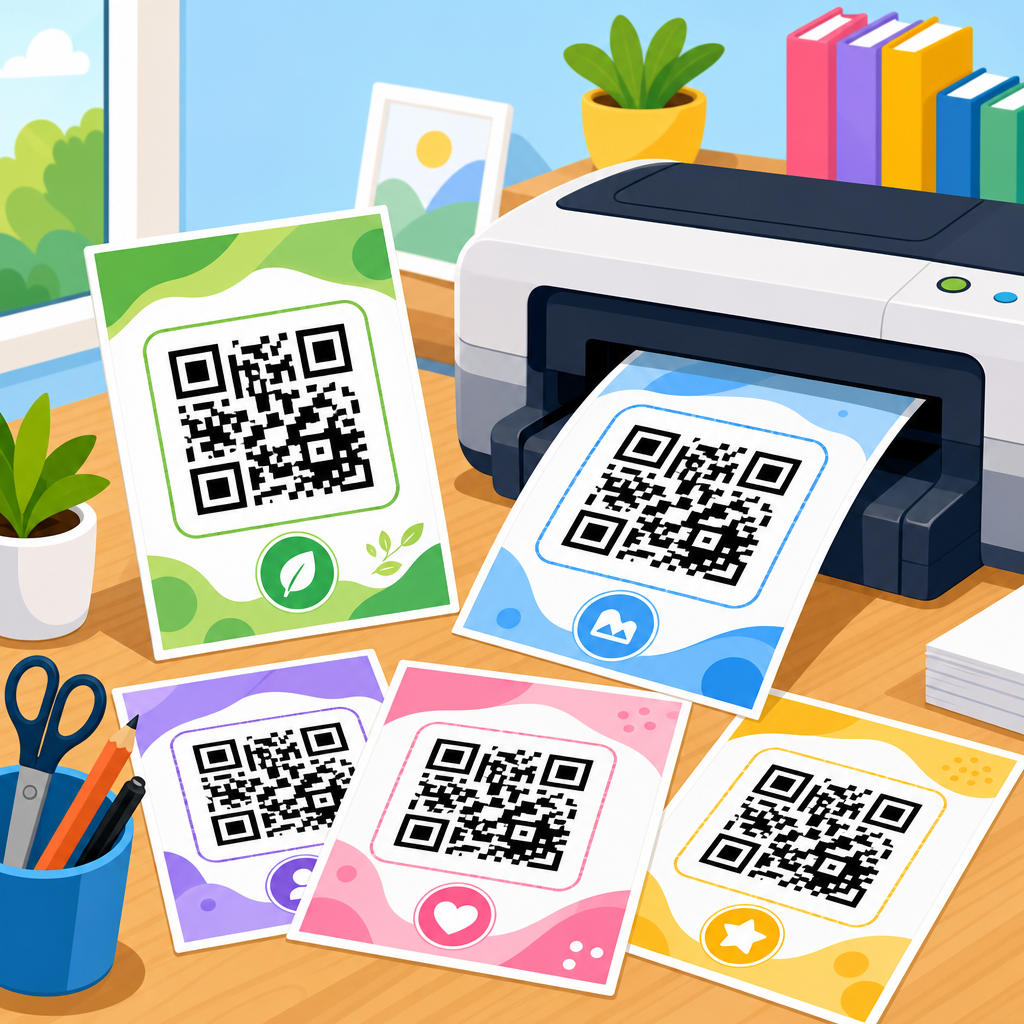
QR code PDF templates for printing solve a practical problem: teams need scannable, consistently sized codes they can place on packaging, posters, menus, labels, forms, event materials, and product inserts without redesigning every asset from scratch. A template is a prebuilt layout, usually delivered as a PDF, that reserves the correct dimensions, quiet zone, alignment, and placement area for a QR code. In print workflows, those details matter because a code that looks acceptable on screen can fail in the field if it is too small, low contrast, stretched, crowded by nearby graphics, or exported at the wrong resolution.
I have used printable QR code templates across retail signage, trade show collateral, restaurant table tents, warehouse labels, and direct mail campaigns, and the pattern is always the same: the template saves time, but only if it is built around scanning performance first. This hub article covers downloadable assets for QR code printing comprehensively. It explains what kinds of PDF templates exist, when to use each one, how to prepare files for commercial printers and office printers, what technical standards affect scan reliability, and how to organize a reusable library of assets. It also acts as the central guide for related resources within a broader QR code resources, templates, and tools content cluster.
For most teams, the goal is not simply to generate a code. The goal is to deploy a code in a repeatable print system. That means standardized paper sizes, bleed settings, margins, branding zones, and version control. It also means matching the template to the use case. A shipping carton label needs different sizing than a conference badge. A storefront window decal needs larger modules and stronger contrast than a business card insert. A restaurant menu often needs dynamic destination URLs so the printed piece can stay in circulation while the linked content changes over time.
If you are searching for QR code PDF templates for printing, the key questions are straightforward. What file format should you download? What size should the code be? How much empty space should surround it? Can you add a logo safely? Should you use vector artwork or raster images? How do you test the final output before sending a batch to print? The sections below answer those questions directly, with specific guidance grounded in real production work.
What downloadable QR code assets should this hub include?
A strong downloadable assets hub should cover the full range of printable QR code needs rather than offering one generic sheet. In practice, the most useful library includes single-code templates, grid templates for bulk labels, sign templates for countertop and wall display, business card placement guides, postcard and flyer layouts, tent card formats, sticker sheets, product tag templates, badge inserts, table number cards, packaging panels, and blank test sheets for scan validation. Each PDF should be available in common print sizes such as A4, US Letter, A5, 4×6 inches, and label stock dimensions used by Avery and commercial die-cut systems.
The hub should also separate editable source assets from print-ready PDFs. Designers often need Adobe Illustrator, InDesign, Figma, Canva, or SVG source files so they can align the QR code with brand typography and imagery. Operations teams, by contrast, usually need simple print-ready PDFs with locked dimensions. Keeping both available reduces friction. In my experience, support requests drop sharply when the download page clearly labels assets as “editable,” “vector print-ready,” or “office printer friendly.”
Another important category is destination-specific templates. A Wi-Fi access card, a PDF download card, a payments QR card, an app download sign, and a review request insert all use the same underlying symbol but differ in surrounding instructions. The text around the code affects scan behavior because it tells the user what happens next. “Scan to view menu” performs better than “Scan here” because it sets an expectation. The hub should therefore include templates with proven call-to-action copy, not just blank boxes.
| Template type | Best use case | Recommended QR size | Key print note |
|---|---|---|---|
| Business card placement PDF | Networking cards and appointment reminders | 0.8 to 1.0 inch | Use high contrast and avoid back-side folds |
| Counter sign PDF | Retail checkout, reception desks, donations | 1.5 to 2.5 inches | Laminate only after scan testing for glare |
| Poster or window sign PDF | Storefronts, events, public notices | 3 to 6 inches | Size for expected scanning distance |
| Label sheet PDF | Inventory, packaging, asset tracking | 0.5 to 1.25 inch | Match template to exact label stock |
| Menu insert or table tent PDF | Restaurants, cafes, hotel rooms | 1.25 to 2 inches | Protect quiet zone from decorative borders |
Finally, this hub should include guidance documents alongside the downloads. A one-page print specification sheet, a scanner test checklist, and a naming convention guide are downloadable assets too. They prevent mistakes that are expensive to catch after printing, especially when multiple departments create materials independently.
How to choose the right PDF template for the print environment
The right QR code PDF template depends on viewing distance, available print area, substrate, and how quickly the user must scan. A code on a warehouse rack label may be scanned at close range with a dedicated device, while a code on a subway poster must work with a consumer smartphone at arm’s length or farther. As a rule, larger codes with stronger contrast outperform smaller decorative ones. In field testing, I prefer to choose the template based on the worst realistic condition rather than the ideal one. If glare, low light, motion, or curved surfaces are possible, size up.
Print environment affects not just dimensions but material behavior. Glossy coatings can cause reflected hotspots that interfere with smartphone cameras. Uncoated stock generally scans more consistently, though it can soften edges if the print process adds gain. Corrugated packaging introduces texture, so vector output and generous size become more important. Fabric, acrylic, and metal signs may need additional contrast margins because the surrounding material can visually merge with the code area.
Template selection should also account for whether the code is static or dynamic. Static codes store the final destination directly, which is useful for permanent uses but difficult to update later. Dynamic codes point to a short redirect URL managed by a platform such as Bitly, Beaconstac, QR Code Generator Pro, Flowcode, Uniqode, or another campaign tool. For print, dynamic codes are usually the better operational choice because the physical asset stays valid even if the landing page changes. The template itself may be identical, but the campaign management behind it changes how long the printed material remains useful.
When in doubt, choose a template that preserves flexibility: vector QR artwork, editable text fields, visible trim and safe zones, and enough empty space to increase code size if testing reveals issues. That small margin of flexibility prevents complete rework later.
Print specifications that determine whether a QR code scans reliably
Reliable scanning comes from a handful of nonnegotiable specifications. The first is the quiet zone, the empty margin around the code. ISO/IEC 18004, the core standard for QR code symbology, defines the quiet zone as four modules wide on all sides. A module is the smallest square in the code grid. If graphics, borders, text, or background patterns intrude into that area, scan rates drop quickly. Many template failures come from designers treating the quiet zone as optional white space instead of part of the symbol.
The second specification is size relative to data density. A QR code carrying a short URL can print smaller than one carrying a long vCard or complex payload because more encoded data increases symbol complexity. Error correction also matters. Levels L, M, Q, and H provide increasing damage tolerance, but higher correction increases density. For printed marketing pieces, level M or Q is often a sensible balance. If you are embedding a logo, many generators default to higher correction, but that does not guarantee success; the logo must still avoid obscuring critical finder, timing, and alignment patterns.
Third is output format. Vector PDF, SVG, or EPS preserves sharp edges at any scale and is the safest choice for professional printing. Raster PNG can work for office printing or digital mockups, but low-resolution exports often create blurred module edges. For raster files, 300 dpi at final size is the bare minimum; 600 dpi is safer for small labels. Never stretch a QR code non-proportionally, and avoid applying transparency, shadows, gradients, or overprint effects that can alter edge definition.
Color choice is the fourth factor. Dark code on a light background remains the best practice. Black on white is ideal, but dark blue, dark green, or other deep solid colors usually work if contrast remains high. Reversed white-on-black codes can scan, but they are less dependable across devices and should be tested aggressively. Pastel backgrounds, textured photos, and brand patterns behind the symbol are common reasons printed codes fail in the wild.
The final specification is physical placement. Keep the code off folds, perforations, seams, bottle necks, and curved corners. On packaging, avoid placing it where sealing tape, shrink wrap glare, or regulatory marks compete for visual attention. A good PDF template bakes these constraints into the layout so the user does not need to remember them every time.
Designing branded templates without hurting scan performance
Branding and scan reliability are not enemies, but they do need a hierarchy. The code must win. The safest branded QR code template keeps the symbol simple and uses brand expression in the surrounding layout: headline, iconography, border treatment outside the quiet zone, explanatory copy, and destination cues. In campaigns I have audited, the highest-performing printed codes were rarely the most decorative. They were the clearest.
Logos inside QR codes are possible, especially with dynamic code platforms that optimize symbol generation, but they should be treated as an exception rather than a default. Small centered logos can work when the code is large enough and error correction is set appropriately, yet every added element reduces tolerance. A better compromise is to place the logo above or below the symbol in the template rather than inside it. That approach protects recognizability while avoiding unnecessary risk.
Typography matters too. The text immediately around the code should answer the user’s next question: why scan, what happens after scanning, and whether any app is required. “Scan to download the installation guide PDF” is stronger than “Get started.” “Open your phone camera to scan” helps less technical audiences. For compliance-heavy sectors such as healthcare, finance, and manufacturing, the template may also need trust signals like a short destination URL, company name, or support contact so the code does not look anonymous.
Branded templates should therefore be built as systems: locked QR placement, protected quiet zone, predefined call-to-action area, approved color pairings, and notes on minimum sizes. Once those rules exist, teams can produce on-brand assets quickly without introducing scan errors.
Workflow for downloading, testing, and approving printable QR assets
The most reliable workflow is simple and disciplined. First, generate the final destination and decide whether the code is static or dynamic. Second, place the code into the appropriate PDF template at the intended final size. Third, export using press-ready settings, usually PDF/X when a commercial printer requests it. Fourth, print a proof on the same class of device or substrate if possible. Fifth, test with multiple phones, lighting conditions, and scanning distances. Sixth, approve only after the physical proof works consistently.
Testing should be methodical. I usually check at least iPhone and Android devices, native camera apps, older midrange phones, and one dedicated scanner if the use case includes operational scanning. Test straight-on and slightly off-axis. Test in bright light and lower light. If the code will be mounted behind acrylic or laminated, test after finishing, not before. Many teams approve a perfect digital proof and discover the laminate glare killed performance.
Version control is another operational requirement. Every downloadable asset should follow a naming standard that identifies size, orientation, destination type, revision date, and whether the file is editable or print-ready. For example, “qr-counter-sign-letter-2in-dynamic-v3-2026-06.pdf” is much easier to manage than “final-final-new.pdf.” In larger organizations, store templates in a shared asset library with permissions and change logs so old files are not recirculated accidentally.
Analytics close the loop. Dynamic QR platforms can show scans by date, device, geography, and campaign. That data helps refine the next template revision. If a poster gets views but few completed actions, the call to action or landing page may need work. If one sign location consistently underperforms, the issue may be placement height, glare, or distance rather than the code itself.
Building a reusable hub of printable QR code resources
As a sub-pillar hub under QR code resources, templates, and tools, this page should do more than host files. It should organize the downloadable assets by scenario, answer the most common implementation questions, and point users to deeper articles on sizing, label printing, dynamic versus static codes, menu QR design, packaging applications, testing methods, and print troubleshooting. That structure helps both users and site architecture: the hub sets context, while supporting articles cover specialist details.
A practical hub taxonomy often starts with asset type, then use case, then format. For example: printable sign templates, label sheet templates, packaging templates, card and insert templates, editable source files, and testing checklists. Within each category, users should be able to filter by page size, orientation, code size, and software compatibility. If the site offers downloadable assets at scale, preview images and “best for” notes reduce abandonment because visitors can select the right file confidently.
Accessibility and localization also matter. Include templates with larger instructional text, multilingual variants, and high-contrast options for low-vision environments. If the code is used in public settings, surrounding instructions should be understandable even to users who are unfamiliar with QR workflows. In multilingual markets, a bilingual template often outperforms separate regional files because it reduces distribution complexity.
A well-built resource hub turns one-off artwork into an operating system for print. That is the real benefit: less guesswork, fewer failed scans, faster production, and a cleaner path from physical media to digital action.
QR code PDF templates for printing work best when they are treated as production tools, not decorative shortcuts. The right template preserves quiet zones, uses correct sizing, supports vector output, and matches the real print environment. It also gives users context through clear instructions and gives teams consistency through repeatable layouts. For businesses managing many touchpoints, downloadable assets reduce design time and prevent common failures that only appear after pieces are printed and deployed.
The central lesson is straightforward. Start with the scanning condition, not the visual mockup. Choose the template based on distance, material, and destination type. Keep contrast high, avoid crowding the symbol, use vector files whenever possible, and test physical proofs before approval. If branding is important, place creativity around the code rather than on top of it. If flexibility matters, use dynamic destinations and strong file naming practices so the printed asset stays useful over time.
As you build or refine your QR code resources library, make this hub the entry point for every printable asset: signs, labels, packaging panels, cards, inserts, and proofing guides. A structured download library backed by clear print standards will improve scan reliability and reduce rework across campaigns. Start by auditing your current templates, replacing any that ignore quiet zone or size rules, and standardizing the files your team downloads most often.
Frequently Asked Questions
What is a QR code PDF template for printing, and why is it useful?
A QR code PDF template for printing is a ready-made print layout that includes a designated space for a QR code at the correct size, with the proper quiet zone, alignment, and positioning already accounted for. Instead of manually placing and resizing a code every time a team creates a label, poster, menu, product insert, form, or event handout, the template standardizes that process. This is especially useful in organizations that produce repeat materials across multiple campaigns, locations, or product lines, because it reduces design inconsistency and helps protect scan performance.
The value of a PDF template becomes clear in real print workflows. A QR code that appears fine on a screen can fail in print if it is too small, placed too close to other graphics, distorted during export, or printed with insufficient contrast. A well-built template solves those practical problems in advance by reserving enough whitespace around the code, maintaining dependable dimensions, and making sure the code sits in a predictable area of the layout. That means fewer production errors, faster asset creation, and better results when the printed piece reaches customers, event attendees, or field teams.
PDF is also a popular format because it is widely supported in design, office, and commercial print environments. Teams can review, share, and archive templates easily, and printers generally handle PDF files reliably. In short, a QR code PDF template is not just a convenience; it is a quality-control tool that helps organizations print scannable codes consistently and efficiently.
What should a good printable QR code template include to ensure reliable scanning?
A strong printable QR code template should include several non-negotiable elements. First, it needs a clearly defined placement area sized appropriately for the intended scanning distance and use case. A code on product packaging may be much smaller than one on a storefront poster or event sign, so the template should match the real-world context. Second, it must preserve the quiet zone, which is the empty space around the QR code. This margin is critical because scanners rely on that separation to identify the code cleanly against the surrounding design.
The template should also guide users on contrast and background treatment. In most cases, dark modules on a light, solid background work best. Decorative backgrounds, busy imagery, metallic finishes, low contrast colors, or gradients behind the code can significantly reduce scan success. A quality template either prevents these mistakes by design or includes a reserved white area beneath the code so the QR remains isolated from the rest of the artwork.
Additional helpful features include alignment marks, safe areas, crop considerations, bleed awareness, and notes about print resolution. If the QR code is intended to be variable, the template should support easy replacement without stretching or compressing the code. Some templates also include a short call to action near the code, such as “Scan for menu,” “Register here,” or “View instructions,” which can improve engagement while keeping placement consistent. The best templates combine usability and print discipline: they make it easy for teams to insert the code correctly while reducing the chance of accidental design changes that hurt readability.
How do I choose the right QR code size for different printed materials?
The right QR code size depends on where the item will be used, how far away people will scan it from, and how much environmental interference is likely. For close-range materials like business cards, labels, forms, and product inserts, the code can usually be smaller, provided it still prints sharply and keeps a proper quiet zone. For mid-range materials such as tabletop signs, menus, brochures, or shelf displays, a somewhat larger code is safer because users may scan from arm’s length in varied lighting conditions. For long-range applications like posters, windows, trade show signs, or outdoor event graphics, the code should be larger still so smartphone cameras can detect it quickly from farther away.
Beyond physical dimensions, content density matters. A QR code with a short URL is generally easier to scan at a smaller size than a code containing more complex data. Error correction settings, print method, paper stock, and finishing treatments can also affect performance. For example, porous materials, textured surfaces, glossy reflections, or low-quality printers may require a larger code to maintain readability. A template should take these realities into account by defining a minimum safe size for that specific application instead of relying on a one-size-fits-all approach.
Testing is essential. Even if a code meets general sizing guidelines, teams should print a proof at actual scale and scan it with different phones under realistic conditions. This step often reveals issues that are easy to miss on screen, such as loss of sharpness, edge interference, or poor visibility in low light. A good QR code PDF template helps by setting repeatable dimensions from the start, but the final decision on size should always be validated in the actual printed environment.
Why do QR codes sometimes scan well on screen but fail after printing?
This is one of the most common problems in QR code production, and it usually comes down to the differences between digital viewing and physical printing. On a screen, the image may appear crisp, bright, and enlarged enough to scan without trouble. Once printed, however, several variables can interfere. The code may end up too small, lose detail because of printer limitations, or sit too close to other design elements. If the quiet zone is reduced, if the code is stretched disproportionately, or if contrast drops because of color choices or background textures, scanners may struggle to recognize it.
Print production itself introduces risk. File exports can rasterize or compress artwork in ways that soften edges. Bleed adjustments can accidentally shift the placement. Coated or reflective surfaces can create glare. Dark packaging, colored paper, or transparent labels can reduce contrast and obscure the code’s boundaries. Even something as simple as ink spread on lower-quality materials can make small modules fill in, turning a technically correct QR code into one that is unreliable in practice.
This is exactly why PDF templates are valuable. A good template creates consistency by locking in appropriate dimensions, spacing, and placement rules before the file reaches production. It reduces the chances of ad hoc resizing, poor alignment, or last-minute design edits that compromise scanability. Still, templates are only part of the solution. Teams should also proof physical samples, verify printer settings, and test scans on multiple devices before approving a full run. In print, small details matter, and those details are often the difference between a code that performs well and one that frustrates users.
How can teams use QR code PDF templates efficiently across packaging, posters, menus, labels, and other recurring materials?
The most effective approach is to treat QR code PDF templates as part of a repeatable production system rather than as isolated design files. Start by creating templates for common use cases: packaging panels, menu pages, shelf tags, event signage, labels, forms, instructional inserts, and promotional posters. Each template should define the correct code size, quiet zone, preferred placement, and any supporting text or call to action. This gives marketing, operations, product, and print vendors a shared standard, which reduces back-and-forth and minimizes avoidable mistakes.
It also helps to organize templates by format and context. A template for a small bottle label should not be used for a trade show banner, and a menu template may need different spacing and user prompts than a warranty card or registration insert. By maintaining a library of approved PDF templates, teams can move faster without compromising quality. Designers do not need to rebuild layout rules every time, and non-design stakeholders can work from approved assets with more confidence.
For even better efficiency, teams should pair templates with a lightweight review checklist. Before anything goes to print, confirm that the QR code links to the correct destination, remains unwarped, has sufficient contrast, and sits within the reserved placement area with the full quiet zone intact. Then print a sample and test it under realistic conditions. This process is especially important when using dynamic QR codes, personalized campaigns, or region-specific materials. In practice, a strong template library saves time, improves consistency, and protects the user experience across every printed touchpoint where scanning matters.





