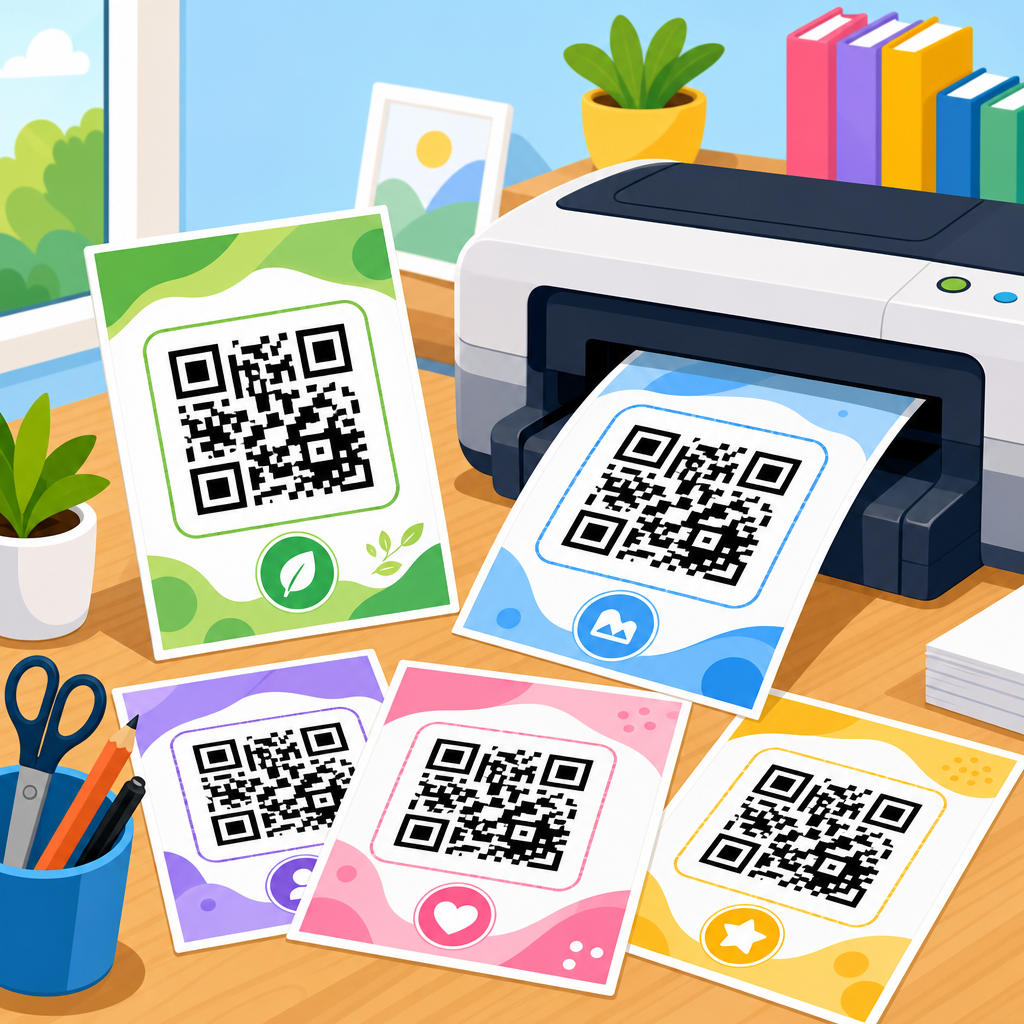
QR code SVG files for download give teams a scalable, print-ready way to deploy scannable codes across packaging, signage, documents, menus, direct mail, retail displays, and product labels without losing sharpness at any size. A QR code is a two-dimensional matrix barcode that stores data such as a URL, vCard, Wi-Fi credential, PDF link, payment request, or app deep link. An SVG file, or Scalable Vector Graphics file, describes shapes mathematically rather than as pixels, which means the code can be enlarged from a business card to a billboard while keeping clean edges that scanners can read reliably. That technical distinction matters because QR performance depends on contrast, quiet zone spacing, module accuracy, and output quality. In practice, I have seen the same campaign fail in print when someone exported a low-resolution PNG, then succeed immediately after replacing it with a properly generated SVG.
This hub article covers downloadable QR code assets comprehensively because most organizations do not need just one file; they need a repeatable asset system. Marketing teams want branded codes for flyers and social posts. Operations teams need label-ready files for warehouses and inventory bins. Restaurants need menu codes. Event teams need check-in codes. Designers need vectors they can open in Adobe Illustrator, Figma, Inkscape, or CorelDRAW. Developers need dependable generation workflows from tools such as QRCode Monkey, Adobe Express, Canva, Bitly, Beaconstac, QR TIGER, Flowcode, and open-source libraries like ZXing or node-qrcode. Procurement and compliance teams also care about governance: where the file came from, what destination it points to, whether it is static or dynamic, and how it will be updated after distribution.
Downloadable assets are the practical backbone of this topic. The goal is not simply to create a QR code once, but to maintain a library of reusable files with the right formats, naming conventions, size variants, destination tracking, and usage notes. A sub-pillar hub should answer the searcher’s next questions clearly: What file type should I download? Where can I safely use SVG? When is PNG better? How do I verify scan reliability before printing 50,000 units? What templates should accompany a downloaded code? This page addresses those decisions directly, and it also acts as the central guide for related resources under QR Code Resources, Templates & Tools. If you manage downloadable assets well, you reduce design rework, improve scan rates, preserve brand quality, and make every downstream article in this content cluster more useful.
What a downloadable QR code asset library should include
A complete QR code SVG download library should contain more than a single vector file. In production environments, I recommend storing the SVG master, a high-resolution PNG fallback, a PDF for print handoff, and a short metadata record that identifies the encoded destination, owner, creation date, campaign, and intended dimensions. The SVG is the source of truth for design and print because vectors scale cleanly. PNG still matters for office software, email signatures, slides, and platforms that do not render SVG consistently. PDF is useful when printers or non-design stakeholders need a locked output. The metadata file prevents one of the most common failures I see: months later, nobody remembers whether a file named final-qr-new.svg points to a menu, a coupon, or an expired landing page.
Asset libraries should also distinguish between static and dynamic QR codes. A static code permanently encodes the destination in the image itself. If the URL changes, the code must be regenerated and redistributed. A dynamic code resolves through a redirect managed by a platform, allowing the destination to change later while the printed code stays the same. Dynamic codes are usually better for campaigns, packaging, real estate signs, and event materials because they support edits and analytics. Static codes are useful for simple evergreen cases such as Wi-Fi access cards, contact cards, or URLs that are unlikely to change. The downloadable asset should make this status explicit in the filename and documentation so teams do not discover too late that a “fixed” code cannot be edited after 10,000 brochures are printed.
Another essential part of the library is usage guidance attached to each download. A QR code file should state minimum print size, required quiet zone, foreground and background color values, error correction level, and whether any logo has been embedded. ISO/IEC 18004 defines the QR Code symbology and its technical structure, but everyday success usually comes down to practical constraints. Keep dark modules on a light background. Preserve a quiet zone of at least four modules around the code. Avoid low-contrast combinations such as pastel gray on cream. Test scans across iPhone and Android camera apps, not just one device. Those details belong next to the downloadable asset because the file alone does not tell a designer how safely it can be modified.
Why SVG is usually the best QR code download format
SVG is usually the best QR code download format because it preserves geometric precision. QR scanners interpret square modules, finder patterns, alignment patterns, timing patterns, and format information. If those shapes become blurred by raster scaling, compressed by a poor export, or altered by image resampling, scan reliability drops. With SVG, edges stay crisp because the code is stored as vector paths. That makes SVG especially valuable for professional print production, large-format signage, product packaging, engraved surfaces, and situations where one master file must be repurposed into many sizes. When I prepare assets for a campaign expected to span shelf talkers, trade show banners, and carton inserts, the SVG version is what prevents separate redesign work for each output.
SVG also supports efficient editing. Designers can open the file in Illustrator or Inkscape, align it precisely to a grid, place it inside packaging layouts, and export derivative files without degrading quality. That flexibility supports brand systems, but it has limits. A QR code is not an abstract icon; every visual change affects readability. Rounded modules, gradients, cutout logos, and decorative frames can work only if tested carefully. Error correction helps recover from partial obstruction, with levels L, M, Q, and H allowing roughly 7 percent, 15 percent, 25 percent, and 30 percent restoration respectively, but higher correction also increases code density. Dense codes become harder to scan at small sizes. The best downloadable SVG balances appearance and function rather than pushing branding so far that it undermines usability.
There are a few cases where SVG is not the default choice. Some email clients, older content management workflows, and office applications handle PNG more predictably. Some social platforms recompress uploads anyway, making a high-resolution raster export sufficient. For laser marking, embossing, or specialty manufacturing, the vendor may request EPS, DXF, or PDF instead. Still, SVG remains the most versatile master format for downloadable QR code assets because it is editable, compact, and future-proof. If you are building a hub of downloadable assets, the safest structure is to publish SVG as the primary option and include supporting formats for common edge cases.
Common downloadable assets and when to use each one
Downloadable QR code assets should match the delivery environment. The right file is the one that survives the real production path from creator to end user without distortion or accidental modification. In my experience, teams get better outcomes when they standardize asset choices early instead of debating formats at the moment a campaign launches.
| Asset | Best use case | Main advantage | Main limitation |
|---|---|---|---|
| SVG | Print, packaging, signage, design systems | Scales without quality loss | Not supported equally in every app |
| PNG | Slides, email, office docs, web uploads | Widely compatible | Can blur if resized too much |
| Printer handoff, locked approvals | Stable output for production | Less convenient to edit | |
| EPS | Legacy print workflows | Accepted by some vendors | Older format, less flexible |
| Template pack | Teams managing repeat campaigns | Speeds consistent deployment | Needs documentation and upkeep |
Template packs deserve special attention in a downloadable asset hub. A strong pack includes placement examples for posters, business cards, labels, packaging panels, tabletop displays, and digital handouts. It may include bleed-safe print templates, size recommendations, CTA copy samples such as “Scan to view menu” or “Scan for setup guide,” and analytics tagging conventions using UTM parameters. These supporting files turn a QR code from a bare image into a deployable resource. They also support internal linking across your wider resource center because users looking for SVG downloads often also need print templates, testing checklists, and branding guidelines.
How to create and validate QR code SVG downloads
Creating a reliable QR code SVG download starts with the data, not the design. First, define the destination and keep it as short and stable as possible. Long URLs increase data density, which produces more modules and can make small prints harder to scan. Use a short domain or redirect where appropriate. Next, choose static or dynamic behavior. Then generate the code with a trustworthy tool that outputs true vector paths. Test the raw black-on-white version before any styling. Only after the base code scans consistently should you add branding elements, frame text, or logo overlays. This sequence matters because it isolates problems early and avoids wasting time polishing a code that was too dense or poorly structured from the start.
Validation should be systematic. Scan the SVG-derived exports on current iPhone and Android devices, in both camera apps and common QR reader implementations. Test under dim indoor light, bright daylight, and glare conditions if the code will appear behind acrylic or glass. Print samples at actual size on the intended substrate, because matte paper, corrugated cardboard, metallic labels, and textured stock behave differently. Verify the quiet zone after all layout changes. Confirm that any URL parameters resolve correctly and that redirects are not blocked by security tools. For mission-critical deployments such as medical forms, access control, or logistics labels, I also recommend keeping an audit trail: generator used, version, destination, test devices, and approval date. That level of recordkeeping saves real money when assets are reused months later.
Accessibility and user intent should also be part of validation. A downloadable code should be paired with a clear call to action and a visible fallback URL when possible. People need to know what happens after scanning: download a manual, join Wi-Fi, pay an invoice, open a map, or register for an event. Codes without context get ignored. In public settings, adding a short destination label improves trust and helps users judge legitimacy before scanning. Security-conscious audiences increasingly hesitate when a code appears without explanation, especially after widespread awareness of phishing attacks using malicious QR stickers. Good downloadable assets therefore combine technical correctness with transparent communication.
Best practices for managing downloadable assets at scale
At scale, QR code downloads should be governed like any other brand or content asset. Use a consistent naming structure such as campaign-channel-destination-type-version. Store files in a shared digital asset management system, cloud drive, or repository with permissions and change history. Include a readme or metadata sheet that records destination URL, ownership, expiration date, size guidance, and scan test status. Archive retired assets rather than deleting them outright so teams can investigate old materials in the field. If dynamic codes are used, track the redirect platform account owner and billing status. I have seen perfectly good printed signage fail simply because a subscription lapsed and the redirect stopped resolving.
Version control matters most when downloadable assets support multiple departments. Sales may place a code on one-pagers, operations may print it on labels, and customer support may insert it into setup guides. Without governance, each team may export its own copy, crop the quiet zone, recolor the modules, or attach different destination parameters. A central hub prevents that fragmentation by offering approved SVG downloads, alternate formats, and clear notes on permitted modifications. It also creates a natural path to related resources such as branding rules, troubleshooting guides, print templates, analytics setup articles, and tool comparisons. As your QR program grows, that interconnected structure becomes more valuable than any single file.
QR code SVG files for download are most useful when treated as managed assets, not one-off graphics. The strongest approach is simple: create a dependable vector master, package it with the right supporting formats, document how it should be used, and test it in the real environment before release. SVG should be your default for print and design because it scales cleanly and preserves scan accuracy. PNG, PDF, and template packs still belong in the library because teams work across many tools and channels. Static and dynamic codes each have a place, but the distinction must be explicit in every download.
As the hub for downloadable assets under QR Code Resources, Templates & Tools, this page establishes the standards that make every related resource easier to use. If you build your library around clear file types, reliable generation methods, validation checklists, and strong governance, you reduce production errors and improve campaign performance. Review your current QR assets, replace weak raster files with tested SVG masters, and organize downloads so every team can deploy codes confidently.
Frequently Asked Questions
What is a QR code SVG file, and why is it useful for download?
A QR code SVG file is a vector-based version of a QR code saved in the Scalable Vector Graphics format. Unlike raster image files such as PNG or JPG, an SVG does not rely on fixed pixels. Instead, it uses mathematical paths and shapes to define the QR code pattern. That means the code stays crisp, sharp, and readable whether you place it on a small product label, a restaurant menu, a shipping insert, a retail display, or a large-format sign.
This makes downloadable QR code SVG files especially useful for teams that need flexibility across print and digital production. Designers can scale the same file up or down without introducing blur or jagged edges, which is critical for reliable scanning. SVG files also integrate well into professional design workflows, including packaging layouts, brochures, posters, business cards, direct mail pieces, and branded collateral. For organizations that want one high-quality source file they can reuse across multiple touchpoints, SVG is often one of the most practical formats available.
When should I choose an SVG QR code instead of PNG or JPG?
You should typically choose an SVG QR code when you need maximum scalability, clean print output, and design flexibility. SVG is ideal for professional print environments because it preserves edge sharpness at any size, helping scanners distinguish the code’s modules clearly. This is particularly important for packaging, window decals, event signage, trade show materials, product inserts, and any asset that may be resized during production.
PNG can still be useful for web pages, presentations, or quick digital use cases where a fixed pixel size is acceptable. JPG is generally the least preferred option for QR codes because compression artifacts can reduce clarity and potentially affect scan performance. If your team expects to reuse the same QR code across multiple formats and dimensions, downloading the file as SVG gives you a more future-proof asset. In many workflows, brands keep an SVG as the master file and export PNG versions as needed for specific digital placements.
Will a downloaded QR code SVG still scan correctly after resizing or adding branding?
In most cases, yes. One of the biggest advantages of an SVG QR code is that resizing does not degrade image quality, so the code can remain highly scannable even when enlarged or reduced. Because the file is vector-based, the edges remain precise, which supports accurate reading by smartphone cameras and QR scanning apps. This is a major reason SVG files are widely preferred for print-ready QR code deployment.
That said, successful scanning still depends on following sound QR code design practices. The code needs adequate contrast between foreground and background, sufficient quiet space around the edges, and enough physical size for the intended scanning distance. If you add branding, such as a logo, custom color palette, or frame, the modifications must not interfere with the finder patterns or overall data density. It is always best to test the final SVG in real-world conditions before distribution, including on the exact material, size, and surface finish you plan to use. A well-designed branded SVG can look polished and still scan reliably, but testing is essential.
What types of information can be stored in a downloadable QR code SVG?
A downloadable QR code SVG can encode the same types of information as any other QR code because the SVG format affects how the code is displayed, not what it can store. Common uses include website URLs, landing pages, vCards for contact sharing, Wi-Fi credentials, PDF downloads, app deep links, payment requests, SMS prompts, email actions, and product or campaign-specific destination links. This versatility is one reason QR codes are so widely used across marketing, operations, hospitality, retail, and customer support environments.
For example, a brand might use one SVG QR code on packaging to direct customers to setup instructions, another on in-store signage to launch a seasonal promotion, and another in direct mail to connect recipients to a personalized offer page. Restaurants often use QR codes for digital menus, while event organizers use them for ticketing, schedules, or venue maps. Since the downloadable SVG file is simply the visual carrier of the encoded data, it can support a broad range of applications while remaining easy to place into both print and digital assets.
What should I check before using a QR code SVG file in print or production?
Before sending a QR code SVG file into print or production, start by verifying that the destination link or encoded data is correct and active. Then confirm the QR code scans properly across multiple devices, lighting conditions, and camera qualities. It is also important to review the final printed size, contrast ratio, and surrounding whitespace. Even though SVG files scale cleanly, a code that is physically too small or placed on a visually busy background may still be harder to scan.
You should also evaluate the production environment. Materials such as glossy packaging, curved bottles, textured labels, dark substrates, or reflective signage can affect scan performance. If the QR code is going on packaging, menus, product labels, retail displays, or direct mail, print a proof and test it in context rather than relying only on an on-screen preview. If branding elements have been added, make sure they do not compromise readability. Finally, confirm that the SVG file works smoothly with your design software, printer, or prepress workflow so there are no unexpected rendering issues. A few careful checks upfront can prevent costly reprints and ensure the QR code performs as intended once it reaches customers.