
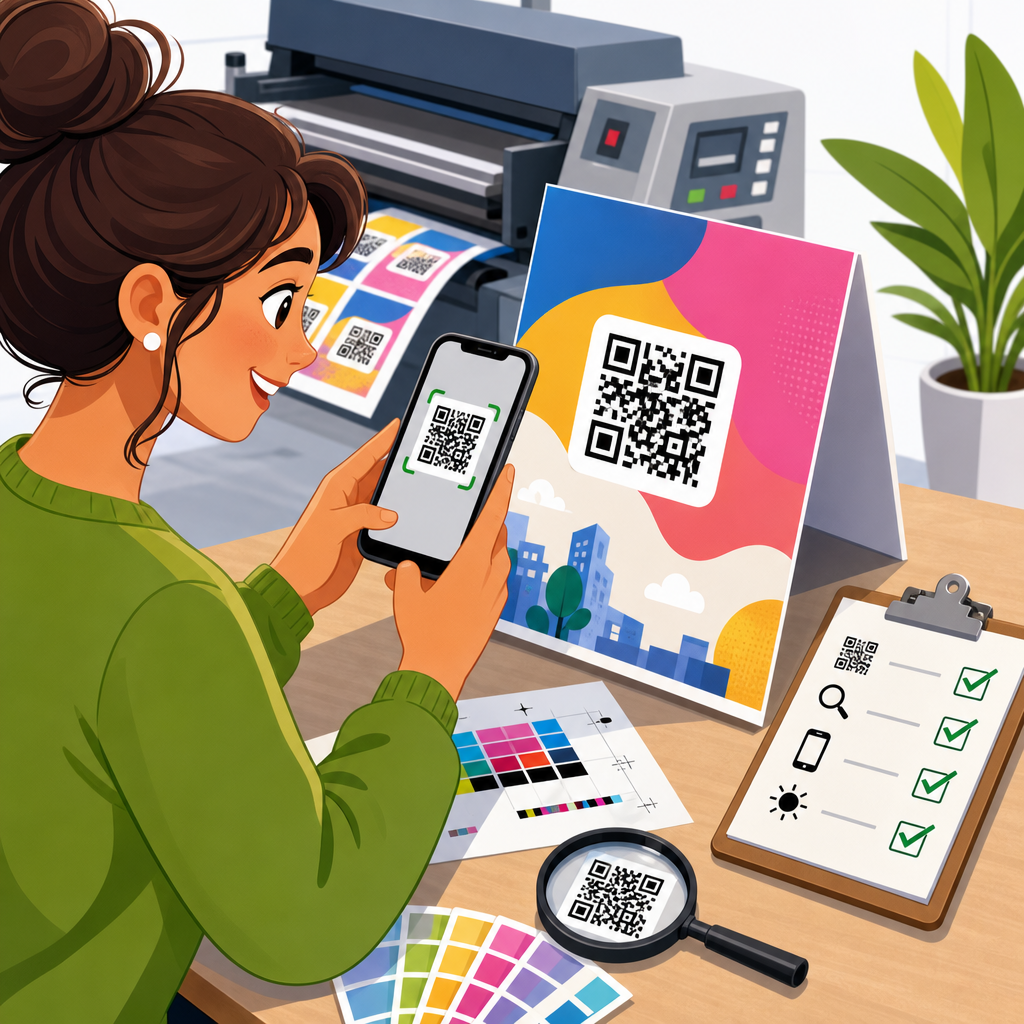
How to Test QR Codes for Print Campaigns starts with one practical truth: a code that scans perfectly on a designer’s screen can fail badly once it reaches paper, packaging, signage, or direct mail. In print campaigns, QR code testing is the quality assurance process that verifies whether a code remains readable after real production variables are introduced, including size, color, material, lighting, distance, camera quality, and damage. I have seen campaigns lose response simply because a beautifully branded code was printed too small on textured stock or placed where glare hid the modules from phone cameras.
Testing matters because print is expensive to correct after launch. A landing page can be edited in minutes, but a postcard run, retail display, event banner, or product label often means thousands of printed units already in circulation. If the QR code fails, the campaign loses scans, attribution accuracy, and customer trust. Worse, the failure is often silent. People rarely report that a code did not work; they just move on. That makes QR code testing and quality assurance a core discipline in print marketing, not a last-minute check.
For print campaigns, quality assurance means more than asking one person to scan once. It means validating the full chain: the encoded destination, error correction level, quiet zone, contrast ratio, printed dimensions, substrate behavior, finishing effects, placement, device compatibility, and analytics tracking. This article serves as the hub for QR Code Testing & Quality Assurance within QR Code Design, Printing & Materials, covering the standards, methods, and field checks that consistently prevent costly mistakes.
Start with the QR code data, destination, and scan intent
The first test is not visual at all. Confirm that the encoded data is correct, complete, and appropriate for the campaign objective. For most print campaigns, the safest choice is a dynamic QR code that redirects through a managed short URL, because it allows destination changes, scan tracking, and issue correction without reprinting. Static codes can work for permanent uses such as Wi-Fi credentials or fixed product information, but they lock in errors. Before approving artwork, scan the code with multiple reader apps and native camera apps to verify that the destination resolves over both iOS and Android and that any UTM parameters, deep links, app intents, or fallback URLs behave as intended.
Scan intent should match the physical context. A code on a storefront window usually targets quick mobile browsing, map directions, or store hours. A code on packaging may need batch-level traceability, warranty registration, or multilingual product pages. A code on a trade show banner must load quickly over congested cellular networks. During testing, ask what the user expects immediately after scanning and whether the experience fulfills that expectation in fewer than three taps. In my experience, many “scan failures” are actually intent failures: the code works, but the page is slow, unoptimized for mobile, or irrelevant to the printed call to action.
Validate symbol construction before print production
A printable QR code begins with sound symbol construction. Verify the version, module count, error correction level, and quiet zone before anyone exports a PDF. Error correction determines how much damage or obstruction the code can tolerate: Level L restores about 7 percent, M about 15 percent, Q about 25 percent, and H about 30 percent. Higher correction improves resilience but increases module density, which can make small printed codes harder to scan. For print, I usually treat M or Q as the default range unless the design adds a logo or the environment is harsh, in which case H may be justified. The point is balance, not maximum correction by default.
Quiet zone is nonnegotiable. ISO/IEC 18004 specifies a clear margin around the symbol, commonly at least four modules wide. Designers often violate this by crowding text, borders, dielines, or background graphics too close to the edges. Even when a scanner can decode a code on screen, production tolerances can close that margin in print. Also inspect shape modifications carefully. Rounded modules, custom eyes, gradients, and embedded logos can remain scannable, but every decorative choice reduces tolerance. Test the exact final artwork, not a plain black reference version, because the branded appearance is what customers will actually see.
Test printed size, viewing distance, and placement in the real environment
One of the most reliable rules in QR code testing is that print size must match scan distance. A practical guideline is that the scan distance should be roughly ten times the code’s printed width. A 2-centimeter code is comfortable at about 20 centimeters, while a 10-centimeter code suits around 1 meter. Billboards, transit posters, and in-store hanging signs need much larger symbols because users scan from farther away and often at awkward angles. For hand-held materials such as business cards, brochures, and mailers, sizes around 20 to 30 millimeters often work well when contrast is high and the module count is moderate.
Placement matters as much as size. Avoid folds, seams, bottle curves, perforations, and edges where trimming variation can cut into the quiet zone. On packaging, test the code on the actual assembled form, not the flat dieline, because curvature can distort modules and reflections can change dramatically once varnish or film is applied. On posters and window graphics, place the code where people can approach safely and where a phone camera can frame it without severe perspective distortion. I have had high-performing codes fail after relocation from eye level to the bottom corner of a display, simply because shoppers had to crouch while managing glare from overhead lights.
Check print quality, contrast, and substrate effects
Most print-related scan problems come from production variables, not encoding mistakes. Dot gain can thicken dark modules on uncoated stocks, while low toner density or ink starvation can weaken edges. Textured papers break up fine module boundaries. Metallic foils, gloss lamination, spot UV, and curved plastic surfaces introduce reflections that confuse autofocus and edge detection. The safest print combination remains dark modules on a light, matte background with strong luminance contrast. Black on white is best, but dark navy, deep green, or dense burgundy can work if the background stays pale and the contrast remains high.
In prepress, inspect vector output whenever possible and avoid resampling the code into low-resolution raster artwork. If raster is unavoidable, keep resolution high enough that each module reproduces with clean edges at final print size; 300 ppi may be sufficient for larger codes, but small labels often benefit from substantially higher effective resolution. Ask the printer for a contract proof or press proof on the actual substrate and finishing stack. Then test under realistic lighting: retail LEDs, daylight through glass, warehouse sodium lamps, and dim indoor environments. A code that passes in studio conditions can fail under glare, shadow, or warm lighting that reduces apparent contrast.
| Test area | What to verify | Common failure | Practical fix |
|---|---|---|---|
| Encoded destination | URL resolves correctly on iOS and Android | Broken redirect or wrong UTM tags | Use dynamic code and validate final live link |
| Size and distance | Code is large enough for expected scan range | Too many modules in a small print area | Increase size or shorten payload |
| Quiet zone | Clear margin of at least four modules | Text or graphics too close to symbol | Expand white space around the code |
| Contrast and finish | Dark foreground on light, low-glare background | Gloss, foil, or low contrast blocks scanning | Use matte area or knockout panel |
| Placement | Flat, accessible, safely scannable position | Code on fold, curve, or edge | Move to flatter panel and reproof |
| Device testing | Multiple camera apps decode quickly | Older phones fail or hunt for focus | Reduce density and improve lighting/contrast |
Run multi-device scanning tests and document pass criteria
A proper QR code testing protocol uses multiple devices, operating systems, and camera behaviors. At minimum, test current iPhone and Android models plus one or two older devices with average cameras. Native camera apps are essential because many users never install a dedicated scanner. Include different screen settings, cracked protectors, and lower-end autofocus performance where possible. Record not just whether the code eventually scans, but how long it takes to detect, focus, and open the destination. In a print campaign, a code that requires several attempts is underperforming even if it technically decodes.
Pass criteria should be explicit. Define the maximum acceptable time to first successful scan, the required success rate across devices, and the environmental conditions under which the code must work. For example, a retail shelf tag might need a first-attempt success rate above 90 percent on six common devices under store lighting at 30 to 60 centimeters. A transport poster may require successful scans from off-axis positions at 1 to 2 meters. Document these criteria in a QA checklist and save photo evidence of the tested final print sample. This creates a repeatable standard and helps resolve disputes between design, marketing, and print vendors.
Test analytics, redirects, and campaign measurement before launch
Scan performance is only half of quality assurance; measurement integrity is the other half. Every printed QR code used in marketing should be tied to analytics that reveal scan volume, time, location where appropriate, device type, and downstream conversions. Before launch, verify that redirects preserve UTM parameters, that analytics platforms such as Google Analytics 4 receive the expected session data, and that any consent banners do not break campaign attribution. If the code opens an app, test fallback behavior for users without the app installed. If it opens a form, verify autofill, thank-you page tracking, and CRM capture.
Use unique codes or unique destination parameters by placement when attribution matters. A single code across posters, packaging, and direct mail simplifies artwork but obscures which placement drove results. In practice, separate codes for each channel, region, store format, or creative variant make optimization possible. I also recommend testing redirect speed from the actual short-link domain, because latency can affect trust and conversion. People notice delays after a scan. Finally, put an expiration and ownership check into the QA process. Campaign domains, link management accounts, and SSL certificates should be controlled by the organization, not an individual employee or temporary agency account.
Build a prepress and post-installation QA workflow
The most reliable print campaigns use two checkpoints: prepress approval and field verification. Prepress QA reviews the final exported file, checks that the symbol was not altered in RIP processing, confirms dimensions, and signs off on proof scans from the production substrate. Post-installation QA happens after the item is printed, mounted, folded, filled, or displayed in its final environment. This second check catches issues no studio proof can reveal, such as reflections on a refrigerated case, distortion on shrink sleeves, or poor accessibility on a high-mounted window decal. If the campaign is national, require a photo-and-scan verification process from installers or store teams.
A dependable workflow also assigns ownership. Design owns symbol integrity and quiet zone. Prepress owns output fidelity. Production owns substrate and finishing consistency. Marketing owns destination behavior and analytics. Operations or merchandisers own in-field placement. When nobody owns the whole chain, QR performance degrades at handoff points. Use a simple release checklist with required sign-offs, test dates, devices used, and final approved samples. As the hub for QR Code Testing & Quality Assurance, this page should connect teams to deeper guidance on scan distance, print materials, packaging challenges, color choices, proofing methods, and analytics setup. Treat every code as a functional interface, and test it with the same discipline you would apply to a checkout button or product label.
Successful QR code testing for print campaigns is disciplined, specific, and rooted in the physical world. The essentials are straightforward: verify the encoded destination, choose an appropriate symbol structure, protect the quiet zone, size the code for the expected scan distance, print it with strong contrast on suitable materials, test the exact finished piece across multiple devices, and confirm that analytics and redirects work before launch. When those steps are followed consistently, scan rates improve and expensive reprints become far less likely.
The main benefit of a strong QR code quality assurance process is reliability at scale. A code is not useful because it exists in the artwork; it is useful because ordinary people can scan it quickly in ordinary conditions and reach the right experience without friction. That standard is achievable on postcards, labels, menus, posters, packaging, and retail displays, but only when testing happens before and after production. Small decisions about finish, placement, and destination handling often determine whether a campaign performs well or quietly underdelivers.
If you manage printed marketing, make QR code QA part of your standard launch checklist today. Build one repeatable process, document pass criteria, and test real samples in real environments before anything goes live.
Frequently Asked Questions
1. Why is it so important to test QR codes specifically for print campaigns?
Testing QR codes for print campaigns is essential because a code that works perfectly in a digital proof does not automatically perform well once it is printed on a real surface. Print introduces variables that digital previews cannot fully simulate, including ink spread, reduced contrast, paper texture, glare, curvature, folds, weather exposure, and the distance from which a person is expected to scan. A QR code on glossy packaging, a retail window, a poster, a product label, or a direct mail piece can behave very differently even when the artwork itself looks identical.
The goal of testing is to confirm real-world scan reliability before a campaign launches at scale. If a code becomes difficult to scan, the result is not just a technical issue; it directly affects response rates, conversions, and customer trust. People typically give a QR code only a second or two before deciding it is broken or not worth the effort. That means even a small design or production mistake can cost meaningful engagement.
Proper testing helps identify issues with size, quiet zone spacing, color combinations, print resolution, destination URL behavior, and scanning conditions across multiple devices. It also verifies that the code still works under normal campaign circumstances such as low indoor light, outdoor glare, movement, or partial wear. In short, QR code testing is quality assurance for the customer experience. It protects campaign performance by ensuring the printed code remains easy, fast, and dependable to scan in the environments where people will actually encounter it.
2. What are the most important factors to check when testing a QR code on printed materials?
Several factors matter, but the most important ones are scanability, size, contrast, placement, print quality, and the landing experience after the scan. Start with basic readability: the code should scan quickly from the intended viewing distance using a range of common smartphones, not just the newest devices. If it only works under ideal conditions or only on one phone model, it is not ready for a print campaign.
Size is one of the first things to verify. A QR code that is too small may still look sharp to the eye but fail when a phone camera tries to detect the pattern. The correct size depends on how far away the user will be when scanning. A mailer handled at arm’s length can support a smaller code than a poster in a transit station or a sign in a store window. Testing should always match the expected real-world scanning distance.
Contrast is equally critical. Dark code elements on a light background usually perform best because scanners depend on clear differentiation between the modules and the background. Low-contrast brand colors, metallic finishes, transparent overlays, gradients, and patterned backgrounds can reduce reliability even if they look attractive. Testing should confirm that branding choices do not interfere with scan performance.
You should also check the quiet zone, which is the blank margin around the QR code. If text, logos, borders, or other graphic elements sit too close to the code, scanners may have trouble isolating it. Print quality matters as well. Ink bleed, soft edges, over-compression, low resolution, and substrate texture can all distort the code pattern. Finally, test the full user journey after the scan. The destination URL should load quickly, be mobile-friendly, use accurate tracking, and present the correct content. A successful scan that leads to a broken page is still a failed campaign experience.
3. How do you test a QR code under real-world print conditions before launching a campaign?
The best approach is to test the QR code in conditions that closely replicate how the final audience will encounter it. Begin by printing physical proofs using the same or comparable production method, material, finish, and size planned for the campaign. On-screen review is helpful for layout approval, but it is not enough for scan validation. You need to see how the code behaves after actual printing, especially if the campaign involves coated stock, textured packaging, labels, signage, or outdoor placement.
Next, test with multiple smartphones and camera qualities. Use both iPhone and Android devices, newer and older models, and native camera apps as well as common scanning tools if relevant. Observe how quickly each phone recognizes the code, whether users need to reposition the camera repeatedly, and how forgiving the code is in less-than-perfect conditions. A reliable QR code should scan without requiring precision, ideal lighting, or repeated attempts.
Environmental testing is equally important. Check the printed code in bright light, dim light, indoor light, and if applicable, direct sunlight. Test from the intended angle and distance. For example, a QR code on a table tent should be tested from a close seated position, while a code on a wall sign should be tested from a standing distance and slightly off-angle. If the code appears on curved packaging, folded mailers, or surfaces that may wrinkle or scuff, test it on those shapes as well.
It is also smart to perform durability checks. Simulate normal handling, including creasing, smudging, rubbing, and minor damage. QR codes include error correction, but that does not make them indestructible. Testing shows how much wear the code can tolerate before scan performance drops. Finally, validate the destination experience by confirming the URL resolves properly, redirects are working, analytics parameters are accurate, and the landing page is optimized for mobile users. The most effective testing process combines physical proofing, multi-device scanning, environmental validation, and post-scan destination checks.
4. What are the most common reasons printed QR codes fail to scan?
Printed QR codes usually fail because of design decisions, production issues, or environmental conditions that reduce readability. One of the most common problems is making the code too small for the intended scan distance. Designers often size QR codes based on available layout space rather than practical usability, which creates a code that looks neat in the composition but becomes frustrating in the real world.
Another frequent issue is poor contrast. Light colors, brand palettes with similar tones, reflective inks, or dark backgrounds behind the code can make it difficult for smartphone cameras to detect the pattern. Even when a design appears visually stylish, scanners need strong visual separation to read the code quickly. Removing or shrinking the quiet zone is another classic mistake. Without enough clear space around the code, cameras may struggle to distinguish it from nearby graphics or text.
Print production errors are also a major cause of failure. Low resolution artwork, excessive compression, ink gain, blurry edges, and misregistration can distort the square modules that scanners depend on. Specialty finishes such as gloss, foil, embossing, lamination, or transparent labels may introduce glare or visual interference. Placement can be problematic too. A code positioned on a curved bottle, across a fold, near a package seam, or in a hard-to-reach location can become difficult to frame with a phone camera.
Sometimes the QR code itself scans, but the campaign still fails because the destination does not work properly. Broken links, slow-loading pages, redirects that misfire, expired campaigns, and pages that are not mobile-optimized all create a poor experience after the scan. That is why effective testing goes beyond whether the code can be read. It must confirm that the complete user journey, from physical scan to mobile landing page, works smoothly and consistently.
5. What are the best practices for making sure a printed QR code remains easy to scan after production?
The best practice is to design for reliability first and decoration second. Use a sufficiently large QR code based on the expected scanning distance, maintain a clear quiet zone around it, and prioritize strong contrast with dark modules on a light background whenever possible. Keep the artwork clean and avoid placing the code over busy imagery, gradients, or textures that compete with the pattern. If branding is added, such as a logo in the center, verify that it does not interfere with scanner recognition and that the error correction level supports the modification.
It is also important to choose production-friendly specifications. Export the QR code in a high-quality format, preferably vector when possible, and confirm the printer is using settings that preserve sharp edges. Review physical proofs, not just digital layouts, and inspect the code after the actual printing process. If the piece uses unusual materials or finishes, test on the exact substrate. Matte often performs better than highly reflective surfaces because it reduces glare, but testing should confirm what works best for the specific campaign.
Think carefully about placement and context. Put the QR code where people can comfortably see and scan it without awkward movement, extreme angles, or obstruction. If the audience will encounter it while walking, driving past, or standing in a crowded space, give the code more size and visual breathing room. If instructions are needed, add a short call to action so users know what they will get by scanning, such as accessing a coupon, video, menu, registration page, or product information.
Finally, build testing into your workflow as a standard checkpoint before approval. Test across devices, distances, lighting conditions, and realistic handling scenarios. Monitor the live campaign after launch as well. If the QR code uses a dynamic link, review scan data and landing-page behavior to catch issues early. The strongest print campaigns treat QR codes as performance tools, not decorative elements. When designed, printed, and tested with real-world conditions in mind, they become a dependable bridge between physical media and digital action.





