
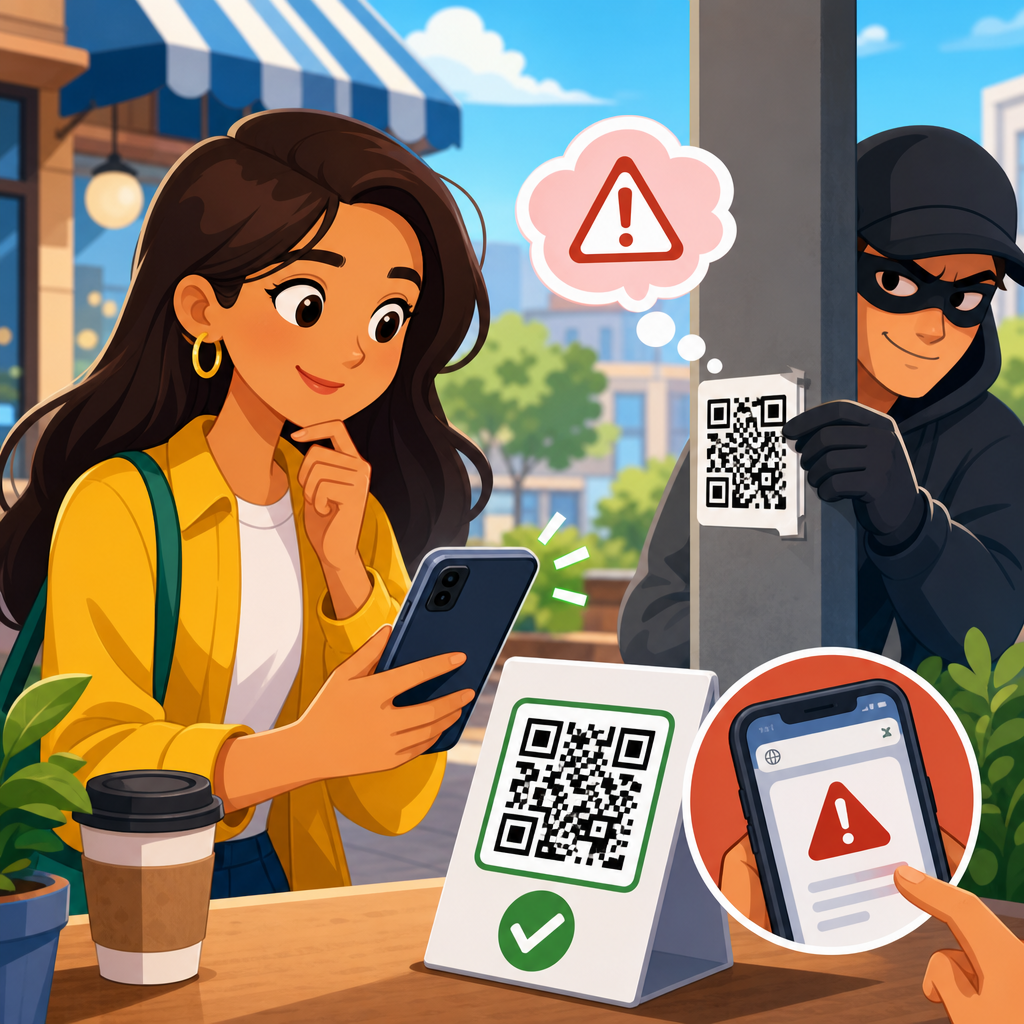
QR codes moved from restaurant menus and parking meters into nearly every part of daily life, and that convenience created a new opening for fraud. A QR code, or quick response code, is a two-dimensional barcode that stores a web address, payment request, contact card, Wi-Fi credential, or other machine-readable data that a phone can interpret instantly. In practice, a user points a camera at a black-and-white square, taps the prompt, and lands wherever the code sends them. That speed is the core benefit of QR technology, but it is also the core risk: people often scan first and verify later.
When I assess QR code security incidents, I see the same pattern repeatedly. Attackers exploit trust in familiar places and routines. They place sticker overlays on parking kiosks, print fake codes on utility letters, send codes in phishing emails, or embed them in social posts that promise discounts, account verification, or package tracking. The victim does not need to download malware for harm to occur. A scam can succeed through credential theft, card fraud, malicious payment redirection, or simple social engineering that pushes the user to reveal one-time passcodes and personal details.
QR code scams matter because they combine offline and online deception in a way many security habits do not fully address. People know to inspect suspicious links in email, yet the same people may trust a code attached to a meter, flyer, invoice, or sign in a public space. Businesses are also vulnerable. A tampered code on a tabletop menu, poster, payment terminal, or product package can redirect customers to counterfeit websites, damage brand trust, and create chargebacks or support costs. The result is not just an individual nuisance; it is an operational and reputational problem.
This article explains how to avoid QR code scams by covering the main fraud methods, warning signs, verification steps, business controls, and response actions after a suspicious scan. Think of it as the hub for QR code scams and fraud: it gives you the practical framework needed to recognize attacks quickly, reduce exposure, and make safer decisions wherever QR codes appear.
How QR Code Scams Work in the Real World
QR code fraud works because a code hides its destination until a device reads it. Unlike a printed URL, a code does not let the average user visually inspect the domain, path, or payment details before interacting. Attackers use this opacity to insert themselves between the user and a trusted action. In security teams, this is often described as quishing, meaning phishing delivered through QR codes. The tactic is effective because mobile users are more likely to move quickly, use smaller screens, and overlook clues that would stand out on a desktop browser.
A common example is payment redirection. A city parking machine displays a legitimate QR code that sends drivers to an official payment portal. A scammer places a convincing sticker over that code. The new code leads to a lookalike payment page with copied branding, a domain name that differs by one character, and fields for card details. Victims believe they paid for parking, but the payment goes to the criminal, and the card data may be stored for later abuse. Variations of this attack have been reported around meters, EV charging stations, and event venues because users are already primed to act quickly.
Another frequent pattern is account takeover. The attacker emails a QR code with language such as “Your Microsoft 365 password expires today” or “Scan to restore secure access.” The scan opens a fake sign-in page that mirrors the real provider’s branding. If the victim enters credentials and a one-time code, the attacker can relay that session to the genuine service in real time. This is especially dangerous against cloud email, payroll systems, and collaboration tools, where one compromised account can expose invoices, vendor conversations, and internal documents.
Scammers also use QR codes to trigger social engineering chains rather than direct malware. A code can open a prefilled message, start a chat with a fraudulent support representative, launch a spoofed package-tracking page, or prompt the user to install a configuration profile. On both iPhone and Android, the specific risk depends on what the code encodes and what the user approves next. The point is simple: the danger is not the square itself but the action it initiates.
Common Types of QR Code Scams and the Warning Signs
Most QR code scams fall into a handful of repeatable categories. Understanding those categories helps people spot fraud faster because the context often reveals the risk before the code is even scanned. Public-payment scams target urgency and habit. Credential-harvesting scams target login flows. Fake promotions target greed and curiosity. Product or document tampering targets trust in brands, packaging, and official-looking paperwork. In each case, the attacker depends on reducing the time between scan and action.
| Scam type | How it appears | Main risk | Best immediate check |
|---|---|---|---|
| Parking or kiosk overlay | Sticker placed over a real code on a meter, terminal, or sign | Card theft or fake payment | Inspect for tampering and verify the official payment domain |
| QR phishing email | Message claims account issue, invoice, or security alert | Credential theft and session hijacking | Do not scan; visit the service directly through a saved bookmark |
| Fake promotion | Poster, social post, or handout offering prizes or discounts | Personal data collection or fraudulent charges | Confirm the offer on the brand’s official site or app |
| Package or utility notice | Printed letter or label requesting immediate payment or verification | Payment fraud and identity theft | Call the provider using a known number, not the code |
| Restaurant or venue menu swap | Counterfeit code on table cards or wall displays | Redirect to phishing page or malicious checkout | Ask staff whether the code and domain are current |
Warning signs tend to cluster. Look for sticker edges, mismatched branding, poor print quality, domains that use extra words or unusual country-code endings, and pages that ask for more information than the task requires. A parking payment page should not request your email password. A restaurant menu should not ask for your banking login. A shipping verification page should not demand a government ID upload unless that step is clearly part of a known process. Fraud often reveals itself through unnecessary data collection.
Urgency is another major indicator. Attackers write copy that pressures action: final notice, suspended account, limited-time discount, unpaid toll, or immediate verification required. Real organizations do send urgent notices, but established companies also provide multiple ways to verify them, including official apps, customer portals, and phone support. When a QR code tries to become the only path to resolution, skepticism is justified.
How to Verify a QR Code Before You Trust It
The safest habit is to treat a QR code like any other untrusted link. Before scanning, inspect the context. Ask who placed the code there, what action it claims to perform, and whether a code is necessary at all. If you are standing at a parking meter, there should usually be printed payment instructions, a machine ID, and branding consistent with the city or operator. If you receive a code by email from a software provider, compare the message with prior legitimate notices and check the sender domain carefully. A trusted action should remain trustworthy even when you slow down.
After scanning, pause before tapping through. Modern phone cameras and many QR scanner apps display a preview of the URL. Read the domain from right to left and focus on the registered domain, not just the words at the start. For example, secure-payments.cityparking.example.com belongs to example.com, while cityparking-payments.com is entirely different. If the destination uses a URL shortener, that is not automatic proof of fraud, but it raises the need for additional verification because it hides the final destination. In my work, shortened links combined with urgent payment requests are one of the strongest practical indicators of risk.
Use direct navigation whenever possible. Instead of scanning a code from an email to access Microsoft 365, Google Workspace, a bank, or a delivery service, open the official app or type the known website yourself. This single habit prevents a large share of credential-theft scenarios. For public payments, check whether the operator publishes the accepted payment website on signage or on its official website. If the meter code points somewhere else, do not proceed.
Technical safeguards help as well. Keep your phone operating system updated. Use a password manager that auto-fills only on matching domains; it acts as a quiet warning system when a fake login page appears. Enable multifactor authentication, preferably with phishing-resistant methods such as passkeys or hardware security keys where supported. Avoid approving unexpected sign-in prompts. If a scan requests app installation, profile installation, or device-management permissions, stop and verify through a known support channel.
Best Practices for Safer Scanning at Home, at Work, and in Public
For individuals, the strongest defense is a repeatable checklist. First, scan only when the code comes from a source you can identify. Second, inspect the destination before interacting. Third, avoid entering credentials or payment details unless you reached the page through a verified channel. Fourth, prefer official apps over browser-based flows for banking, parking, ticketing, and package management. Fifth, monitor card statements and account activity so that any misuse is detected early. These steps are simple, but they work because they break the scammer’s speed advantage.
At work, QR code security should be folded into existing phishing awareness and mobile device policies. Employees often receive QR codes in conference materials, office signage, visitor badges, and emails about payroll or benefits. Security teams should explicitly train staff that QR codes are links, not endorsements. Mobile threat defense tools, Microsoft Defender for Endpoint, Google Workspace security controls, and secure email gateways can reduce exposure, but training still matters because many attacks start with a physical code outside managed systems. In procurement and facilities, require regular inspection of printed codes on kiosks, posters, and reception materials.
For businesses that publish QR codes, fraud prevention starts with design and governance. Use branded landing pages on clearly owned domains, and keep those domains short, memorable, and protected with HTTPS. Avoid frequent destination changes that confuse customers. Place human-readable URLs near the code so users have an independent reference. For payment or support codes in public spaces, add tamper-evident labels, asset IDs, and reporting instructions such as “If this sticker looks altered, call this number.” In restaurants, hotels, and events, staff should know where legitimate codes are located and how to answer customer questions immediately.
Public environments deserve extra caution because criminals exploit anonymity and high foot traffic. Parking areas, transit stations, bulletin boards, festivals, and campus buildings are common targets. If a code is outdoors, temporary, or attached with a sticker, assume it could have been altered. If the action involves money, move to a direct channel. Search the operator’s website, use the official app, or pay at the machine itself if available. Convenience should never outrank verification when funds or account access are involved.
What to Do If You Scanned a Suspicious QR Code
If you scanned a suspicious code but did not enter any information, your risk may be low, but you should still close the page and clear the session. If you submitted credentials, change the password immediately from a known-good device and revoke active sessions if the service allows it. For email, cloud accounts, and workplace logins, notify the security or IT team at once because they may need to review sign-in logs, reset tokens, and watch for business email compromise. If you entered card details, contact the card issuer, lock or replace the card, and monitor for unauthorized transactions.
Document what happened while details are fresh. Save screenshots, the URL, the time, the location, and any receipt or message connected to the scan. For a physical scam at a parking meter, kiosk, or venue, report it to the property owner, operator, or local authority so the code can be removed quickly. Reporting matters because QR scams often scale through repeated victim exposure at the same location. One timely report can prevent dozens of later losses.
Finally, turn the incident into a stronger routine. Review how the code gained your trust, whether urgency, location, or branding influenced you, and which safeguard would have interrupted the scam. The main benefit of learning how to avoid QR code scams is not paranoia; it is confident use of a useful technology without giving criminals an easy path to your money, accounts, or data. Share these practices with coworkers and family, verify before you tap, and treat every QR code as a link that must earn your trust.
Frequently Asked Questions
What is a QR code scam, and why are they becoming more common?
A QR code scam happens when a criminal uses a QR code to send someone to a harmful destination or trigger an unsafe action. Instead of leading to a legitimate restaurant menu, payment page, login screen, app download, or support portal, the code may open a fake website designed to steal passwords, collect credit card numbers, install malware, or trick the user into sending money. In some cases, scammers place fraudulent QR code stickers over real ones in public spaces such as parking meters, utility payment stations, posters, or restaurant tables. In others, they send QR codes through email, text messages, social media, or printed mailers that appear to come from trusted brands.
These scams are becoming more common because QR codes are fast, familiar, and easy to trust. People have gotten used to scanning them without thinking twice, especially when they are in a hurry. A QR code also hides the destination until after the scan, which gives scammers an advantage. Unlike a plain typed web address, a QR code does not immediately show where it leads. That extra layer of abstraction makes it easier for fraudsters to disguise fake login pages, payment requests, and malicious downloads. As QR codes continue to appear in more parts of daily life, from banking to retail to customer service, they give attackers more opportunities to exploit convenience and speed.
How can I tell whether a QR code is safe before I scan it?
The safest approach is to treat every QR code like a link from an unknown source. Before scanning, look at the context. Ask yourself where the code came from, why it is there, and whether it makes sense. A QR code posted on a flyer, sticker, parking meter, or public sign should be checked carefully for signs of tampering. If a sticker looks like it was placed over another code, is peeling at the edges, or appears out of place, do not scan it. In emails or text messages, be especially cautious if the message creates urgency, claims there is a problem with your account, asks for payment, or pressures you to verify information immediately.
Many phones display a preview of the destination URL before you open it. Use that preview. Look closely at the web address for misspellings, extra words, strange subdomains, unusual endings, or brand names that do not match the official company domain. For example, a page pretending to belong to a bank or delivery company may use a lookalike address that seems close at first glance but is actually fake. If the QR code is supposed to take you to a known company, compare the URL with the company’s official website. When in doubt, skip the scan and go directly to the source by typing the web address yourself, using the official app, or contacting the business through a verified phone number or website.
What are the biggest warning signs that a QR code might be part of a scam?
Several red flags should make you stop immediately. One of the biggest is urgency. If a QR code comes with language such as “pay now,” “verify immediately,” “your account will be locked,” or “limited-time security update,” that is a common scam tactic. Another warning sign is a request for sensitive information after scanning. A legitimate company may ask you to log in through its normal website or app, but a suspicious QR code may take you to a page that demands passwords, payment details, one-time passcodes, or personal identification information in an unusual way.
Be cautious if the landing page looks poorly designed, contains spelling or grammar mistakes, uses low-quality branding, or feels different from the real company website. Also watch for redirects, unexpected app download prompts, or payment screens that appear too quickly without explanation. In physical locations, a QR code that covers another printed code or appears as an unofficial sticker is a major red flag. In digital messages, be skeptical of QR codes sent by strangers or by contacts who suddenly send vague messages without context. Even if a message appears to come from someone you know, their account could be compromised. If anything about the code, the message, or the destination feels off, trust that instinct and verify through a safer channel.
What should I do if I accidentally scanned a suspicious QR code?
If you scanned a suspicious QR code but did not interact with the page, close the browser or app immediately and do not tap anything else. If the page opened a website, avoid entering any usernames, passwords, payment details, or personal information. If it tried to start a download, cancel it. If you did download something, delete it if possible and run a reputable mobile security scan. Also make sure your phone’s operating system and apps are fully updated, since security updates can help protect against known threats.
If you entered login credentials, change your password right away for that account and for any other account where you reused the same password. Enable two-factor authentication if it is available. If you entered payment information or sent money, contact your bank or card provider immediately to report potential fraud and ask about monitoring, replacement cards, or transaction disputes. If you provided personal information, watch for signs of identity theft and consider placing a fraud alert if appropriate. It is also wise to clear your browser data, review installed apps, and check account activity for anything unusual. The faster you act, the better your chances of limiting damage.
What are the best habits to prevent QR code scams in everyday life?
The most effective habit is simple: pause before you scan. Convenience is what makes QR codes useful, but it is also what scammers count on. Use official apps and typed web addresses whenever possible, especially for banking, payments, account logins, and sensitive transactions. If a parking meter, utility notice, event poster, or restaurant table includes a QR code for payment, verify that it belongs to the legitimate business before using it. In many cases, it is safer to navigate through the company’s official website or app yourself rather than relying on a code in the wild.
Keep your phone updated, use strong unique passwords, and enable multifactor authentication on important accounts. Teach family members, especially teens and older adults, that a QR code is not automatically safe just because it is printed or posted in public. Be careful with QR codes in unsolicited emails, texts, and social media messages, particularly those tied to prizes, account issues, package delivery problems, or urgent bills. Finally, build the habit of checking the destination URL before opening it. A few extra seconds of attention can prevent stolen credentials, fraudulent payments, malware infections, and a great deal of cleanup later. In the world of QR codes, a little skepticism is a strong form of security.





