
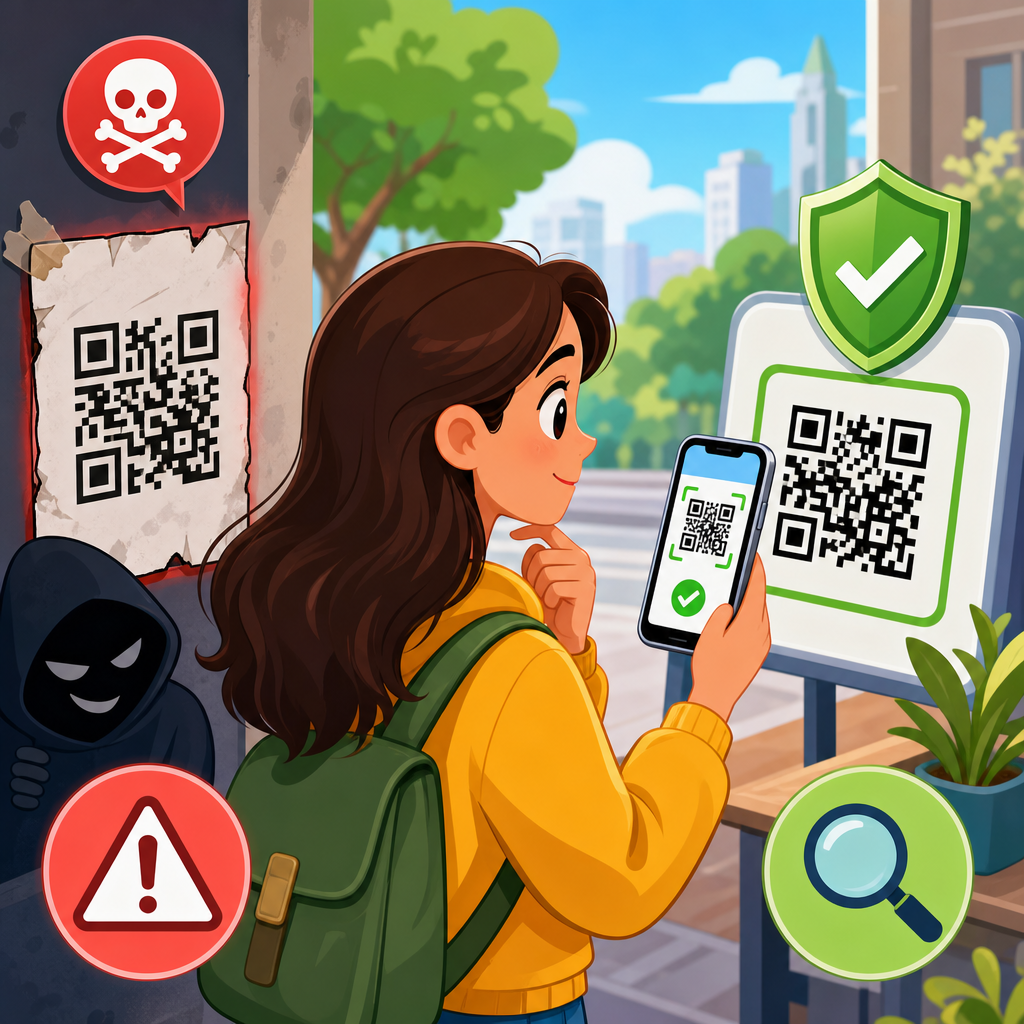
QR codes are convenient, cheap to print, and now deeply embedded in everyday life, but that convenience has created a large attack surface for criminals. Restaurants replaced paper menus with codes, parking meters use them for payment, utilities place them on bills, and couriers use them for tracking. A malicious QR code is simply a code that sends you somewhere unsafe or triggers an action you did not intend, such as opening a phishing site, downloading malware, prefilling a payment request, or exposing login credentials. The scam category is often called quishing, a blend of QR and phishing, and it works because people cannot visually inspect a QR code the way they can read a web address.
Knowing how to avoid malicious QR codes matters because scanning feels low risk. In practice, the code itself is only a container; the danger comes from what it encodes. That might be a spoofed login page, a shortened link that hides the destination, a fake app download, a crypto payment address, or a malicious Wi-Fi configuration. I have worked with security teams reviewing mobile fraud cases, and the pattern is consistent: users trust the physical context, scan quickly, and act before verifying the destination. Attackers exploit urgency, familiarity, and the assumption that printed materials are legitimate.
This article is the hub for safe scanning tips within QR Code Security and Privacy. It explains how malicious QR code scams work, where people encounter them, how to assess a code before and after scanning, which device settings reduce risk, and what to do if you already interacted with a suspicious code. If you want one core rule, use this: treat every QR scan as if you are clicking an unknown link. Pause, preview, verify the destination, and only proceed when the source and action both make sense. That mindset prevents most QR-based fraud.
How malicious QR code scams work
A QR code can encode several kinds of data, including a website URL, contact card, plain text, payment request, email draft, SMS message, app deep link, or Wi-Fi network configuration. Most scams rely on URLs because they are flexible and easy to weaponize. The attacker’s goal is not the square pattern itself; it is to move you into a harmful flow. Common flows include credential theft through fake Microsoft 365 or bank logins, payment fraud through counterfeit parking or toll sites, and malware delivery through deceptive update pages that target Android devices.
The classic setup is simple. A criminal prints a sticker and places it over a legitimate code on a parking meter, restaurant table, poster, package locker, or public notice. The victim scans the code, sees a realistic payment or sign-in page, enters details, and the attacker captures card data, passwords, one-time codes, or personal information. Another version arrives by email or paper mail, often posing as unpaid toll notices, invoice messages, or account verification requests. Because the user scans with a phone, traditional desktop protections and habits may be weaker.
Attackers also use redirection chains to hide their tracks. The QR code may point to a shortened URL, which then bounces through analytics or ad domains before landing on a phishing page. That makes destination checking harder and can evade simple filtering. Some scams use lookalike domains, such as replacing letters with similar characters, adding extra words, or using country-code domains that resemble trusted brands. On mobile screens, these differences are easy to miss. The most dangerous codes are not always technically advanced; they succeed because they fit the environment and ask for a plausible action.
Where dangerous QR codes appear most often
The highest-risk locations are places where scanning is expected and speed matters. Parking meters are a major example because drivers are distracted and may be in a hurry. Criminals have repeatedly placed fraudulent QR stickers on city parking machines to redirect payments to fake sites. Public transit posters, event flyers, and storefront windows are also common because people assume the code belongs to the organization displayed nearby. In offices, fake codes can appear on package notifications, visitor check-in signs, or equipment labels.
Mail and email remain important channels. Utility bills, tax notices, benefits letters, and invoices may include QR codes for fast payment or account access. A forged bill with a malicious code can look legitimate enough to fool careful people, especially when it copies branding and account numbers from a previous leak. In email, an embedded QR image may bypass habits users developed around suspicious links because the dangerous URL is hidden inside the image until scanned by a phone. Security teams increasingly train staff to treat QR images in unsolicited messages as untrusted links.
Consumer packaging and peer-to-peer selling platforms add another layer of risk. A fake code on a product box may direct buyers to a counterfeit registration page, warranty form, or app download. Resellers may send codes claiming to unlock shipment status or payment confirmation. Even social media posts can include QR images that lead to fake promotions or credential traps. The broad lesson is that context does not guarantee legitimacy. A code found in a trusted-looking place still needs verification.
Safe scanning tips that prevent most QR scams
The safest way to scan a QR code is to slow the interaction down. Before scanning, inspect the environment. Is the code printed cleanly, or is it a sticker placed over another label? Does the sign use the organization’s normal branding, contact details, and domain? Is there a short printed web address nearby that matches the QR destination? If anything looks improvised, damaged, misaligned, or recently covered, do not scan. Go directly to the company website, app, or customer support channel instead.
After scanning, do not tap through immediately. Use the phone’s preview prompt to read the destination. On iPhone and Android, the camera typically shows the URL before opening it. That preview is your checkpoint. Verify the domain name carefully, not just the page design you might see later. Trusted organizations usually use clear primary domains, not strange subdomains, misspellings, or random strings. If the code opens a shortened link, treat that as a warning sign unless you already trust the source and can confirm the redirect independently.
Never enter credentials, card details, or one-time passcodes on a page reached from an unexpected QR code. Open your banking app, parking app, airline app, or account portal directly instead. For public Wi-Fi, avoid QR codes that automatically configure a network unless the venue is clearly legitimate and the network name matches posted information. If a code prompts an app download, install only from the Apple App Store or Google Play, and confirm the developer name, reviews, and permissions before proceeding.
| Situation | Safer action | Why it helps |
|---|---|---|
| Parking meter payment | Use the city parking app or type the official URL manually | Avoids fake payment pages placed on stickers |
| Invoice or bill with QR code | Match account details, then log in through the provider’s website | Prevents payment diversion to attacker accounts |
| Email containing a QR image | Treat it like an unknown link and verify with the sender separately | Stops credential theft from spoofed messages |
| Code requesting an app install | Search the official app store yourself | Reduces malware and fake app risk |
| Public poster or flyer promotion | Check the company’s social profile or website for the same campaign | Confirms the promotion is real before you engage |
How to verify a QR destination on your phone
Verification starts with the domain. Read from right to left: the core domain comes immediately before .com, .org, .gov, or another top-level domain. In example-payments.com.secure-login.ru, the real domain is secure-login.ru, not example-payments.com. That single habit catches many phishing attempts. Also look for HTTPS, but do not treat the padlock as proof of safety. Attackers routinely obtain certificates for phishing domains, so HTTPS only means the connection is encrypted, not that the site is legitimate.
Use built-in mobile defenses where available. Google Safe Browsing protections in Chrome and anti-phishing features in Safari can block known malicious sites, though they will not catch every new scam. Password managers are another strong signal. If your password manager does not recognize the site where you normally log in, stop. In many incident reviews, that missing autofill cue was the earliest clear sign of a fake page. On managed work devices, mobile threat defense tools from vendors such as Microsoft, Lookout, or Zimperium can add URL reputation and device-risk checks.
If you need higher assurance, use a URL expansion or reputation service before visiting a destination from an unfamiliar code. Security analysts often check redirects with services such as VirusTotal, URLscan, or browser-based link expanders, although average users should avoid overcomplicating routine decisions. The practical standard is this: if the destination matters enough to involve money, credentials, identity documents, or software installation, do not rely on the QR path. Navigate independently to the official site or app and complete the action there.
Device settings and habits that reduce QR risk
Phone security is not a substitute for judgment, but it narrows the damage if you do encounter a malicious QR code. Keep iOS or Android updated because browser engines, WebView components, and app sandboxing receive security fixes regularly. Install apps only from official stores, and disable sideloading unless you have a managed-business need. Review camera and browser permissions, and remove apps you no longer use. On Android, Google Play Protect should remain enabled. On iPhone, Lockdown Mode may be appropriate for people at elevated risk, though it is not necessary for most users.
Use multi-factor authentication everywhere possible, preferably through an authenticator app or hardware security key rather than SMS alone. That matters because many QR scams aim to steal passwords first, then request one-time codes in real time. MFA will not stop every attack, but it blocks straightforward credential reuse and often limits account takeover. Virtual card numbers offered by some banks can also reduce harm when a fake payment page captures card details, since the exposed number may be merchant-specific or easily replaced.
Build one durable habit: do sensitive tasks from known entry points. Open your bank app from your home screen, your airline account from your saved bookmark, your employer portal from the official app, and your utility provider through a manually typed address or password manager entry. In the teams I have advised, that one operational habit consistently outperformed awareness posters alone. Security improves when the safe choice is the normal choice.
What businesses should do to make QR code use safer
Organizations that deploy QR codes have a responsibility to reduce fraud opportunities. First, use short, readable official domains or branded short links that customers can recognize before tapping. Second, print the destination domain in plain text next to the code so users have an independent reference. Third, place codes in tamper-evident locations and inspect them regularly for stickers or overlays. Parking operators, restaurants, hospitals, and event venues should include QR checks in routine site walks, just as they inspect signage and payment hardware.
Clear user instructions matter. A payment sign should say exactly what happens after scanning, such as “opens cityname.gov parking payment page” or “download our official app from Apple App Store or Google Play.” Staff should be trained to answer verification questions and provide non-QR alternatives. For internal use, security teams should include QR scenarios in phishing simulations and incident response playbooks. Email gateways and secure web gateways increasingly scan embedded QR images, but user education is still essential because attackers adapt quickly.
Analytics can also reveal abuse. Monitor spikes in failed logins, unusual payment flows, or customer complaints tied to specific locations. If a venue uses dynamic QR codes managed through a platform, lock down access with strong authentication and change control. A compromised QR management account can silently redirect traffic at scale. Safer QR deployment is not complicated, but it requires ownership, inspection, and a clear fallback path for users.
What to do if you scanned a suspicious QR code
If you only scanned the code and viewed the preview without opening anything, your risk is usually low. If you opened the link, close the page and do not interact further. If you entered a password, change it immediately from the official site or app, and change any reused passwords on other accounts. If you submitted card details, contact the card issuer, freeze or replace the card, and review transactions. If you approved a login prompt or entered a one-time code, check account sessions and sign out everywhere.
Run a device scan if you downloaded anything, especially on Android. Remove unknown apps, review installed profiles or device management settings, and check browser downloads. Report the fraudulent code to the business or property owner so they can remove it quickly and warn others. For workplace incidents, notify your security team immediately; rapid reporting can prevent a wider compromise. Documentation helps, so save screenshots of the page, URL, and physical code location if you can do so safely.
The best defense against malicious QR codes is disciplined verification, not fear. QR codes are not inherently unsafe; they are simply another path to digital action, and that path deserves the same scrutiny as any link. Inspect the setting, preview the destination, verify the domain, and use official apps or manually entered addresses for anything sensitive. If you manage QR codes for customers or employees, design them for transparency and inspect them for tampering. Start by reviewing where you scan most often and replace convenience-driven habits with verified ones today.
Frequently Asked Questions
What is a malicious QR code, and why are they considered risky?
A malicious QR code is a QR code that directs you to something harmful, deceptive, or unintended. On the surface, a QR code is just a convenient way to encode information such as a website address, payment link, contact card, or app download. The risk comes from the fact that people usually cannot tell where the code will lead until after they scan it. That lack of visibility makes QR codes attractive to criminals who want to hide phishing links, malware downloads, fake login pages, or unauthorized payment requests behind something that looks harmless.
They are especially risky because QR codes have become part of everyday routines. People now scan codes at restaurants, parking meters, retail counters, package lockers, utility bills, and event venues without much hesitation. Attackers take advantage of that trust by placing fake codes over legitimate ones, sending QR codes in emails or text messages, or printing them on flyers and signs. In many cases, the scam works not because the technology is advanced, but because the victim is rushed, distracted, or assumes the code came from a real business.
Another reason they are dangerous is that a QR code can trigger more than just a website visit. Depending on the device and app, it may open a payment screen, prefill a message, launch a download, connect to a Wi-Fi network, or prompt you to log in somewhere. If you act too quickly, you may approve an action before verifying who requested it. That is why the safest approach is to treat any QR code the same way you would treat an unexpected link: useful when verified, but never automatically trustworthy.
How can I tell whether a QR code is safe before scanning it?
You cannot guarantee that a QR code is safe just by looking at the pattern itself, but you can greatly reduce your risk by checking the context around it. Start by asking where the code came from. A code printed directly on official restaurant signage, inside a verified app, or on a company website is generally more trustworthy than a code on a random sticker, social media post, email attachment, or street poster. Criminals often rely on convenience and urgency, so unusual placement or pressure to scan immediately should raise suspicion.
Physically inspect public QR codes whenever possible. If a code appears to be a sticker placed over another sticker, is crooked, looks recently added, or does not match the branding around it, be cautious. Fake QR codes are often used to redirect people away from legitimate payment pages or menus. For example, a scammer may place a malicious code on a parking meter so drivers think they are paying the city when they are actually sending payment details to a fake website.
After scanning, do not tap through too quickly. Most phones show a preview of the link or action before opening it. Read the domain name carefully. Look for misspellings, extra characters, unusual country domains, or brand impersonation such as a fake variation of a well-known company name. If the QR code leads to a login page, payment request, file download, or asks for sensitive information, stop and verify independently. You can visit the organization’s official website by typing the address yourself, using a saved bookmark, or calling the business directly. The basic rule is simple: trust the source, inspect the surroundings, and verify the destination before you continue.
What are the most common QR code scams people should watch for?
One of the most common scams is QR phishing, sometimes called “quishing.” In this attack, the QR code sends you to a fake website designed to steal login credentials, payment card details, or personal information. The page may mimic a bank, delivery company, parking service, streaming platform, or workplace login portal. Because the site opens on a phone, users may be less likely to inspect the full web address or notice subtle warning signs.
Another frequent scam involves payment fraud. Attackers place fake QR codes on parking meters, donation boxes, vending machines, or restaurant tables. When someone scans the code, they are directed to a fraudulent payment form or wallet request. The victim believes they are paying a legitimate business, but their money and financial details go elsewhere. Similar scams can appear on utility bills, invoices, or fake customer support notices that urge immediate payment.
Malware delivery is also a real concern. A QR code may lead to a page that tries to convince you to install a security update, tracking tool, coupon app, or document viewer. In reality, the download may contain spyware, banking malware, or remote access tools. Other QR scams aim to hijack accounts by directing users to pages that request multifactor authentication codes, corporate login details, or cloud credentials. In workplace settings, criminals sometimes send QR codes in email messages claiming to be password reset notices or benefits updates. The consistent pattern across these scams is that the QR code creates a shortcut past your normal skepticism. If the scan leads to anything involving money, passwords, downloads, or identity verification, pause and confirm it through a separate trusted channel.
What should I do immediately after scanning a suspicious QR code?
If you scan a QR code and realize something feels off, the first step is to stop interacting with the page or prompt immediately. Do not enter any usernames, passwords, payment card details, banking information, or one-time passcodes. Do not approve downloads, app installs, or permission requests. If the page has already opened, close the browser tab or app. If anything downloaded automatically, do not open the file.
Next, assess what information or actions may already have been exposed. If you entered login credentials, change that password right away using the legitimate website or app, not the suspicious page. If you use the same password elsewhere, change those accounts too. If you submitted payment information, contact your bank or card provider immediately, monitor transactions, and ask whether your card should be frozen or replaced. If you entered a multifactor authentication code, review the affected account for unauthorized sign-ins and revoke unknown sessions if the service allows it.
It is also wise to run a security scan on your device with reputable mobile security software and make sure your phone’s operating system and apps are fully updated. Check whether any unfamiliar apps were installed, whether browser permissions changed, or whether your default settings were altered. If this happened on a work device or involved company credentials, report it to your IT or security team at once. Finally, document where you found the QR code and, if safe to do so, notify the business or venue so they can remove the malicious code and protect others. Fast action matters because many QR attacks succeed only if the victim keeps going after the initial scan.
What are the best long-term habits for avoiding malicious QR code attacks?
The best defense is a combination of skepticism, device hygiene, and safer scanning habits. Start by treating QR codes as links, not as trusted objects. Many people lower their guard when they see a code because it feels like part of the physical world, but the risk is the same as clicking an unknown URL. Make it a habit to scan only when there is a clear reason, and only from sources you can verify. If a business offers multiple ways to access the same service, such as a printed web address or official app, consider using those instead of scanning a public code.
Use the preview features on your phone whenever available so you can inspect the destination before opening it. Look closely at the domain name and be especially cautious with shortened links, urgent payment prompts, login screens, and download requests. Keep your phone’s operating system, browser, and security software up to date, since updates often patch vulnerabilities that attackers try to exploit. Download apps only from official app stores, and avoid sideloading anything prompted by a QR code unless you have independently verified the source and purpose.
For payments, one of the safest habits is to navigate directly to a merchant’s official app or website instead of relying on a code in a public place. The same goes for bills, account notices, and delivery updates: use bookmarked sites, statements from official portals, or phone numbers you locate yourself. In workplaces and families, awareness matters too. Employees should be trained to recognize QR phishing in email and printed materials, and less technical users should know that a QR code can be just as dangerous as a suspicious email link. The goal is not to avoid QR codes entirely, but to use them with the same level of caution you already apply to any other digital access point.





