
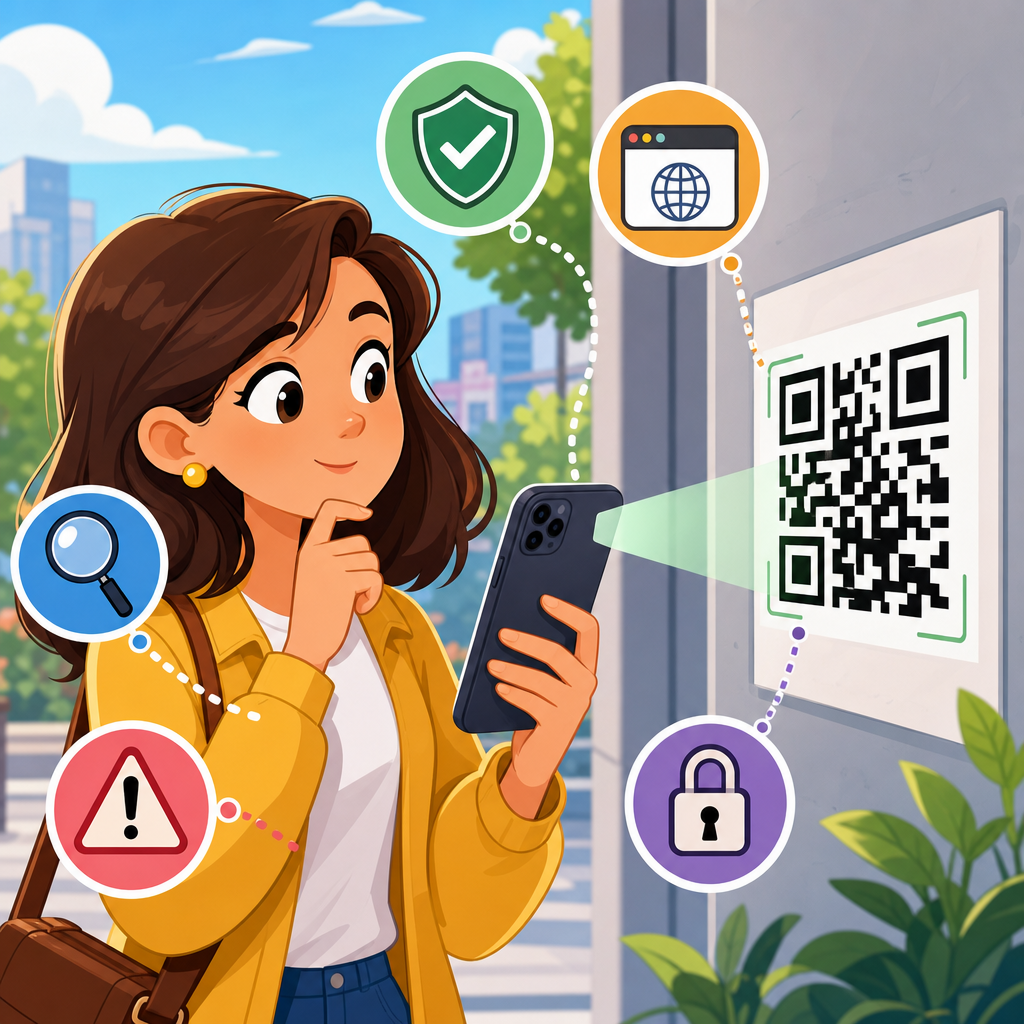
QR codes are everywhere, from restaurant menus and parking meters to package labels, event tickets, and utility bills, which makes knowing what to check before scanning a QR code an essential digital safety skill. A QR code, short for Quick Response code, is a two-dimensional barcode that stores information such as a website address, payment request, Wi-Fi credential, contact card, app download link, or document reference. Scanning one feels routine because modern phone cameras read them instantly, but that speed also removes the pause people usually take before clicking a suspicious link. In security work, I have seen QR codes used legitimately to reduce friction and also abused to redirect users to phishing pages, fake payment portals, malicious downloads, and credential theft forms. Criminals exploit the trust people place in printed materials and branded signage, especially in public spaces where a code appears official. Safe scanning matters because the attack surface is broad: a sticker can be placed over a real code, a message can contain a code that hides its destination, and a shortened link can conceal a harmful site. The good news is that a short checklist dramatically lowers risk. If you verify the source, preview the destination, inspect the physical code, and control what your device does next, you can use QR codes conveniently without treating every scan as harmless.
Check the source before you scan
The first question is simple: who is asking you to scan this code, and why? A trustworthy QR code should match a believable business process. A restaurant menu code on a table tent, a boarding pass generated in an airline app, or a parcel tracking code printed inside official packaging all fit expected contexts. By contrast, a QR code pasted on a parking meter with no municipal branding, a code sent by text demanding urgent payment, or a flyer promising prizes in exchange for account login should trigger caution. Attackers rely on urgency and familiarity, so context is your first defense.
In practice, I recommend checking whether the code comes from a source you can independently verify. If the code appears in an email, compare the sender domain with the company’s real website. If it is on a poster in a public area, look for signs of tampering, misspelled names, cheap overlays, or mismatched logos. If someone asks you to scan a code to pay, confirm the payee name at the point of sale before proceeding. For internal business use, staff should know that facilities, IT, and HR codes belong on official portals and not random printouts. Public trust is earned by consistency, and scammers rarely reproduce all the details correctly.
Inspect the physical QR code for tampering
Physical tampering is one of the oldest and most effective QR code scams because it requires little technical skill. A fraudster can print a new code on a sticker and place it over the legitimate one on a parking terminal, vending machine, meter, table stand, or bulletin board. The victim sees a familiar object, scans the code, and lands on a fake payment page that captures card details or sends money to a criminal wallet. This technique became widely reported in municipal parking scams because drivers are already in a hurry and assume the code on the meter is official.
Before scanning, examine the code closely. Is it a sticker sitting on top of another label? Are the edges uneven, bubbled, or peeling? Does the print quality look blurrier than surrounding text? Is the branding inconsistent with the device or poster? On receipts and packaging, check whether the code is integrated into the original design or appears added later. If the code is on a kiosk or meter, compare it with nearby units; fraudulent overlays often differ in size, alignment, or visual finish. When in doubt, skip the scan and navigate manually to the known website or use the company’s official app.
Preview the destination URL and evaluate the domain
The most important technical step is to preview the destination before opening it. Most smartphone camera apps and QR scanning tools display a link preview or prompt before launching the site. That pause matters. Read the full domain, not just the first words. A safe domain usually reflects the real organization, such as a recognized brand domain or a country-specific government domain. A risky domain may include extra words, unusual subdomains, misspellings, random strings, or a different top-level domain than expected. For example, a payment page for a city service should not resolve to an unrelated domain with a long chain of tracking parameters.
Pay special attention to shortened URLs. Services such as bit.ly can be useful for marketing, but they obscure the destination and reduce your ability to judge legitimacy. If a QR code opens a shortened link, expand it only if your device or browser allows safe previewing, or visit the official site directly instead. Also look for HTTPS, but do not treat the padlock as proof of safety; HTTPS only means the connection is encrypted, not that the site is trustworthy. Many phishing sites now use valid certificates. The right test is whether the domain, path, and page purpose all match the real organization and your reason for scanning.
Know what the QR code is trying to do
Not every QR code opens a simple webpage. Some trigger payment intents, app store pages, Wi-Fi connections, calendar invites, downloadable files, email drafts, SMS messages, map directions, or vCard contact imports. That is why the safest scanning habit is to understand the requested action before approving it. If you expected a menu and the scan prompts you to join a Wi-Fi network or install an app, stop. If you expected event details and the code opens a payment screen, treat it as suspicious until confirmed through another channel.
Modern mobile operating systems usually label the action in a preview banner. Read that label carefully. On Android and iPhone devices, a code may prompt you to open a browser, connect to a network, add a contact, or complete a payment through a wallet. Each action carries different risk. Connecting to an unknown Wi-Fi network can expose metadata and encourage captive-portal phishing. Importing a contact can insert fraudulent support numbers that are later used in scams. Initiating a payment can move money instantly. A QR code should never bypass your judgment just because the interface feels polished.
Use your device’s safer scanning features
Built-in camera scanners are generally safer than random third-party QR apps because the operating system applies current security controls, permissions, and browser protections. On both iOS and Android, default camera scanning usually shows a preview rather than auto-opening content, which gives you a chance to inspect the destination. Browsers like Chrome, Safari, and Firefox also provide phishing detection, certificate checks, and warning pages that many generic scanner apps do not handle as well. In enterprise environments, mobile device management can further restrict risky actions and route traffic through protective filtering.
I advise users to disable any scanner setting that automatically opens links or completes actions without confirmation. Keep your phone updated because QR-related threats are often delivered through the browser, webview, or payment flow, and patching closes known vulnerabilities. Use a password manager with autofill turned on only for legitimate domains; it can act as a quiet phishing detector because it will not offer credentials on a fake site. If you use mobile security software, choose established vendors such as Microsoft Defender, Bitdefender, Malwarebytes, or Lookout, and make sure web protection is enabled. Good scanning hygiene depends on the surrounding device controls as much as the code itself.
Compare common QR code scenarios and the safest response
Risk increases when convenience, urgency, and payment intersect. The table below summarizes situations I see most often, the main warning sign, and the safest next step. Use it as a quick decision guide when a code appears legitimate but you are under time pressure.
| Scenario | Main red flag | Safest response |
|---|---|---|
| Parking meter payment | Sticker overlay or unfamiliar payment domain | Use the city app or type the official website manually |
| Restaurant menu | Code asks for login, payment, or app install | Ask staff for the menu URL or a printed menu |
| Package delivery notice | Urgent fee request or shortened link | Check tracking in the carrier’s official app |
| Event ticket or poster | Domain mismatch with promoter or venue | Navigate through the organizer’s verified website |
| Wi-Fi access sign | Network join prompt for an unknown SSID | Confirm the network name with staff before joining |
| Invoice or bill | Payment recipient does not match the issuer | Verify account details from a prior statement |
Be extra careful with payments, logins, and downloads
The highest-risk QR code actions are payments, credential entry, and file downloads. Payment codes can encode account details directly or send you to a web checkout page. Before paying, confirm the merchant name, amount, currency, and destination. In regions that use standardized payment QR systems, verify the recipient shown by your banking app before authorizing. A legitimate payment experience will clearly identify the payee and usually match the business name displayed on-site. If the payee is a personal account, a random string, or a company you do not recognize, cancel the transaction.
Login pages reached by QR code deserve equal scrutiny. Attackers often use fake Microsoft 365, Google, bank, or courier login forms to steal credentials and one-time codes. Your password manager is useful here: if it does not recognize the domain, that is a warning. Downloads are another problem because a QR code can lead to APK files, configuration profiles, PDFs with malicious links, or fake app store pages. Install mobile apps only from the Apple App Store or Google Play, and verify the publisher name. If a code claims you need a “scanner update” or “security certificate” to continue, leave the page immediately.
What businesses should do to make QR scanning safer
If you publish QR codes for customers or employees, safety is part of the user experience. Use domains you control, avoid shortened links, and place your brand name near the code so people know what to expect. In stores, venues, and public installations, inspect printed codes regularly and replace damaged signage quickly. Dynamic QR code platforms can be helpful because they let you update destinations without reprinting, but they also create a governance obligation: access should be restricted, changes logged, and destination URLs reviewed. Treat QR destinations like any other public-facing asset.
Operational details matter. For payment codes, display the merchant name in large text and provide a second way to pay. For menus or support materials, include the full plain-text URL beneath the QR code so users can verify the domain before scanning. Train staff to answer simple questions such as which website a code should open and what payment name a customer should see. For internal use, publish QR code inventories and ownership records so suspicious or outdated codes can be removed. A secure QR program is not complicated, but it requires the same change control and brand consistency expected for websites and mobile apps.
Build a repeatable safe scanning habit
The best defense is a repeatable routine: pause, inspect, preview, verify, then act. Check where the QR code came from and whether the context makes sense. Look for physical tampering if the code is printed in a public place. Preview the destination and read the real domain carefully. Confirm the action the code wants your phone to take, especially if it involves payment, login, downloads, or network access. Use built-in scanning tools, keep your device updated, and rely on official apps and manually typed URLs when anything feels off. These steps add only seconds, but they block the most common QR code scams.
For a QR Code Security & Privacy program, this safe scanning checklist is the practical foundation. It helps individuals avoid phishing, protects payment information, reduces accidental app installs, and gives businesses a clear standard for deploying trustworthy codes. The main benefit is simple: you keep the convenience of QR codes without surrendering judgment to a black-and-white square. Review your organization’s QR use cases, update any weak signage or shortened links, and share this checklist with staff and customers so safer scanning becomes the default behavior.
Frequently Asked Questions
1. What should I check first before scanning a QR code?
Start by checking where the QR code appears and whether it makes sense in that setting. A code on an official utility bill, a sealed product package, a verified event ticket, or a restaurant menu may be legitimate, but you should still pause before scanning. Look at the physical condition of the code and the surrounding material. If it appears to be a sticker placed over another sticker, poorly aligned, tampered with, or printed in a way that looks inconsistent with the brand’s usual design, treat it with caution. Scammers often place fake QR code stickers over real ones in public places such as parking meters, tables, kiosks, and posters.
You should also look for context clues. Ask yourself what the code is supposed to do. If it claims to lead to a menu, it should not be asking for immediate payment details. If it is on a package label, it should reasonably direct you to tracking, setup instructions, or product verification rather than a login form unrelated to the purchase. Before scanning, identify the source, the purpose, and the likelihood that the code belongs there. That quick review can help you avoid malicious links, phishing pages, fake payment portals, and fraudulent app downloads.
2. How can I tell whether a QR code might be fake or dangerous?
One of the biggest warning signs is mismatch. If the QR code’s message, placement, or design does not match the environment, that is a reason to slow down. For example, a handwritten sign telling you to scan for parking payment, when the official machine has built-in payment instructions, should raise concern. The same is true if a code appears on a notice that creates urgency, such as “scan now or lose access,” “payment overdue immediately,” or “claim your prize today.” Scammers rely on pressure and routine behavior to get people to act before thinking.
Another warning sign appears after the scan, when your phone shows a preview of the destination. Check the web address carefully. A dangerous QR code may send you to a domain that imitates a real company using misspellings, extra words, unusual endings, or random characters. For instance, a bank’s official domain will usually be short, consistent, and familiar, while a fake version may look similar at a glance but differ in subtle ways. Be cautious if the code launches a file download, prompts you to install an app outside trusted app stores, asks for login credentials, requests card information unexpectedly, or tries to start a payment immediately. A legitimate QR code should support a believable action for the situation, not push you into sensitive steps with no verification.
3. Is it safe to scan QR codes in public places like restaurants, parking meters, or posters?
It can be safe, but public locations require extra caution because they are common targets for QR code tampering. In restaurants, QR menu codes became normal very quickly, which means people often scan without checking whether the code is official. In parking areas, scammers have been known to place fake payment QR stickers over legitimate instructions, leading drivers to fraudulent payment pages designed to steal card details. Posters, bulletin boards, shared workspaces, and transit stations present similar risks because anyone may be able to place or replace a code without being noticed right away.
If you need to use a QR code in public, compare it with other official information nearby. Look for branded signage, business names, printed URLs, customer service numbers, or app instructions that confirm the code belongs there. If a parking meter or restaurant gives you another way to access the same service, such as typing in a web address manually or paying through a known app, that option may be safer. Public QR codes are not automatically dangerous, but they should never be treated as trustworthy just because they are convenient or commonly used. A quick verification step can make a major difference.
4. What should I look at after scanning a QR code but before tapping the link?
After scanning, your phone will often show a preview of the destination or action. This is one of the most important moments for staying safe. Read the preview carefully instead of tapping automatically. If it is a website, inspect the full domain name, not just the brand name displayed in the page title. Look for secure and recognizable addresses, and be wary of shortened links or domains filled with strange characters. If the QR code opens a payment request, verify the payee name, amount, and reason for payment. If it offers to connect to Wi-Fi, make sure the network name matches the place you are in and that the request makes sense.
You should also pay attention to what permissions or actions are being requested. A QR code can trigger more than a website. It may try to open a contact card, download a file, launch a map location, compose a message, join a Wi-Fi network, or initiate a payment flow. None of those actions are inherently unsafe, but they deserve review before approval. If the destination seems unrelated, demands personal or financial information too quickly, or asks you to install something unexpectedly, stop immediately. The safest habit is simple: scan, review, verify, then decide.
5. What are the safest habits to follow when using QR codes regularly?
The safest approach is to treat QR codes the same way you would treat unfamiliar links in email or text messages. Do not assume a code is safe just because it is printed, posted in public, or attached to a product. Use your phone’s built-in camera or a trusted scanner that shows link previews before opening them. Keep your device updated so you benefit from current security protections, browser warnings, and app safeguards. If possible, avoid entering passwords, payment details, or sensitive personal information on a page you reached only by scanning, unless you have independently confirmed the destination is authentic.
It also helps to build a few verification habits into your routine. When dealing with bills, account notices, or payment requests, compare the QR code with the company’s official website, app, or customer support channel. When downloading apps, go directly through a trusted app store rather than installing from an unfamiliar prompt. In workplaces, schools, or events, confirm that codes come from legitimate organizers. Finally, if something feels off, trust that instinct and use an alternative path such as typing the web address yourself, navigating through a saved bookmark, or contacting the organization directly. QR codes are useful tools, but safe scanning depends on taking a few extra seconds to confirm what is really behind them.





