
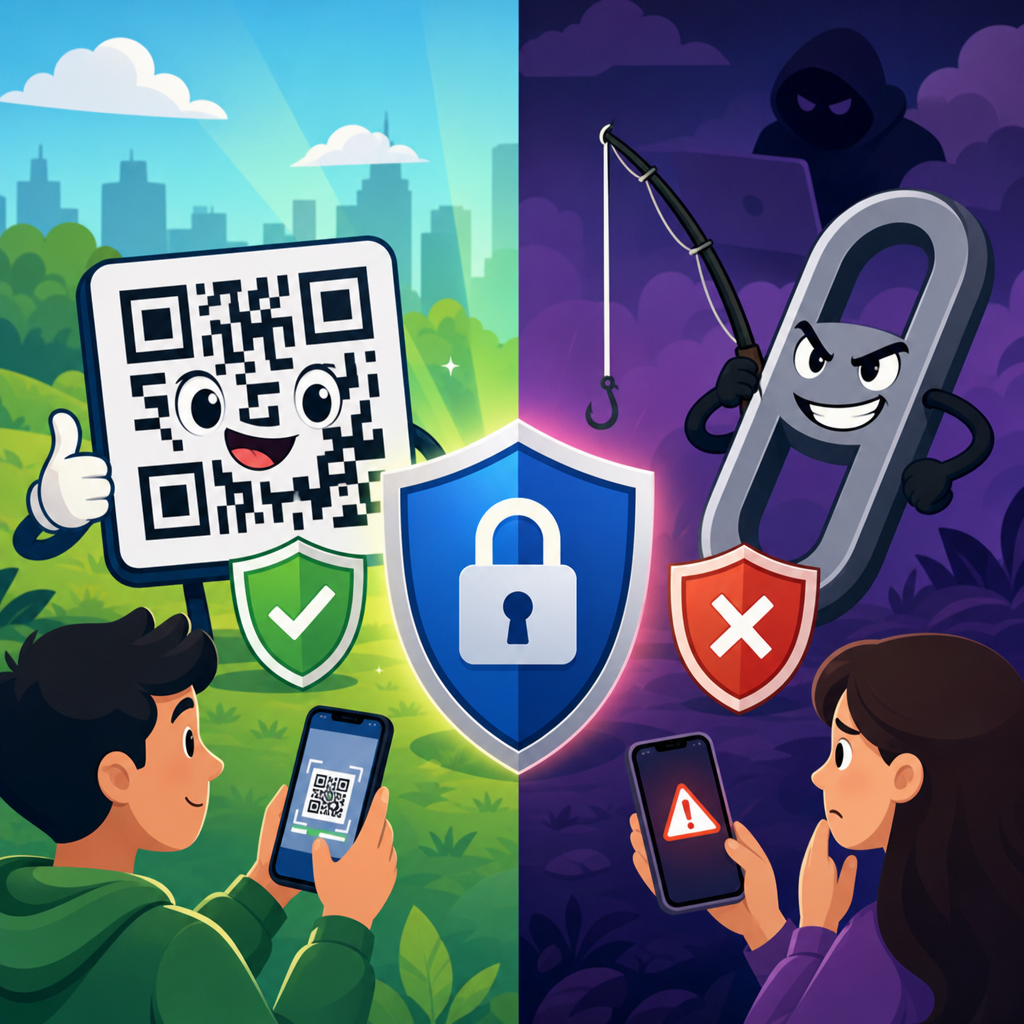
QR codes feel familiar, fast, and almost invisible in daily life, yet the question behind every scan is simple: how secure are QR codes compared to links? The answer is nuanced. A QR code is not inherently dangerous, and a web link is not inherently safe. Both are delivery mechanisms that send a user to a destination, trigger an action, or expose data. What matters is what the code or link contains, how it is presented, and whether the user can verify it before acting.
In security terms, a QR code is a machine-readable representation of information, most often a URL, payment request, contact card, Wi-Fi credential, or app action. A link is a human-readable address or command presented in text, buttons, emails, messages, or webpages. The core difference is visibility. With a normal link, users can often inspect the domain before clicking, hover to preview the destination on desktop, or judge context from surrounding text. With a QR code, the destination is hidden until scanned. That hiddenness changes the risk profile.
I have worked on web security reviews for mobile campaigns, restaurant ordering systems, event check-in flows, and packaging redirects, and the same pattern appears repeatedly: QR codes are not less secure because of the pixel grid itself; they are riskier when organizations treat them as unreviewable shortcuts. Attackers exploit that gap through sticker swaps, deceptive redirects, fake payment prompts, and cloned login pages. At the same time, well-managed QR campaigns can be safer than long messy URLs because they reduce typing errors, centralize destination control, and support monitored redirects.
This matters because QR usage exploded after mobile payments, contactless menus, app downloads, and product authentication became routine. According to industry reporting from mobile analytics and payment providers, scan rates surged globally after 2020 and stayed elevated in retail, hospitality, logistics, and healthcare. When a format becomes normal, users lower their guard. That is exactly when security discipline matters most. To decide whether QR codes are safe, you need to compare their practical risks, understand where abuse happens, and apply the right controls for both scanners and organizations.
QR codes and links carry similar payloads, but they expose different risks
A QR code and a link often point to the same type of resource: a webpage, file, payment endpoint, map location, form, or app deep link. From a pure transport perspective, neither is magical. If a malicious actor encodes a phishing URL into a QR code, the user still lands on a phishing site. If the same actor sends the URL by email or text, the danger is functionally similar. The security issue is not the encoding method alone. It is the combination of destination, presentation, device behavior, and user verification.
The critical distinction is inspectability. Text links reveal clues such as domain spelling, protocol, path structure, and suspicious parameters. Many desktop browsers let users hover before clicking. Email gateways also rewrite and scan links, and browser security tools inspect reputation in real time. QR codes compress all of that into an image. On mobile, some camera apps preview the domain before opening it, but not all users stop to check. In practice, QR codes remove the natural pause that helps people notice problems.
That makes QR attacks especially effective in physical spaces. A fake code placed over a parking meter, restaurant table, poster, or parcel label can intercept payments or credentials with little technical sophistication. Security teams call this quishing, or QR phishing. The attacker relies on trust in the location rather than trust in the message. By contrast, a suspicious emailed link may be filtered, flagged, or treated cautiously because users expect email scams. The physical setting can lower skepticism, which changes behavior even when the payload is the same.
There are also operational advantages to QR codes when used correctly. Dynamic QR systems can route scans through a managed redirect domain, allowing organizations to update destinations without reprinting materials, monitor anomalies, and retire compromised links quickly. That level of control can improve incident response. The same is true for branded short links. In other words, QR codes are neither safer nor less safe by default. They inherit the strengths and weaknesses of the underlying URL, plus extra risk from reduced visibility and real-world tampering.
What makes a QR code safe or unsafe in the real world
A safe QR code starts with a trustworthy destination and a controlled distribution channel. If a retailer prints codes directly on packaging, uses HTTPS, hosts content on a verified corporate domain, and avoids unnecessary redirects, the scan experience can be low risk. If that same retailer allows franchisees to create ungoverned codes with consumer-grade generators, points scans to link shorteners, and never reviews where materials are posted, risk increases sharply. Governance matters more than the graphic itself.
Physical integrity is one major factor. I have seen security audits where malicious or accidental sticker overlays redirected users away from legitimate payment pages. Codes posted in public are vulnerable because users usually cannot tell whether a code is original. A laminated sign at a cafe, a parking kiosk, or a trade show booth can be altered in seconds. Tamper-evident labels, periodic inspections, and design choices that integrate the code into branded artwork reduce this threat but do not eliminate it.
Destination transparency is the second factor. Safe deployments use readable, branded domains that users can recognize before the page loads. If the preview says payments.company.com, users have a useful trust signal. If it shows a random shortener or misspelled domain, that is a warning sign. Organizations should avoid chains of redirects because every hop adds uncertainty and creates places for misconfiguration. Security standards from OWASP and NIST consistently emphasize reducing unnecessary complexity in user-facing authentication and payment flows.
Third, the destination page itself must be hardened. A legitimate QR code can still lead to a vulnerable website. TLS certificates, HSTS, content security policy, secure cookie settings, bot mitigation, and MFA for account actions all matter after the scan. If a login page lacks passkey support or phishing-resistant MFA, a QR campaign can become a convenient entry point for credential theft. Safety is therefore end-to-end. The code, the redirect, the domain, the webpage, and the transaction controls all need review.
Common QR code threats users and businesses should know
The most common threat is phishing. Attackers encode a URL that imitates a bank, cloud suite, payroll portal, or delivery service and place the code where the target expects to act quickly. Parking payment scams are a strong example: a driver scans a fake code on a meter, enters card details, and the attacker captures payment data. The method works because the victim is focused on completing a task, often on a phone, with limited time to inspect the page carefully.
Malicious redirects are another issue. A code may first open a legitimate-looking intermediary page, then bounce the user through tracking or fingerprinting domains before landing somewhere harmful. This can bypass simple reputation checks and makes forensic analysis harder. Dynamic QR platforms must log redirect changes, restrict who can edit destinations, and alert on sudden shifts in traffic patterns. Without that control, a compromised marketing account can silently weaponize thousands of printed codes already in circulation.
Payment fraud is especially important. Some QR codes do not open websites at all; they encode payment instructions, wallet addresses, or account details. In regions where QR-based payments are common, replacing a merchant code with a criminal’s code directly diverts funds. Unlike card payments processed through a familiar checkout page, account-to-account transfers may be harder to reverse. Strong merchant verification, confirmation screens, and transaction amount checks are essential in these environments.
Privacy leakage also matters. A scan can reveal device type, approximate location, referral context, campaign identifier, and behavior patterns. That is not always malicious, but organizations should disclose tracking honestly and minimize collection. Users often assume a scan is equivalent to reading a poster, when in fact it may start analytics and profiling immediately. Safe QR usage includes clear notice, limited data retention, and compliance with applicable privacy rules such as GDPR or CCPA where relevant.
| Risk area | How it appears in QR codes | Comparable link risk | Best control |
|---|---|---|---|
| Phishing | Hidden destination opens fake login or payment page | Email or SMS link to spoofed domain | Preview domain, use MFA, verify brand domain |
| Physical tampering | Sticker placed over legitimate code in public | Less common in digital-only channels | Tamper checks, branded print design, inspections |
| Redirect abuse | Dynamic code changed after printing | Short link retargeted or compromised | Access control, change logs, alerting |
| Payment diversion | Funds routed to attacker wallet or account | Fake checkout link in message | Merchant verification, confirmation screens |
| Privacy exposure | Scan initiates analytics and location inference | Click tracking and fingerprinting | Minimize data collection, disclose tracking |
Are QR codes safer on phones than links in email or text
Usually, no. QR codes are not automatically safer just because they are scanned on a phone. In some cases they are less safe because mobile screens show less context, browser chrome is reduced, and users move quickly. Phishing pages can look convincing on small screens where the address bar is minimized. Mobile operating systems do include protections, such as safe browsing checks, app sandboxing, and warnings for suspicious sites, but those protections also apply to many normal links.
Email and messaging links benefit from mature filtering ecosystems. Microsoft Defender for Office 365, Google Workspace protections, Proofpoint, Mimecast, and similar platforms inspect URLs, detonate attachments, and evaluate sender reputation before a user clicks. QR codes embedded in PDFs, posters, receipts, or physical signs may bypass those gateways entirely. Some enterprise mobile threat defense tools can inspect post-scan destinations, but coverage is inconsistent across unmanaged devices and consumer contexts.
That said, QR codes can reduce one real risk: manual entry errors. When users type long URLs, they may mistype domains and land on typo-squatted pages. A well-designed QR code pointing to a clear branded domain can eliminate that friction. In logistics, healthcare intake, and device onboarding, removing keyboard input often improves both usability and accuracy. Safer does not mean harmless, though. The destination still needs the same controls you would require for any high-trust web transaction.
The practical answer is this: on phones, a QR code is safest when the camera app shows a recognizable destination, the site uses a familiar domain, the page asks only for expected information, and the action can be independently verified. It is risky when the scan launches an urgent payment, requests a password, pushes an app install from an unknown source, or uses a shortened link that conceals ownership. Users should treat scans with the same caution they would apply to a texted link.
How organizations can make QR code campaigns and workflows secure
Start with domain strategy. Use a dedicated, branded subdomain for QR traffic, such as scan.brand.com, and keep it under the same certificate, monitoring, and DNS controls as the main site. Avoid generic shorteners when possible. If dynamic redirects are required, manage them in a platform with role-based access control, approval workflows, change history, and MFA. Marketing convenience should not outrank destination integrity. In audits, weak account security on QR management tools is one of the most common avoidable failures.
Next, secure the physical artifact. Incorporate the QR code into the printed design so overlays are obvious. Add nearby human-readable text that states the exact domain users should expect. On payment points, include merchant name and support contact. For high-risk environments like parking, kiosks, hospital check-in desks, and event badges, perform scheduled inspections and document them. Where fraud pressure is high, tamper-evident materials and serial-numbered signage are worth the cost.
Build safer landing pages. Keep the first page lightweight, branded, and task-specific. If authentication is needed, support phishing-resistant methods such as passkeys or FIDO2 security keys where feasible, and always offer MFA for account access. For payments, show merchant identity before collecting funds and require a confirmation step with amount, recipient, and timestamp. Do not ask for unnecessary permissions, app installs, or sensitive data unrelated to the task initiated by the scan.
Finally, monitor and respond. Track scan volume, geography, user-agent patterns, destination changes, and conversion anomalies. A sudden spike from an unusual location or device mix may signal abuse. Review QR destinations as part of regular attack surface management using tools such as Google Search Console, DNS monitoring, certificate transparency logs, web application firewalls, and external scanning. Treat every public QR code as a maintained asset with an owner, review cadence, and retirement plan, not as a one-time graphic.
How users can tell whether a QR code is safe before scanning or paying
Users should begin with context. Ask whether the code is expected in that setting and whether there is a safer alternative. A table menu at a known restaurant is different from a code taped over a machine outdoors. Examine the sign for stickers, mismatched branding, spelling errors, or pressure tactics. If a code is the only way to pay, that is a reason to slow down, not a reason to trust it. Legitimate businesses usually provide additional verification cues.
After scanning, read the preview carefully before opening it. Look for the registrable domain, not just the brand name in the path. Secure-payments-brand.example.net is not the same as brand.com. Be wary of shortened URLs, odd country-code domains, and pages that ask for credentials or card details when the action should only display information. On mobile, expand the address bar and verify HTTPS, but remember that a padlock means encryption, not legitimacy. Attackers use TLS too.
If the page requests login, payment, or app installation, pause and independently confirm the destination. Open the organization’s official app or type the known website manually instead of proceeding from the scan. For parking, utility, and delivery payments, compare merchant names and amounts. For account access, use a saved bookmark or password manager autofill as a legitimacy check. Password managers often refuse to fill credentials on lookalike domains, which is a useful warning signal.
The broad takeaway is clear. QR codes are safe when they are governed like any other digital entry point and dangerous when convenience replaces verification. Compared to links, the main disadvantage is hidden destination visibility and greater exposure to physical tampering. The main advantage is speed and accuracy when organizations control domains, secure redirects, and design trustworthy flows. If you manage QR experiences, audit every code, landing page, and redirect path. If you scan them, verify the domain before you trust the action.
Frequently Asked Questions
Are QR codes more dangerous than regular web links?
Not by default. A QR code is simply another way to deliver information, much like a clickable link in an email, text message, or webpage. In most cases, a QR code contains a URL, but it can also hold contact details, payment instructions, Wi-Fi credentials, app download prompts, or other data. The security risk does not come from the black-and-white square itself. It comes from the destination or action it triggers. A malicious QR code can send someone to a phishing page, initiate a risky download, or present fake login screens, just as a malicious link can. The main difference is visibility. With a normal link, users can often inspect the URL before clicking, especially on desktop. With a QR code, the destination is hidden until the device decodes it, which can make it easier for attackers to disguise harmful content. So the better question is not whether QR codes are inherently more dangerous, but whether the user has enough context and verification before acting on what the scan reveals.
Why do QR codes sometimes feel less trustworthy than typed or clickable links?
QR codes often feel less transparent because they conceal the underlying destination until they are scanned. A visible hyperlink may show a recognizable domain, suspicious spelling, extra subdomains, or tracking parameters that give users clues about legitimacy. A QR code removes those visual signals at the point of encounter. If it appears on a flyer, parking meter, restaurant table, email attachment, or package label, a person has to scan first and evaluate second. That creates a subtle trust problem. Attackers take advantage of this by placing fake QR stickers over real ones, embedding codes in phishing emails, or using codes in public locations where people assume legitimacy. At the same time, trust is also influenced by context. A QR code printed on official product packaging from a known brand is very different from one pasted over a payment terminal or sent in an unsolicited message. In practice, QR codes are not less secure by design, but they do shift the burden of verification. Users have fewer clues before scanning, which is why secure scanning habits and source awareness matter more.
What are the most common security risks associated with QR codes?
The biggest risks are phishing, malicious redirects, fake payment requests, and social engineering. A QR code can send a user to a website that imitates a bank, delivery service, workplace login page, or streaming account portal in order to steal passwords or payment details. It can also redirect through multiple URLs to hide the final destination, making detection harder. In physical environments, criminals may place counterfeit QR stickers on parking kiosks, restaurant menus, utility bills, or public posters so that people unknowingly submit money or personal data to the wrong party. In digital settings, QR codes in emails or PDFs can bypass the skepticism users might apply to standard links because the code looks less obviously like a suspicious URL. Some QR codes can also trigger actions such as opening apps, composing emails, joining networks, or downloading files, which increases the risk if the user confirms prompts too quickly. None of these threats are unique to QR technology, but QR codes package them in a way that can lower a person’s guard. The security issue is not the format alone. It is the combination of hidden destination, trusted-looking presentation, and rushed user behavior.
How can users safely scan QR codes without exposing themselves to scams?
The safest approach is to treat QR codes with the same caution used for unexpected links, especially when money, passwords, account recovery, or personal information is involved. First, consider the source. If the QR code appears in an unsolicited email, random text message, public sign, or sticker placed over another code, be skeptical. Second, preview the destination before proceeding. Most smartphone cameras and scanning apps now show the URL before opening it, which gives users a chance to inspect the domain and decide whether it looks legitimate. Third, avoid entering sensitive credentials on pages reached through a QR code unless the site is clearly authentic and uses the correct domain. If the scan claims to be from your bank, utility company, or employer, it is often safer to open the official app or type the company’s web address manually instead. Fourth, be careful with payment codes. Confirm that the merchant name, account details, and context all match what you expect before completing a transaction. Finally, keep your phone updated and use built-in browser warnings, as modern mobile operating systems and browsers can sometimes flag known malicious destinations. Safe scanning is really about slowing down long enough to verify what the code is asking you to do.
Are QR codes ever safer or more convenient than standard links?
Yes, in the right context, QR codes can be both practical and reasonably secure. They reduce typing errors, make it easy to move from a physical object to a digital destination, and can streamline legitimate tasks such as accessing menus, product information, event check-ins, device setup instructions, and verified payment workflows. In controlled environments, they may even improve usability because users do not need to manually enter long URLs or configuration details. Security can also benefit when a QR code points to an official domain, is distributed through a trusted channel, and is paired with clear branding or instructions that help users verify authenticity. For example, a QR code inside an official app, on sealed product packaging, or on a company-owned sign may be easier to trust than a shortened or cluttered text link. Still, convenience should never replace verification. The safest comparison is this: a QR code is not safer merely because it is a QR code, and a plain link is not safer merely because it is visible. Both are secure only when the destination is legitimate, the context is trustworthy, and the user has a reliable way to confirm what will happen next.





