
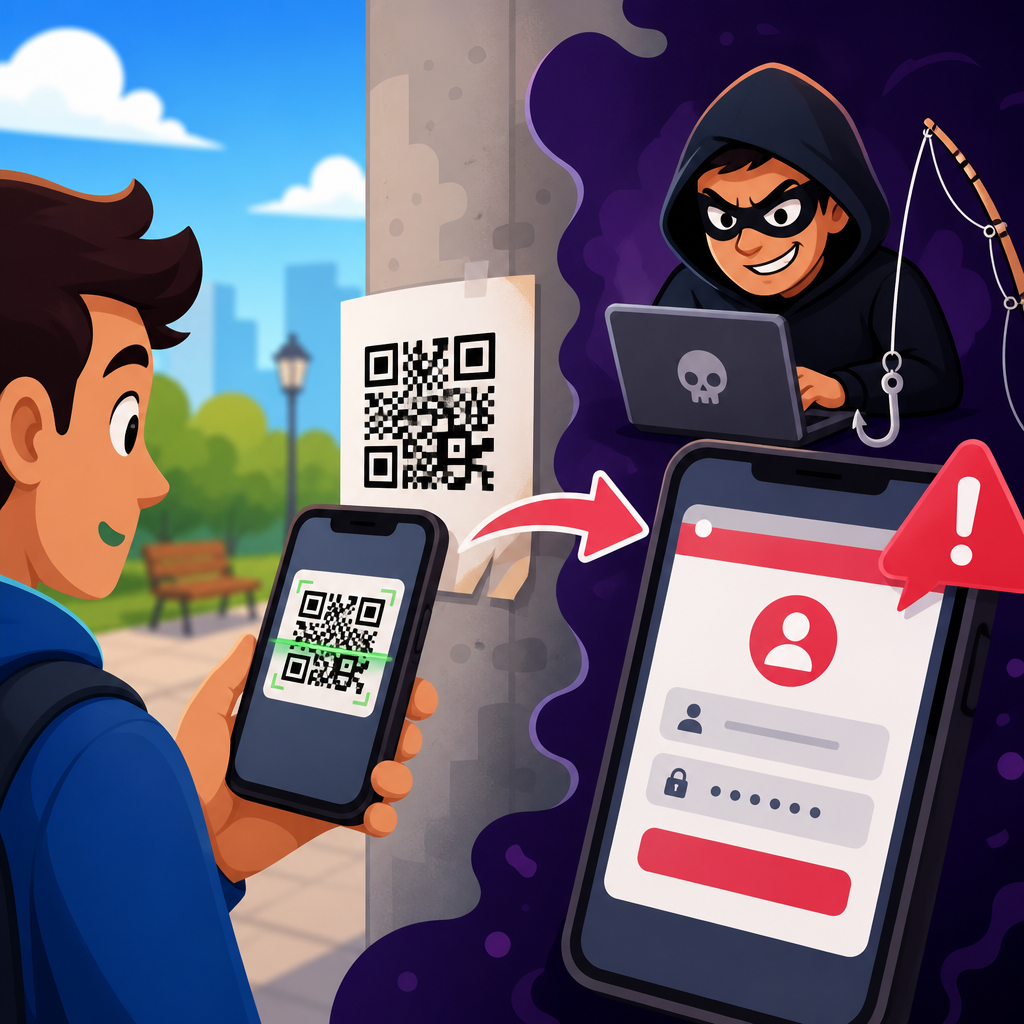
QR code phishing, often called quishing, is a social engineering attack that hides a malicious link, payment request, or data-harvesting prompt inside a scannable code. Attackers exploit a simple habit: people trust QR codes because they look machine generated, appear on everyday objects, and are harder to inspect than typed URLs. In practice, quishing sits at the intersection of phishing, mobile security, and fraud prevention, and it has become a major concern for businesses that use QR codes in marketing, payments, customer service, and workplace operations.
A QR code is a two-dimensional barcode that can store website addresses, contact records, Wi-Fi credentials, app links, and other data. When a phone camera scans the code, the device decodes that information and often prompts the user to open a destination. That convenience is exactly what attackers abuse. Instead of persuading someone to click a suspicious email link, they persuade the target to scan a code posted on a parking meter, printed on a fake invoice, embedded in a PDF, or sent through email and text. The scam works because the dangerous part is concealed until after the scan, and many users move too quickly to verify the destination.
I have seen the pattern repeat across organizations: security teams lock down email gateways and web filters, then an employee scans a QR code from a package insert, a conference handout, or a building notice and bypasses those defenses on a personal phone. That gap matters because quishing can lead to credential theft, malware delivery, unauthorized payments, multifactor authentication capture, and account takeover. It also creates compliance and privacy risks when an attacker reaches corporate systems or harvests customer data. For any company building a QR Code Security & Privacy program, understanding QR Code Scams & Fraud starts with understanding exactly how quishing works.
This hub article explains the mechanics of quishing, the main attack types, common delivery channels, warning signs, prevention controls, and response steps. It is designed to anchor deeper content across the broader QR Code Scams & Fraud topic, including fake payment codes, malicious stickers, counterfeit menus, scam emails using QR codes, and business policies for secure QR code deployment.
How quishing attacks work from scan to compromise
Quishing follows the same core logic as ordinary phishing: create trust, trigger urgency, capture an action, and monetize the result. The difference is that the malicious link is wrapped inside a QR code. A typical attack begins with code placement. The attacker prints a sticker and places it over a legitimate code, embeds a code in an email attachment, or sends an image through messaging platforms. The target scans it, sees a browser preview or prompt, and lands on a fake login page, payment page, or malware site. If the victim enters credentials, approves a payment, downloads a file, or grants device permissions, the attacker gains value immediately.
Several design features make QR phishing effective. First, the human eye cannot read the destination directly from the pattern of squares. Second, scanning often happens on mobile devices, where browser address bars are shorter and visual inspection is harder. Third, users associate QR codes with low-friction actions such as viewing menus, joining Wi-Fi, or opening tickets, so they are primed for speed rather than skepticism. Fourth, many scans occur in physical environments, which adds a false sense of legitimacy because the code appears attached to a real object or sign.
Attackers also take advantage of redirects and legitimate infrastructure. A code may open a shortened URL, a tracking link, or a cloud-hosted page that then forwards the user to a phishing site. Because URL shorteners, content delivery networks, and website builders are common business tools, the intermediate link may not look obviously malicious. In incident reviews, I often find that the initial scan looked ordinary, while the final landing page copied Microsoft 365, Google Workspace, DocuSign, Dropbox, or a bank portal with high visual accuracy.
The end goals vary. Some campaigns focus on business email compromise by stealing employee credentials. Others target consumer payments, replacing merchant codes with attacker wallets. More advanced operations use QR codes to collect single sign-on credentials and real-time multifactor codes, or to enroll a victim into a push-based approval flow. On mobile devices, the attacker may also push a fake app download, request accessibility permissions, or persuade the user to install a mobile device management profile.
Common QR code scams and fraud schemes
QR code scams and fraud generally fall into a handful of repeatable categories. Knowing those categories helps users and security teams recognize suspicious patterns faster. In payment fraud, the criminal swaps a legitimate payee’s QR code with one that routes money to the attacker. This has affected parking kiosks, charity posters, restaurant table payments, and small retail counters. The victim believes they are paying the correct business, but the funds are irretrievable because the transfer goes to a different wallet or account.
Credential phishing is the most common enterprise risk. The QR code leads to a page that claims the user must sign in to view a document, reset a password, access payroll, or reauthenticate an expired session. Microsoft and Cisco Talos have both warned that QR-based credential theft is effective because many email defenses inspect clickable links better than embedded image codes. If the victim enters a username, password, and one-time code, the attacker can log in immediately.
Package delivery and billing scams use urgency. A text or printed notice says a shipment could not be delivered, a utility payment failed, or a toll remains unpaid. The QR code promises quick resolution. The fake site then captures card details, personal information, or account credentials. In fake support scams, the code directs victims to a phone number or page that encourages remote access software installation. In event and travel fraud, attackers place counterfeit codes on posters, tickets, or booking confirmations to steal payments or harvest identity data.
Another growing pattern is malicious code insertion into trusted documents. Invoices, onboarding packets, brochures, and direct mail pieces now routinely include QR codes, so fraudsters add their own. A supplier invoice might contain a code that points to “secure payment,” but actually routes to the attacker. Because accounts payable teams handle large volumes under time pressure, this can bypass ordinary review unless there is a strict callback and bank-change verification process.
| Scam type | How the QR code is used | Primary victim action | Main risk |
|---|---|---|---|
| Payment redirection | Fake sticker replaces merchant or charity code | Send payment | Immediate financial loss |
| Credential phishing | Code opens counterfeit login page | Enter username, password, MFA code | Account takeover |
| Delivery or billing fraud | Code resolves a “failed payment” or “missed package” | Submit card and personal details | Identity theft and card fraud |
| Malware delivery | Code pushes app or file download | Install software or profile | Device compromise |
| Support scam | Code opens fake help page or call center | Call, pay, or grant remote access | Financial theft and data exposure |
Where quishing shows up in the real world
Quishing is not limited to email. Physical placement remains one of the most damaging channels because it piggybacks on trusted surroundings. Attackers place stickers on restaurant tables, public posters, transit stations, parking meters, EV charging stations, and office lobbies. In each case, the victim assumes the environment has already validated the code. During field assessments, I advise teams to inspect high-traffic QR placements regularly because even a well-designed payment or menu system can be undermined by one replacement sticker.
Email-based quishing is expanding because image-only messages can evade simplistic link filters. A message may contain no clickable text at all, just a QR code and a short instruction such as “scan to review secure voicemail” or “scan to update multifactor authentication.” The target uses a personal phone, which moves the attack away from managed endpoints and into a device the employer cannot monitor closely. That cross-device handoff is a major reason QR phishing campaigns continue to succeed.
Messaging apps, social platforms, and collaboration tools introduce another vector. Fraudsters send codes through WhatsApp, Telegram, Signal, Slack, Teams, or social direct messages, often impersonating a manager, recruiter, landlord, or customer support agent. Printed media also matters. Direct mail offers, brochures, flyers, and counterfeit notices can include polished branding and persuasive calls to action. Because QR codes are expected in modern marketing materials, their presence no longer raises suspicion on its own.
Public Wi-Fi and app setup scams are especially effective in hospitality and travel. A poster in a hotel lobby may claim to provide free Wi-Fi access, but the code actually opens a fake captive portal that harvests email credentials or payment details. In coworking spaces and conferences, scam codes may promise agenda downloads, lead capture, or networking tools while collecting contact records and login data. The lesson is simple: the context may be physical, but the fraud path is still digital.
Warning signs users should check before scanning or acting
The first defense against quishing is slowing the interaction down. Before scanning, inspect the code’s placement. Is it a sticker layered over another sticker, slightly misaligned, or attached with poor print quality? Does the surrounding message create urgency such as account suspension, failed delivery, or immediate payment required? Those are classic phishing cues. On printed materials, compare branding, phone numbers, and domain names with known official sources.
After scanning, verify the destination before opening it. Modern phones often show a preview URL. Read it carefully. Look for misspellings, unusual subdomains, random strings, or domains unrelated to the brand being claimed. A bank should not route login through an unfamiliar website builder or unrelated consumer domain. If the code opens a shortened link, that is not automatically malicious, but it does increase the need for caution because the final destination is hidden.
On the landing page, watch for forced urgency, poor copy, missing legal pages, and login prompts that do not fit the context. A restaurant menu should not ask for Microsoft credentials. A parking payment page should not request excessive personal information. A PDF viewer should not demand multifactor reauthentication just to display a document. These mismatches are often more revealing than the design quality, because many phishing kits now replicate branding convincingly.
For organizations, user education should include mobile-specific checks: expanding the address bar, opening the destination in a managed browser, avoiding app sideloads, and using official apps or bookmarked sites instead of scanning codes from unsolicited messages. These habits reduce risk dramatically because quishing relies on reflexive action.
How businesses can prevent QR code phishing and QR fraud
Effective prevention combines secure QR deployment, employee training, technical controls, and process design. Start by treating every public QR code as a physical asset. Use tamper-evident labels where possible, document approved placements, and inspect them on a schedule. In retail and hospitality, staff should know what legitimate codes look like and where they belong. If a code handles payments, publish a second verification method, such as a clearly printed merchant name, short URL, or customer support number.
On the digital side, email security tools should analyze image attachments with optical character recognition and extract embedded URLs for sandboxing. Mobile threat defense platforms can help detect malicious destinations, app sideload attempts, and device compromise signals. Web filtering, conditional access, and phishing-resistant authentication methods reduce damage after a scan. FIDO2 security keys and passkeys are particularly valuable because they are resistant to many credential phishing flows that still defeat SMS or app-based one-time codes.
Training should move beyond generic awareness. Show employees examples of fake parking codes, invoice QR substitutions, secure document scams, and fake MFA re-enrollment prompts. Explain when the company legitimately uses QR codes, which domains are approved, and what steps are required before payment or login. In finance teams, pair training with process controls: independent callback verification for payment changes, segregation of duties, and approval thresholds for unusual transactions.
For customer-facing programs, design trustworthy QR experiences. Use branded domains, avoid unnecessary redirects, and keep the destination context-specific. A menu code should open a menu directly. A payment code should display the legal business name clearly before checkout. If customers are expected to scan codes in stores or on equipment, display anti-tamper guidance nearby. Good design reduces fraud because it makes fake alternatives easier to spot.
What to do if someone scans a malicious QR code
If a user scans a suspicious code but does not submit information, the incident may still matter. Close the page, clear the browser session if necessary, and report the location or message where the code appeared. Security teams should preserve screenshots, destination URLs, and timestamps for analysis. If the scan happened in a physical location, remove or isolate the code immediately and inspect nearby materials for additional tampering.
If credentials were entered, reset the password at once, revoke active sessions, and review sign-in logs for suspicious access. For work accounts, security teams should check conditional access alerts, mailbox forwarding rules, OAuth grants, and multifactor registration changes. If a payment was sent, contact the bank, card issuer, or payment platform without delay. Speed matters because some transfers can be frozen or disputed only within narrow windows.
If a device installed an app, profile, or remote access tool, treat it as potentially compromised. Remove network access, uninstall the software if guided by security staff, and run mobile or endpoint security checks. In regulated environments, assess whether customer or employee data was exposed and whether notification obligations apply. A consistent incident playbook turns a chaotic mobile scam into a manageable security event.
Quishing works because it compresses trust, convenience, and hidden risk into one fast action: the scan. That simplicity makes QR Code Scams & Fraud a critical part of any QR Code Security & Privacy strategy. The main patterns are clear: attackers conceal malicious destinations in codes, place them where people expect convenience, and drive victims toward payments, credentials, downloads, or disclosure. The strongest defenses are equally clear: verify the code’s context, inspect the destination, reduce redirects, harden authentication, and build business processes that do not rely on blind trust.
As a hub page, this guide should inform every related article in the subtopic, from fake restaurant menus and parking meter scams to invoice fraud, scam emails with QR codes, and secure QR code deployment standards. If you manage QR campaigns, workplace security, payments, or customer communications, review where your organization uses QR codes today, identify the highest-risk touchpoints, and tighten controls before attackers test them for you.
Frequently Asked Questions
What is quishing, and how is it different from traditional phishing?
Quishing is a form of phishing that uses a QR code instead of a visible hyperlink to lure someone into visiting a malicious website, opening a fraudulent payment page, downloading malware, or submitting sensitive information. The term combines “QR” and “phishing,” and it reflects a simple shift in attacker tactics: rather than asking someone to click a suspicious link in an email or text message, the attacker asks them to scan a code. That change matters because QR codes are harder for people to evaluate at a glance. A typed URL can sometimes be inspected for misspellings, strange domains, or other warning signs, but a QR code hides the destination until after the scan.
Traditional phishing usually relies on familiar digital channels such as email, SMS, direct messages, or fake websites that imitate trusted brands. Quishing uses many of those same channels, but the QR code becomes the delivery mechanism. For example, a scam email may contain a QR code instead of a clickable login link, or a fake invoice may direct the victim to “scan to pay.” Attackers also place malicious QR codes in physical spaces, such as on parking meters, restaurant tables, posters, flyers, or package inserts, where people are even less likely to question them.
The underlying goal is the same as phishing: exploit trust, urgency, and convenience to get the victim to take an action that benefits the attacker. What makes quishing especially effective is that it often targets mobile devices, where small screens make it more difficult to inspect URLs, security indicators, and webpage details. In short, quishing is not a completely different threat category from phishing. It is a modern phishing technique that takes advantage of how people interact with QR codes in everyday life.
How does a QR code phishing attack typically work?
A typical quishing attack follows a familiar social engineering pattern. First, the attacker creates a malicious destination, such as a fake login page, a fraudulent payment portal, a site designed to collect personal data, or a page that encourages the user to install a harmful app. Next, the attacker generates a QR code that points to that destination. The code itself looks ordinary and gives away very little, which is exactly why it works so well.
From there, the attacker places the QR code where a target is likely to trust it or scan it without much hesitation. That might be in a phishing email pretending to come from a bank, HR department, cloud software provider, or shipping company. It could appear in a printed notice claiming a password reset is required, on a sticker placed over a legitimate payment QR code, or on a sign promoting a discount, account verification, or document download. The message usually includes a strong prompt, such as “scan to confirm your identity,” “scan to avoid account suspension,” or “scan to complete payment now.”
Once the victim scans the code, the attack moves to the mobile device. The phone may show a preview of the destination URL, but many users proceed quickly, especially if the page looks polished and uses branding copied from a real company. If the page requests credentials, payment card data, one-time passcodes, or other sensitive information, the attacker captures it. In more advanced cases, the site may attempt to trigger a mobile app download, abuse mobile browser permissions, or route the user through multiple redirects to hide the final destination. The success of the attack depends less on technical sophistication and more on manipulating normal behavior at exactly the right moment.
Why are QR code scams so effective against both consumers and businesses?
QR code scams are effective because they capitalize on convenience and familiarity. People have been trained to use QR codes for menus, payments, tickets, Wi-Fi access, product information, and account sign-ins, so scanning has become a routine action rather than a cautious one. Attackers benefit from that comfort. A QR code appears machine-generated, neutral, and functional, which can make it feel more trustworthy than a suspicious-looking link. Many people assume that if a code is printed on a sign, invoice, package, or poster, it must be legitimate.
Another reason quishing works is reduced visibility. With a standard phishing link, users and security tools often have more context to analyze the destination before clicking. With a QR code, the user may not know where they are being sent until after the scan, and on mobile devices there is less screen space to inspect the full URL, certificate details, or subtle website flaws. Attackers also know that mobile users tend to move faster, multitask more, and rely on apps and browsers that feel seamless, all of which can lower skepticism.
For businesses, the risk grows because QR codes are now integrated into legitimate workflows. Companies use them for customer payments, employee onboarding, event check-in, authentication, inventory tracking, and marketing campaigns. That widespread business use gives attackers cover. A fake QR code in an office, retail location, warehouse, or email may not immediately seem out of place. If an employee scans a code tied to payroll, benefits, internal systems, or vendor payments, the consequences can include credential theft, unauthorized transactions, data exposure, and downstream account compromise. In that sense, quishing succeeds because it blends into normal operations while bypassing many of the instincts people have developed for spotting conventional phishing.
What are the warning signs that a QR code may be malicious?
One of the biggest red flags is context that feels unusual, urgent, or out of place. If a QR code appears in an unsolicited email asking you to log in, verify your account, reset your password, or make an immediate payment, that should raise suspicion. The same is true for printed codes placed in public areas without clear ownership or explanation, especially stickers layered over existing signs or codes attached to payment terminals, parking machines, or restaurant displays. Attackers often rely on people assuming the code belongs there.
You should also be cautious when the message around the code uses pressure tactics. Language such as “act now,” “your account will be locked,” “payment overdue,” or “scan to avoid service interruption” is common in phishing and equally common in quishing. A legitimate organization may sometimes use QR codes, but it is less likely to force high-stakes action through a code alone without offering other verifiable channels. If there is no alternative way to complete the task, or if the code is presented as the only immediate option, caution is warranted.
After scanning, pay close attention to the destination preview if your device shows one. Watch for misspelled domains, random strings, unusual subdomains, shortened links, or websites that do not match the brand claiming to send you there. Be skeptical of pages asking for passwords, multi-factor authentication codes, payment details, or personal data after a QR scan, especially if the request was unexpected. In physical settings, inspect the code itself for tampering. Poorly placed stickers, mismatched branding, cheap print quality, or signs that look recently altered can all indicate fraud. No single sign proves a QR code is malicious, but several of these indicators together should be treated as a serious warning.
How can individuals and businesses protect themselves from quishing attacks?
The most effective protection starts with changing behavior around QR codes. Individuals should treat a QR code like any other link from an untrusted source: pause before scanning, question why the code is being used, and verify the request through a separate channel if it involves money, login credentials, or personal information. If your phone shows a destination preview, inspect it carefully before opening the site. When possible, navigate directly to the official website or app instead of relying on the QR code. Keeping mobile devices updated, using reputable mobile security tools, and limiting unnecessary app installs also reduces risk if a scan leads somewhere dangerous.
For businesses, defense requires both user awareness and operational controls. Security training should specifically address quishing, not just email phishing, because employees may not automatically apply the same caution to QR codes. Teams should learn how attackers use codes in emails, printed materials, payment flows, visitor areas, and internal processes. Organizations that deploy legitimate QR codes should maintain clear standards for where they are used, how they are branded, and how customers or employees can verify them. In public-facing environments, regular inspection of printed codes and payment stations helps detect sticker replacement or tampering.
Technical safeguards matter as well. Email security tools should analyze image-based threats and suspicious attachments, while mobile device management, web filtering, DNS protection, and zero-trust access policies can help reduce the impact of a bad scan. Payment and authentication workflows should avoid relying solely on QR codes for sensitive actions without additional verification. Finally, businesses need an incident response plan that includes mobile-based phishing scenarios. If someone scans a malicious code and enters data, the organization should be ready to revoke sessions, reset credentials, investigate affected systems, and alert users quickly. Quishing is best addressed as a cross-functional security issue that touches phishing awareness, mobile defense, fraud prevention, and physical security all at once.





