
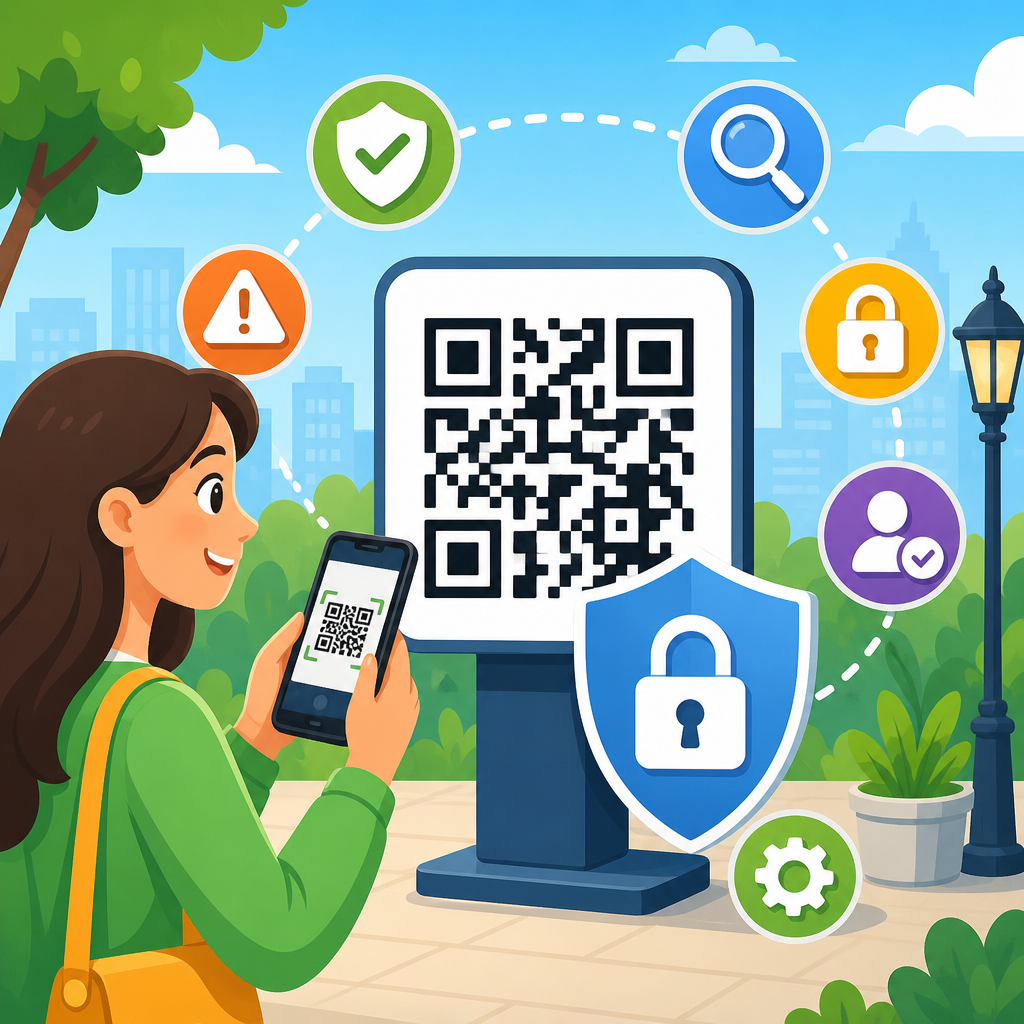
QR codes have become a default bridge between physical and digital experiences, but convenience has created a security gap that many organizations still underestimate. Best practices for secure QR code usage start with understanding that a QR code is not just a graphic; it is a machine-readable instruction that can open a website, trigger a payment, download a file, join a Wi-Fi network, or launch an app action. Because users cannot visually inspect a QR destination the way they can read a printed URL, attackers exploit that opacity through malicious redirects, credential harvesting, fake payment pages, and device compromise attempts. In my work reviewing QR deployments for retail, events, and internal operations, the same problem appears repeatedly: teams focus on scan rates and design placement, while basic controls around destination integrity, user verification, and analytics monitoring are treated as optional.
Secure QR code practices matter because the codes are now embedded across high-trust environments. Restaurants use them for menus and payment. Hospitals use them for patient workflows. Warehouses use them for asset tracking. Marketing teams print them on posters, packaging, invoices, and direct mail. Employees scan them from login screens to enroll devices or complete multifactor authentication. In each case, the code inherits the trust of its physical placement, even when the underlying destination can change. That trust transfer is exactly what criminals abuse. A sticker placed over a parking meter QR code, for example, can reroute drivers to a fake payment form in seconds. A phishing email containing a QR code can bypass traditional secure email filters that are better at inspecting linked text than embedded images.
To use QR codes safely, organizations need a repeatable framework that combines technical controls, operational discipline, and user education. The core ideas are straightforward: generate codes from trustworthy systems, point them only to controlled and encrypted destinations, minimize the data embedded in the symbol, monitor scan activity for anomalies, protect printed and digital placements from tampering, and give users simple ways to verify what happens after a scan. This article serves as a hub for secure QR code usage within the broader QR Code Security & Privacy topic. It explains the main risks, the controls that reduce them, and the governance habits that turn QR campaigns and operational deployments from weak points into well-managed assets.
Understand the primary QR code threats before deployment
The first best practice is threat modeling. If you do not map how a QR code could be abused in its actual environment, you will miss the most likely attack path. The most common risk is redirection to a malicious website, often called quishing when used for phishing. The attacker places a fraudulent code in a trusted location, or distributes one digitally, then collects login credentials, card details, or personal data on a cloned page. Another common risk is open redirect abuse, where a legitimate domain briefly appears safe but passes the user to an attacker-controlled site. Dynamic QR services can also become single points of failure if the account that manages destinations is weakly protected.
Additional risks depend on the action encoded. Payment QR codes can be modified so funds go to a criminal wallet or merchant account. Wi-Fi onboarding QR codes may expose internal network details or connect users to rogue access points if poorly managed. App download QR codes can send users to counterfeit stores or sideloaded packages. In industrial settings, tampered codes on equipment can redirect technicians to the wrong maintenance procedure, which creates operational and safety issues beyond cybersecurity. A secure program starts by listing each use case, the data involved, the likely attacker, and the business impact if a scan is abused.
Use trusted creation tools and control the destination lifecycle
Not all QR code generators are equal. Free public tools are convenient, but many provide limited governance, weak account security, unclear retention policies, and no reliable audit trail. For business use, generate QR codes through a vetted platform with role-based access control, multifactor authentication, change history, and domain-level destination restrictions. If the code is dynamic, administrators should be able to see who edited the destination, when it changed, and what prior value was replaced. In several reviews I have conducted, the absence of change logging made incident response slower than the attack itself.
Destination control is just as important as code generation. Point scans to domains your organization owns or explicitly approves, and enforce HTTPS with valid TLS certificates. Avoid chaining through multiple redirects because every extra hop creates inspection gaps and user doubt. If marketing needs campaign tracking, use well-governed parameters and document them. For sensitive interactions, route users first to a branded landing page that confirms the purpose before any login or payment step. This simple interstitial sharply reduces successful phishing because users see recognizable branding, support links, and expected page structure before entering data.
Choose static or dynamic QR codes based on security requirements
Static QR codes encode the final destination directly and cannot be updated after printing. Dynamic QR codes resolve through a managed short link or service that can change the destination later. From a security perspective, static codes reduce one category of risk because there is no editable redirect layer after publication. They are often suitable for stable, low-risk destinations such as a permanent contact page or a product manual. Their drawback is inflexibility. If the target changes, every printed asset must be replaced, which can leave outdated codes active in the field.
Dynamic codes add flexibility, analytics, campaign attribution, and error correction for changed destinations, but they also require stronger controls. The management account becomes a high-value asset that must be protected with multifactor authentication, least-privilege access, and periodic review. Dynamic codes are usually the better choice for payments, seasonal campaigns, rotating forms, and environments where rapid revocation matters. The key is governance, not novelty. If your team cannot monitor edits, restrict domains, and quickly disable a compromised destination, a dynamic QR setup may create more risk than it solves.
| QR code type | Best use case | Security advantage | Main limitation |
|---|---|---|---|
| Static | Permanent low-risk pages | No editable redirect layer after publication | Cannot change destination without reprinting |
| Dynamic | Campaigns, payments, revocable links | Can disable or reroute quickly during incidents | Requires strong account security and audit controls |
Design QR destinations to reduce phishing and payment fraud
A secure QR code experience does not end with the scan. The landing page must actively reassure users that they are in the right place. Use a short, readable, branded domain rather than a random character string. Display the company name, support contact, and purpose of the page immediately above the fold. If the page requests authentication, explain why sign-in is needed and what system the user is accessing. Payment pages should show merchant identity, amount, currency, and order reference before users confirm. These cues are important because mobile users make fast trust decisions on small screens.
Payment QR deployments deserve extra safeguards. Follow PCI DSS principles for any card-processing flow, and prefer payment service providers that tokenize transactions and support merchant verification. For printed invoices or point-of-sale signage, reconcile the encoded payee details against the displayed business name during quality assurance. In public spaces, inspect signage frequently for sticker overlays or tampering. A practical control I recommend is including a printed fallback URL and a brief warning such as, “Verify the address matches example.com before payment.” That instruction gives cautious users an immediate validation step without slowing normal conversions too much.
Limit data exposure and protect privacy by design
One of the most overlooked secure QR code practices is data minimization. A QR code should rarely contain sensitive personal information directly. Embedding names, account numbers, medical details, or access tokens inside the symbol creates unnecessary exposure because anyone can photograph, copy, store, and decode it. Instead, encode a reference identifier that points to a protected record on a server with proper authentication and logging. This approach reduces leakage risk and makes revocation possible if the reference is abused.
Privacy considerations also apply to analytics. Dynamic QR platforms often collect scan time, approximate location, device type, and referrer context. That can be useful for troubleshooting and campaign reporting, but it can also create compliance obligations under laws such as GDPR and CCPA when linked to individuals. Publish clear notices, define retention periods, and avoid collecting more data than the business need supports. If employee or patient workflows use QR codes, involve legal, privacy, and security teams early so the deployment aligns with internal policies and sector regulations.
Secure the physical environment and the digital distribution channel
QR security is unusually dependent on context because many attacks happen at the point of placement. In stores, parking meters, kiosks, and event venues, codes should be printed on tamper-evident material when feasible and inspected on a documented schedule. High-risk placements benefit from serial numbers, branded backgrounds, or adjacent human-readable URLs that are harder to counterfeit convincingly. For long-running campaigns, keep a photo inventory of each legitimate sign so field teams can compare suspected tampering against the approved version.
Digital distribution deserves the same care. Attackers now embed QR codes in PDFs, slide decks, text messages, and email campaigns because image-based links sometimes evade controls built for ordinary URLs. Organizations should subject distributed QR images to the same review process used for outbound links, including security approval for high-risk destinations. On the defensive side, train users never to trust a QR code simply because it arrived in a corporate-looking message. The trusted signal is the verified destination and expected business context, not the presence of a square barcode.
Monitor scans, test regularly, and prepare for incident response
Once a QR code is live, treat it as an active digital asset. Monitoring should include scan volume, geography, device patterns, failed page loads, destination changes, and conversion anomalies. A sudden spike from an unexpected region can indicate reposting or abuse. A sharp drop in successful completions may signal that the destination is broken, blocked, or replaced. Teams that already use Google Analytics 4, Adobe Analytics, or Matomo should tag QR traffic consistently so performance and anomalies are visible alongside other channels. Security teams can also use SIEM tooling to ingest destination logs and correlate them with web application alerts.
Testing should be routine, not one-time. Validate every code before release on both iOS and Android, across multiple camera apps, and under realistic lighting and print conditions. Confirm that previews show the expected domain, redirects behave correctly, and the final page loads quickly over mobile networks. Then plan for failure. Incident response for QR codes should define who can disable a dynamic destination, revoke a payment page, notify affected users, replace physical signage, and preserve logs for investigation. The fastest teams keep an asset register of every deployed code, owner, destination, print location, and retirement date, which turns a vague cleanup effort into a controlled response.
Train users and create policy so secure behavior becomes routine
User awareness is the control that supports all others. People should know to preview links when their device allows it, inspect the domain before entering credentials, avoid scanning codes placed over existing signage, and use official apps or bookmarked sites for sensitive actions when possible. Employees need role-specific guidance. Finance teams should verify payee details on invoice QR codes. Frontline staff should know how to spot overlay stickers. Event staff should have a channel to report tampered posters immediately. In phishing simulations I have seen, even technically aware employees are more likely to trust QR codes than typed links when the code appears in a polished document, which is why training must address this exact behavior.
Policy turns awareness into consistency. Define who may create codes, which tools are approved, when dynamic codes are required, what domains are permitted, how long analytics are retained, and how often physical inspections occur. Include accessibility standards too: provide a visible fallback URL and concise text explaining the destination so users without compatible devices are not excluded. As a hub for secure QR code practices, this guidance connects directly to deeper topics such as quishing defense, QR payment security, privacy controls, and tamper detection. Review your current QR inventory, close the obvious gaps, and make secure QR code usage a standard operating practice across every campaign and workflow.
Frequently Asked Questions
Why are QR codes considered a security risk if they are just images?
QR codes may look like simple printed graphics, but they function as machine-readable instructions that can trigger real actions on a device. A scan can open a website, initiate a payment, download a file, connect a user to a Wi-Fi network, compose an email, or launch an app-specific workflow. The security problem is that users cannot reliably tell where a QR code will lead before they scan it. Unlike a printed URL that can be read and evaluated visually, a QR code hides its destination until a device interprets it.
This creates an ideal opportunity for attackers. A malicious actor can replace a legitimate QR code with a fraudulent one on posters, restaurant tables, payment terminals, product packaging, signs, or email attachments. Once scanned, the user may be sent to a phishing site that imitates a trusted brand, prompted to enter login credentials, asked to approve a payment, or encouraged to download malware. In enterprise environments, QR codes can also be abused for credential theft, unauthorized app installation, and social engineering campaigns that bypass traditional email-based security awareness habits.
The best practice is to treat every QR code as an unverified link until proven otherwise. Organizations should use QR codes only when necessary, point them to secure HTTPS destinations, keep destination URLs short and brand-consistent, and implement controls such as domain monitoring, tamper-resistant placement, and redirect governance. On the user side, scanning should always be followed by a pause to inspect the previewed link before taking action. In short, the risk is not the image itself, but the hidden action it initiates.
What are the best practices for creating secure QR codes for customers or employees?
Secure QR code usage starts long before the code is printed or published. The first best practice is to define a legitimate business purpose for the QR code and limit it to a single, clearly understood action. If the code sends users to a webpage, that page should be hosted on a trusted company-owned domain using HTTPS. If it supports payments, the destination should be a verified payment workflow with strong fraud protections. Avoid using obscure third-party shorteners or redirection chains that make destination validation difficult for users and security teams alike.
Brand clarity is another major safeguard. Whenever possible, use recognizable branded URLs, place the QR code next to plain-language instructions about what it does, and tell users what they should expect after scanning. For example, a secure implementation might say, “Scan to access the official event registration page at example.com/events.” This reduces ambiguity and helps users detect substitutions or suspicious behavior. It is also smart to create landing pages specifically for QR traffic rather than linking directly to sensitive destinations such as login forms, file downloads, or payment approval screens.
Operational controls matter just as much as design choices. Generate QR codes through approved internal processes, keep an inventory of where each code is deployed, and document the intended destination and owner. If dynamic QR codes are used, restrict who can edit the redirect target and maintain audit logs for every change. Monitor destination pages for compromise, expiration, or misconfiguration. In physical environments, protect printed QR codes from tampering by using secure mounting, routine inspection, and visual anti-tamper measures when appropriate. A QR code should be governed like any other public-facing digital access point, not treated as a passive graphic asset.
How can users verify whether a QR code is safe before scanning or interacting with it?
Users should begin with physical and contextual checks. If a QR code appears on a public sign, payment station, flyer, or product label, inspect it for signs of tampering such as stickers placed over original materials, poor print quality, misalignment, or wording that feels inconsistent with the brand. Context matters as well. If the code appears unexpectedly, asks for urgent action, offers unrealistic rewards, or is being presented in a high-pressure setting, caution is warranted. A trustworthy QR code is usually accompanied by clear branding, a stated purpose, and supporting contact information or website references.
After scanning, the most important step is to review the destination preview before opening it. Most modern smartphones display at least some form of link preview or prompt. Users should look carefully at the full domain name, not just a familiar word within the URL. Attackers often use lookalike domains, added subdomains, or misspellings to deceive users. For instance, a site may appear trustworthy at a glance but actually be hosted on a completely different domain. If the destination is shortened, oddly structured, or unrelated to the organization represented by the QR code, it should not be opened.
Users should also be wary of what happens after they land on the page. Unexpected login prompts, requests for payment details, demands to install software, browser warnings, or permission requests are all signs to stop. A secure workflow should feel consistent with the organization’s normal digital experience. When in doubt, users should avoid interacting through the QR code and instead visit the official website manually, use a known mobile app, or contact the organization directly. The safest habit is simple: scan, inspect, verify, and only then proceed.
Are dynamic QR codes more secure than static QR codes?
Dynamic QR codes are not automatically more secure, but they can be managed more securely when proper controls are in place. A static QR code contains the final destination directly in the code, which means it cannot be changed after distribution. This can reduce some forms of redirect abuse, but it also creates long-term risk if the destination changes, expires, is later compromised, or needs to be replaced quickly. Once a static code is widely printed, fixing an issue often requires physically replacing the code everywhere it appears.
Dynamic QR codes, by contrast, point to an intermediate redirect service that can send users to a destination controlled by the organization. This adds flexibility and can improve security operations. If a linked page is compromised or no longer needed, administrators can update or disable the destination without reprinting the code. Dynamic systems can also support analytics, expiration rules, traffic filtering, and incident response actions. However, that flexibility introduces a new attack surface: if the redirect platform or account permissions are weak, an attacker may change the destination behind a trusted QR code without altering the code’s appearance.
The security decision is therefore less about static versus dynamic and more about governance. If using dynamic QR codes, organizations should enforce strong access controls, multifactor authentication, change approvals, audit logs, and routine destination reviews. Redirect domains should be trustworthy and ideally brand-aligned, not generic or suspicious-looking. If using static QR codes, organizations should ensure the destination is stable, secure, and unlikely to change. In many cases, dynamic QR codes are preferable for enterprise use because they support faster remediation, but only if they are managed with the same rigor as any other externally facing digital service.
What should organizations include in a QR code security policy?
An effective QR code security policy should define ownership, approved use cases, technical standards, and monitoring responsibilities. At a minimum, the policy should specify who is allowed to create QR codes, what tools or platforms may be used, which destinations are permitted, and how branding and user instructions must appear alongside the code. It should also distinguish between internal and public-facing QR codes, because a code used inside a facility for employee workflows may require different controls than one printed on product packaging or displayed in retail locations.
The policy should establish security requirements for destinations and redirects. That includes requiring HTTPS, prohibiting unapproved URL shorteners, limiting unnecessary redirect chains, and mandating reviews of any page linked through a QR code. For dynamic QR codes, the policy should require role-based access, multifactor authentication, change logging, and a formal approval process for destination edits. For physical deployments, it should describe inspection schedules, tamper-detection practices, and procedures for replacing or disabling compromised codes. If QR codes are used for payments, customer support, app downloads, or authentication-related functions, those higher-risk categories should carry enhanced review and approval standards.
Just as importantly, the policy should include incident response and user education. Teams need a clear process for reporting suspicious QR codes, disabling affected destinations, communicating with users, and investigating whether a campaign, sign, or payment flow has been altered. Employees should be trained to recognize QR-based phishing and social engineering, especially in environments where scanning is common. Customers should be given cues that help them verify legitimacy, such as branded domains and instructions on what to expect after scanning. A strong QR code security policy turns an often-overlooked marketing or operations tool into a governed channel with accountability, resilience, and measurable risk reduction.





