
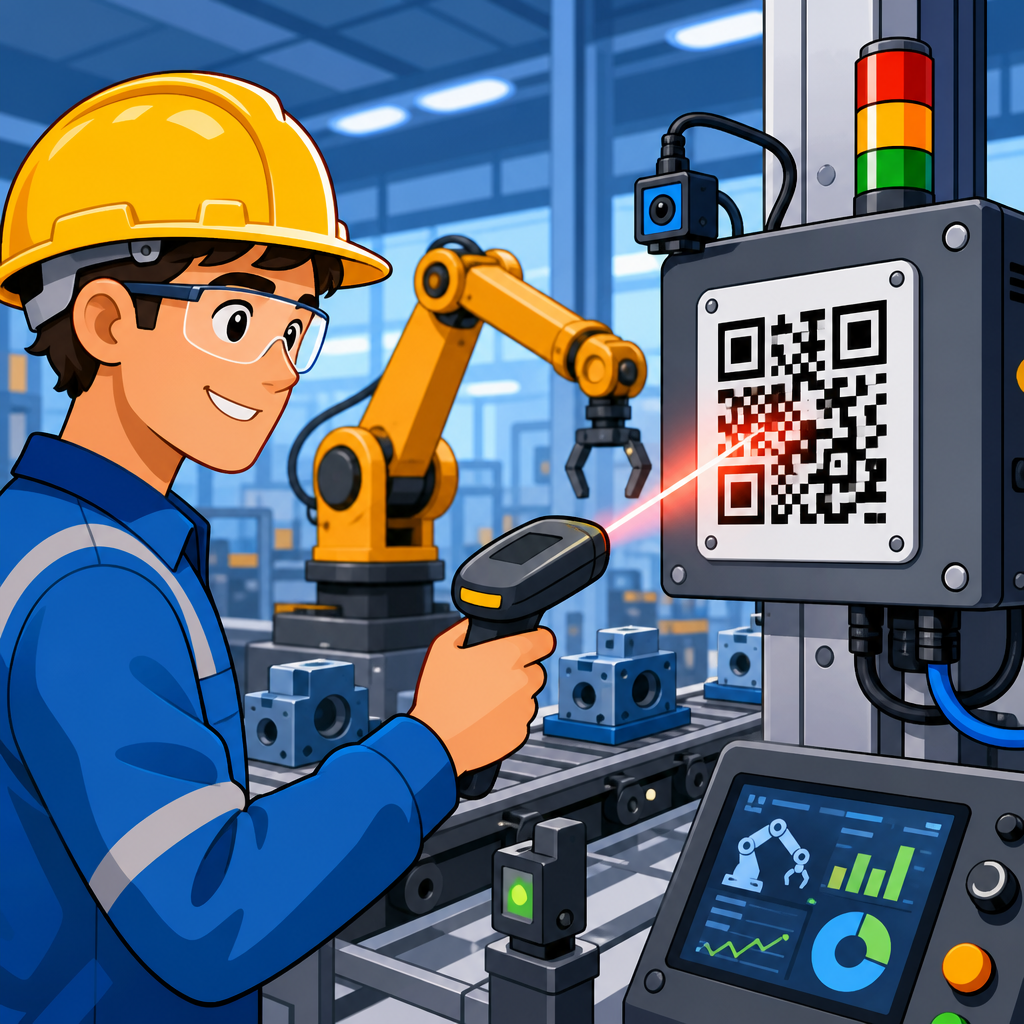
QR codes for industrial automation systems have moved from simple inventory labels to essential infrastructure for manufacturing and logistics operations. In practical terms, a QR code is a two-dimensional matrix barcode that stores far more information than a traditional linear barcode and can be read quickly by cameras, scanners, mobile devices, and machine vision systems. In industrial settings, automation systems include programmable logic controllers, supervisory control and data acquisition platforms, manufacturing execution systems, warehouse management systems, robotics cells, conveyor controls, and maintenance software. When these systems are linked to QR codes, physical assets gain a digital identity that operators, technicians, and software can access in seconds.
This matters because modern plants and distribution centers run on speed, traceability, and accuracy. A delayed part changeover, a mislabeled pallet, or an undocumented maintenance event can stop production, trigger a quality hold, or create a shipping error that ripples across the supply chain. I have seen teams cut search time for manuals, reduce incorrect picks, and tighten lot traceability simply by assigning durable QR labels to machines, bins, workstations, and transport units. Unlike many capital projects, QR deployments usually require modest hardware investment because most facilities already use scanners, industrial tablets, fixed cameras, or smartphones. The value comes from connecting the code to the right operational data.
For a manufacturing and logistics program, the core use cases are clear: equipment identification, digital work instructions, spare parts lookup, operator training, in-process quality checks, asset tracking, pallet and container routing, proof of maintenance, and genealogy across raw materials and finished goods. Standards also support adoption. GS1 Digital Link can structure product and logistics identifiers for broader interoperability, while ISO/IEC 18004 defines the QR code symbology itself. These foundations matter when a company wants labels that can be read consistently across suppliers, plants, contract manufacturers, carriers, and customers. This hub article explains where QR codes fit inside industrial automation, how they support manufacturing and logistics workflows, what technical decisions matter, and which implementation mistakes to avoid.
How QR codes support manufacturing automation
In manufacturing, QR codes work best when they bridge the last meter between the physical process and the digital system. A machine frame, control cabinet, fixture plate, tooling cart, or work-in-process tote can all carry a code that points to a unique record in the plant’s MES, CMMS, ERP, or document control platform. An operator scans the code at the point of use, and the system returns the exact setup sheet, revision-controlled work instruction, lockout procedure, or part genealogy required for that asset. That immediate retrieval is the operational advantage: no searching through shared drives, no outdated printed binder, and no ambiguity over asset identity.
On assembly lines, I have used QR labels to tie product variants to station-specific instructions. A scanner at the station reads the traveler or subassembly code, then the HMI displays torque values, approved components, inspection criteria, and image-based guidance for that exact variant. This reduces human error in mixed-model production, especially where product families share housings but differ in firmware, torque sequence, or connector orientation. The same concept helps changeover teams. A code on the machine can launch a digital checklist for cleaning, recipe confirmation, first-piece approval, and tool verification. Because each scan is timestamped and associated with a user account, supervisors gain an auditable record of compliance.
Maintenance teams benefit just as much. A QR code on a motor, pump, VFD, or robot cell can open the asset history instantly: last PM date, open work orders, spare part numbers, lubrication points, electrical drawings, OEM manuals, and failure notes. In one common scenario, a technician standing at a packaging line scans a code on a photoeye bracket, confirms the exact sensor model, checks wiring diagrams, and logs the replacement without returning to a desktop terminal. When linked to a CMMS such as IBM Maximo, Fiix, UpKeep, or MaintainX, the code becomes a practical front end to maintenance execution rather than just a label.
Where QR codes fit in logistics and warehouse operations
In logistics environments, QR codes strengthen identification and movement control for pallets, returnable containers, racks, cartons, and individual high-value items. Warehouses traditionally rely on one-dimensional barcodes because they are fast for simple SKU scans, but QR codes add value when more data must travel with the item or when a link to cloud records is more useful than encoding a short number alone. For example, a pallet label can carry a shipment ID, lot reference, handling instructions, and a resolver URL that opens the live shipment record inside the WMS or TMS. A forklift operator scans once and confirms destination lane, carrier assignment, and special temperature or segregation rules.
This becomes especially useful in cross-dock, kitting, and reverse logistics workflows. In kitting, each bin or tote can be scanned to verify the right components were pulled for a work order before release to production. In reverse logistics, a returned container can be scanned to reveal ownership, cleaning status, previous route, and inspection disposition. Distribution centers handling regulated or high-traceability products, including food, electronics, medical devices, and automotive components, gain the most. If a quality event occurs, the business can trace affected lots through receiving, storage, picking, packing, staging, and outbound shipment with far less manual reconstruction.
Transport packaging is another strong fit. Many manufacturers use reusable bins, dunnage, stillages, and pallets that circulate among plants and suppliers. Without a simple digital identity on each asset, these items disappear into inventory blind spots. QR labels allow teams to record check-out, return, damage, cleaning, and location events using ordinary handheld devices. The result is lower packaging loss, fewer shortages, and better cycle time visibility. When paired with fixed scan points at dock doors or conveyor merges, the same code can support semi-automated routing decisions and exception handling without requiring a full RFID deployment.
High-value use cases across manufacturing and logistics
The most effective QR code programs start with use cases that remove delay, reduce errors, or improve traceability. The table below highlights where I consistently see measurable returns.
| Use case | How the QR code is used | Primary system connection | Operational benefit |
|---|---|---|---|
| Machine identification | Code on asset opens manuals, schematics, and service history | CMMS or EAM | Faster troubleshooting and cleaner maintenance records |
| Digital work instructions | Operator scans station, tool, or traveler code to load current SOP | MES or document control | Fewer setup mistakes and easier revision control |
| Lot and genealogy tracking | Raw material, WIP, and finished goods codes are scanned at process steps | MES and ERP | Stronger recall readiness and quality traceability |
| Warehouse picking and staging | Codes verify bins, totes, pallets, and destination lanes | WMS | Lower pick errors and better shipment accuracy |
| Returnable packaging control | Codes log issue, return, cleaning, and repair events | Asset tracking platform | Reduced packaging loss and improved circulation |
| Training and safety access | Code launches machine-specific training or lockout procedure | LMS or safety system | Quicker onboarding and safer intervention |
These use cases matter because they connect small frontline actions to larger business outcomes. A fast scan on the floor can shorten mean time to repair, reduce scrap during product changeovers, prevent mislabeled outbound shipments, or produce the audit trail needed for customer and regulatory requirements. The key is not the code itself; it is the workflow behind it. A QR deployment that only stores static text rarely changes performance. A deployment that launches the right transaction or verified record inside an operational system usually does.
Technical design choices that determine success
Several technical decisions determine whether a QR code program succeeds in harsh industrial conditions. First is data architecture. Some teams encode all information directly in the symbol, but in most industrial environments it is better to encode a unique identifier or structured URL that resolves to live data. This keeps labels smaller, avoids stale information, and allows permissions, revision updates, and event logging at the application layer. If internet or network access is inconsistent, a hybrid model can work: encode an asset ID plus a short local reference while still linking to a master record when connectivity is available.
Second is print quality and material selection. Industrial labels fail because of heat, oil, abrasion, cleaning chemicals, UV exposure, and poor surface preparation. For indoor machine labels, polyester or anodized aluminum tags usually outperform paper labels by a wide margin. In washdown or chemical environments, thermal transfer printing with resin ribbons on chemical-resistant stock is more durable than direct thermal media. For returnable transport items, laminated labels, rigid placards, or laser-marked plates are often necessary. Verification matters too. A code that looks acceptable to the eye may still produce poor read rates. Using print verification against ISO/IEC 15415 grading helps catch contrast, modulation, and damage problems early.
Third is scanner and camera compatibility. Fixed mount scanners from vendors such as Cognex, Keyence, Zebra, and Datalogic can decode QR symbols reliably at line speed, but only if lighting, angle, focal distance, and quiet zone requirements are respected. Smartphone scanning is useful for maintenance and warehouse tasks, yet consumer cameras may struggle with curved surfaces, glare, or low-contrast marks on metal. Direct part marking introduces additional complexity. Laser-etched or dot-peened QR codes on metal parts can be excellent for permanent traceability, but they demand validation for substrate reflectivity, cell size, and damage tolerance. If the mark cannot be read consistently after paint, coating, or heat treatment, the theoretical benefit disappears.
Integration with MES, ERP, WMS, and maintenance platforms
The strongest industrial QR implementations are deeply integrated with enterprise and plant-floor software. In manufacturing, the common pattern is scan, validate, execute, record. An operator scans a job traveler or serial number, the MES validates route and status, the workstation executes the permitted step, and the transaction is written back with time, user, machine, and result. Platforms such as Siemens Opcenter, Rockwell FactoryTalk, Ignition, SAP Digital Manufacturing, and Tulip support variations of this approach. The QR code serves as the trigger for a controlled process event, not just an informational lookup.
In logistics, the same logic applies inside warehouse and transport systems. A scan at receiving can verify ASN data, create an exception if quantity or lot mismatches occur, and direct put-away to the correct zone. During picking, the code confirms source location, item, and destination tote before the pick is accepted. During shipping, pallet or carton codes can be matched to orders and carrier loads to prevent wrong-dock or wrong-route errors. ERP platforms such as SAP and Oracle, and WMS platforms from Manhattan, Blue Yonder, and Körber, can all participate when identifiers are mapped cleanly.
Maintenance integration deserves separate emphasis because it is often the fastest win. A QR code linked to a CMMS can launch an asset page, create a work request, start an inspection route, or confirm completion of a PM task at the equipment itself. This improves data quality because technicians enter findings in context rather than from memory later. It also supports condition-based programs. If a lubrication route, thermography point, or vibration inspection location has a scannable identity, route compliance becomes measurable. Over time, that strengthens reliability engineering by producing cleaner histories for failure analysis and planning.
Implementation risks, governance, and rollout strategy
Most QR projects fail for predictable reasons: unclear ownership, poor label durability, weak data governance, and trying to scale before proving one workflow. The best rollout strategy is narrow and measurable. Start with a specific problem such as maintenance record access on critical assets, digital work instructions for a high-mix assembly area, or pallet traceability in a problem warehouse zone. Define the success metric upfront. It might be reduced mean time to repair, lower pick error rate, faster line changeovers, or improved genealogy completeness. Then design labels, scanning method, system integration, and operator training around that metric.
Governance matters because every code must remain trustworthy over time. Asset IDs need naming standards. URLs need redirect management so labels do not break when software changes. Revision-controlled content must have an owner. Security rules should prevent unauthorized users from reaching sensitive machine parameters or proprietary documents. In plants with strict network segmentation, mobile access may require a secure gateway or managed app rather than open web links. These details are rarely glamorous, but they determine long-term success more than the act of printing codes.
It is also important to acknowledge tradeoffs. QR codes are not ideal for every automation problem. If assets must be identified without line of sight, RFID may be better. If cycle times are extremely short, fixed vision systems may be required instead of handheld scans. If workers operate with heavy gloves or in explosive atmospheres, device and enclosure selection becomes critical. Still, for most manufacturing and logistics environments, QR codes deliver a rare combination of low cost, fast deployment, and broad interoperability.
QR codes for industrial automation systems work because they connect machines, materials, people, and software with minimal friction. In manufacturing, they improve setup control, maintenance execution, training access, and product traceability. In logistics, they strengthen pallet identification, returnable packaging control, picking accuracy, and shipment verification. The pattern is consistent across both domains: assign a durable digital identity to the physical asset, connect that identity to a governed system record, and make the scan part of the operational workflow.
For a manufacturing and logistics hub strategy, this topic also anchors related subtopics naturally: machine maintenance QR codes, warehouse asset tracking, digital work instructions, pallet traceability, returnable transport item management, and lot genealogy. Each deserves its own detailed page, but the hub principle remains the same. A QR code is most valuable when it triggers a reliable action, not when it simply displays static information. Facilities that treat QR labels as operational interfaces, supported by standards, durable materials, and system integration, get the strongest results.
If you are planning adoption, begin with one high-friction workflow, map the required data path from scan to system response, and test labels in the real environment before scaling. A focused pilot will show quickly where QR codes can remove waste, increase traceability, and make industrial automation systems easier to use every day.
Frequently Asked Questions
What are QR codes used for in industrial automation systems?
In industrial automation systems, QR codes are used to connect physical equipment, components, materials, and workflows with digital information in a fast and reliable way. They often appear on machines, control panels, spare parts, pallets, bins, workstations, finished goods, and maintenance records. When scanned, a QR code can instantly provide access to asset IDs, part specifications, operating instructions, inspection histories, calibration data, batch information, maintenance schedules, and links to enterprise software such as manufacturing execution systems, warehouse management systems, enterprise resource planning platforms, and quality management tools.
This matters because industrial environments depend on accuracy, speed, and traceability. A QR code can help an operator verify they are loading the correct material, allow a technician to pull up a machine’s service manual, enable a warehouse team to confirm product movement, or give a machine vision system a way to identify parts on a line. Compared with manual entry, QR codes reduce transcription errors and speed up routine tasks. Compared with traditional one-dimensional barcodes, they can store more data in a smaller footprint and remain readable even when partially damaged, which is especially valuable in harsh manufacturing and logistics settings.
How do QR codes improve traceability and efficiency in manufacturing and logistics?
QR codes improve traceability by creating a direct link between a physical item and its digital record at every stage of production, storage, transport, and service. In manufacturing, that can mean assigning a unique code to raw materials, subassemblies, tools, work orders, or finished products. Each scan can log a timestamp, workstation, operator, machine, process step, or inspection result. In logistics, the same approach supports receiving, put-away, picking, packing, shipping, returns, and chain-of-custody documentation. The result is a detailed event history that makes it easier to track where something came from, where it has been, and what happened to it along the way.
From an efficiency standpoint, QR codes reduce time spent searching for information, entering data manually, and correcting preventable mistakes. Operators can scan rather than type long serial numbers. Maintenance teams can access documentation immediately at the asset. Quality teams can verify lot and batch data faster during audits or recalls. Managers can gain more accurate real-time visibility into production flow and inventory status because scan events feed live data into supervisory and business systems. In practice, this supports better decision-making, fewer delays, improved compliance, and stronger overall equipment and process performance.
Can QR codes integrate with PLC, SCADA, MES, and other industrial software?
Yes, QR codes can integrate effectively with the major layers of an industrial automation architecture, including PLCs, SCADA platforms, MES applications, historians, CMMS systems, WMS tools, and ERP software. The QR code itself is simply the data carrier. The real value comes from how scanners, machine vision cameras, mobile devices, and software applications use the encoded information. For example, a scanned QR code may contain a unique identifier that a SCADA or MES application uses to retrieve job parameters, routing instructions, quality requirements, or maintenance records from a database. In another case, a code may trigger a work instruction on an HMI or confirm that the correct component is present before a machine cycle begins.
Integration is typically handled through APIs, middleware, industrial communication protocols, and database connections rather than through the QR code alone. A PLC may not “read” a QR code directly in every setup, but a vision system or scanner can interpret the code and pass the resulting data to the controller or supervisory system. This is common in automated assembly, packaging, and material handling environments where identity, process control, and verification all need to work together. When implemented correctly, QR code integration supports closed-loop automation, better data synchronization across systems, and a more connected factory or warehouse operation.
What information should be stored in a QR code for industrial use?
The best practice is to store only the information that is truly needed at the point of use while keeping the code easy to scan and maintain. In many industrial applications, the most effective approach is to encode a unique identifier rather than placing every detail directly inside the QR code. That identifier can point to a central record containing the latest asset, product, or process data. This reduces the risk of outdated information being permanently printed on a label and makes it easier to update records without replacing every code in the field. Typical data elements include serial numbers, part numbers, lot or batch IDs, work order references, asset tags, location codes, revision levels, and URLs or system pointers to technical documents or records.
The exact content depends on the use case. A maintenance QR code on a motor may link to its service history, lubrication requirements, wiring diagrams, and replacement part list. A code on a pallet may identify material type, quantity, batch, supplier, and destination. A code used in production verification may represent the product variant, recipe, routing, and inspection plan. It is also important to consider security, data governance, and readability. Sensitive credentials or unsafe levels of proprietary detail generally should not be embedded directly in a publicly visible code. Instead, organizations should use secure system links, access controls, and role-based permissions behind the scan experience.
What are the main implementation challenges and best practices for QR codes in industrial environments?
The main challenges usually involve label durability, scan reliability, systems integration, and process design. Industrial sites are rarely clean office environments. Labels may be exposed to heat, chemicals, abrasion, moisture, oil, UV light, dust, vibration, or repeated handling. Curved surfaces, small components, reflective metals, and low-contrast printing can also make codes harder to read. On the systems side, a QR code project can fail if the data structure is inconsistent, if software platforms are poorly connected, or if employees do not have a clear process for when and why to scan. Even a technically sound code can create friction if it does not fit naturally into the workflow.
Best practices start with defining the business objective clearly, such as traceability, maintenance access, error-proofing, inventory control, or automated identification. From there, standardize the data format, choose durable label materials or direct part marking methods, and validate scanner performance under real operating conditions. Make sure codes are placed where they can be read safely and quickly without disrupting production. Integrate scan data into the systems people already use so the information becomes actionable instead of isolated. It is also wise to plan for governance, including naming standards, version control, user permissions, and ongoing maintenance of the linked records. When organizations treat QR codes as part of a broader digital infrastructure rather than just labels, they typically see stronger adoption, better data quality, and more measurable operational value.





