
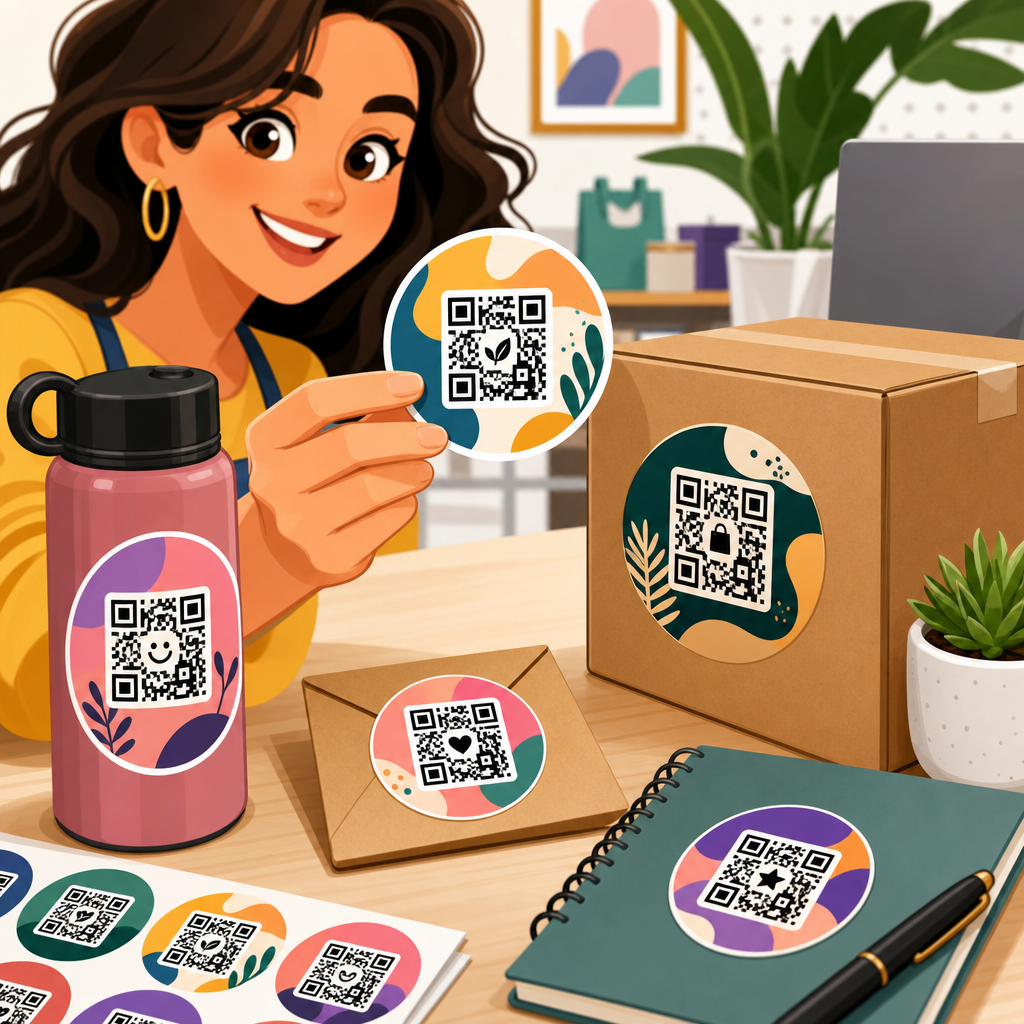
Custom QR code stickers for business branding turn a simple scan into a measurable brand touchpoint, linking physical surfaces to digital experiences while reinforcing recognition, trust, and conversion. A custom QR code sticker is a printed adhesive label that contains a scannable matrix code styled with brand colors, logos, shapes, and messaging without sacrificing scan reliability. In practice, these stickers appear on packaging, product displays, storefront windows, equipment, event materials, shipping boxes, menus, and direct mail. I have worked with retailers, restaurants, and service businesses on QR campaigns, and the pattern is consistent: stickers perform best when design, substrate, placement, and destination page are planned together rather than treated as separate tasks.
For branding, QR stickers matter because they compress several jobs into one low-cost asset. They can direct customers to product information, reviews, loyalty signups, reorder pages, app downloads, video instructions, or contact forms. They also create attribution between offline exposure and online action when paired with dynamic codes and analytics. According to GS1 and ISO/IEC standards governing machine-readable symbols, scannability depends on contrast, quiet zone, module integrity, and output quality. Those technical details directly affect business results. A beautiful sticker that fails under glare, curves, or abrasion loses scans and weakens customer confidence. A well-designed sticker, by contrast, turns every package, counter mat, or handout into a conversion point.
This hub page covers QR code sticker design comprehensively: branding strategy, code customization, sticker materials, print specifications, testing, placement, analytics, compliance, and common mistakes. It also frames how this subtopic connects to the broader discipline of QR code design, printing, and materials. If your goal is to make custom QR code stickers part of a repeatable brand system rather than a one-off graphic, the core rule is simple: design for fast recognition first, dependable scanning second, and campaign measurement from the start. Every later decision, from adhesive type to landing page copy, should support those three outcomes.
Build the branding strategy before designing the QR code sticker
The strongest custom QR code sticker campaigns start with a narrow business objective. In my experience, businesses get better results when each sticker has one primary job: collect reviews, unlock product details, register warranties, drive first orders, or grow loyalty memberships. Trying to make one code do everything usually depresses response because the value proposition becomes vague. Define the audience, the scan context, and the post-scan action. A coffee shop counter sticker might promise “Join rewards, get your next drink faster,” while a B2B equipment label might say “Scan for maintenance guide and parts list.” The message changes because user intent changes.
Branding strategy also determines whether the code should be static or dynamic. Static QR codes hardcode the destination and work well for permanent information that rarely changes. Dynamic QR codes route through a short URL and can be edited later without reprinting the sticker. For business branding, dynamic codes are usually the better choice because they allow campaign measurement, destination updates, geotargeting, and A/B testing. Platforms such as QR Code Generator Pro, Bitly, Beaconstac, and Flowcode let teams monitor scans by device, time, and location, which is essential when stickers are distributed across stores, vehicles, packaging lines, or franchise locations.
Hub-level planning also means establishing a naming convention and asset library. Create standard rules for logo use, approved color pairs, quiet zone minimums, call-to-action language, and destination URL structure. This saves time and protects consistency across future sticker articles and campaigns covering waterproof labels, packaging QR codes, window decals, or tamper-evident applications. When marketing teams skip this system, every department invents its own code style, and the brand loses coherence. A QR sticker should feel like a branded component, not a generic afterthought pasted onto an otherwise polished customer experience.
Design QR code stickers that look branded and still scan instantly
Good QR code sticker design balances aesthetics with the hard limits of optical recognition. The code must preserve high contrast between dark modules and a lighter background, maintain an adequate quiet zone around the symbol, and avoid decorative edits that distort finder patterns or module geometry. As a practical baseline, use dark-on-light color combinations, leave at least four modules of clear space around the code, and keep the logo overlay modest. Most modern smartphone cameras tolerate some customization because QR codes include error correction, but error correction is not permission to overdesign. Once gradients, metallic inks, low-contrast palettes, or oversized logos are added, failure rates rise sharply in everyday conditions.
Shape and format matter too. Circle stickers are popular for packaging seals and tabletop use, while square and rectangular stickers offer more room for instructions and brand messaging. Include a direct call to action near the code; “Scan to see ingredients,” “Scan to reorder,” and “Scan for setup video” consistently outperform unlabeled codes because customers do not need to guess the benefit. If the sticker will be viewed at arm’s length, the code should usually print at least 0.8 inch to 1.2 inches wide, depending on data density and camera quality. For shelf signage or windows, scale up. The rule I use in production is to test at the farthest likely scan distance, under the worst likely lighting, on the actual material.
| Design element | Best practice | Branding impact | Common mistake |
|---|---|---|---|
| Color contrast | Dark modules on a light matte background | Keeps brand colors visible without hurting scan speed | Using pastel-on-white or metallic-on-clear combinations |
| Logo overlay | Small centered mark with high error correction | Improves recognition and trust | Covering finder patterns or too much code area |
| Call to action | State the exact benefit beside the code | Raises scan intent and clarifies value | Showing a code with no explanation |
| Sticker size | Match size to scan distance and data density | Prevents friction in real-world use | Printing tiny codes on dense content URLs |
| Quiet zone | Leave clear empty margin around the symbol | Supports reliable detection on busy layouts | Placing text or borders too close |
Businesses often ask whether branded QR codes scan worse than plain black-and-white codes. The answer is yes if customization ignores fundamentals, and no if the design respects them. I have seen custom codes with center logos, rounded modules, and brand accent colors scan perfectly because contrast, size, and quiet zones were preserved. I have also seen expensive label runs fail because a designer matched modules to a midtone brand green on kraft stock. The customer never sees the design rationale; they only experience whether the scan works immediately.
Choose sticker materials, adhesives, and finishes for the use case
Material selection is where many branding projects become operationally successful or quietly expensive. Paper stickers are economical for indoor, short-life campaigns such as event badges, temporary promotions, and direct-mail inserts. Polypropylene and polyester labels are better for moisture, oils, abrasion, refrigeration, and cleaning chemicals, making them suitable for cosmetics, beverages, healthcare settings, and industrial equipment. Vinyl performs well on curved or slightly textured surfaces and on window applications. For sustainable packaging programs, some businesses use FSC-certified paper facestocks or recycled-content films, but sustainability claims must be checked against the actual environment and recycling stream.
Adhesive choice matters as much as the face material. Permanent adhesive is common for packaging and long-term labeling. Removable adhesive is useful on laptops, retail fixtures, and promotional handouts where residue would be a problem. Freezer-grade adhesive is necessary for cold-chain products, and high-tack formulations help labels bond to corrugated cardboard or low-energy plastics. Lamination or varnish adds protection, but gloss coatings can create glare that slows scans under overhead lights. For many business branding applications, a matte laminate provides the best compromise between durability, print quality, and camera readability.
Printing method also influences performance. Digital printing is efficient for short runs, variable data, localized promotions, and serialized QR stickers. Flexographic printing is cost-effective for large runs but requires tighter process control to preserve module edges and registration. Thermal transfer labels work in warehousing and logistics, though they are usually less design-forward. Whatever the method, request production proofs on the actual stock, not only on coated proof paper. Sticker behavior changes on clear film, foil, kraft paper, and textured surfaces. A code that passes on a studio proof may fail once applied to a curved bottle in a refrigerated display.
Optimize the destination, tracking, and governance behind every sticker
A QR code sticker is only as strong as the experience it opens. The landing page must load quickly, display cleanly on mobile, and match the promise on the sticker. If the sticker says “Scan for setup video,” the page should open that video immediately, not a generic homepage. This alignment is one of the biggest conversion gains available because it removes decision friction after the scan. Compress images, use responsive layouts, and keep forms short. In most sticker campaigns I have managed, reducing the destination to one task improved completion rates more than redesigning the code itself.
Tracking should be planned before printing. Use dynamic QR codes, UTM parameters, and analytics tied to location or campaign IDs. For multi-location businesses, unique codes per store, product line, or sales rep reveal which placements actually drive action. A restaurant can compare scans from table tents versus takeaway bags. A manufacturer can measure scans from installation manuals versus machine decals. Governance is equally important: maintain a spreadsheet or asset database with code owner, destination URL, last review date, print vendor, material spec, and retirement policy. Broken links and orphaned redirects damage trust quickly, especially when stickers remain in circulation long after a campaign owner has moved on.
Privacy and compliance deserve attention. If a scan leads to data collection, make consent language clear and route users to pages that comply with applicable regulations such as GDPR or CCPA where relevant. Industries such as food, healthcare, and alcohol may require specific disclosures. Accessibility matters too: pair the code with a short URL or alternative contact path for users who cannot scan easily. Good branding is inclusive branding. A QR sticker should expand access to information, not create a narrow digital gate that excludes part of your audience.
Test placement, maintenance, and real-world scanning conditions
Placement is a performance variable, not a cosmetic one. Put stickers where users naturally pause, hold the product steady, and have enough lighting to scan. On packaging, that may be the back panel near ingredients or instructions, not across a curved seam. On windows, eye-level placement works, but reflections from glass and sunlight can degrade camera detection. On equipment, avoid high-wear zones, rivets, and dirty surfaces. For tabletop stickers, test from both seated and standing angles. A technically perfect code can underperform simply because people encounter it while moving, juggling items, or dealing with glare.
Real-world testing should include different phone models, operating systems, camera apps, and network conditions. Scan with older Android devices, current iPhones, and low-light scenarios. Test after the sticker has been applied for days or weeks, not just immediately after printing, because edge lift, scratches, condensation, and cleaning products can change readability. For high-value applications, build a maintenance schedule. Store staff can inspect entrance decals and counter stickers weekly, replacing any label with damage or residue. Manufacturers can include QR label checks in routine equipment servicing. This operational discipline protects both scan rates and brand presentation.
Common failures are predictable. Codes printed too small on dense URLs, stickers placed on highly curved surfaces, low contrast on dark packaging, glossy laminate under spotlights, and generic homepage destinations account for most disappointing results I see. The fix is rarely a single trick. It is a system: choose the right data type, right material, right size, right call to action, right placement, and right landing page. Businesses that treat custom QR code stickers as part of an end-to-end journey consistently outperform those that treat them as decorative labels.
Custom QR code stickers for business branding work best when they are engineered as brand assets, not improvised graphics. The essentials are straightforward: set one clear objective, use dynamic codes when flexibility and measurement matter, preserve contrast and quiet zones, choose materials and adhesives for the actual environment, and send scanners to a fast mobile destination that fulfills the promise on the sticker. When those pieces align, a low-cost printed label can support product education, loyalty growth, customer service, attribution, and repeat sales across packaging, retail, events, and operations.
As the hub for QR code sticker design within the broader design, printing, and materials topic, this page establishes the standards that every related article should build on: readable code structure, brand-safe customization, production-ready print specs, and lifecycle management after deployment. The practical benefit is consistency. Your packaging stickers, window decals, promotional labels, and equipment tags should all feel connected while still being optimized for their specific jobs. That is how businesses turn scattered scans into a coherent branded system.
If you are planning a QR sticker program, start with one use case, test it in real conditions, document the winning specifications, and expand from there. A disciplined pilot will tell you more than a large untested print run, and the lessons will improve every future label you produce.
Frequently Asked Questions
1. What are custom QR code stickers, and how do they support business branding?
Custom QR code stickers are adhesive labels printed with a scannable QR code that has been designed to reflect a company’s brand identity. Instead of using a plain black-and-white code, businesses can incorporate brand colors, logo marks, custom frames, taglines, and shape treatments while still preserving scan performance. The result is a practical branding asset that turns everyday physical surfaces into interactive customer touchpoints. When placed on packaging, retail displays, storefront windows, equipment, event materials, or promotional inserts, these stickers connect offline attention with online action in a way that feels immediate and measurable.
From a branding perspective, custom QR code stickers do more than provide a link. They reinforce recognition by repeating visual elements customers already associate with the business, which helps build familiarity and trust. A well-designed sticker also makes the scan feel intentional and professional rather than generic. That matters because customers are more likely to engage when the experience looks credible and consistent with the rest of the brand. For businesses focused on conversion, QR stickers can guide users directly to product pages, menus, booking forms, reviews, loyalty programs, social media campaigns, video demos, or contact options, making the customer journey shorter and easier to track.
They are especially useful because they bridge physical and digital marketing. A package, sign, or handout no longer ends with a printed message; it becomes an entry point into a richer experience. That means businesses can use custom QR code stickers to educate, sell, collect leads, encourage repeat purchases, and measure engagement from real-world placements. In short, they help transform branding from something people simply see into something they can act on instantly.
2. Where should businesses use custom QR code stickers for the best results?
The best placement depends on customer behavior, but the most effective locations are usually the ones where people already pause, evaluate, or make decisions. Packaging is one of the strongest use cases because it reaches customers at a moment of high attention. A QR code sticker on a box, bottle, bag, or shipping insert can direct buyers to setup instructions, loyalty rewards, reorder pages, product authentication, care guides, or referral offers. This adds value after the sale while keeping the brand present beyond the initial transaction.
Retail and in-person environments are also ideal. On product displays, shelf talkers, countertop signs, mirrors, tables, and storefront windows, QR code stickers can link shoppers to inventory details, promotions, testimonials, or appointment booking pages. In service businesses, they work well on equipment, waiting areas, menus, takeout packaging, and invoices, giving customers an easy path to reviews, service requests, membership sign-ups, or mobile payment options. At events and trade shows, they can be placed on badges, brochures, giveaway items, display stands, and presentation materials to capture leads and extend engagement after the event ends.
For the best results, businesses should match placement to intent. If the goal is education, place the sticker where customers need more information. If the goal is conversion, position it near the point of purchase. If the goal is retention, add it to post-purchase materials customers keep or revisit. Visibility matters too. The sticker should be easy to notice, large enough to scan comfortably, and paired with a clear call to action such as “Scan to reorder,” “Scan for setup tips,” or “Scan to claim your offer.” Strategic placement turns the QR code from a decorative add-on into a functional part of the customer experience.
3. Can a QR code be customized with brand colors and logos without affecting scan reliability?
Yes, but customization has to be handled carefully. A QR code can absolutely include branded elements such as colors, embedded logos, rounded modules, custom frames, and short marketing prompts, but the design should always respect the code’s technical structure. The key principle is that appearance can be personalized as long as the contrast, quiet zone, error correction, and scannable pattern remain strong enough for smartphone cameras to read quickly. When businesses ignore those basics and over-design the code, scan failures become much more likely.
The most important design rule is contrast. The code should stand out clearly from the background, which usually means using a dark foreground and lighter background even if the exact colors are brand-matched. The quiet zone, or empty margin around the code, must remain clean so scanners can identify the code boundaries. If a logo is added in the center, it should be sized appropriately and balanced with a suitable error correction level so the code still functions even though part of the pattern is covered. Decorative shapes and frames are also possible, but they should not interfere with the finder patterns or reduce readability.
Testing is essential. A custom QR code sticker should be scanned on multiple phone models, under different lighting conditions, at different angles, and at realistic distances before it goes to print. It is also wise to test it on the actual material, since glossy finishes, curved surfaces, and low-quality print outputs can affect performance. The best custom QR designs are the ones that feel unmistakably on-brand but still scan instantly without effort. In professional branding, usability comes first. A beautiful code that fails to scan damages trust, while a well-balanced design strengthens both brand perception and customer experience.
4. How do custom QR code stickers help businesses measure marketing performance and conversions?
One of the biggest advantages of custom QR code stickers is that they turn offline interactions into trackable digital actions. When someone scans a sticker on packaging, a window display, an event handout, or a product insert, that action can be linked to a specific landing page, campaign, location, or audience segment. This gives businesses a clearer view of how physical marketing materials are performing instead of relying on guesswork. In practical terms, a sticker is no longer just a printed label; it becomes a source of measurable data.
Businesses can improve attribution by using dynamic QR codes, campaign-specific URLs, tagged links, or platform analytics that record scan volume, time, device type, and destination behavior. For example, a brand could use separate custom QR code stickers for product packaging, in-store displays, and event booths, then compare which placement generates the most traffic, email sign-ups, purchases, or repeat orders. This helps teams understand not just whether people scanned, but whether those scans led to meaningful business outcomes. That insight can guide creative decisions, placement strategy, promotional messaging, and budget allocation.
Conversion measurement becomes even more powerful when the scan leads to a purpose-built landing experience. Instead of sending users to a generic homepage, businesses should direct them to a page aligned with the sticker context and desired action, such as claiming an offer, booking a consultation, downloading a guide, leaving a review, or buying a featured product. The tighter the match between the physical placement, the QR sticker message, and the destination page, the easier it is to track performance accurately. Over time, this allows businesses to refine campaigns based on real behavior, making custom QR code stickers a valuable tool for both branding and marketing optimization.
5. What should businesses include in an effective custom QR code sticker design?
An effective custom QR code sticker combines technical functionality with clear brand communication. The QR code itself must remain easy to scan, but the surrounding design should explain why the customer should engage. That means the best stickers usually include a concise call to action, visual branding elements, and a destination that matches the context. A customer should be able to look at the sticker and immediately understand both who it belongs to and what benefit they will get from scanning it.
At a minimum, businesses should include the branded QR code, a short action phrase, and enough design structure to make the sticker stand out. Good calls to action include phrases like “Scan to shop,” “Scan for a demo,” “Scan to get your discount,” or “Scan for care instructions.” These are stronger than simply showing a code with no explanation. Businesses should also think about sticker size, print quality, and material durability. A sticker used on outdoor windows or frequently handled packaging may need weather-resistant stock, strong adhesive, and a finish that reduces glare. The environment matters because even a good QR design can underperform if the physical sticker is too small, damaged easily, or hard to scan under normal conditions.
It is also smart to align the destination with the stage of the customer journey. On a product label, the sticker might link to usage tips or authenticity verification. On a trade show handout, it might lead to a lead capture form or product catalog. On a restaurant takeout bag, it could direct customers to reorder, join a rewards program, or leave feedback. When the design, placement, and destination are all intentionally connected, the sticker becomes more than a branding piece. It becomes a frictionless conversion tool that supports customer trust, improves engagement, and gives the business a scalable way to extend its brand into real-world interactions.





