
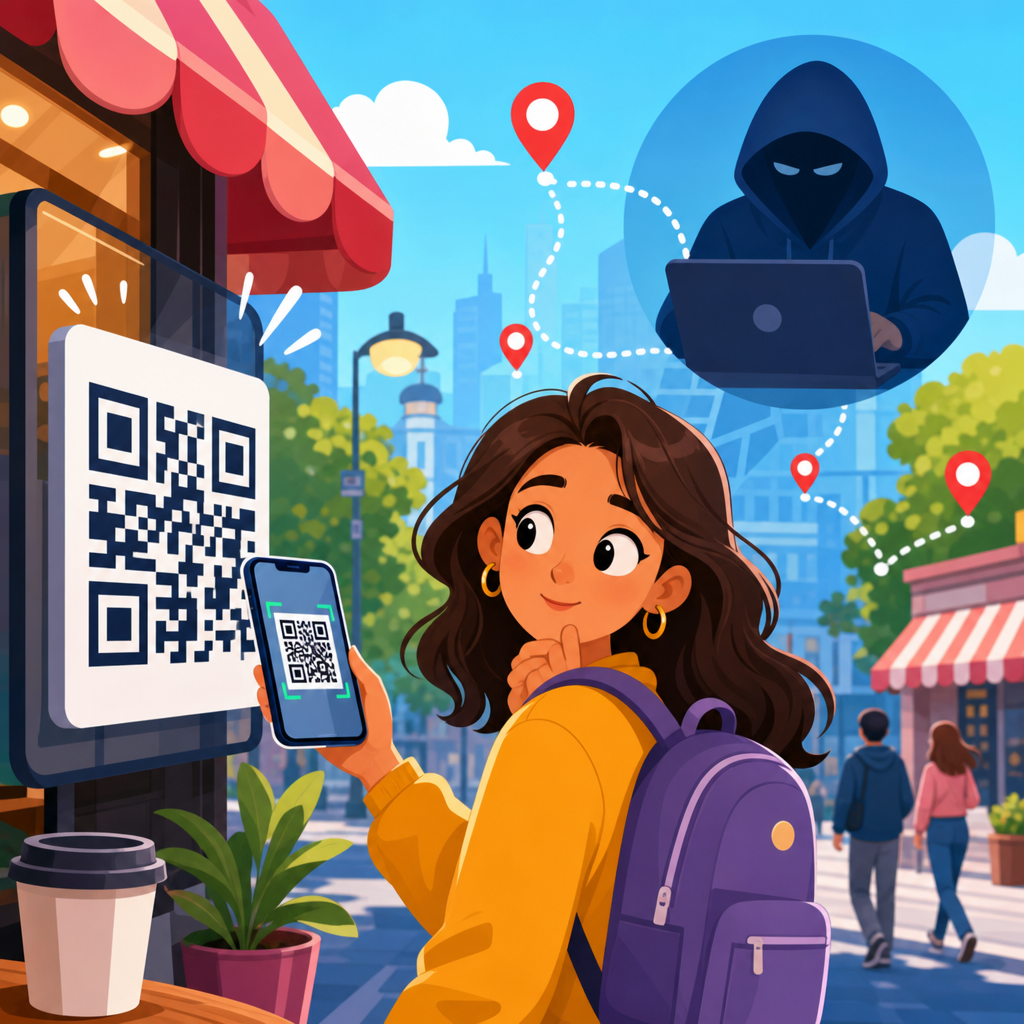
QR codes feel simple: point a phone, tap the link, and move on. Yet the privacy question behind that convenience is more complicated, because a QR code can act as a doorway to websites, apps, payment flows, tickets, forms, and analytics systems that collect data. If you are asking, “Can QR codes track you?” the accurate answer is yes, but not always, and not by themselves. A printed QR code is just a machine-readable pattern that stores information such as a URL, plain text, contact details, Wi-Fi credentials, or payment data. Tracking happens when the destination behind the code records information about your device, location, time of scan, or actions after you arrive.
That distinction matters because people often blame the square image when the real issue is the digital infrastructure connected to it. In practice, QR code safety depends on what the code contains, where it is placed, what app scans it, and what happens after the scan. I have worked on campaigns, event check-ins, restaurant menus, and packaging systems that used QR codes responsibly, and I have also audited cases where marketers collected more data than users realized. Understanding the difference between the code itself and the tracking systems around it helps you judge real risk instead of guessing.
This article serves as a practical hub for QR code security and privacy. It explains what data a QR scan can reveal, when QR codes are safe, how malicious codes are used in scams, what businesses can legitimately measure, and what steps reduce risk. The goal is direct: give you a reliable framework for deciding when to scan, when to pause, and how to protect yourself without giving up a useful tool.
How QR codes work and what they can reveal
A QR code does not secretly “watch” you. It stores encoded data, most commonly a web address. When you scan it, your phone interprets that data and usually opens a browser or app. At that moment, the same kinds of digital signals that appear in any web visit can be captured. A website can log your IP address, browser type, device model indicators, operating system, language settings, approximate location inferred from network data, referring app details, timestamp, and behavior on the page. If the destination includes analytics platforms such as Google Analytics 4, Adobe Analytics, or Matomo, the scan can become part of a broader measurement system.
Dynamic QR codes increase this capability. A static QR code directly encodes the final destination, such as https://example.com/menu. A dynamic QR code points first to a short redirect URL managed by a QR platform. That redirect can record the scan before sending the visitor onward. In legitimate use, this allows businesses to update destinations without reprinting materials and to count scans by campaign, location, or date. In privacy terms, it also means more entities may process your data: the scanner app, the redirect service, the destination website, and any embedded scripts on that page.
Can a QR code identify you personally? Not automatically. The code usually does not know your name. Identification happens when the destination asks you to log in, fill a form, download an app, make a payment, or click through from an account-linked environment. For example, a retailer might place unique QR codes on direct-mail pieces. The person who scans lands on a personalized page, and the business connects that scan to a customer record. The same pattern is common in loyalty programs, event badges, package inserts, and support portals. The code starts the interaction; the downstream system creates the identity link.
Can QR codes track you? The short answer and the real answer
The short answer is yes, QR codes can track you in the same practical sense that links, cookies, and landing pages can track you. The real answer is more precise: a QR code enables tracking when it routes you to systems designed to measure scans, sessions, and conversions. That difference matters because it explains both the benefit and the risk. A museum uses QR labels to learn which exhibits receive the most interest. A utility company uses QR codes on bills to direct customers to the correct payment page. An event organizer uses QR admissions to validate entry and prevent fraud. All of those are forms of tracking, but they are not inherently abusive.
What businesses typically track is straightforward. They count total scans, unique scans, repeat scans, time of day, operating system, city-level geography, campaign source, and whether the visitor completed a target action. Some platforms also support UTM parameters for attribution in analytics suites, letting a company compare scans from posters, packaging, email, and in-store signage. If the code is tied to an authenticated customer experience, tracking can extend to account actions, purchases, and support history. That is why the privacy question should be framed as “What data does this QR journey collect?” rather than simply “Is the code dangerous?”
There are limits. Modern mobile operating systems and browsers restrict certain tracking methods, especially cross-site cookies and background access. Apple’s App Tracking Transparency and privacy controls in Safari reduce some forms of ad-tech profiling. Android and iOS also show previews before opening many links, which gives users one chance to inspect the destination. But those guardrails do not stop a website from collecting standard server logs or asking you to submit information voluntarily. In other words, the scan itself is only the first step; the destination determines the depth of tracking.
Are QR codes safe? When the answer is yes
QR codes are generally safe when they come from a trusted source, lead to an expected destination, and request only information appropriate to the context. In ordinary use, they are no riskier than clicking a link in a browser. A restaurant menu QR code that opens the restaurant’s real domain, an airline boarding pass stored in an official app, or a product manual code printed on original packaging are common examples of low-risk usage. The code is simply an efficient way to transfer a link or identifier without typing.
In my experience, the safest QR implementations share a few traits. The destination domain is recognizable, the page uses HTTPS, the content matches the physical context, and the organization provides an alternative path such as a typed web address. Reputable businesses also publish a privacy notice, minimize required form fields, and avoid forcing an unnecessary app install. For payments, established standards and trusted wallets matter. In many regions, EMVCo specifications and bank-backed payment flows provide stronger controls than random peer-to-peer payment pages promoted on stickers.
Safety also improves when the scanning device is updated and the user takes a second to review the preview. Most modern camera apps display the URL before opening it. That single feature blocks many opportunistic attacks. If a code on a parking meter claims to belong to a city agency but resolves to a misspelled domain or a generic payment page, the mismatch is often visible before you tap. Good habits, not fear, are the best defense for routine QR use.
How malicious QR codes are used in scams and attacks
The main security threat is not hidden surveillance inside the image. It is social engineering. Attackers replace, overlay, text, or circulate QR codes that push victims to phishing pages, fake login screens, malware downloads, or fraudulent payment forms. Security teams now use the term “quishing” to describe phishing delivered through QR codes. The reason it works is simple: people cannot visually inspect a QR code the way they can read a suspicious email link, and mobile screens often reveal less context than desktop browsers.
Common scam patterns are now well documented by agencies and enterprise security vendors. A fake QR code on a parking machine can redirect to a payment page that steals card details. A printed code in an email attachment can lead to a counterfeit Microsoft 365 or banking login page. A code on a package insert can push a bogus support number or “warranty registration” form that collects personal data. During audits, I have also seen internal office attacks where QR codes posted near printers and break rooms directed employees to credential-harvesting pages designed to bypass email security filters.
QR codes can also support more subtle abuse. A malicious destination may fingerprint the device, trigger downloads, or prompt the user to install a configuration profile or app. On well-managed phones, operating system controls reduce the chance of silent compromise, but credential theft remains a serious risk because the user is tricked into handing over information willingly. That is why the most effective defense is not antivirus alone. It is verification of the domain, skepticism toward urgent prompts, and a clear policy that sensitive logins should start from official apps or manually entered addresses, not from an unexpected code.
What data businesses can collect from QR scans
From a privacy perspective, the most useful question is what organizations can actually measure. The table below summarizes typical collection points and why they matter.
| Data point | How it is collected | Legitimate use | Privacy concern |
|---|---|---|---|
| Timestamp | Redirect logs or web server logs | Campaign reporting, staffing, event flow | Can reveal routines when tied to a person |
| Approximate location | IP geolocation or store-specific code variants | Regional performance analysis | May infer where someone was at a given time |
| Device and browser data | User agent, browser signals, analytics scripts | Page optimization, troubleshooting | Can support fingerprinting if overused |
| Unique identifier | Code-specific token, customer ID, login session | Personalized service, fraud prevention | Directly links scan activity to an individual |
| On-page behavior | Analytics events, cookies, session tools | Measure form completion and conversions | Extends tracking beyond the initial scan |
This is why a QR code on a poster is not the same as a QR code on a personal invoice. Context changes the privacy impact. If every recipient gets the same code, the business may know only that one more person scanned from that channel. If each recipient gets a unique token, the company may know exactly who scanned and what they did next. Neither model is automatically wrong. The important difference is disclosure, necessity, and proportionality. Collect the minimum data needed for the task, state the purpose clearly, and avoid hidden secondary uses.
Well-run organizations already apply these principles because privacy law and customer trust demand it. Depending on jurisdiction, GDPR, CCPA, and sector-specific rules can apply when QR journeys process personal data. In practical terms, that means explaining analytics, honoring consent choices where required, securing redirect platforms, and avoiding retention periods that outlast the business purpose. A QR code is not exempt from privacy obligations just because it is printed on paper.
How to scan QR codes safely on phones, at work, and in public
Safe scanning comes down to a repeatable checklist. First, inspect the physical setting. Is the code printed professionally, or does it look like a sticker placed over another label? Tampered codes are common in parking, vending, public notices, and table-service payments. Second, preview the link before opening it. Look for the brand’s real domain, proper spelling, and HTTPS. Third, ask whether the destination makes sense for the context. A code on a transit sign should not lead to a generic link shortener, crypto offer, or unrelated form.
Fourth, avoid entering passwords after scanning an unexpected code. If the page asks you to sign in to email, banking, payroll, or a cloud service, stop and navigate through the official app or by typing the known address yourself. Fifth, keep your phone updated. Security patches in iOS, Android, Chrome, and Safari matter because QR attacks often rely on browser weaknesses or user confusion. Sixth, use mobile threat defense and DNS filtering on managed devices if you are responsible for workplace security. Products from Microsoft Defender for Endpoint, CrowdStrike, Zscaler, Cisco Umbrella, and similar vendors can block known malicious destinations before the user submits data.
For organizations, policy is just as important as technology. Train employees that QR codes can bypass email-based warning habits. Publish approved processes for Wi-Fi onboarding, MFA setup, event registration, and visitor access so staff know when a QR code is legitimate. If your company uses QR codes internally, host them on predictable domains and label them clearly. Consistency reduces both confusion and attack surface.
Best practices for businesses using QR codes responsibly
If you publish QR codes, assume users are asking two questions at once: is this safe, and what will happen to my data? Answer both through design. Use branded domains, avoid unnecessary redirects, and place human-readable URLs near the code. If you must use dynamic codes, choose a reputable platform with access controls, audit logs, HTTPS, and domain verification. Test the journey on iPhone and Android, because link previews, in-app browsers, and consent flows behave differently.
Privacy-by-design should guide the campaign. If all you need is aggregate scan count, do not attach personal identifiers. If you need attribution, explain it. If a code leads to a form, request the fewest fields possible. If children, patients, or employees are involved, apply a higher standard and review legal obligations before launch. I have seen excellent implementations in healthcare and manufacturing where QR codes accelerated service without over-collecting data because the teams mapped every data flow first, from print vendor to analytics dashboard.
The hub takeaway is simple. QR codes are useful, usually safe, and absolutely capable of enabling tracking. The risk is not the pattern itself but the systems and intentions behind it. Trusted sources, visible destinations, minimal data collection, and smart scanning habits make QR codes far safer in everyday use. If you manage QR campaigns, build them transparently. If you scan them, pause long enough to verify the link and the context. That one extra second is the easiest privacy and security control you have.
Frequently Asked Questions
Can a QR code itself track you?
A QR code by itself cannot actively track you. It is simply a visual pattern that stores information, most often a URL, but sometimes plain text, contact details, Wi-Fi credentials, payment information, or event data. In that sense, a printed QR code is not a tracking device. The privacy issue begins when the code sends you somewhere, such as a website, app store page, login form, payment page, or digital menu. Once you open that destination, normal online tracking methods may start collecting data. That can include your IP address, device type, browser details, approximate location, time of visit, referral information, and any actions you take on the page.
So the accurate answer is yes, QR codes can be part of a tracking process, but not because the image itself is watching you. The code acts more like a doorway. Whether tracking happens depends on what is behind that doorway and what technologies are used after you scan. A static QR code that contains only plain text does not track you. A dynamic QR code that routes through a managed link platform can record scans and gather analytics before redirecting you to the final destination. That difference is important when evaluating privacy risks.
What information can be collected after you scan a QR code?
The exact data collected depends on where the QR code leads and how the destination is configured. In many cases, the first information gathered is technical and automatic, such as your IP address, device model, operating system, browser type, language settings, date and time of the scan, and rough geographic location inferred from your network connection. If the QR code opens a web page, cookies or similar tracking tools may also be used to recognize your browser over time, measure engagement, or support advertising and analytics.
More personal information can be collected if you interact with the page after scanning. For example, if the QR code opens a form, ticketing system, payment gateway, restaurant ordering page, or app sign-up flow, you may be asked to provide your name, email address, phone number, payment details, or account credentials. In business and marketing settings, QR code platforms may also track campaign performance by counting how many scans occurred, from which locations, on what devices, and at what times. If you are already logged in to a website or app, the scan may also be associated with your existing account, making the visit more identifiable. In short, scanning alone may reveal some technical data, while your actions afterward can reveal much more.
Are dynamic QR codes more privacy-sensitive than static QR codes?
Yes, in many situations dynamic QR codes raise more privacy concerns than static QR codes. A static QR code directly contains the final destination information, such as a URL or text string, and it does not need an intermediate service to function. That means there is less built-in opportunity for scan analytics at the QR code level, although the final website can still track you after you arrive. Static codes are generally simpler and more transparent because what is encoded is fixed and does not rely on a third-party management system.
Dynamic QR codes work differently. Instead of storing the final destination directly, they often point to a short redirect URL controlled by a QR code platform or campaign manager. That intermediate step makes the code editable, which is useful for businesses because they can change the landing page without reprinting the code. It also enables analytics such as scan counts, timestamps, device categories, and location estimates. From a privacy perspective, that means dynamic codes create an extra data collection point before you even reach the final page. They are not automatically harmful, but they do create more tracking potential and more dependence on the privacy practices of the service running the redirect.
How can you tell whether a QR code is safe or being used for tracking?
You usually cannot tell everything just by looking at the QR code image, because the pattern itself does not reveal its purpose in a human-readable way. The best clue is the preview your phone shows before opening the link. Many smartphones display the destination URL, and you should check whether it looks legitimate, recognizable, and relevant to the situation. A code on a restaurant table that leads to the restaurant’s official domain is more predictable than a sticker placed in public that redirects to a shortened or unfamiliar address. Suspicious signs include misspelled brand names, random strings, unusual short links, or codes placed over existing signage.
As for tracking, the safest assumption is that any QR code leading to a website, form, or app may involve some level of analytics. That does not automatically mean abusive surveillance, but it does mean your visit could be logged. If you want more control, you can use a QR scanner that previews links without opening them immediately, visit sites in a privacy-focused browser, limit app permissions, and avoid submitting personal information unless necessary. You can also look for a privacy policy once the page loads, especially if the code is tied to marketing, payments, event check-ins, or account actions. Safety is about both destination legitimacy and what happens after the scan.
How can you reduce privacy risks when scanning QR codes?
The most effective way to reduce risk is to treat QR codes the same way you would treat any unknown link. Scan only when you trust the source and the context makes sense. Before tapping, review the destination URL if your device shows it. Be cautious with codes found on posters, parking meters, public kiosks, flyers, or stickers in crowded areas, because attackers sometimes replace legitimate codes with malicious ones. If a QR code asks you to log in, enter payment information, download an app, or provide sensitive data, pause and verify that the website is authentic and secure.
For stronger privacy protection, use tools and habits that limit unnecessary data sharing. A browser with tracking protection can reduce cookies and cross-site monitoring. Keeping your phone updated helps defend against malicious sites and known vulnerabilities. Avoid granting permissions unless they are clearly needed, and consider using separate browsers or private browsing modes for one-time scans. If you are scanning QR codes for tickets, menus, surveys, or promotions, remember that convenience often comes with analytics. You may not be able to prevent all data collection, but you can minimize it by sharing less information, avoiding unnecessary logins, and staying alert to where the code is taking you and why.





