
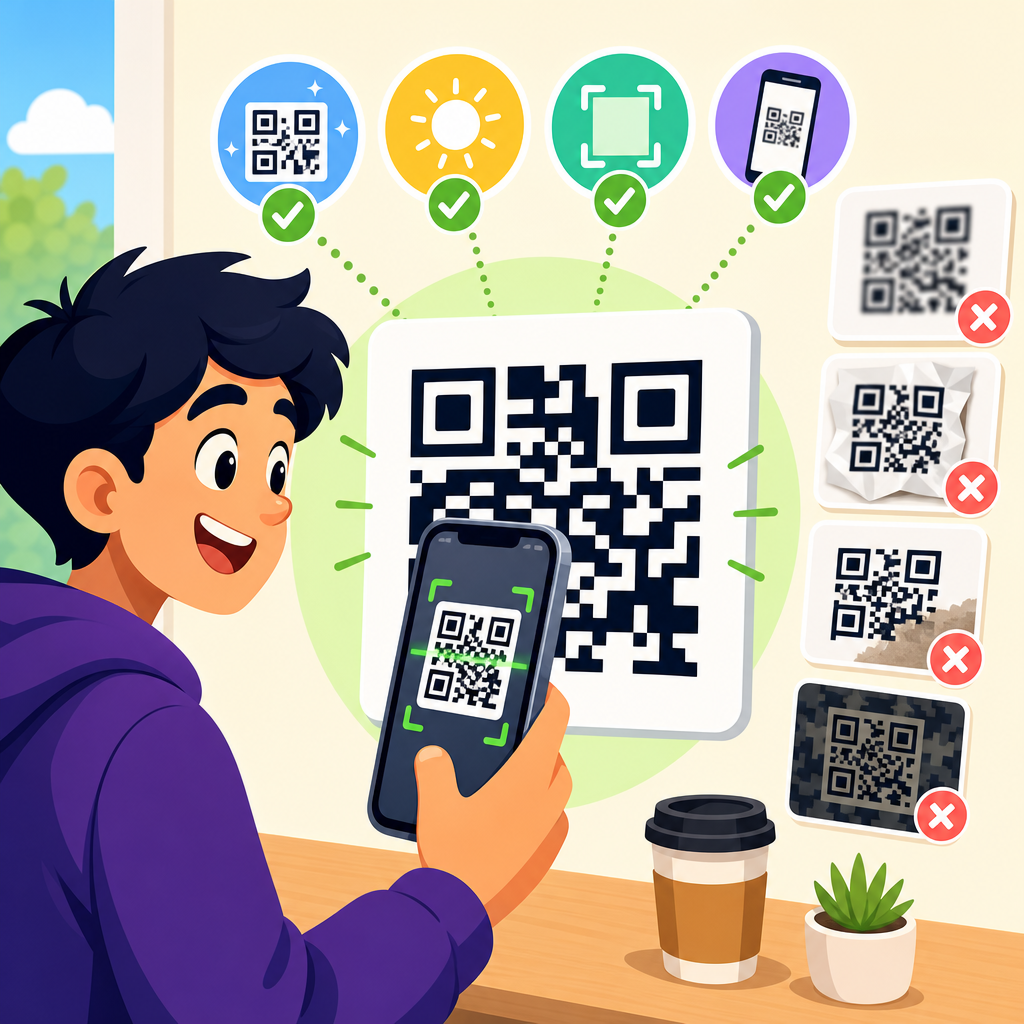
A scannable QR code is one that a camera can detect quickly, decode accurately, and open reliably in real-world conditions such as glare, motion, poor lighting, curved packaging, or low-end smartphone lenses. In practical terms, scannability depends on a mix of technical structure, visual design, print quality, size, contrast, error correction, and testing. I have seen beautifully branded codes fail on shelves because the quiet zone was trimmed, the foreground color lacked contrast, or the logo covered too much data. For any business using QR code design and customization, scannability is the standard that matters most, because a code that looks impressive but does not scan loses conversions, trust, and campaign value.
Within QR Code Creation & Tools, QR Code Design & Customization sits at the point where branding meets engineering. Design choices include colors, logos, eye shapes, module styles, frames, and calls to action. Customization tools promise flexibility, but every visual change alters the conditions a scanner must interpret. Understanding what makes a QR code scannable helps marketers, designers, packaging teams, restaurant owners, and event organizers create codes that work across print and digital surfaces. It also helps teams build internal standards, choose the right generator, and link to related guidance on dynamic QR codes, file formats, print specs, analytics, and testing workflows. This hub explains the principles, the tradeoffs, and the best practices that consistently produce reliable scans.
The technical features every scannable QR code needs
A QR code remains scannable when core structural elements are preserved. The three large finder patterns in the corners help the scanner locate orientation. Alignment patterns, timing patterns, data modules, and format information support decoding. The quiet zone, the blank margin around the symbol, is especially critical. According to ISO/IEC 18004 guidance used across the industry, the quiet zone should be at least four modules wide on all sides. When I audit failed codes, missing quiet zones are one of the most common causes. Designers crop too tightly, place the code against busy artwork, or add decorative borders that interrupt this margin.
Module integrity also matters. A QR code is built on a grid, so each square must remain clearly distinguishable. Rounded modules, dot styles, and softened corners can work, but only if the pattern remains machine-readable. Extreme stylization reduces edge definition and can cause cameras to merge nearby modules. The same applies to reshaped finder patterns. Many generators let users turn the corner squares into circles, badges, or ornamental frames. Moderate customization is usually fine; radical changes often break recognition. If your generator does not preview scan reliability across devices, assume conservative design is safer.
Error correction plays a major role in customization. QR codes support four levels: L, M, Q, and H, roughly restoring 7%, 15%, 25%, and 30% of damaged codewords. Higher error correction allows more branding freedom, such as adding a central logo or surviving minor print damage, but it also increases symbol density for the same data. Dense codes are harder to scan at small sizes. In practice, I use higher correction only when the code will include a logo, live on packaging, or face wear. For clean, large-format signage, medium correction often gives a better balance between resilience and simplicity.
Data load directly affects complexity. A QR code containing a long URL, multiple UTM parameters, or vCard information requires more modules than a short redirect URL. More modules mean smaller individual squares and tighter scanning tolerances. That is why dynamic QR codes often scan better than static ones for marketing use: the encoded destination is a short redirect link, while the final URL and tracking rules are managed elsewhere. If a team wants highly customized QR code design and customization, reducing data load is often the easiest way to preserve scannability.
How color, contrast, and styling affect scan performance
The safest color rule is simple: dark foreground, light background, strong contrast. Most scanners read luminance contrast more than hue, but hue still matters because some camera pipelines treat color channels differently. Black on white remains the benchmark because it delivers maximum distinction. Dark navy on white, dark green on cream, or deep purple on pale gray can also work. Problems begin when brands reverse the relationship, using light modules on dark backgrounds, metallic inks, gradients, or low-contrast pairings like pastel blue on white. These combinations may look refined on a monitor and fail instantly in a store aisle.
Gradients are especially risky. A subtle gradient inside the background can be acceptable if the quiet zone stays clear and contrast remains high across the entire code. A gradient applied to the modules themselves often creates inconsistent edges and weak areas. Transparent backgrounds create another common issue because the final placement surface may not provide enough contrast. If the code appears over photography, textured paper, glass, or patterned packaging, the scanner sees noise instead of a clean grid. In production, I recommend exporting QR assets with a solid background unless placement conditions are tightly controlled.
Logo integration deserves careful restraint. A centered logo can increase brand recognition and click confidence, but only when it occupies a limited area and is supported by sufficient error correction. As a practical rule, keeping the logo around 15% to 20% of the code area is usually safe when the code is otherwise clean. Exceeding that size, especially on dense symbols, invites scan failures. The logo should sit in a simple shape with clean edges, not blend into data modules, and never spill into finder patterns, timing patterns, or the quiet zone.
Frames and calls to action can improve response rates when used correctly. Text such as “Scan to view menu” or “Scan for setup guide” adds context and reduces hesitation. The frame, however, must sit outside the quiet zone. Many templates squeeze text too close to the symbol, effectively erasing the margin scanners need. A good design separates the code, the quiet zone, and the promotional frame into distinct layers. That structure supports both usability and machine readability, which is the central balancing act in QR code design and customization.
Size, distance, surface, and placement rules that determine real-world scannability
A QR code can be technically valid and still fail because it is too small, too far away, or placed on the wrong surface. A reliable baseline for print is at least 2 x 2 centimeters for short URLs viewed up close, though many practitioners prefer 2.5 centimeters or larger for margin. A common field rule is that the minimum scanning distance should be roughly ten times the code width. A 2-centimeter code is therefore suited to about 20 centimeters of distance. For posters, storefronts, or trade show walls, the code must scale with expected viewing distance.
Surface conditions change everything. Flat, matte substrates are easiest to scan. Glossy lamination can create reflections that wash out modules under store lighting or sunlight. Curved surfaces such as bottles, cups, and cans distort the grid, especially when the code wraps around the edge. On flexible packaging, creases and shrink distortion can damage alignment. When I work on labels for cylindrical products, I place the code on the flattest panel available and increase size beyond the theoretical minimum. The same logic applies to embroidery, etched metal, and textured cardboard: each material adds optical noise.
Placement should match user behavior. Restaurant table tents need codes visible from a seated angle. Equipment labels need enough white space around the symbol so technicians can scan without removing the device. Outdoor signs should avoid corners where shadows, dirt, or mounting hardware may interfere. A code placed behind glass may reflect the sky or interior lights. A code on a moving vehicle may be impossible to scan safely unless viewed at rest. Good placement starts by asking where the user stands, how long they have to scan, and what the camera sees at that moment.
| Factor | Best practice | Common failure | Real-world example |
|---|---|---|---|
| Print size | Use at least 2.5 cm for close-range print when possible | Dense code shrunk to business-card size | Event badge code scans slowly at check-in |
| Quiet zone | Keep a clear margin of 4 modules on all sides | Border art touches the symbol | Coupon code cropped by packaging dieline |
| Contrast | Dark code on light background | Pastel modules on patterned art | Beauty product package fails in retail lighting |
| Surface | Prefer flat, matte placement | Glossy curved label with reflections | Beverage can code becomes inconsistent |
| Logo use | Small centered logo with higher error correction | Oversized badge blocks data modules | Branded flyer scans on some phones only |
Print production and digital export choices that protect scan reliability
File preparation is a hidden driver of scannability. Vector formats such as SVG, EPS, and PDF preserve sharp module edges at any size, making them the preferred choice for print. Raster files like PNG can work well for digital use and small print jobs, but they must be exported at sufficient resolution. Low-resolution images introduce blur and anti-aliasing, which soften module boundaries. I have seen teams pull a QR code from a slide deck screenshot and send it to press; the printed result looked acceptable to the eye and scanned poorly because the edges were no longer crisp.
Print process matters too. Offset, digital toner, flexographic, thermal, and inkjet systems each reproduce detail differently. Dot gain can thicken modules; ink spread can close small gaps; poor registration can distort the grid. On porous stock, black ink may feather. On thermal labels, heat settings can create inconsistent density. A code that scans from a laser print proof may behave differently in mass production. For that reason, serious campaigns test final substrate, final size, and final print method rather than approving the code from a monitor proof alone.
For digital screens, brightness, pixel density, and display scaling influence scans. A QR code on a smartphone screen usually scans well if displayed large enough and without moiré effects, but tiny codes inside email footers or compressed social graphics often struggle. Dark mode introduces another trap: some email clients invert colors or reduce contrast. Screens with cracked glass or privacy filters can interfere with detection. If a code will be used on websites, presentations, PDFs, or app screens, test it across iPhone and Android devices, older camera hardware, and different browser zoom levels.
Link management supports scannability indirectly by improving what happens after the scan. A fast-loading mobile destination, clean redirect chain, HTTPS security, and campaign tracking all contribute to perceived success. Users do not distinguish between a scanning problem and a landing-page problem; if the code opens a broken page, they treat the experience as a failed scan. That is why this hub connects naturally to related topics such as dynamic QR codes, mobile landing pages, QR code analytics, and URL shortening strategy.
Testing methods, design standards, and customization limits for dependable results
The best way to know whether a QR code is scannable is to test it in the same conditions where people will actually use it. I recommend a simple validation workflow: scan with native iPhone Camera, Google Lens, and at least one lower-cost Android camera; test in bright light, dim light, and under glare; print at final size; place the code on the real material; and scan from the expected distance and angle. If the code is meant for broad public use, include older devices because their autofocus, image processing, and decoding tolerance are less forgiving.
Customization should follow a hierarchy. Protect the quiet zone first, then preserve high contrast, then manage data density, then choose error correction, and only after that add logos, colors, or decorative module styles. This sequence prevents teams from treating branding as the starting point and readability as an afterthought. The strongest QR code generators support this by warning about contrast issues, showing print dimensions, and allowing vector export. Established platforms such as QR TIGER, Bitly, Scanova, Beaconstac, and Canva offer customization features, but the quality of previewing and testing support varies. The tool is less important than the discipline used with it.
There are also cases where the right choice is not to customize heavily. Compliance labels, medical information sheets, warehouse tracking, and manufacturing environments prioritize speed and certainty over aesthetics. In those contexts, standard square modules, black on white, medium error correction, and generous size outperform designer treatments. Consumer marketing often allows more flexibility, but even there, success comes from controlled variation rather than novelty for its own sake. A QR code should express the brand without asking the scanner to guess.
As the hub page for QR Code Design & Customization, the core lesson is straightforward: scannability is engineered, not assumed. It comes from respecting the symbol’s structure, choosing contrast over decoration, matching size to distance, adapting design to material and placement, exporting files correctly, and validating performance on real devices. When those fundamentals are in place, customization becomes a strength rather than a risk. Use this guide to set standards for every QR project, then apply those standards across your generator choice, print workflow, landing pages, and campaign testing so every scan reliably turns intent into action.
Frequently Asked Questions
What actually makes a QR code scannable?
A scannable QR code is one a camera can find quickly, interpret correctly, and launch without repeated attempts. That depends on more than just whether the code “looks fine” on a screen. A QR code must have a clear technical structure, enough contrast between the dark and light areas, a proper quiet zone around the edges, and enough physical size for the intended scanning distance. It also needs to survive real-world conditions like glare, motion, dim light, curved packaging, low-resolution phone cameras, and poor print reproduction.
In practice, scannability comes from several factors working together. The finder patterns in the corners need to remain obvious, the modules must stay sharp rather than blurry or bleeding together, and the code cannot be distorted so heavily that phones struggle to read it. The destination matters too: a code is not truly successful if it scans but opens a broken link, a slow page, or a mobile-unfriendly landing page. Strong QR performance is about detection, decoding, and reliable action after the scan.
That is why seemingly minor design changes can have major consequences. A code may fail not because QR technology is unreliable, but because someone reduced the margin, used low-contrast brand colors, placed it on reflective material, or added a logo that covered too much of the pattern. The best scannable QR codes balance branding with technical discipline and are always tested under realistic conditions before being printed or published.
How important are size and scanning distance for QR code readability?
Size is one of the biggest factors in scannability. If a QR code is too small for the viewing distance, a phone camera may detect that something is there but still fail to resolve the individual modules clearly enough to decode it. As a practical rule, the farther away people will scan from, the larger the code needs to be. A tiny code can work well at arm’s length on packaging, but that same code may be frustrating or unusable on a poster, storefront sign, or trade show banner.
Physical environment also changes the size requirement. A code on a moving object, behind glass, on a shelf, or in a dim setting usually needs to be larger than a code being scanned indoors from a stable position. If the surface is curved, such as a bottle or can, the printed code may effectively become harder to read, which makes a larger size even more important. Likewise, if the target audience may use older phones or lower-end cameras, giving the code more physical space improves the odds of fast, reliable scans.
The safest approach is to choose size based on actual use rather than aesthetics alone. Do not shrink a code just to make a layout cleaner if that creates friction for the user. It is far better to give the code enough room to scan instantly than to force repeated attempts. If there is any doubt, test multiple sizes in the real placement context and with different phones. Scannability should be proven in the field, not assumed from how the code appears on a designer’s screen.
Why do contrast and color choices affect whether a QR code scans?
QR readers depend on strong visual separation between the foreground and background. The classic black code on a white background remains the most reliable because it creates maximum contrast for detection and decoding. When brands replace that with softer combinations, metallic inks, gradients, or dark-on-dark palettes, they often reduce the camera’s ability to distinguish the modules cleanly. A code may still look attractive to the human eye while becoming much harder for a scanner to interpret.
Contrast problems get worse in real-world conditions. Glare can wash out light colors, shadows can flatten subtle differences, and cheap printers can shift tones enough to reduce readability even further. Colored backgrounds, textured materials, transparent packaging, and reflective finishes all introduce visual noise that competes with the code. If the foreground does not remain distinctly darker than the background, scan success drops quickly. Light codes on dark backgrounds can sometimes work, but they are generally less dependable and should be tested very carefully.
Branding is possible, but it should never come at the expense of readability. If custom colors are used, keep the contrast strong and avoid combinations that become muddy under uneven lighting or lower camera quality. Solid colors usually perform better than gradients. The goal is not simply to make a QR code look on-brand, but to ensure it still scans instantly in the hands of real users. High contrast is one of the simplest and most effective ways to improve that outcome.
What is the quiet zone, and why does trimming it ruin scannability?
The quiet zone is the blank margin surrounding the QR code, and it is essential. Scanners use that clear space to identify where the code begins and ends. Without enough separation from nearby text, graphics, borders, or packaging elements, a camera may struggle to isolate the code from the rest of the design. That can delay detection, cause inconsistent scan performance, or make the code unreadable altogether.
This is one of the most common reasons attractive QR codes fail in production. A design may work in a test file, then stop working after someone places it too close to other elements, adds a decorative frame, or crops the margin during printing. On crowded labels and retail packaging, the quiet zone is often the first thing sacrificed to save space, but doing so directly undermines the code’s functionality. Even a technically valid QR pattern can become unreliable if the clear border is compromised.
The solution is simple but non-negotiable: preserve adequate blank space around the entire code from the beginning of the design process through final production. Do not let patterns, icons, taglines, dielines, folds, or product imagery encroach into that area. If the code must sit in a busy layout, give it its own dedicated clear field. When people say a QR code “randomly” fails, the quiet zone is often the hidden reason.
How do logos, error correction, print quality, and testing influence QR code performance?
These factors are closely connected. Adding a logo can work well, but every customization removes some visual certainty from the code. Error correction helps compensate by allowing a scanner to recover data even if part of the symbol is obscured or damaged. Higher error correction levels are often used when logos are placed in the center or when codes may face wear and tear in the field. However, error correction is not a free pass to overdesign. If the logo is too large, covers key areas, or combines with weak contrast and poor printing, the code can still fail.
Print quality matters just as much as design intent. If the modules fill in, edges become fuzzy, ink spreads, or the material reflects light unpredictably, the camera may no longer see the code as the generator originally created it. Curved surfaces can warp the pattern, textured substrates can break up the modules, and low-resolution output can make small codes especially vulnerable. Digital display issues also matter: low brightness, screen glare, and compression artifacts can interfere with scanning from phones, kiosks, or presentations.
That is why testing is the final authority. A QR code should be tested with multiple devices, operating systems, camera qualities, lighting conditions, and scan angles. It should be checked in the exact medium where it will appear, whether that is glossy packaging, a restaurant menu, a shipping label, or a billboard. Test both speed and consistency, not just whether it scans once. The most successful QR codes are not the most decorative ones; they are the ones that have been designed responsibly, printed accurately, and validated in the same real-world conditions users will face.





