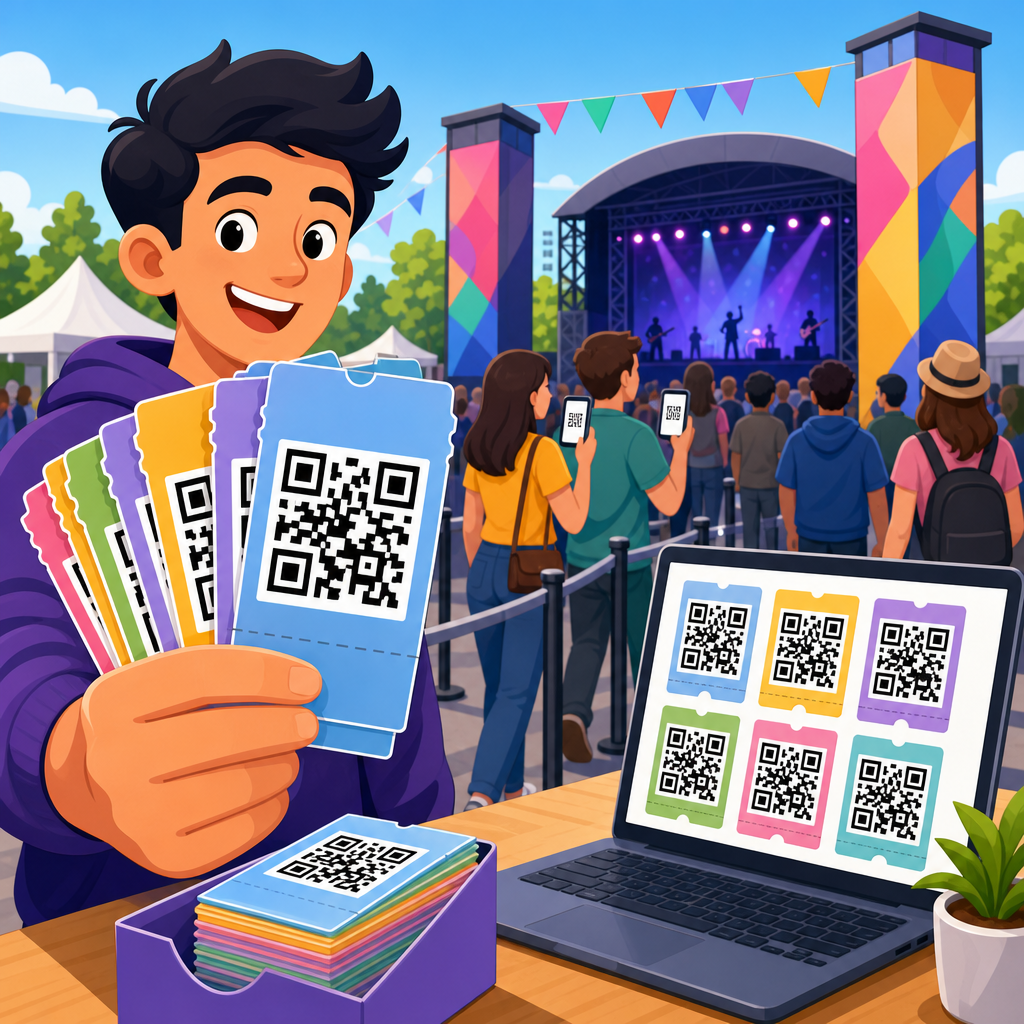
Bulk QR code creation is the process of generating many QR codes at once from a structured dataset instead of building each code manually one by one. In practice, that usually means uploading a spreadsheet, connecting a database, or using an API to turn rows of information into scannable images, print files, or dynamic redirect links. Businesses use bulk QR code creation when they need consistent, trackable codes across products, packaging, event badges, direct mail, menus, instruction sheets, or asset labels. As someone who has set up bulk QR code projects for retail launches, field service teams, and event operations, I can say the main advantage is not simply speed. The real value is operational control: standardized naming, fewer production errors, faster updates, and easier reporting. Understanding bulk QR code creation matters because QR campaigns now sit at the intersection of packaging, mobile UX, analytics, and offline attribution.
A QR code, short for Quick Response code, is a two-dimensional barcode that stores data in a grid of black and white modules. A static QR code encodes the final destination directly, such as a URL, phone number, or plain text. A dynamic QR code points to a short redirect URL managed by software, allowing the destination to change later without reprinting the code. Bulk QR code creation can use either type, but dynamic QR codes are more common in professional deployments because they support editability, scan analytics, expiration rules, geotargeting, UTM tracking, and campaign governance. When teams ask what bulk QR code creation includes, the answer is broader than generation alone. It covers data preparation, variable mapping, naming conventions, error correction settings, output formats, quality assurance, deployment workflows, and performance monitoring after the codes go live.
How Bulk QR Code Creation Works
The workflow starts with a source of variable data. That could be a CSV file with columns for destination URL, campaign name, product SKU, serial number, or contact information, or it could be a live feed from a CRM, ERP, PIM, inventory system, or marketing automation platform. The QR platform maps each row to a code. If the project uses static codes, the platform encodes the final value directly. If it uses dynamic codes, the platform generates a unique short URL for each row, then ties that short URL to a managed destination and metadata record. The result is usually delivered as PNG, SVG, EPS, or PDF files, often bundled with a manifest file so operations teams can match each code to its intended asset.
Most reliable systems also expose controls for error correction level, quiet zone, size, color, file naming, and folder structure. Those details matter. Error correction, standardized under ISO/IEC 18004, determines how much damage a code can tolerate and still scan. Higher error correction improves resilience but increases code density. Quiet zone is the clear margin around the code; if designers crowd it with text or patterns, scan rates drop. In one packaging rollout I managed, the difference between a 12-millimeter code with proper contrast and margin versus a stylized version without enough quiet space was the difference between smooth retail execution and customer complaints. Bulk generation helps enforce those settings consistently across thousands of outputs.
When Bulk QR Code Creation Makes Sense
Bulk QR code creation makes sense whenever the number of codes is too large for manual work or when consistency is critical. Typical use cases include product packaging with one QR code per SKU, restaurant table systems with one code per table, equipment tracking with one code per asset, event check-in with one code per attendee, and direct mail where every recipient gets a personalized landing page. It is also common in manufacturing, where labels must tie parts or lots to manuals, maintenance logs, or compliance records. Healthcare, education, real estate, and logistics use bulk QR generation for patient forms, campus resources, listing flyers, and warehouse locations.
The clearest threshold is not a specific quantity like one hundred or one thousand. The threshold is process complexity. If a team needs unique destinations, individualized tracking, or recurring updates, manual generation quickly becomes a liability. A spreadsheet-driven workflow reduces transcription errors, creates an auditable trail, and lets teams rerun jobs when data changes. For marketing teams, bulk creation also enables controlled experimentation. You can issue different QR codes by region, store, or audience segment and compare scans against traffic, sales, or conversion data. That turns a print object into a measurable digital touchpoint rather than a dead-end graphic.
Static vs Dynamic Bulk QR Codes
Choosing between static and dynamic QR codes is one of the most important decisions in a bulk project. Static codes are simpler and sometimes cheaper because no redirect layer is involved. They work well when the destination will never change, such as Wi-Fi credentials in a conference room or permanent contact details on an internal asset sticker. The downside is finality. If a URL breaks, a page is moved, or a campaign ends, the code cannot be updated. In bulk production, that limitation becomes expensive because replacing one code may mean reprinting hundreds or thousands of items.
Dynamic codes are better for most customer-facing campaigns. They allow destination changes after printing, which protects investment in packaging and signage. They also support scan analytics such as timestamp, device type, operating system, and approximate location, subject to platform controls and privacy law. Teams can attach UTM parameters, route scans by language or geography, pause campaigns, or retire codes gracefully. The tradeoff is dependence on a vendor or internal redirect infrastructure. If the service expires or the domain governance is weak, the codes can fail. The right answer is usually dynamic codes for public campaigns and static codes for fixed, low-risk internal functions.
| Option | Best for | Main advantage | Main limitation |
|---|---|---|---|
| Static bulk QR codes | Permanent destinations, simple internal use | No redirect dependency | Cannot edit destination after printing |
| Dynamic bulk QR codes | Marketing, packaging, events, trackable campaigns | Editable destinations and analytics | Requires platform or redirect management |
Data Preparation and Quality Control
The success of bulk QR code creation depends more on data hygiene than on the generator itself. Before producing files, teams should normalize URLs, remove duplicates, validate required fields, and define a clear naming convention. A strong file name might include campaign, market, asset type, and row ID, for example: spring-launch_us_sku-1842_row-067. Without that structure, print and operations teams struggle to match the correct code to the correct object. I also recommend locking down destination formats early. Decide whether URLs will include trailing slashes, lowercase paths, UTM standards, and canonical domains. Small inconsistencies become large reporting problems later.
Quality control should include both digital validation and physical testing. Digital checks verify that the encoded data matches the source record and that redirects resolve with the correct status codes. Physical checks test scan performance on the actual material and size, using common phone cameras under realistic lighting. Glossy labels, curved bottles, textured cardboard, and low-contrast backgrounds can all reduce readability. For enterprise printing, many teams use barcode verification tools aligned with ISO/IEC 15415 grading for print quality, although consumer campaigns often rely on device testing across iPhone and Android models. Bulk QR code creation is only as good as the QA process wrapped around it.
Tools, Platforms, and Integration Options
There are three main ways to handle bulk QR code creation: standalone software, SaaS platforms, and custom generation through APIs or libraries. Standalone tools are useful for designers or small operations teams that need file exports without deep integration. SaaS platforms add user management, analytics dashboards, dynamic redirects, templates, and role-based controls. They are the default choice for marketing and packaging teams because they reduce setup time. Custom generation is best when QR codes must be embedded into existing systems, such as an order management workflow that creates a unique code every time a shipment is packed.
Common implementation options include enterprise QR platforms, label and packaging systems, and developer libraries such as ZXing, qrcode, or Python-based generators connected to reporting databases. The best tool is not the one with the most design features. It is the one that matches governance requirements. Large organizations need access controls, domain ownership, export reliability, API documentation, and a clear policy for data retention. Teams should also ask whether the platform supports SVG for print, bulk edit operations, redirect logs, and custom domains. If a vendor cannot explain how dynamic redirects are maintained or what happens when an account lapses, that is a serious risk.
Common Use Cases Across Industries
Retail and consumer packaged goods use bulk QR code creation to place one code on every SKU, flavor, region, or promotion. A cereal brand might direct each code to recipes, loyalty offers, or localized product information. In manufacturing, bulk codes link machines, components, or batches to service manuals, installation videos, and inspection records. Logistics teams attach QR labels to bins, bays, pallets, or shelves to streamline inventory checks and proof-of-location workflows. Events rely on bulk QR generation for attendee passes, exhibitor lead retrieval, session access, and wayfinding. In education, schools can assign unique QR codes to classrooms, library assets, lab equipment, and student resources.
Healthcare and field service offer strong examples of why bulk workflows matter. A clinic may need distinct codes for intake forms by department, language, or location. A field service company may print QR codes on every installed unit so technicians can scan for maintenance history, parts lists, and warranty records. In real estate, agents create one code per property flyer, sign rider, or open house campaign to track interest by neighborhood. These are not edge cases. They are routine operational scenarios where individualized QR codes create better experiences and produce measurable data that manual processes cannot support efficiently.
Best Practices for Scannability, Branding, and Measurement
A good bulk QR code program balances design flexibility with scan reliability. Keep strong contrast, preserve the quiet zone, and avoid shrinking codes below practical scanning size for the intended distance and surface. For most printed marketing materials, testing should start around 0.8 to 1 inch square and scale upward based on context. Curved packaging, outdoor signage, and low-light environments often need larger codes. Adding a logo in the center is possible, especially with higher error correction, but over-customization is a common mistake. Decorative shapes, gradients, and busy backgrounds may look on-brand in a mockup while failing in the real world.
Measurement should be planned before generation begins. If the objective is attribution, define campaign parameters consistently and decide what counts as success: scans, unique scans, completed forms, purchases, or assisted conversions. For dynamic bulk QR codes, use first-party domains where possible and document redirect ownership. Connect scan data to analytics tools such as Google Analytics 4, CRM records, or commerce reporting, but be realistic about interpretation. A scan is intent, not always conversion. Privacy compliance matters too. If a campaign operates in regulated markets, review consent flows, retention periods, and any personal data captured downstream. Bulk QR code creation works best when design, analytics, legal, and operations align from the start.
Bulk QR code creation is not just a faster way to make many codes. It is a structured system for turning offline objects into managed digital entry points at scale. The core idea is simple: use a data source to generate unique, standardized, scannable codes in one coordinated workflow. The real payoff comes from what that workflow enables—consistent production, fewer manual errors, editable destinations, measurable engagement, and better control across packaging, events, operations, and service environments. Whether a team is labeling assets, personalizing direct mail, or launching a national product line, bulk generation creates the operational foundation that single-code tools cannot match.
The most successful projects share the same habits. They choose static or dynamic codes based on real business needs, not convenience. They prepare data carefully, test physical outputs before rollout, protect scan reliability over visual novelty, and select tools with governance features that fit the organization. They also treat reporting as part of the project, not an afterthought. If you are building out your QR Code Creation & Tools strategy, start by mapping your use cases, data sources, and update requirements. Then evaluate platforms and workflows that support reliable bulk QR code creation from day one.
Frequently Asked Questions
What is bulk QR code creation, and how is it different from making QR codes one at a time?
Bulk QR code creation is the process of generating a large number of QR codes in a single workflow using structured data, rather than designing and exporting each code manually. Instead of creating one QR code, entering one destination, downloading one file, and then repeating the process over and over, bulk generation lets you upload a spreadsheet, connect a database, or use an API so that every row of data becomes its own QR code automatically. This is especially useful when each code needs to point to a different URL, contain a different identifier, or correspond to a specific product, person, location, or campaign.
The biggest difference is efficiency and consistency. Manual creation works for a handful of codes, but it quickly becomes slow, error-prone, and difficult to manage at scale. Bulk QR code creation is designed for high-volume use cases such as product packaging, inventory labels, event badges, restaurant tables, instruction manuals, direct mail, and serialized marketing campaigns. It helps organizations produce hundreds, thousands, or even millions of QR codes with standardized formatting, naming conventions, and tracking rules. In practical terms, it turns QR code production from a repetitive design task into a structured data operation.
How does bulk QR code creation usually work in practice?
In most real-world setups, bulk QR code creation starts with a dataset. That dataset may be a CSV file, Excel spreadsheet, database table, or a live feed delivered through an API. Each row typically represents one QR code, and the columns define what that code should do or what information should be attached to it. For example, one column might contain the destination URL, another might contain a product SKU, campaign name, serial number, or file name. Once the dataset is prepared, a bulk QR code platform processes those rows and generates the corresponding QR codes automatically.
From there, the output can take several forms depending on the project. Some teams need downloadable image files such as PNG, SVG, or PDF for use in packaging, labels, or printed collateral. Others need print-ready layouts that place each QR code into a specific template. In dynamic QR implementations, the system may generate redirect links first and then create QR codes that point to those links, allowing the destination to be changed later without replacing the printed code. More advanced workflows also include scan tracking, naming automation, analytics tags, variable landing pages, and integration with CRM, inventory, or marketing systems. The process is straightforward in concept, but powerful in execution because it allows one clean dataset to drive a large, organized QR code deployment.
What kinds of businesses and use cases benefit most from bulk QR code creation?
Bulk QR code creation is most valuable anywhere a business needs many unique or consistently managed QR codes at scale. Manufacturers use it for product packaging, serialized labels, warranty registration, authentication, user guides, and traceability. Retail brands use it across packaging, shelf displays, in-store signage, loyalty campaigns, and promotional inserts. Event organizers use bulk generation for attendee badges, session check-ins, ticketing, sponsor booths, seating zones, and access control. Restaurants and hospitality businesses may use it for table menus, room information, guest services, and location-based experiences. Logistics and operations teams use it for asset tracking, inventory movement, maintenance records, and warehouse labeling.
Marketing teams also benefit heavily because bulk creation makes personalized and segmented campaigns much easier to execute. A direct mail campaign, for instance, can assign a different QR code to each household, sales territory, or offer variation. Educational institutions can create codes for classroom resources, campus navigation, ID systems, and student services. Healthcare organizations may use bulk codes for patient materials, equipment management, or facility wayfinding, provided privacy and compliance requirements are handled correctly. In short, any organization that needs speed, standardization, traceability, and the ability to connect physical items to digital destinations can gain significant value from a bulk QR code workflow.
Are bulk QR codes trackable, and should you use static or dynamic QR codes?
Bulk QR codes can absolutely be trackable, but the level of tracking depends on how they are generated. Static QR codes contain the final destination directly in the code itself. They can be useful for simple, permanent use cases, but they are limited because the destination usually cannot be changed after printing, and tracking often depends on whatever analytics exist on the destination page. Dynamic QR codes, on the other hand, point to a managed redirect URL. That allows the final destination to be updated later, which is extremely valuable for packaging, signage, or printed materials that stay in circulation for a long time.
Dynamic QR codes are generally the better choice for bulk deployments because they support stronger analytics and more flexibility. Businesses can track scan counts, time of scan, general location data, device types, and campaign performance depending on the platform being used and the privacy rules in effect. They can also redirect users to different pages over time without changing the physical code, which is important for inventory already in the field. Static codes still have a place when simplicity, permanence, or zero ongoing management is the goal, but for most business-scale projects, dynamic QR codes are the more practical and future-proof option. The right choice depends on whether you need editability, reporting, and campaign control after the code has been distributed.
What should you watch out for when creating QR codes in bulk?
The most common problems in bulk QR code creation come from data quality, testing gaps, and poor output planning. If the source spreadsheet or database contains incorrect URLs, duplicate identifiers, broken naming conventions, or formatting inconsistencies, those problems can multiply across every generated code. That is why clean data preparation is essential. Before running a large batch, it is smart to validate URLs, confirm redirect behavior, standardize file names, and make sure each row contains the right information. A small pilot batch should always be tested first so that scan performance, link accuracy, visual sizing, and printing quality can be verified before full production.
You should also pay close attention to design and deployment details. QR codes need enough contrast, appropriate quiet space, and a size that matches the expected scanning distance and environment. A code that works on a computer screen may fail when reduced for packaging or printed on textured materials. If logos or branding elements are added, they should not interfere with readability. For dynamic campaigns, organizations should also consider governance: who manages redirects, who monitors analytics, and how destinations are updated over time. Finally, if personal or sensitive data is involved, privacy, security, and compliance need to be built into the process from the beginning. The safest and most effective bulk QR projects are the ones that treat the work as both a data operation and a real-world user experience, not just a file export task.