
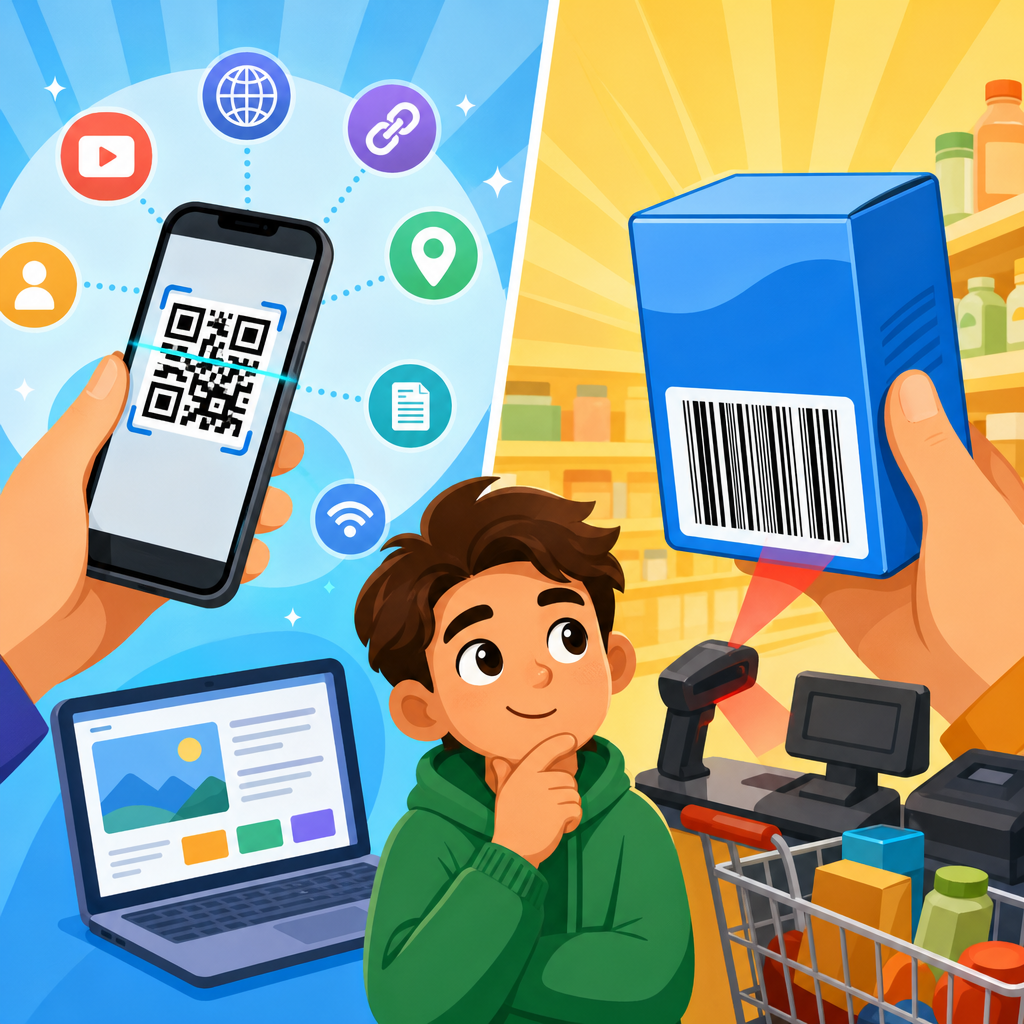
QR codes and UPC codes both turn information into a machine-readable pattern, but they were built for very different jobs. A UPC code identifies a product at checkout using a single numeric string, while a QR code can store many kinds of data, including website links, contact details, text, payment instructions, and app actions. That distinction matters because businesses, schools, healthcare providers, logistics teams, and retailers now use both symbols side by side, often for separate purposes in the same workflow.
To understand what makes QR codes different from UPC codes, it helps to start with the basics of automatic identification and data capture. UPC stands for Universal Product Code. It is a one-dimensional barcode made of vertical lines and spaces that encode a fixed number, typically 12 digits in North America. A scanner reads those lines horizontally and matches the number to a product record in a database. QR stands for Quick Response. It is a two-dimensional matrix code made of small squares arranged in a larger square grid. Instead of linking only to a product identifier, a QR code can directly contain information and can be read quickly from multiple angles by phones, handheld scanners, and industrial imaging systems.
I have implemented both formats in marketing programs and inventory environments, and the practical difference appears immediately. If a cashier scans a cereal box, the UPC retrieves a stock keeping unit and price from the point-of-sale system. If a customer scans a QR code on the same box, the code may open a recipe page, show allergen details, launch a loyalty offer, or verify authenticity. One code supports retail product lookup. The other supports flexible digital interaction. That is why this topic matters for anyone learning QR code basics: understanding the difference prevents the common mistake of treating QR codes as just another barcode.
For readers asking, what are QR codes, the shortest accurate answer is this: a QR code is a type of two-dimensional barcode designed to hold more data and work in more scanning conditions than a traditional linear barcode such as a UPC. It uses finder patterns in three corners so a camera can detect orientation, applies error correction so partial damage does not always break readability, and supports several data modes, including numeric, alphanumeric, byte, and Kanji. Those design choices make QR codes useful far beyond retail checkout. They support menus, tickets, mobile payments, packaging, manuals, onboarding, asset tagging, and omnichannel marketing.
What Are QR Codes and How Do They Work?
A QR code is a square matrix symbol invented in 1994 by Denso Wave, a Toyota subsidiary supplier, to improve tracking in manufacturing. The design solved two major limitations of one-dimensional barcodes: low data capacity and slower scanning when orientation was inconsistent. A QR code works by placing encoded data into black and white modules within a grid. Scanners detect the position markers, align the image, interpret timing patterns, apply masking rules, and decode the payload. In practical use, this means a phone camera can read a code from a label, poster, package, or screen even if the code is rotated or slightly damaged.
The structure is not random. Every QR code contains finder patterns, alignment patterns in many versions, timing patterns, format information, version information in larger symbols, data codewords, and error correction codewords based on Reed-Solomon algorithms. Error correction is one of the biggest reasons QR codes behave differently from UPC codes in real environments. Depending on the selected level, a QR code can remain readable even after part of it is obscured, printed imperfectly, or scratched. In field tests on packaging, I have seen a well-sized QR code with moderate error correction still scan after abrasion that would make a linear retail barcode fail immediately.
QR codes can be static or dynamic. A static QR code contains fixed information directly in the symbol, such as a URL or plain text. A dynamic QR code usually contains a short redirect URL managed by a platform, letting the destination change without reprinting the symbol. That is one reason marketers and operations teams prefer QR codes for campaigns, manuals, forms, and service workflows. They can update content, measure scans, segment by geography or device, and maintain the same printed asset. UPC codes do not serve that function because they are standardized identifiers meant to remain stable for product lookup and supply chain consistency.
How UPC Codes Work and Why Retail Still Depends on Them
UPC codes were introduced in the 1970s to standardize retail scanning. The first widely recognized commercial scan occurred in 1974 on a pack of Wrigley’s gum. Today, UPC remains foundational because the code supports fast, consistent identification within retail systems built around GS1 standards. A UPC-A symbol usually encodes 12 digits: a company prefix, a product reference, and a check digit. The black bars themselves do not store price, description, or inventory count. They store the identifier, and the retailer’s database supplies the rest.
That database dependency is not a weakness; it is the point. Retailers need a stable product key that works across suppliers, warehouses, distribution centers, and stores. When a barcode scanner at checkout reads a UPC, the POS system resolves the number to a product entry and applies pricing, tax rules, promotions, and stock updates. In grocery, pharmacy, and mass retail, this process must happen in fractions of a second and at huge scale. Linear symbols remain effective here because they are easy to print, inexpensive to verify, and deeply integrated into hardware and software across the retail ecosystem.
UPC codes also have important physical constraints. They generally require cleaner print quality and more scanning line-of-sight than QR codes. A laser scanner sweeps horizontally across the symbol and must cross the bars correctly to decode them. If the label is curved, wrinkled, truncated, or covered, scan performance drops. Imaging scanners reduce some of those issues, but the underlying data format still offers far less capacity than QR. That is why UPC is excellent for item identification but poor for direct consumer engagement or rich information delivery.
QR Codes vs UPC Codes: The Core Differences
The simplest comparison is this: a UPC code answers “what product is this?” while a QR code can answer “what should happen next?” A UPC usually identifies one item in a database. A QR code can identify, instruct, connect, authenticate, inform, or trigger an action. That difference changes how each code is designed, printed, scanned, and managed.
| Feature | QR Code | UPC Code |
|---|---|---|
| Format | Two-dimensional matrix of square modules | One-dimensional vertical bars and spaces |
| Typical purpose | Direct data storage and digital actions | Retail product identification |
| Data capacity | High; can hold URLs, text, contact data, and more | Low; typically a numeric product identifier |
| Scanning | Readable from multiple angles by cameras and imagers | Usually scanned across one axis, often with retail lasers |
| Error correction | Built in; partial damage may still scan | Limited tolerance compared with QR |
| Common use cases | Marketing, payments, tickets, manuals, packaging, authentication | Checkout, inventory, retail cataloging |
Data capacity is the most obvious technical difference. A standard UPC-A holds 12 numeric digits. A QR code can hold up to 7,089 numeric characters, 4,296 alphanumeric characters, 2,953 bytes of binary data, or 1,817 Kanji characters, depending on version and error correction level. In everyday terms, that means a UPC can identify a product record, while a QR code can contain a destination, message, or instruction set. Capacity, however, is only valuable when paired with a practical scanning environment. QR succeeded because smartphones turned billions of cameras into scanners.
Another critical distinction is user intent. Consumers rarely scan UPC codes with their phones because the code is not designed to provide a direct experience. They scan QR codes because they expect an immediate result, such as opening a menu or confirming a ticket. Businesses should design accordingly. If the goal is POS consistency, use a UPC or another retail barcode required by the channel. If the goal is to connect the physical world to digital content, a QR code is the better tool.
Where QR Codes Are Used Today
QR codes became mainstream in consumer life when mobile operating systems made native camera scanning simple. Apple integrated QR recognition into the Camera app in iOS 11, and Android support became widely available through native camera apps and Google Lens. Once scanning no longer required a separate app, adoption accelerated. Restaurants used QR menus during the pandemic, but the broader shift stayed because QR solved a permanent problem: it reduced friction between offline objects and online information.
Today, packaging teams use QR codes for product education, sourcing transparency, recycling instructions, and warranty registration. Event organizers use them for ticketing and access control. Payment systems in markets such as China, India, and Southeast Asia use QR for merchant-presented and customer-presented payments at enormous scale. Logistics teams place QR codes on bins, pallets, service manuals, and asset labels because a code can hold more context than a simple item number. Healthcare providers use them on forms, patient instructions, specimen workflows, and equipment tracking, though privacy and system design must be handled carefully.
Retail is also evolving beyond the old either-or debate. A product can carry a UPC for checkout and a QR code for consumer interaction on the same package. Increasingly, brands are preparing for richer packaging identifiers aligned with GS1 Digital Link, which can encode web-based product information in a scannable format while supporting supply chain and consumer use cases. That does not mean UPC disappears overnight. It means the role of scannable codes is expanding from identification only to identification plus engagement, traceability, and service.
How to Choose the Right Code for Your Use Case
Choosing between QR and UPC starts with one question: what system needs to understand the code? If the answer is a retail checkout lane, marketplace listing requirement, or distributor catalog, you likely need a UPC or another GS1-compliant barcode specified by the channel. If the answer is a smartphone user, field technician, attendee, patient, or employee who needs direct access to information, a QR code is usually the right choice. Many organizations need both, not one.
When deploying QR codes, small execution details determine success. Use sufficient quiet zone around the code, maintain contrast, avoid reflective surfaces when possible, and size the symbol for expected scan distance. Test on multiple devices and under real lighting conditions, not just on a desktop printout. If you place a code on packaging, make sure the destination is mobile friendly and loads quickly. I have seen technically valid QR codes underperform because the landing page was slow, the design blended into the background, or the code was printed too small on curved material.
Governance matters as well. Dynamic QR platforms can provide scan analytics, but organizations should define URL ownership, redirect management, expiration policies, and privacy handling before large-scale rollout. For regulated products, every linked claim must meet the same compliance standard as any other published material. For UPC programs, the discipline is different: number management, master data accuracy, print verification, and channel compliance. In both cases, the code itself is only one piece of a larger operational system.
Common Misunderstandings About QR Codes
The most common misconception is that QR codes replace UPC codes in all settings. They do not. QR codes are more versatile, but retail and supply chain environments still rely on standardized identifiers and established scanning infrastructure. Another misconception is that every QR code is a website link. Many are, but QR codes can also encode SMS prompts, vCards, Wi-Fi credentials, calendar events, plain text, geo coordinates, and application-specific commands. That flexibility is what makes learning what QR codes are so important within QR code basics and education.
A third misunderstanding is that creating a QR code is enough to guarantee results. It is not. The code must be easy to scan, placed where people notice it, paired with a clear call to action, and connected to content worth accessing. “Scan me” alone is weak. “Scan for setup video,” “Scan to verify authenticity,” or “Scan for ingredient and allergen details” gives the user a reason. The difference between a functioning QR code and an effective QR code is the clarity of the value exchange.
QR codes and UPC codes are different because they solve different business problems. UPC codes remain the backbone of retail identification, while QR codes connect physical items and locations to digital information, actions, and services. If you are building your understanding of what QR codes are, start with that distinction: UPC identifies; QR interacts. From there, the best implementation choice becomes much clearer.
Use UPC codes when a standardized product number must move reliably through retail systems. Use QR codes when people or devices need direct access to richer information, flexible destinations, or mobile actions. In many modern programs, the strongest approach is to use both intentionally, with each code serving its own job. That strategy improves checkout accuracy, customer experience, and operational visibility at the same time.
As you explore QR Code Basics & Education, treat this page as your hub for the core concepts. Learn how QR code structure, error correction, dynamic management, and real-world placement affect performance, then apply those lessons to packaging, marketing, support, and operations. The more precisely you match the code type to the use case, the better your results will be. Start by auditing one product label, one printed asset, or one customer journey and decide whether it needs identification, interaction, or both.
Frequently Asked Questions
What is the main difference between a QR code and a UPC code?
The main difference is purpose. A UPC code was designed to identify a retail product at the point of sale. It usually contains a single numeric identifier that links to a product record in a store’s inventory or pricing system. When a cashier scans a UPC code, the scanner is not reading product details like ingredients, instructions, or marketing content directly from the symbol. Instead, it reads the number and looks that number up in a database.
A QR code works very differently. It can store a much broader range of information directly inside the code itself, including website URLs, plain text, contact information, Wi-Fi credentials, payment links, app deep links, event details, and more. That makes QR codes far more flexible than UPC codes. In practical terms, a UPC code answers the question, “What product is this?” while a QR code can answer, “What should happen next?” That is why retailers, schools, healthcare teams, logistics operations, and marketers often use both: UPC codes for identification and checkout, QR codes for interaction, tracking, or delivering digital information.
Why are UPC codes still used if QR codes can hold more information?
UPC codes remain essential because they solve a very specific problem extremely well: fast, standardized product identification in retail environments. Stores, distributors, manufacturers, and supply chain systems have been built around UPC-based product numbering for decades. The format is simple, consistent, easy to print on packaging, and optimized for quick scanning at checkout. That reliability matters in high-volume retail settings where every second counts.
QR codes may be more data-rich, but that does not automatically make them a better replacement for UPC codes in every situation. A checkout system needs a universal product identifier that fits established retail standards, integrates with inventory platforms, and works across suppliers and cash register hardware. UPC codes do exactly that. By contrast, QR codes are often used when the goal is to provide added functionality beyond identification, such as linking shoppers to product videos, setup instructions, promotions, warranty registration pages, or digital payments. In other words, UPC codes persist because they are still the right tool for standardized retail identification, while QR codes expand what businesses can do before, during, and after the sale.
Can a QR code replace a UPC code in retail and product packaging?
In some cases, a QR code can support or supplement retail operations, but it does not automatically replace a UPC code across the board. Traditional retail systems are deeply tied to UPC and related barcode standards for pricing, inventory management, replenishment, and point-of-sale scanning. Many stores still expect a standard product identifier in a familiar linear barcode format because their software, scanners, and supplier workflows were built around that model.
That said, QR codes are becoming more common on packaging because they can do things a UPC code cannot. A single QR code can connect customers to nutritional details, multilingual instructions, authentication tools, recall notices, support resources, sustainability information, and brand experiences. Some industries are also moving toward more advanced 2D barcode strategies that may eventually carry standardized product data in richer formats. Even then, adoption depends on scanner compatibility, retailer readiness, and standards compliance. So the realistic answer is that QR codes often complement UPC codes today rather than fully replace them. On many products, the UPC handles checkout, while the QR code handles customer engagement, traceability, or extended digital content.
How do QR codes and UPC codes differ in the amount and type of data they store?
UPC codes store a very limited type of data: a numeric product identifier. Their job is not to carry long messages or multiple data fields. They are intentionally narrow in scope, which is part of why they are efficient for retail scanning. The value of a UPC code comes from the external database it connects to. Without that database, the code itself does not tell you much beyond the identification number it contains.
QR codes can store significantly more data and support different content types. Depending on how they are created, they can hold text, URLs, phone numbers, email actions, geographic coordinates, SMS prompts, calendar events, payment instructions, and other structured information. They also use a two-dimensional layout, which allows them to pack more information into a compact space than a traditional one-dimensional barcode like a UPC. This difference changes how each symbol is used. A UPC code is best understood as a lookup key. A QR code is more like a portable data container or action trigger. That is why QR codes are common in advertising, education, healthcare forms, digital menus, equipment tracking, and mobile engagement campaigns, where the code itself needs to deliver or launch something meaningful.
Why do businesses use QR codes and UPC codes side by side?
Businesses use them side by side because the two codes serve different operational needs. A retailer may need a UPC code so the item can be recognized instantly at checkout, matched to the correct price, and tracked in inventory. At the same time, that same product might carry a QR code that sends the customer to assembly instructions, a rebate page, product registration, reviews, or a how-to video. Using both codes allows the business to support internal systems and customer-facing experiences at the same time.
This dual use extends well beyond retail. In healthcare, a linear code may support asset or inventory control, while a QR code may link staff to patient instructions or device documentation. In education, schools can use QR codes for student resources, sign-ins, and shared links, while still relying on other barcode systems for textbooks or equipment management. In logistics, one code may identify the item in a warehouse system, while another may provide route data, tracking access, or proof-of-delivery workflows. The reason both symbols continue to coexist is simple: one is built for standardized identification, and the other is built for flexible information access and digital interaction. Together, they give organizations more control, better efficiency, and a smoother user experience.





