
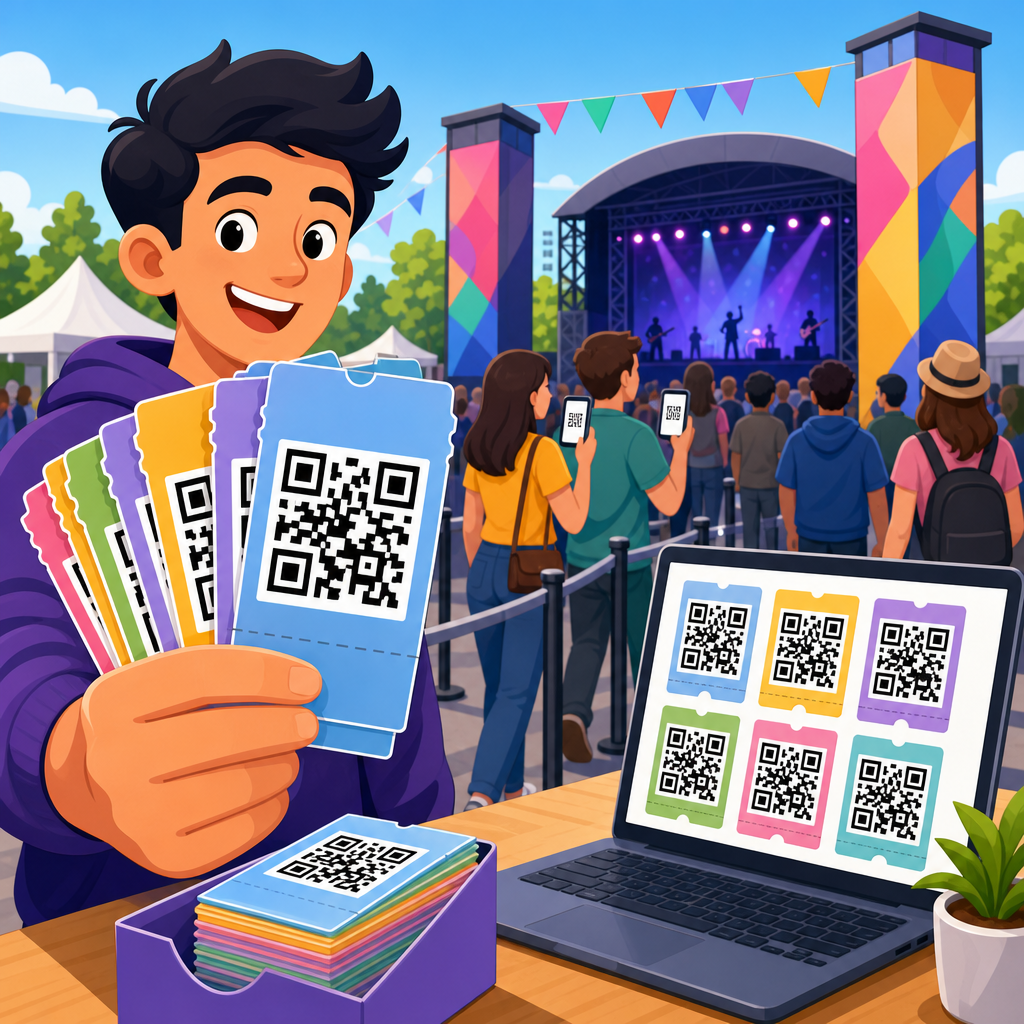
Bulk QR codes for event ticketing give organizers a fast, scalable way to issue unique scannable passes for every attendee while maintaining control over entry, capacity, and event data. In practical terms, a bulk QR code workflow means generating hundreds, thousands, or even tens of thousands of distinct QR codes from a spreadsheet, database, or registration system instead of creating them one by one. For ticketing teams, that difference is operationally massive. I have used bulk QR code creation for conferences, training sessions, festivals, and private corporate events, and the same pattern always holds: when issuance is automated and validation rules are clear, check-in lines shrink, fraud drops, and support volume becomes manageable.
A QR code ticket usually contains either a unique token, a secure URL, or an encoded identifier tied to a record in a ticketing platform. At the venue, staff scan the code with a mobile app, dedicated scanner, or point-of-sale device to confirm validity. Static codes encode fixed data that cannot be changed after printing, while dynamic codes resolve through a managed short URL and can be updated, tracked, or disabled. For event ticketing, dynamic QR codes are usually the better choice because they support redemption tracking, duplicate-scan detection, and post-issuance changes without reprinting every ticket.
This topic matters because events are high-pressure environments where small technical mistakes become public operational failures. A mismatched attendee list, duplicate ticket use, weak scanner connectivity, or poor print contrast can create long queues in minutes. Bulk QR code creation solves the production side, but success depends on data structure, security, scanner behavior, and fallback procedures. As the hub page for bulk QR code creation, this guide explains how to plan a ticketing system that works at scale, which tools and methods are most reliable, and what supporting articles you should build around this process to cover design, security, analytics, and integration in greater detail.
How bulk QR code creation works for event ticketing
Bulk QR code creation starts with a source dataset. In most event operations, that dataset comes from a registration form, CRM export, ticketing platform, or ecommerce checkout system. Each row typically represents one ticket and includes fields such as attendee name, order ID, ticket tier, session access, seat number, event date, and a unique redemption token. The generator maps those fields into a QR code payload, then exports image files, PDFs, badge layouts, wallet passes, or email-ready templates in batches.
The best payload for event ticketing is usually not raw personal information. Instead, it is a short unique identifier or signed URL that points to a secure validation endpoint. That approach minimizes exposed data, keeps codes small for easier scanning, and allows real-time status checks. For example, a conference organizer may issue a code containing a token like EVT24-8F3K2L91. When scanned, the check-in app queries the event database, verifies that the ticket exists, confirms it has not been redeemed, checks whether the attendee has access to that zone, and then marks it as used.
At scale, generation speed and file management matter. A list of 20,000 attendees can produce 20,000 PNG files, plus badge PDFs and segmented email sends. Good bulk QR code platforms support CSV upload, API-based generation, merge fields, naming conventions, and export packaging. Common workflows use ticketing systems, Zapier or Make for automation, Google Sheets for smaller events, and custom scripts for enterprise events. If your operation already uses a registration stack, this hub should connect to deeper articles on CSV QR code generation, API QR code creation, and batch design templates for badges and printable tickets.
Choosing the right QR code format, data model, and delivery method
For event ticketing, choosing the right QR code format is more important than most teams expect. QR version, error correction level, encoded string length, and image output format all affect readability. In live entry conditions, shorter payloads scan faster and more consistently than dense codes carrying too much embedded data. I strongly recommend keeping the QR payload as lean as possible and storing detailed ticket metadata in the backend. This is one of the most common fixes when teams complain that some printed tickets scan instantly while others fail under glare, folds, or low-light conditions.
Delivery method also shapes the bulk generation process. Email attachments work for traditional ticket PDFs. Apple Wallet and Google Wallet passes are better for mobile-first events because they reduce screenshot confusion and can be updated. Printed badges are ideal for conferences with on-site networking and session tracking. SMS links can work for informal community events, but link expiration and device variability must be considered. If attendees often forward tickets, use named-ticket logic plus ID checks for high-value access levels, or pair the code with rotating validation rules.
Security should be built into the data model from the start. Avoid putting names, phone numbers, or full order details directly in the QR code unless there is a compelling operational reason. Use random tokens, signed URLs, or server-generated hashes. If offline scanning is required, preload an encrypted attendee manifest onto scanning devices and sync redemption logs later. That setup is common at large outdoor festivals where cellular coverage is unreliable. The tradeoff is that duplicate-scan detection across gates becomes slower until devices resync, so entry lanes and sync intervals need planning.
| Decision Area | Best Practice | Why It Works |
|---|---|---|
| Payload | Use a short unique token or signed URL | Improves scan speed and reduces exposed data |
| Code Type | Prefer dynamic codes for managed events | Allows disabling, redirecting, and tracking after issuance |
| Delivery | Match format to attendee behavior | Wallet passes suit mobile users; PDFs suit print workflows |
| Validation | Check status against a live or synced database | Prevents reuse and supports access rules by ticket type |
| Design | Maintain high contrast and quiet zone spacing | Improves readability at gates and self-check kiosks |
Building a reliable bulk ticketing workflow from registration to check-in
A reliable event ticketing workflow has four stages: data intake, code generation, distribution, and validation. Data intake begins when someone registers or purchases a ticket. The system creates a ticket record with a stable internal ID and a separate public-facing token for the QR code. Bulk generation either runs on a schedule or in real time as records enter the system. Distribution then sends the code through email, wallet pass issuance, or badge print queues. At the venue, the check-in system validates the scan and writes a redemption event to the log.
The most resilient setups include test records for every ticket type before any attendee receives a code. I typically create internal tickets that simulate VIP, general admission, staff, speaker, sponsor, workshop-only, and canceled states. Each scenario is scanned on multiple devices using actual printed stock and phone screens. This catches edge cases like scanner apps that accept already redeemed tickets because the local cache has not refreshed, or badge templates that cut off the quiet zone around the code.
Integration is where many bulk QR code projects succeed or fail. Eventbrite, Cvent, Bizzabo, Humanitix, and custom ecommerce stacks each expose different export fields and API options. When the source system cannot generate secure identifiers cleanly, a middleware layer is often necessary. That layer can normalize records, create tokens, and push output back into the ticketing or email platform. For teams publishing a broader content cluster, this hub should point readers to specialized guides on CRM integrations, event app integrations, mail merge workflows, and scanner app selection. Those internal pathways help readers move from concept to implementation without leaving gaps between tools.
Preventing fraud, duplicates, and operational failures
Ticket fraud is rarely sophisticated; it usually comes from screenshots, forwarded emails, duplicated PDFs, or staff not understanding scan alerts. Bulk QR codes reduce manual errors, but they do not prevent misuse on their own. The prevention layer comes from token uniqueness, redemption rules, user messaging, and scanner training. Every ticket should have one redeemable identity, every scan should trigger an unambiguous result, and every exception should follow a written procedure. That sounds basic, but clear operational design prevents far more problems than complex cryptography alone.
For high-risk events, use server-side validation with timestamped redemption and device logging. If the same code appears at two gates, the second scan should clearly show previously redeemed status, redemption time, and gate location. This is the difference between actionable information and a vague red error screen that leaves staff guessing. For VIP zones or multi-day credentials, rules may allow repeated scans for re-entry while still blocking transfer between attendees. In those cases, the ticket state should include a configurable access policy rather than a simple used or unused flag.
Operational failures often come from environmental issues, not software logic. Poor mobile brightness, cracked screens, glossy badge sleeves, weak Wi-Fi, and untested Android camera permissions have all delayed entry at events I have worked on. The fix is disciplined pre-event testing and documented fallback plans. Keep a searchable attendee roster, allow manual lookup by order ID or name, and ensure supervisors can override access with audit logs. If your bulk QR code system supports analytics, review scan failure rates by device and gate after each event. That feedback loop steadily improves future deployment quality.
Design, analytics, and the supporting content a hub page should connect
Bulk QR codes for event ticketing are not only a generation problem; they are also a design and measurement problem. Good design improves scan success. Good analytics improve future operations. On the design side, maintain strong contrast, avoid tiny codes, and preserve a proper quiet zone around the symbol. ISO/IEC 18004 defines the QR Code symbology standard, and while most teams do not need to read the specification line by line, they should respect its practical implications: do not distort the code, crowd it with branding, or shrink it until low-end cameras struggle. SVG is excellent for print, while PNG is usually sufficient for email and web delivery.
On the analytics side, track issuance volume, delivery rate, open rate, scan rate, first-scan time, duplicate-scan events, invalid-scan reasons, and gate throughput. Those metrics tell you whether the bottleneck is communication, scanning hardware, or fraudulent reuse. For example, if one entrance shows far more unreadable scans than others, the issue may be device quality or sunlight angle rather than ticket validity. If many attendees arrive without the code readily available, the problem may be in email timing or subject-line clarity, not in the QR technology itself.
As a hub within a broader QR code creation and tools topic, this page should lead readers toward more focused resources: dynamic versus static QR codes, bulk QR code generators, CSV upload tutorials, API-based QR code creation, secure token design, badge printing best practices, QR code size guidelines, wallet pass implementation, offline event scanning, and post-event analytics. The core benefit remains simple: when bulk QR code creation is planned as a complete ticketing system instead of a graphic export task, events run faster, entry becomes more secure, and teams gain usable data. Audit your current ticket flow, identify where IDs are created, how scans are validated, and which failure points still rely on manual work, then improve the process one stage at a time.
Frequently Asked Questions
What are bulk QR codes for event ticketing, and how do they work?
Bulk QR codes for event ticketing are large sets of individually generated QR codes created in one batch, with each code tied to a specific attendee, order, seat, access level, or registration record. Instead of manually making one code at a time, organizers upload a spreadsheet, connect a database, or sync a registration platform so the system can automatically generate a unique scannable pass for every person on the guest list. This is especially useful for conferences, concerts, trade shows, sports events, festivals, fundraisers, and any high-volume event where manual ticket creation would be too slow and error-prone.
In practice, each QR code can contain or reference a unique identifier rather than simply displaying generic event information. When scanned at check-in, that identifier pulls up the attendee record and verifies whether the ticket is valid, unused, assigned to the right date or gate, and permitted for that level of access. Organizers can also include custom data fields such as name, ticket tier, session access, parking privileges, VIP status, or meal selections. The result is a ticketing workflow that is faster to deploy, easier to manage at scale, and much more reliable than static or manually issued passes.
The biggest advantage is operational efficiency. Whether you are issuing 500 tickets or 50,000, bulk generation helps maintain consistency, reduce administrative work, and support smoother entry management. It also gives organizers better visibility into attendance trends and scanning activity, which can be essential for capacity planning, staffing, and post-event reporting.
Why is bulk QR code generation better than creating event tickets one by one?
Bulk QR code generation is better because it replaces repetitive manual work with a scalable, automated process. Creating tickets one by one may be manageable for a small private event, but it quickly becomes impractical when attendee counts grow. For larger events, manual creation increases the risk of duplicated codes, naming inconsistencies, incomplete records, and delays in delivery. A bulk workflow solves those problems by generating all codes from structured data in a single operation, which saves time and reduces the chance of human error.
Another major benefit is consistency across the entire ticket inventory. When every QR code is generated from the same data source and formatting rules, organizers can standardize ticket layouts, naming conventions, access permissions, and file outputs. This matters when multiple departments are involved, such as marketing, box office, security, sponsorship, and on-site operations. Everyone works from the same system rather than piecing together separate lists and manually correcting issues later.
Bulk generation also makes updates easier. If you need to add a new attendee field, change access categories, reissue a group of tickets, or segment attendees by entrance gate, it is far more efficient to update the source file or system and regenerate the codes than to recreate everything by hand. For teams focused on speed, accuracy, and a professional attendee experience, bulk QR code ticketing is not just a convenience. It is a practical necessity.
How do bulk QR codes improve event check-in, security, and capacity control?
Bulk QR codes improve check-in by giving every attendee a unique, quickly scannable credential that can be validated in seconds. At the entrance, staff can use mobile scanners, tablets, kiosks, or ticketing apps to confirm whether the code is valid and whether the ticket has already been used. This helps reduce lines, minimize confusion, and create a smoother arrival experience, especially during peak entry periods when throughput matters most.
From a security standpoint, unique QR codes are far more effective than generic admission passes. Each code can be linked to an individual record, making it easier to detect duplicate use, unauthorized sharing, invalid entries, or attempts to reuse a redeemed ticket. Organizers can also set rules for single-entry, timed admission, zone-based access, backstage permissions, or multi-day credentials. If needed, certain tickets can be deactivated or replaced without affecting the entire batch, which adds an extra layer of control.
Capacity control is another key advantage. Because each scan can be logged in real time, organizers can track how many attendees have entered, which sessions are filling up, and whether certain areas are approaching limits. This is especially important for events with fire code restrictions, breakout rooms, VIP lounges, or reserved seating sections. With bulk QR code systems, entry data becomes actionable. Instead of guessing attendance or relying on manual headcounts, teams can make informed decisions based on live scan activity and accurate ticket records.
What information can be included in bulk QR code event tickets?
Bulk QR code event tickets can include a wide range of information depending on how the ticketing system is configured. At a basic level, each code usually corresponds to a unique ticket ID or attendee record. Beyond that, organizers can associate fields such as full name, email address, company, seat number, order reference, ticket type, event date, gate assignment, access permissions, and registration status. This flexibility is one of the reasons bulk QR codes are so effective for complex event operations.
For more advanced use cases, tickets can also reflect segmented access rules. For example, one attendee may have general admission only, while another has VIP lounge access, parking privileges, early entry, workshop admission, or sponsor hospitality credentials. Some systems also support metadata for meal plans, badge printing, merchandise redemption, or multi-session tracking. The QR code itself may store certain data directly, or it may point to a secure backend record that is retrieved during scanning.
It is generally best practice to avoid placing sensitive personal information directly inside a publicly readable QR code unless there is a clear operational need and appropriate security controls. Many organizers prefer to encode a unique identifier and let the scanning platform pull up the underlying attendee details securely. This approach keeps the ticket functional, protects attendee data more effectively, and allows records to be updated without needing to redesign the entire ticket structure.
What should organizers look for in a bulk QR code solution for event ticketing?
Organizers should look for a bulk QR code solution that combines scalability, reliability, data flexibility, and strong check-in support. At minimum, the platform should be able to generate large volumes of unique QR codes from spreadsheets, databases, or registration systems without performance issues. It should also support custom fields, easy import and export options, and clear mapping between ticket records and generated codes. If your event has multiple admission types or venues, the system should let you segment access rules without adding unnecessary complexity.
Scanning performance is equally important. A good solution should support fast, accurate validation on common devices and work well under real event conditions, including poor lighting, busy entrances, and intermittent internet connectivity. Features like duplicate scan alerts, real-time redemption status, offline scanning options, audit logs, and role-based access for staff can make a significant difference on event day. For larger productions, integrations with CRM platforms, email delivery tools, registration software, and reporting dashboards are also valuable because they reduce manual handoffs between systems.
Finally, pay close attention to security and attendee experience. Organizers should choose a system that protects data, allows ticket revocation or reissue when necessary, and makes it easy for attendees to receive and present their passes on mobile or print. A strong bulk QR code workflow does more than generate images. It creates a dependable ticketing infrastructure that supports smooth entry, accurate attendance data, and better control from initial registration through final scan.





