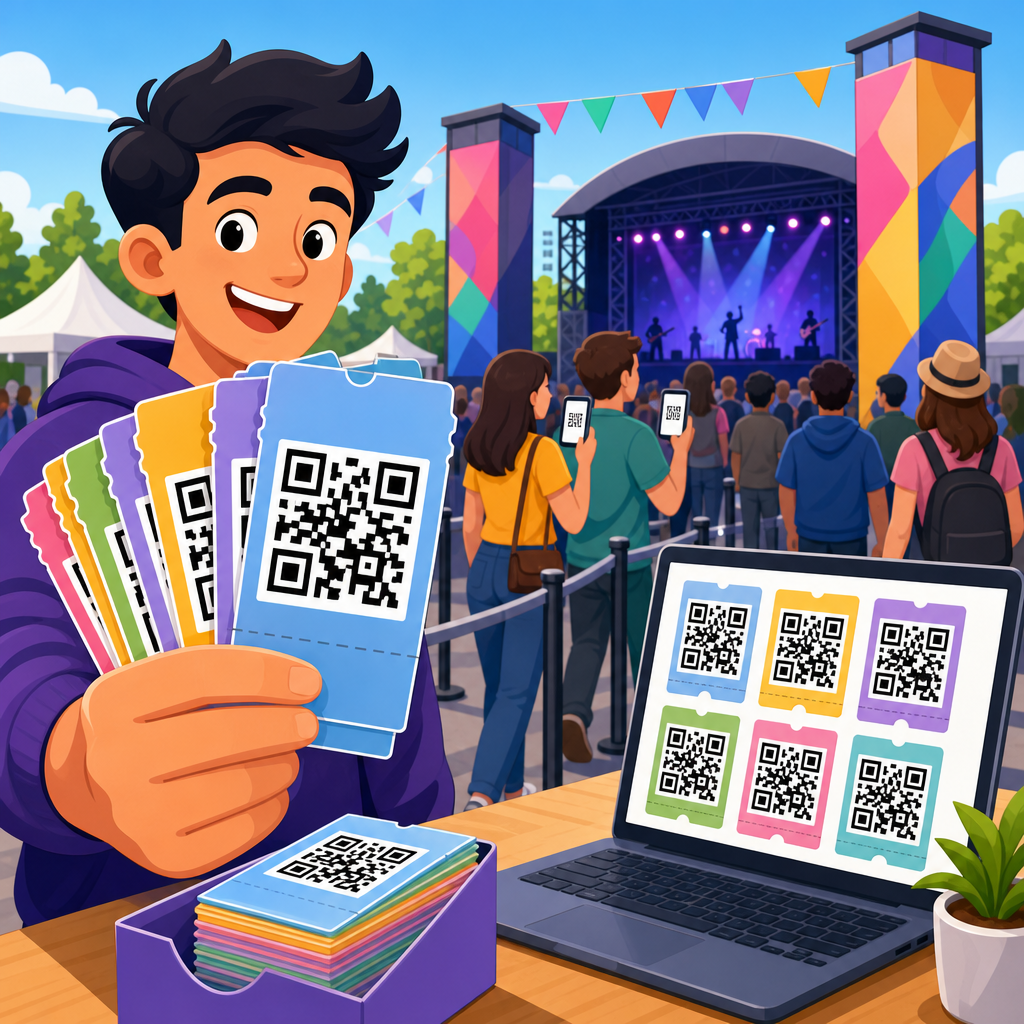
Bulk QR code creation is the process of generating dozens, hundreds, or thousands of QR codes in one workflow instead of building each code manually. For teams managing product labels, event tickets, restaurant menus, direct mail, asset tags, or packaging inserts, bulk QR code creation saves hours of repetitive work and reduces costly mistakes. I have used bulk generators for retail rollouts, multi-location campaigns, and serialized inventory systems, and the difference between a manual process and a structured batch workflow is dramatic: projects that once took days can be completed in minutes, with better naming, cleaner export files, and more consistent scan behavior.
A QR code is a two-dimensional matrix barcode that stores data such as a URL, vCard, plain text, Wi-Fi credentials, app links, or a unique identifier. In bulk workflows, the most common use case is assigning a different destination or identifier to each code while keeping design settings consistent. That might mean 5,000 unique product URLs, 800 employee ID records, or 50,000 coupon codes tied to a campaign database. The core challenge is not simply generating images. It is managing data quality, encoding rules, output formats, testing, print readiness, and, in many cases, analytics.
This matters because QR deployments scale fast. A small pilot with ten codes can tolerate some manual handling. A national campaign with thousands of codes cannot. If one spreadsheet column is malformed, one redirect rule breaks, or one print file uses low-resolution exports, the result can be unusable codes, wasted print runs, and inaccurate reporting. Bulk QR code creation solves that by treating code generation as a data operation, not a design task. When done well, it supports faster production, easier governance, stronger tracking, and smoother integration with fulfillment systems, CRMs, product information management platforms, and label printers.
As a hub within QR Code Creation & Tools, this guide explains what bulk QR code creation includes, when to use static or dynamic codes, how to prepare source data, which file formats and platforms work best, and how to avoid the technical errors that usually surface only after printing. If you need to create QR codes in bulk for marketing, operations, education, logistics, or manufacturing, this article gives you the practical framework to do it reliably.
What bulk QR code creation includes
Bulk QR code creation starts with a structured dataset. Each row in a CSV or spreadsheet usually represents one QR code, and each column contains the data or settings needed to generate it. In the simplest version, a sheet has two columns: filename and destination URL. More advanced setups include campaign source tags, redirect IDs, expiration dates, product SKUs, lot numbers, geolocation rules, password settings, and design variations. The generator reads the file, encodes the content, and exports a matching set of QR assets.
The term includes several related workflows. The first is bulk generation of static QR codes, where each code directly contains final data and cannot be edited after creation. The second is bulk generation of dynamic QR codes, where each code points to a short redirect URL controlled in a platform dashboard. Dynamic codes are usually preferred for campaigns because destinations can be updated without reprinting the code, and scan analytics can be collected centrally. The third workflow is variable-data production, where QR codes are paired with labels, tickets, mailers, or packaging files during print automation.
In practice, teams often combine generation with naming conventions, folder structures, and downstream delivery rules. For example, when I set up a bulk QR code run for serialized product inserts, the file naming logic used SKU-region-language-batch so the fulfillment team could sort assets automatically. That organizational layer is often overlooked, but it is part of successful bulk QR code creation because the images are only useful if they can be matched back to the right records and production jobs later.
Static vs dynamic QR codes for bulk projects
Choosing between static and dynamic QR codes is the first strategic decision in any batch project. Static codes are straightforward, low-cost, and permanent. They work well when the encoded content will never change, such as a plain text machine ID, a fixed URL for a long-lived policy page, or a Wi-Fi setup string in a controlled environment. Static codes also remove dependency on a third-party redirect service. If the underlying link is stable and governance is simple, static is often enough.
Dynamic QR codes are better for most large-scale public-facing deployments. They separate the printed code from the final destination, which means marketers can change landing pages, operations teams can reroute assets, and analysts can track scans by time, device, or geography. For example, a restaurant group can print one seasonal tabletop run and later change each location’s destination based on menu updates. A manufacturer can keep the same product label but redirect by market or compliance revision. That flexibility is worth the platform cost in many cases.
The tradeoff is operational dependence. Dynamic codes require a stable provider, proper redirect performance, account governance, and a plan for long-term retention. If a subscription lapses or a provider sunsets a feature, live codes can fail. That is why enterprise teams should review service-level commitments, export options, API access, and domain branding before choosing a platform. Bulk QR code creation at scale is not just about making images; it is also about preserving destination control over the life of the printed material.
How to prepare data for batch generation
Most bulk QR code failures begin in the spreadsheet, not in the QR generator. Clean data is essential. Start by defining exactly what each row represents and which field becomes the encoded value. Normalize URLs with consistent protocols, usually HTTPS, and remove accidental spaces, smart quotes, line breaks, and duplicate records. If you are generating unique URLs, test samples before producing the full batch. If you are using identifiers that will be resolved by your own system, confirm that every ID already exists or will exist at launch.
Use stable columns and clear naming. Typical fields include record ID, destination URL, filename, campaign name, design template, and notes. If analytics matter, append UTM parameters in the source file instead of manually editing links later. When teams merge data from multiple sources, I strongly recommend validating with formulas or scripts before upload. In Excel or Google Sheets, functions like TRIM, LOWER, UNIQUE, and REGEXMATCH can catch common errors. For larger jobs, Python with pandas is ideal for deduplication and validation.
Character length also matters. QR codes with longer payloads become denser, which can reduce scan reliability at small print sizes. A short redirect URL usually produces a cleaner symbol than a long destination link packed with parameters. For this reason, dynamic QR codes or your own short domain are often better for printed applications where space is limited. Error correction settings matter too. Higher error correction can help when codes may be scratched or partially obscured, but it increases density. In bulk production, the right balance depends on print size, material, and scan distance.
| Decision Area | Best Practice | Why It Matters |
|---|---|---|
| Source file | Use CSV with stable column names | Reduces import errors across platforms |
| URLs | Standardize to HTTPS and test redirects | Prevents broken destinations and mixed formatting |
| Filenames | Use unique, searchable naming conventions | Makes print, storage, and retrieval easier |
| Payload length | Prefer short links for printed codes | Improves scan reliability at smaller sizes |
| Quality control | Scan sample exports before full rollout | Catches data and rendering issues early |
Tools and methods used to create QR codes in bulk
There are three main ways to create QR codes in bulk: SaaS QR platforms, spreadsheet-driven desktop tools, and developer-led automation. SaaS platforms are the fastest route for most business users. Services such as QR Code Generator PRO, Beaconstac, Bitly, Flowcode, and Uniqode support batch uploads, dynamic redirects, branded short links, and analytics dashboards. Their advantage is usability. Nontechnical teams can import a CSV, assign a template, and export PNG, SVG, or PDF files quickly.
Desktop design tools and print workflows are useful when QR codes must be merged into variable layouts. Adobe InDesign with data merge, Bartender for labeling, ZebraDesigner for barcode printing, and NiceLabel for industrial environments are common examples. In these systems, the QR code may be generated on the fly from a data field during label or document production. This is especially effective in manufacturing and warehousing, where each printed unit needs a unique code tied to a database record.
For advanced control, APIs and scripting are the most scalable method. Developers can use libraries such as qrcode for Python, node-qrcode for JavaScript, ZXing for Java, or commercial APIs from QR platforms. This approach is best when QR creation must be integrated with e-commerce catalogs, event registration systems, asset management tools, or custom portals. In one deployment I managed, an internal script generated thousands of dynamic redirect records overnight from a product feed, named each SVG by SKU, and pushed assets into a digital asset management folder for packaging designers the next morning. That kind of automation is difficult to match manually.
Design, export, and print requirements
A QR code can be technically valid and still fail in the real world because of poor visual execution. The code needs strong contrast, adequate quiet zone spacing, and a size appropriate for the expected scan distance. A common rule is to increase physical size as scan distance increases, but material and lighting also matter. On glossy packaging, reflections can interfere with scanning. On corrugated boxes, print spread can soften module edges. On curved bottles, distortion can reduce readability. Bulk projects must account for these conditions before final export.
For print, vector formats such as SVG, EPS, or press-ready PDF are usually better than raster images because they scale cleanly without pixelation. PNG is acceptable for digital use or controlled small-format printing, but low-resolution exports are a frequent source of problems. Avoid excessive styling, especially in bulk campaigns where consistency matters more than novelty. Custom colors, frames, and logos can work, yet every modification reduces margin for error. If branding is required, test it across multiple phone models and scanning apps before release.
Also pay attention to destination context. If the QR code leads to a mobile landing page, the page must load quickly, use responsive design, and match the promise of the printed callout. A beautifully printed code that opens a slow desktop page wastes scans. Bulk QR code creation should therefore include a landing-page review, not just symbol generation. That is particularly important for direct mail, POS displays, and product packaging where scan intent is high but patience is low.
Quality assurance, tracking, and governance
Every large QR project needs a QA process. At minimum, test a sample from the beginning, middle, and end of the batch. Verify destination accuracy, filename matching, print output, and scan performance under realistic conditions. If codes are serialized, reconcile generated assets against the source record count. If dynamic redirects are used, export the redirect list and confirm status codes, destination URLs, and metadata before launch. These checks prevent the classic bulk-production mistake: assuming the generator worked perfectly because the first few files scanned.
Tracking should be designed before generation, not after. Dynamic platforms can report total scans, unique scans, time-of-day patterns, device breakdowns, and approximate location. Those metrics are useful only if the naming structure and campaign taxonomy are consistent. If one batch is tagged by product line, another by region, and another by creative concept, reporting becomes messy. Define conventions early so each code can be grouped and compared later. When privacy rules apply, especially in healthcare, education, or employee systems, ensure the encoded content and analytics setup align with internal policy and relevant regulations.
Governance is the final layer. Decide who can create, edit, pause, or retire codes. Maintain ownership documentation, platform credentials, and redirect domain controls. Add links to your related guides on dynamic QR codes, QR code tracking, QR code testing, and QR code design standards so teams can move from this hub into specific implementation details. Bulk QR code creation is most successful when it is repeatable. Build a documented workflow once, then reuse it across campaigns, product lines, and operational programs.
Bulk QR code creation works best when you treat it as a disciplined production system rather than a one-off design task. The essential steps are clear: choose static or dynamic architecture based on editability and analytics needs, prepare and validate source data, use the right generation tool for your scale, export formats that fit the delivery channel, and test before anything goes to print or production. When those parts are handled well, bulk generation saves time, reduces manual errors, and creates a reliable foundation for campaigns, labels, assets, and customer experiences.
The biggest practical lesson is that spreadsheets, redirects, file naming, and QA matter just as much as the QR symbol itself. In small projects, teams can get away with informal methods. In large projects, informal methods create broken links, mismatched files, wasted print runs, and reporting gaps. A better process uses standardized columns, short clean URLs, documented naming conventions, controlled access, and real sample testing across devices and materials. That discipline is what turns bulk QR code creation from a convenience into an operational advantage.
If you are building out the QR Code Creation & Tools section, use this page as the central reference for bulk workflows, then connect it to deeper articles on batch CSV formatting, API-based QR generation, variable-data printing, redirect management, and scan analytics. Start with a small pilot, validate the end-to-end workflow, and scale only after the data, design, and tracking pieces are proven. That approach will help you create QR codes in bulk with fewer surprises and far better results.
Frequently Asked Questions
What does it mean to create QR codes in bulk?
Creating QR codes in bulk means generating many QR codes at the same time from a structured data source, usually a spreadsheet, CSV file, or database export, instead of building each code one by one. This is especially useful when every code needs to point to a different destination, carry a unique identifier, or be matched to a specific product, location, ticket, or asset. For example, a retailer might need one code per store, a manufacturer might need one code per serial number, and an event team might need one code per attendee or ticket type.
The main advantage is efficiency. A bulk workflow can turn what would be hours or days of repetitive manual work into a process that takes minutes. Just as important, it reduces human error. When people manually copy links, rename files, or place codes into designs one at a time, mistakes are easy to make. A bulk system lets you standardize naming conventions, automate file generation, and keep a clean relationship between the QR code image and the data behind it. For teams handling packaging inserts, menus, direct mail, or inventory labels, that consistency is often as valuable as the time savings.
What information do I need before generating QR codes in bulk?
Before you generate QR codes in bulk, the most important thing you need is a clean, organized data set. In most workflows, that means a spreadsheet with one row per QR code and columns for the information tied to each code. At minimum, you usually need the encoded content itself, such as a URL, text string, tracking link, serial number, vCard data, or app deep link. It is also smart to include supporting columns like file name, campaign name, product SKU, store ID, location, or print batch so you can keep the output organized after generation.
You should also decide whether you need static or dynamic QR codes. Static codes point directly to the final destination and cannot be changed after printing. Dynamic codes point to a managed short URL or redirect, allowing you to update the destination later and often track scans. That decision affects how flexible your campaign will be after launch. In addition, think about output requirements before you start: image format, size, print resolution, color settings, error correction level, and whether you need logos or branded styling. If the codes are going onto product labels, mailers, tickets, or packaging, planning these details upfront helps avoid rework and prevents scan issues later.
How do I create QR codes in bulk without making mistakes?
The best way to avoid mistakes is to treat bulk QR code creation like a data and quality-control process, not just a design task. Start by cleaning your source file. Check for broken URLs, duplicate entries, missing values, formatting inconsistencies, and accidental spaces or line breaks. Standardize naming conventions so the generated files match the records in your spreadsheet. If one file corresponds to one product, one location, or one serialized asset, that relationship should be obvious and traceable from the beginning.
Next, run a small test batch before generating the full set. Create a sample of 10 to 20 codes and verify them on multiple devices. Confirm that each code opens the correct destination, that the file names map correctly to your records, and that the design remains easy to scan at the actual print size. If the codes will appear on curved packaging, glossy surfaces, small labels, or low-contrast designs, test those real-world conditions too. After full generation, spot-check additional records across the batch rather than assuming everything is correct. In large rollouts, even a tiny formatting error in the source data can affect hundreds of codes, so validation at multiple points is essential.
Should I use static or dynamic QR codes for bulk generation?
It depends on how much flexibility, control, and reporting you need after the codes are created. Static QR codes are straightforward and often ideal for permanent uses where the destination will not change, such as a fixed product manual URL, a stable contact card, or a long-term informational page. They are often simpler to deploy and may not require an ongoing platform subscription. If your bulk project is highly predictable and the linked content is unlikely to change, static codes can be the right choice.
Dynamic QR codes are usually better for campaigns, multi-location operations, and large-scale deployments where updates are likely. With dynamic codes, you can change the destination without reprinting the code itself, which is incredibly useful for retail rollouts, restaurant menus, packaging inserts, and direct mail campaigns. They also often support analytics such as total scans, device types, time of scan, and approximate location data. In bulk workflows, dynamic codes make it easier to manage version changes, redirect broken links, and run localized or time-based promotions. If there is any chance your URLs, campaign logic, or tracking needs will change after printing, dynamic is often the safer long-term choice.
What are the best practices for printing and managing large batches of QR codes?
When printing large batches of QR codes, scan reliability should come before visual styling. Keep enough contrast between the code and the background, avoid shrinking the code too much, and leave proper quiet space around it so scanners can detect the pattern clearly. Use production-ready file formats and resolutions based on the print method, especially for labels, packaging, or signage. If you are adding logos or branding, do it carefully and test extensively, because decorative changes can reduce readability when multiplied across hundreds or thousands of printed pieces.
Management is just as important as printing. Store the generated files in a folder structure that mirrors your campaign, product line, location set, or inventory batch. Keep the original source spreadsheet, final exported images, and a master reference sheet together so you can trace every QR code back to its assigned record. If the codes are tied to serial numbers, store IDs, or customer-facing materials, version control matters. It is also wise to document who approved the data, when the batch was generated, and what settings were used. That discipline makes reprints easier, helps resolve support issues faster, and protects you from expensive mismatches in fulfillment, field deployment, or production runs.