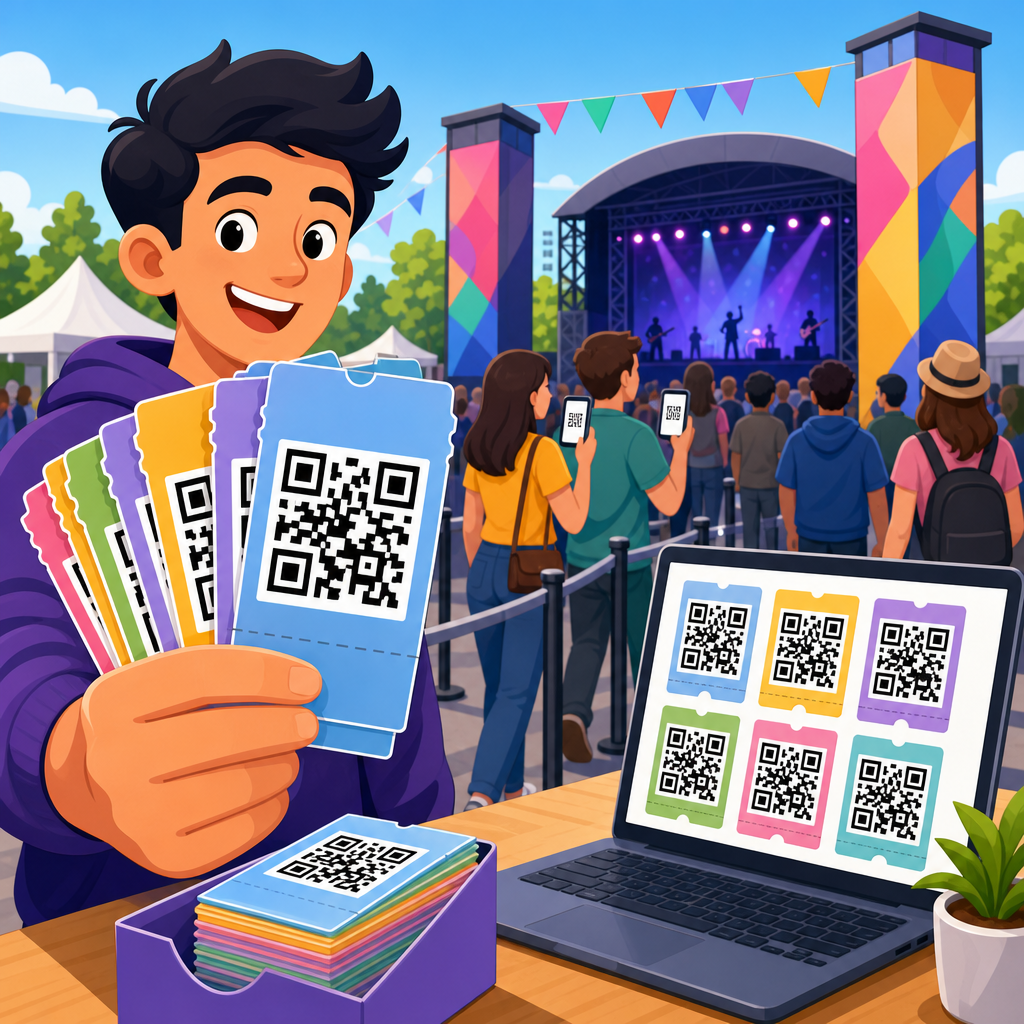
Bulk QR codes for product packaging let brands generate, manage, and print large volumes of scannable codes across labels, cartons, inserts, and retail packs without handling each code manually. In practice, bulk QR code creation means producing many codes at once from a spreadsheet, database, or product information system, then linking each code to a destination such as a product page, ingredient profile, instruction guide, warranty registration form, traceability record, or serialized digital experience. For packaging teams, this matters because one campaign can require hundreds, thousands, or millions of codes spanning multiple SKUs, regions, languages, and print formats.
I have worked with packaging marketers, operations teams, and print vendors on bulk QR code deployment, and the core challenge is rarely the code itself. The challenge is the system behind it: data accuracy, destination governance, print quality, scan reliability, and change control after packs are already in market. A single static QR code is easy. A packaging program that supports versioned artwork, retailer requirements, lot traceability, variable data printing, and analytics across an entire catalog is a different discipline.
That is why bulk QR codes for product packaging have become a central capability inside modern QR code creation and tools workflows. They support faster packaging updates, reduce manual production time, and open a direct channel between a physical product and digital content. Brands use them to deliver setup videos, compliance documents, recycling instructions, loyalty offers, anti-counterfeit checks, and post-purchase service. When executed well, bulk QR code creation improves operational efficiency and customer experience at the same time.
Key terms are worth defining clearly. A static QR code stores a fixed destination directly in the code and cannot be edited after printing. A dynamic QR code points to a redirect managed by a platform, so the final destination can be changed later without reprinting packaging. Bulk generation is the process of creating many QR codes in one batch, usually by importing rows of data. Variable data printing is the production method that prints unique codes or content at scale. Serialization assigns a distinct identifier to each unit, case, or pallet, often for traceability and authentication.
Why Bulk QR Codes Matter in Packaging Operations
Product packaging is no longer just a container. It is a service surface. Consumers scan packages to answer immediate questions: What is this product? How do I use it? Is it authentic? What ingredients does it contain? Where can I get support? Bulk QR codes make those answers scalable. Instead of placing one generic code on every product line, a brand can issue codes by SKU, language, retailer, geography, batch, or unit. That creates precision without forcing creative and packaging teams to rebuild every asset by hand.
Operationally, bulk QR code creation reduces avoidable labor. Without a bulk workflow, teams often generate codes one by one, save files manually, rename assets inconsistently, and hand off artwork through email. That process introduces errors quickly. I have seen mismatched landing pages, duplicate file names, low-resolution exports, and print-ready files built with the wrong quiet zone. Bulk systems fix this by connecting a source file such as CSV data to templated output, often including file naming conventions, destination rules, and batch logs.
Bulk generation also supports change management. Packaging lead times can stretch across design approval, prepress, printer scheduling, production, distribution, and retail placement. If a regulatory update, campaign change, or product page migration happens during that window, static codes become a liability. Dynamic QR codes give packaging teams a safer path because the destination can be updated centrally. For industries with frequent product data changes, including cosmetics, supplements, food, electronics, and household goods, that flexibility is extremely valuable.
Another reason this matters is analytics. A code on packaging creates a measurable interaction point after the sale or at the shelf. When deployed in bulk with proper structure, scan data can reveal which products are scanned most, which retailers drive engagement, what regions show support demand, and how different destinations perform. That information can influence packaging design, customer support staffing, content investment, and merchandising strategy.
How Bulk QR Code Creation Works
The standard workflow begins with structured data. Each row in a spreadsheet or database represents one QR code record. Common fields include SKU, product name, GTIN, destination URL, language, market, file name, campaign tag, and in serialized programs, a unique identifier. The bulk QR code tool ingests that file and generates output based on selected settings such as code type, error correction level, size, export format, and whether the codes are static or dynamic.
In packaging environments, output format matters. Designers often need SVG, EPS, or PDF for vector fidelity in print workflows, while PNG may be acceptable for digital mockups but less ideal for production art. Prepress teams also care about module contrast, minimum size, bleed interactions, and the quiet zone around the code. A bulk QR code creation platform should preserve consistent technical settings across the whole batch so the twentieth SKU scans as reliably as the first.
Dynamic systems add a management layer. Instead of encoding the final destination directly, they encode a managed short URL or redirect endpoint. That endpoint can route based on rules such as language detection, device type, geography, campaign period, or product status. For example, a beverage brand can print one code across a regional run, then route German users to German recycling instructions and French users to French nutrition content. The packaging stays the same while the digital experience adapts.
At scale, the best bulk QR workflows connect to upstream and downstream systems. Upstream sources may include ERP, PIM, DAM, or e-commerce catalogs. Downstream outputs may feed Adobe Illustrator templates, packaging approval tools, print MIS systems, or variable data printing software. The strongest programs treat the QR code not as an isolated graphic but as governed product data with a lifecycle.
Choosing the Right Bulk QR Code Strategy for Packaging
There is no single best setup for every brand. The right strategy depends on how much flexibility, traceability, and reporting the packaging program needs. The table below summarizes the most common models.
| Approach | Best use case | Main advantage | Main limitation |
|---|---|---|---|
| One static code per product line | Stable evergreen packaging | Simple and low cost | Requires reprint for URL changes |
| One dynamic code per SKU | Multi-market packaging and ongoing content updates | Destination can change after print | Needs platform governance |
| Dynamic codes by market or language | Regional compliance and localized content | Reduces artwork variations | Less granular analytics |
| Serialized unique code per unit | Traceability, warranty, anti-counterfeit, promotions | Unit-level tracking and authentication | Highest operational complexity |
For most consumer packaged goods brands, one dynamic code per SKU is the practical middle ground. It balances manageable complexity with enough control to update content later. For highly regulated or premium goods, serialization can justify its extra cost because it enables product authentication, recalls, and item-specific experiences. I recommend deciding this early, before artwork templates and print specifications are finalized, because switching models later can disrupt the whole packaging process.
Tool selection should focus on specific capabilities. Look for bulk import support, dynamic redirects, vector export, API access, naming rules, scan analytics, role-based permissions, and dependable uptime. If the codes will be printed at very high volumes, ask whether the platform supports variable data printing workflows and whether it can generate short URLs under your own domain. Branded domains generally improve trust and reduce the risk of future link migration problems.
Packaging Design and Print Requirements That Affect Scan Performance
A QR code that works on screen can still fail on a physical package. Scan performance depends on print conditions, substrate, size, contrast, finish, curvature, and placement. The code needs adequate quiet zone, typically a clear margin around the symbol, and strong contrast between dark modules and a light background. Black on white is the safest standard. Metallic inks, transparent materials, low contrast color combinations, and glossy finishes can all reduce readability.
Minimum size is not universal. It depends on scan distance, camera quality, code density, and print accuracy. On compact packaging, teams often shrink the code to preserve design space, but dense data in a small symbol creates scanning friction. This is one reason dynamic codes are so useful: they usually encode a shorter URL, which produces a simpler pattern and better scan reliability. In practical packaging reviews, I always test printed proofs under real lighting, at realistic hand distances, using both iPhone and Android devices.
Placement matters as much as size. Avoid folds, seams, corners, embossing, and heavily curved surfaces. Codes near perforations or tamper seals may become partially obscured after opening. On pouches and bottles, even a technically valid code can become hard to scan if the consumer cannot flatten or frame it easily. Good packaging design treats the scan as a user action, not just a compliance checkbox.
Standards help here. GS1 Digital Link is increasingly important for packaging programs that want interoperable product identification and future-ready retail scanning. Even when a brand is not fully implementing GS1 Digital Link, understanding GTIN structure, identifier strategy, and data governance improves long-term packaging decisions. Teams that ignore standards often end up rebuilding their QR architecture later.
Use Cases: From Consumer Education to Traceability
The most effective bulk QR code programs map each packaging scan to a clear business objective. Consumer education is the most common use case. A home appliance brand can send each product SKU to setup videos, manuals, and troubleshooting steps. A skincare company can direct scans to ingredient explanations, patch-test guidance, and usage routines by product variant. A food manufacturer can route users to allergen details, sourcing stories, and recycling information.
After-sale service is another high-value use case. Packaging scans can open warranty registration, replacement parts ordering, live chat, and service center lookup. Because the code is already on the product box or insert, customers do not need to search for support. I have seen this reduce support friction significantly, especially for products with assembly steps or maintenance requirements.
Traceability and authentication require more advanced bulk QR code creation. Here, each code may contain or resolve to a unique serial record tied to production data, lot number, or supply chain events. Pharmaceutical, nutraceutical, wine, and luxury goods brands use this model to help verify authenticity or support recalls. The tradeoff is that unit-level systems require tighter data security, better exception handling, and careful coordination with printers and fulfillment partners.
Promotions can also benefit from packaging QR codes, but they need restraint. If every pack code leads only to a short-term campaign microsite, the packaging loses long-term utility. Better programs use dynamic redirects so the initial campaign can expire while the code continues serving product support, loyalty, or owned content later. That protects packaging ROI beyond the promotion window.
Governance, Analytics, and Common Mistakes
Bulk QR code creation succeeds when ownership is clear. Someone must control destination rules, someone must validate source data, someone must approve print output, and someone must monitor scan performance after launch. Without governance, brands accumulate orphaned redirects, inconsistent naming, expired landing pages, and no reliable record of which code went on which package version. A simple taxonomy for SKU, market, campaign, and artwork revision prevents many of these problems.
Analytics should answer operational questions, not just report vanity metrics. Track scans by SKU, market, date, device, and destination. Compare scan rates to sales volume when possible. Watch for spikes in support-page visits after a packaging change. Use UTM conventions carefully if destinations feed web analytics platforms like Google Analytics 4. If codes are dynamic, monitor redirect health and page load speed, because a slow landing page can destroy the benefit of a successful scan.
The most common mistakes are predictable. Teams choose static codes when content is likely to change. They export raster files too small for print. They place codes over busy artwork. They skip proof testing on the actual substrate. They launch without a redirect inventory. They forget localization. They send all products to the homepage instead of the most relevant page. In every audit I have done, relevance and reliability matter more than decorative styling.
Bulk QR codes for product packaging work best when they are treated as a durable product infrastructure layer. Start with a clear destination strategy, use dynamic codes where change is likely, connect bulk generation to authoritative product data, and validate print performance before scale production. Build governance for redirects, file naming, and ownership. Then use scan analytics to improve both packaging and customer experience over time.
As the hub for bulk QR code creation within a broader QR code creation and tools program, this topic connects design, data, print, and post-purchase engagement. Brands that invest in the right bulk workflow gain faster packaging operations, fewer manual errors, stronger flexibility, and more useful customer interactions from every package they ship. If you are building or upgrading a packaging QR program, audit your current code types, data sources, print specs, and destination logic first, then standardize the process before your next production run.
Frequently Asked Questions
What are bulk QR codes for product packaging?
Bulk QR codes for product packaging are large batches of QR codes generated at the same time for use across products, labels, cartons, inserts, sleeves, cases, and retail packaging. Instead of creating each code one by one, brands can upload a spreadsheet, connect a database, or pull from a product information system to automatically produce hundreds, thousands, or even millions of unique or repeated codes in a single workflow. Each code can point to a specific destination such as a product detail page, ingredient list, instruction manual, care guide, warranty registration form, authentication page, traceability record, or other digital experience tied to the packaged item.
This approach is especially useful for manufacturers, consumer brands, private-label suppliers, and packaging teams that need speed, consistency, and scalability. Bulk QR code generation reduces manual work, lowers the chance of data-entry errors, and makes it easier to keep packaging programs organized across multiple SKUs and production runs. It also supports advanced packaging use cases such as serialization, batch tracking, regional content delivery, and post-purchase engagement, all while making QR deployment more practical for high-volume operations.
How does bulk QR code generation work for packaging operations?
In most packaging workflows, bulk QR code generation starts with a structured data source such as a CSV file, ERP export, product catalog, or serialization database. That data typically contains fields like SKU, product name, lot number, expiration date, destination URL, campaign identifier, or a unique serial number. A bulk QR code platform uses that input to generate the corresponding QR codes automatically, often producing print-ready files, image assets, or variable data outputs that can be handed off directly to packaging designers, label printers, or digital press systems.
The process can be simple or highly customized depending on the program. For example, a brand may create one QR code per product line that always leads to the same landing page, or generate a unique QR code for every individual package to support authentication, track-and-trace, loyalty campaigns, or product-specific digital records. Many platforms also allow teams to define naming conventions, export formats, error correction levels, and layout settings so codes are optimized for the packaging material and printing method being used. Once the codes are generated, they can be tested, matched back to source records, and integrated into production artwork or variable print files for deployment at scale.
Why do brands use bulk QR codes on product packaging instead of standard single QR codes?
Brands choose bulk QR codes because packaging programs usually involve many products, many packaging variations, and often many destinations. Creating standard QR codes one at a time quickly becomes inefficient when you are managing multiple SKUs, languages, regions, lot numbers, or serialized units. Bulk generation gives teams a faster and far more reliable way to roll out QR codes across an entire packaging portfolio while keeping the underlying data organized and consistent.
There are also strong operational and marketing advantages. From an operational standpoint, bulk QR codes help streamline packaging production, reduce repetitive manual tasks, and support traceability and compliance initiatives. From a customer experience standpoint, they allow brands to connect each package to useful digital content such as setup instructions, allergen information, ingredient sourcing, recycling guidance, warranty enrollment, or promotional offers. In more advanced programs, different packages can direct users to different destinations based on product version, geography, or individual unit identity. That flexibility is difficult to manage at scale without a bulk QR code workflow.
What information can bulk QR codes on packaging link to?
Bulk QR codes on packaging can link to a wide range of digital destinations depending on the product category, business goals, and customer journey. Common examples include product pages, instruction guides, assembly videos, care or usage information, nutrition facts, ingredient and allergen profiles, sustainability details, certificates, recall notices, FAQs, and contact support pages. For consumer products, they are also widely used for warranty registration, loyalty enrollment, promotional campaigns, digital manuals, and how-to content that improves the post-purchase experience.
For supply chain and regulated industries, bulk QR codes can also connect to more specialized records such as lot-level traceability data, chain-of-custody documentation, manufacturing origin details, anti-counterfeit verification tools, and serialized digital records for each individual package. This makes them valuable not just for consumer engagement, but also for product transparency, authentication, and operational visibility. Because codes can be generated in bulk from structured data, brands can assign the right destination to each package type or individual unit without slowing down packaging production.
What should brands consider before printing bulk QR codes on packaging?
Before printing bulk QR codes on packaging, brands should think carefully about data quality, scan reliability, print specifications, and long-term content management. The destination behind each code should be accurate, mobile-friendly, and relevant to the specific package being scanned. If the program relies on bulk imports from spreadsheets or databases, the source data should be validated before generation so that SKUs, URLs, serial numbers, and associated records line up correctly. It is also important to determine whether the use case calls for static destinations, dynamic redirects, or fully unique serialized codes, since that decision affects how flexible the packaging program will be after printing.
Print performance matters just as much as the data. QR codes need adequate size, contrast, quiet zone spacing, and placement so they remain scannable on real packaging materials such as curved bottles, flexible pouches, foil labels, cartons, or small-format packs. Teams should test codes under actual production conditions, including different printers, substrates, finishes, and lighting scenarios. It is also wise to establish a clear file management and verification process so generated codes match the correct packaging artwork and production batch. When brands plan these details upfront, bulk QR codes become a dependable packaging tool that supports customer engagement, product information access, and scalable operational control.