
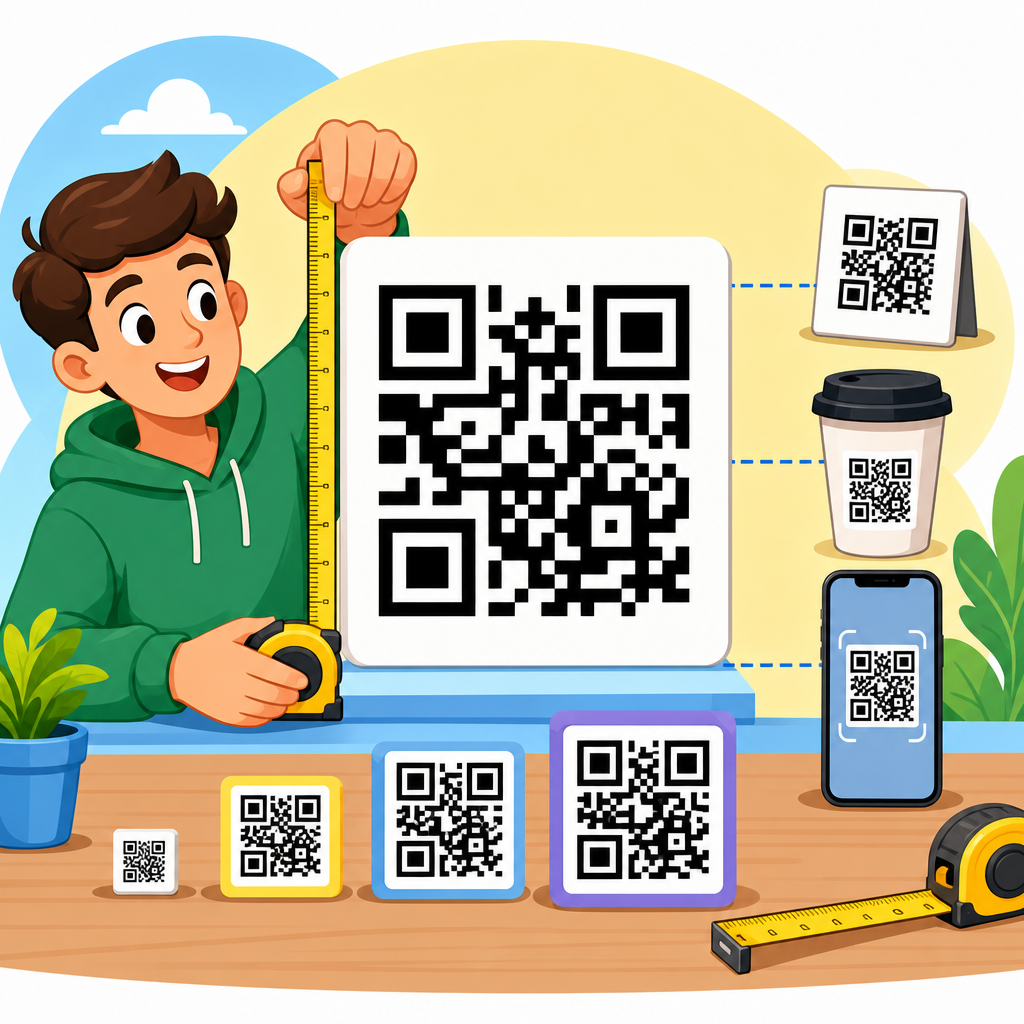
QR code size is one of the most important design decisions in any QR code project because even a perfectly generated code fails if people cannot scan it quickly, at the distance where they actually encounter it. In practical terms, the right QR code size depends on scan distance, print method, viewing angle, data density, contrast, quiet zone, and the camera quality of the phone doing the scanning. I have seen small packaging codes work flawlessly at checkout and oversized poster codes fail in transit stations, not because the generator was wrong, but because the design ignored how people stand, move, and aim their phones in real settings. A QR code size guide should therefore answer one core question clearly: how big should a QR code be for the surface, context, and user behavior involved?
A QR code is a two-dimensional matrix barcode made of black and white modules arranged in a square grid. The physical size of the code is the printed or displayed measurement, usually given in millimeters or inches. Module size is the size of each tiny square within the code. Version refers to the grid dimensions: Version 1 is 21 by 21 modules, and higher versions add more modules to hold more data. Quiet zone means the empty margin around the code, typically four modules wide on every side according to ISO/IEC 18004 guidance. Error correction refers to the built-in redundancy levels, commonly L, M, Q, and H, which help scanning even when part of the code is obscured. These terms matter because a code with too many modules printed too small becomes visually muddy, while a larger code with good contrast and a proper quiet zone scans almost instantly.
This topic matters beyond simple usability. QR codes now sit on packaging, restaurant tables, direct mail, equipment labels, trade show graphics, invoices, manuals, and retail displays. If the size is wrong, campaigns lose scans, customer support inquiries rise, and operations slow down. For brands, QR code design and customization are not only about colors and logos. They involve choosing the right dimensions, balancing branding with machine readability, and matching the code format to the environment. This hub article explains the full design logic, from minimum QR code size and recommended scan distance to print production, digital displays, material limitations, testing methods, and common mistakes. It also serves as the central overview for deeper articles on logo placement, quiet zones, color contrast, dynamic codes, vector export, packaging constraints, and signage best practices within the wider QR Code Creation & Tools topic.
Start with the proven sizing rule
The most reliable baseline for QR code sizing is the scan distance rule: the code should be at least one-tenth of the distance from which it will be scanned. If a user scans from 10 inches away, the QR code should be about 1 inch wide. If the expected scan distance is 1 meter, the code should be about 10 centimeters wide. This rule is not arbitrary; it reflects how phone cameras resolve module edges and how users frame codes on screen. In my own print testing, the one-tenth rule consistently outperforms guessing, especially for posters, shelf talkers, table tents, and storefront signage where people naturally stand farther back than designers expect.
However, this rule is a starting point, not a complete answer. A simple URL encoded into a low-version QR code can often scan at smaller physical sizes because its modules are larger relative to the overall code. A dense code carrying long text, vCard details, or tracking parameters may require substantially more space. The safe approach is to reduce encoded content, prefer dynamic QR codes when campaign flexibility is needed, and then size the printed area based on the expected scan distance. For close-range uses such as product packaging, business cards, or receipts, many practitioners use a minimum of around 0.8 by 0.8 inches, but 1 inch square remains the better standard for mainstream consumer scanning reliability.
How data density changes the required QR code size
Not all QR codes of the same physical dimensions are equally scannable. The amount and type of data encoded determine the number of modules needed. Numeric data is more efficient than alphanumeric data, and both are more efficient than binary or kanji in many use cases. As the QR version increases, more modules are packed into the same square. When a designer shrinks a high-density code to fit a label, each module becomes tiny. Ink spread, low display resolution, glare, and camera autofocus limitations then cause failed scans. This is why a short redirect link nearly always performs better than embedding long destination URLs with UTM parameters directly in the symbol.
Dynamic QR codes solve this elegantly. Instead of storing a long destination, the code contains a short redirect URL managed by a service such as Bitly, QR Code Generator Pro, Beaconstac, Uniqode, or Flowcode. That keeps the matrix simpler, allows destination changes later, and improves scan reliability at smaller sizes. I recommend treating content length as a design variable, not a technical afterthought. When clients ask how big their QR code should be, my first response is often to shorten what the code needs to carry. A cleaner symbol gives more freedom for customization, logo integration, and printing on smaller surfaces without compromising usability.
Minimum sizes for common print and display uses
Recommended QR code size varies by placement. On business cards, 0.8 to 1 inch is workable if the destination is simple and the card uses matte stock with strong contrast. On product packaging, 12 to 20 millimeters can work for close scans, but regulated products, curved containers, or glossy laminates often need more room. For flyers and brochures held in hand, 20 to 25 millimeters is usually comfortable. Table tents in restaurants often scan best at 1.2 to 1.5 inches because users are seated at an angle and lighting conditions vary. On posters, window decals, and in-store signage, 2 to 4 inches is common, but larger formats should still map to realistic scan distance rather than aesthetic proportion alone.
Outdoor placements demand even more caution. A transit ad, event banner, or real estate sign may technically be visible from several feet away, but actual scan behavior is affected by motion, weather, sun glare, and the user’s willingness to stop. In those situations, larger is usually safer, and the landing page must load fast on mobile networks. Digital screens introduce another variable: pixel density. A QR code shown on a presentation slide may look large, yet scan poorly if compression artifacts, moiré effects, or low-brightness projectors blur the module edges. Designers should always test codes on the final medium, not only from exported artwork.
| Use case | Typical scan distance | Recommended size | Key caution |
|---|---|---|---|
| Business card | 6 to 10 inches | 0.8 to 1 inch | Avoid dense data and glossy finishes |
| Product packaging | 4 to 12 inches | 12 to 20 mm | Watch curvature and print gain |
| Flyer or brochure | 8 to 16 inches | 20 to 25 mm | Leave enough quiet zone near images |
| Table tent | 12 to 18 inches | 1.2 to 1.5 inches | Test under mixed restaurant lighting |
| Poster or store sign | 2 to 4 feet | 2 to 4 inches | Match size to real standing distance |
| Event banner or outdoor sign | 4 to 10 feet | 5 to 12 inches | Glare, motion, and angle reduce performance |
Quiet zone, contrast, and customization limits
A QR code can be the right size overall and still fail if the surrounding design interferes with recognition. The quiet zone must remain clear on all sides, ideally four modules wide. This empty border helps scanning software detect where the symbol begins and ends. Designers often violate this by placing codes too close to text, cutting them into shapes, or letting background patterns intrude into the margin. Contrast is equally critical. Dark code on a light background remains the standard because most scanning libraries, including ZXing-derived implementations and native smartphone scanners, detect high-contrast edges most reliably. Reversed white-on-black codes may work in some conditions, but they are less forgiving across older devices and poor lighting.
Customization should support recognition, not fight it. Rounded modules, brand colors, center logos, and stylized eyes can work when the base code has sufficient size and error correction, but each change consumes tolerance. A common mistake is stacking every decorative choice at once: small size, logo overlay, low contrast palette, gradient background, and glossy print. Individually, each may be survivable; together, they often cause scan failures. My rule is simple: use one or two brand elements, preserve the finder patterns, maintain the quiet zone, and test on both current flagship phones and older midrange devices. If scan time rises beyond a second or two, the design is already too compromised for broad public use.
Print production factors that affect QR code readability
Print method has a direct effect on the smallest reliable module size. Offset printing, digital toner, inkjet, thermal transfer, and flexographic printing all behave differently. On corrugated packaging, absorbent stock, or uncoated paper, ink spread can fatten modules and close narrow gaps. On thermal labels, low resolution may create jagged edges. On glossy laminated cartons, reflections interfere with the camera’s ability to separate dark and light areas. For these reasons, production teams should evaluate the x-dimension, registration accuracy, substrate texture, and finishing process before approving a final QR code size. A code that looks sharp in Adobe Illustrator can degrade materially on press.
Vector files are the safest choice for print because SVG, EPS, and PDF preserve edge precision at any size. Raster formats like PNG can work for digital placement, but low-resolution exports create blurry boundaries that reduce scan speed. If a code will be resized by multiple teams, provide a locked master file with clear minimum dimensions and margin requirements. I have also found that matte coatings outperform gloss for many retail and hospitality applications because they reduce glare under overhead lighting. When printing variable-data QR codes in batches, sample across the run, not only at the start, since density drift and head wear can alter readability over time.
Testing methods: how to know a QR code is big enough
The only dependable answer to how big a QR code should be is a field test on the final surface, at the final size, in the final environment. Lab-perfect scans are useful, but real users do not scan in ideal conditions. They tilt phones, stand off-center, move while scanning, and work under dim, bright, or mixed lighting. A good test protocol includes multiple phone models, both iOS and Android, at least one older device, and several scanning scenarios: straight-on, angled, low light, bright reflection, and expected maximum distance. Time to first successful scan is a practical metric. If users need repeated attempts, enlarge the code, simplify the content, or reduce design decoration.
Analytics can reveal whether the chosen size is working after launch. Dynamic QR code platforms report scan counts, device type, timestamp, and sometimes coarse location. If a poster campaign has heavy foot traffic but weak scan rates, the issue may be placement height, code size, landing page friction, or poor contrast. User testing adds context: watch where people stand, whether they hesitate, and how long they keep the camera pointed. In stores, I often mark a floor position where the scan is expected to happen, then test from there rather than from the designer’s preferred viewpoint. Behavior, not mockups, determines the correct size.
Choosing the right size for different design goals
QR code design and customization always involve tradeoffs between visual appeal, available space, and scan reliability. If the goal is premium branding on packaging, keep the code modestly larger than the minimum so a logo or custom color palette does not consume all tolerance. If the goal is mass response on signage, prioritize speed over decoration: large size, simple destination, black on white, and generous quiet zone. If the code appears in a dense layout such as an instruction sheet, create hierarchy around it with whitespace, a short call to action, and positioning away from folds, seams, or perforations. The best-performing codes are usually not the most artistic; they are the ones designed around user context.
As the hub page for QR Code Design & Customization, this guide points to the broader decision system behind high-performing codes. Size connects directly to logo use, color choice, error correction level, vector export, print specs, landing page experience, and scan analytics. The central lesson is straightforward: start with scan distance, reduce data density, preserve quiet zone and contrast, account for production realities, and validate with real devices in real conditions. Do that, and most QR code size questions become answerable without guesswork. Review your current codes against these standards, then update the dimensions and testing process before the next print run or campaign launch.
Frequently Asked Questions
What is the ideal QR code size for reliable scanning?
The ideal QR code size depends less on a single fixed measurement and more on how far away the code will be scanned. A common rule of thumb is that the QR code should be about 1 inch in size for every 10 inches of scanning distance. In metric terms, many designers use roughly 1 cm of code size for every 10 cm of viewing distance. So, if a person will scan a code from 20 inches away, a 2-inch QR code is usually a safer starting point than a tiny label-sized symbol. This matters because a QR code that looks sharp in a design file can still fail in the real world if the modules, or little squares, become too small for a phone camera to resolve quickly.
In practice, small QR codes can work very well on product packaging, receipts, business cards, and shelf labels when people are physically close to them. Larger formats, such as posters, storefront signs, banners, and menus seen from a few feet away, usually need significantly more space. The best answer is to match the code size to the real scan distance, not just the available layout space. If fast, frustration-free scanning is the goal, size should be decided after considering how and where people will encounter the code, not as an afterthought.
How does scanning distance affect how big a QR code should be?
Scanning distance is one of the biggest factors in QR code sizing because it directly affects how much visual detail a phone camera can capture. The farther away a person stands, the larger the QR code must be in order for the camera to distinguish the individual modules cleanly. If the code is too small for the intended distance, users may need to move closer, zoom in awkwardly, or try multiple times before the scan works. That friction reduces engagement and can make even a technically correct QR code feel broken.
For example, a QR code placed on a tabletop menu may only need to work from 8 to 18 inches away, so a relatively compact size can perform well. A code on a wall poster may need to scan from several feet back, while a code on a transit ad or storefront window may need to be readable from even farther away. In those situations, increasing the printed size is not optional; it is essential. A useful planning approach is to estimate the most likely first scan distance, then size the code for that scenario rather than the closest possible one. Real-world scanning almost always happens at the distance people naturally stand, not the distance the designer wishes they would use.
Can a QR code be too small or too large?
Yes, a QR code can absolutely be too small, and in some cases it can also be impractically large. A code that is too small may still be technically valid, but if the camera cannot easily resolve the pattern, scanning becomes slow or inconsistent. This is especially common when the code contains a lot of data, is printed on textured material, uses weak contrast, or appears in a place where users are moving quickly. Small codes are also more vulnerable to print imperfections, ink spread, glare, and cropping of the required quiet zone around the edges.
On the other hand, a QR code can be larger than necessary without improving performance. Oversized codes can create layout problems, dominate the design, and sometimes fail for reasons unrelated to raw size, such as poor contrast, bad placement, reflective surfaces, distortion, or excessive viewing angle. A huge code on a poster is not guaranteed to scan if people see it from the side, under bad lighting, or with the margins trimmed too tightly. The smarter goal is not to make the code as large as possible, but to make it appropriately large for its environment, data density, and expected scan behavior.
What design factors besides size affect QR code scanability?
Size is critical, but it works together with several other design factors that can make or break scan performance. One of the most important is contrast. A dark code on a light background is the safest choice because phone cameras detect the pattern more easily. Low-contrast combinations, glossy finishes, gradients, or decorative styling can all reduce readability. The quiet zone, which is the empty margin around the QR code, is also essential. If text, borders, images, or background graphics crowd the edges, scanners may struggle to identify where the code begins and ends.
Data density matters as well. A QR code that stores a short URL usually has a simpler pattern and can remain smaller while still scanning well. A code containing more data becomes denser, which means the modules are smaller at the same print size and therefore harder to capture. Print method and material also play a major role. Codes printed on corrugated packaging, curved bottles, fabric, or low-quality surfaces may need to be larger than codes printed crisply on flat paper. Finally, phone camera quality and viewing angle matter in the field. Not every user has a flagship phone in perfect lighting, so a good QR code design accounts for average scanning conditions, not ideal lab conditions.
How can I test whether my QR code is big enough before printing or publishing it?
The most reliable way to test QR code size is to simulate real-world use before full production. Start by printing or displaying the code at the actual intended size, on the actual material if possible. Then test it from the distance where people are most likely to notice it and attempt to scan. Do not only test from close range. If the code will appear on packaging, try scanning it as a customer would hold it. If it will go on a poster, stand where a passerby would naturally stop. If it will be on signage, test at different heights and angles. A code that scans perfectly at a desk may still fail in a store aisle, on a window, or under outdoor glare.
It is also smart to test with multiple phones, not just one high-end device. Different cameras, autofocus speeds, and screen glare conditions can affect results. Check how quickly the code scans, not just whether it scans eventually. Fast recognition is what creates a smooth user experience. If people need to reposition the phone several times, move closer than expected, or tilt the device to avoid reflections, the code likely needs improvement in size, contrast, placement, or surrounding whitespace. In other words, successful testing is not about technical pass-or-fail alone; it is about whether the QR code works easily, consistently, and naturally in the environment where people will actually use it.





