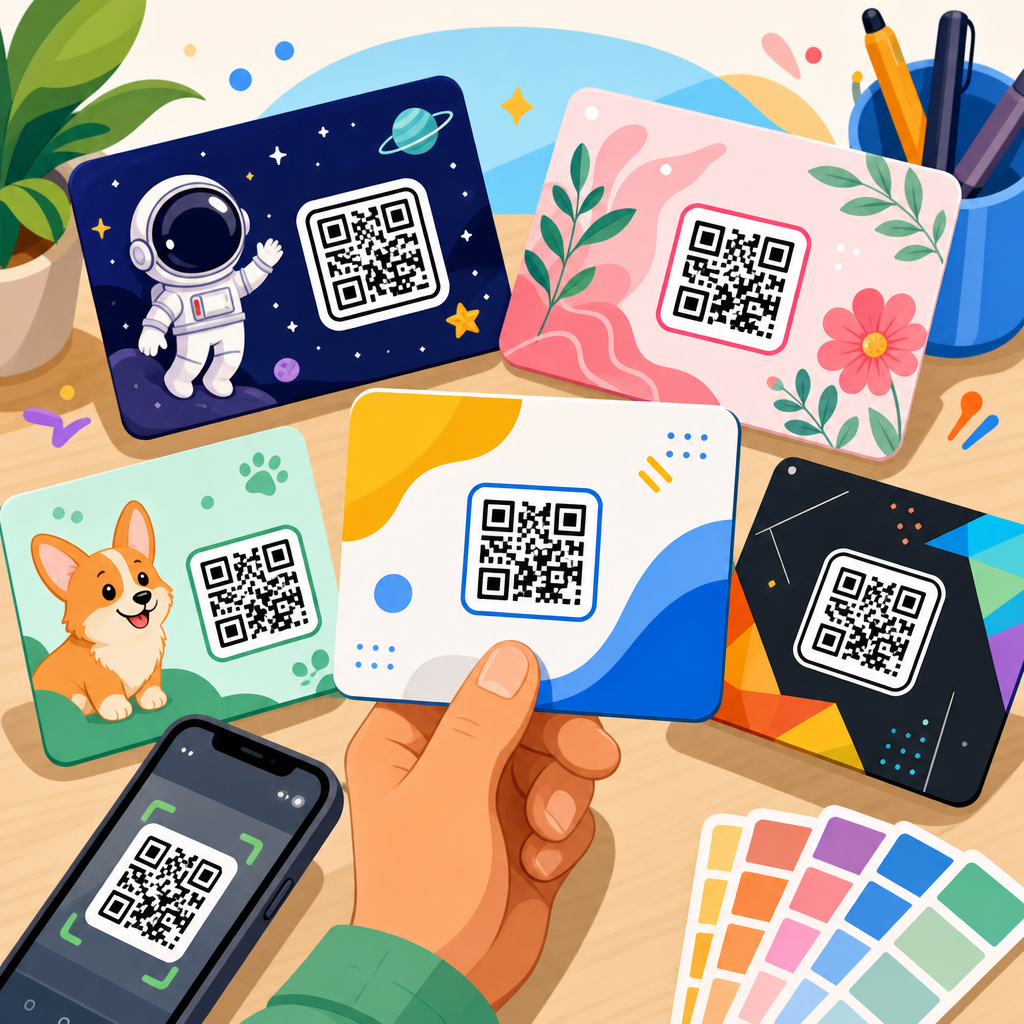
A QR code template for an email signature is a reusable design pattern that places a scannable code beside your name, title, logo, and contact details so recipients can open a landing page, save your vCard, book a meeting, or start a chat in one scan. In practice, these templates solve a stubborn business problem I have seen across sales teams, agencies, and support departments: email signatures often carry valuable calls to action, but most are ignored because they rely on links that are awkward to click on mobile or buried under legal disclaimers. A well-built QR code signature fixes that friction. It turns every outbound email into a compact conversion point while keeping branding consistent across the company.
For this hub, “template” means more than a graphic placeholder. It includes layout rules, QR code size, safe margins, contrast standards, mobile scan distance, destination type, tracking setup, and governance for how teams deploy signatures in Gmail, Outlook, Apple Mail, and email signature management tools such as Exclaimer, CodeTwo, and WiseStamp. “Dynamic QR code” refers to a code whose destination can be changed after deployment; “static QR code” cannot be edited once sent. That distinction matters because email signatures are distributed at scale and live in long email threads for months. If a campaign page changes, a dynamic code preserves the printed and sent asset while updating the destination behind it.
Why does this matter now? Email remains one of the highest-volume business channels, and signatures appear in every message without extra media cost. At the same time, mobile reading dominates many inboxes, and users increasingly expect quick, camera-based interactions. A recipient can scan a signature QR code from a laptop screen using a phone and move instantly into a mobile-friendly action: save contact info, open Google Maps, claim an event ticket, download a brochure, or join a WhatsApp thread. For organizations trying to connect offline, desktop, and mobile touchpoints, QR code templates for email signatures are one of the simplest, lowest-friction assets to standardize.
This hub explains how to choose the right template, how to match the code to a business goal, what technical constraints matter, and where templates fit inside a broader QR code resources, templates, and tools strategy. If you are building a signature system for one consultant or for five thousand employees, the same principles apply: keep the scan path obvious, keep the destination useful, measure results, and never sacrifice readability for decoration.
What a High-Performing QR Code Email Signature Template Includes
The best QR code email signature templates combine visual discipline with scan reliability. After testing signatures across Outlook desktop, Gmail web, iPhone Mail, and dark mode clients, I have found that six elements consistently determine performance. First, the code must be large enough to scan on common laptop screens. In most signatures, 96 to 144 pixels square is the workable range; smaller often fails when the recipient views the message zoomed out. Second, the code needs strong contrast, typically dark modules on a light background. Inverted or pastel codes may look elegant but reduce camera recognition.
Third, the template needs white space around the QR code, known as the quiet zone. Removing that margin to save space is one of the most common mistakes, and it directly harms scannability. Fourth, the destination must match the recipient’s likely intent. A generic homepage is usually weak. A vCard, booking page, product sheet, case study, app download page, or event RSVP page usually performs better because it offers a clear next step. Fifth, the signature must remain legible when images are blocked. Many enterprise mail clients initially suppress remote images, so the signature should still include a plain text link or concise call to action. Sixth, the code should be generated with error correction that balances branding and function. Over-customized logos and rounded modules can work, but only if tested across devices and lighting conditions.
Layout also matters. Most effective templates place the QR code to the right or below the main contact block, not between lines of text. That preserves reading flow and prevents the code from competing with essential details such as phone number or title. Teams that use a logo, headshot, social icons, and a QR code in a small signature often create clutter. A better template limits decorative elements and reserves the QR code for a single, high-value action.
Choosing the Right Template by Goal
Different business goals require different QR code templates for email signatures. The template should not start with aesthetics; it should start with the action you want after the scan. Below is a practical comparison I use when advising teams on rollout plans.
| Goal | Best QR Destination | Ideal Use Case | Main Advantage | Key Caution |
|---|---|---|---|---|
| Contact saving | vCard or digital business card | Sales reps, recruiters, consultants | Fast addition to phone contacts | Keep fields clean and updated |
| Meeting booking | Calendly, HubSpot Meetings, Microsoft Bookings | BDR teams, account managers | Reduces scheduling friction | Avoid overusing in support emails |
| Location visits | Google Maps or Apple Maps link | Retail, healthcare, events | Useful on mobile immediately | Confirm map pin accuracy |
| Resource download | PDF, case study, brochure landing page | SaaS, manufacturing, education | Turns routine email into content distribution | Use mobile-friendly pages, not heavy files alone |
| Messaging | WhatsApp click-to-chat or SMS link | Field service, hospitality, local business | Opens direct conversation fast | Set response expectations internally |
| Review generation | Google review or feedback form | Post-service follow-up | Captures sentiment at point of contact | Use selectively to avoid fatigue |
A template built for contact saving typically includes the QR code label “Scan to save my contact.” That plain-language prompt outperforms vague labels like “Connect with me.” For booking templates, I recommend pairing the code with one short benefit statement such as “Pick a time in 30 seconds.” For resource templates, a thumbnail-style cue can work if it does not reduce contrast or code size. The rule is simple: each signature template should focus on one primary action. If you need multiple outcomes, rotate templates by department or campaign rather than stuffing several links around one code.
Design Standards That Protect Scan Reliability
Reliable scanning depends on disciplined design standards, not creative guesswork. In production environments, I recommend starting with QR code versioning handled automatically by a reputable generator, then testing output at common viewing sizes on 13-inch and 15-inch laptop displays. The code should remain scannable from about 8 to 18 inches away when viewed at normal zoom. If recipients frequently read email on desktop while holding a phone, that range is realistic. High contrast is non-negotiable, ideally black or deep navy on white. Brand colors can work if the luminance gap is strong enough, but pale backgrounds and gradient fills often fail.
Logo insertion is another area where teams overreach. Most modern generators allow a centered logo using error correction, commonly level H, but every added obstruction reduces margin for real-world viewing issues such as glare, screen moiré, and low camera focus. If brand recognition matters more than maximal reliability, keep the logo small and avoid surrounding it with extra shapes. The quiet zone should stay intact on all sides. Do not place the code inside a tight border, over a colored panel without contrast testing, or on a transparent background that may render unpredictably in different email clients.
File format matters too. PNG is usually safest for email signatures because it renders consistently and preserves crisp edges. SVG can be sharper, but some email environments handle embedded vectors inconsistently or convert them unexpectedly through signature platforms. Keep file size efficient so the signature loads quickly. Most importantly, test in dark mode. Many clients invert surrounding text colors but not images, which can create odd contrast relationships around a QR code. A white-backed image often prevents dark mode from compromising scan quality.
Deployment Across Gmail, Outlook, and Signature Management Platforms
A QR code template is only useful if it survives deployment. In small businesses, users may paste signature blocks directly into Gmail or Outlook. In larger organizations, centralized platforms such as Exclaimer or CodeTwo are safer because they enforce layout, legal text, campaign banners, and user directory fields from one place. I have seen decentralized signature editing create broken image paths, inconsistent QR sizes, and outdated destination links across entire sales teams. Standardization solves that.
Gmail signatures support images, but spacing can shift if users paste from rich text editors. Outlook desktop has its own rendering quirks, especially with tables, DPI scaling, and image caching. Apple Mail is generally forgiving, but signatures can appear larger than intended on Retina displays if image dimensions are not set carefully. The most durable approach is to build the signature in a simple table-based structure managed by a signature platform, host images on secure HTTPS infrastructure, and use absolute dimensions for the QR asset.
Dynamic QR codes are especially valuable in enterprise deployment because you can update the destination without editing every user’s signature. This is critical for event campaigns, time-limited offers, office relocations, and changes in meeting links. Good governance means documenting the destination owner, review cadence, naming convention, and analytics tags for each code. If a code points to a booking page and the rep leaves the company, someone must reassign or retire it quickly. Templates are not just design files; they are controlled operational assets.
Tracking, Analytics, and Performance Benchmarks
One reason QR code templates for email signatures deserve a hub page is that measurement separates novelty from utility. A signature code should be tracked with UTM parameters or equivalent campaign tagging so traffic appears clearly in Google Analytics 4, Adobe Analytics, HubSpot, or your CRM. Dynamic QR platforms often provide scan counts, device breakdowns, time-of-day patterns, and location estimates. Those numbers are directional rather than perfect, but they are enough to compare templates and destinations.
In practice, performance varies by role. Salespeople sending high volumes of personalized email often see more value from booking or vCard templates. Customer success teams may get better results from help center, renewal meeting, or training resource templates. Event marketers often use temporary signature codes that drive registration during a defined launch window. The benchmark I care about most is not raw scans but downstream completion: saved contacts, meetings booked, directions opened, forms submitted, or assets downloaded. A code that gets fewer scans but better-qualified actions is the stronger template.
Testing should be systematic. Change one variable at a time: call-to-action wording, QR size, destination page, or placement. For example, “Scan to book time” may outperform “Let’s connect,” because it names the action directly. Likewise, a code leading to a mobile-optimized landing page with one button usually beats a standard website page full of navigation. Use at least two to four weeks of data when email volume is stable, and segment results by department, geography, and device behavior where possible.
Common Mistakes, Compliance Issues, and Template Governance
The most common mistake is treating the QR code as decoration instead of a task-oriented interface. When the destination is weak, the code becomes visual noise. Another frequent error is shrinking the code to make room for awards badges, pronouns, social icons, and disclaimers. If the code cannot be scanned comfortably, the template fails regardless of branding polish. I also regularly see teams send codes to non-mobile-friendly PDFs, expired event pages, or homepage sliders that bury the intended action.
Compliance deserves equal attention. Regulated industries may need review of what data appears in vCards, where landing pages are hosted, and whether tracking complies with privacy policies and regional rules. Healthcare, finance, and education organizations often require approval workflows before signature-wide campaigns go live. Accessibility matters too. A QR code image should include meaningful alt text when possible, and the surrounding text should explain the action for recipients who do not scan. Provide a clickable URL fallback in case camera access is restricted.
Governance keeps templates useful over time. Create a small library of approved signature templates by use case: contact card, booking, map, resource, review, and event. Define ownership, review each quarter, and retire underperforming templates. If you are building a broader QR Code Resources, Templates & Tools content ecosystem, this page should act as the hub that links to deeper articles on QR code design standards, dynamic versus static codes, vCard QR codes, tracking methods, signature software comparisons, and campaign examples by industry.
QR code templates for email signatures work best when they are built as repeatable systems, not one-off graphics. The core lesson is straightforward: match one clear user intent to one reliable scan experience. Choose a destination that solves a real need, use a template with enough size and contrast to scan easily, deploy it consistently through the right email tools, and measure business outcomes rather than vanity clicks. That combination turns an overlooked part of the inbox into a practical conversion asset.
As the hub page for QR Code Templates within a larger QR Code Resources, Templates & Tools strategy, this article provides the framework for everything that follows. Start with a small template library, define standards for dynamic links, testing, and analytics, then expand by department and campaign. If you manage signatures for a team, audit your current footer, identify the one action each role most needs from recipients, and launch a tested QR code template that makes that action easier today.
Frequently Asked Questions
What is a QR code template for an email signature, and why does it matter?
A QR code template for an email signature is a reusable layout that combines a scannable QR code with the core elements of a professional signature, such as your name, job title, company, logo, phone number, website, and a clear call to action. Instead of creating a one-off design for each employee or campaign, a template gives your team a standardized structure that can be duplicated and updated quickly while keeping branding consistent across the organization.
It matters because email signatures are often underused as conversion assets. Many businesses include links to booking pages, digital business cards, product pages, support portals, or social profiles, but recipients frequently ignore them. A QR code reduces friction by letting someone scan instantly from a desktop screen to a mobile device. That makes it much easier to save contact details, open a landing page, join a campaign, start a chat, or schedule a meeting without manually typing a long URL.
In practical terms, these templates solve a common communication problem: valuable next steps are present in the signature, but they are not convenient enough to act on. A well-designed QR code template turns the signature from a passive footer into an active touchpoint that can improve response rates, speed up lead capture, and support a more seamless customer experience.
What should be included in an effective QR code email signature template?
An effective QR code email signature template should include the essentials of professional identity first, then add the QR code in a way that supports a clear goal. At minimum, the template should contain the sender’s full name, role, company name, and one or two primary contact methods. If appropriate, it should also include a company logo, brand colors, legal disclaimers, and a concise call to action that explains what scanning the code will do.
The QR code itself should not be treated as decoration. It should lead to a specific and useful destination, such as a vCard download, meeting scheduler, mobile landing page, product demo, customer support form, payment page, or messaging app conversation. The destination should match the sender’s role. For example, a sales representative may benefit from a booking link, while a support specialist may direct scans to a help center or ticket form.
Good templates also account for usability. The QR code needs to be large enough to scan reliably, surrounded by adequate white space, and placed where it does not overwhelm the signature. The call to action should be direct, such as “Scan to book a call” or “Scan to save my contact.” This small line of instruction can make a major difference because it removes ambiguity and gives recipients a reason to engage.
Finally, the template should be technically lightweight and compatible with major email clients. Email signatures can render differently in Outlook, Gmail, Apple Mail, and mobile apps, so the design should avoid unnecessary complexity. A clean layout with optimized images and a tested QR code will perform far better than an elaborate design that breaks across devices.
What are the best uses for a QR code in an email signature?
The best use depends on the action you want recipients to take with the least possible effort. One of the strongest applications is sharing a digital contact card or vCard. This allows people to scan your signature and instantly save your information to their phone, which is especially useful after introductions, networking emails, proposals, and ongoing client communication.
Another high-value use is meeting booking. Sales teams, consultants, recruiters, and account managers often want to remove barriers between interest and action. A QR code that opens a scheduling page can help recipients book a call immediately from their phone instead of returning later and forgetting. This is a simple but effective way to improve conversions from everyday email traffic.
QR codes also work well for campaigns and customer journeys. Agencies may use them to direct recipients to a portfolio or service page. Support teams may use them to guide users to a self-service portal, troubleshooting flow, or live chat. Event teams can link to registration pages, maps, or ticket details. In retail or hospitality, the code can open a promotional landing page, loyalty signup form, or location-specific offer.
The key is relevance. A QR code in an email signature should do one thing well and align with the recipient’s likely needs at that moment. If the destination is too broad or generic, scans are less likely to convert. The most effective signatures use a targeted action that feels like a natural next step rather than an extra marketing layer.
How do you design a QR code email signature template that is both attractive and easy to scan?
The most important rule is to balance branding with functionality. A visually polished signature helps credibility, but the QR code must remain fully scannable. That means preserving contrast, avoiding excessive styling that interferes with readability, and keeping the code at a practical size. In general, a clean black-on-white or dark-on-light QR code performs more reliably than highly stylized versions with low contrast or decorative overlays.
Placement matters just as much as appearance. The QR code should sit naturally within the signature, usually beside or beneath the contact details, without competing with every other element on the line. Too much clutter can make the signature feel busy and reduce attention on the scan prompt. A simple hierarchy works best: identity first, contact information second, QR code and call to action third.
You should also design for real-world viewing conditions. Many recipients open email on laptops, external monitors, tablets, or phones with varying brightness and resolution. A QR code that looks fine in a design mockup may be difficult to scan once compressed inside an email client. Testing is essential. Scan the signature from different screen sizes, from different distances, and in multiple email platforms to confirm it works consistently.
It is also wise to keep the destination mobile-friendly. Since most scans happen on a phone, the landing page, booking form, or contact card needs to load quickly and display properly on smaller screens. A beautiful signature loses value if the experience after the scan is slow, confusing, or not optimized for mobile users.
Can businesses track performance and update QR code templates in email signatures over time?
Yes, and that is one of the biggest advantages of using a well-planned QR code strategy. If you use dynamic QR codes, you can change the destination URL without redesigning the entire signature or asking every employee to replace the code. This is especially useful for rotating campaigns, updating landing pages, changing booking links, or redirecting traffic based on region, department, or season.
Tracking is equally valuable. Dynamic QR platforms often provide scan analytics such as total scans, time of scan, device type, and sometimes approximate location data. These insights help businesses understand whether email signatures are generating real engagement. For example, a company may discover that a “Scan to book a demo” code performs better than a general homepage link, or that support-related signatures drive more scans when they point to a self-service knowledge base.
From an operations perspective, templates make updates much easier. Marketing or IT teams can create approved signature formats for different departments, then revise them centrally as campaigns evolve. This keeps branding consistent, reduces design errors, and ensures that all employees use current calls to action. It also helps with governance, especially in larger organizations where outdated links, inconsistent formatting, and unauthorized design changes can create a poor impression.
The best long-term approach is to treat the QR code template as an evolving business asset rather than a static design. Review scan data, test different calls to action, refine the landing experience, and update the template when goals change. That process turns a simple email signature into a measurable, repeatable channel for lead generation, contact sharing, support efficiency, and brand engagement.