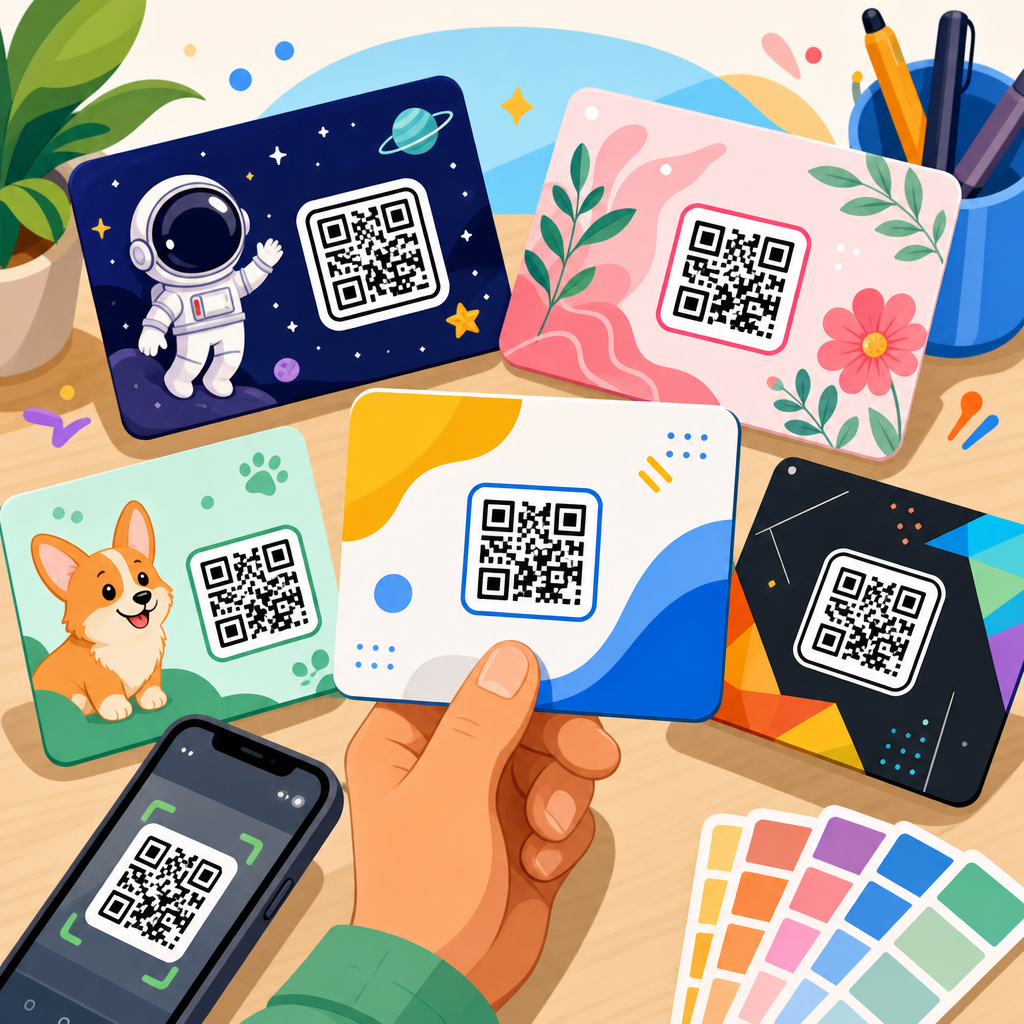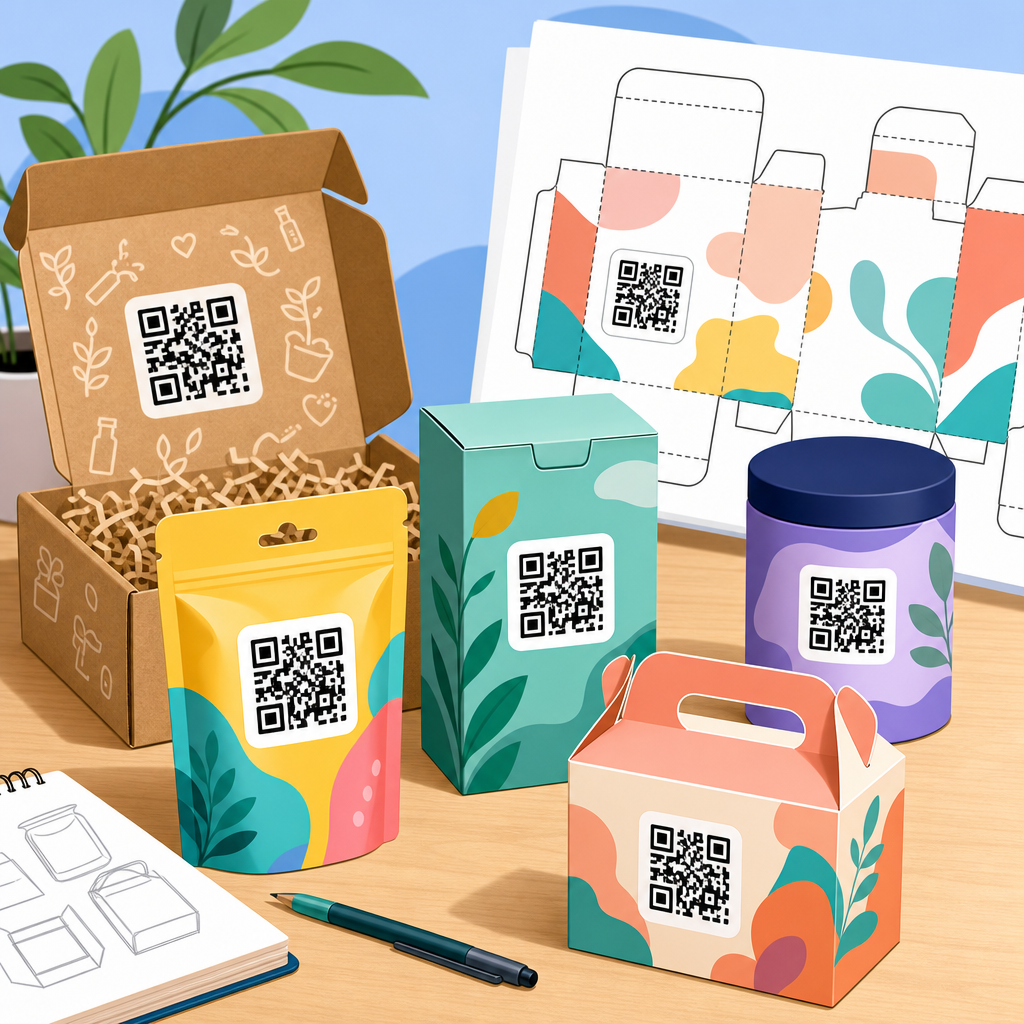
QR code packaging templates for products give brands a repeatable system for placing scannable codes on boxes, labels, pouches, cartons, sleeves, and inserts without sacrificing design, compliance, or scan performance. In practice, a template is more than a mockup. It defines code size, quiet zone, print contrast, placement rules, destination logic, tracking parameters, and the production specifications needed for reliable scanning across packaging formats. That matters because product packaging now serves several jobs at once: it must attract attention on shelf, survive printing and fulfillment, communicate legal information, and connect physical products to digital experiences such as setup guides, warranty registration, reviews, loyalty programs, traceability pages, and reorder flows.
I have worked on packaging programs where a QR code increased post-purchase engagement only after we fixed the template, not the campaign. The original design looked clean on screen but failed in stores because the code was too small on a curved bottle, the quiet zone was crowded by icons, and matte lamination softened contrast. Once the template specified minimum print dimensions, substrate testing, and a clear call to action, scan rates improved. That is why a packaging template deserves its own strategy. Good templates reduce design rework, accelerate approvals, and make performance measurable across a product line rather than on one-off packaging files.
For teams building a QR code template library, the goal is consistency with room for variation. A food brand may need one master template for cartons, another for flexible pouches, and another for shelf-ready trays. A cosmetics company might need distinct templates for secondary packaging, sample sachets, and in-store testers. This hub explains how QR code templates for packaging work, what elements every template should include, how to adapt them by product type, and which tools, testing methods, and governance practices help teams scale without creating scan failures or brand inconsistencies.
What a QR code packaging template includes
A strong QR code packaging template combines graphic design rules with manufacturing requirements and campaign logic. At minimum, it should define the code type, destination URL structure, artwork area, minimum physical size, quiet zone, contrast ratio, approved color treatments, and placement constraints. It should also note whether the code is static or dynamic. Static codes encode the final destination directly and are simple for permanent uses. Dynamic codes point to a short redirect URL managed in a platform such as Bitly, QR Code Generator Pro, Scanova, Beaconstac, or Flowcode, allowing destination updates and scan analytics without reprinting packaging.
Templates should also specify the accompanying text. Many scans happen only when a package tells people why they should scan. “Scan for setup,” “Scan to verify authenticity,” or “Scan for ingredients and sourcing” usually outperforms a standalone symbol because the benefit is explicit. I recommend including space for a short CTA, a fallback URL, and where relevant a privacy note or region-specific disclosure. For regulated categories such as supplements, alcohol, electronics, and medical devices, the template should reserve legal review zones so the code does not collide with mandatory copy, symbols, or lot identification.
Version control matters as much as layout. Packaging teams often handle many SKUs, printers, dielines, and market variations. A usable template names the file convention, approved export settings, and owner for sign-off. In enterprise workflows, that often means linking the template to Adobe Illustrator libraries, Esko ArtiosCAD packaging layouts, and digital asset management systems. When the template is managed centrally, a brand can update redirect rules, campaign parameters, or CTA language across categories without reinventing packaging from scratch. That is the difference between a decorative QR code and a packaging system.
Design standards that protect scanability
The most common packaging mistake is treating a QR code as ordinary artwork. It is machine-readable data, so readability comes first. ISO/IEC 18004 remains the core standard for QR code symbology, and printers routinely use verifier practices adapted from barcode quality control. For most consumer packaging, a practical starting point is a printed code no smaller than about 15 x 15 mm for simple destinations viewed at close range, with larger sizes preferred for shelf products, textured substrates, or older phone cameras. The quiet zone should be at least four modules wide on every side. If the quiet zone gets invaded by text, borders, or folds, scans drop fast.
Contrast is another non-negotiable rule. Dark code on a light background performs best. Reversed codes, metallic inks, transparent labels over busy artwork, and low-contrast brand colors can work, but only after testing on the final substrate and finish. Gloss varnish can create glare; kraft paper can soften edges; flexible films may distort modules during sealing. Error correction helps but does not rescue poor printing. I advise brands to lock approved color combinations inside the template and prohibit decorative edits unless a production proof passes device testing. Rounded modules and logo overlays may be acceptable, but they should remain secondary to function.
Placement should reflect how the product is handled. A code placed across a carton edge, under a cap seam, near a heat seal, or on the base of a product may technically fit the artwork but fail in use. On curved containers, enlarging the code and moving it to the flattest available panel can solve distortion. For tiny packages, consider a landing page short URL plus a QR code on the secondary carton or insert. The template should also define exclusion areas for creases, tamper labels, lot coding, and retailer stickers, since those are frequent sources of last-minute packaging failures.
Template variations by product and packaging format
Different products need different QR code packaging templates because the scanning context changes. For a folding carton in beauty or health products, the side panel often works best: enough flat space, low interference with front-of-pack branding, and easy access after purchase. For bottles and jars, the back label usually wins, though wraparound labels need a protected panel that will not bend excessively. On flexible pouches, the upper back area tends to scan more reliably than the gusset or lower front where creasing is common. For e-commerce mailers, the outer pack can support fulfillment or returns flows while an inner insert drives onboarding or loyalty enrollment.
Luxury packaging introduces another layer. Premium brands often want subtle codes, but subtlety can undermine performance. The solution is usually a controlled contrast treatment, embossed guidance around the code area, or placing the code inside the opening experience rather than on the hero panel. Food and beverage packaging may use templates for recipes, sourcing stories, allergens, recycling instructions, or deposit-return schemes. Electronics brands often tie packaging codes to setup videos, serial-based registration, app downloads, and support content. In pharmaceuticals and medical devices, templates must align with serialization, UDI requirements, and anti-counterfeit workflows, which makes governance especially important.
The table below summarizes practical template differences by packaging format.
| Packaging format | Recommended placement | Typical use case | Main risk to manage |
|---|---|---|---|
| Folding carton | Side or back panel | Instructions, warranty, product story | Code too close to folds or legal copy |
| Bottle or jar label | Back label on flattest area | Registration, loyalty, ingredients | Curvature and glare from laminate |
| Flexible pouch | Upper back panel | Recipes, traceability, coupons | Creasing, seal distortion, low contrast |
| Mailer or shipper | Insert or inner flap | Onboarding, returns, upsell | Damage during transit or label overlap |
| Blister pack or small unit carton | Secondary packaging or leaflet | Compliance info, support content | Insufficient print area on primary pack |
Building a reusable template library and workflow
The best QR code template library is modular. Start with master templates by pack type, then create variants by region, campaign goal, and print process. In Illustrator, define locked layers for the code area, quiet zone, CTA, fallback URL, and technical notes. In packaging production software, attach the template to dielines so structural and graphic teams work from the same source. Include preflight checks for image resolution, color mode, overprint settings, and the dimensions of the code block. If your organization has many SKUs, connect templates to a spreadsheet or product information management system that maps each SKU to the correct destination logic and UTM conventions.
Dynamic code management is where many mature programs gain efficiency. Instead of embedding different final URLs into every package file, teams can assign standardized short links and manage destinations centrally. That supports A/B testing of landing pages, market-specific routing by geography or device, and the ability to retire expired campaigns without wasting printed stock. For example, a CPG brand can use one template across three flavors, then route each code to a flavor-specific landing page while maintaining one visual system. If customer support content changes, the redirect updates in the dashboard instead of forcing a print revision.
Governance should be documented. Decide who approves the QR code destination, who verifies scan performance, who owns analytics, and how exceptions are handled. I have seen launches delayed because marketing approved the CTA, design approved the artwork, and packaging operations assumed someone else had tested the final proof from the actual printer. A simple release checklist prevents that. Require proof scans on representative devices, final substrate confirmation, and a validation sample from production. When templates are treated as controlled assets, they scale safely across product lines and geographies.
Measurement, testing, and common mistakes
Every packaging QR code template should be measurable. At a minimum, track scans, unique users, device type, time, and destination completion events such as registrations, video plays, coupon claims, or reorders. Use analytics platforms that support redirects, event tagging, and dashboard exports. Google Analytics 4, Adobe Analytics, and server-side logs can all help, but the redirect layer is essential because many scans start in a camera app before the browser fully loads. Templates should therefore standardize campaign naming and parameter structures so data stays comparable across SKUs, retailers, and markets.
Testing must happen in the real world, not only on desktop proofs. Scan under store lighting, in warehouses, and at home. Test iPhone and Android devices, older cameras, low-signal conditions, and multilingual landing experiences. If a code leads to a mobile page that loads slowly, users may abandon before engagement begins. I have also seen excellent print execution fail because the landing page used a cookie banner that obscured the CTA after scanning. Packaging performance depends on the entire flow, from printed symbol to page completion.
Common mistakes repeat across industries: codes printed too small, decorative styling that breaks contrast, poor placement near folds, no explanation of why to scan, dead destinations after a campaign ends, and analytics set up without SKU-level discipline. Another frequent issue is neglecting offline fallback. If a product is sold in regions with limited connectivity, the landing page should be lightweight and the package should still provide essential information in print. The most effective QR code packaging templates respect both digital ambition and physical reality. For teams building a hub of QR code resources, templates are the foundation: they connect design, operations, customer experience, and measurement in one repeatable packaging standard. Audit your current packs, create master templates by format, and test every code like a product feature before it goes to press.
Frequently Asked Questions
What is a QR code packaging template for products, and why is it different from a simple mockup?
A QR code packaging template for products is a standardized system for how a scannable code should appear and function across packaging formats such as boxes, labels, pouches, cartons, sleeves, and inserts. Unlike a simple mockup, which usually shows where a code might go visually, a true template defines the technical and production rules that make the code reliable in the real world. That includes the QR code’s minimum and preferred size, required quiet zone, acceptable color contrast, placement rules, printing tolerances, substrate considerations, and how the code should behave once scanned.
In other words, the template connects design, manufacturing, and digital experience into one repeatable framework. It helps ensure that a code printed on a folding carton behaves consistently with one printed on a pressure-sensitive label or a flexible pouch. It also gives teams a shared specification so designers are not guessing, printers are not improvising, and marketers are not launching codes that look good but fail under real scanning conditions.
Strong packaging templates also define destination logic and tracking structure. For example, a brand may specify that all product QR codes route through a managed short URL, include campaign parameters, and support future destination updates without changing the printed artwork. That makes the template operational, not just visual. For growing brands or multi-SKU product lines, this saves time, reduces production errors, and creates a consistent customer experience at scale.
What elements should be included in a high-quality QR code packaging template?
A high-quality QR code packaging template should include both visual guidelines and technical production specifications. At minimum, it should define the QR code type, target dimensions, minimum print size, quiet zone requirements, approved color treatments, preferred placement areas, and the minimum contrast needed for dependable scans. It should also identify which packaging panels are acceptable for placement and which should be avoided due to folds, seams, curves, glare, crimping, or other physical interruptions.
Beyond the code itself, the template should specify print and prepress details. That includes bleed and safe area relationships, resolution expectations, acceptable file formats, substrate notes, varnish or laminate restrictions, and how to handle the code when printing on textured, metallic, transparent, or highly reflective materials. These production details matter because scan reliability can drop quickly when a code is distorted, shrunk too far, or printed on a difficult surface without compensation.
It is also important for the template to include destination and analytics rules. A useful system should document whether the QR code links directly to a landing page or uses a dynamic URL, what tracking parameters should be applied, how codes are named internally, and who owns updating destinations over time. Many brands also include guidance for the surrounding call to action, such as “Scan for setup,” “Scan for ingredients,” or “Scan to verify authenticity,” because user intent affects scan rates.
Finally, a strong template should include a quality assurance checklist. This can cover test scans under different lighting conditions, distance checks, device compatibility, proof approval requirements, and final production signoff. The best templates are practical tools that reduce ambiguity from concept through print run.
How do brands choose the right size and placement for a QR code on product packaging?
Choosing the right size and placement starts with the packaging format, the scanning context, and the expected user behavior. A code on a small cosmetic label may be scanned at close range in-store or at home, while a code on a large shipping carton may need to work from farther away in a warehouse or fulfillment environment. As a general rule, the QR code should be large enough to scan comfortably with common smartphone cameras, while preserving the required quiet zone and avoiding visual clutter. The ideal size depends on the amount of encoded data, print method, and material, but brands should never reduce size based only on aesthetics.
Placement is equally important. The best location is usually a flat, unobstructed area that is easy for a customer to see and access. Brands should avoid corners, folds, gussets, seals, curved edges, perforations, and highly glossy zones where reflections may interfere with scanning. On pouches and flexible packaging, a code can become distorted when the surface bends or wrinkles, so templates should account for how the package looks when filled, shipped, and handled. On cartons or boxes, the code should not sit too close to panel edges where die-cut variation or folding may affect readability.
Design context matters as well. The QR code should have strong visual separation from surrounding artwork, text, and patterns. Even if the code itself is technically correct, a busy background or insufficient quiet zone can make it harder for devices to recognize quickly. Templates should therefore define not just where the code sits, but what must surround it. In many cases, brands get better results when they include a clear call to action nearby and reserve enough clean space around the code to make scanning intuitive.
The most reliable approach is to test before final approval. Brands should print physical proofs at actual size, place them on the intended packaging material, and test scans under realistic conditions. That includes different phones, lighting environments, package orientations, and handling states. Templates are most effective when they are informed by real production and usage testing, not assumptions.
How can QR code packaging templates support compliance, traceability, and product tracking?
QR code packaging templates can play a major role in compliance and traceability because they create a consistent method for encoding, placing, and managing scannable information across product lines. In regulated industries such as food, supplements, cosmetics, electronics, and pharmaceuticals, packaging often needs to communicate more than branding. It may need to connect users to ingredient details, safety instructions, certificates, batch-level information, recycling guidance, authenticity verification, or region-specific disclosures. A template helps ensure those connections are delivered in a controlled and repeatable way.
From a traceability standpoint, templates can define how URLs or encoded identifiers are structured so that each code supports internal tracking systems. For example, a brand may use dynamic QR codes tied to SKU, batch, lot, date, market, or campaign data. That makes it easier to analyze product engagement, support recalls, verify supply chain events, or update digital content without reprinting every package. When templates document this logic clearly, teams can deploy codes at scale without losing data consistency.
Compliance also depends on physical implementation. A code that overlaps mandatory text, appears on an unsuitable panel, or becomes unreadable after printing can create operational and regulatory problems. Templates reduce that risk by setting clear rules for placement, minimum size, contrast, and print tolerances. In some cases, they can also define jurisdiction-specific variations so the same core packaging system works across multiple markets with different labeling requirements.
Just as important, templates help with governance. They establish who approves the code, who owns the linked destination, how changes are documented, and what validation steps must happen before production. That level of control is especially useful for large brands managing many products, agencies, co-packers, and print vendors. A well-built template turns QR packaging into a managed business process rather than a one-off design element.
What are the most common mistakes to avoid when creating QR code packaging templates for products?
One of the most common mistakes is treating the QR code as a decorative object instead of a functional tool. Brands sometimes shrink the code to preserve layout, place it over complex artwork, or heavily stylize it without adequate testing. These choices can reduce scan reliability, especially on smaller packages or difficult materials. A good template prevents that by prioritizing function first and then allowing design customization within safe limits.
Another frequent mistake is ignoring production realities. A code that scans perfectly on a screen may fail once printed on kraft board, foil, matte film, glossy laminate, or textured stock. Packaging templates should account for substrate behavior, print method, ink spread, finishing effects, and distortion from folds or curves. Without those details, teams may approve artwork that technically follows brand style but performs poorly in market conditions.
Brands also often overlook destination strategy. Printing a static QR code directly to a single URL may seem simple, but it limits flexibility if content changes later. If the landing page moves, the campaign changes, or regional content needs to be updated, the printed code may become outdated. Templates are stronger when they define routing logic, naming conventions, and tracking parameters upfront so the code remains useful over time and supports analytics.
A final major mistake is skipping quality assurance. Even experienced teams can miss issues if they do not test physical proofs on the actual package. Reliable templates should require scan testing across multiple devices, lighting conditions, and user scenarios before a production run is approved. They should also clarify approval ownership so no one assumes another team has verified the code. In practice, the best QR code packaging templates are the ones that reduce guesswork, anticipate print and usage conditions, and make scanning dependable from the first run onward.