
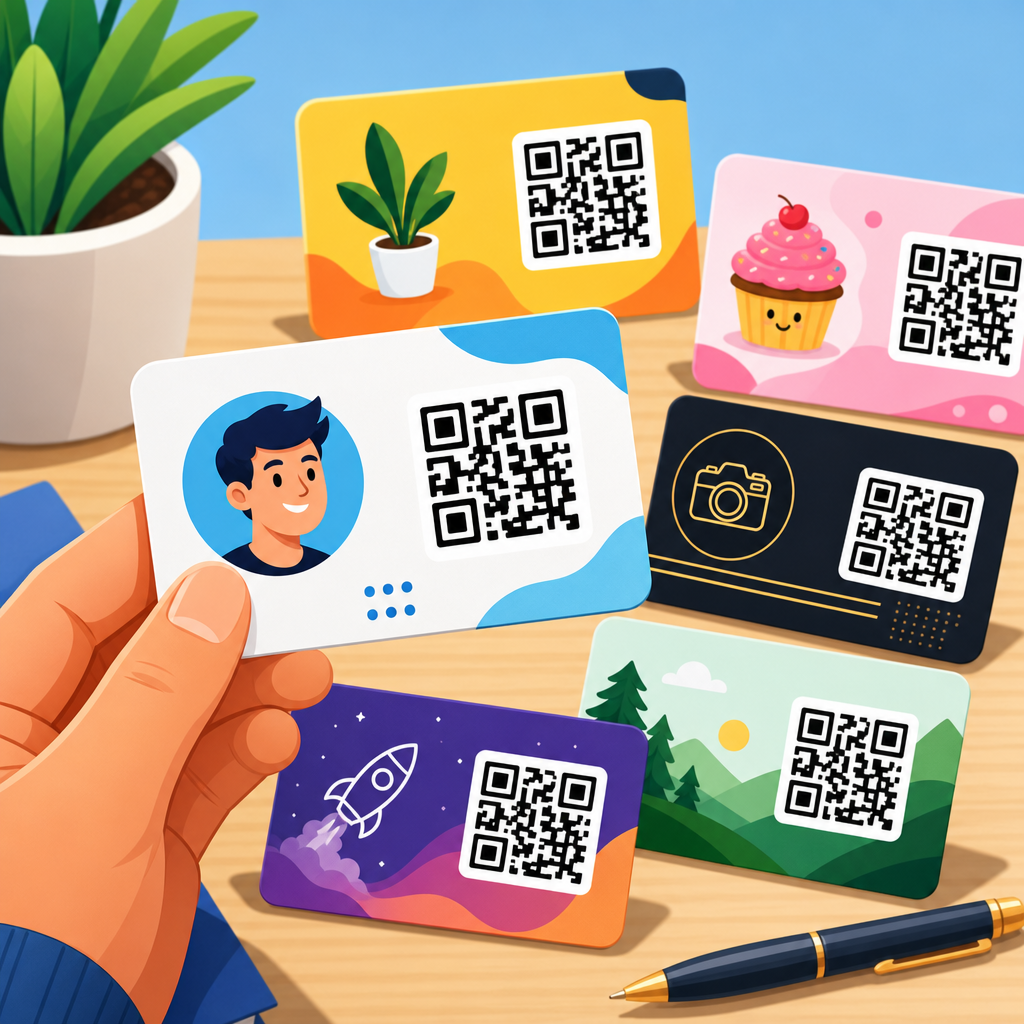
QR code business card examples show how a small square of patterned modules can turn a static introduction into a measurable digital handshake. A QR code, or Quick Response code, stores machine-readable data that a smartphone camera can open instantly, usually directing a contact to a vCard, landing page, portfolio, calendar link, payment option, or social profile. On a business card, that matters because the traditional exchange of name, title, phone number, and email is often fragile: cards get lost, details are typed incorrectly, and follow-up depends on memory. When I have helped teams redesign business cards for sales reps, recruiters, consultants, and event staff, the biggest improvement was not visual novelty; it was reducing friction between meeting someone and giving them one obvious next step.
This topic sits at the center of modern print and digital branding because a business card now needs to do more than display contact details. It has to bridge offline networking and online action. The best QR code business card examples solve three problems at once: they make scanning easy, they align with the brand’s visual system, and they connect the recipient to a destination that fits the moment. A lawyer may need a clean vCard download and office map. A designer may need a portfolio gallery. A real estate agent may need a property search page and saved contact record. Understanding these use cases helps businesses choose designs that perform, not just designs that look current. This guide covers the most effective QR code design examples, the practical rules behind them, and the patterns that make a card memorable, scannable, and worth keeping.
What makes a QR code business card effective
An effective QR code business card begins with the destination, not the artwork. The first question is simple: what should happen after the scan? In practice, the highest-performing cards usually send people to one focused action. Common destinations include a digital contact card, a booking page, a portfolio, a lead form, a LinkedIn profile, a product catalog, or a simple mobile landing page with several choices. If the recipient must decide between too many options, response drops. When I audit printed cards after trade shows, the cards that generate follow-up most consistently are the ones with one primary action and one supporting line of text such as “Scan to save my contact” or “Scan to view recent projects.”
Scannability is the next requirement. A QR code needs sufficient contrast, clear quiet space around the code, and a printed size that modern phone cameras can recognize quickly. In most cases, at least 0.8 inches by 0.8 inches is a safe baseline on a standard 3.5-by-2-inch card, though larger is often better. Dark code on a light background remains the most reliable configuration. Error correction can help when adding a logo or slight styling, but aggressive customization creates avoidable failures. Standards from ISO/IEC 18004 define the technical structure of QR codes, and every design decision should respect the fact that readability comes before decoration.
The third factor is context. A business card handed across a conference table is different from one left at a retail counter or included in a shipment. A consultant’s card may need credibility and restraint. A café owner might use a card that opens a loyalty program. An architect may direct to a project gallery with large visuals. The design example is successful only if the content behind the QR code matches the reason the card was exchanged. That is why the best examples are not one-size-fits-all templates. They are tailored communication tools.
QR code design examples by business goal
Different goals produce different card designs. The simplest and most common example is the contact-first card. Here, the QR code opens a vCard or digital profile where the recipient can save the person’s name, company, phone, email, and website in one tap. This is ideal for consultants, account executives, recruiters, and healthcare providers because it minimizes manual typing. A strong version includes a short instruction beside the code and repeats the most important contact details in print for accessibility. Tools such as HiHello, Blinq, and QRCodeChimp are often used for this format because they support mobile-friendly contact pages and editable destinations.
A portfolio-first design works better for visual professionals. Graphic designers, photographers, videographers, interior designers, and architects benefit from cards where the QR code opens a curated portfolio page rather than a generic homepage. The strongest examples avoid sending users to a cluttered site navigation. Instead, they lead to a page built specifically for first-time scanners, with three to six representative projects, a short biography, client logos, and a contact button. Behance, Adobe Portfolio, Dribbble, and personal Webflow sites are common destinations. The card itself often uses more white space so the QR code and a sample visual cue can coexist without crowding.
Service-booking cards are powerful for personal services and local businesses. Think barbers, accountants, fitness coaches, therapists, tutors, or home repair specialists. The code can open a booking calendar on Calendly, Square Appointments, Fresha, or a branded scheduling page. One excellent example is a personal trainer card that pairs a bold headshot with a QR code labeled “Book your free assessment.” Another is a dentist card that directs patients to a new patient form and appointment request page. These cards convert because they remove the delay between meeting and scheduling.
Retail and hospitality cards often prioritize loyalty, menus, reviews, or repeat visits. A restaurant owner might use a card with a QR code linking to the menu, reservation page, and map. A boutique hotel may link to direct booking offers. A salon can route the scan to a loyalty signup page. In these examples, the card becomes a retention asset instead of just a contact token. For local businesses, linking to a Google Business Profile review page can also be effective, although it should be framed carefully and not pushed in situations where a broader landing page would be more helpful.
| Business type | Best QR destination | Design priority | Typical CTA |
|---|---|---|---|
| Consultant or salesperson | vCard or digital contact page | Clarity and trust | Scan to save my contact |
| Designer or photographer | Portfolio landing page | Visual brand alignment | Scan to view my work |
| Coach or service provider | Booking page | Fast conversion | Scan to book a call |
| Retail or hospitality brand | Loyalty, menu, or offers page | Repeat visits | Scan for specials |
| Real estate agent | Listings hub and saved contact | Local utility | Scan for current listings |
Layout, branding, and print choices that improve scans
In real print production, many QR code business card failures come from layout decisions, not code generation. Placement matters. A code tucked into a corner can work, but only if there is enough margin around it. The quiet zone, the blank area surrounding the code, should remain free of text, borders, and background textures. If a logo is embedded in the center, the overall code must be enlarged to preserve readability. I have seen cards that looked polished on screen but became hard to scan after matte lamination slightly softened the contrast. Before approving a run, print samples and test them under normal indoor lighting on both iPhone and Android devices.
Branding should support recognition without compromising function. That usually means using one or two brand colors, not a gradient-heavy or low-contrast treatment. Navy on white, charcoal on cream, and black on muted brand tints often scan well. Pale gold on ivory usually does not. Rounded modules, custom frames, and branded finder patterns can work when generated through reputable tools like Beaconstac, Uniqode, or Adobe Express, but these stylizations should be tested rigorously. If the code fails even occasionally, revert to a simpler style. Reliability builds more trust than novelty.
Material choices also influence performance. Uncoated stocks can feel premium and writable, but very fibrous paper may reduce edge sharpness if the print process is not calibrated. Gloss coatings can reflect overhead light and interfere with scanning at certain angles. Spot UV can create attractive contrast if used around the code rather than over it. Plastic or metal cards look distinctive, yet they increase production cost and can make contrast more difficult. For most businesses, a heavy matte cardstock with crisp digital or offset printing gives the best balance of professionalism, legibility, and durability.
Copy around the QR code is often overlooked. Many recipients still need a reason to scan. A one-line prompt is enough. Good examples include “Save my details,” “See case studies,” “Book a consultation,” or “Browse featured properties.” Weak examples say only “Scan me,” which explains the mechanic but not the benefit. Business card design examples that convert consistently combine functional layout, restrained branding, and direct microcopy.
Static versus dynamic QR codes on business cards
Choosing between static and dynamic QR codes is one of the most important strategic decisions. A static QR code contains the final destination directly in the code. Once printed, it cannot be edited. That makes it suitable for stable information such as a permanent company homepage or a long-term vCard. Static codes are usually cheaper because many generators offer them free, but the tradeoff is inflexibility. If the phone number changes, the landing page moves, or campaign tracking becomes necessary, the printed card becomes outdated.
Dynamic QR codes route scans through a short redirect URL before sending the user to the final destination. Because the redirect can be edited, the same printed card can later point to a new page. Dynamic codes also support analytics such as scan counts, device type, location by region, and time-of-scan trends. For teams that attend events, manage multiple representatives, or run campaigns, this data is valuable. A real estate brokerage can compare cards used at open houses versus local sponsorship events. A software company can assign unique dynamic codes to sales reps and identify which networking channels create the most follow-up.
The limitation is platform dependency. Dynamic QR codes rely on the provider staying active, the redirect remaining functional, and privacy practices being appropriate for the business. Reputable tools typically offer export options, custom domains, and password-protected dashboards, but subscription costs should be evaluated. For a solo professional with simple needs, static may be enough. For most growing businesses, dynamic QR codes on business cards are worth the extra setup because they preserve print inventory and make performance measurable.
Common mistakes and how to avoid them
The most common mistake is linking the QR code to a homepage that forces users to hunt for relevant information. A business card should not send people into a website maze. Build a destination page specifically for scanners, with a mobile-first layout, fast load time, and one primary action. Another frequent mistake is shrinking the code to make room for more design elements. If a recipient has to tilt the card repeatedly or move closer to get a scan, the design has failed. Keep the code large enough and preserve contrast.
Other avoidable errors include printing low-resolution codes, placing them over busy backgrounds, and using colors that look stylish but reduce machine readability. Redirect chains can also create friction, especially when they trigger cookie banners, pop-ups, or slow scripts before the content appears. Test the full path, not just the code image. Accessibility matters too. Some recipients prefer to type a URL manually, so including a short, readable web address is still smart. And every destination should display correctly on mobile devices because nearly all scans happen on phones.
A final mistake is forgetting the human exchange. The card works best when the giver frames the value in a sentence: “This code opens my calendar,” or “You can save my details with one tap.” That verbal cue increases scans because it pairs the printed object with immediate relevance. Design supports action, but context triggers it.
How to build a strong hub of QR code design examples
As the central page for QR code design examples, this article should connect readers to deeper resources by use case, format, and tool. The strongest hub structure groups related topics logically: QR code business card templates, vCard QR code generators, branded QR code best practices, print testing checklists, analytics guides, restaurant menu examples, real estate QR code ideas, and portfolio landing page templates. That structure helps readers move from inspiration to execution without gaps. It also mirrors how people actually research the subject: first they want examples, then they want implementation guidance, then they need tools and templates.
Every supporting page should expand one clear question. Examples include: What is the best size for a QR code on a business card? Should you use a static or dynamic code? How do you create a branded code without harming scans? What landing page converts best after a networking event? By answering each question fully and linking naturally between them, the hub becomes more useful than a gallery of attractive cards. It becomes a practical resource center that helps businesses choose, build, test, and improve.
The key takeaway from these QR code business card examples is that performance comes from alignment between design, destination, and intent. A good card is easy to scan, visually consistent with the brand, and connected to a mobile-friendly page that gives the recipient one sensible next step. Whether the goal is saving contact details, viewing a portfolio, booking a meeting, or driving repeat visits, the card should reduce friction and make follow-up obvious.
Businesses that treat the QR code as a strategic tool consistently get better results than those that add one as decoration. Start with the user action you want, choose a destination built for mobile, print with generous contrast and spacing, and test the card in real conditions before ordering in volume. Then create supporting resources around templates, tools, and use cases so readers can go deeper. If you are updating your print materials, begin with one business card concept, one landing page, and one measurable call to action, and refine from there.
Frequently Asked Questions
What is a QR code business card, and why is it useful?
A QR code business card is a printed card that includes a scannable Quick Response code, allowing someone to access digital information instantly with a smartphone camera. Instead of relying only on printed details such as a name, job title, phone number, and email address, the card can connect the recipient directly to a much richer destination. That might be a digital contact card, a personal website, an online portfolio, a booking page, a product catalog, a social media profile, or a branded landing page built specifically for networking.
This is useful because traditional business cards often create friction. People lose cards, mistype phone numbers, forget where they met someone, or never take the extra step to save the contact. A QR code removes much of that friction by turning the exchange into an immediate digital action. In a few seconds, a person can scan, save contact details, browse work samples, schedule a meeting, or even make a payment, depending on the use case. That convenience makes the card more memorable and more practical.
It is also valuable from a business standpoint because it can be measurable. If the QR code links to a trackable page, the cardholder can see how often it is scanned, when engagement happens, and which networking channels perform best. In other words, a QR code business card is not just a modern design feature. It is a tool that helps bridge offline introductions and online follow-up in a way that is faster, more useful, and easier to evaluate.
What are the best QR code business card examples for different professions?
The best QR code business card examples are the ones that match the job, audience, and next step the cardholder wants a recipient to take. For example, a real estate agent might use a QR code that opens a mobile-friendly property listings page, a home valuation form, or a scheduling tool for viewings. A graphic designer or photographer can use a QR code to send prospects straight to a visual portfolio, making the card itself a gateway to proof of skill. A consultant or coach may link to a booking page so a conversation at an event can turn into a scheduled call immediately.
For sales professionals, a strong example is a card with a QR code leading to a personalized landing page containing contact details, product information, case studies, and a calendar link. For restaurant owners or food entrepreneurs, the code could open a menu, catering page, online ordering option, or customer review profile. For medical, legal, or financial professionals, the code may direct users to a credentials page, office information, appointment request form, or secure contact method. In those industries, clarity and trust matter just as much as convenience.
There are also excellent examples for creators, freelancers, and personal brands. A speaker’s card can link to a media kit, demo reel, and speaking topics. A job seeker’s card can open a resume site, LinkedIn profile, and project samples. A contractor’s card might link to before-and-after galleries, service areas, and quote request forms. The pattern across all strong examples is simple: the QR code should lead to the most relevant digital asset for that profession, not just a homepage. The more tailored the destination is to the recipient’s likely interest, the more effective the card becomes.
What should a QR code on a business card link to?
A QR code on a business card should link to the destination that best supports the card’s main goal. For many professionals, the strongest option is a digital vCard or contact page that lets the recipient save information directly to their phone. This is one of the most practical uses because it reduces data entry and makes follow-up more likely. If immediate contact saving is the priority, a vCard landing experience is often the smartest choice.
That said, not every business card has the same purpose. If the card is meant to generate leads, the QR code may be better linked to a landing page with a short introduction, a clear call to action, testimonials, and a form or booking link. If the card is for a creative professional, linking to a portfolio can be more effective than linking to a generic contact file. If the card is distributed in retail, hospitality, or events, the best destination might be a menu, coupon, signup form, event registration page, or product page. If the objective is social growth or brand visibility, a link hub page with multiple platforms may make sense.
The key is to avoid sending people somewhere vague or overloaded. A general homepage often forces visitors to hunt for what they need, which weakens the value of the scan. The destination should be mobile-friendly, fast-loading, and aligned with the context in which the card is handed out. If someone receives the card at a conference, they probably need an easy way to remember who you are and reconnect. If they receive it after a sales conversation, they may need pricing, case studies, or a next step. The best link is the one that removes friction and moves the relationship forward quickly.
How do you design a QR code business card so it still looks professional?
A professional QR code business card starts with balance. The QR code should be prominent enough to scan easily but not so large that it overwhelms the overall design. It needs sufficient white space around it, often called a quiet zone, so smartphone cameras can read it reliably. A common mistake is treating the QR code as an afterthought and squeezing it into a crowded layout. Another mistake is making it too decorative and harming scan performance. A good design respects both aesthetics and function.
Brand consistency matters as well. The card should use colors, fonts, and visual style that reflect the business or personal brand, while still maintaining enough contrast for the QR code to work. Dark code on a light background is usually the safest option. Customization such as adding brand colors or a small logo can be effective, but only if the code remains easy to scan. It is also wise to include a short instruction or call to action near the code, such as “Scan to save my contact,” “Scan to view portfolio,” or “Scan to book a meeting.” That small line gives context and increases the likelihood that people will use it.
Material and print quality also influence professionalism. A sharp, high-resolution print is essential because blurry or low-contrast codes can fail. Before final printing, the code should be tested on multiple phones and under different lighting conditions. The rest of the card should still communicate core information clearly, including name, role, and at least one alternative contact method. Even though the QR code adds digital power, the printed card should remain useful on its own. The most professional designs make scanning feel natural, not forced, and create a clean experience from first impression to digital follow-up.
Are dynamic QR codes better than static QR codes for business cards?
In many cases, yes. Dynamic QR codes are often better for business cards because they allow the destination URL or digital content to be updated without reprinting the card. That flexibility is especially valuable when contact information changes, portfolio links are refreshed, campaigns evolve, or a business wants to test different landing pages. With a dynamic code, the printed card stays the same while the digital experience behind it can improve over time.
Dynamic QR codes also support analytics in many platforms, which gives businesses valuable insight into performance. Depending on the provider, a user may be able to see scan counts, dates, locations, and device types. For companies that hand out cards at trade shows, networking events, client meetings, or retail counters, this data can help measure which settings generate the most interest. That turns a business card from a static branding piece into a trackable marketing asset.
Static QR codes still have their place. They are simple, permanent, and often free to generate. If the linked content will never need to change and analytics are not important, a static code can work perfectly well. However, for most professionals and businesses, dynamic QR codes offer a better long-term return because they provide adaptability and insight. The decision comes down to whether the card is just meant to share fixed information or whether it is intended to support ongoing marketing, networking, and lead generation. In modern business use, the added control of dynamic QR codes usually makes them the smarter option.





