
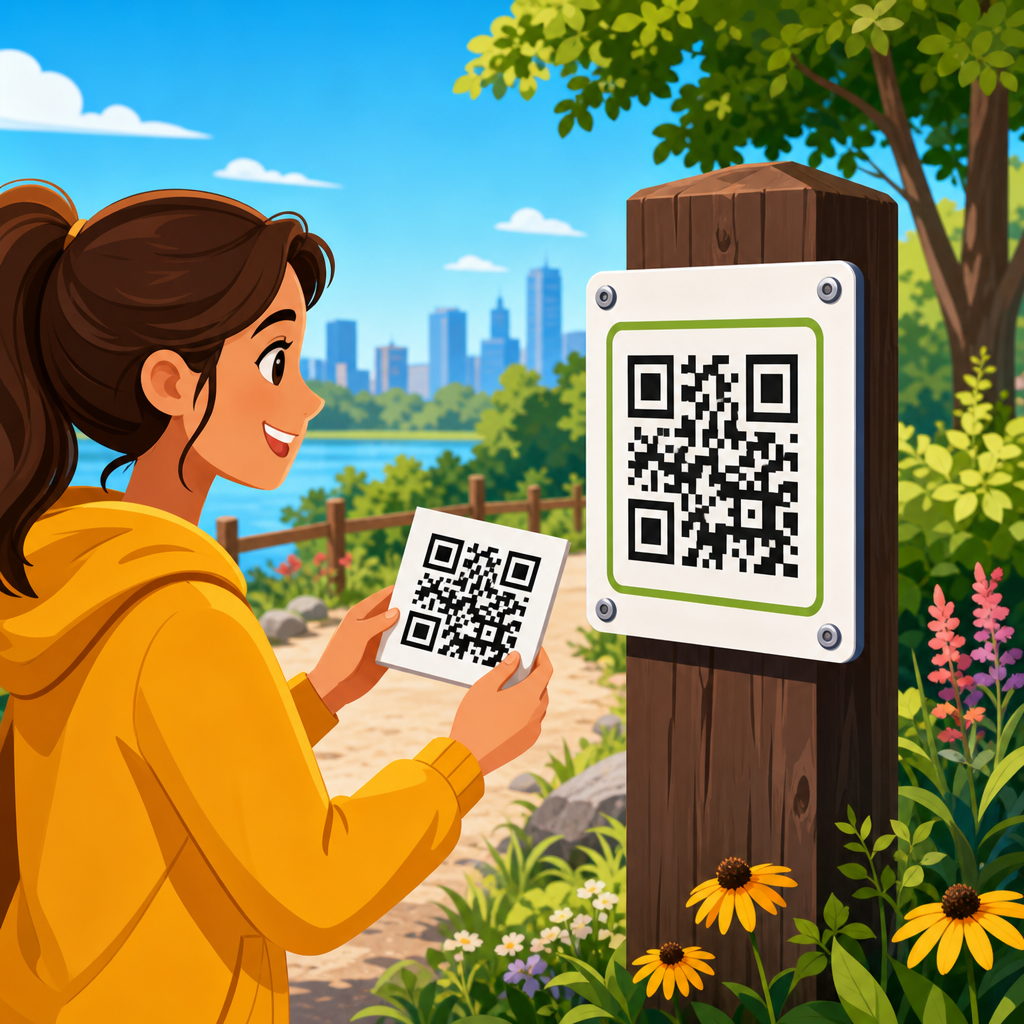
Printing QR codes for outdoor use sounds simple until weather, distance, lighting, and material failure turn a scannable code into a dead end. In practice, outdoor QR code printing requires decisions about size, contrast, substrate, lamination, adhesive performance, placement height, and long-term maintenance. I have tested codes on storefront windows, aluminum signs, corrugated plastic boards, event banners, and equipment labels, and the pattern is consistent: most failures are not caused by the QR generator, but by print and installation choices. A code that scans perfectly on a monitor can fail outdoors after glare, fading, dirt, or warping changes how a camera sees its modules. That is why this topic matters for retailers, venues, municipalities, construction firms, tourism operators, and marketers who expect people to scan in uncontrolled conditions.
A QR code is a two-dimensional matrix barcode made of dark and light square modules arranged around position markers. For outdoor use, “print quality” means more than sharp ink. It includes sufficient module size for the expected scanning distance, a high-contrast color combination, a quiet zone around the symbol, durable materials, and placement that avoids reflections and obstruction. “Outdoor durability” refers to resistance against ultraviolet light, rain, humidity, abrasion, heat cycling, and chemical exposure. “Scan reliability” means a real phone camera can read the code quickly without forcing the user to reposition, shade the sign, or step too close. If a person has only a few seconds at a bus stop, trail marker, gate, or sidewalk sign, reliability decides whether the QR code helps or hurts the experience.
This hub explains how to print QR codes for outdoor use from file preparation through installation and upkeep. It covers sizing rules, material selection, weatherproof printing methods, protective finishes, placement strategy, testing, and common mistakes. It also works as a central guide to the wider subject of printing QR codes, because the same fundamentals apply across posters, decals, labels, metal plates, banners, and rigid signage. When handled correctly, an outdoor QR code can last months or years and remain easy to scan across changing light and weather. When handled poorly, even an attractive sign underperforms. The goal is not just to print a code, but to produce a durable, readable access point that works in the field.
Start with the right QR code file, error correction, and size calculations
The first step in outdoor QR code printing is preparing a source file that preserves edge definition. Use vector formats such as SVG, EPS, or PDF whenever possible because vectors scale without introducing blurred edges between modules. If raster is unavoidable, export at high resolution based on final print size, not screen size. A tiny PNG copied from a generator and enlarged in a design app is one of the most common causes of failed prints. The QR code should also use an appropriate error correction level. Higher correction can recover from some damage or dirt, but it also increases density, making modules smaller and harder to scan if the printed area stays the same. For outdoor signs, I usually avoid adding unnecessary density from long URLs, campaign parameters, or decorative overlays. A short dynamic URL often performs better than a dense static code because it keeps the module grid simpler.
Size should be calculated from viewing and scanning distance rather than chosen visually. A practical baseline for many outdoor applications is at least 1 inch square for close-range scanning, then increasing with distance and speed of approach. If users will stand within arm’s reach, such as on a door or kiosk, 1.25 to 2 inches often works well when print quality is high. For a sidewalk A-frame, trail post, parking sign, or real estate board, 2 to 4 inches is typically safer. For roadside or drive-through contexts, QR codes often fail not because they are technically printable, but because people cannot safely approach or hold a camera steady long enough to scan. In those settings, the fix is usually process design, not just larger print. Keep the quiet zone clear on all sides, ideally four modules wide or more, with no border art, icons, or text crowding the symbol.
Choose materials and printing methods built for weather, sunlight, and wear
The best outdoor QR code material depends on lifespan, exposure, mounting surface, and budget. For short campaigns such as festivals or seasonal promotions, weatherproof vinyl stickers, laminated posters, and banner stock can be enough. For medium-term use, rigid PVC, ACM aluminum composite panels, and corrugated plastic are common. For long-term installations, powder-coated metal plates, anodized aluminum labels, engraved plastic laminates, and industrial polyester labels are more dependable. Material choice matters because movement, curling, and moisture intrusion distort the code. I have seen inexpensive paper posters under acrylic covers fail when condensation formed behind the panel and lowered contrast. I have also seen cheap vinyl decals shrink over time, pulling module edges out of square. Dimensional stability matters just as much as ink durability.
Printing method affects UV resistance and sharpness. Eco-solvent and solvent printers are widely used for outdoor decals and signs because they bond well to vinyl and offer reasonable weather resistance. UV-cured printing is common on rigid boards and can hold up well under sunlight, though the finish can still benefit from a protective laminate. Thermal transfer is often used for industrial labels because resin ribbons provide strong resistance to abrasion and chemicals. Screen printing can be excellent for large production runs when color consistency and outdoor durability are critical. Dye-based desktop inkjet prints are usually a weak choice outdoors unless fully protected, because they can fade or bleed. Pigment ink performs better than dye for sunlight and moisture, but substrate compatibility still matters. Ask your print provider for expected outdoor life, laminate recommendations, and whether the black areas achieve dense, even coverage without mottling.
| Outdoor use case | Recommended material | Typical print method | Expected durability notes |
|---|---|---|---|
| Storefront window promotion | Cast or calendared vinyl decal | Eco-solvent or UV print | Good for months to a few years with UV laminate and proper glass placement |
| Event signage | Banner vinyl or corrugated plastic | UV or solvent print | Cost-effective for short campaigns; watch wind movement and glare |
| Trail marker or park sign | ACM panel or coated aluminum plate | UV print or screen print | Better rigidity and weather resistance for long exposure |
| Equipment or asset label | Industrial polyester or anodized aluminum | Thermal transfer or etched process | Strong resistance to abrasion, moisture, and chemicals |
| Construction site board | Rigid PVC or ACM | UV print | Durable enough for temporary to medium-term outdoor deployment |
Design for high scan reliability, not decoration
Outdoor QR code design should prioritize machine readability over branding flourishes. The safest format is black modules on a matte white background with strong contrast and no gradients. Dark blue on white can work, but light colors, metallic inks, and transparent backgrounds often fail under bright sun or mixed lighting. Reverse codes, where the background is dark and modules are light, can scan, but they are less forgiving in the field. Rounded modules, embedded logos, and artistic frames may look polished online yet reduce tolerance when dirt, glare, and print spread are added outdoors. If branding is important, apply it around the code rather than inside it. Place a short call-to-action nearby such as “Scan for menu,” “Scan for trail map,” or “Scan for installation guide.” This sets user expectation and improves scan intent without compromising the symbol.
Glare control is crucial. Gloss laminate can make a sign look vibrant, but direct sun can produce specular highlights that wash out parts of the code. Matte or luster overlaminates usually scan better outdoors because they reduce reflections. Placement angle matters too. A code mounted flat behind reflective glass may be unreadable at noon yet work in shade. Likewise, transparent decals on windows can lose contrast if the indoor background changes. In those cases, a white ink layer or opaque backing improves consistency. Avoid putting QR codes over photographs, textured surfaces, perforated window film, or wood grain. Even if the code appears visually distinct, smartphone autofocus and exposure systems can struggle with busy backgrounds. Good outdoor performance comes from clean edges, predictable contrast, and surfaces that stay visually stable across lighting conditions.
Install in locations people can approach, frame, and scan quickly
Placement is where many outdoor QR code projects succeed or fail. A code should be mounted where people can stop safely, hold a phone comfortably, and see the full symbol without awkward angles. For pedestrian use, chest to eye level usually works best, often around 48 to 60 inches from the ground depending on the environment. Lower placements invite splashes, dirt, and obstruction. Higher placements force steep camera angles and make framing harder. If the surface is curved, corrugated, or flexible, use a rigid mounting plate behind the code so the modules remain flat. On fences and temporary barriers, wind-induced movement can make scanning frustrating even when the print itself is perfect.
Environmental context matters as much as sign construction. A QR code on a sunny south-facing window behaves differently from one under a covered entrance. A code next to a queue line may get scanned often because people have time. The same code on a fast foot-traffic route may be ignored. For parking lots, building exteriors, museums, and public spaces, I advise testing the user path: where people first see the code, where they stop, what lighting hits the surface at that time, and whether cell service is available. A perfectly printed code still disappoints if the landing page loads slowly over weak mobile data. Outdoor scanning is a system, not a symbol. The print, placement, and destination must all work together.
Protect against fading, abrasion, moisture, and vandalism
Outdoor QR codes degrade through sunlight, water, rubbing, cleaning chemicals, and physical damage. UV exposure gradually lowers contrast by fading dark inks or yellowing light backgrounds. Lamination and UV-resistant inks slow that process, but they do not eliminate it. In coastal areas, salt spray and humidity accelerate surface wear. In industrial settings, oils, solvents, and repeated wiping can damage labels. For this reason, long-term outdoor deployments should be specified like any other exterior graphic: match the material system to the exposure. Use UV overlaminate for printed vinyl and rigid signs, edge-sealed applications where moisture can creep under the face, and tamper-resistant constructions where removal or scratching is likely. Anti-graffiti films can help on public-facing signs, though they must be tested because some coatings change glare characteristics.
Redundancy is smart. If the QR code links to important information such as safety instructions, visitor guidance, or service requests, print a short URL below it so users have a fallback when camera scanning fails. Dynamic QR codes also make maintenance easier because the destination can be updated without replacing the printed sign. That is particularly useful for parks, campuses, construction projects, and retail promotions where schedules and pages change. However, dynamic codes depend on a reliable redirect service and domain governance, so choose a provider with stable infrastructure, HTTPS support, analytics, and export capability. I have replaced many outdoor signs not because the print wore out, but because the linked domain expired or campaign software changed. Long-term trust requires both physical durability and digital continuity.
Test with real phones, real distances, and real light before full production
The most effective way to avoid wasted print runs is field testing. Before ordering a large batch, print prototypes at full size on the intended material or a close substitute and test them outdoors at different times of day. Use multiple phones, because camera quality, autofocus behavior, and scanning apps differ. Current iPhone and Android camera apps handle standard QR codes well, but performance still varies with glare, low contrast, and small modules. Test from the actual user position, not from ideal close range. If the code is on a wall, stand where the average person will stand. If it is on a vehicle or gate, test around reflections and shadows. Record how long first-time users need to scan and whether they instinctively know what the code offers.
Verification should include both print inspection and destination testing. Check for jagged edges, ink spread, banding, registration errors, and contamination in the quiet zone. Confirm that the landing page is mobile-friendly, fast, and relevant to the context of the sign. Track analytics after installation to spot decline patterns that may indicate physical degradation, poor placement, or changing user behavior. If scans drop sharply on an otherwise stable campaign, inspect the sign before assuming audience interest vanished. Outdoor QR codes are operational assets. Clean them periodically, replace damaged units promptly, and review them after seasonal weather changes. If you are building a broader program around QR code design, printing, and materials, use this page as the hub: start with file preparation, then material choice, then installation, then maintenance. That sequence consistently produces outdoor QR codes that remain scannable, durable, and useful. Audit your current signs, test one improved version, and apply the lessons to every future print run.
Frequently Asked Questions
What size should a QR code be for outdoor use?
Outdoor QR code size should be based on real scanning distance, not just available design space. A code that works perfectly on a desktop proof can fail completely once it is mounted on a window, sign, fence, banner, or piece of equipment several feet away. As a practical starting point, larger is almost always safer outdoors because users are dealing with glare, movement, uneven lighting, and different phone camera quality. For close-range uses such as storefront entry decals, table-height signs, or equipment labels scanned from within arm’s reach, a smaller code may work well. For signs intended to be scanned from a sidewalk, parking area, trade show aisle, or building exterior, the code needs to be scaled up enough that the modules remain easy for a phone camera to distinguish quickly.
It is also important to preserve an adequate quiet zone, which is the blank margin around the code. Many outdoor failures happen because the printed code itself is technically large enough, but surrounding graphics, borders, textures, or background colors interfere with recognition. If the code is going on a banner, corrugated board, metal panel, or adhesive vinyl graphic, the final installed version should be tested at the exact viewing distance expected in the field. Do not rely on on-screen previews. Print full size, mount it on the intended surface, and test with multiple phones in daylight. If scanning is at all inconsistent, increase the size before production. In outdoor environments, generous sizing is one of the cheapest ways to improve performance and reduce scan abandonment.
What materials hold up best when printing QR codes for outdoor exposure?
The best outdoor material depends on how long the QR code needs to remain in service and what conditions it will face. For temporary outdoor use, weather-resistant vinyl applied to a stable surface can work well, especially for event signage, short-term promotions, and seasonal campaigns. For medium to long-term use, more durable substrates such as aluminum composite panels, rigid plastic sign boards, polyester label stock, and specialized outdoor-rated films usually perform better. These materials resist moisture, tearing, warping, and surface breakdown more effectively than standard indoor paper or low-grade adhesive labels.
The critical point is that the substrate and the print process must be matched to the environment. A QR code printed beautifully on the wrong material can fail after exposure to sunlight, rain, heat cycling, cleaning chemicals, or abrasion. Storefront windows may need UV-stable adhesive vinyl that will not shrink or discolor. Equipment labels may require industrial label material with strong adhesive, chemical resistance, and scratch resistance. Outdoor boards and signs often benefit from rigid panels that stay flat, since buckling or rippling can distort the code enough to reduce scanning speed. Banners need tension stability because wrinkles and curved mounting surfaces can deform the square geometry of the code. If longevity matters, ask specifically about UV resistance, outdoor durability rating, adhesive performance, water resistance, and expected service life rather than simply requesting “weatherproof” printing.
Should outdoor QR codes be laminated or protected with a coating?
In most cases, yes. A protective laminate or coating can significantly extend the life of an outdoor QR code by shielding the printed surface from UV fading, moisture, scuffing, dirt, and repeated handling. This is especially important for codes placed on windows, doors, kiosks, machinery, and public-facing signs where the surface may be touched, cleaned, or exposed to blowing debris. Without protection, dark areas can fade, edges can soften, and the contrast that scanners depend on can gradually weaken. Even small amounts of surface wear can reduce scan reliability over time.
That said, the wrong protective finish can create its own problems. High-gloss laminates may increase glare in direct sun, making the code harder to scan from certain angles. Textured finishes can interfere with sharp image reproduction if not chosen carefully. For many outdoor applications, a matte or low-glare overlaminate is the safest option because it balances protection with readability in bright conditions. The protection also needs to be compatible with the print method and the installation surface. If the code will be placed on a curved object, rough material, or flexible banner, the laminate should not cause lifting, edge failure, or premature cracking. The best approach is to treat protection as part of scan performance, not just as a durability upgrade. A protected code that remains high-contrast and low-glare will outperform an unprotected code that looked fine only on day one.
What design choices make an outdoor QR code easier to scan?
The most reliable outdoor QR codes use a simple, high-contrast design with strong visual separation from the background. Black on white remains the most dependable option because it gives phone cameras the cleanest data to interpret under varying lighting conditions. While branded colors and stylized designs can sometimes work, they reduce your margin for error outdoors where direct sunlight, reflections, shadows, tinted surfaces, and dirty lenses all make scanning more difficult. The more visual experimentation you introduce, the more likely the code will become inconsistent in real-world use.
Keep the code on a plain, non-busy background and preserve the full quiet zone around it. Avoid placing it over photos, patterns, translucent materials, metallic finishes, or highly reflective surfaces. If you add a call to action, logo, or surrounding design elements, make sure they do not crowd the code or weaken contrast. Error correction can help, but it should not be treated as permission to heavily customize the symbol. Outdoor placement also matters as much as graphic design. A perfectly printed code will still underperform if mounted too high, too low, behind glare-heavy glass, around a corner, or where people have to stop in unsafe or awkward positions to scan. The best-performing outdoor QR codes are clear, direct, easy to approach, and easy to read in one quick attempt.
How can I test and maintain outdoor QR codes so they keep working over time?
Testing should happen before installation and continue after the code is in the field. Start by printing the QR code at final production size on the actual material, or as close to it as possible, and test it in the same conditions where it will be used. Scan in bright sun, shade, early morning, and evening light. Test with different phone models, different camera apps, and from the realistic standing distance users will have. If the code is going on glass, metal, or a glossy panel, test from several angles to identify glare issues. If it will be mounted outdoors for months, expose a sample to water, heat, and abrasion before committing to a full run. This kind of practical testing catches most failures that basic proofing misses.
Maintenance is equally important because outdoor QR codes are not truly “set and forget.” Over time, dirt buildup, fading, vandalism, peeling edges, scratches, cracked laminates, and shifting surfaces can all reduce scan success. Create a simple inspection schedule, especially for storefront graphics, directional signage, public installations, and equipment labels. Check whether the destination URL still works, whether the code remains firmly attached, and whether the surface is clean and legible. If the code links to a campaign page, use a dynamic QR code or a redirect structure so the destination can be updated without reprinting the physical sign. In long-term outdoor use, reliability comes from a combination of good design, durable production, smart placement, and ongoing upkeep. The physical print and the digital destination both need maintenance if you want the code to remain useful.





