
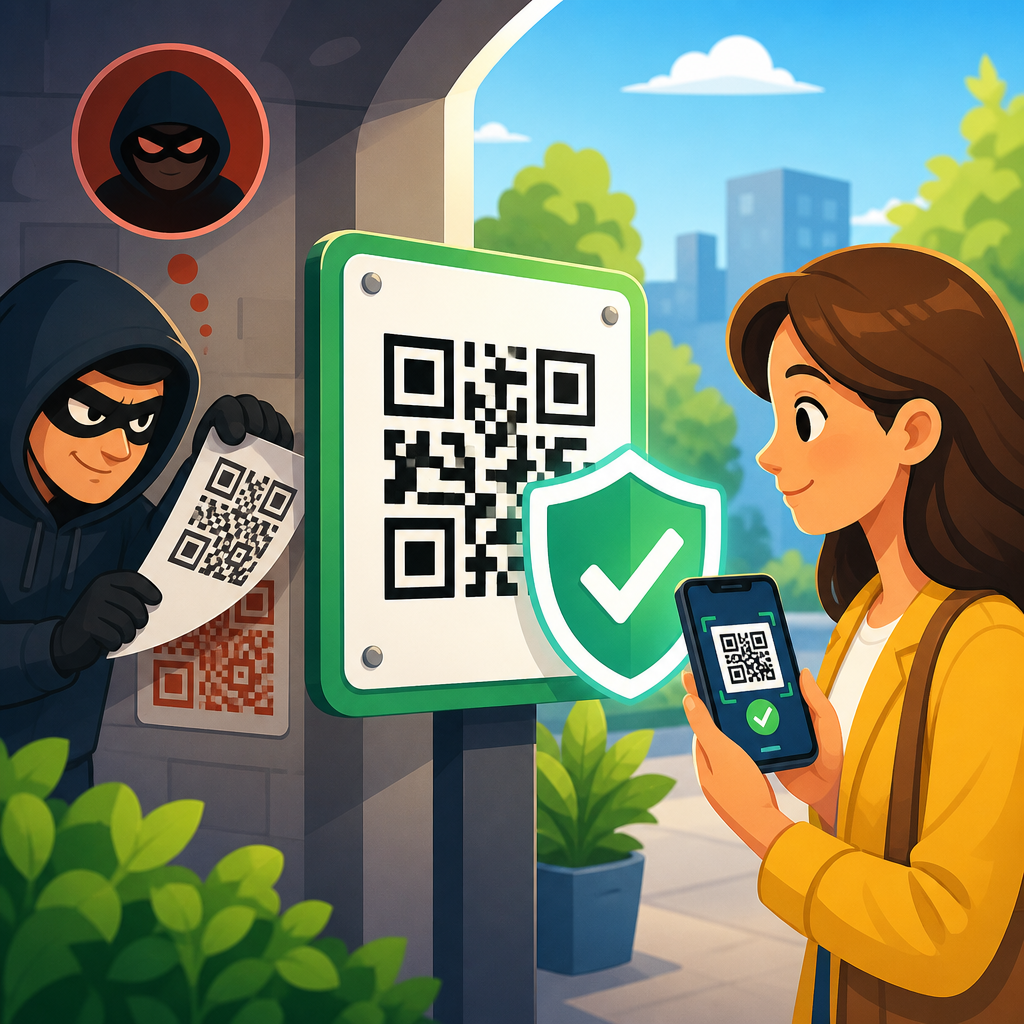
QR codes are everywhere, from restaurant menus and parking meters to package tracking labels and payment terminals, which makes understanding how to prevent QR code hijacking an essential part of modern digital safety. QR code hijacking is the act of replacing, redirecting, or manipulating a quick response code so that a person scans it and lands on a malicious destination instead of the intended one. In practice, that destination may be a phishing page, a malware download, a fake payment screen, or a credential harvesting form designed to steal usernames, passwords, or card data. I have seen this risk move from a niche concern to a routine operational issue as organizations expanded contactless services and printed codes faster than they built governance around them.
Secure QR code practices matter because a QR scan compresses trust into a single tap. People cannot visually inspect a QR code the way they can read a printed web address, so they often rely on context alone: a poster looks official, a table tent is in a legitimate café, or a parcel label appears unchanged. Attackers exploit that shortcut. A swapped sticker on a parking kiosk can reroute payment to a criminal merchant account. A code embedded in a phishing email can bypass a user’s habit of hovering over links. A tampered code on product packaging can send customers to a counterfeit support site that captures serial numbers and account details.
This article serves as a practical hub for secure QR code practices. It explains the most common hijacking methods, the controls that reduce risk, and the governance steps that turn one-off fixes into a repeatable security program. The core principle is simple: treat every QR code as a scannable entry point into your systems, your brand, and your customer relationships. When teams design, publish, monitor, and retire codes with the same discipline used for web pages, payment links, and identity systems, hijacking becomes far harder to execute and much easier to detect.
Understand How QR Code Hijacking Happens
Preventing QR code hijacking starts with understanding the attack paths. The most common method is physical replacement. An attacker prints a new code on a sticker and places it over the original code on a sign, vending machine, meter, or flyer. The victim thinks they are paying a city parking fee or opening a restaurant menu, but the scan goes to a fake destination controlled by the attacker. In several publicized cases involving parking systems, criminals used overlay stickers to redirect payments to fraudulent websites that imitated the municipality or operator.
The second method is digital substitution. If an attacker gains access to the file used in a brochure, website, email template, or digital sign, they can replace the legitimate QR image before distribution. This is especially dangerous in decentralized marketing environments where local teams, agencies, and franchise operators create materials independently. I have audited campaigns where no one could identify the approved source file for a printed code, which meant tampering might persist for weeks before anyone noticed that scans were dropping into an attacker-controlled domain.
A third method involves abuse of dynamic QR codes. Dynamic codes typically point to a short redirect URL that can be updated after printing. They are operationally useful because the destination can change without reprinting physical materials, but that convenience also creates a control point attackers want. If the account behind the redirect platform is compromised, every distributed code can be silently rerouted. The code image itself remains unchanged, so normal visual inspections fail.
Email and messaging attacks add another layer. Security filters often do better with suspicious hyperlinks than with QR images inside PDFs or attachments. Attackers know this. They embed a QR code that leads to a fake Microsoft 365, payroll, or banking login page, then tell the user to scan with a phone to continue. This tactic, often called quishing, blends social engineering with a device shift: the victim leaves the managed desktop browser and opens the link on a personal mobile device with fewer corporate protections.
Build Secure QR Code Design and Publishing Controls
The best defense begins before a code is ever printed or posted. Start by maintaining a controlled inventory of every business QR code, including owner, purpose, destination URL, creation date, campaign dates, and retirement date. Without an inventory, you cannot verify what is legitimate in the field. Each code should have a named business owner and a technical owner, because broken accountability is one of the main reasons tampered codes stay active too long.
Use a standard creation workflow. Generate QR codes only from approved tools, store source files in version-controlled repositories, and require review before release. For enterprise teams, this often means using a digital asset management platform plus change approval in systems such as SharePoint, Git-based repositories, or marketing workflow tools. If a code points to a payment page, account portal, or software download, the review threshold should be higher and include security signoff.
Destination hygiene is equally important. Send users only to domains you own or formally control, served over HTTPS with valid certificates and modern TLS settings. Keep URLs human-readable whenever possible. A QR code that resolves to yourbrand.com/pay is inherently easier for users to trust than a long, obscure path on a third-party redirector. Branded short domains can help when space is limited, but they require strong domain management, DNS security, and registrar protections such as multifactor authentication and registry lock for critical assets.
Design also influences security. Place QR codes in layouts where tampering is easier to detect, such as inside branded frames, near visible URL text, or with anti-overlay printing techniques. A code floating alone on a plain background is easier to replace without notice. For printed materials in unattended locations, add microtext, serial numbers, location identifiers, or holographic elements that make unauthorized replacement more obvious during inspections. These are not perfect controls, but they raise attacker effort and improve detection.
Choose Safer Static and Dynamic QR Code Strategies
Static and dynamic QR codes solve different business problems, and the safer choice depends on context. Static codes embed the final destination directly. They are simple, durable, and less dependent on a third-party platform. If the use case is stable, such as linking to a product manual, static codes reduce the risk that someone can remotely alter the destination later. Their downside is inflexibility. If the URL changes, every printed instance must be replaced, which creates cost and operational lag.
Dynamic codes route through a managed redirect service. They support analytics, destination updates, campaign testing, and device-aware routing. In logistics, events, and field operations, that flexibility is valuable. The tradeoff is that the redirect service becomes a high-value target. To use dynamic QR codes safely, place the redirect account under centralized administration, enforce multifactor authentication, restrict administrative roles, log every destination change, and review logs for anomalies. If the platform supports webhook alerts or SIEM integration, use them. A redirect change to a payment page should trigger immediate review.
In my own projects, a practical rule has worked well: use static codes for evergreen informational content and dynamic codes only where measurable business value justifies the added control burden. Do not let convenience decide. If a team wants dynamic codes solely because “we might change it later,” that is rarely enough. A formal decision matrix prevents overuse and keeps the monitoring workload manageable.
| QR code type | Best use case | Main security strength | Main risk | Required controls |
|---|---|---|---|---|
| Static | Manuals, public FAQs, fixed landing pages | No remote destination editing | Hard to update if URL changes | URL ownership, print inventory, periodic verification |
| Dynamic | Campaigns, rotating content, trackable interactions | Flexible management and analytics | Redirect account compromise can affect all scans | MFA, role control, audit logs, alerting, vendor review |
Protect the User at the Moment of Scan
Even the best publishing controls need a user-facing layer. People scan in seconds, often while distracted, so security guidance must be plain and immediate. Tell users what domain they should expect before scanning. On signage, include simple text such as “Official payment site: pay.cityname.gov” or “Support portal only at support.yourbrand.com.” This gives the user a mental checksum. If the phone preview shows a different domain, the mismatch is obvious.
Where your application supports it, use deep links into your official mobile app instead of browser-based destinations for sensitive actions like account access or payments. App-based flows reduce exposure to lookalike web pages and make brand spoofing harder. For browser flows, prefer pages with strong visual continuity, minimal redirects, and clear ownership signals. A user who scans a code and lands on a generic page with a mismatched logo is more likely to abandon the session or, worse, proceed despite uncertainty.
Training matters for both staff and customers. Employees who place or inspect codes should know the warning signs: sticker overlays, damaged lamination, unusual URL previews, sudden analytics spikes, or complaints about payment failures. Customers should be told not to scan random codes in emails, social posts, or printed stickers placed over existing signage. Mobile device management can add protections on corporate devices by blocking known malicious domains, enforcing safe browsing, and routing DNS through protective services such as Cisco Umbrella, Cloudflare Gateway, or Microsoft Defender for Endpoint.
For payment environments, put alternatives in view. If a QR code is the only visible way to pay, people are more likely to trust whatever appears after scanning. Showing the website address, NFC option, or staffed payment alternative gives users a way to verify legitimacy. Security improves when convenience does not force blind trust.
Monitor, Inspect, and Respond Quickly
QR code security is not a one-time design task. It is an operational discipline built on routine inspection and fast response. Physical QR codes in public spaces should be inspected on a defined schedule based on risk. A code on an indoor reception desk may need monthly checks; a parking meter or storefront window in a busy urban area may need daily or weekly inspection. Staff should confirm that the code is physically intact, the surrounding signage is unaltered, and the scanned preview matches the approved domain.
Digital monitoring is just as important. Track scan analytics by location, time, device, and conversion path. Sudden drops in expected conversions, spikes from unusual geographies, or complaints that the page “looks wrong” are strong indicators of tampering or redirect abuse. Web server logs, redirect logs, and fraud monitoring should be correlated, especially for payment and login journeys. If a dynamic code platform does not provide exportable logs and role-based access controls, it is not suitable for sensitive use cases.
Incident response should be documented in advance. When hijacking is suspected, teams need a clear sequence: disable or reroute the affected destination, physically remove tampered signage, preserve evidence such as photos and logs, notify internal stakeholders, and communicate with affected users if credentials or payments may be at risk. If the issue touches card payments, coordinate with your payment processor and follow applicable PCI DSS incident procedures. If customer data was exposed, privacy and breach notification obligations may apply depending on jurisdiction.
After containment, conduct a root-cause review. Ask whether the failure was in creation, approval, placement, inspection, or platform security. The answer determines whether you need stronger print controls, better account protection, shorter inspection intervals, or improved user education. Repeating the same generic reminder to “be careful” does not fix the system weakness that enabled the hijack.
Set Governance for Vendors, Teams, and Lifecycles
Most QR code failures are governance failures. Marketing, operations, facilities, franchisees, and third-party printers often touch the same asset without shared standards. A secure QR code program needs policy coverage for creation, approval, hosting, placement, monitoring, and retirement. I recommend a single standard that defines approved generators, domain rules, dynamic code criteria, inspection frequency, and escalation contacts. Every team then works from the same baseline.
Vendor review is essential. If you use a third-party QR platform, assess account security, logging, uptime commitments, data retention, and export capabilities. Confirm whether the provider supports SSO, MFA, granular permissions, and administrative alerts. If scan analytics include personal data or device identifiers, verify privacy terms and retention settings. Many teams treat QR platforms like lightweight marketing tools, but once a code appears on payment posters, prescription packaging, or support emails, that platform becomes part of your security perimeter.
Lifecycle management closes the loop. Retire codes that are no longer needed, remove dead links, and archive ownership records. Abandoned QR codes are attractive targets because no one watches them closely. A code printed years ago on a poster in a branch office can still receive scans, and if its destination domain expires or the redirect account is neglected, attackers may take control of the path. Regular link validation, domain renewal controls, and decommissioning checklists prevent that quiet exposure from turning into a public incident.
Preventing QR code hijacking ultimately comes down to disciplined secure QR code practices applied from creation through retirement. Know where every code lives, limit who can change destinations, design materials so tampering is visible, and give users enough context to recognize a safe scan. Pair those controls with routine inspections, analytics monitoring, and a documented response plan, and hijacking becomes both harder to carry out and faster to stop.
The main benefit is trust at scale. Customers can scan with confidence, employees can manage campaigns without guesswork, and security teams can govern QR use as a normal part of digital operations instead of a recurring exception. If your organization uses QR codes across marketing, payments, support, or field services, audit your current inventory this week, classify high-risk codes first, and put ownership and monitoring in place before attackers do it for you.
Frequently Asked Questions
What is QR code hijacking, and why is it dangerous?
QR code hijacking happens when a legitimate QR code is altered, covered, swapped, or digitally manipulated so that it sends people to a destination controlled by an attacker instead of the real one. Because QR codes are designed for convenience, most people scan them quickly and assume they are safe. That trust is exactly what criminals take advantage of. A hijacked code may lead to a phishing website that steals usernames and passwords, a fake payment page that captures card details, a malware download, or a fraudulent login portal designed to mimic a trusted brand.
The danger is amplified by the fact that QR codes do not clearly show their destination at a glance. Unlike a normal web link, where users may pause and inspect the URL before clicking, a QR code hides the destination until after the scan. In physical settings such as parking kiosks, restaurant tables, flyers, or package labels, attackers can place a malicious sticker directly over the real code. In digital settings, they may edit images, create copycat labels, or circulate fake codes in emails and social posts. That means QR code hijacking is not just a technical issue; it is a social engineering tactic that relies on speed, trust, and limited inspection.
For individuals, the consequences can include stolen credentials, financial fraud, device infections, and identity theft. For businesses, QR code hijacking can damage customer trust, interrupt transactions, and expose users to scams under the company’s name. Understanding this threat is the first step toward preventing it, because the most effective defense is a combination of user awareness, careful verification, and stronger control over where and how QR codes are deployed.
How can I tell whether a QR code has been tampered with before scanning it?
One of the best ways to prevent QR code hijacking is to inspect the context around the code before you scan it. In physical locations, look for obvious signs of tampering such as a sticker placed over another sticker, uneven edges, mismatched branding, low-quality printing, or a code that seems out of place on a payment terminal, parking meter, menu, or poster. If the label appears recently added, crooked, damaged, or different from the surrounding design, treat it with suspicion. Attackers often rely on people being in a hurry and not noticing that a malicious code has simply been pasted over the original one.
It also helps to ask whether the QR code makes sense in that environment. For example, if a restaurant normally hands out printed menus but suddenly pushes customers to scan a code on a loose paper insert, or if a package tracking label contains an extra code with no explanation, that inconsistency matters. Trustworthy QR code use is usually supported by recognizable branding, clear instructions, and an expected purpose. If the code lacks context or asks you to perform an unusual action, such as entering banking credentials or installing software, stop and verify through another channel.
Many smartphones now display a preview of the destination before opening it. Always pause to review that preview. Check whether the web address matches the legitimate company domain and watch for misspellings, strange subdomains, extra words, random characters, or shortened links that hide the final destination. A code that claims to be for a parking payment service but opens a completely different domain is a strong red flag. If anything looks questionable, do not proceed. Instead, visit the company’s website manually, use its official app, or ask a staff member to confirm the correct code.
What are the safest habits to follow when scanning QR codes in public places?
The safest habit is to treat every QR code like an unknown link until proven otherwise. Before scanning, consider the source, the setting, and the reason for the code. Public locations such as transit stations, retail counters, parking meters, and event venues are common targets because they attract many users and often involve fast decisions. If a QR code is used for payment, account access, or personal information submission, slow down and verify it more carefully than you would for a simple menu or informational page.
Once you scan, do not tap through automatically. Use the preview screen to inspect the URL. Look for secure and expected domains, ideally with HTTPS, although encryption alone does not guarantee legitimacy. Be especially cautious if the page asks you to log in, enter payment details, download a file, or grant permissions on your device. A safe practice is to avoid making payments or entering sensitive information through a QR code unless you are certain the destination is authentic. When possible, use the official app of the business instead of a browser page launched from a scan.
It is also smart to keep your phone’s operating system, browser, and mobile security protections up to date. Modern devices often include phishing warnings, malicious site blocking, and app permission controls that can reduce risk if you do encounter a bad destination. Disable automatic actions when possible, and never install apps directly from a page opened by a QR code unless you independently verify the developer and source through an official app store. In short, careful review, limited trust, and a willingness to verify through alternate channels are the most effective public scanning habits.
How can businesses prevent criminals from hijacking their QR codes?
Businesses can reduce the risk of QR code hijacking by treating QR codes as security-sensitive assets rather than simple marketing tools. Start by maintaining tight control over how codes are created, approved, printed, and distributed. Use a centralized process so employees are not generating unofficial codes on their own. Every QR code should have a documented destination, a clear owner, and a review process to ensure it points only to trusted domains. If the code is used for payments, account actions, or customer support, the need for oversight is even greater.
Physical security matters as much as digital security. Businesses should routinely inspect QR codes displayed in public-facing environments such as checkout counters, table tents, lobby signage, kiosks, and outdoor equipment. Staff should be trained to spot sticker overlays, altered signage, or customer reports of suspicious redirects. In high-risk locations, tamper-evident materials, branded printing, protected enclosures, or regular inspection schedules can make code replacement easier to detect. For mailed materials and packaging, consistent design standards and quality control checks help reduce the chance that manipulated labels go unnoticed.
On the digital side, businesses should direct QR codes only to secure pages on domains they control, and those landing pages should use strong web security practices. This includes HTTPS, phishing-resistant login methods where appropriate, clear branding, and monitoring for unusual traffic or suspicious redirects. Companies should also educate customers by explaining what their legitimate QR codes are used for and what they will never ask users to do. For example, a business can state that its QR codes will never request software downloads, personal banking credentials, or payment to an unfamiliar third-party domain. That kind of proactive communication helps customers recognize scams and protects brand trust.
What should I do if I think I scanned a malicious QR code?
If you believe you scanned a malicious QR code, act quickly but calmly. The first step is to stop interacting with the page immediately. Do not enter any more information, do not download anything, and do not approve any prompts. Close the browser tab or app, disconnect from the page, and if a file began downloading, do not open it. If you submitted a username and password, change that password right away using the official website or app for the affected account, not the page opened by the QR code. If you reused that password elsewhere, change those accounts too.
If payment information was entered, contact your bank or card issuer as soon as possible to report potential fraud, monitor transactions, and, if needed, freeze or replace the card. If you entered business credentials, notify your IT or security team immediately so they can investigate account access, reset credentials, and review for signs of compromise. When malware may be involved, run a reputable mobile security scan, update your device, and watch for unusual behavior such as pop-ups, unknown apps, battery drain, or unauthorized account activity. In more serious situations, a full device reset may be necessary after backing up essential data safely.
It is also useful to report the malicious QR code to the business or organization where you found it, especially if it was posted in a public place. That can help protect others from being targeted. Take note of the location, the time, and the suspicious URL if you saw it, but avoid revisiting the page. The key lesson is that a fast response can dramatically reduce the damage. Even if you are unsure whether the scan was truly malicious, it is better to verify accounts, update passwords, and monitor financial activity than to assume nothing happened.





