
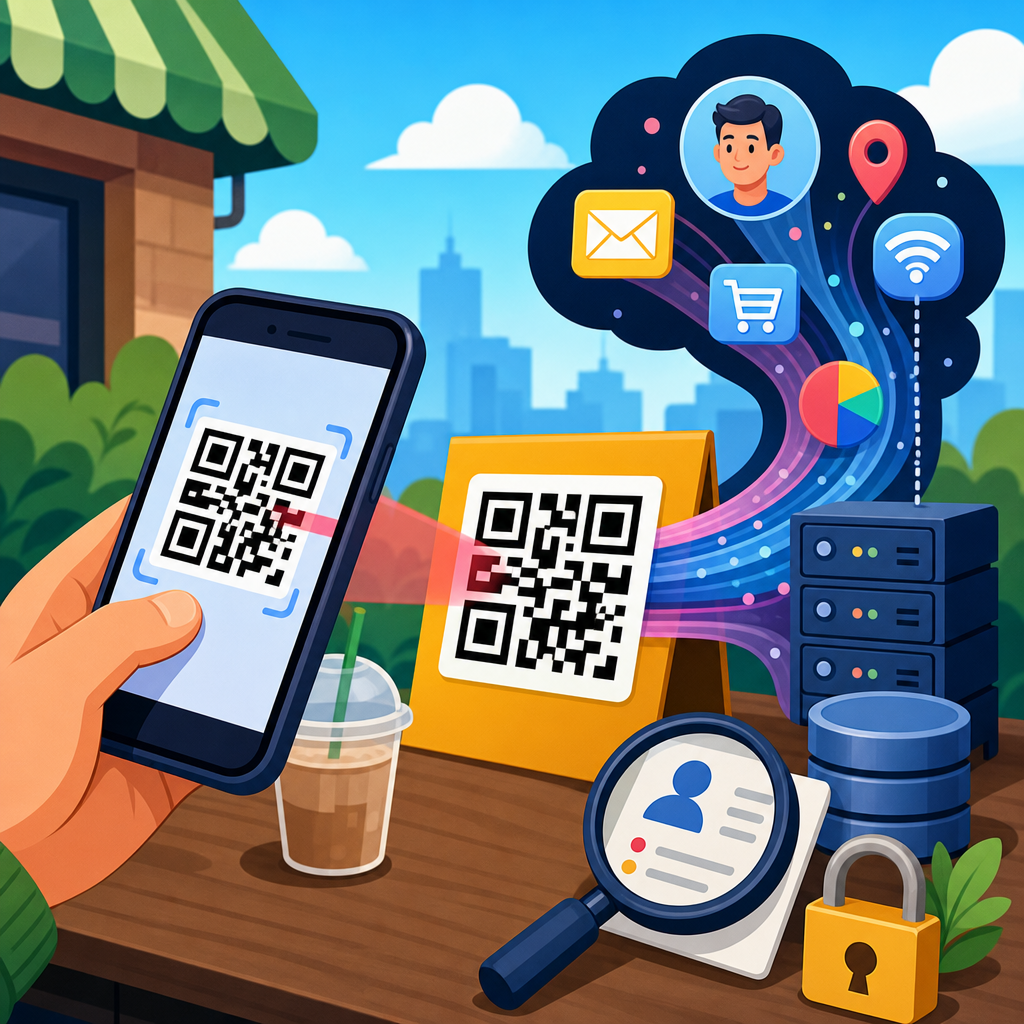
QR codes look simple: black squares arranged on a white background that send a phone to a website, payment page, app store, menu, form, or file. Behind that simplicity sits a dense data collection system. When people ask how QR codes collect user data, they usually mean two things at once: what information is captured when someone scans a code, and how that information is later used for marketing, analytics, authentication, or tracking. Both questions matter because QR codes have moved from niche industrial labels to mainstream tools in retail, healthcare, events, restaurants, logistics, and payments.
A QR code itself does not magically “see” a person. In most cases, the printed or displayed code only stores data such as a URL, identifier, contact record, Wi-Fi credential, or payment string. The actual collection happens when the scanning device, browser, app, or destination server processes that content. Static QR codes generally point directly to a fixed destination and collect only the data exposed by that destination. Dynamic QR codes usually route scans through a redirect server first, which allows the issuer to log scan time, approximate location, device type, campaign source, and other metadata before the user reaches the final page.
That distinction between encoded content and downstream processing is the foundation of QR code privacy. In my work reviewing campaign QR implementations and incident reports, the biggest misunderstandings always start here. A restaurant owner may think a menu QR code is harmless because it only opens a PDF, while the vendor behind the code may be logging every scan, tying visit patterns to ad campaigns, and dropping cookies on the landing page. A conference organizer may use attendee badges with QR identifiers that reveal check-in times, session attendance, and lead capture histories. The printed square is merely the trigger point for a larger data pipeline.
Data privacy concerns around QR codes matter for three reasons. First, scanning is frictionless, so people often act before evaluating risk. Second, QR interactions typically occur on personal phones, where identifiers, location signals, and browser data are rich. Third, many QR deployments sit in physical spaces such as stores, hospitals, transit systems, and office lobbies, which means online data can be linked to offline behavior. That combination creates valuable insight for legitimate operators and meaningful exposure for users. Understanding what is collected, when it is collected, and how to reduce unnecessary capture is essential for anyone deploying or scanning QR codes.
What Data Can Be Collected From a QR Code Scan?
The shortest accurate answer is this: a QR code scan can lead to the collection of technical metadata, behavioral data, declared personal information, and sometimes persistent identifiers. Technical metadata commonly includes timestamp, IP address, browser type, operating system, device model category, referring application, and language settings. If the QR code is dynamic, the redirect platform can record those details before the destination loads. IP addresses can often be mapped to approximate geographic location at the city or regional level using standard geolocation databases.
Behavioral data is the next layer. Operators can measure how many scans occurred, where scans happened, what campaign or poster generated them, whether the visitor bounced, how long they stayed, and whether they completed an action such as purchase, registration, coupon redemption, or file download. If the destination page contains analytics tools like Google Analytics 4, Adobe Analytics, or Matomo, the QR scan becomes part of a larger event stream. If the page includes ad tags or a customer data platform, scan behavior can be stitched into broader audience profiles.
Declared personal information enters when the user fills out a form after scanning. That may include name, email address, phone number, shipping details, date of birth, insurance number, or payment information. In lead generation and event settings, I regularly see QR codes used to move a person from poster to landing page to form completion in under a minute. The code did not collect the form fields by itself, but it initiated the journey and often carried campaign identifiers that bind the submission to a location, asset, or staff member.
Persistent identifiers can also be involved. Mobile browsers may set first-party cookies. Apps may pass device IDs or account IDs if the QR code opens content inside an authenticated environment. Payment QR systems can connect scans to wallet accounts, merchant IDs, transaction references, and fraud signals. In loyalty programs, a scan may reveal repeat visit patterns over time. This is why privacy analysis should focus on the entire flow, not only on the symbol.
How Dynamic QR Codes Enable Tracking
Dynamic QR codes are the central mechanism behind most advanced QR analytics. Unlike static codes, which embed the final URL directly, dynamic codes point to an intermediary short link controlled by a platform. When scanned, the request hits that platform first. The platform logs the event, then issues an HTTP redirect to the intended destination. Because the printed image remains the same while the redirect target can be changed, dynamic systems are popular for packaging, out-of-home advertising, menus, real estate signs, and product manuals.
From a privacy perspective, the redirect step is significant. It allows the code owner to collect scan counts, time-of-day patterns, operating system share, and rough geography without changing the visual code. Many platforms also support UTM parameters, A/B destinations, retargeting pixels, password gates, and expiration rules. A retailer might use one QR code on shelf tags nationwide but send users to different pages based on campaign timing. A pharmaceutical company might change the destination from prescribing information to a recall notice while preserving the same code on printed materials.
Dynamic tracking becomes more sensitive when combined with segmentation. If separate QR codes are placed on different posters, tables, seats, badges, mailers, or neighborhoods, each code acts like a physical-world sensor. Scan data can reveal which store entrance performs best, which apartment building responded to a flyer drop, or which trade show booth staffer generated the most leads. None of that is inherently improper, but it is data collection tied to human movement and response patterns in offline settings, which raises disclosure and minimization obligations.
| QR code type | How it works | Typical data collected | Primary privacy risk |
|---|---|---|---|
| Static QR code | Encodes final content directly | Mostly destination-site analytics | Users may not realize the landing page tracks them |
| Dynamic QR code | Routes through redirect server first | Scan time, IP, device, location estimate, campaign metadata | Centralized scan logging across physical touchpoints |
| App-linked QR code | Opens installed app or deep link | Account ID, device signals, in-app behavior | Tracking can be tied to authenticated profiles |
| Payment QR code | Initiates transaction flow | Merchant ID, wallet/account data, transaction details, fraud checks | Financial data linkage and retention issues |
Where QR Code Privacy Risks Appear in Real Use Cases
Restaurant menus are a familiar example. During the pandemic, many venues replaced paper menus with QR links. On the surface, that looked like a convenience change. In practice, some providers turned each table scan into a measurable event, capturing repeat visits, device type, language preference, and menu dwell time. If ordering was integrated, the system could link a table number, order history, and payment status to a session created by the scan. For operators, this improved staffing and menu design. For diners, it created a data trail in a context where many expected anonymity.
Event badges raise another common issue. A badge QR code may encode only an attendee ID, but every exhibitor scan can feed into a lead retrieval system. That system may log booth location, timestamp, staff member, notes, follow-up status, and CRM synchronization into Salesforce or HubSpot. I have audited deployments where attendees did not realize that each booth scan effectively created a contact record with enrichment and follow-up workflows. The data collection was operationally useful, yet the notice given at registration was too vague to be meaningful.
Healthcare and patient engagement add more complexity. Hospitals use QR codes for wayfinding, intake, bill payment, patient education, and telehealth access. Even when the QR code itself stores only a URL, the destination may process protected or sensitive data. In the United States, operators need to think about HIPAA-regulated contexts, vendor contracts, and whether analytics scripts create impermissible disclosures. Similar sensitivity applies in mental health, sexual health, and fertility services, where a scan can reveal intimate interests even before a form is completed.
Retail and packaging campaigns can also expose more than users expect. A product QR code might open warranty registration, authenticity verification, ingredients, or loyalty enrollment. If the brand correlates scans with batch numbers, point-of-sale records, or account logins, it can infer who bought what, where, and when. That may support fraud prevention and product support, but it also creates a profile of consumer behavior anchored in a physical object.
Legal and Compliance Questions Organizations Must Address
Any organization using QR codes to collect user data should treat them as a front-end channel for digital processing, not as a compliance exception. If personal data is collected, mainstream privacy laws can apply, including the GDPR in Europe, the UK GDPR, the CCPA and CPRA in California, and other state privacy statutes. The legal issues are familiar: lawful basis, transparency, purpose limitation, data minimization, retention, vendor management, security, and rights handling. What changes with QR codes is the context. Data collection begins in physical environments where users may have less time and visibility to assess notice.
Consent requirements depend on what happens after the scan. If the landing page sets nonessential cookies or activates ad tracking, consent rules may apply under ePrivacy-style regimes. If location, health, financial, or children’s data is involved, the standard for justification and protection rises sharply. A museum putting QR codes beside exhibits faces a lower risk profile than a clinic placing QR codes on patient intake signage. The medium is the same; the sensitivity is not.
Vendors also matter. Many businesses outsource generation and analytics to QR platforms. That means privacy teams should review data processing agreements, hosting locations, subprocessor lists, breach terms, and logging retention defaults. One recurring problem is excessive retention: scan logs are kept indefinitely because storage is cheap and dashboards make deletion inconvenient. That practice rarely survives serious scrutiny. If scan-level data is only useful for thirty or ninety days, the retention schedule should reflect that.
Best Practices to Reduce Data Privacy Concerns
The most effective safeguard is data minimization by design. Start by deciding whether a static QR code will achieve the business goal. If you do not need per-scan analytics or destination changes, static codes reduce exposure. If dynamic routing is necessary, collect only the fields required for operational insight. Disable precise geolocation requests unless clearly justified. Avoid linking scans to named individuals unless there is a direct service need, such as appointment management or authenticated account access.
Notice should be immediate and contextual. In physical deployments, a small disclosure near the code works better than burying everything in a website footer. Tell users what the scan will open, whether analytics are used, and if personal information may be requested. On the landing page, present a concise privacy summary before form collection begins. In my experience, plain language improves both trust and completion quality because users understand what they are agreeing to.
Security controls are equally important. Use HTTPS destinations, restrict dashboard access with multifactor authentication, monitor redirect changes, and validate any integrations with CRM, payment, or marketing tools. Where possible, tokenize identifiers rather than exposing direct personal data in the QR payload. For sensitive workflows, never encode confidential information directly in the symbol; use short-lived references resolved securely on the server side instead. Organizations should also test for tampering, since malicious actors sometimes place fraudulent stickers over legitimate QR codes to siphon traffic and credentials.
For users, the practical advice is straightforward: preview the URL when possible, be cautious with login prompts, avoid scanning codes in suspicious locations, and treat QR-driven forms like any other online data request. Convenience should not replace judgment. For organizations, the standard is higher: map the data flow, justify every field, configure vendors carefully, and publish honest disclosures. Done well, QR codes can deliver speed without unnecessary surveillance. Review your current QR deployments and tighten privacy settings before the next campaign goes live.
Frequently Asked Questions
What user data can a QR code collect when someone scans it?
A QR code by itself is usually just a visual way to store information, most often a URL. The code does not magically pull private details out of a phone the moment it is scanned. What happens instead is that the scan triggers an action, such as opening a website, payment page, app store listing, digital menu, form, or file. At that point, the destination system can begin collecting data in much the same way as any other web or app experience.
The data commonly captured after a scan includes the time and date of the interaction, the number of scans, the approximate location based on IP address, the device type, operating system, browser, language settings, referral information, and sometimes campaign identifiers embedded in the link. If the QR code leads to a form, login page, checkout flow, or app install, the business may also collect personally identifiable information such as a name, email address, phone number, shipping details, or payment-related data. In some cases, cookies, mobile ad IDs, or analytics tags are used to connect the scan to later behavior, such as purchases, sign-ups, or repeat visits. So the real answer is that the QR code itself is usually the entry point, while the website, app, or platform behind it is what gathers and stores user data.
How do dynamic QR codes track people differently from static QR codes?
The key difference is where the scan is processed. A static QR code contains its final destination directly in the code. If it points to a website, the user goes straight there, which means tracking mostly happens on the destination site. A dynamic QR code, on the other hand, points first to a redirect server controlled by the QR platform or campaign owner. That extra step allows the system to log the scan before sending the user onward.
Because of that redirect layer, dynamic QR codes are much more useful for analytics and marketing. They can record scan counts, timestamps, rough geolocation, device category, and campaign performance by placement or audience segment. They also allow marketers to change the final destination without replacing the printed code, which is why dynamic QR codes are common in packaging, posters, restaurant menus, event materials, and product labels. In more advanced setups, dynamic QR codes can be linked with UTM parameters, customer relationship management systems, retargeting pixels, and A/B testing tools. That means businesses can measure not just who scanned, but what happened next, such as whether the person subscribed, completed a purchase, downloaded an app, or returned later. Static codes are simpler and often more privacy-friendly, while dynamic codes are designed for flexible tracking and performance measurement.
Can QR codes identify a specific person, or do they only collect anonymous analytics?
QR code scans often begin as pseudonymous or device-level interactions, but they can absolutely become tied to a specific person depending on the context. If someone scans a code that leads to a basic public website, the business may only see broad analytics such as total scans, approximate location, and device information. In that situation, the data may remain relatively anonymous, especially if no login, form submission, or purchase occurs.
However, identity becomes much clearer when the scan is connected to an account, personalized link, loyalty program, event registration, payment flow, or lead capture form. For example, a QR code printed on a direct mail piece may include a unique campaign token that tells the company which recipient scanned it. A code used for event tickets, two-factor authentication, digital onboarding, or order pickup can directly associate the scan with a named individual. Even if the code does not contain a person’s name, the destination page may use cookies, session IDs, or app-level identifiers to connect the scan with prior or future activity. In practice, whether a scan stays anonymous depends less on the black-and-white pattern itself and more on the surrounding systems, the purpose of the campaign, and how much information the user provides during the interaction.
How is QR code scan data used for marketing, analytics, and tracking?
Businesses use QR code data to understand engagement, measure campaign performance, and move users into broader digital funnels. At a basic level, scan data helps answer practical questions: how many people interacted with the code, when they scanned, what device they used, and which physical location or placement produced the best results. This is especially valuable in offline-to-online marketing because QR codes create a measurable bridge between printed materials and digital activity.
On a deeper level, scan data can feed into attribution models, audience segmentation, and remarketing strategies. A company might place separate QR codes on packaging, storefront signs, brochures, product shelves, or direct mail to compare response rates. It may append tracking parameters to identify which campaign, market, or creative version drove the scan. If the landing page includes analytics scripts or marketing pixels, the business can track downstream actions such as product views, cart additions, purchases, form completions, and repeat visits. Some organizations also use QR scans for customer authentication, loyalty enrollment, contactless check-in, app onboarding, and personalized content delivery. In short, QR code data is often used not just to count scans, but to map the customer journey from initial interaction to conversion, retention, and re-engagement.
What privacy risks should users know about when scanning QR codes?
The biggest privacy issue is that a QR code can hide a lot of data collection behind a very simple action. People often see a code on a menu, sign, product box, flyer, or payment screen and assume scanning it is harmless. But once the code opens a destination, that page may collect analytics data, set cookies, request form details, trigger app downloads, or prompt account logins. Users may not realize how quickly a scan can become part of a larger tracking system, especially when the destination includes advertising technologies, CRM integrations, or behavioral analytics tools.
There are also security concerns. Malicious QR codes can send users to phishing pages, fake login screens, fraudulent payment forms, or malware-laced downloads. Even legitimate codes can raise privacy issues if they collect more information than necessary or fail to provide clear notice and consent. To protect themselves, users should preview links when possible, scan only from trusted sources, check the web address before entering information, avoid downloading unknown files, and be cautious when a QR code asks for payment, credentials, or personal details. From a compliance perspective, organizations that use QR codes should be transparent about what data is collected, why it is collected, how long it is stored, and whether it is shared with third parties. That transparency matters because QR codes may look simple, but the data practices behind them can be extensive.





