
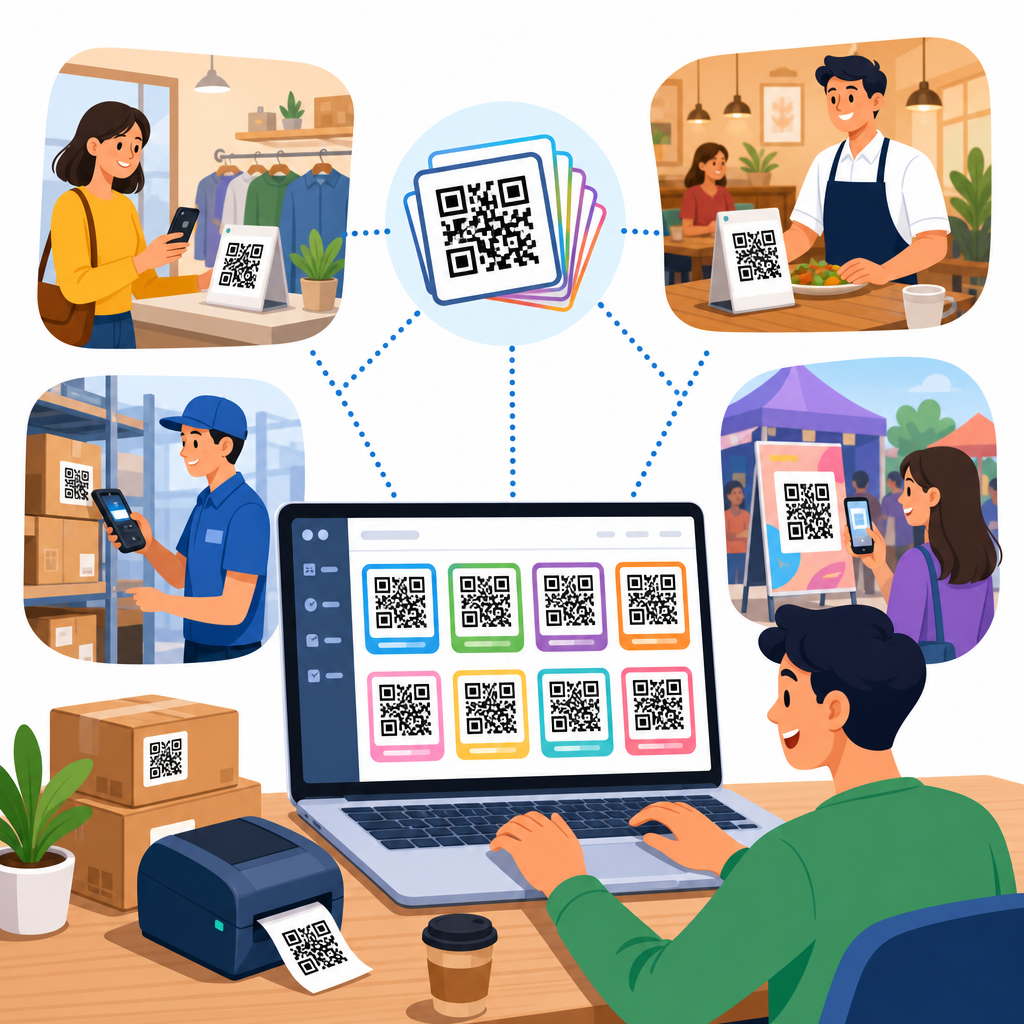
How businesses use bulk QR code generation has become a practical question, not a niche marketing topic, because companies now create hundreds or thousands of codes at once for packaging, print campaigns, event badges, inventory labels, menus, onboarding materials, and product authentication. Bulk QR code generation means producing many QR codes in a single workflow, usually from a spreadsheet, database export, or API, instead of building each code one by one. In my work with operations teams, the shift from manual creation to bulk workflows usually happens when a business realizes that scale introduces new risks: duplicate destinations, mislabeled assets, inconsistent design, broken tracking, and wasted print runs. A strong bulk QR code process solves those problems by combining automation, data structure, and quality control. It matters because QR codes now sit at the intersection of offline and digital customer journeys. One code can open a payment page, verify a product serial number, register a device, download an app, or reveal campaign attribution. When a business needs ten codes, manual creation is tolerable. When it needs ten thousand, process discipline becomes essential.
At a technical level, bulk QR code creation usually involves selecting the code type, preparing destination data, choosing static or dynamic behavior, applying branding rules, assigning naming conventions, and exporting print-ready files with scan-safe error correction. The best systems also connect each code to analytics, campaign metadata, and governance controls so teams know who created what, where it was deployed, and whether it still works. This article serves as a hub for bulk QR code creation within the broader QR Code Creation and Tools topic. It explains where businesses use bulk generation, how teams structure the workflow, what tools and standards matter, and which mistakes repeatedly cause expensive failures in the field.
Where businesses use bulk QR code generation
Businesses use bulk QR code generation anywhere a single template must be paired with many unique destinations or identifiers. Retail brands generate batches for product packaging, in-store shelf talkers, and regional promotions. Manufacturers create codes tied to serial numbers, warranty registration pages, assembly instructions, and traceability records. Hospitality groups use bulk creation for room guides, restaurant menus, guest feedback forms, and property-specific offers. Event organizers produce unique attendee badges, exhibitor pages, session check-ins, and lead capture links. Real estate teams assign codes to signage, flyers, and unit-level virtual tours. Healthcare and logistics organizations often use bulk QR code creation for specimen labels, chain-of-custody records, internal assets, and patient intake routing, though these use cases require tighter privacy controls.
The reason bulk generation is so useful is simple: businesses rarely need many copies of the same exact code. They need structured variation. A franchise may want one QR code design but a different landing page for each location. A university may need one orientation poster template but a separate code for every department. A direct mail campaign may use unique URLs per household or territory to measure response. I have seen distribution teams save days of manual work by generating location-specific QR codes directly from a CSV that contained store ID, campaign URL, file name, and print quantity. Done correctly, the result is not just faster production. It produces better reporting because every code can be tied to a known entity in the business system.
Static vs dynamic codes in bulk projects
One of the first decisions in any bulk QR code project is whether to use static or dynamic QR codes. Static codes embed the final destination directly in the code pattern. They are simple, permanent, and often cheaper, but they cannot be edited after printing. Dynamic codes point to a short redirect URL managed through a platform. That extra layer lets teams change the final destination later, pause a campaign, add UTM parameters, A/B test landing pages, and collect scan analytics. For business use, dynamic QR codes usually make more sense when codes will remain in the field for months, when multiple departments share ownership, or when compliance teams need revocation capability.
Static codes still have a place. If a manufacturer prints immutable links to public safety documentation, or an internal operations team labels warehouse locations that never change, static may be appropriate. But when I review failed bulk QR initiatives, the common pattern is using static codes for campaigns that were certain to evolve. A product launch page changes, regional inventory shifts, or the company rebrands the domain, and suddenly thousands of printed pieces point to the wrong destination. Dynamic codes reduce that risk. They do add dependency on platform uptime, redirect performance, and account governance, so businesses should confirm service reliability, export options, and ownership controls before committing.
How the bulk QR code workflow actually works
A reliable bulk QR code workflow starts with clean source data. Most teams use a spreadsheet with columns such as unique ID, destination URL, campaign name, file name, label text, design variant, and owner. If variable text will appear beside or beneath the code in print, that content should also be part of the dataset. The next step is validation: checking for malformed URLs, duplicate rows, empty fields, unauthorized domains, and naming conflicts. After validation, the team maps columns into the QR code generator, chooses output formats such as PNG, SVG, EPS, or PDF, sets size and error correction, and then renders the full batch. Mature teams generate a proof set before final export.
The operational discipline matters more than the software interface. A good naming scheme should make every asset traceable. For example, a file named retail-spring-2026-store-014-window-poster.svg tells production and analytics teams exactly what it is. I recommend maintaining a master register that records the QR code ID, destination, creation date, campaign owner, print deployment, and retirement status. This prevents the common problem of orphaned codes that still scan years later but no longer have a valid business purpose. For large deployments, API-based generation is often better than manual CSV upload because it can pull directly from a CRM, PIM, ERP, or event platform and reduce version drift between systems.
| Business use case | Typical data source | Best code type | Primary metric |
|---|---|---|---|
| Retail packaging | Product catalog or PIM | Dynamic | Scans per SKU |
| Event badges | Registration platform | Dynamic | Check-in completion rate |
| Warehouse labels | Inventory or WMS export | Static or dynamic | Scan accuracy and speed |
| Direct mail | CRM or mailing list | Dynamic | Response by segment |
| Restaurant menus | Location database | Dynamic | Menu opens by venue |
Design, print, and scanability standards
Bulk QR code creation fails most often at the physical production stage, not at generation. A code that looks sharp on a laptop can become unreadable when shrunk on packaging, printed on reflective material, or placed over a busy background. ISO/IEC 18004 defines the QR Code symbology, and practical print standards follow from it: maintain high contrast, keep a clean quiet zone around the code, avoid excessive logo intrusion, and test the smallest final printed size on the actual substrate. Vector formats such as SVG or EPS are usually best for professional printing because they scale without pixelation. Raster files are acceptable for digital use if exported at sufficient resolution.
Error correction settings matter in branded bulk projects. Higher error correction can improve resilience when a code includes a logo or may be exposed to wear, but it also increases symbol density, which can hurt scan performance at small sizes. There is no universal best setting. Consumer packaging, outdoor posters, and industrial labels each behave differently, so businesses should test under realistic lighting, distance, and device conditions. I advise clients to run scan tests on both iPhone and Android devices, using native camera apps and at least one older mid-range phone. If a code is critical to fulfillment or safety, test failure is not a design issue; it is an operational defect that should block production.
Tracking, analytics, and attribution at scale
The biggest strategic advantage of bulk QR code generation is measurable offline-to-online attribution. When each code is unique, businesses can connect scans to store locations, sales reps, territories, packaging versions, print placements, or customer segments. Dynamic QR code platforms commonly provide scan counts, timestamp data, approximate geolocation, device type, and referrer context. When paired with UTM parameters and web analytics tools such as Google Analytics 4, Adobe Analytics, or Matomo, companies can trace not only scans but downstream actions like purchases, signups, bookings, or form completion.
However, scan volume alone is a weak KPI. A high scan count from a poster may still produce poor business results if the landing page is slow, irrelevant, or not mobile optimized. The stronger approach is to define a metric hierarchy before generation begins. For example, a retailer might track scans, product page views, add-to-cart rate, and revenue per scan by SKU. An events team might track badge scans, lead qualification, meeting bookings, and pipeline value by exhibitor. This structure changes how the dataset is built because the QR code ID must tie back to business entities in CRM or BI systems. Without that join key, a bulk campaign creates activity data but not actionable insight.
Security, governance, and compliance considerations
Bulk QR code creation introduces governance issues that smaller campaigns can ignore. If many employees can generate codes freely, businesses eventually lose control over destination quality, domain consistency, and expiration rules. The safest model uses approved templates, whitelisted domains, role-based permissions, and change logs. Redirect management should be centralized so one team can disable malicious or outdated destinations. For regulated sectors, the QR code itself may not contain sensitive personal data; instead, it should reference a secure system that enforces authentication and access control.
Security also matters because users cannot visually inspect a QR code destination before scanning. That makes trust signals critical. Branded short domains, HTTPS, and consistent landing page design all reduce hesitation. If a company uses bulk QR codes on invoices, medicine packaging, or service notices, it should educate users on what the official domain looks like. I have also seen businesses overlook retention policies. Event check-in codes, one-time access codes, and temporary campaign redirects should have explicit sunset dates. If they remain active indefinitely, they create unnecessary risk and clutter reporting. Governance is not bureaucracy in this context. It is what keeps a scalable QR program reliable and safe.
Choosing tools for bulk QR code creation
The right tool depends on volume, integration needs, design requirements, and governance maturity. Simple online generators are acceptable for small batches, but business teams usually outgrow them quickly because they lack API access, audit trails, folder structure, branded domains, and robust analytics. Mid-market QR platforms often support CSV uploads, dynamic redirects, campaign dashboards, and file export options. Enterprise-grade tools add SSO, permissions, custom domains, API endpoints, webhooks, and administrative controls needed by distributed teams. Some organizations also build internal generation tools using libraries and URL shorteners when they need strict control over data residency or workflow logic.
When evaluating tools, ask practical questions. Can the platform generate thousands of codes without throttling? Does it support SVG and print-ready PDF export? Can it append standardized UTM parameters automatically? How are redirects hosted, and what is the uptime history? Can you export all destination mappings if you change vendors? Does the analytics data integrate with your BI stack? For teams comparing options, the best choice is rarely the one with the most styling features. It is the one that preserves operational control from creation through retirement. Bulk QR code creation is not just about making symbols. It is about managing a long-lived asset library that connects physical media to measurable digital outcomes.
Businesses that treat bulk QR code generation as a governed workflow consistently outperform those that treat it as a design task. The essential lessons are clear: use structured data, choose dynamic codes when destinations may change, validate every record before export, test scanability in real conditions, and connect every code to analytics and ownership metadata. Bulk creation is valuable because it makes scale manageable. A company can launch thousands of localized, trackable, brand-consistent QR codes without introducing chaos, but only if the process is disciplined from the start.
As the hub for bulk QR code creation, this guide should anchor your next steps. From here, drill into platform selection, CSV preparation, dynamic redirect strategy, print testing, and analytics setup for specific implementations. If your team is still creating codes one by one, start by documenting one repeatable batch workflow and building a master register. That single change usually delivers faster production, fewer errors, and better attribution almost immediately.
Frequently Asked Questions
What is bulk QR code generation, and why do businesses use it instead of creating codes one at a time?
Bulk QR code generation is the process of creating many QR codes in one organized workflow rather than designing each code individually. In practice, a business usually starts with a spreadsheet, CSV file, database export, or API feed that contains the destination for each code, such as a URL, serial number, product ID, vCard, PDF link, menu page, ticket record, or onboarding asset. The system then produces hundreds or thousands of unique QR codes at once, often with matching filenames, labels, tracking parameters, or design settings. That matters because most business use cases are not one-off. Packaging teams may need a different code for every SKU, campaign managers may need codes segmented by region or channel, event organizers may need unique codes for every attendee badge, and operations teams may need labels tied to inventory records.
Companies choose bulk generation because it saves time, reduces manual errors, and makes large deployments manageable. If a team tries to create codes one by one, inconsistencies quickly appear: wrong links, duplicate codes, bad naming conventions, missing records, and slow approval cycles. Bulk workflows are easier to audit because the input data and output files can be checked systematically. They are also easier to scale. A business that starts with 200 labels this month may need 20,000 next quarter, and the right workflow handles both without rebuilding the process from scratch. In that sense, bulk QR code generation is less about novelty and more about operational efficiency, quality control, and repeatability.
How do businesses typically use bulk QR code generation across packaging, print, events, and operations?
Businesses use bulk QR code generation anywhere they need a large number of scannable links tied to specific records, products, locations, or user journeys. On packaging, brands often assign QR codes to product pages, instructions, warranty registration, authenticity checks, localized content, or batch-level traceability. In print campaigns, marketers generate separate codes for different flyers, stores, mailers, billboards, or publication placements so they can measure response by source. For events, organizers commonly create unique QR codes for attendee check-in, session access, lead retrieval, digital agendas, networking profiles, and booth interactions. In restaurants and hospitality, bulk-created codes can connect tables, rooms, or properties to menus, service requests, feedback forms, and guest guides.
Operational use cases are just as important, and often less visible to the public. Inventory teams place QR codes on bins, shelves, pallets, assets, and returnable equipment to support scanning workflows. HR and training teams use them in onboarding packets, safety manuals, facility signage, and employee handbooks. Manufacturers may apply unique codes to components, work orders, or serialized products so teams can retrieve documentation instantly. Schools, healthcare providers, and field service organizations also use bulk generation to connect physical items with digital records at scale. The common thread is simple: when every physical object, document, badge, or location needs its own digital entry point, bulk QR code generation becomes the practical way to implement that system without overwhelming staff.
What data and systems are needed to create bulk QR codes efficiently?
The foundation of an efficient bulk QR code workflow is clean structured data. Most businesses begin with a spreadsheet or exported file containing one row per QR code and columns for the destination content, item name, identifier, campaign code, design variation, and any metadata needed for tracking. For example, a packaging project might include SKU, product name, market, landing page URL, and serial range. An event project might include attendee ID, name, ticket type, session access level, and badge number. The cleaner and more standardized this source data is, the smoother the QR generation process will be. Good naming conventions, validated URLs, and consistent column formatting make a major difference.
On the systems side, businesses usually rely on one of three approaches: spreadsheet uploads into a QR platform, database-driven generation, or API-based automation. Spreadsheet uploads are common for marketing and operations teams because they are simple to review and easy to hand off. Database-driven workflows work well when codes are tied to live systems such as inventory management, CRM, ticketing, or product catalogs. API-based generation is often the most scalable option because it allows QR creation to be triggered automatically from business software. Many companies also connect the output to print systems, label printers, design templates, or asset management tools. The goal is not just to generate images, but to create a controlled process where source data, QR output, destination links, and deployment files all stay aligned.
What are the biggest mistakes businesses should avoid when generating QR codes in bulk?
The most common mistake is treating bulk QR code generation as a design task instead of a data and process task. When teams focus only on how the codes look, they often overlook link validation, record matching, naming logic, and testing. A single spreadsheet error can produce hundreds of incorrect QR codes, which is why validation steps matter so much. Another frequent mistake is failing to decide early whether the business needs static or dynamic QR codes. Static codes point directly to fixed content and are harder to update after printing. Dynamic codes route through a managed short link or redirect service, allowing businesses to change destinations later, collect analytics, or disable compromised links if necessary. The right choice depends on the use case, but making the wrong one can create expensive rework.
Other major problems include weak print testing, poor scan reliability, and missing governance. Codes may fail if they are printed too small, placed on curved or reflective surfaces, crowded by design elements, or assigned colors with insufficient contrast. Businesses also run into trouble when they do not track which code belongs to which item or location after deployment. If there is no audit trail, troubleshooting becomes difficult. Security is another overlooked issue. Sensitive workflows such as authentication, access control, or internal operations should not rely on unmanaged destinations or loosely controlled files. Strong bulk implementations include test scans, sample print checks, ownership of the source dataset, clear version control, and a deployment checklist so teams know exactly what was generated, where it was used, and how it can be updated later.
How can businesses measure the success of a bulk QR code strategy over time?
Success should be measured against the business purpose behind the codes, not just scan volume. For a marketing campaign, useful metrics might include scans by channel, geography, store, print placement, conversion rate, lead submissions, coupon redemptions, or assisted revenue. For packaging, teams may look at product engagement, warranty registrations, repeat visits, support deflection, or authenticated scans. Event teams often measure check-in speed, attendance by session, booth engagement, and post-event follow-up activity. Operations teams may track labor savings, fewer manual entry errors, faster asset retrieval, improved inventory accuracy, or reduced training friction. In other words, the QR code is rarely the final goal. It is the bridge to a business outcome.
Over time, mature teams also evaluate process quality and scalability. They review whether bulk creation reduced production time, whether print and deployment error rates declined, whether code ownership is clear, and whether updates can be made without starting over. Segmenting performance is especially valuable. If one market, package type, or print format consistently performs better, the business can refine future campaigns and operational rollouts based on actual evidence. It is also wise to monitor long-term reliability: destination uptime, redirect integrity, scan success across devices, and the usefulness of analytics data. The strongest bulk QR code strategies combine operational discipline with measurement, so businesses do not just generate thousands of codes efficiently, they learn from them and improve every cycle after that.





