
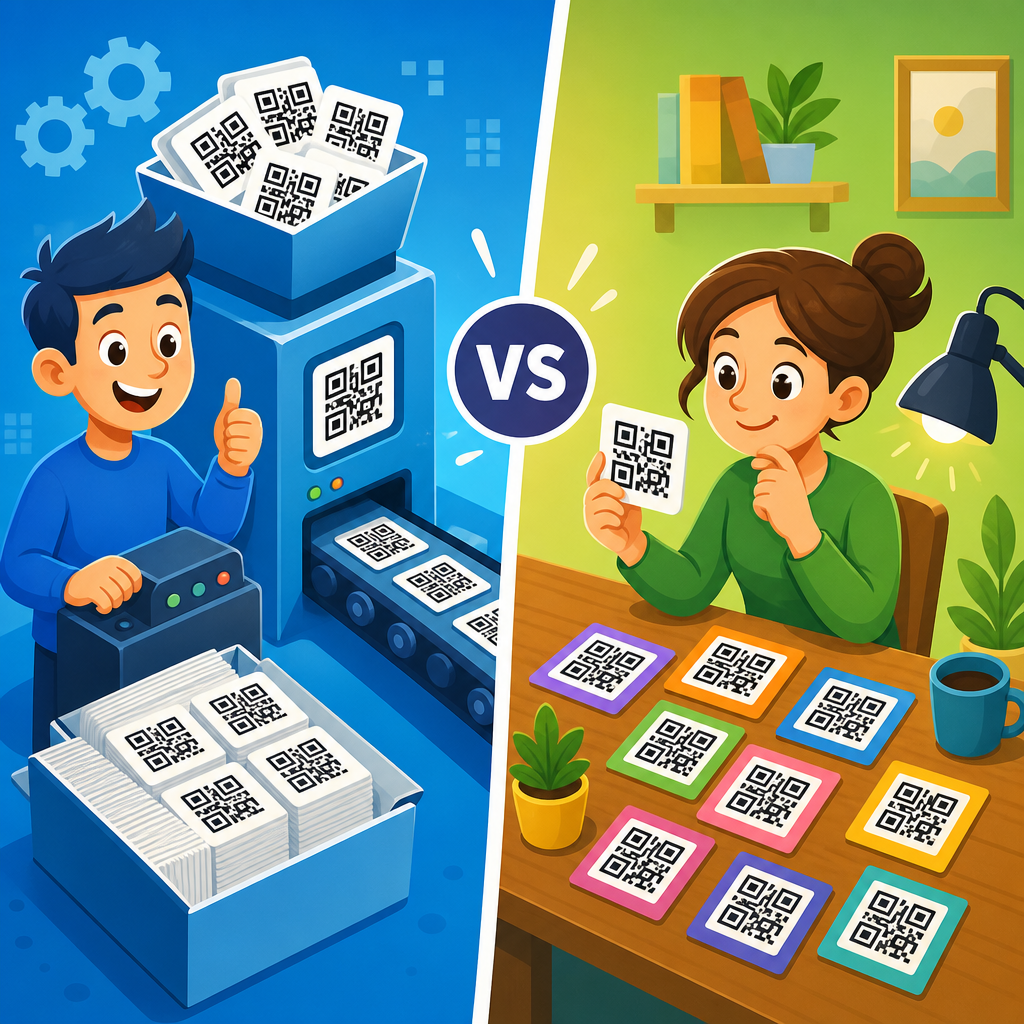
Bulk QR codes and individual QR codes solve the same basic problem—connecting an offline scan to digital content—but they differ radically in scale, workflow, governance, and business value. A QR code is a machine-readable matrix barcode that stores a URL, text string, contact data, or another payload; “individual” creation means generating one code at a time, while “bulk QR code creation” means producing many codes at once from a spreadsheet, database, or automated system. That distinction matters because the moment a team moves beyond a handful of labels, menus, flyers, or product tags, manual creation becomes slow, error-prone, and difficult to audit. I have seen this transition happen with retailers rolling out shelf tags, manufacturers labeling serialized parts, event teams issuing attendee badges, and franchise groups updating hundreds of location-specific promotions.
For readers evaluating QR code creation tools, this comparison is the practical starting point. The right method affects production speed, branding consistency, analytics quality, print readiness, and compliance with internal controls. A local cafe printing one menu QR code does not need the same process as a logistics company generating 50,000 package labels with unique destination links. Yet many teams choose tools based only on price or template design, then discover hidden issues: duplicate destinations, broken download filenames, unreadable print margins, poor redirect governance, or no way to regenerate a damaged batch. Understanding the tradeoffs between bulk QR codes and individual QR codes helps you choose software, plan campaigns, and build a repeatable system that scales.
This article serves as a hub for the broader bulk QR code creation topic. It explains when bulk generation is the better option, where single-code workflows remain sensible, which technical decisions matter most, and how to structure a dependable process from source data to printed output. If you need to generate QR codes in bulk for products, assets, classrooms, direct mail, tickets, or multi-location marketing, the sections below answer the questions decision-makers usually ask before they commit to a platform or workflow.
What bulk QR code creation means in practice
Bulk QR code creation is the process of generating many QR codes in one operation, usually by importing structured data such as CSV rows, spreadsheet columns, CRM exports, or product database records. Each row becomes a unique code, or in some campaigns each row maps to a repeated template with variable fields such as store number, campaign code, serial ID, UTM parameters, or coupon value. In the tools I trust, the workflow starts with field mapping, validation rules, output format selection, and naming conventions before any files are rendered. That front-end discipline is what separates a clean batch from a chaotic folder full of unlabeled PNGs.
Individual QR code creation, by contrast, is a manual workflow. A user enters one destination, selects static or dynamic behavior, applies design settings, downloads the code, then repeats. For one or five assets, that can be faster than preparing a spreadsheet. For 500 assets, it becomes operational debt. Every repeated click creates opportunities for inconsistency: one code uses HTTPS, another does not; one has a tracking parameter, another is missing it; one exports as SVG, another as low-resolution JPG. These small mismatches compound when files go to design, print, fulfillment, or external vendors.
The strongest bulk systems also support dynamic QR codes, where the printed code points to a short redirect URL that can later be updated without reprinting the physical asset. That is especially useful for packaging, real estate signage, event badges, restaurant table tents, and classroom handouts. Static QR codes still have a place, especially for permanent data like Wi-Fi credentials or plain text, but dynamic codes are usually superior for campaigns, analytics, and post-print corrections. If your organization expects any change after production, bulk dynamic generation is typically the safer choice.
When individual QR codes are the better fit
Individual QR codes are still the right answer in several common scenarios. First, they work well for one-off assets with stable destinations, such as a single brochure, business card, storefront poster, PDF download, or menu. The setup time for a bulk file would be unnecessary overhead. Second, they suit early testing. If you are validating whether customers will scan a code on tabletop signage, generate one code, measure the result, and only then build a larger program. Third, they are appropriate when the design treatment matters more than volume, such as custom branded marketing collateral where a designer is fine-tuning contrast, padding, and logo placement by hand.
I also recommend individual generation for users who lack clean source data. Bulk tools are efficient only when the underlying spreadsheet is reliable. If product SKUs are inconsistent, store IDs are missing, or destination URLs have not been approved, a mass run can multiply bad data at speed. In those cases, create a small number of individual codes until the dataset is standardized. Another good use case is executive or legal review. When stakeholders need to inspect the exact encoded destination before authorizing a campaign, a handful of manually generated examples make sign-off easier.
The limitation is not capability but scalability. Teams often begin with individual creation because it feels simple, then quietly build a library of dozens or hundreds of unrelated codes with no central taxonomy. At that point, searchability, version control, and accountability suffer. If you already have a shared folder named “final-final-qr-new,” you have crossed the point where a bulk workflow and a governance structure would save time and reduce risk.
Where bulk QR codes deliver the biggest operational advantage
Bulk QR code creation becomes compelling when scale, variation, and repeatability intersect. Retail is a clear example. A chain with 800 locations may need the same campaign artwork but different landing pages by region, inventory state, or franchise owner. Bulk generation lets the marketing team keep the visual system consistent while personalizing destinations through spreadsheet fields. Manufacturing is another strong use case. Serialized QR codes on equipment, spare parts, or warranty cards can point each item to a unique support page, service log, or registration record. Education teams use bulk codes for student IDs, library assets, lab stations, and classroom resource packs. Event organizers generate attendee badges, exhibitor pages, session check-ins, and seat-level access codes from registration data.
The operational gain is not only speed. It is control. A mature bulk workflow enforces naming conventions, data schemas, file formats, output dimensions, and destination patterns. It enables QA before printing and batch replacement if a redirect changes. It supports analytics at scale, allowing campaign managers to compare scan volume by geography, product line, or cohort. This is difficult to replicate when each code is created manually in isolation.
| Factor | Individual QR Codes | Bulk QR Codes |
|---|---|---|
| Best volume | 1 to 10 codes | Dozens to millions |
| Setup time | Low for small jobs | Higher upfront, far lower per code |
| Consistency | Depends on user discipline | Standardized through templates and field mapping |
| Error risk | Higher as volume grows | Lower with validation, higher if source data is bad |
| Analytics | Simple but fragmented | Centralized and easier to segment |
| Typical use cases | Menus, posters, cards | Packaging, inventory, tickets, direct mail, multi-location campaigns |
Cost analysis also favors bulk generation once volume increases. Even if a platform charges more for batch features, the labor savings are real. Ten minutes per manually created and checked code becomes more than 80 hours at 500 codes. That estimate excludes rework, broken links, and design handoff friction. When organizations compare software prices without valuing staff time and print risk, they understate the total cost of the individual approach.
Technical decisions that determine success
The most important technical choice is static versus dynamic architecture. Static QR codes encode the final destination directly and cannot be changed after printing. Dynamic QR codes encode a redirect controlled from a platform, so the destination can be edited later. For bulk deployments, dynamic codes are usually the default because they protect against changed URLs, expired promotions, and typo corrections. They also support scan analytics, often including timestamp, device type, approximate location, and campaign grouping. However, they depend on the provider’s infrastructure, so platform reliability, redirect speed, and export ownership matter.
File format is next. SVG, EPS, and PDF are preferred for print because they preserve crisp edges at any size. PNG can work for digital placement or small print jobs if resolution is high enough, but low-resolution raster files often produce soft edges that reduce scan performance. Error correction level matters too. QR codes include Reed-Solomon error correction, commonly available at L, M, Q, and H levels. Higher correction helps when codes may be scratched or partially obscured, but it also increases density. Dense codes become harder to scan when printed very small, especially if the payload is long. In practice, shorter dynamic URLs and sensible branding outperform overstuffed static payloads.
Then there is print discipline. The quiet zone, the empty margin around the code, must be preserved. Contrast should remain high, ideally dark modules on a light background. Inverted codes can work in some cases, but they are less dependable across lower-end camera systems. Logos should not cover too much of the central area unless testing confirms scannability. I advise teams to test with both iPhone and Android devices, under bright and dim conditions, at the final physical size, on the final material stock. A code that scans on a desktop monitor may fail on corrugated packaging or glossy acrylic signage.
How to choose a bulk QR code generator or platform
When selecting a bulk QR code generator, start with data handling. The tool should accept CSV or spreadsheet imports, support unique variable fields, validate URLs, and flag duplicates before rendering. Batch naming rules are essential. If exports are not tied to a source row, downstream teams will struggle to place the right file on the right asset. Good platforms also allow folders, tags, campaigns, user roles, and audit logs, which matter for organizations with multiple departments or external agencies.
Next, evaluate output and integration. Can the platform export SVG and PDF in addition to PNG? Does it provide an API for automated QR code generation from your CRM, ERP, PIM, or ticketing system? Can it append UTM parameters systematically? Does it support dynamic redirects, expiration controls, password protection, or geolocation rules where needed? For enterprise deployments, SSO, role-based access, and retention policies may be as important as the codes themselves.
Analytics depth deserves careful scrutiny. Some tools count scans but do little else. Stronger platforms break down scans by time, device, region, and campaign source, and they let you export raw data for BI tools. If your use case is packaging, support, field service, or inventory, you may care more about event logging and record linkage than marketing dashboards. In those situations, the best platform is the one that connects scans back to the exact asset, user, or item ID. Practical evaluation always beats feature-list shopping: run a pilot batch, print samples, test redirects, and review the export structure before you commit.
Best practices for managing bulk QR code projects
The most successful bulk QR code projects begin with a controlled source file. Every row should represent one intended output, with locked column names, validated URLs, approved identifiers, and a clear owner. I prefer a simple schema: item ID, destination URL, campaign name, file name, output size, and notes. If variable landing pages are involved, build and approve the destination logic first. Do not ask a QR platform to compensate for an ungoverned web process.
Quality assurance should happen in layers. First, validate the data file for blanks, duplicates, malformed URLs, and inconsistent tracking parameters. Second, generate a small sample batch and scan every code. Third, test on final materials at production size. Fourth, archive the source file, export package, and approval record together. This audit trail matters when a vendor prints the wrong revision or a redirect changes months later. In my experience, the teams with the fewest scan failures are not the ones with the fanciest designs; they are the ones with the best batch discipline.
Finally, think beyond generation. Bulk QR codes are part of a lifecycle that includes deployment, monitoring, maintenance, and retirement. Establish who owns redirects, who can edit destinations, how expired campaigns are handled, and what happens if a domain changes. For long-lived assets such as packaging or equipment labels, choose stable redirect domains and document them. For short-term campaigns, set end dates and archive policies. A QR code program is reliable only when the operational process around it is reliable too.
Bulk QR codes outperform individual QR codes whenever an organization needs scale, consistency, traceability, or personalization. Individual creation remains useful for simple one-off assets, creative testing, and very small deployments, but it breaks down quickly as volume rises. The core decision is less about the barcode itself and more about workflow maturity: data quality, dynamic redirect strategy, export requirements, print constraints, analytics needs, and governance. Teams that treat QR codes as a managed system—not a series of isolated downloads—save time, reduce errors, and gain better measurement.
As a hub topic within QR code creation and tools, bulk QR code creation connects directly to related decisions: static versus dynamic codes, QR code design rules, print testing, API automation, CSV imports, campaign tracking, and enterprise access control. If you are planning product labels, direct mail, event credentials, multi-location marketing, or serialized asset tracking, bulk generation should be your default evaluation path. It gives you repeatability without sacrificing flexibility, especially when paired with dynamic redirects and disciplined source data.
The practical next step is simple: map your use case, estimate code volume for the next twelve months, and run a pilot batch with real data before choosing a platform. Test scans on final materials, verify analytics, and confirm that your team can manage redirects after launch. That small upfront effort will tell you whether individual QR codes are enough or whether a bulk QR code workflow will deliver the control and scale your program actually needs.
Frequently Asked Questions
What is the main difference between bulk QR codes and individual QR codes?
The core difference is scale and process. Individual QR codes are created one at a time, usually for a single destination such as a website, PDF, app download page, contact card, coupon, or product page. That approach works well when you only need a small number of codes and each one can be handled manually. Bulk QR codes, by contrast, are generated in batches from structured data such as a spreadsheet, CSV file, product database, inventory system, CRM, or other automated source. Instead of designing and exporting each code separately, you map fields, define rules, and create dozens, hundreds, or even millions of unique QR codes in one workflow.
That distinction affects much more than convenience. Bulk generation changes how teams manage naming conventions, quality control, print production, analytics, permissions, and updates across large campaigns or product catalogs. If a retailer needs unique QR codes for every package variation, store location, or promotional item, individual creation becomes slow, error-prone, and difficult to audit. Bulk creation introduces consistency and operational control. In short, individual QR codes are best for simple, low-volume use cases, while bulk QR codes are built for repeatable, high-volume programs where speed, accuracy, and governance matter.
When should a business choose bulk QR code generation instead of creating codes individually?
A business should choose bulk QR code generation when the number of QR codes is high enough that manual creation would waste time, increase errors, or make ongoing management difficult. Common examples include product packaging, event badges, direct mail campaigns, restaurant table markers, real estate signage, equipment labels, classroom materials, franchise marketing, and any situation where each item needs its own destination, identifier, or tracking logic. If a team finds itself copying and pasting URLs repeatedly, manually renaming files, or trying to keep hundreds of QR code assets organized across folders and departments, that is usually a strong signal that bulk generation is the better workflow.
Bulk generation is also the better choice when personalization or segmentation is important. For example, a company might want unique QR codes by sales region, distributor, customer segment, or print run so it can measure performance more precisely. It becomes even more valuable when QR codes are tied to business systems, such as creating one code per SKU, per serial number, or per customer record. Individual creation still makes sense for one-off needs, prototypes, internal tests, or small campaigns where only a handful of codes are needed. But once operational complexity grows, bulk generation moves from a nice-to-have to a practical necessity because it improves throughput, standardization, and data integrity.
Are bulk QR codes better for tracking, analytics, and campaign management?
In most high-volume scenarios, yes. Bulk QR codes are typically much better for tracking and campaign management because they allow each printed or distributed asset to have its own unique code. That means scans can be analyzed at a far more granular level. Instead of seeing only total traffic to a single destination, businesses can compare performance by product, package design, geographic region, store, sales rep, customer cohort, mailing list segment, or time period. This level of detail is especially useful for testing, attribution, and operational reporting because it helps identify exactly which assets are driving engagement and which are underperforming.
Bulk workflows also make campaign management more scalable. Teams can assign metadata during creation, use consistent naming rules, and connect each QR code to source data from spreadsheets or enterprise systems. That structure is difficult to maintain when codes are created one by one. However, “better” does not mean bulk is always necessary. If a local business only needs one QR code on a poster linking to a menu or booking page, individual creation can still provide perfectly adequate tracking. The advantage of bulk appears when analytics need to be separated across many touchpoints rather than blended into one shared result. In that sense, bulk QR codes do not just create more codes—they create a more measurable and manageable marketing and operations framework.
Do bulk QR codes create more risk around errors, branding, or governance?
They can, but only if the process is poorly managed. Because bulk QR code generation operates at scale, a single mistake in the source data or template can affect an entire batch. For example, an incorrect URL pattern, a broken variable, inconsistent naming, or the wrong design setting can propagate across hundreds or thousands of QR codes very quickly. That is why governance matters more in bulk environments than in one-off creation. Businesses should validate input data, test a sample batch before full production, confirm scan reliability across devices, and maintain clear approval workflows for who can upload data, generate assets, and publish campaigns.
At the same time, bulk systems often improve governance when compared with ad hoc individual creation. A strong bulk process can enforce brand standards, error checks, file naming conventions, destination rules, and role-based permissions in a way that manual creation cannot. It also makes audits easier because the QR codes are tied to a structured dataset rather than scattered across disconnected projects. The real issue is not that bulk QR codes are inherently riskier; it is that they require more disciplined setup. When organizations implement templates, validation rules, preview steps, and ownership controls, bulk creation typically produces more consistency and less operational chaos than creating large numbers of QR codes individually.
Can individual and bulk QR codes be used together in the same business strategy?
Absolutely. In fact, many organizations get the best results by using both. Individual QR codes are ideal for low-volume, fast-turnaround needs such as a single event poster, a presentation slide, a storefront sign, a business card, or a temporary promotion. They allow marketers, sales teams, educators, and small business owners to move quickly without setting up a full batch workflow. Bulk QR codes, meanwhile, are better suited to structured, repeatable programs such as packaging runs, multi-location campaigns, product catalogs, field operations, or customer-specific experiences generated from data.
Using both approaches together lets a business match the method to the use case. For example, a manufacturer may generate bulk QR codes for every product unit or SKU while still creating individual QR codes for trade show materials and sales presentations. A restaurant chain may use bulk codes for table-level ordering and store-specific promotions, but individual codes for one-off recruiting posters. The key is to decide based on volume, complexity, required tracking detail, and operational control. Bulk and individual QR codes are not competing technologies so much as different production models for the same tool. A smart strategy recognizes that one supports scalability and systemization, while the other supports speed and flexibility.





