
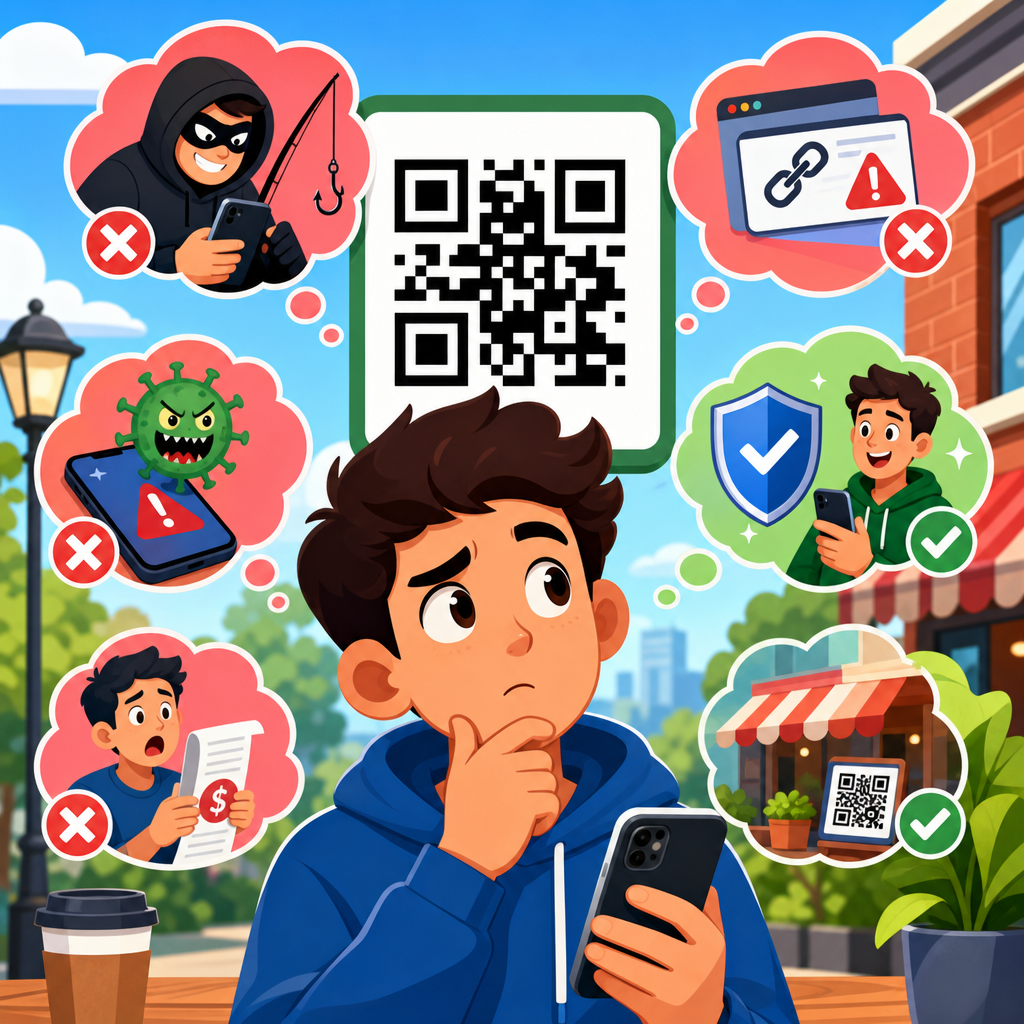
QR codes are everywhere, yet many people still ask the same question: are QR codes safe? The short answer is yes, QR codes themselves are generally safe, but what they link to, how they are deployed, and how users interact with them determine the real security and privacy risk. A QR code, or Quick Response code, is simply a two-dimensional barcode that stores data such as a website address, Wi-Fi credential, payment payload, contact card, app link, or device command. The black-and-white square is not malicious on its own. Risk enters when attackers hide harmful destinations behind a code, replace legitimate codes with fraudulent ones, or collect more user data than the scanner expects.
I have worked on QR code rollouts for retail, events, restaurant ordering, and mobile payments, and the same misconceptions come up in almost every project. Some teams assume QR codes are inherently dangerous because users cannot read them visually. Others assume they are completely harmless because they are just images. Both views are incomplete. QR code safety sits at the intersection of mobile security, phishing prevention, browser protections, physical tampering controls, and privacy design. If you understand those layers, you can use QR codes confidently without treating every scan like a gamble.
This matters because adoption keeps expanding. Restaurants use dynamic menu links, manufacturers print support pages on packaging, logistics teams track assets, and payment providers rely on scan-to-pay flows. At the same time, criminals use “quishing,” or QR phishing, to route people to fake login screens, malicious payment pages, and credential theft forms. Security teams now treat QR campaigns the same way they treat email links: useful, efficient, and absolutely worth validating. For businesses building a QR Code Security & Privacy content hub, this topic is foundational because every detailed question about payment fraud, tamper detection, scan analytics, or private data collection starts with a clear understanding of basic QR code safety.
To answer “Are QR codes safe?” comprehensively, you need to separate myth from mechanism. The code image does not execute malware by itself in normal use. Phones usually display a preview, open the system browser, and apply the same web defenses used for ordinary links. However, a QR code can still initiate risky actions if it points to a phishing page, triggers an app deep link, starts a file download, or encodes a command that the user accepts without review. Safety therefore depends on source trust, destination verification, device hygiene, and business implementation choices. The rest of this guide covers the most common misconceptions, what really creates risk, and the practical controls that make QR code use meaningfully safer for both individuals and organizations.
Misconception 1: QR codes are dangerous by nature
The most common misunderstanding is that QR codes are inherently unsafe because they hide information from human eyes. In reality, a QR code is a carrier format, not an attack by itself. It stores machine-readable data. That data might be a harmless URL to a product manual, a vCard for contact sharing, or a payment request using a standardized format. The danger comes from the same place it does with shortened links, NFC tags, or email buttons: the destination and the requested action.
When I assess a QR deployment, I treat the code like a door label, not the room behind it. A malicious website remains malicious whether a user reaches it through an email, text message, social post, or QR scan. Modern smartphone operating systems add friction that reduces immediate risk. On iPhone and Android, the camera usually shows the domain before opening it. Browsers such as Chrome, Safari, and Firefox then apply Safe Browsing or similar reputation checks, certificate validation, and anti-phishing controls. Those protections are not perfect, but they show that the security model is broader than the code image itself.
This distinction matters for policy. If a company bans QR codes but still allows unchecked short links in email, it has not solved the actual problem. Better policy focuses on destination review, domain governance, content integrity, and user training. QR codes can be used safely at scale when those controls are in place.
Misconception 2: A scan can instantly infect your phone
Many users think that merely pointing a camera at a QR code can install malware automatically. In standard consumer scanning flows, that is not how it works. A camera app decodes the data and presents an action prompt. The user then taps to open a website, join a network, add a contact, launch an app, or complete another task. In most cases, there is at least one additional step between scan and consequence.
That said, the risk is not imaginary. If the code opens a phishing page that mimics Microsoft 365, Google Workspace, or a bank portal, a rushed user can still hand over credentials. If it initiates a file download and the user approves installation from an untrusted source, compromise becomes possible. On managed enterprise devices, mobile threat defense tools such as Microsoft Defender for Endpoint, Lookout, or Zimperium can inspect risky destinations and block known malicious domains. On personal devices, prompt discipline matters more: read the preview, inspect the domain, and close the page if anything looks off.
The practical takeaway is simple. A QR code usually does not “hack” a phone by being scanned. Harm typically requires a follow-on action, and that action can often be interrupted by platform safeguards or user verification. Teaching that nuance helps people stay alert without becoming needlessly fearful.
Misconception 3: Static codes and dynamic codes have the same risk profile
Not all QR codes create the same operational security picture. Static QR codes embed a fixed destination directly in the code. Dynamic QR codes usually point to a short managed URL that redirects to a destination controlled through a platform. From a marketing standpoint, dynamic codes are valuable because they support editable destinations, analytics, campaign segmentation, and expiration rules. From a security standpoint, they introduce both benefits and tradeoffs.
A static code cannot be changed after printing, which limits backend abuse but makes remediation hard if the destination changes or the page is compromised. A dynamic code can be updated instantly, allowing rapid response if a linked page fails a security review, if a domain needs replacing, or if a campaign ends. I have used dynamic systems to rotate destinations during incident response in minutes rather than waiting for physical reprints. That is a real safety advantage.
However, dynamic platforms also centralize trust. If access control is weak, a compromised account can silently redirect users to a malicious page. Businesses should therefore use role-based access, multifactor authentication, audit logs, branded domains, and approval workflows for destination changes. Dynamic does not automatically mean less safe or more safe; it means the security model shifts from print permanence to platform governance.
Where QR code risk actually comes from
The real risks are concrete and predictable. First, attackers can replace a legitimate code with a sticker that points somewhere else. This happens on parking meters, restaurant tables, public posters, and event signage because physical surfaces are easy to tamper with and users are often in a hurry. Second, attackers can send QR codes through email or PDFs to bypass link skepticism. People who would hesitate before clicking a suspicious email link may scan a code on a laptop screen without applying the same caution. Third, businesses can create privacy issues by collecting excessive scan analytics, combining location data with device identifiers, or routing users through trackers without clear disclosure.
These risks are manageable when named directly. Organizations should inspect public signage, use tamper-evident labels when replacement is possible, host QR destinations on recognizable domains, and avoid unnecessary redirects. Users should prefer codes from trusted contexts, such as product packaging, official counters, authenticated invoices, or verified brand materials. If the linked page asks for login credentials, card details, or app installation, that is a cue to slow down and verify the source independently.
| Scenario | Main Risk | Safer Practice |
|---|---|---|
| Restaurant table QR menu | Sticker replacement to a fake payment page | Check for tampering and confirm the domain matches the restaurant brand |
| Email with a QR code for account verification | Credential phishing that bypasses link scrutiny | Open the account directly in the official app or typed URL instead of scanning |
| Parking meter payment code | Fraudulent payment collection | Use the city’s official app or inspect signage for matching branding and URL |
| Event badge QR scan | Excessive data capture and attendee tracking | Review consent language and provide only necessary information |
| Dynamic marketing campaign code | Unauthorized redirect changes in the platform | Use MFA, audit logs, role-based permissions, and a branded short domain |
Misconception 4: If the page uses HTTPS, the QR code is safe
HTTPS is necessary, but it is not enough. A padlock means the connection between the device and the site is encrypted and that the certificate matches the domain presented by the browser. It does not mean the organization behind the site is legitimate, the content is trustworthy, or the request is appropriate. Criminals routinely deploy phishing sites with valid TLS certificates because domain-validated certificates are inexpensive and automated through services such as Let’s Encrypt.
When evaluating QR code safety, the better question is not “Does it have HTTPS?” but “Is this the exact domain I expected, and does the requested action make sense in context?” A fake payment page on pay-citymeter-example.com can still have HTTPS. A cloned login screen on micros0ft-support-login.com can still have HTTPS. Users need domain awareness, not just padlock awareness.
Businesses can help by using short, memorable branded domains and minimizing redirect chains. The best QR experiences make the destination obviously official before any sensitive step occurs.
Misconception 5: QR code safety is only a consumer issue
Enterprises face substantial QR code risk too. I have seen internal posters linking employees to onboarding forms, building maps, wireless onboarding instructions, and HR resources. Those uses are efficient, but they also create a social engineering channel. An attacker who places a fraudulent code in an office lobby can send staff to a fake single sign-on page or a malware download portal disguised as a device update. Hybrid work has increased this risk because people are used to scanning codes from conference signage, coworking spaces, and vendor booths.
Security teams should include QR scenarios in phishing simulations, mobile device policies, and physical security walkthroughs. Facilities and communications teams should know who owns each posted code, what domain it should resolve to, and how often materials are inspected. In regulated environments, privacy review also matters. A QR code on an employee health form or visitor registration page can expose sensitive data flows if not designed carefully. QR safety is therefore not just a consumer awareness topic; it is part of enterprise attack surface management.
How to use QR codes safely in practice
For individuals, safe scanning habits are straightforward. Scan only from sources you trust. Preview the link and look closely at the domain, especially before entering credentials or payment information. Prefer the official app or a manually typed URL for banking, account recovery, tax documents, or invoices. Keep your phone updated so browser, certificate, and reputation protections are current. If the code requests unusual permissions, starts a download, or creates urgency, stop and verify through another channel.
For businesses, safe deployment starts earlier, at design time. Use a branded domain, publish a clear ownership inventory, and decide whether static or dynamic codes fit the use case. Limit redirects. Protect the management console with MFA and least-privilege access. Review where codes are physically placed and how tampering will be detected. If collecting analytics, disclose what is gathered, set retention limits, and avoid combining scan data with personal identifiers unless there is a legitimate and documented purpose. These measures reduce both security incidents and privacy complaints.
A useful internal rule is this: if a QR code leads to payment, login, software download, or personal data submission, it deserves the same review standard as any other high-risk link. Teams that apply that rule consistently avoid most preventable failures.
Conclusion: QR codes are safe when trust is designed, not assumed
Common misconceptions about QR code safety usually come from treating the symbol as either harmless decoration or automatic danger. The truth is more practical. QR codes are generally safe as a delivery mechanism, but they can lead users into the same threats found across the web: phishing, fraud, malware, data overcollection, and impersonation. The image is not the core issue. Destination trust, platform controls, physical integrity, and user verification are.
If you remember one principle, make it this: a QR code deserves the same scrutiny as any clickable link, with extra attention to source and context because the destination is not visible until after the scan. For organizations, the best protection comes from recognizable domains, secure redirect management, inspection of public materials, and privacy-conscious analytics. For users, the best protection comes from pausing before action, reading the preview, and using official channels when a request involves money, passwords, or sensitive information.
As the hub for “Are QR Codes Safe?” within QR Code Security & Privacy, this page establishes the baseline: QR codes are not inherently unsafe, but they are not automatically trustworthy either. Build trust into the deployment, verify before you act, and review every scan path like any other digital entry point. If you manage or rely on QR codes, start by auditing where your codes point, how they are governed, and what data they collect.
Frequently Asked Questions
Are QR codes themselves dangerous, or is the risk in what they link to?
One of the most common misconceptions is that a QR code is inherently malicious. In reality, a QR code is simply a machine-readable way to store information, much like a barcode or a shortened web address. By itself, the code is not “dangerous.” The real risk comes from the destination or action embedded inside it. A QR code can point to a legitimate business website, open a payment page, download a contact card, connect a device to Wi-Fi, or trigger another digital action. If that destination is trustworthy, the code is generally safe to use. If the destination is deceptive, compromised, or intentionally harmful, then scanning it can expose the user to fraud, phishing, malware, or privacy loss.
This is why QR code safety is less about the graphic pattern and more about context, deployment, and user behavior. A code posted by a verified business, on official packaging, or inside a trusted app is very different from a random sticker placed over a restaurant menu or parking meter. The best way to think about it is this: QR codes are neutral tools. They do not create danger on their own, but they can be used to deliver users to risky places quickly. That is why it is important to preview links when possible, verify the source, and treat unexpected QR codes with the same caution you would give to suspicious emails, text messages, or pop-up links.
Can scanning a QR code instantly hack your phone?
This is a widely repeated fear, but it is usually overstated. In most cases, scanning a QR code does not instantly compromise a phone. Typically, the scan simply reveals encoded information and may prompt the user to open a website, add a contact, join a network, or complete another action. On modern smartphones, built-in protections in the camera app, browser, and operating system help reduce the likelihood of an immediate compromise from a basic scan alone. That said, “not instantly hacked” does not mean “no risk.” A QR code can still lead a person to a fraudulent website, a fake login page, a malicious download, or a scam payment request.
The real danger often depends on what happens after the scan. If a user visits a phishing page and enters passwords, installs an untrusted app, approves device permissions, or submits payment details to a fake merchant, the result can be serious. In rare cases, highly advanced attacks may exploit browser or device vulnerabilities, but those scenarios are far less common than ordinary social engineering. For most people, the practical lesson is simple: scanning is not the same as being hacked, but scanning can be the first step in a scam if you proceed without checking the link, the brand, and the requested action carefully.
Are QR codes used in payments, menus, and public places safe to scan?
They can be safe, but users should avoid assuming that every public QR code is trustworthy just because it appears in a familiar setting. Payment terminals, parking signs, restaurant menus, event posters, and product packaging often use QR codes for convenience, and many of these are legitimate. However, public placement creates an opportunity for tampering. Scammers may place a fraudulent sticker over a real payment code, replace signage with a fake destination, or create lookalike materials that direct users to an imitation website. In these cases, the danger is not the QR format itself but the possibility that someone altered what users believe is official.
Good habits make a major difference. Before scanning, inspect the code and its surroundings. Does the sticker look freshly placed over another one? Is the branding consistent with the business? After scanning, does the URL match the organization you expected to see? For payments especially, verify the merchant name, account details, and page design before entering any financial information. If something feels rushed, unusual, or poorly branded, stop and confirm through another channel such as the company’s official website or staff. Public QR codes are not automatically unsafe, but they should be treated as real-world links that deserve the same scrutiny as any online transaction.
Do QR codes always collect personal data or track users?
Not always, and this is another area where people often overgeneralize. A QR code itself is just a container for data, and in many cases that data is nothing more than a plain web address, contact card, Wi-Fi credential, or other basic instruction. The code alone does not automatically collect personal information simply because it was scanned. However, once a user opens the destination behind the code, normal digital tracking and data collection practices may come into play. For example, a website linked by a QR code can log IP addresses, set cookies, record referral information, collect form submissions, or track campaign performance using analytics tools.
Businesses often use QR codes in marketing because they make offline-to-online measurement easier. That does not mean every scan is invasive, but it does mean scanning may connect a user to systems that monitor engagement. Privacy depends on what happens next: the site visited, the permissions granted, and the information submitted. If privacy matters, users should review the URL before opening it, check the site’s privacy policy, avoid entering unnecessary data, and be cautious with codes that ask for app installs, logins, or location access. So the right conclusion is not that QR codes always track people, but that they can lead to services that do, just like any ordinary link.
What are the best ways to use QR codes safely without avoiding them altogether?
The safest approach is not to fear QR codes, but to use them with the same informed caution you would apply to any digital shortcut. Start by scanning only from sources you recognize and trust, such as official company materials, verified product packaging, secure payment displays, or reputable apps. If your phone shows a preview of the destination, read it before tapping. Look closely at the domain name rather than just the brand name in the page header. Scammers often rely on small spelling differences, extra words, or suspicious subdomains to fool users into thinking a site is legitimate. If the code asks you to log in, pay immediately, download a file, or grant permissions, slow down and confirm that the request makes sense.
It also helps to keep your device updated, since operating system and browser security patches reduce the risk from malicious sites and software. Use mobile security tools if appropriate, especially on devices used for work or financial activity. Avoid scanning random codes from street posters, unsolicited messages, or stickers placed in high-traffic areas unless you can verify their source. For businesses deploying QR codes, clear branding, tamper-resistant placement, and destination transparency are important for user trust and safety. In short, you do not need to avoid QR codes altogether. They are broadly useful and generally safe when handled thoughtfully. The key is to remember that convenience should never replace verification.





