
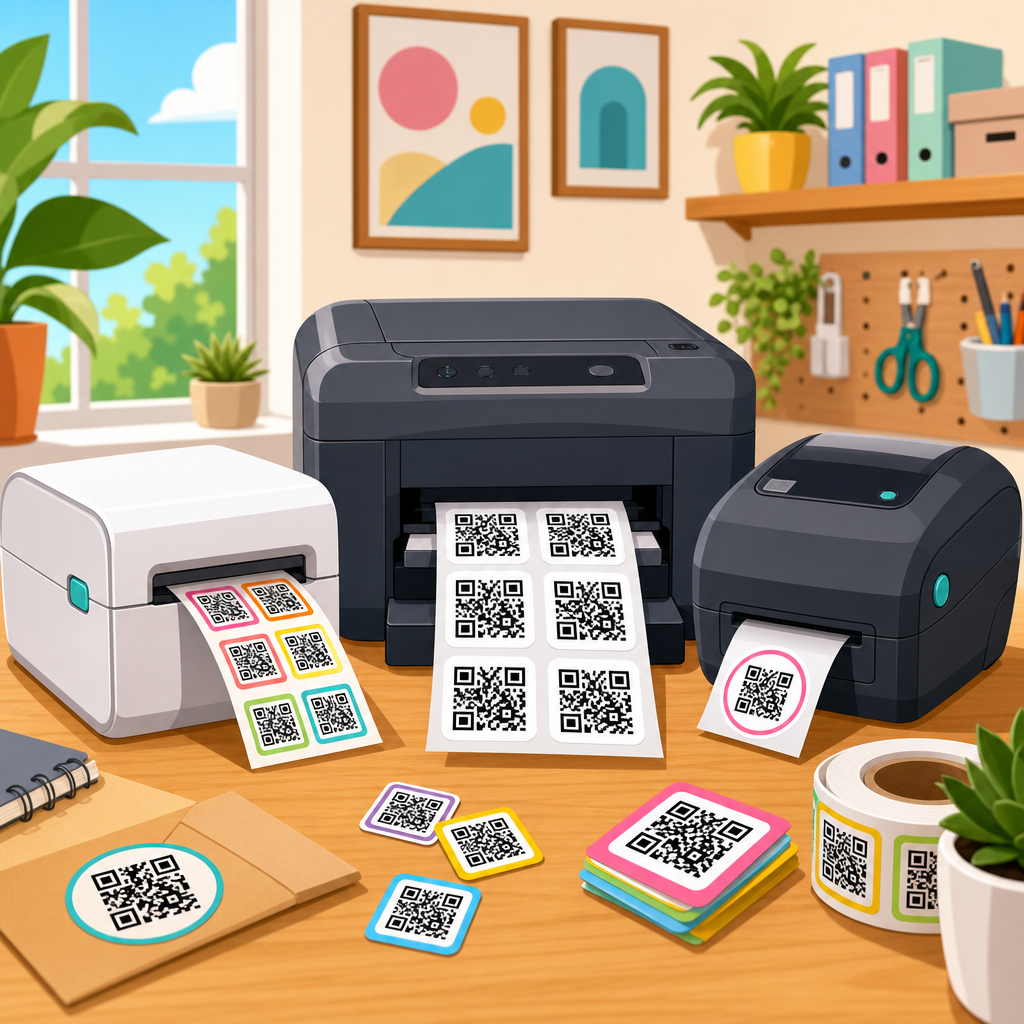
Choosing the best printers for QR code stickers starts with understanding a simple fact: a QR code is only useful if it scans instantly, every time, on the material and in the environment where you place it. I have tested QR code labels on product boxes, warehouse bins, event badges, windows, and outdoor equipment, and the printer decision almost always determines whether the code feels effortless or frustrating. For a hub page on printing QR codes, the printer is the center of the workflow because print technology, resolution, label stock, adhesive, lamination, and software all affect scan reliability. A great design can fail when edges bleed, modules fill in, or reflective surfaces create glare.
When people search for the best printers for QR code stickers, they usually want direct answers to three questions: which printer type works best, what specifications matter, and how do they avoid unreadable labels. The short answer is this: thermal label printers are usually best for shipping, logistics, and short-to-medium-term indoor use; thermal transfer printers are best for durable industrial labels; inkjet and laser printers can work well for branded sticker sheets and color packaging labels; and commercial digital presses are best for scale. Key terms matter here. Printer resolution, measured in dpi, affects module sharpness. Media compatibility determines whether the machine can handle paper, polypropylene, polyester, vinyl, or tamper-evident stock. Print contrast signal, often discussed in barcode verification, describes how distinctly dark and light areas separate for scanners.
This topic matters because QR codes now sit at the junction of packaging, inventory, payments, menus, equipment tracking, authentication, and marketing. A code that fails to scan wastes ad spend, slows operations, and undermines trust. A code that scans fast can connect a physical object to a landing page, manual, serial record, or campaign in one second. In practice, the best printer is not the most expensive model. It is the model that matches your label size, expected lifespan, scan distance, substrate, environmental exposure, and production volume. This guide covers the printer categories, critical specifications, material choices, testing methods, and real buying recommendations that matter when printing QR code stickers well.
What makes a printer good for QR code stickers
The best printer for QR code stickers produces crisp square modules, maintains high contrast, feeds labels consistently, and supports the stock you actually need. In my own print testing, scan failures rarely come from the QR code generator itself. They usually come from soft edges, ink spread, low-density blacks, wrinkled media, or labels cut too close to the quiet zone. A good printer minimizes those risks. For most business use, 203 dpi is acceptable for larger codes viewed at short range, 300 dpi is the practical sweet spot, and 600 dpi becomes valuable when you need very small QR codes on cosmetics, electronics, jewelry tags, or dense variable data labels.
Speed also matters, but only after print integrity. If you print ten thousand asset labels, a fast machine saves labor. If the labels are misread, that speed creates larger batches of bad inventory. Connectivity and software support are just as important. A printer that works smoothly with ZebraDesigner, BarTender, NiceLabel, Adobe Illustrator workflows, or e-commerce platforms reduces setup errors. For sticker production, the media path matters too. Roll-fed label printers are efficient for repeated sizes. Sheet-fed printers are better for mixed designs and branded sticker packs. Industrial models handle longer runs, wider rolls, and harsher environments. Desktop models fit offices and small operations.
Another important factor is permanence. Direct thermal labels are simple and economical, but they darken with heat, abrasion, and sunlight over time. That is acceptable for shipping labels or short-cycle event use. Thermal transfer printing, by contrast, uses ribbon to bond resin or wax-resin onto the label surface and is substantially more durable. If your QR code sticker will live on a tool chest, medical tray, outdoor sign, freezer bin, or chemical container, durability is not optional. The printer must support the right print method and material pairing, not just the right size and budget.
Printer types and where each one fits
There is no single winner for every QR code sticker project, so the best approach is to match printer technology to the use case. Thermal printers dominate operational labeling because they are fast, reliable, and optimized for barcodes and QR codes. Inkjet printers are popular for color branding and custom sticker sheets. Laser printers are dependable for office-scale sheet labels, especially when text and graphics share the page. Commercial presses take over when you need top-tier consistency at volume. The following comparison reflects what I recommend most often after evaluating print durability, media options, and scan performance.
| Printer type | Best use case | Main strengths | Main limitations |
|---|---|---|---|
| Direct thermal | Shipping, event badges, temporary indoor labels | Low maintenance, fast output, strong barcode clarity | Fades with heat, light, and abrasion |
| Thermal transfer | Asset tags, warehouse bins, industrial and long-life stickers | Excellent durability, broad media support, sharp QR codes | Higher media cost, ribbon management required |
| Inkjet | Branded sticker sheets, product packaging, color labels | Full color, photo-quality graphics, flexible sheet workflows | Some inks smear or run on unsuitable stock |
| Laser | Office labels, medium-volume sheet printing | Crisp text, good black density, efficient multipurpose use | Heat-sensitive stock can curl; limited specialty media compatibility |
| Digital press | Commercial sticker production and high-volume custom runs | Excellent consistency, color control, finishing options | High acquisition cost or outsourced workflow |
For pure QR code readability, thermal transfer is the most consistently strong option across demanding conditions. Zebra, TSC, SATO, Honeywell, and Toshiba Tec all make dependable barcode-focused printers that can generate sharp variable labels at scale. For small businesses selling products with branded QR code stickers, an Epson EcoTank inkjet or a Primera color label printer can be a better fit because appearance matters alongside scan performance. If you run an office and need occasional QR code sticker sheets for folders, signs, or internal assets, a Brother or HP laser printer with quality label stock can be enough. The key is to avoid choosing by brand alone. Always choose by print method, resolution, supported media, and expected label lifespan.
Top printer recommendations by use case
For shipping and general operations, the Zebra ZD421 and Rollo Wireless Printer are strong starting points. The Zebra ZD421 is more robust, with broader enterprise support, optional 300 dpi configuration, and reliable integration into warehouse workflows. The Rollo is simple and cost-effective for e-commerce sellers printing shipping labels and basic QR stickers in high volume. For businesses needing durability, the Zebra ZD621T or GX430t-class thermal transfer printers are better choices because they can print on synthetic stocks using wax-resin or resin ribbons. That combination is what I have trusted for inventory labels that must remain scannable after months of handling.
For industrial environments, step up to models like the Zebra ZT231, TSC MB241, or Honeywell PM45. These printers are built for sustained duty cycles, larger rolls, faster output, and tougher media. They are appropriate when QR code stickers are part of compliance labeling, manufacturing traceability, or fixed asset management. In those settings, downtime costs more than the printer. Features like metal mechanisms, network management, and easier ribbon loading matter. A 300 dpi industrial thermal transfer printer is the safest recommendation for small but critical QR codes on equipment, bins, and components.
For product packaging and color-forward sticker sheets, Epson ColorWorks and Primera LX-series printers are worth serious attention. Epson ColorWorks printers are especially effective when you need full-color labels on demand without outsourcing large inventories of preprinted stock. They work well for food, beverage, cosmetics, and retail packaging where the QR code directs buyers to ingredients, batch records, care instructions, loyalty offers, or authentication pages. If budget is tighter, an Epson EcoTank or Canon MegaTank inkjet paired with premium matte sticker paper can produce excellent QR code stickers for low-to-medium volume runs, provided you test the stock, drying time, and smudge resistance carefully.
For office environments, Brother HL-L series and HP Color LaserJet models remain practical choices. Laser printers produce clean edges and strong black toner density, which helps QR codes scan reliably on sheet labels. They are not ideal for every synthetic stock, but they are efficient when teams need mixed pages with text, logos, and multiple labels. Cricut and Silhouette print-and-cut setups can also support custom QR stickers for crafts, events, and retail merchandising, though the printer quality still determines scan success. These systems are best viewed as finishing solutions, not primary barcode-grade printing tools.
Specifications that actually affect scan performance
If you need a buyer’s checklist, focus on six variables: resolution, media handling, print method, darkness control, registration accuracy, and software support. Resolution matters because QR codes are made of discrete modules. At low dpi, small codes lose edge definition and fill in. In practical terms, 300 dpi is the safest baseline for business labels, while 600 dpi is ideal for very small stickers or dense content. Media handling matters because thin paper behaves differently from polyester or vinyl. Printers that skew the stock or apply uneven heat can distort the symbol shape enough to reduce first-pass scan rates.
Darkness control and calibration are often overlooked. On thermal printers, heat settings influence line spread and contrast. Too little heat creates weak blacks; too much causes blooming, where modules expand and close gaps. On inkjet systems, ink saturation and substrate coating determine whether edges stay sharp or feather outward. On laser printers, fuser temperature and toner adhesion affect consistency on specialty sheets. Registration accuracy matters whenever the QR code must land in a precise sticker die-cut area or align with branded packaging artwork. If the code drifts toward the edge, the quiet zone can be compromised.
Software is another deciding factor. Good label software lets you set exact dimensions, maintain clear margins, generate variable QR data, and pull fields from spreadsheets, databases, or ERP systems. BarTender, NiceLabel, and ZebraDesigner are proven choices in production environments. If you create artwork in Adobe Illustrator, export carefully and verify that no anti-aliasing or transparency effects soften the code. A QR code should remain a high-contrast, sharply rendered symbol, not a stylized graphic. For critical use, verification tools such as those aligned with ISO/IEC barcode quality practices provide objective grading, which is far more reliable than checking with one phone camera.
Materials, adhesives, and finishes for better QR code stickers
The printer is only half the equation; label material determines whether the printed QR code survives the real world. Paper labels are economical and work well indoors on cartons, brochures, folders, and temporary stickers. Polypropylene is a common upgrade because it resists moisture better and maintains a cleaner appearance on consumer packaging. Polyester and vinyl are stronger choices for industrial or outdoor use. Tamper-evident materials help with warranty seals, anti-counterfeiting, and asset protection. If the label must survive solvents, abrasion, UV, or freezer conditions, match the stock and adhesive to those exposures before you choose the printer ribbon or ink system.
Adhesive selection matters more than many teams expect. Permanent acrylic adhesive suits most packaging and equipment surfaces. Removable adhesive is better for short-term promotions, event labeling, or reusable containers, but it can lift at the edges if used on textured surfaces. Freezer-grade adhesives are designed to bond in cold chain environments. High-tack options help with rough plastics, powder-coated metal, and corrugated cardboard. Finishes also affect scanning. Gloss can look premium but may produce glare under retail lights or sunlight. Matte laminates often scan more reliably because they reduce reflections while protecting the print.
Size and layout complete the picture. A QR code sticker needs a sufficient quiet zone around all sides, typically at least four modules wide. The smaller the code, the more careful you must be about content length and print precision. Short URLs, dynamic QR platforms, and error correction settings should be chosen thoughtfully, not left to defaults without testing. I have repeatedly seen teams try to fit too much data into a tiny sticker, then blame the printer when the real problem was symbol density. A better workflow is simple: keep the encoded content lean, print larger when possible, and test on the exact phone models your audience uses.
How to print QR codes that scan every time
The most reliable process is straightforward. First, generate the QR code at the correct error correction level and export it in a clean format, ideally SVG or high-resolution PNG for design workflows. Second, place it at a size appropriate for the viewing distance and scanning context. Third, preserve the quiet zone and avoid decorative alterations that interfere with modules. Fourth, print a small batch on your chosen printer and material. Fifth, test under the lighting, angle, and distance of actual use. Sixth, if the labels are mission-critical, verify them with a barcode verifier instead of relying only on consumer smartphones.
For a sub-pillar on printing QR codes, the central lesson is consistency. The best printers for QR code stickers are the ones that produce repeatable, high-contrast results on the right material for the right lifespan. Thermal transfer remains the top recommendation for durability and dependable scanning; direct thermal is excellent for temporary operational labels; inkjet and laser are effective for branded sheet stickers and office use when paired with suitable stock. If you are choosing one place to improve your QR code workflow, start by aligning printer type, resolution, and material with the real-world job. Then test before scale. Review your current label use cases, identify the environments your stickers face, and invest in the printer system that matches them exactly.
Frequently Asked Questions
What type of printer is best for QR code stickers?
The best printer for QR code stickers depends on where the sticker will be used, how many labels you need, and how durable the print must be over time. In most cases, thermal label printers are the top choice for QR code stickers because they produce sharp, high-contrast barcodes and QR codes that scan reliably. Direct thermal printers work well for short-term uses such as shipping labels, event badges, inventory tags, and temporary product identification. Thermal transfer printers are better when you need longer-lasting QR code stickers for warehouse bins, equipment labels, outdoor applications, or products exposed to heat, moisture, or abrasion.
Inkjet and laser printers can also work well, especially if you need full-color sticker sheets, branded packaging labels, or custom QR stickers with logos and design elements. However, they are usually less efficient for high-volume labeling and may require more attention to media compatibility, ink durability, and print alignment. For example, a good laser printer can produce crisp black QR codes on matte label stock, but not every label sheet handles heat equally well. Inkjet printers can create attractive, colorful labels, but if the sticker gets wet or is used outdoors, the printed QR code may degrade unless you use waterproof materials and pigment-based inks.
If your top priority is scan reliability, a dedicated thermal printer is often the safest option. If your priority is visual presentation for retail or marketing use, an inkjet or laser printer may make more sense. The key is to match the printer to the label material, the environment, and the expected lifespan of the QR code sticker, because even a perfectly generated QR code can fail in the real world if the print method is not suited to the job.
Do thermal printers make better QR code stickers than inkjet or laser printers?
In many practical situations, yes. Thermal printers often make better QR code stickers because they are designed specifically for label production and usually deliver excellent edge definition, strong contrast, and consistent sizing. Those three things matter a lot for QR codes. A scanner or smartphone camera does not just need the code to look good to the eye; it needs clean module shapes, enough contrast between dark and light areas, and a quiet zone around the code so that it can interpret it instantly.
Thermal printers are especially strong when you need dependable performance across many labels. If you are printing QR code stickers for warehouse shelves, asset tracking, inventory bins, shipping workflows, or industrial labeling, thermal printing tends to be more predictable than consumer inkjet printing. It also avoids problems like ink smearing, slow drying times, and cartridge variability. Thermal transfer models add another layer of durability by using resin or wax-resin ribbons that hold up better against scratching, chemicals, sunlight, and moisture.
That said, “better” depends on the application. Inkjet and laser printers are absolutely viable when used properly. For branded QR code stickers on product packaging, a high-quality laser or inkjet printer may be the better option because it supports richer layouts, color backgrounds, and more flexible page-based design. The catch is that you need to be more careful with settings, material choice, and testing. If the media absorbs ink unevenly, if the toner does not fuse well, or if scaling changes during printing, the QR code can become less reliable. So thermal is often better for operational consistency and scanning performance, while inkjet and laser can be better for design-heavy labels if you are willing to validate the final result carefully.
What printer features matter most for making QR code stickers that scan reliably?
The most important printer feature is print resolution, but it is not the only one that matters. For QR code stickers, you want a printer that can produce crisp, well-defined squares without blurring or distortion. A resolution of 203 dpi can be enough for many standard-sized labels, especially if the QR code is not tiny and the encoded data is modest. However, if you are printing small QR code stickers, dense codes, or labels for compact packaging, 300 dpi or higher gives you a better margin for scan reliability. Higher resolution helps maintain the integrity of the code’s structure, particularly on small formats.
Media handling is another major factor. A printer that feeds labels consistently reduces skew, spacing errors, and misalignment that can crop or distort the QR code. This is especially important for rolls of labels, die-cut sticker stock, or high-volume batches where consistency matters. You should also look at supported label materials, because glossy, textured, synthetic, waterproof, or removable adhesive stocks can all behave differently in different printers. A printer that works well with the exact sticker material you plan to use is more valuable than one with impressive specs on paper but poor real-world compatibility.
Darkness or density control also matters. QR codes need strong contrast, but overprinting can be as problematic as underprinting. If black areas spread too much, the modules can bleed together. If printing is too light, scanners may struggle, especially under poor lighting. Reliable driver settings, stable print calibration, and the ability to disable unwanted scaling are also critical. One of the most common causes of bad QR code stickers is not the code file itself, but a print workflow that quietly resizes or softens the image. In other words, the best printers for QR code stickers are not just high resolution; they are consistent, controllable, and compatible with the materials and sizes you actually use.
How durable do QR code sticker prints need to be for outdoor, warehouse, or product use?
Durability should match the real environment, not just the ideal one. If a QR code sticker is going on a product box for short-term retail use indoors, standard paper labels printed clearly may be completely adequate. But if the sticker will be used on warehouse racks, tools, pallets, windows, equipment, or outdoor surfaces, durability becomes a deciding factor in printer selection. The QR code has to remain high contrast and physically intact for as long as people need to scan it. Fading, scratching, peeling, moisture damage, and chemical exposure can all turn a once-perfect code into a frustrating one.
For warehouse and industrial use, thermal transfer printing on synthetic label stock is often one of the best combinations. It resists abrasion and can handle rough handling better than ordinary paper labels. For outdoor use, UV resistance and weatherproof materials matter just as much as print technology. A label printed beautifully with an indoor inkjet setup may fail quickly in sun or rain. In those cases, you want durable media such as polyester or polypropylene, strong adhesive appropriate for the surface, and a print method proven to hold up under environmental stress. Laminates can also help protect the code, but they must be applied carefully to avoid glare or reduced contrast.
For product use, the decision is more nuanced. A QR code on consumer packaging might only need to last through shipping, shelf display, and a customer scan. A QR code on a refill container, medical item, electronics accessory, or returnable asset may need far greater resilience. The smartest approach is to test labels in the actual environment before committing to a printer. Scan them under bright light, dim light, at different angles, and after exposure to normal wear. A QR code sticker is only as good as its performance after handling, not just immediately after printing.
How can I test whether a printer is producing QR code stickers that actually work well?
The best way to test a printer for QR code stickers is to evaluate the full workflow, not just the print sample at your desk. Start by printing QR codes at the exact size you plan to use in production, on the same sticker material, with the same printer settings, and with the same data density. Then test scanning with multiple devices, including current smartphones and any dedicated barcode scanners used in your environment. A code that scans easily with one high-end phone in perfect lighting may still fail on older phones, low-cost devices, or warehouse scanners in real working conditions.
You should also test distance and angle. A QR code sticker on a product package may be scanned close up by hand, but one on a window, bin, poster, or machine may be scanned from farther away or at an awkward angle. If scanning feels slow or inconsistent, the issue may be code size, print sharpness, surface glare, or lack of contrast. It is also important to inspect whether your printer or software is introducing scaling, compression, or anti-aliasing that softens the QR pattern. For the best results, print from a clean vector source or a high-resolution file and confirm that the final output dimensions remain exact.
Finally, do durability testing that matches the intended use. Rub the label, expose it to moisture if relevant, place it under bright light, and test after a few days or weeks if the application is long term. If the sticker will be used outdoors, test it outdoors. If it will be applied to curved or textured surfaces, test those too. The right printer for QR code stickers is the one that keeps producing labels that scan instantly after real handling, not just the one that makes the prettiest sample on day one.





